> ## Documentation Index
> Fetch the complete documentation index at: https://notes.kodekloud.com/llms.txt
> Use this file to discover all available pages before exploring further.
# Demo Rate Limiting
> Guide demonstrating NGINX request and connection rate limiting using limit_req and limit_conn, with testing, configuration examples, tuning, and logs
This lesson demonstrates NGINX rate limiting using two mechanisms:
* Request rate limiting (`limit_req`) — controls how many requests a client (usually per-IP) can make over time.
* Connection limiting (`limit_conn`) — caps the number of simultaneous connections from a client.
First we'll show the server behavior with no limits, then add request and connection limits and observe the effects using `curl` and ApacheBench (`ab`).
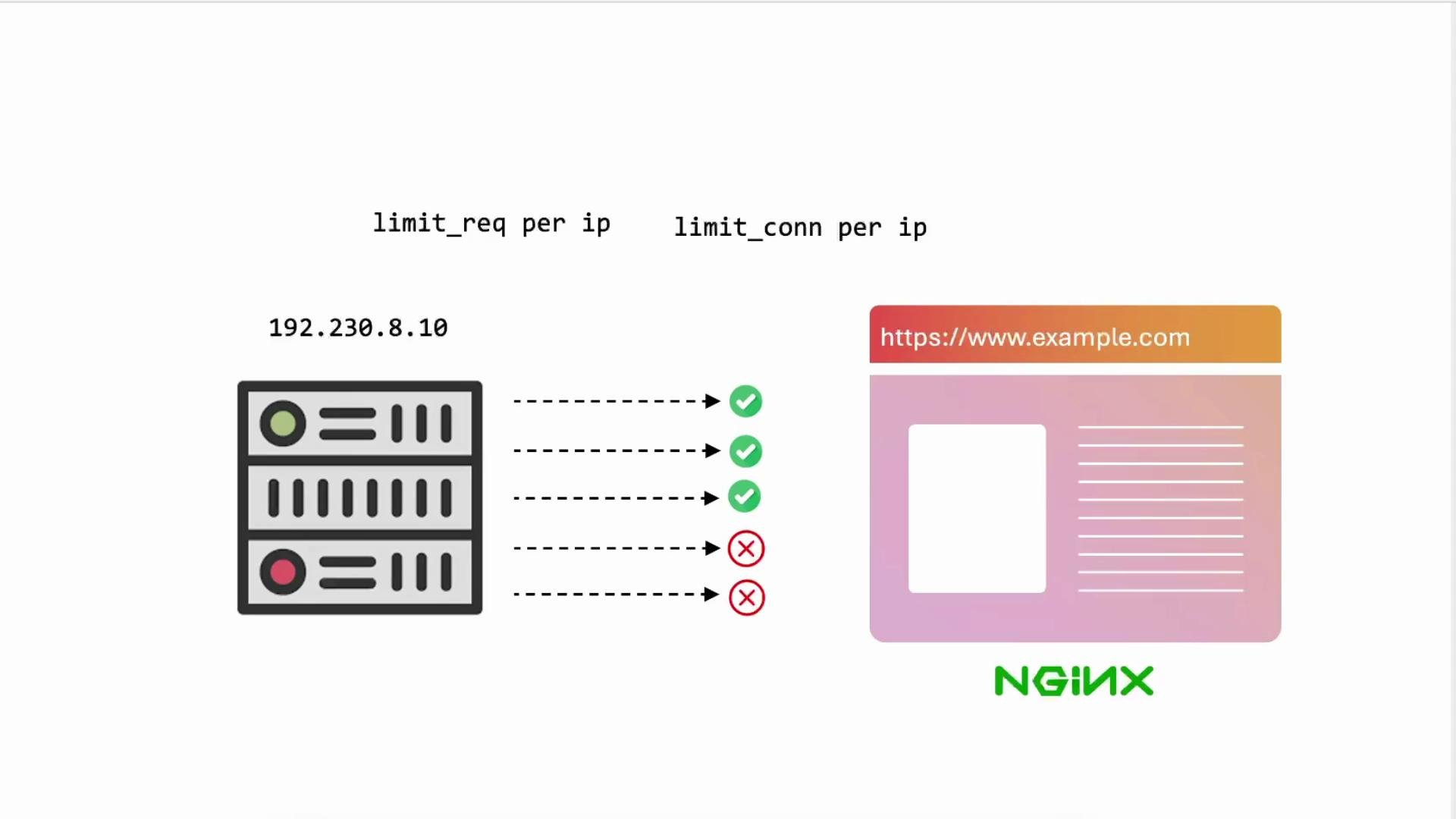
A diagram illustrating per-IP request and connection limits appears below and is referenced throughout the examples.
 ## 1) Smoke test (no rate limiting)
Begin by verifying basic connectivity from your client node (for example `node01`). Map the server IP in `/etc/hosts` so you can reach the site by name, then perform a simple request:
```bash theme={null}
# Example entry added to /etc/hosts (run on your workstation/node)
# Basic request (skip TLS verification if needed)
curl -k --head https://example.com/generic.html
```
Typical response headers (truncated):
```text theme={null}
HTTP/1.1 200 OK
Server: nginx/1.18.0 (Ubuntu)
Date: Sat, 15 Feb 2025 00:02:25 GMT
Content-Type: text/html
Content-Length: 5464
Connection: keep-alive
ETag: "67afd416-1558"
Strict-Transport-Security: max-age=31560000; includeSubDomains; preload
```
You can loop multiple requests to sanity-check that the server returns 200 OK under normal (unrestricted) conditions:
```bash theme={null}
for i in {1..20}; do
curl -k --head https://example.com/generic.html
done
```
All requests should return `200 OK` when no rate limiting is configured.
## 2) Baseline performance with ApacheBench
Use ApacheBench (`ab`) for quick, single-host load testing. See the official docs: [https://httpd.apache.org/docs/2.4/programs/ab.html](https://httpd.apache.org/docs/2.4/programs/ab.html)
Verify `ab` is installed and run a small test:
```bash theme={null}
which ab
ab -n 100 https://example.com/
```
Example output (100 requests):
```text theme={null}
Time taken for tests: 0.227 seconds
Complete requests: 100
Failed requests: 0
Requests per second: 441.26 [#/sec] (mean)
Time per request: 2.266 [ms] (mean)
Transfer rate: 3932.55 [Kbytes/sec] received
```
Increasing to 1000 sequential requests may still show zero failures on an unrestricted server:
```text theme={null}
Concurrency Level: 1
Time taken for tests: 2.225 seconds
Complete requests: 1000
Failed requests: 0
Requests per second: 449.37 [#/sec] (mean)
```
`ab` is useful for quick checks. For more realistic concurrent-connection or long-running stress tests, consider tools like [`wrk`](https://github.com/wg/wrk) or [`siege`](https://www.joedog.org/siege-home/).
## 3) Add request rate limiting (limit\_req)
Request rate limiting is configured in the `http { ... }` context with `limit_req_zone`, which creates an in-memory shared zone that tracks requests per key (commonly `$binary_remote_addr`).
Edit `/etc/nginx/nginx.conf` and add a rate-limiting zone and a status code for exceeded requests:
```nginx theme={null}
http {
##
# Basic Settings
##
sendfile on;
tcp_nopush on;
types_hash_max_size 2048;
include /etc/nginx/mime.types;
default_type application/octet-stream;
##
# Rate Limiting
#
# Track requests per remote IP and allow 10 requests per minute:
limit_req_zone $binary_remote_addr zone=limit_per_ip:10m rate=10r/m;
limit_req_status 429;
##
# SSL Settings
##
...
}
```
Apply the limit in your site `server` block (for example `/etc/nginx/sites-available/example-https`), typically inside the `location /` block:
```nginx theme={null}
server {
listen 443 ssl;
server_name example.com;
ssl_certificate /etc/ssl/certs/example.com.pem;
ssl_certificate_key /etc/ssl/certs/example.com-key.pem;
root /var/www/html;
add_header Strict-Transport-Security "max-age=31560000; includeSubDomains; preload";
add_header X-Frame-Options "SAMEORIGIN";
add_header Content-Security-Policy "default-src 'self'";
add_header Referrer-Policy origin;
index index.html index.htm;
location / {
# Apply the request rate limit
limit_req zone=limit_per_ip;
try_files $uri $uri/ =404;
}
}
```
Test the configuration and reload NGINX:
```bash theme={null}
nginx -t
nginx -s reload
```
Now run a larger benchmark from your client:
```bash theme={null}
ab -n 1000 https://example.com/
```
Because the zone is set to `10r/m` per IP, many of the rapid requests will be rejected with `429`. Example `ab` output indicating many non-2xx responses:
```text theme={null}
Complete requests: 1000
Failed requests: 0
Non-2xx responses: 999
Requests per second: 461.68 [#/sec] (mean)
```
NGINX will also log entries showing the rate limiting in the error log (`/var/log/nginx/error.log`), for example:
```text theme={null}
2025/02/15 00:09:14 [error] 7219#7219: *9367 limiting requests, excess: 1.000 by zone "limit_per_ip", client: 192.231.179.3, server: example.com, request: "GET / HTTP/1.0", host: "example.com"
```
### Tuning the request rate
Adjust the `rate=` value to match expected traffic patterns. Examples:
| Example | Description |
| ----------------------------------------------------------------------- | ------------------------------------------ |
| `limit_req_zone $binary_remote_addr zone=limit_per_ip:10m rate=10r/m;` | Very strict: 10 requests per minute per IP |
| `limit_req_zone $binary_remote_addr zone=limit_per_ip:10m rate=100r/m;` | Moderate: 100 requests per minute per IP |
| `limit_req_zone $binary_remote_addr zone=limit_per_ip:10m rate=100r/s;` | High rate: 100 requests per second per IP |
After changing the rate, reload NGINX and re-run `ab` to observe how the `Non-2xx responses` count changes. Increasing the allowed rate will reduce the number of `429` responses.
## 4) Add connection limiting (limit\_conn)
Connection limiting restricts how many simultaneous connections a key (usually per-IP) can open. Configure a connection zone in `http` and apply `limit_conn` in `server` or `location`.
Add the connection zone alongside your request zone:
```nginx theme={null}
http {
...
limit_req_zone $binary_remote_addr zone=limit_per_ip:10m rate=100r/s;
limit_conn_zone $binary_remote_addr zone=conn_per_ip:10m;
limit_req_status 429;
...
}
```
Then apply `limit_conn` in the site configuration. Example: allow only 1 concurrent connection per client IP:
```nginx theme={null}
location / {
# Optionally keep or remove request limits
# limit_req zone=limit_per_ip;
# Limit to 1 concurrent connection per client IP
limit_conn conn_per_ip 1;
try_files $uri $uri/ =404;
}
```
Test the config and reload:
```bash theme={null}
nginx -t
nginx -s reload
```
### Testing connection limits with ApacheBench
Use `ab -c` to create concurrent connections. Example:
```bash theme={null}
# 1000 requests with concurrency 100
ab -n 1000 -c 100 https://example.com/
```
If the connection limit is hit, `ab` may show increased latency, `Non-2xx responses`, or timeouts:
```text theme={null}
Concurrency Level: 100
Complete requests: 1000
Failed requests: 0
Non-2xx responses: 202
Requests per second: 1083.03 [#/sec] (mean)
Time per request: 92.334 [ms] (mean)
```
NGINX error logs will show connection-limiting messages:
```text theme={null}
2025/02/15 00:13:00 [error] 7352#7352: *11487 limiting connections by zone "conn_per_ip", client: 192.231.179.3, server: example.com, request: "GET / HTTP/1.0", host: "example.com"
```
If you increase the allowed concurrent connections (for example to 100 per IP) and reload, the benchmark may complete without failures:
```nginx theme={null}
# in your site configuration
limit_conn conn_per_ip 100;
```
Re-run the `ab` command to confirm:
```text theme={null}
Complete requests: 1000
Failed requests: 0
Requests per second: 1089.79 [#/sec] (mean)
```
Benchmarking tools behave differently: `ab` may not open all concurrent TCP connections perfectly simultaneously and results can vary. For more accurate concurrency testing use tools designed for high concurrency (e.g., `wrk`, `siege`) and consider running tests from multiple client hosts to simulate distributed load.
## 5) Combined example
A concise combined `http` section with both rate and connection limits:
```nginx theme={null}
http {
##
# Basic Settings
##
sendfile on;
tcp_nopush on;
types_hash_max_size 2048;
include /etc/nginx/mime.types;
default_type application/octet-stream;
##
# Rate & Connection Limiting
##
limit_req_zone $binary_remote_addr zone=limit_per_ip:10m rate=1000r/s;
limit_conn_zone $binary_remote_addr zone=conn_per_ip:10m;
limit_req_status 429;
##
# SSL Settings
##
ssl_protocols TLSv1 TLSv1.1 TLSv1.2 TLSv1.3;
...
}
```
Then apply both directives inside the appropriate `server` or `location` block:
```nginx theme={null}
location / {
limit_req zone=limit_per_ip;
limit_conn conn_per_ip 100;
try_files $uri $uri/ =404;
}
```
## Quick reference: key directives
| Directive | Purpose | Example |
| ------------------ | ---------------------------------------------------------- | ----------------------------------------------------------------------- |
| `limit_req_zone` | Defines a shared memory zone and rate for request limiting | `limit_req_zone $binary_remote_addr zone=limit_per_ip:10m rate=100r/m;` |
| `limit_req` | Applies the rate limit from the defined zone | `limit_req zone=limit_per_ip;` |
| `limit_conn_zone` | Defines a shared memory zone for connection limiting | `limit_conn_zone $binary_remote_addr zone=conn_per_ip:10m;` |
| `limit_conn` | Applies the connection limit for the zone | `limit_conn conn_per_ip 1;` |
| `limit_req_status` | HTTP status returned when request limit exceeded | `limit_req_status 429;` |
Note: In table cells, examples containing braces or special characters are wrapped in backticks to prevent MDX parsing issues.
## 6) Summary and next steps
* `limit_req_zone` + `limit_req` throttle how many requests a client can make during a time window (useful for protecting against abuse or sudden spikes).
* `limit_conn_zone` + `limit_conn` cap simultaneous connections per key to protect backend resources.
* Tune rate and connection values based on real traffic and monitor `/var/log/nginx/access.log` and `/var/log/nginx/error.log`.
* For production-like testing use higher-fidelity load tools (`wrk`, `siege`) and distributed clients.
* Consider integrating NGINX Plus or upstream rate-limiting modules if you need advanced features (leaky bucket behavior, finer-grained keys, or per-user limits).
That concludes this demo on request and connection rate limiting with NGINX.
## 1) Smoke test (no rate limiting)
Begin by verifying basic connectivity from your client node (for example `node01`). Map the server IP in `/etc/hosts` so you can reach the site by name, then perform a simple request:
```bash theme={null}
# Example entry added to /etc/hosts (run on your workstation/node)
# Basic request (skip TLS verification if needed)
curl -k --head https://example.com/generic.html
```
Typical response headers (truncated):
```text theme={null}
HTTP/1.1 200 OK
Server: nginx/1.18.0 (Ubuntu)
Date: Sat, 15 Feb 2025 00:02:25 GMT
Content-Type: text/html
Content-Length: 5464
Connection: keep-alive
ETag: "67afd416-1558"
Strict-Transport-Security: max-age=31560000; includeSubDomains; preload
```
You can loop multiple requests to sanity-check that the server returns 200 OK under normal (unrestricted) conditions:
```bash theme={null}
for i in {1..20}; do
curl -k --head https://example.com/generic.html
done
```
All requests should return `200 OK` when no rate limiting is configured.
## 2) Baseline performance with ApacheBench
Use ApacheBench (`ab`) for quick, single-host load testing. See the official docs: [https://httpd.apache.org/docs/2.4/programs/ab.html](https://httpd.apache.org/docs/2.4/programs/ab.html)
Verify `ab` is installed and run a small test:
```bash theme={null}
which ab
ab -n 100 https://example.com/
```
Example output (100 requests):
```text theme={null}
Time taken for tests: 0.227 seconds
Complete requests: 100
Failed requests: 0
Requests per second: 441.26 [#/sec] (mean)
Time per request: 2.266 [ms] (mean)
Transfer rate: 3932.55 [Kbytes/sec] received
```
Increasing to 1000 sequential requests may still show zero failures on an unrestricted server:
```text theme={null}
Concurrency Level: 1
Time taken for tests: 2.225 seconds
Complete requests: 1000
Failed requests: 0
Requests per second: 449.37 [#/sec] (mean)
```
`ab` is useful for quick checks. For more realistic concurrent-connection or long-running stress tests, consider tools like [`wrk`](https://github.com/wg/wrk) or [`siege`](https://www.joedog.org/siege-home/).
## 3) Add request rate limiting (limit\_req)
Request rate limiting is configured in the `http { ... }` context with `limit_req_zone`, which creates an in-memory shared zone that tracks requests per key (commonly `$binary_remote_addr`).
Edit `/etc/nginx/nginx.conf` and add a rate-limiting zone and a status code for exceeded requests:
```nginx theme={null}
http {
##
# Basic Settings
##
sendfile on;
tcp_nopush on;
types_hash_max_size 2048;
include /etc/nginx/mime.types;
default_type application/octet-stream;
##
# Rate Limiting
#
# Track requests per remote IP and allow 10 requests per minute:
limit_req_zone $binary_remote_addr zone=limit_per_ip:10m rate=10r/m;
limit_req_status 429;
##
# SSL Settings
##
...
}
```
Apply the limit in your site `server` block (for example `/etc/nginx/sites-available/example-https`), typically inside the `location /` block:
```nginx theme={null}
server {
listen 443 ssl;
server_name example.com;
ssl_certificate /etc/ssl/certs/example.com.pem;
ssl_certificate_key /etc/ssl/certs/example.com-key.pem;
root /var/www/html;
add_header Strict-Transport-Security "max-age=31560000; includeSubDomains; preload";
add_header X-Frame-Options "SAMEORIGIN";
add_header Content-Security-Policy "default-src 'self'";
add_header Referrer-Policy origin;
index index.html index.htm;
location / {
# Apply the request rate limit
limit_req zone=limit_per_ip;
try_files $uri $uri/ =404;
}
}
```
Test the configuration and reload NGINX:
```bash theme={null}
nginx -t
nginx -s reload
```
Now run a larger benchmark from your client:
```bash theme={null}
ab -n 1000 https://example.com/
```
Because the zone is set to `10r/m` per IP, many of the rapid requests will be rejected with `429`. Example `ab` output indicating many non-2xx responses:
```text theme={null}
Complete requests: 1000
Failed requests: 0
Non-2xx responses: 999
Requests per second: 461.68 [#/sec] (mean)
```
NGINX will also log entries showing the rate limiting in the error log (`/var/log/nginx/error.log`), for example:
```text theme={null}
2025/02/15 00:09:14 [error] 7219#7219: *9367 limiting requests, excess: 1.000 by zone "limit_per_ip", client: 192.231.179.3, server: example.com, request: "GET / HTTP/1.0", host: "example.com"
```
### Tuning the request rate
Adjust the `rate=` value to match expected traffic patterns. Examples:
| Example | Description |
| ----------------------------------------------------------------------- | ------------------------------------------ |
| `limit_req_zone $binary_remote_addr zone=limit_per_ip:10m rate=10r/m;` | Very strict: 10 requests per minute per IP |
| `limit_req_zone $binary_remote_addr zone=limit_per_ip:10m rate=100r/m;` | Moderate: 100 requests per minute per IP |
| `limit_req_zone $binary_remote_addr zone=limit_per_ip:10m rate=100r/s;` | High rate: 100 requests per second per IP |
After changing the rate, reload NGINX and re-run `ab` to observe how the `Non-2xx responses` count changes. Increasing the allowed rate will reduce the number of `429` responses.
## 4) Add connection limiting (limit\_conn)
Connection limiting restricts how many simultaneous connections a key (usually per-IP) can open. Configure a connection zone in `http` and apply `limit_conn` in `server` or `location`.
Add the connection zone alongside your request zone:
```nginx theme={null}
http {
...
limit_req_zone $binary_remote_addr zone=limit_per_ip:10m rate=100r/s;
limit_conn_zone $binary_remote_addr zone=conn_per_ip:10m;
limit_req_status 429;
...
}
```
Then apply `limit_conn` in the site configuration. Example: allow only 1 concurrent connection per client IP:
```nginx theme={null}
location / {
# Optionally keep or remove request limits
# limit_req zone=limit_per_ip;
# Limit to 1 concurrent connection per client IP
limit_conn conn_per_ip 1;
try_files $uri $uri/ =404;
}
```
Test the config and reload:
```bash theme={null}
nginx -t
nginx -s reload
```
### Testing connection limits with ApacheBench
Use `ab -c` to create concurrent connections. Example:
```bash theme={null}
# 1000 requests with concurrency 100
ab -n 1000 -c 100 https://example.com/
```
If the connection limit is hit, `ab` may show increased latency, `Non-2xx responses`, or timeouts:
```text theme={null}
Concurrency Level: 100
Complete requests: 1000
Failed requests: 0
Non-2xx responses: 202
Requests per second: 1083.03 [#/sec] (mean)
Time per request: 92.334 [ms] (mean)
```
NGINX error logs will show connection-limiting messages:
```text theme={null}
2025/02/15 00:13:00 [error] 7352#7352: *11487 limiting connections by zone "conn_per_ip", client: 192.231.179.3, server: example.com, request: "GET / HTTP/1.0", host: "example.com"
```
If you increase the allowed concurrent connections (for example to 100 per IP) and reload, the benchmark may complete without failures:
```nginx theme={null}
# in your site configuration
limit_conn conn_per_ip 100;
```
Re-run the `ab` command to confirm:
```text theme={null}
Complete requests: 1000
Failed requests: 0
Requests per second: 1089.79 [#/sec] (mean)
```
Benchmarking tools behave differently: `ab` may not open all concurrent TCP connections perfectly simultaneously and results can vary. For more accurate concurrency testing use tools designed for high concurrency (e.g., `wrk`, `siege`) and consider running tests from multiple client hosts to simulate distributed load.
## 5) Combined example
A concise combined `http` section with both rate and connection limits:
```nginx theme={null}
http {
##
# Basic Settings
##
sendfile on;
tcp_nopush on;
types_hash_max_size 2048;
include /etc/nginx/mime.types;
default_type application/octet-stream;
##
# Rate & Connection Limiting
##
limit_req_zone $binary_remote_addr zone=limit_per_ip:10m rate=1000r/s;
limit_conn_zone $binary_remote_addr zone=conn_per_ip:10m;
limit_req_status 429;
##
# SSL Settings
##
ssl_protocols TLSv1 TLSv1.1 TLSv1.2 TLSv1.3;
...
}
```
Then apply both directives inside the appropriate `server` or `location` block:
```nginx theme={null}
location / {
limit_req zone=limit_per_ip;
limit_conn conn_per_ip 100;
try_files $uri $uri/ =404;
}
```
## Quick reference: key directives
| Directive | Purpose | Example |
| ------------------ | ---------------------------------------------------------- | ----------------------------------------------------------------------- |
| `limit_req_zone` | Defines a shared memory zone and rate for request limiting | `limit_req_zone $binary_remote_addr zone=limit_per_ip:10m rate=100r/m;` |
| `limit_req` | Applies the rate limit from the defined zone | `limit_req zone=limit_per_ip;` |
| `limit_conn_zone` | Defines a shared memory zone for connection limiting | `limit_conn_zone $binary_remote_addr zone=conn_per_ip:10m;` |
| `limit_conn` | Applies the connection limit for the zone | `limit_conn conn_per_ip 1;` |
| `limit_req_status` | HTTP status returned when request limit exceeded | `limit_req_status 429;` |
Note: In table cells, examples containing braces or special characters are wrapped in backticks to prevent MDX parsing issues.
## 6) Summary and next steps
* `limit_req_zone` + `limit_req` throttle how many requests a client can make during a time window (useful for protecting against abuse or sudden spikes).
* `limit_conn_zone` + `limit_conn` cap simultaneous connections per key to protect backend resources.
* Tune rate and connection values based on real traffic and monitor `/var/log/nginx/access.log` and `/var/log/nginx/error.log`.
* For production-like testing use higher-fidelity load tools (`wrk`, `siege`) and distributed clients.
* Consider integrating NGINX Plus or upstream rate-limiting modules if you need advanced features (leaky bucket behavior, finer-grained keys, or per-user limits).
That concludes this demo on request and connection rate limiting with NGINX.