> ## Documentation Index
> Fetch the complete documentation index at: https://notes.kodekloud.com/llms.txt
> Use this file to discover all available pages before exploring further.
# Management Web CLI
> Beginner guide to managing OpenShift via the web console, oc CLI, and REST API with examples, comparisons, and practical usage tips.
Welcome to this OpenShift management overview for absolute beginners. This lesson explains the three primary ways to interact with an OpenShift cluster — the web console, the `oc` command-line client, and the REST API — and includes practical examples and links to documentation for further reading.
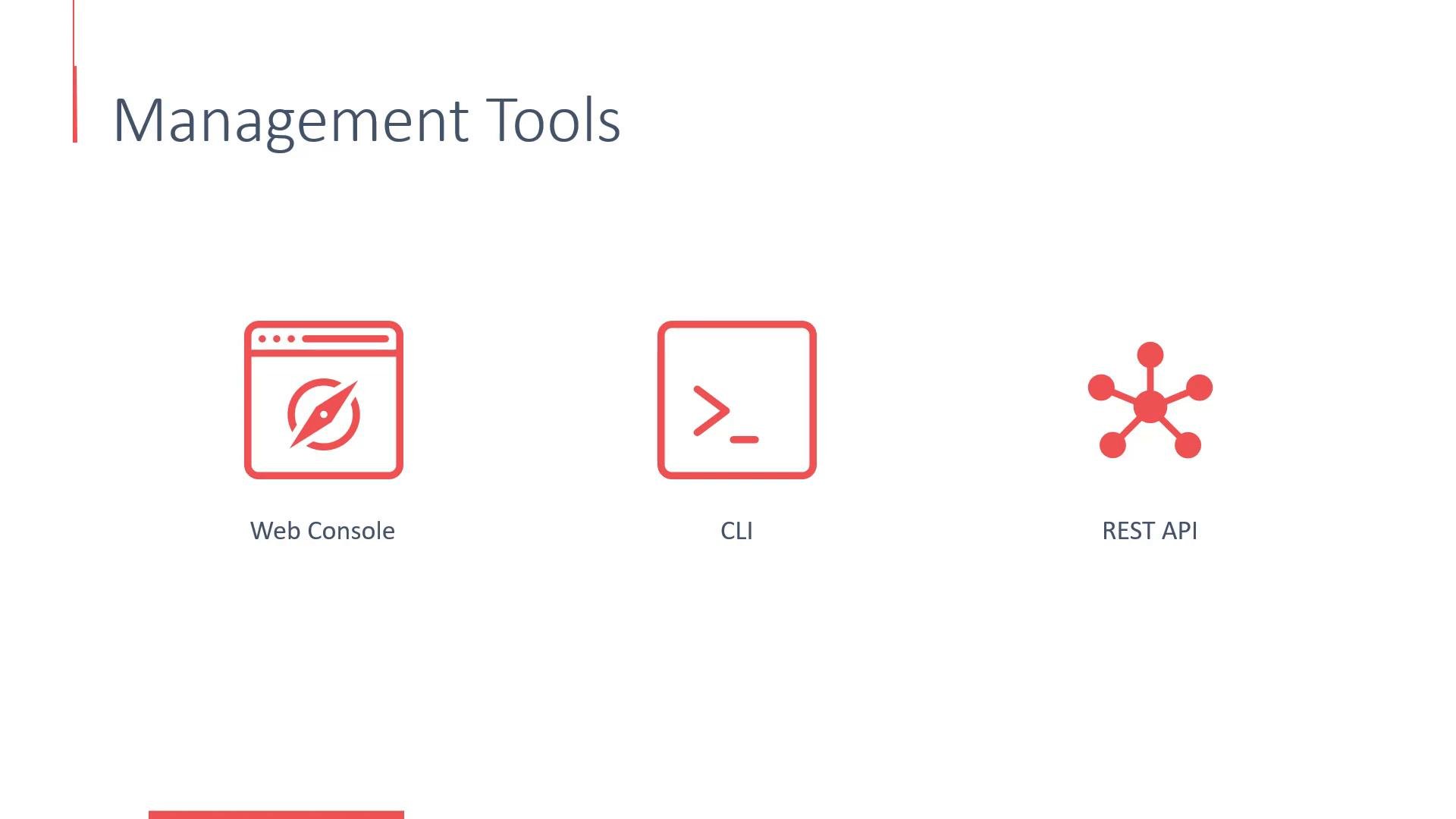
There are three primary ways to interact with an OpenShift cluster:
* The web console — the most direct and user-friendly option.
* The command-line interface using the `oc` client tool.
* The REST API — useful for integrations, automation, and scripting.
 ## Quick comparison
| Management Method | Best for | Typical use cases |
| - | -: | - |
| Web Console | Visual management | Browsing catalog, creating projects, CI/CD pipeline overview |
| `oc` CLI | Interactive or scripted operations | Builds, deployments, logs, debugging, admin tasks |
| REST API | Automation & integrations | Programmatic access, custom tooling, third-party integrations |
## Web Console
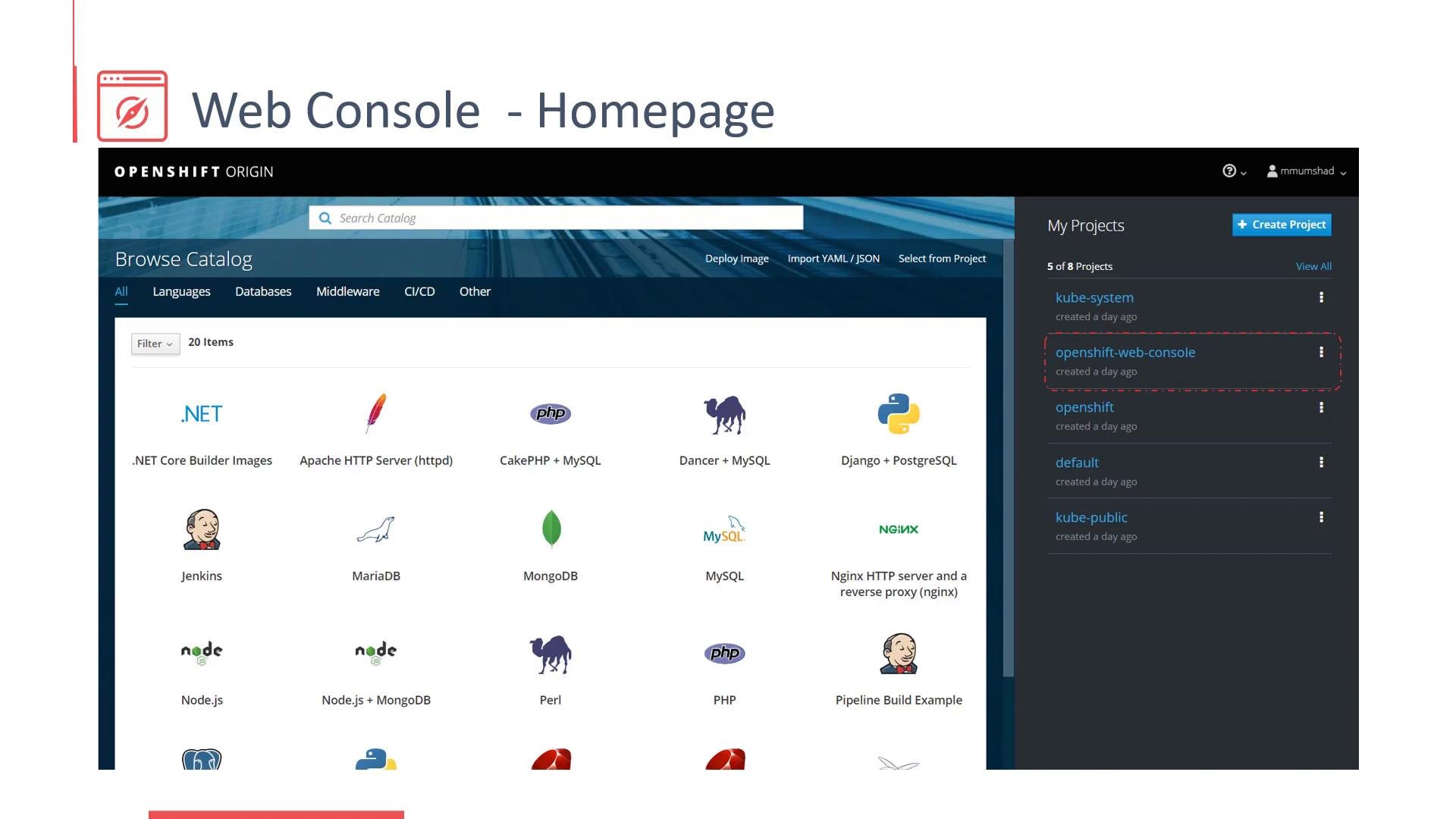
The OpenShift web console provides a browser-based UI for managing your cluster and applications. It is usually served over HTTPS. In many OpenShift 3.x setups the console listens on port 8443 (for example, `https://:8443`), though production deployments often expose it via a route or load balancer on standard HTTPS port 443 or a custom hostname.
Key capabilities available from the console:
* Create and manage projects (namespaces).
* Manage builds, deployments, and services.
* Configure routes and external access.
* Create and monitor CI/CD pipelines and build logs.
* Browse a service catalog of quickstart images and templates.
Projects (namespaces) group related resources and provide isolation. Default system projects such as `kube-system` and `openshift-web-console` host internal components, including the console itself.
## Quick comparison
| Management Method | Best for | Typical use cases |
| - | -: | - |
| Web Console | Visual management | Browsing catalog, creating projects, CI/CD pipeline overview |
| `oc` CLI | Interactive or scripted operations | Builds, deployments, logs, debugging, admin tasks |
| REST API | Automation & integrations | Programmatic access, custom tooling, third-party integrations |
## Web Console
The OpenShift web console provides a browser-based UI for managing your cluster and applications. It is usually served over HTTPS. In many OpenShift 3.x setups the console listens on port 8443 (for example, `https://:8443`), though production deployments often expose it via a route or load balancer on standard HTTPS port 443 or a custom hostname.
Key capabilities available from the console:
* Create and manage projects (namespaces).
* Manage builds, deployments, and services.
* Configure routes and external access.
* Create and monitor CI/CD pipelines and build logs.
* Browse a service catalog of quickstart images and templates.
Projects (namespaces) group related resources and provide isolation. Default system projects such as `kube-system` and `openshift-web-console` host internal components, including the console itself.
 For step-by-step tasks (creating an app, configuring routes, or viewing build logs) the web console is the fastest way to get a visual overview and perform common operations.
## CLI (oc)
The `oc` client is the primary command-line tool for interacting with OpenShift clusters. It works for both developers and administrators and is available for download from the OpenShift CLI docs:
[https://docs.openshift.com/container-platform/3.11/cli\_reference/openshift\_cli/getting-started-cli.html](https://docs.openshift.com/container-platform/3.11/cli_reference/openshift_cli/getting-started-cli.html)
`oc` is included with local developer tools such as Minishift (OpenShift 3.x) or CodeReady Containers (CRC for OpenShift 4.x).
Common `oc` workflows:
* Authenticate and switch projects
* Start builds, follow build logs
* Create resources from templates and source repositories
* Inspect and tail logs, exec into running pods
* Admin tasks via `oc adm`
Examples
Login interactively:
```bash theme={null}
$ oc login
OpenShift server [https://localhost:8443]: https://openshift.example.com
Username: developer
Password: ******
Login successful.
```
Login non-interactively:
```bash theme={null}
$ oc login -u developer -p developer https://openshift.example.com
Login successful.
```
Logout:
```bash theme={null}
$ oc logout
Logged out from https://openshift.example.com (openshift)
```
Create a new application from a source repo and an image stream:
```bash theme={null}
$ oc new-app centos/ruby-22-centos7~https://github.com/openshift/ruby-ex.git
```
Follow build logs for a build config named `ruby-ex`:
```bash theme={null}
$ oc logs -f bc/ruby-ex
```
Table of useful `oc` commands
| Task | Command |
| - | - |
| Show current user token | `oc whoami -t` |
| List projects | `oc get projects` |
| Switch project | `oc project ` |
| Get pods | `oc get pods` |
| Describe a resource | `oc describe pod/` |
| Execute command in pod | `oc exec -it -- /bin/bash` |
## REST API
OpenShift exposes a RESTful API for programmatic access. This is ideal when building automation, CI pipelines, or integrations with external systems. In OpenShift 3.x, several endpoints live under `/oapi` (while Kubernetes core API endpoints are under `/api` or `/apis`).
Example: list users via the API (replace the token placeholder with a valid token):
```bash theme={null}
$ curl https://localhost:8443/oapi/v1/users \
-H "Authorization: Bearer "
```
Obtain a token for the current `oc` login:
```bash theme={null}
$ oc whoami -t
27pZjHWn9GU5B5De4H3ICP6ZBd_7txQJMvz79dH0tsY
```
Token lifetimes depend on cluster configuration. Many clusters issue short-lived tokens (often 24 hours). For automation, consider service accounts or long-lived credentials configured according to your organization's security policy.
Example API response (truncated):
```json theme={null}
{
"kind": "UserList",
"apiVersion": "v1",
"metadata": {
"selfLink": "/oapi/v1/users"
},
"items": [
{
"metadata": {
"name": "developer",
"selfLink": "/oapi/v1/users/developer",
"uid": "271e2b49-47f0-11e8-afb8-4a1a95a6dbc1",
"resourceVersion": "1289",
"creationTimestamp": "2018-04-24T18:49:00Z"
},
"identities": [
"anypassword:developer"
],
"groups": null
},
{
"metadata": {
"name": "mmumshad",
"selfLink": "/oapi/v1/users/mmumshad",
"uid": "c905343d-48a6-11e8-afb8-4a1a95a6dbc1",
"resourceVersion": "108365",
"creationTimestamp": "2018-04-25T16:36:20Z"
},
"identities": [
"anypassword:mmumshad"
],
"groups": null
}
]
}
```
For full API details and resource schemas consult the OpenShift REST API docs:
[https://docs.openshift.com/container-platform/3.11/rest\_api/index.html](https://docs.openshift.com/container-platform/3.11/rest_api/index.html)
For automation, prefer service accounts or OAuth tokens scoped to minimal privileges. Use the REST API for integrations and the `oc` CLI for interactive tasks and scripted workflows.
## Wrapping up
This lesson covered the three primary OpenShift management options:
* Web Console for visual management and the service catalog
* `oc` CLI for developer and admin workflows
* REST API for automation and integrations
Next steps:
* Explore the OpenShift web console and create a sample project.
* Use `oc new-app` to build and deploy a small application and follow build logs.
* Review the REST API documentation to learn how to query and script cluster operations.
Further reading and resources:
* OpenShift CLI docs: [https://docs.openshift.com/container-platform/3.11/cli\_reference/openshift\_cli/getting-started-cli.html](https://docs.openshift.com/container-platform/3.11/cli_reference/openshift_cli/getting-started-cli.html)
* OpenShift REST API: [https://docs.openshift.com/container-platform/3.11/rest\_api/index.html](https://docs.openshift.com/container-platform/3.11/rest_api/index.html)
* Kubernetes concepts: [https://kubernetes.io/docs/concepts/](https://kubernetes.io/docs/concepts/)
This documentation is built and hosted on [Mintlify](https://mintlify.com), a developer documentation platform.
For step-by-step tasks (creating an app, configuring routes, or viewing build logs) the web console is the fastest way to get a visual overview and perform common operations.
## CLI (oc)
The `oc` client is the primary command-line tool for interacting with OpenShift clusters. It works for both developers and administrators and is available for download from the OpenShift CLI docs:
[https://docs.openshift.com/container-platform/3.11/cli\_reference/openshift\_cli/getting-started-cli.html](https://docs.openshift.com/container-platform/3.11/cli_reference/openshift_cli/getting-started-cli.html)
`oc` is included with local developer tools such as Minishift (OpenShift 3.x) or CodeReady Containers (CRC for OpenShift 4.x).
Common `oc` workflows:
* Authenticate and switch projects
* Start builds, follow build logs
* Create resources from templates and source repositories
* Inspect and tail logs, exec into running pods
* Admin tasks via `oc adm`
Examples
Login interactively:
```bash theme={null}
$ oc login
OpenShift server [https://localhost:8443]: https://openshift.example.com
Username: developer
Password: ******
Login successful.
```
Login non-interactively:
```bash theme={null}
$ oc login -u developer -p developer https://openshift.example.com
Login successful.
```
Logout:
```bash theme={null}
$ oc logout
Logged out from https://openshift.example.com (openshift)
```
Create a new application from a source repo and an image stream:
```bash theme={null}
$ oc new-app centos/ruby-22-centos7~https://github.com/openshift/ruby-ex.git
```
Follow build logs for a build config named `ruby-ex`:
```bash theme={null}
$ oc logs -f bc/ruby-ex
```
Table of useful `oc` commands
| Task | Command |
| - | - |
| Show current user token | `oc whoami -t` |
| List projects | `oc get projects` |
| Switch project | `oc project ` |
| Get pods | `oc get pods` |
| Describe a resource | `oc describe pod/` |
| Execute command in pod | `oc exec -it -- /bin/bash` |
## REST API
OpenShift exposes a RESTful API for programmatic access. This is ideal when building automation, CI pipelines, or integrations with external systems. In OpenShift 3.x, several endpoints live under `/oapi` (while Kubernetes core API endpoints are under `/api` or `/apis`).
Example: list users via the API (replace the token placeholder with a valid token):
```bash theme={null}
$ curl https://localhost:8443/oapi/v1/users \
-H "Authorization: Bearer "
```
Obtain a token for the current `oc` login:
```bash theme={null}
$ oc whoami -t
27pZjHWn9GU5B5De4H3ICP6ZBd_7txQJMvz79dH0tsY
```
Token lifetimes depend on cluster configuration. Many clusters issue short-lived tokens (often 24 hours). For automation, consider service accounts or long-lived credentials configured according to your organization's security policy.
Example API response (truncated):
```json theme={null}
{
"kind": "UserList",
"apiVersion": "v1",
"metadata": {
"selfLink": "/oapi/v1/users"
},
"items": [
{
"metadata": {
"name": "developer",
"selfLink": "/oapi/v1/users/developer",
"uid": "271e2b49-47f0-11e8-afb8-4a1a95a6dbc1",
"resourceVersion": "1289",
"creationTimestamp": "2018-04-24T18:49:00Z"
},
"identities": [
"anypassword:developer"
],
"groups": null
},
{
"metadata": {
"name": "mmumshad",
"selfLink": "/oapi/v1/users/mmumshad",
"uid": "c905343d-48a6-11e8-afb8-4a1a95a6dbc1",
"resourceVersion": "108365",
"creationTimestamp": "2018-04-25T16:36:20Z"
},
"identities": [
"anypassword:mmumshad"
],
"groups": null
}
]
}
```
For full API details and resource schemas consult the OpenShift REST API docs:
[https://docs.openshift.com/container-platform/3.11/rest\_api/index.html](https://docs.openshift.com/container-platform/3.11/rest_api/index.html)
For automation, prefer service accounts or OAuth tokens scoped to minimal privileges. Use the REST API for integrations and the `oc` CLI for interactive tasks and scripted workflows.
## Wrapping up
This lesson covered the three primary OpenShift management options:
* Web Console for visual management and the service catalog
* `oc` CLI for developer and admin workflows
* REST API for automation and integrations
Next steps:
* Explore the OpenShift web console and create a sample project.
* Use `oc new-app` to build and deploy a small application and follow build logs.
* Review the REST API documentation to learn how to query and script cluster operations.
Further reading and resources:
* OpenShift CLI docs: [https://docs.openshift.com/container-platform/3.11/cli\_reference/openshift\_cli/getting-started-cli.html](https://docs.openshift.com/container-platform/3.11/cli_reference/openshift_cli/getting-started-cli.html)
* OpenShift REST API: [https://docs.openshift.com/container-platform/3.11/rest\_api/index.html](https://docs.openshift.com/container-platform/3.11/rest_api/index.html)
* Kubernetes concepts: [https://kubernetes.io/docs/concepts/](https://kubernetes.io/docs/concepts/)
This documentation is built and hosted on [Mintlify](https://mintlify.com), a developer documentation platform.