> ## Documentation Index
> Fetch the complete documentation index at: https://notes.kodekloud.com/llms.txt
> Use this file to discover all available pages before exploring further.
# Projects and Users
> Explains OpenShift projects and user types, mapping to Kubernetes namespaces, identity providers, RBAC, and best practices for isolation, access control, and multi-team cluster operations.
Welcome — in this lesson we’ll explore OpenShift projects and users, and how they map to Kubernetes primitives to provide isolation, access control, and easier multi-team operations.
With a working OpenShift cluster and access to the UI and CLI, it’s important to understand how projects and user identities are modeled and enforced. This knowledge helps teams safely share cluster resources while avoiding naming collisions, accidental interference, and privilege overreach.
## Why projects matter
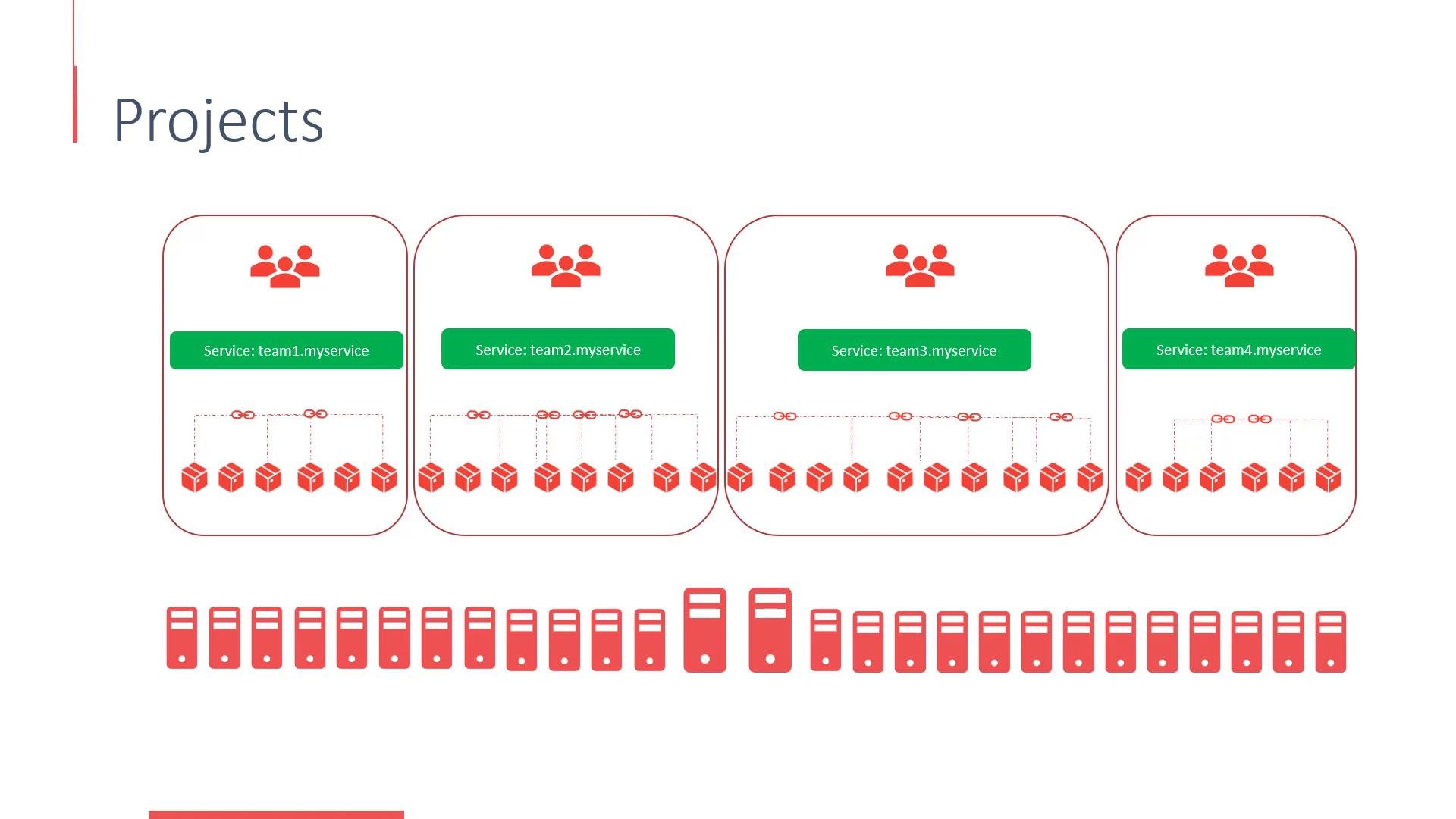
A large Kubernetes/OpenShift cluster often hosts hundreds of deployments and services for multiple teams. Without logical boundaries:
* There are no built-in restrictions on who can access which resources.
* Teams must coordinate names because resource names must be unique within the same scope.
* Accidental resource interference and privilege overreach become more likely.
OpenShift solves these problems by providing projects — a user-friendly layer on top of Kubernetes namespaces that groups and isolates resources and simplifies access management.
## Projects vs Namespaces
Under the hood, OpenShift projects are implemented using Kubernetes namespaces. Namespaces scope resources so that the same object name can exist in different namespaces while remaining isolated.
From a user perspective:
* You create a project, deploy your application, and OpenShift handles the underlying namespace management.
* Projects add OpenShift-specific features and access controls (RBAC bindings, default resource limits, project templates, etc.) that make team workflows simpler.
 ## User types in OpenShift
OpenShift distinguishes between several kinds of users. Understanding these is essential for designing secure authentication and authorization:
| User type | Description | Example / format |
| - | - | - |
| Regular users | Human users (developers, operators) who log in to develop and deploy apps. | `developer` |
| System users | Cluster- or platform-level accounts created by the system for internal components. Often prefixed with `system:`. | `system:node:` |
| Service accounts | Namespaced accounts created for applications to authenticate to the API and other services. | `system:serviceaccount::` |
Example service account username format:
```text theme={null}
system:serviceaccount:myproject:myapp-sa
```
OpenShift masters include a built-in OAuth server that handles authentication; authorization is then enforced via Kubernetes/OpenShift RBAC (Roles, ClusterRoles, RoleBindings, ClusterRoleBindings) and other policies.
## Identity providers and OAuth
The configured identity provider(s) determine how users are authenticated. OpenShift supports multiple identity provider types (LDAP, GitHub, OpenID Connect, etc.), and the behavior depends on your configuration:
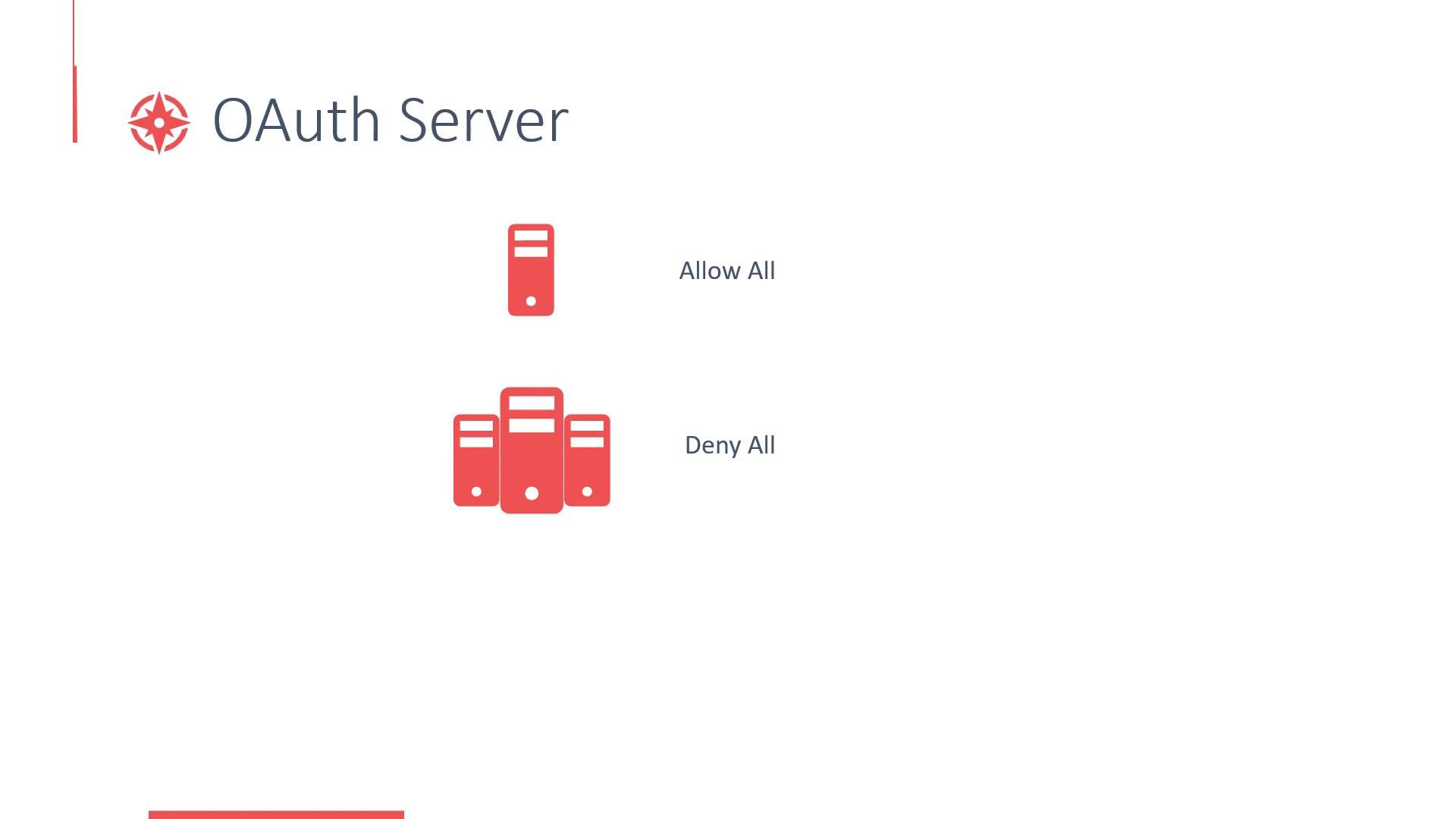
* Allow-all / local development: In single-node or development setups (e.g., Minishift), the `AllowAllIdentityProvider` lets any username/password combination log in and automatically creates the user the first time. This is convenient for demos and testing but insecure for production.
* Deny-all / locked-down installs: The `DenyAllIdentityProvider` rejects all logins until an administrator explicitly creates and enables users or configures a proper identity provider.
To change OAuth and identity provider configuration, edit the master configuration. On many OpenShift 3.x systems the master config lives at:
```yaml theme={null}
/etc/origin/master/master-config.yaml
```
## User types in OpenShift
OpenShift distinguishes between several kinds of users. Understanding these is essential for designing secure authentication and authorization:
| User type | Description | Example / format |
| - | - | - |
| Regular users | Human users (developers, operators) who log in to develop and deploy apps. | `developer` |
| System users | Cluster- or platform-level accounts created by the system for internal components. Often prefixed with `system:`. | `system:node:` |
| Service accounts | Namespaced accounts created for applications to authenticate to the API and other services. | `system:serviceaccount::` |
Example service account username format:
```text theme={null}
system:serviceaccount:myproject:myapp-sa
```
OpenShift masters include a built-in OAuth server that handles authentication; authorization is then enforced via Kubernetes/OpenShift RBAC (Roles, ClusterRoles, RoleBindings, ClusterRoleBindings) and other policies.
## Identity providers and OAuth
The configured identity provider(s) determine how users are authenticated. OpenShift supports multiple identity provider types (LDAP, GitHub, OpenID Connect, etc.), and the behavior depends on your configuration:
* Allow-all / local development: In single-node or development setups (e.g., Minishift), the `AllowAllIdentityProvider` lets any username/password combination log in and automatically creates the user the first time. This is convenient for demos and testing but insecure for production.
* Deny-all / locked-down installs: The `DenyAllIdentityProvider` rejects all logins until an administrator explicitly creates and enables users or configures a proper identity provider.
To change OAuth and identity provider configuration, edit the master configuration. On many OpenShift 3.x systems the master config lives at:
```yaml theme={null}
/etc/origin/master/master-config.yaml
```
 For local development (Minishift) the `AllowAllIdentityProvider` is convenient but insecure. Configure a production-grade identity provider (LDAP, OAuth/OIDC, SAML, etc.) before using a cluster for real workloads.
## Practical tips
* Use projects to separate environments (dev, test, prod) or teams to prevent naming collisions and accidental interference.
* Apply RBAC at the project level to grant least privilege to users and service accounts.
* Use service accounts for in-cluster applications; never embed cluster credentials in application code.
* For production, integrate with a centralized identity provider (LDAP, OIDC) and enforce multi-factor authentication where possible.
## References
* Kubernetes Namespaces: [https://kubernetes.io/docs/concepts/overview/working-with-objects/namespaces/](https://kubernetes.io/docs/concepts/overview/working-with-objects/namespaces/)
* OpenShift Documentation: [https://docs.openshift.com/](https://docs.openshift.com/)
* Minishift (local OpenShift): [https://github.com/minishift/minishift](https://github.com/minishift/minishift)
Let’s head over to the demo to see projects and users in action.
That's it for this lesson.
This documentation is built and hosted on [Mintlify](https://mintlify.com), a developer documentation platform.
For local development (Minishift) the `AllowAllIdentityProvider` is convenient but insecure. Configure a production-grade identity provider (LDAP, OAuth/OIDC, SAML, etc.) before using a cluster for real workloads.
## Practical tips
* Use projects to separate environments (dev, test, prod) or teams to prevent naming collisions and accidental interference.
* Apply RBAC at the project level to grant least privilege to users and service accounts.
* Use service accounts for in-cluster applications; never embed cluster credentials in application code.
* For production, integrate with a centralized identity provider (LDAP, OIDC) and enforce multi-factor authentication where possible.
## References
* Kubernetes Namespaces: [https://kubernetes.io/docs/concepts/overview/working-with-objects/namespaces/](https://kubernetes.io/docs/concepts/overview/working-with-objects/namespaces/)
* OpenShift Documentation: [https://docs.openshift.com/](https://docs.openshift.com/)
* Minishift (local OpenShift): [https://github.com/minishift/minishift](https://github.com/minishift/minishift)
Let’s head over to the demo to see projects and users in action.
That's it for this lesson.
This documentation is built and hosted on [Mintlify](https://mintlify.com), a developer documentation platform.