> ## Documentation Index
> Fetch the complete documentation index at: https://notes.kodekloud.com/llms.txt
> Use this file to discover all available pages before exploring further.
# Demo Route
> This article guides modifying routing configuration in Red Hat OpenShift for the Sock Shop application to ensure continuous accessibility.
In this lesson, we review the Sock Shop application components in Red Hat OpenShift and guide you through modifying the routing configuration, ensuring continuous application accessibility.
## Viewing the Application Components
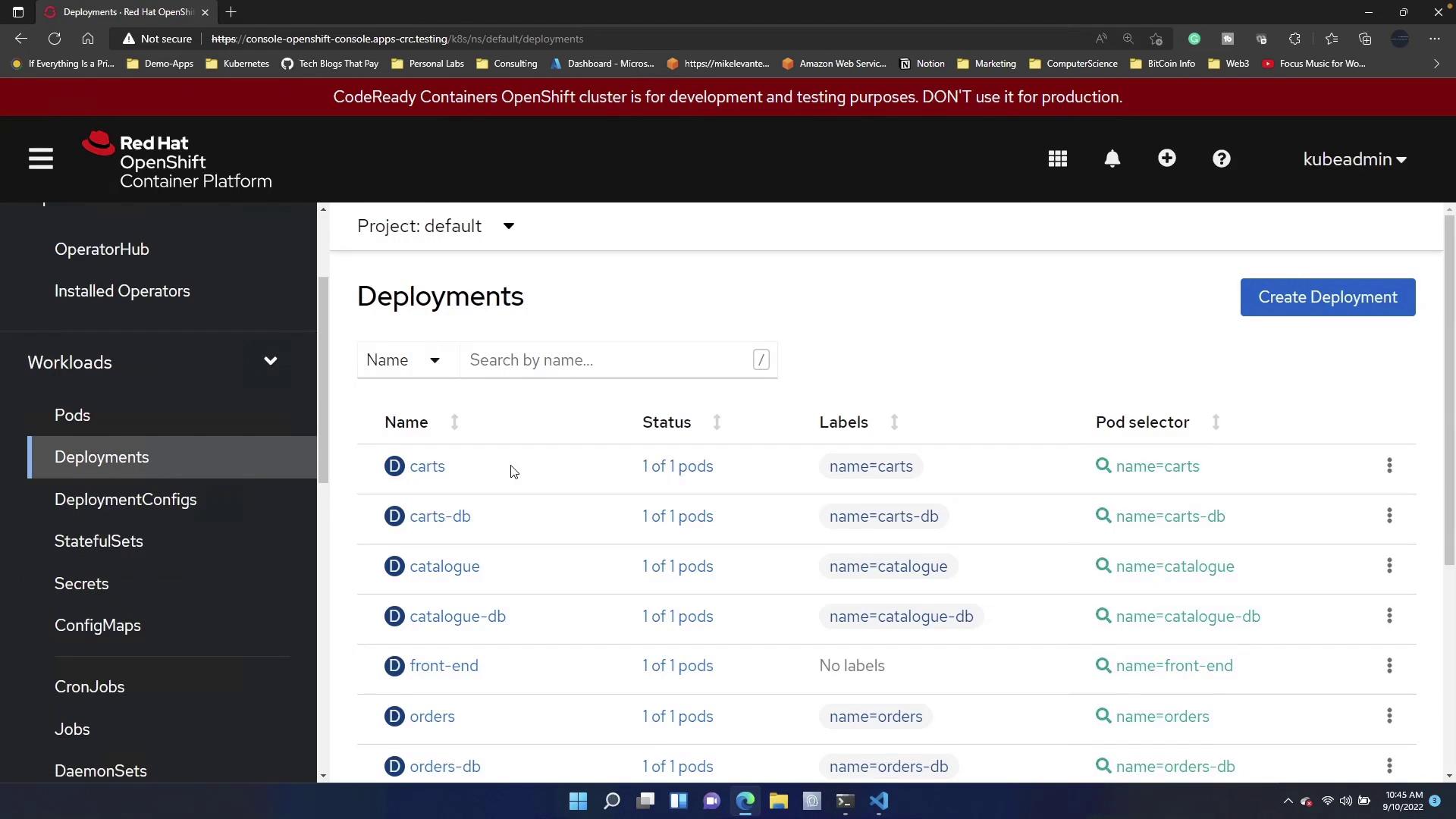
After deploying your Sock Shop application, navigate to **Workloads → Deployments** to view all running components. This interface displays deployment names, statuses, labels, and pod selectors.
## Inspecting the Application Route
Next, access **Networking → Routes**. Here, you can view the configured route for the application. The route provides a quick way to verify if your application is up and running.
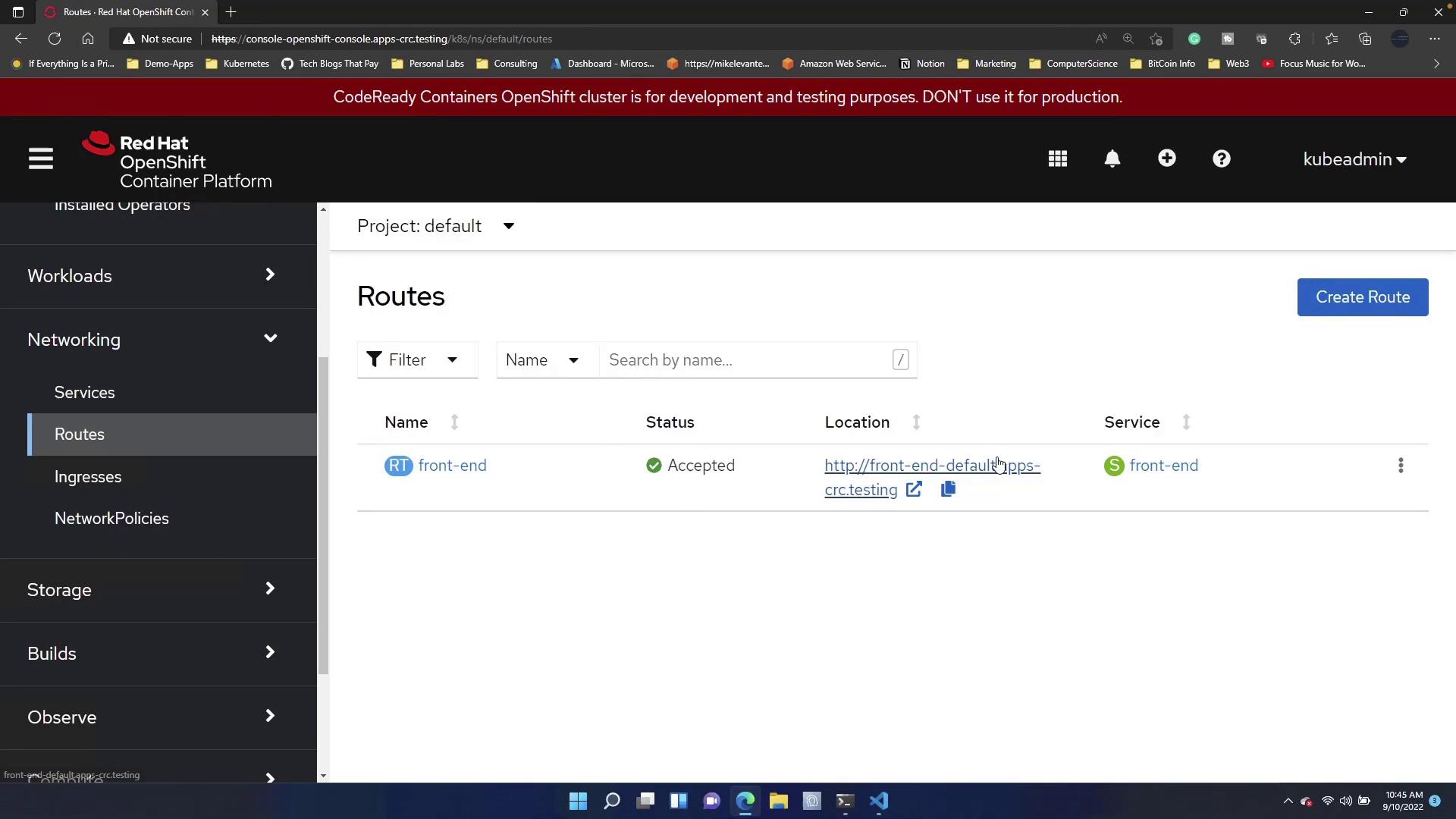
Clicking on the route confirms that the application frontend is accessible.
## Practical Exercise: Creating a New Route
For hands-on practice, intentionally delete the existing route. Deleting the route will temporarily disable access to your application's frontend.
Deleting the route will render your application frontend inaccessible until the new route is configured.
To restore access, create a new route:
1. Click the **Create Route** button.
2. In the route creation form, assign a name such as "Frontend App."
3. You have two options for the hostname:
* If DNS is configured in your environment, specify a hostname.
* If not, allow OpenShift to auto-generate one for simplicity.
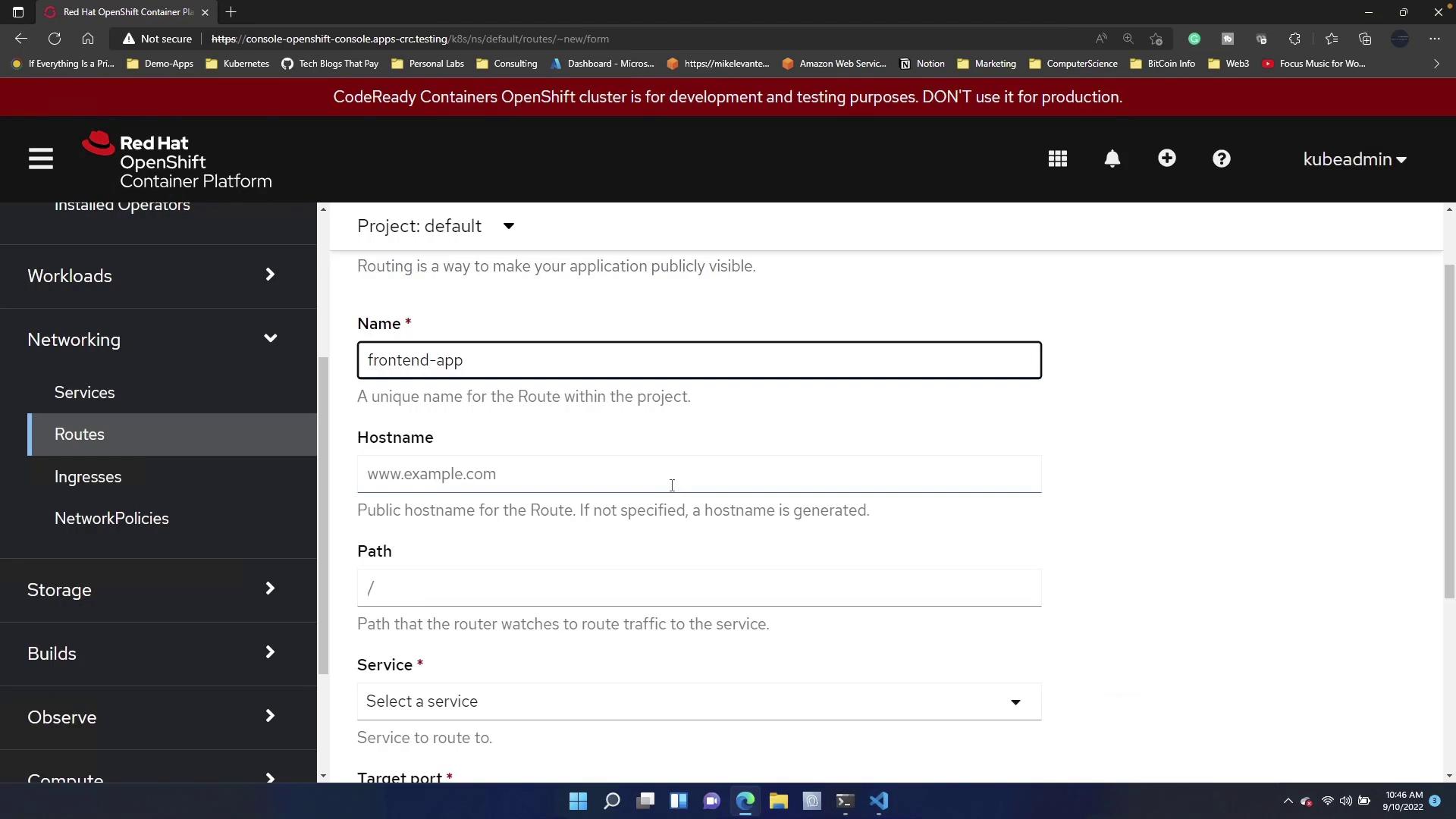
Optionally, you can:
* Specify a path (for example, "/test") so that the application is accessible under this path.
* Leave the path blank to serve the frontend at the default route.
* Select the service corresponding to your frontend component.
* Choose the appropriate target port.
* Configure the route as secure by setting up SSL certificates if required.
After filling out the form, click **Create**.
## Verifying the New Route
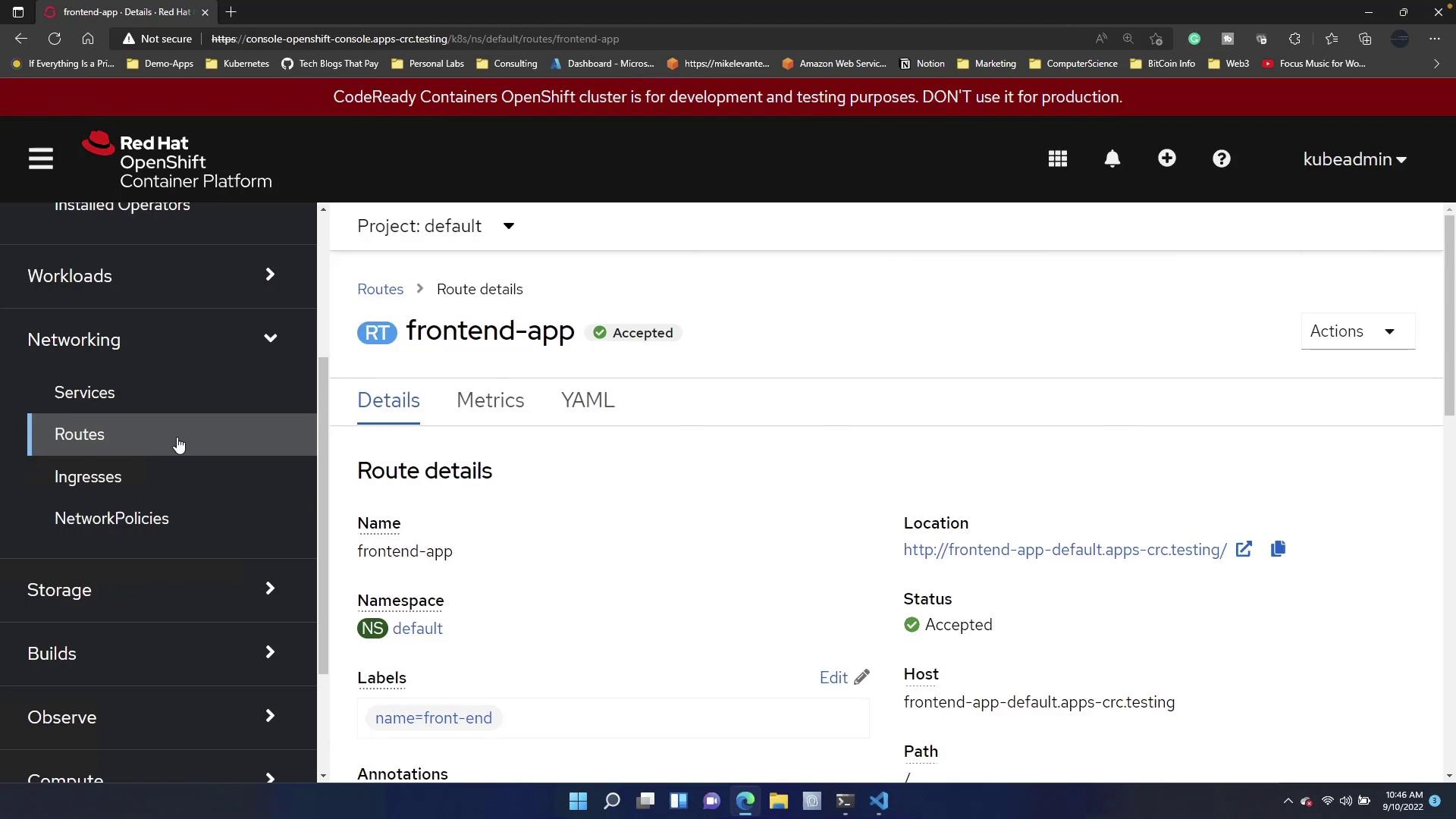
Once created, return to the **Routes** section and select the URL provided. The application should be accessible again. Notice the route name has been updated to "frontend-app" by default, indicating the new configuration is active.
## Summary
This guide demonstrated how to delete an existing route and create a new one in Red Hat OpenShift to restore application access. For further reading on OpenShift routing and deployment practices, consider checking out the following resources:
* [Red Hat OpenShift Documentation](https://docs.openshift.com/)
* [Kubernetes Basics](https://kubernetes.io/docs/concepts/overview/what-is-kubernetes/)
By following these steps, you can ensure your applications remain accessible and properly routed, enhancing both performance and user experience.