> ## Documentation Index
> Fetch the complete documentation index at: https://notes.kodekloud.com/llms.txt
> Use this file to discover all available pages before exploring further.
# Networking Overview
> This lesson explores networking in OpenShift, covering Kubernetes fundamentals, pod communication, SDN, and external connectivity for applications.
Welcome to this lesson on networking in OpenShift. In this guide, we will explore how networking works in OpenShift by first reviewing the fundamentals of Kubernetes networking.
A Kubernetes cluster consists of a master node and multiple worker nodes. Each node, whether virtual or physical, is assigned a unique IP address (for example, 192.168.1.10, 192.168.1.11, 192.168.1.12, and 192.168.1.13). When applications are deployed as Docker containers within pods, each pod is also assigned its own IP address. In a typical deployment, one pod might host a web server while another runs a database server, with these applications often relying on inter-pod communication.
For proper functionality, the pods must be able to communicate. OpenShift manages the assignment of these IP addresses and the creation of routing paths for traffic between worker nodes through its Software-Defined Networking (SDN).
OpenShift’s SDN creates a virtual overlay network spanning all nodes in the cluster. It utilizes the Open vSwitch standard—a distributed virtual switch common in hypervisor environments—to interconnect pods and virtual machines. The network includes features like VLAN tagging, trunking, LACP, and port mirroring.
The default network ID for this overlay network is 10.128.0.0/14. Each node in the cluster is allocated a unique subnet; for example, the first node might use 10.128.0.0, the second 10.128.2.0, and the third 10.128.4.0. Consequently, every pod running on these nodes receives a unique IP address within its designated subnet. For instance, a web application pod might have the IP address 10.128.0.5, while a database pod could use 10.128.2.2.
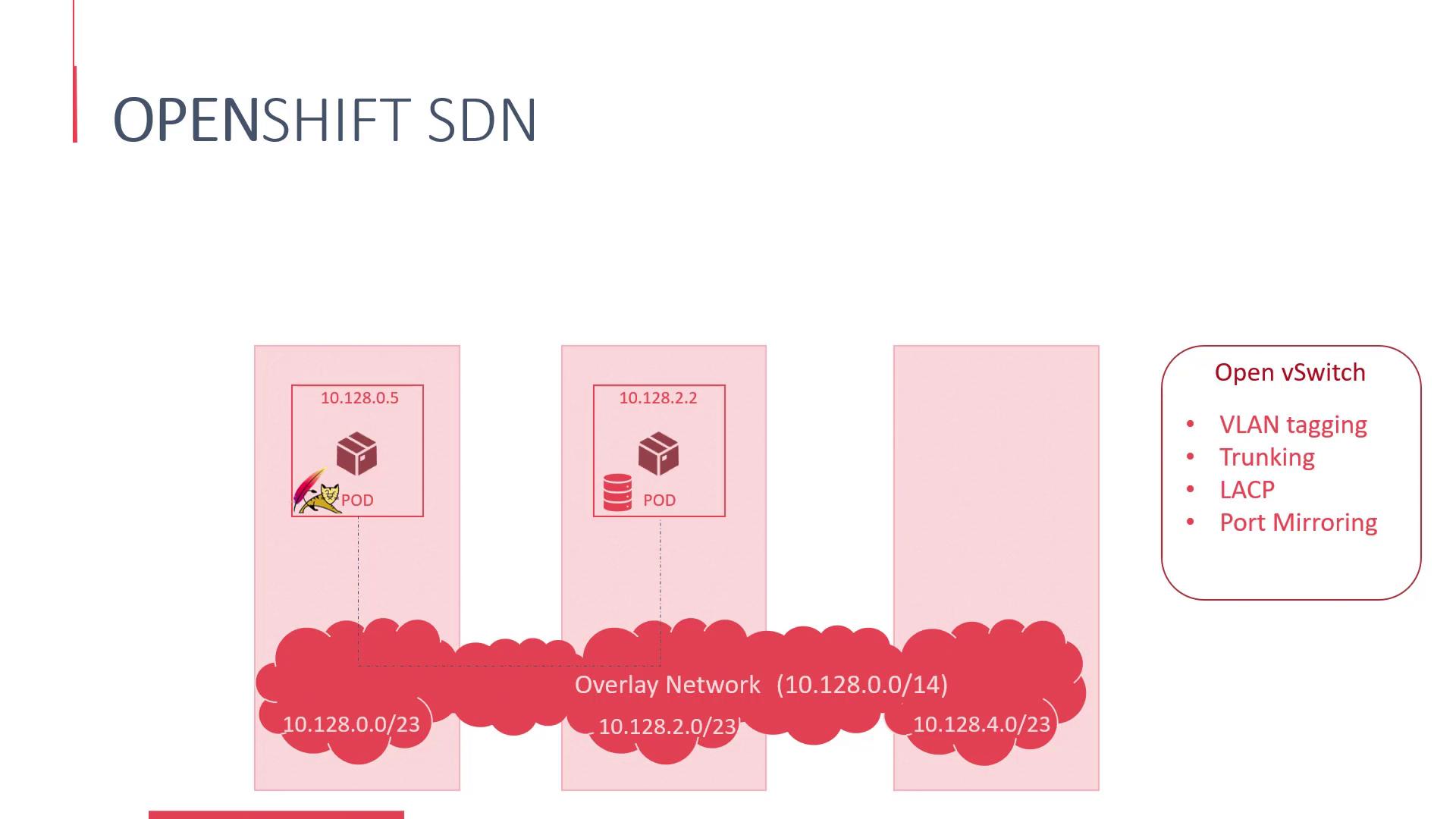
You can inspect the IP addresses assigned to each pod with the following command:
```bash theme={null}
oc get pods -o wide
```
This command might produce output similar to:
```bash theme={null}
my-web-app 1/1 Running 0 2d 10.128.0.5 localhost
my-sql-db 1/1 Running 0 1d 10.128.2.2 localhost
```
While a web application can connect to the database using its IP address, this method is not ideal because a pod's IP may change. For example, if the database pod is restarted, it might receive a new IP address. To address this, OpenShift integrates a built-in DNS server that maps pod and service names to their current IP addresses.
Instead of relying on static IP addresses, you can connect using pod or service names. For example:
```plaintext theme={null}
mysql.connect(10.128.2.2)
```
can be replaced with:
```plaintext theme={null}
mysql.connect(mysql)
```
Here, the OpenShift DNS—powered by SkyDNS on top of etcd—automatically resolves the service name to its current IP address.
Directly connecting to pods using their IP addresses is generally discouraged. The recommended approach is to use services because they provide a stable endpoint. Detailed discussions on services will be covered in upcoming sections.
OpenShift SDN supports several plugins. The default OVS subnet plugin facilitates network connectivity among all pods in the cluster. Additionally, projects allow you to group and isolate applications, and OpenShift offers the OVS multi-tenant plugin to enforce communication restrictions between pods in different logical groups.
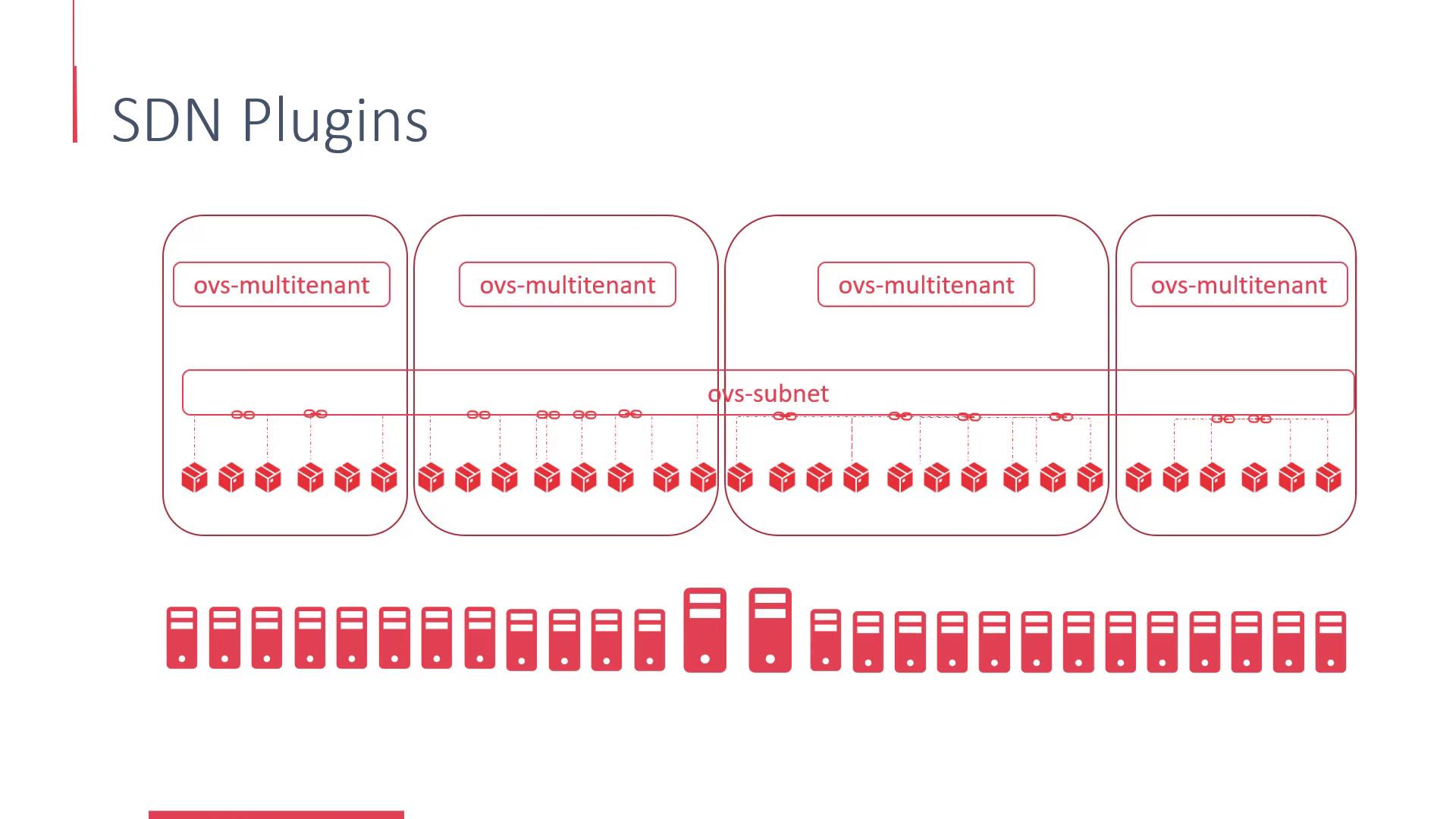
Aside from the default plugins, OpenShift supports other solutions such as Nuage, Contiv, and Flannel—each providing unique networking approaches tailored to different requirements.
So far, this lesson has focused on the internal overlay networks that facilitate communication between pods and services. But how do users access the applications running inside the cluster? This external connectivity is enabled through services and routes.
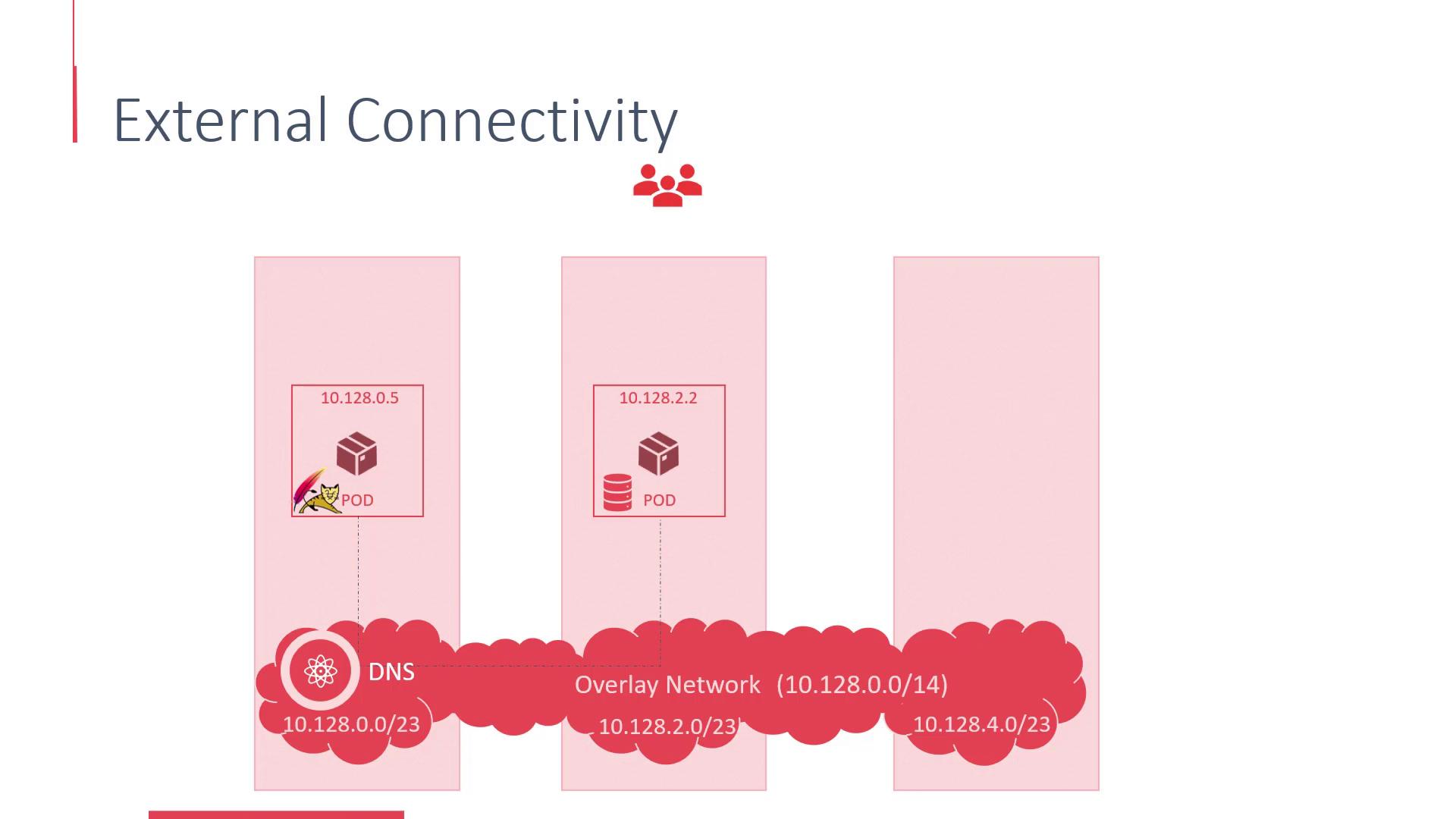
This lesson provided a comprehensive overview of networking in OpenShift. In the upcoming lesson, we will dive deeper into external connectivity, detailing how services and routes allow users to access applications running in the cluster.
Thank you for reading, and I look forward to seeing you in the next lesson.
## Additional Resources
* [OpenShift Networking Concepts](https://docs.openshift.com/container-platform/latest/networking/index.html)
* [Kubernetes Networking Overview](https://kubernetes.io/docs/concepts/cluster-administration/networking/)
* [Open vSwitch Documentation](https://www.openvswitch.org/support/)