> ## Documentation Index
> Fetch the complete documentation index at: https://notes.kodekloud.com/llms.txt
> Use this file to discover all available pages before exploring further.
# Demo Network Policies
> This lesson demonstrates a Kubernetes network policy configuration controlling inbound connectivity between deployments using labels for secure communication.
In this lesson, we explore a Kubernetes network policy configuration that controls inbound connectivity between deployments. We focus on a real-world example where the Cards deployment is allowed to access the Cards database by leveraging Kubernetes labels.
***
## NetworkPolicy Configuration
The network policy is defined using YAML and specifies the following details:
* API version and resource kind (NetworkPolicy)
* A pod selector that identifies target pods
* Ingress rules that allow traffic only from pods with a specific label
In this example, the policy named "access-cartsdb" selects pods labeled `name: carts-db` and permits ingress traffic solely from pods that have the label `cartsdbaccess: "true"`.
```yaml theme={null}
apiVersion: networking.k8s.io/v1
kind: NetworkPolicy
metadata:
name: access-cartsdb
spec:
podSelector:
matchLabels:
name: carts-db
ingress:
- from:
- podSelector:
matchLabels:
cartsdbaccess: "true"
```
• The `podSelector` under the `spec` targets the Cards DB pod (with the label `name: carts-db`).\
• The `ingress` rule allows inbound traffic only from pods labeled with `cartsdbaccess: "true"`.
***
## Deployment Configuration in Cards.yaml
Next, we examine the Cards deployment YAML. Notice that on line 16, the pod template is tagged with the new label `cartsdbaccess: "true"`. This label ensures that the Cards deployment is permitted to connect to the Cards DB as allowed by our network policy.
```yaml theme={null}
apiVersion: apps/v1
kind: Deployment
metadata:
name: carts
labels:
name: carts
spec:
replicas: 1
selector:
matchLabels:
name: carts
template:
metadata:
labels:
name: carts
cartsdbaccess: "true"
spec:
containers:
- name: carts
image: weaveworksdemos/carts:0.4.8
```
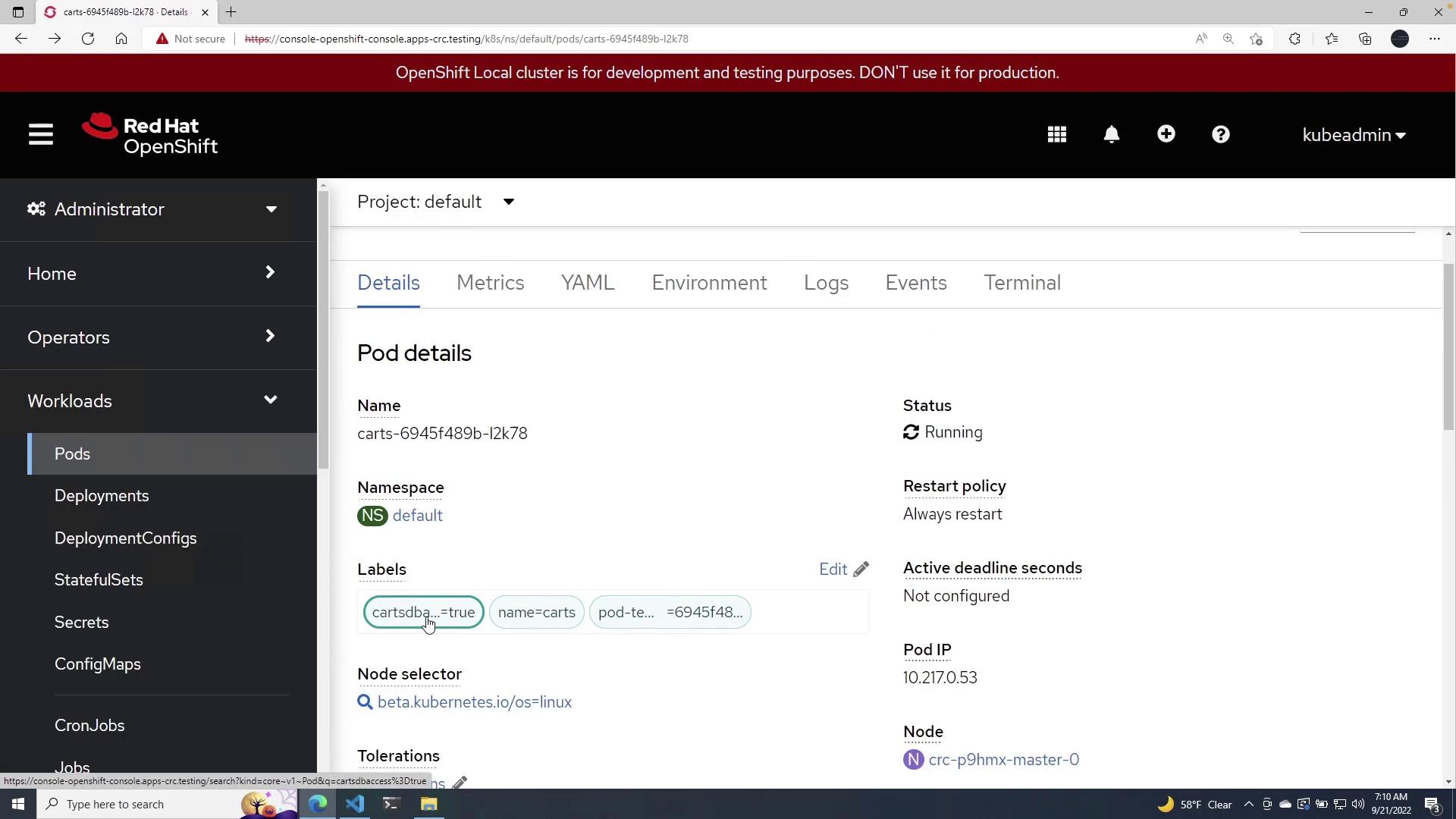
When the deployment is applied, the pod receives the `cartsdbaccess: "true"` label, enabling it to communicate with the Cards DB pod as defined in the network policy.
***
## Steps to Apply the Configuration
### 1. Apply the Cards Deployment
Run the following command to apply the Cards deployment:
```shell theme={null}
PS C:\Users\mike\Desktop> oc apply -f carts.yaml
Warning: spec.template.spec.nodeSelector[beta.kubernetes.io/os]: deprecated since v1.14; use "kubernetes.io/os" instead
Warning: would violate PodSecurity "restricted:latest": allowPrivilegeEscalation != false (container "carts" must set securityContext.allowPrivilegeEscalation=false), unrestricted capabilities (container "carts" must set securityContext.capabilities.drop=["ALL"]), runAsNonRoot != true (pod or container "carts" must set securityContext.runAsNonRoot=true), seccompProfile (pod or container "carts" must set securityContext.seccompProfile.type to "RuntimeDefault" or "Localhost")
deployment.apps/carts created
```
After applying the deployment, verify that the Cards pod is running and includes the necessary label for DB access:
### 2. Apply the Network Policy
Next, apply the network policy using the command below:
```shell theme={null}
PS C:\Users\mike\Desktop> oc apply -f ./networkpolicy.yaml
networkpolicy.networking.k8s.io/access-cartsdb created
```
After this, navigate to the networking section in the OpenShift portal. You will see the network policy active with the defined pod selectors and ingress rules:
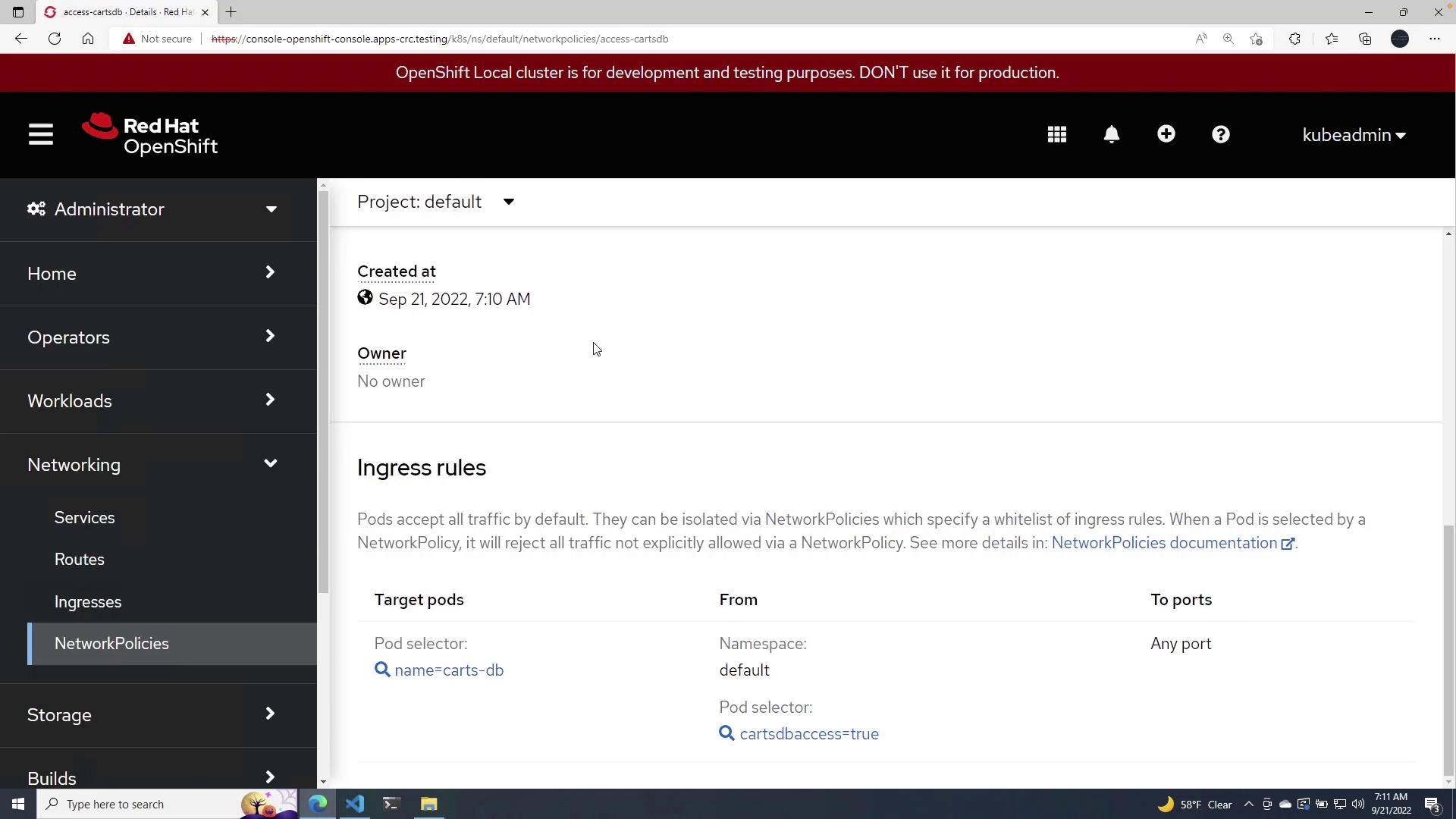
With this configuration, only pods with the label `cartsdbaccess: "true"` are permitted to send traffic to the Cards DB pods, ensuring controlled and secure communication within your Kubernetes cluster.
***
## Key Concepts
Below is a table summarizing the key components of this configuration:
| Resource Type | Description | Relevant Label(s) |
| ------------- | -------------------------------------------------- | ----------------------- |
| NetworkPolicy | Restricts ingress traffic to Cards DB pod | `name: carts-db` |
| Deployment | Configures the Cards deployment with access labels | `cartsdbaccess: "true"` |
***
This lesson demonstrates how network policies combined with proper pod labeling can secure and control network traffic within a Kubernetes environment. For further reading, explore the following resources:
* [Kubernetes Networking](https://kubernetes.io/docs/concepts/services-networking/network-policies/)
* [OpenShift Documentation](https://docs.openshift.com/container-platform/latest/)