> ## Documentation Index
> Fetch the complete documentation index at: https://notes.kodekloud.com/llms.txt
> Use this file to discover all available pages before exploring further.
# Demo Migrating existing Terraform configuration to OpenTofu
> This guide explains how to migrate a Terraform project to OpenTofu, verify changes, and roll back to Terraform.
In this guide, you’ll learn how to migrate an existing Terraform project to OpenTofu, verify the changes, and then roll back to Terraform. We’ll cover:
* Applying the initial Terraform configuration
* Installing OpenTofu
* Backing up state files
* Initializing and planning with OpenTofu
* Updating resources and applying changes
* Rolling back to Terraform
***
## 1. Apply the Initial Terraform Configuration
1. Navigate to your project directory and review **main.tf**:
```hcl theme={null}
resource "local_file" "file" {
filename = "terraform.txt"
content = "This file has been created with Terraform"
}
```
2. Initialize and apply:
```bash theme={null}
cd ~/opentofu-projects/migration
terraform init
terraform apply
```
3. When prompted, enter `yes`. You should see:
```plaintext theme={null}
local_file.file: Creating...
local_file.file: Creation complete after 0s [id=342bd3c96f4da9100a6360378942400b96bfb5]
Apply complete! Resources: 1 added, 0 changed, 0 destroyed.
```
4. Verify that **terraform.txt** exists with the correct content.
***
## 2. Install OpenTofu
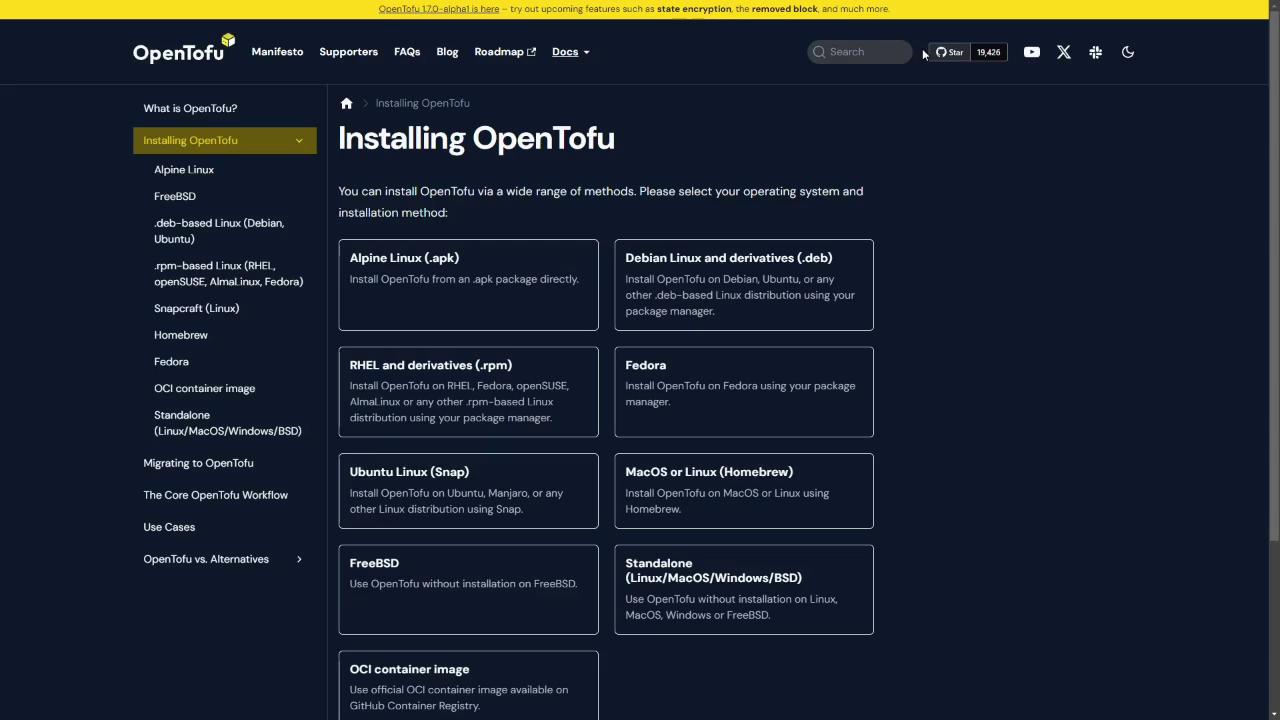
Refer to the [OpenTofu installation guide](https://docs.opentofu.org/intro/getting-started/#installation) and select the installer for your OS.
Make sure to check your distribution using `cat /etc/os-release` before running the installer.
### Automated Debian/Ubuntu Installer
```bash theme={null}
curl --proto '=https' --tlsv1.2 -fsSL https://get.opentofu.org/install-opentofu.sh -o install-opentofu.sh
chmod +x install-opentofu.sh
./install-opentofu.sh --install-method deb
rm install-opentofu.sh
```
Or bundle the commands in **install.sh**:
```bash theme={null}
#!/bin/bash
curl --proto '=https' --tlsv1.2 -fsSL https://get.opentofu.org/install-opentofu.sh -o install-opentofu.sh
chmod +x install-opentofu.sh
./install-opentofu.sh --install-method deb
rm install-opentofu.sh
```
Then run:
```bash theme={null}
chmod +x install.sh
./install.sh
```
Verify the installation:
```bash theme={null}
tofu version
```
***
## 3. Backup the Terraform State
Always archive your existing Terraform state before migrating. Losing state can lead to resource drift or duplicates.
```bash theme={null}
tar czf terraform.tfstate.tar.gz terraform.tfstate
```
Confirm the archive:
```bash theme={null}
ls
# install.sh main.tf terraform.tfstate terraform.tfstate.tar.gz
```
***
## 4. Initialize with OpenTofu
Switch to the OpenTofu workflow:
```bash theme={null}
tofu init
```
***
## 5. Preview the OpenTofu Plan
Compare the two workflows with this quick reference:
| Action | Terraform Command | OpenTofu Command |
| ---------- | -------------------- | ---------------- |
| Initialize | `terraform init` | `tofu init` |
| Plan | `terraform plan` | `tofu plan` |
| Validate | `terraform validate` | `tofu validate` |
| Apply | `terraform apply` | `tofu apply` |
Run the plan:
```bash theme={null}
tofu plan
```
You should see the same `local_file.file` resource with `filename = "terraform.txt"`.
***
## 6. Update the main.tf for OpenTofu
Change **main.tf** to point to a new file and content:
```hcl theme={null}
resource "local_file" "file" {
filename = "opentofu.txt"
content = "This file has been created with OpenTofu"
}
```
Validate the updated configuration:
```bash theme={null}
tofu validate
```
***
## 7. Apply with OpenTofu
Apply the OpenTofu configuration:
```bash theme={null}
tofu apply
```
Type `yes` when prompted.
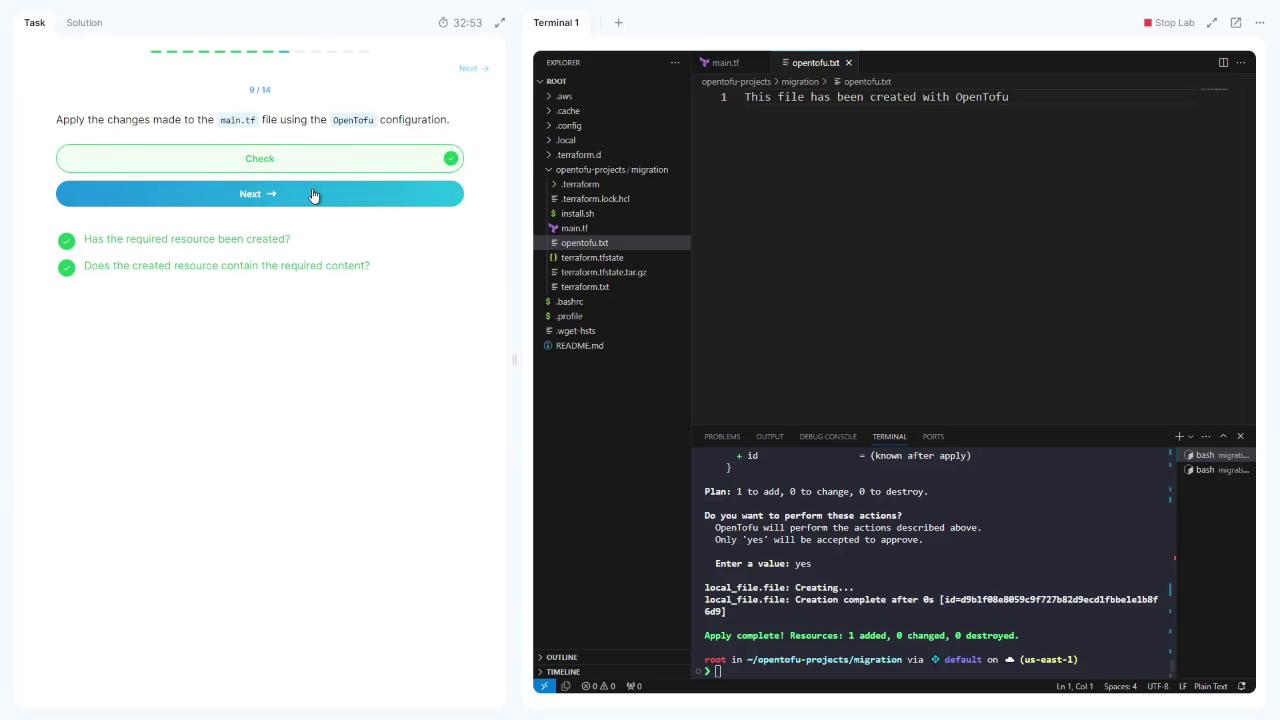
Confirm that **opentofu.txt** has been created with the new content.
***
## 8. Roll Back to Terraform
1. **Backup the OpenTofu state:**
```bash theme={null}
tar czf terraform.tfstate.tar.gz terraform.tfstate
```
2. **Re-initialize with Terraform:**
```bash theme={null}
terraform init
```
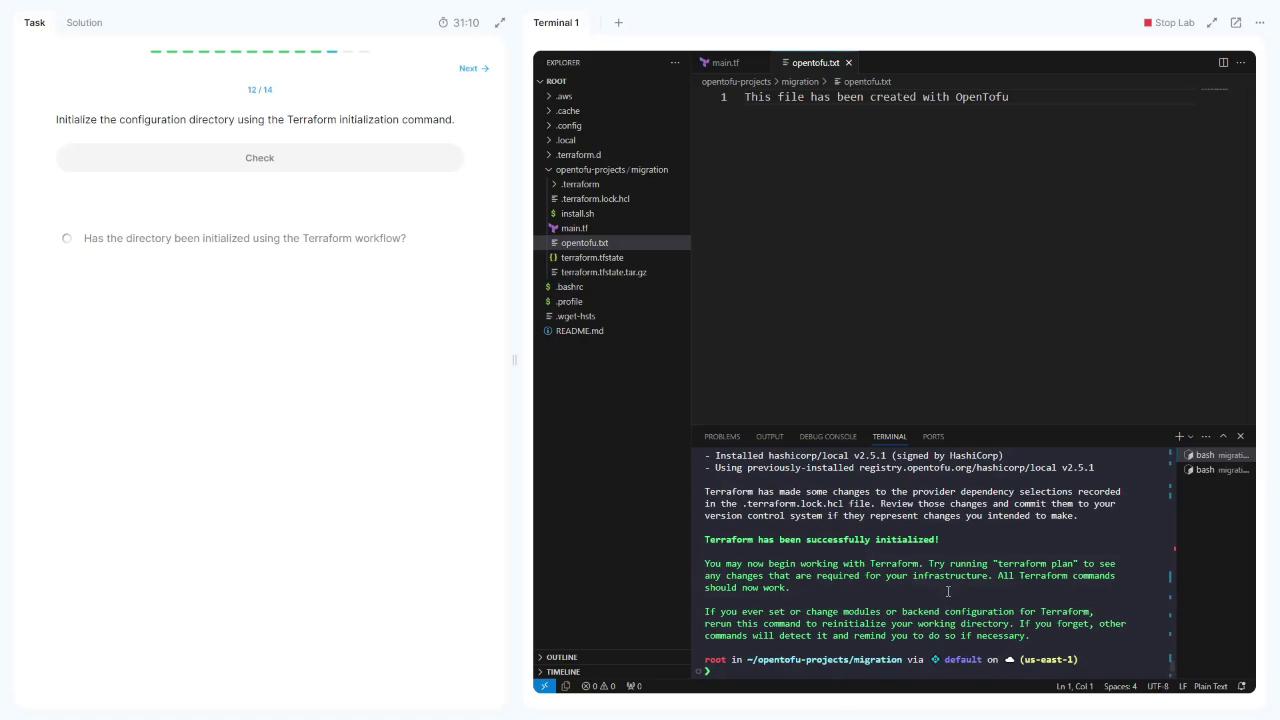
3. **Revert main.tf to the original Terraform resource:**
```hcl theme={null}
resource "local_file" "file" {
filename = "terraform.txt"
content = "This file has been created with Terraform"
}
```
4. **Apply with Terraform:**
```bash theme={null}
terraform apply
```
Enter `yes` and observe:
```plaintext theme={null}
Plan: 1 to add, 0 to change, 1 to destroy.
Enter a value: yes
local_file.file: Destroying... [id=91b198b8059c5f72782d9c1d1fe18f6d]
local_file.file: Destruction complete after 0s
local_file.file: Creating...
local_file.file: Creation complete after 0s [id=342bd3c9e4fda9100a36097894200e96b]
Apply complete! Resources: 1 added, 0 changed, 1 destroyed.
```
You’ve now successfully migrated to OpenTofu and rolled back to Terraform!
***
## Links and References
* [Terraform Documentation](https://www.terraform.io/docs)
* [OpenTofu Getting Started](https://docs.opentofu.org/intro/getting-started/)
* [Terraform local\_file Resource](https://registry.terraform.io/providers/hashicorp/local/latest/docs/resources/file)