> ## Documentation Index
> Fetch the complete documentation index at: https://notes.kodekloud.com/llms.txt
> Use this file to discover all available pages before exploring further.
# OpenTofu Workspaces
> This article explains how to use workspaces in OpenTofu to manage multiple environments with isolated state files.
Every OpenTofu configuration uses a state file to track and manage resources. By default, there’s a single workspace named **default**. To create multiple environments (for example, development and production) from the same configuration directory, you can use workspaces to isolate state files.
## Listing the Default Workspace
Run:
```bash theme={null}
$ tofu workspace list
* default
```
The asterisk (`*`) indicates the currently active workspace.
## Creating and Switching Workspaces
Create and switch to new workspaces:
```bash theme={null}
$ tofu workspace new production
Created and switched to workspace "production"!
$ tofu workspace new development
Created and switched to workspace "development"!
```
Each workspace has its own isolated state. New workspaces start empty until you run `tofu apply`.
Listing again shows the active workspace:
```bash theme={null}
$ tofu workspace list
default
production
* development
```
### Workspace Commands Reference
| Command | Description |
| ------------------------------ | ------------------------------------ |
| `tofu workspace list` | List all available workspaces |
| `tofu workspace new ` | Create and switch to a new workspace |
| `tofu workspace select ` | Switch to an existing workspace |
## Using Workspaces in Configuration
Suppose your project directory at `/root/opentofu/projects/webserver` defines an AWS EC2 instance. You need:
* **Development**: `t2.micro`
* **Production**: `m5.large`
* **Region**: `ca-central-1`
* **AMI**: same for both environments
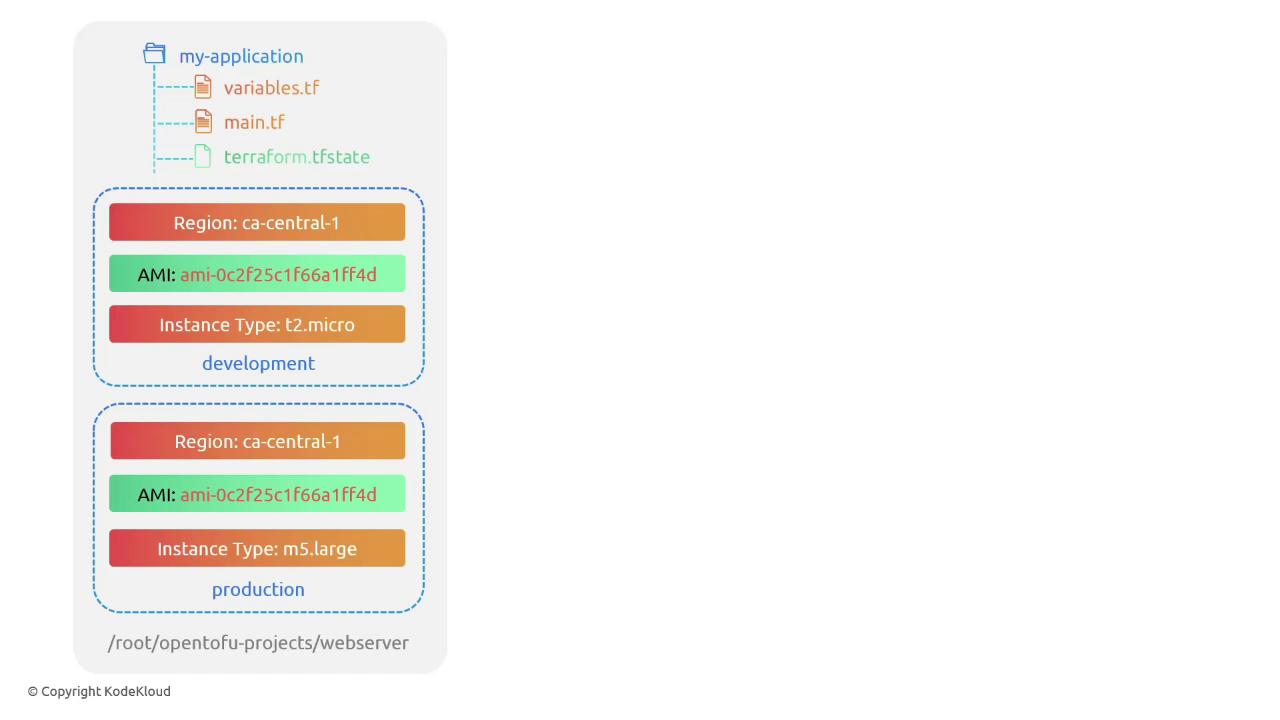
Update `variables.tf` to define `instance_type` as a map:
```hcl theme={null}
variable "ami" {
default = "ami-24e140119877avm"
}
variable "region" {
default = "ca-central-1"
}
variable "instance_type" {
type = map(string)
default = {
development = "t2.micro"
production = "m5.large"
}
}
```
In `main.tf`, use `lookup` with `terraform.workspace` and add dynamic tags:
```hcl theme={null}
resource "aws_instance" "webserver" {
ami = var.ami
instance_type = lookup(var.instance_type, terraform.workspace)
tags = {
Environment = terraform.workspace
}
}
```
### Verifying Workspace Values
Open the OpenTofu console to inspect workspace-specific values:
```bash theme={null}
$ tofu console
> terraform.workspace
development
> lookup(var.instance_type, terraform.workspace)
t2.micro
$ tofu workspace select production
> terraform.workspace
production
> lookup(var.instance_type, terraform.workspace)
m5.large
```
## Applying Changes per Workspace
In the **development** workspace:
```bash theme={null}
$ tofu workspace select development
$ tofu apply
```
OpenTofu will plan:
```bash theme={null}
# aws_instance.webserver will be created
+ resource "aws_instance" "webserver" {
+ ami = "ami-24e140119877avm"
+ instance_type = "t2.micro"
+ tags = {
+ "Environment" = "development"
}
}
```
Switch to **production** and apply:
```bash theme={null}
$ tofu workspace select production
$ tofu apply
```
OpenTofu will plan:
```bash theme={null}
# aws_instance.webserver will be created
+ resource "aws_instance" "webserver" {
+ ami = "ami-24e140119877avm"
+ instance_type = "m5.large"
+ tags = {
+ "Environment" = "production"
}
}
```
## Local State File Organization
When using local state, OpenTofu organizes workspace-specific state under `terraform.tfstate.d`:
```bash theme={null}
$ ls
main.tf provider.tf terraform.tfstate.d variables.tf
$ tree terraform.tfstate.d/
terraform.tfstate.d/
├── development
│ └── terraform.tfstate
└── production
└── terraform.tfstate
2 directories, 2 files
```
Each subdirectory holds the `terraform.tfstate` file for its workspace.
That's it for this lesson. See you in the next one!