> ## Documentation Index
> Fetch the complete documentation index at: https://notes.kodekloud.com/llms.txt
> Use this file to discover all available pages before exploring further.
# Demo OpenTofu Commands
> This article provides a hands-on guide to using OpenTofu commands for managing infrastructure-as-code configurations.
Welcome to this hands-on lab on OpenTofu commands. Here, you’ll learn how to visualize, validate, plan, and apply your infrastructure-as-code (IaC) configurations using the `tofu` CLI. By the end of this guide, you’ll be comfortable generating dependency graphs, troubleshooting HCL errors, and managing provider plugins.
## 1. Visualizing Resources
To inspect resource dependencies, generate a DOT graph:
```bash theme={null}
tofu graph > graph.dot
```
You can then render `graph.dot` with [Graphviz](https://graphviz.org/) to visualize your IaC topology.
| Subcommand | Purpose | Example |
| -------------- | ------------------------------------ | ------------------------------------- |
| tofu graph | Generate DOT-format dependency graph | `tofu graph > graph.dot` |
| tofu validate | Validate HCL configuration | `tofu validate` |
| tofu plan | Create an execution plan | `tofu plan` |
| tofu apply | Apply the planned changes | `tofu apply` |
| tofu fmt | Format Terraform/OpenTofu files | `tofu fmt` |
| tofu state | Inspect or modify the state file | `tofu state show local_file.key_data` |
| tofu providers | Manage provider plugins | `tofu providers --help` |
## 2. Validating Configuration
Before creating any resources, validate your HCL syntax and catch typos:
1. Change into your project directory:
```bash theme={null}
cd /root/opentofu-projects/project-shazam
```
2. Run the validator:
```bash theme={null}
tofu validate
```
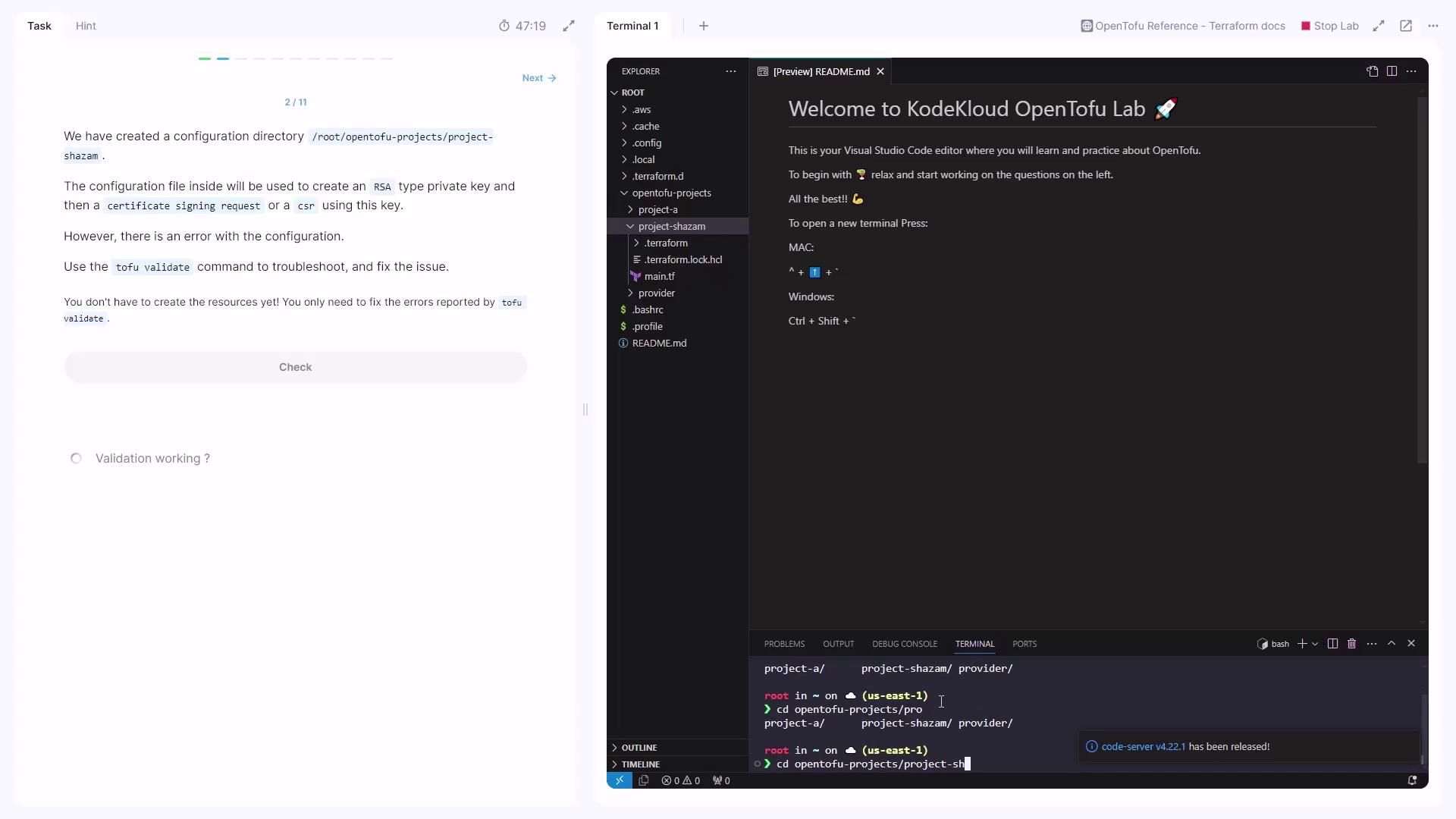
If you see:
```text theme={null}
Error: An argument named "dsa_bits" is not expected here.
on main.tf line 8, in resource "tls_private_key" "private_key":
8: dsa_bits = 2048
Did you mean "rsa_bits"?
```
Always match algorithm-specific arguments. In this case, replace `dsa_bits` with `rsa_bits` for an RSA key.
Correct the block in **main.tf**:
```hcl theme={null}
resource "tls_private_key" "private_key" {
algorithm = "RSA"
rsa_bits = 2048
}
```
Re-run `tofu validate` until no errors remain.
## 3. Planning and Applying
### 3.1 Generating a Plan
Create an execution plan to preview changes:
```bash theme={null}
tofu plan
```
You’ll see which resources will be added, changed, or destroyed.
### 3.2 First Apply Attempt
Apply the plan:
```bash theme={null}
tofu apply
```
If you encounter:
```text theme={null}
Error: Provider produced inconsistent final plan
...
inconsistent values for sensitive attribute
```
it means the syntax was valid but some resource arguments are incompatible.
## 4. Fixing the TLS Resource Block
Ensure your `main.tf` includes only RSA-compatible settings and the local file resource:
```hcl theme={null}
resource "local_file" "key_data" {
filename = "/tmp/.pki/private_key.pem"
content = tls_private_key.private_key.pem
file_permission = "0400"
}
resource "tls_private_key" "private_key" {
algorithm = "RSA"
rsa_bits = 2048
}
resource "tls_cert_request" "csr" {
private_key_pem = file("/tmp/.pki/private_key.pem")
depends_on = [local_file.key_data]
subject {
common_name = "flexit.com"
organization = "FlexIT Consulting Services"
}
}
```
Re-initialize, plan, and apply:
```bash theme={null}
tofu init
tofu plan
tofu apply
```
If `tofu apply` completes without errors, your configuration is now correct.
## 5. Formatting Code
Keep your files consistent:
```bash theme={null}
tofu fmt
```
This enforces HCL canonical style across all `.tf` files.
## 6. Inspecting State
Query the state for a specific resource:
```bash theme={null}
cd ~/opentofu-projects/project-shazam
tofu state show local_file.key_data
```
Check the `filename` attribute (e.g., `/tmp/.pki/private_key.pem`) to confirm it matches expectations.
## 7. Providers Subcommands
OpenTofu uses providers to interact with external APIs. To list available provider commands:
```bash theme={null}
tofu providers --help
```
Common subcommands include:
* mirror
* list
* install
* remove
## 8. Reviewing Downloaded Providers
Without browsing the directory directly, list installed plugins:
```bash theme={null}
tofu providers
```
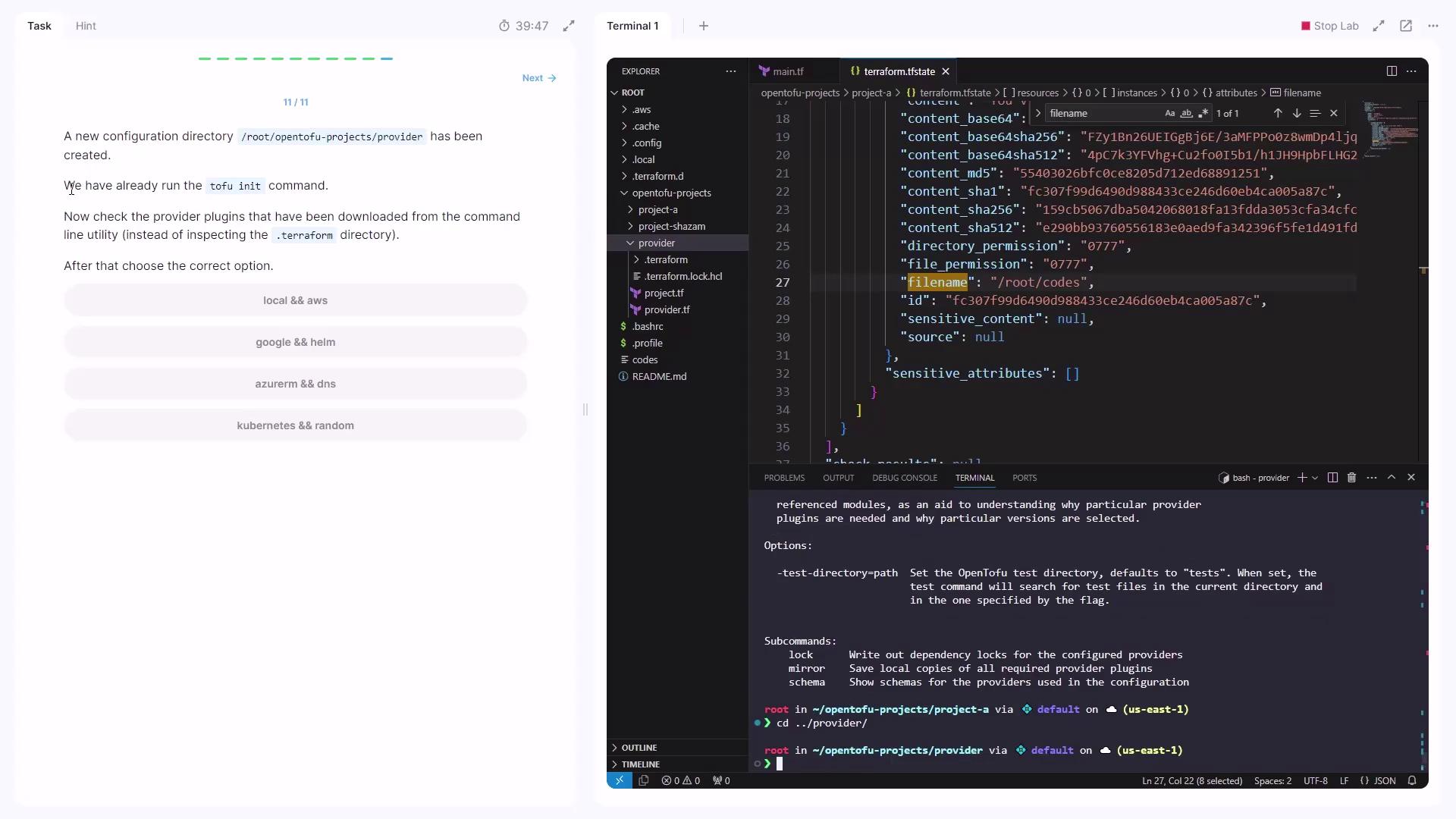
You should see entries like:
* `registry.opentofu.org/hashicorp/aws`
* `registry.opentofu.org/hashicorp/local`
***
## Links and References
* [OpenTofu GitHub Repository](https://github.com/opentofu/opentofu)
* [Terraform Concepts](https://www.terraform.io/docs/concepts/index.html)
* [Graphviz Overview](https://graphviz.org/documentation/)
* [TLS Provider Documentation](https://registry.terraform.io/providers/hashicorp/tls/latest/docs)