> ## Documentation Index
> Fetch the complete documentation index at: https://notes.kodekloud.com/llms.txt
> Use this file to discover all available pages before exploring further.
# OS Resource Management Part 2
> Explains threads versus processes, concurrency and parallelism, OS scheduling and interrupts, and how drivers and synchronization enable responsive multitasking on multicore systems
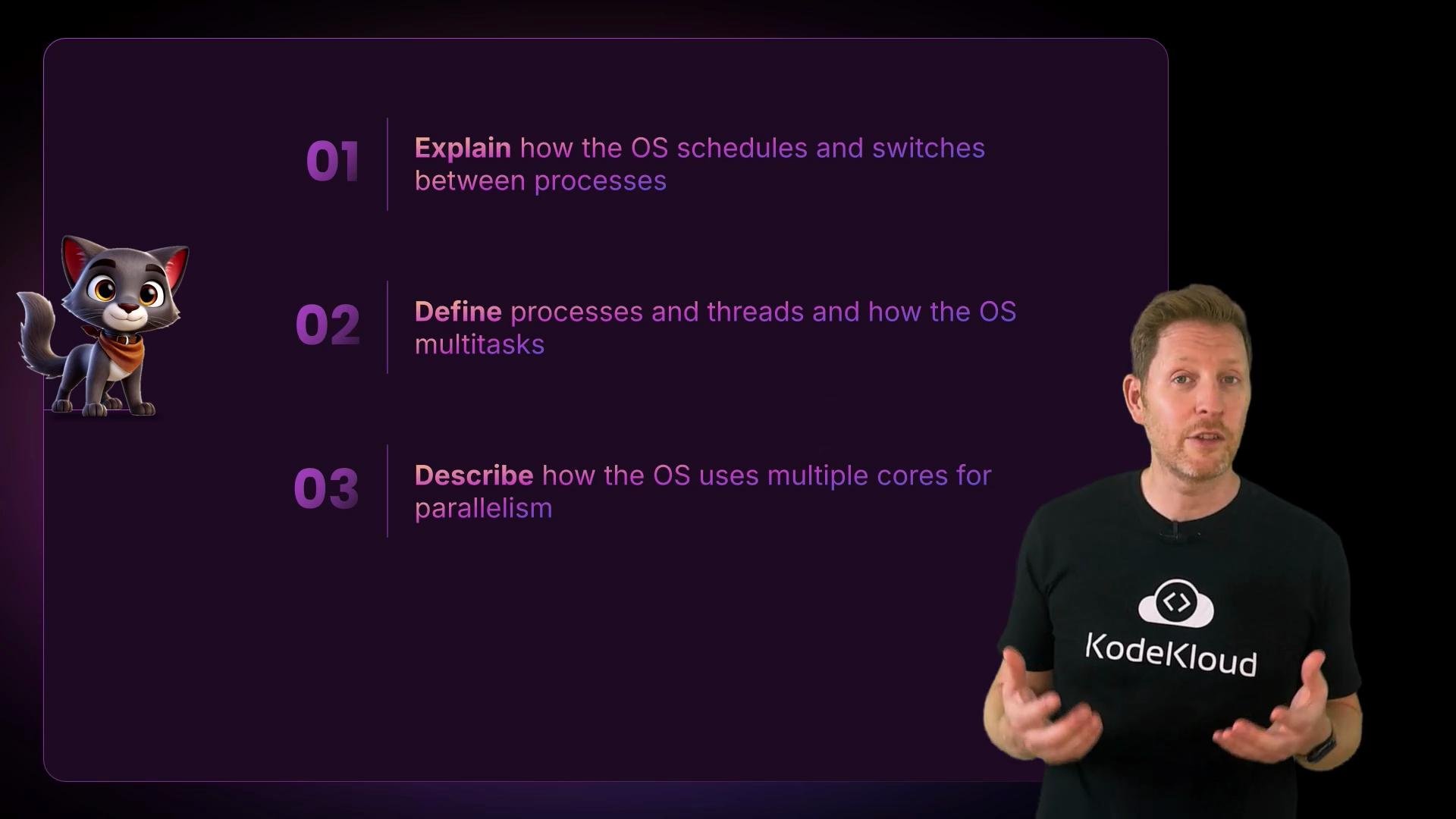
So far we've seen the OS switch between processes — each process usually corresponds to a separate application or background task. But many modern applications subdivide work inside a single process. This is where threads come in.
What is a thread?
* A thread is a lightweight unit of execution inside a process.
* Threads within the same process share the process’s memory and resources (address space, open files), which makes switching between threads cheaper than switching between processes.
* Because threads share memory, developers must synchronize access to shared data to avoid race conditions.
Example — multiple browser tabs:
```text theme={null}
Hello, Kody!
Hello, KodeKloud!
Hello, World!
```
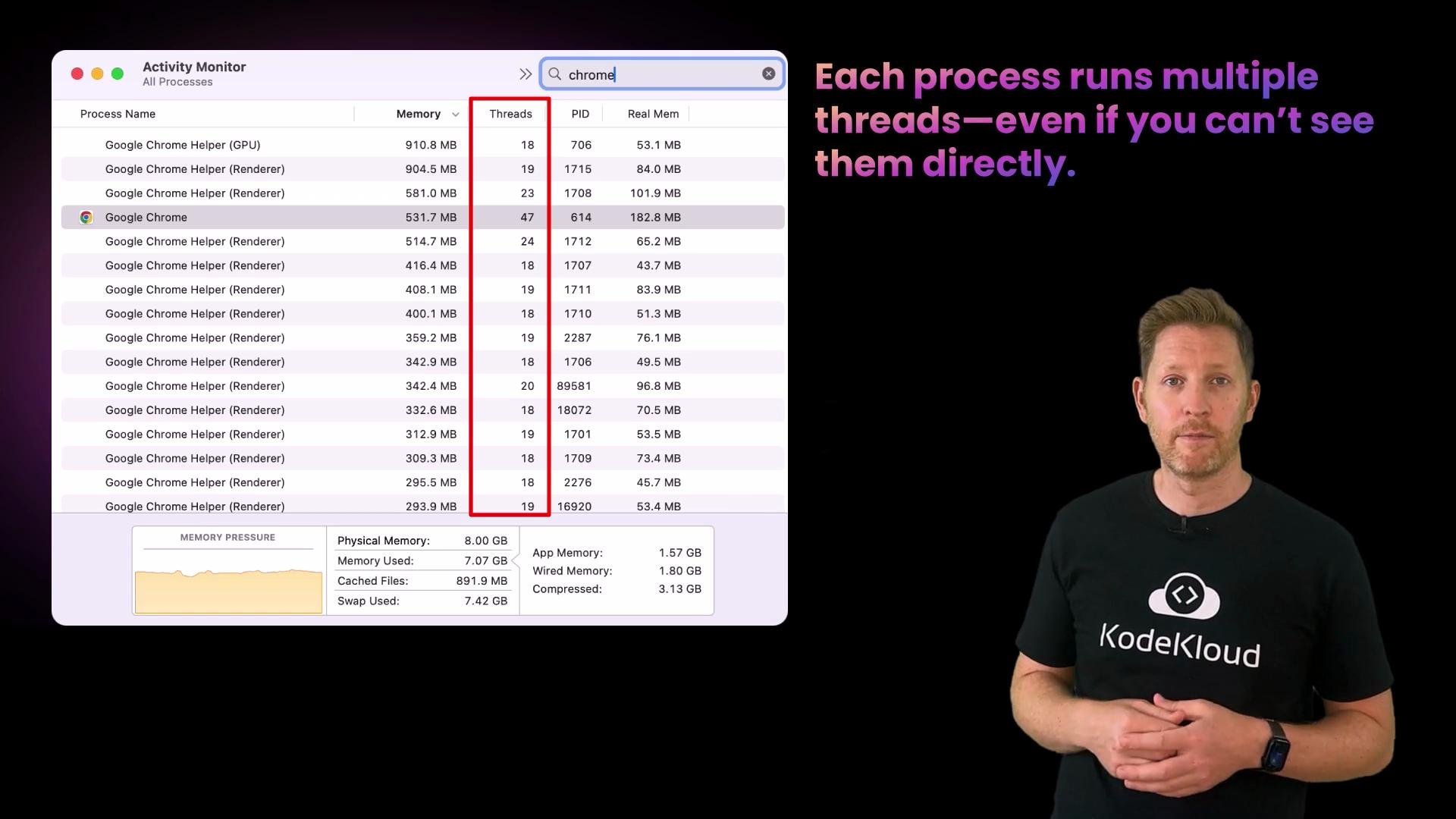
Each tab or task inside a browser can run on its own thread: one thread may fetch and render content, another may handle user input like scrolling and clicks, and a third may decode video ads. These threads all run inside the same process and share that process’s memory.
 Key implications of threads
* Faster context switches compared to process switches because threads share memory and other resources.
* Easier to communicate (shared memory) but requires synchronization (locks, mutexes, semaphores, condition variables) to avoid inconsistent state.
* OS schedulers still manage threads (they can be scheduled individually), but you don’t always see threads listed in simple process viewers.
Threads share the same address space. That makes context switches cheaper than between processes but requires careful synchronization to avoid race conditions.
Quick check — threads
Which of these is true about threads?
A. Threads each run in a separate memory space.\
B. Threads are like mini-tasks inside a process.\
C. Threads cannot be scheduled individually by the OS.
Correct answer: B. Threads share memory within a process, making them efficient but requiring synchronization.
Concurrency vs. Parallelism
* Concurrency: multiple tasks make progress by interleaving execution on the same core (time-slicing). Think of quickly switching between TV channels.
* Parallelism: multiple tasks execute simultaneously on different CPU cores at the same time. Think of watching multiple screens at once.
Key implications of threads
* Faster context switches compared to process switches because threads share memory and other resources.
* Easier to communicate (shared memory) but requires synchronization (locks, mutexes, semaphores, condition variables) to avoid inconsistent state.
* OS schedulers still manage threads (they can be scheduled individually), but you don’t always see threads listed in simple process viewers.
Threads share the same address space. That makes context switches cheaper than between processes but requires careful synchronization to avoid race conditions.
Quick check — threads
Which of these is true about threads?
A. Threads each run in a separate memory space.\
B. Threads are like mini-tasks inside a process.\
C. Threads cannot be scheduled individually by the OS.
Correct answer: B. Threads share memory within a process, making them efficient but requiring synchronization.
Concurrency vs. Parallelism
* Concurrency: multiple tasks make progress by interleaving execution on the same core (time-slicing). Think of quickly switching between TV channels.
* Parallelism: multiple tasks execute simultaneously on different CPU cores at the same time. Think of watching multiple screens at once.
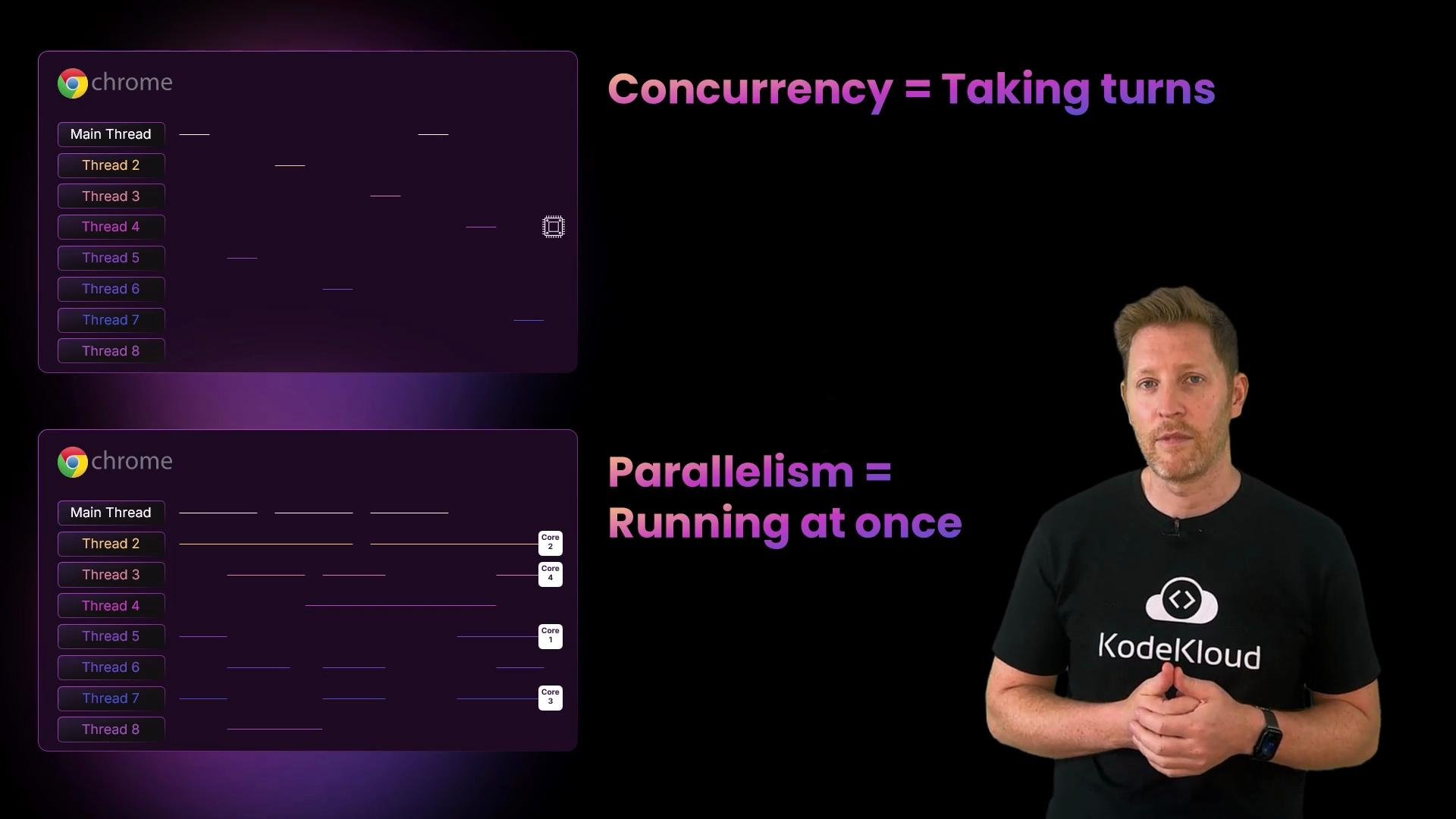 When the OS maps runnable threads to CPU cores:
* If runnable threads > cores: the OS uses time-slicing (concurrency).
* If runnable threads ≤ cores: the OS can place threads on distinct cores to run simultaneously (parallelism).
Observing parallelism in a system monitor
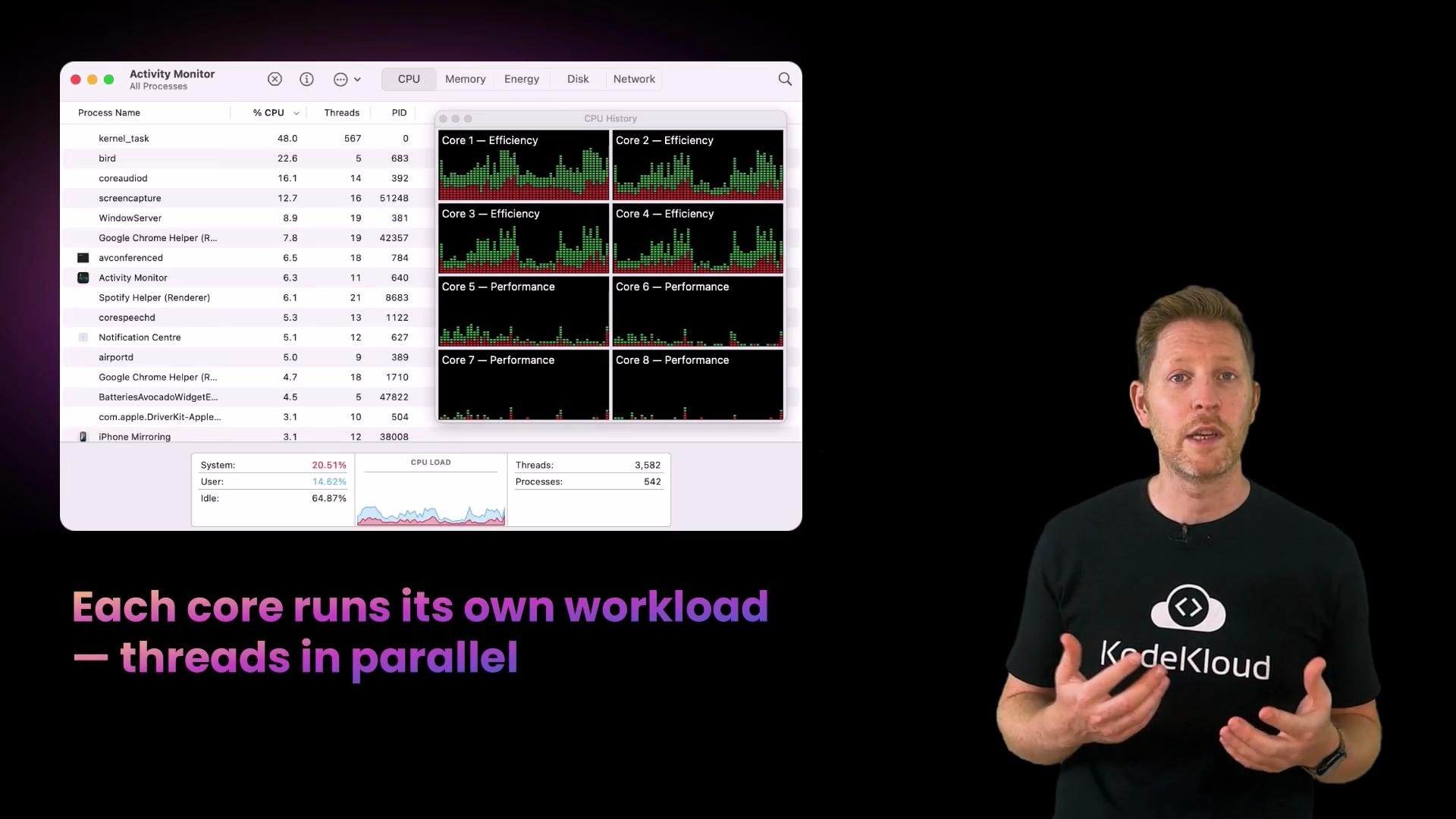
Open Activity Monitor / Task Manager and look at the CPU graphs — each core typically has its own utilization plot. When you run a large download and a video call simultaneously, multiple cores may spike, showing parallel execution of different threads.
When the OS maps runnable threads to CPU cores:
* If runnable threads > cores: the OS uses time-slicing (concurrency).
* If runnable threads ≤ cores: the OS can place threads on distinct cores to run simultaneously (parallelism).
Observing parallelism in a system monitor
Open Activity Monitor / Task Manager and look at the CPU graphs — each core typically has its own utilization plot. When you run a large download and a video call simultaneously, multiple cores may spike, showing parallel execution of different threads.
 Quick check — parallelism
What makes parallelism different from concurrency?
A. The OS switches between tasks so quickly that it feels simultaneous.\
B. Tasks run on different CPU cores at the same time.\
C. The OS compresses pages to fit more into memory.
Correct answer: B. Parallelism means tasks run simultaneously on separate CPU cores.
Comparison table — Processes, Threads, Concurrency, Parallelism
| Concept | Description | Example |
| ----------: | ---------------------------------------------------------- | -------------------------------------------------------- |
| Process | Isolated execution unit with its own address space | Running two different applications (Chrome and Terminal) |
| Thread | Lightweight execution unit inside a process sharing memory | Browser render thread vs. networking thread |
| Concurrency | Interleaved execution on the same CPU core (time-slicing) | Single-core machine running multiple apps |
| Parallelism | Simultaneous execution across multiple cores | Multi-core CPU running video encode and download at once |
Interrupts and the OS scheduling flow
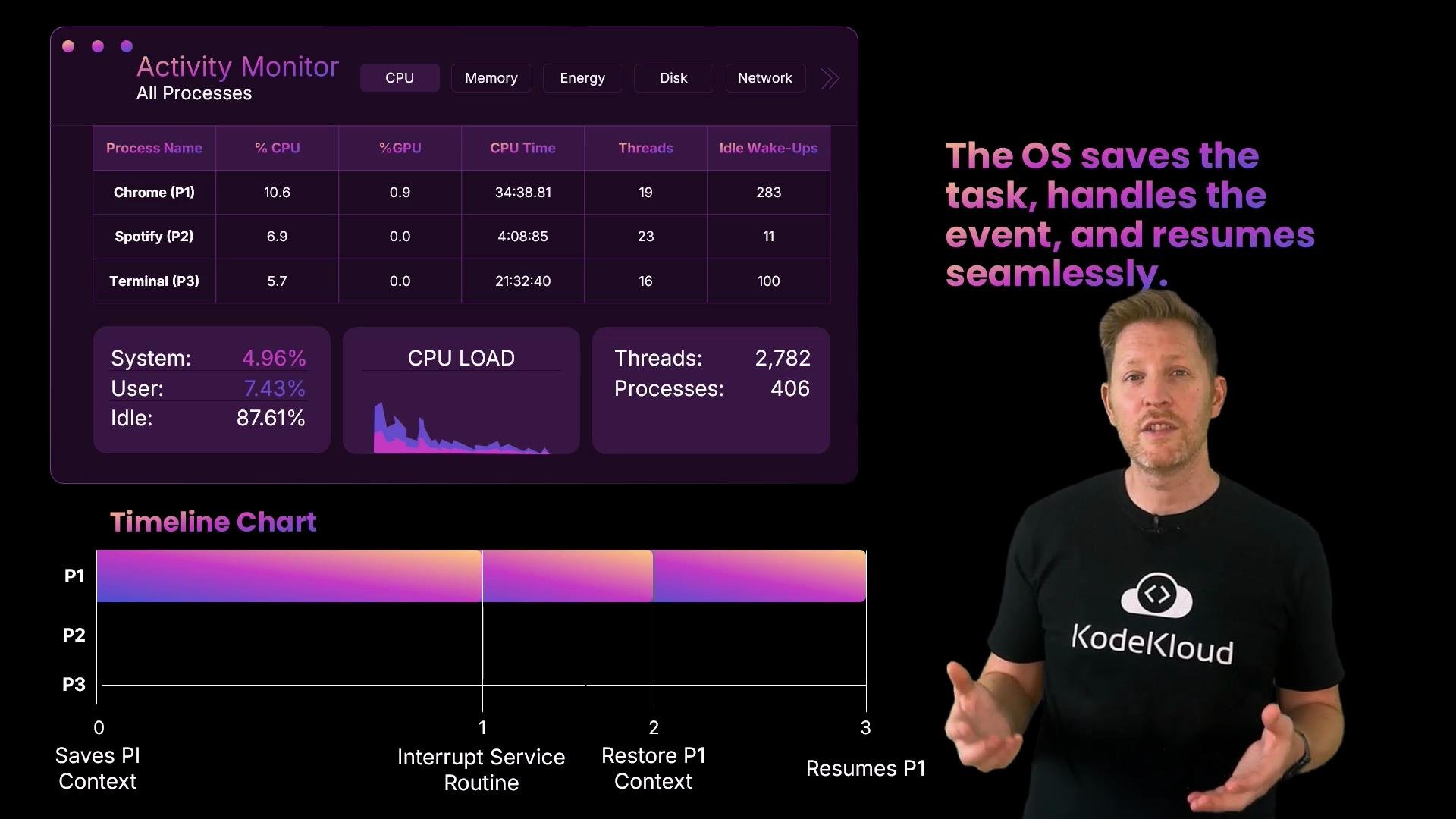
When an external event (like a key press) requires immediate attention, the hardware raises an interrupt. The OS follows a short, predictable sequence:
1. Save the current task’s context (registers, program counter, stack pointer).
2. Transfer control to the Interrupt Service Routine (ISR).
3. The ISR and device driver handle the event (for a keyboard, read scancode).
4. Restore the saved context.
5. Resume the interrupted task (possibly after a short pause).
This is how an interactive system stays responsive: the OS briefly pauses a running task, services the interrupt, and resumes execution.
Quick check — parallelism
What makes parallelism different from concurrency?
A. The OS switches between tasks so quickly that it feels simultaneous.\
B. Tasks run on different CPU cores at the same time.\
C. The OS compresses pages to fit more into memory.
Correct answer: B. Parallelism means tasks run simultaneously on separate CPU cores.
Comparison table — Processes, Threads, Concurrency, Parallelism
| Concept | Description | Example |
| ----------: | ---------------------------------------------------------- | -------------------------------------------------------- |
| Process | Isolated execution unit with its own address space | Running two different applications (Chrome and Terminal) |
| Thread | Lightweight execution unit inside a process sharing memory | Browser render thread vs. networking thread |
| Concurrency | Interleaved execution on the same CPU core (time-slicing) | Single-core machine running multiple apps |
| Parallelism | Simultaneous execution across multiple cores | Multi-core CPU running video encode and download at once |
Interrupts and the OS scheduling flow
When an external event (like a key press) requires immediate attention, the hardware raises an interrupt. The OS follows a short, predictable sequence:
1. Save the current task’s context (registers, program counter, stack pointer).
2. Transfer control to the Interrupt Service Routine (ISR).
3. The ISR and device driver handle the event (for a keyboard, read scancode).
4. Restore the saved context.
5. Resume the interrupted task (possibly after a short pause).
This is how an interactive system stays responsive: the OS briefly pauses a running task, services the interrupt, and resumes execution.
 Interrupt types and timing
| Type | Source | Typical use |
| ---------------------------- | -------------------------------------- | -------------------------------------------------- |
| Hardware interrupt | Keyboard, mouse, NIC, disk controllers | Immediate attention for I/O events |
| Timer interrupt | CPU timer/tick | Preemptive scheduling and time slices |
| Software interrupt / syscall | User-space requests kernel services | System calls like `read`, `write`, process control |
Device drivers — the OS translators
* Drivers translate device-specific signals into standard OS operations and vice versa.
* Without a proper driver, the OS cannot control or correctly interpret a device’s hardware signals.
* Drivers often run in kernel space and play a critical role during interrupts by implementing the ISR handler and queuing work for later processing.
Quick check — what happens on a key press?
A. The CPU finishes its task, then checks for input.\
B. The OS constantly polls the keyboard for new data.\
C. The keyboard sends an interrupt signal and the OS responds immediately.
Correct answer: C. Devices raise an interrupt to request attention when needed, and the OS responds.
Summary
* Threads are lightweight execution units inside processes that share memory; they enable responsiveness and efficient inter-thread communication but require synchronization.
* Concurrency is about managing multiple tasks by time-slicing; parallelism is about running tasks simultaneously on multiple CPU cores.
* Interrupts allow devices to notify the OS of urgent events; the OS saves context, handles the interrupt (often via a driver), and restores context to resume work.
* Modern operating systems combine these mechanisms to keep systems responsive and utilize multi-core hardware effectively.
Interrupt types and timing
| Type | Source | Typical use |
| ---------------------------- | -------------------------------------- | -------------------------------------------------- |
| Hardware interrupt | Keyboard, mouse, NIC, disk controllers | Immediate attention for I/O events |
| Timer interrupt | CPU timer/tick | Preemptive scheduling and time slices |
| Software interrupt / syscall | User-space requests kernel services | System calls like `read`, `write`, process control |
Device drivers — the OS translators
* Drivers translate device-specific signals into standard OS operations and vice versa.
* Without a proper driver, the OS cannot control or correctly interpret a device’s hardware signals.
* Drivers often run in kernel space and play a critical role during interrupts by implementing the ISR handler and queuing work for later processing.
Quick check — what happens on a key press?
A. The CPU finishes its task, then checks for input.\
B. The OS constantly polls the keyboard for new data.\
C. The keyboard sends an interrupt signal and the OS responds immediately.
Correct answer: C. Devices raise an interrupt to request attention when needed, and the OS responds.
Summary
* Threads are lightweight execution units inside processes that share memory; they enable responsiveness and efficient inter-thread communication but require synchronization.
* Concurrency is about managing multiple tasks by time-slicing; parallelism is about running tasks simultaneously on multiple CPU cores.
* Interrupts allow devices to notify the OS of urgent events; the OS saves context, handles the interrupt (often via a driver), and restores context to resume work.
* Modern operating systems combine these mechanisms to keep systems responsive and utilize multi-core hardware effectively.