> ## Documentation Index
> Fetch the complete documentation index at: https://notes.kodekloud.com/llms.txt
> Use this file to discover all available pages before exploring further.
# OS Security Part 2
> Overview of operating system security covering firewalls, antivirus, system hardening, and responsibilities to protect confidentiality, integrity, and availability
Security is not just about fixing problems after they appear. While patching and updates repair "cracks and broken locks", real protection focuses on preventing attackers from getting in at all. This article explains two essential defensive layers—firewalls and antivirus—and shows how system hardening and OS responsibilities work together to preserve confidentiality, integrity, and availability.
## Firewall vs Antivirus — Perimeter and Internal Defense
Think of these layers as home security:
* Firewall: the fence and locked gates around your property — it controls which network traffic can reach your front door.
* Antivirus: the cameras and motion sensors inside — it detects and responds to anything that gets past the perimeter.
Firewall
* Inspects and filters incoming and outgoing network traffic by IP, port, protocol, and sometimes by application.
* Allows, rejects, or logs connections before they reach services on your system.
* Used for network-level access control and to reduce exposure from remote networks.
Antivirus
* Monitors files, installed apps, and running processes for known malware (signature matching), suspicious patterns (heuristics), and unusual runtime behavior.
* Quarantines or blocks detected threats to prevent damage and help recovery.
* Acts as an internal surveillance layer that complements the firewall.
Modern operating systems include many protections by default — packet filtering, signed-driver checks, and automatic scanning of downloads. These features often run silently to reduce user friction while improving safety.
Most desktop OSes provide easy controls (for example, macOS has an application-level firewall and options like “block all incoming connections” and “stealth mode”). Mobile platforms rely more on sandboxing, store controls, and automatic scanning rather than separate firewall toggles or traditional antivirus apps.
Pop quiz: what does a firewall actually do?
A) Scan your hardware for viruses\
B) Filter and monitor network traffic\
C) Optimize app performance
If you picked B, that’s correct — a firewall filters and monitors network traffic, allowing, rejecting, or logging connections to your system.
Recap: the firewall is your outer defense (network-level filtering), and antivirus is internal surveillance (file and behavior scanning).
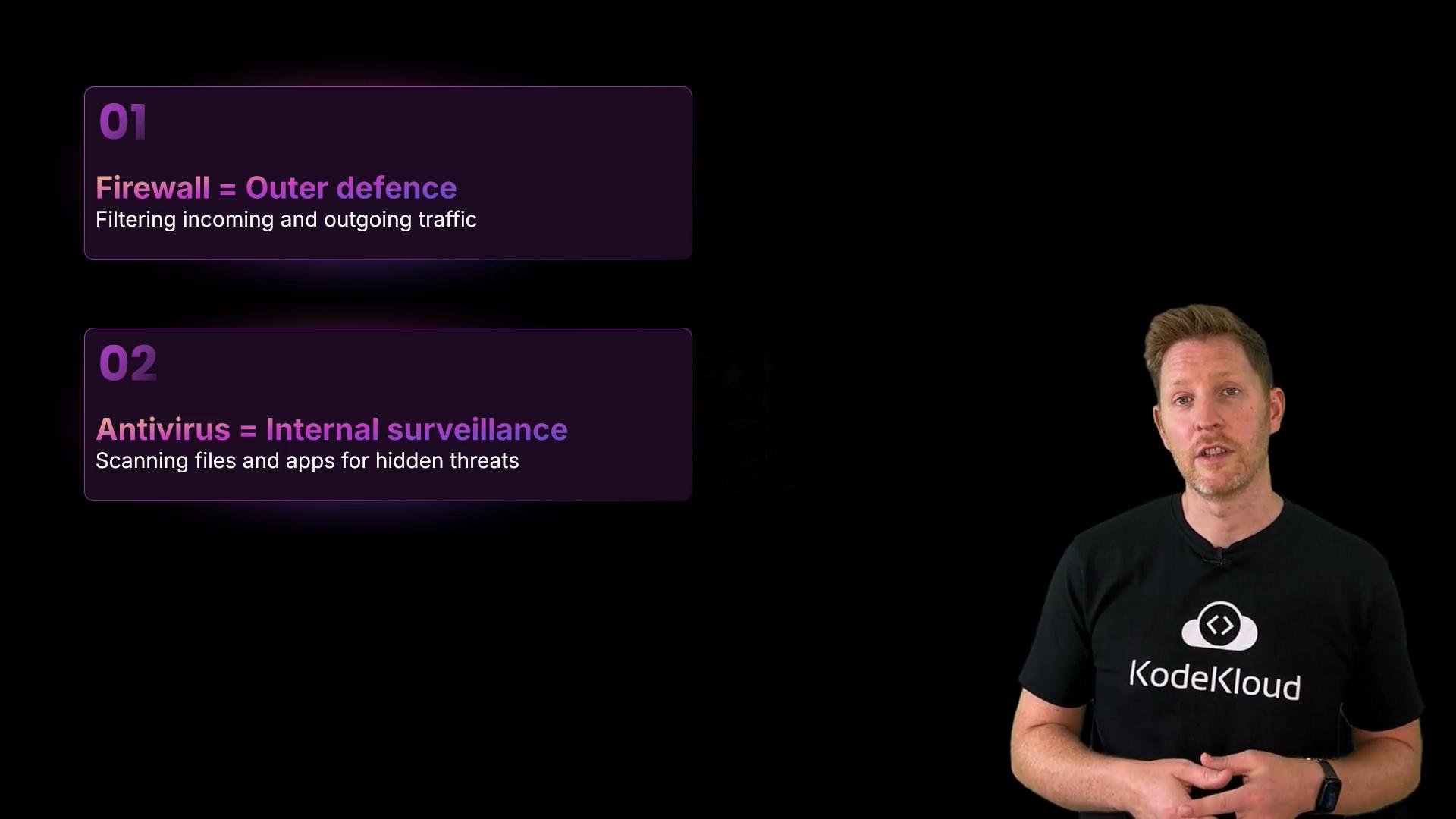 You may not notice these protections working — and that’s good. Effective security reduces opportunities for attackers without creating unnecessary friction.
## System Hardening — Reduce Your Attack Surface
Hardening is like securing a house: lock unused doors, seal old entrances, and remove spare keys. The principle is straightforward — fewer access points means fewer ways for attackers to get in.
Common hardening steps:
| Control | Why it matters | Example |
| ---------------------------------------- | ------------------------------------------------------- | ------------------------------------------------------------------------------- |
| Disable unnecessary services | Reduces entry points and the patch surface | Turn off unused remote login, file sharing, or print services |
| Close unused ports & audit listeners | Prevents remote access to unneeded services | Close firewall ports and check tools like `netstat` or `ss` to review listeners |
| Remove or disable guest/default accounts | Prevents unauthenticated or weakly authenticated access | Delete or disable guest accounts and default admin users |
| Principle of least privilege | Limits damage if accounts are compromised | Grant only required permissions to users and services |
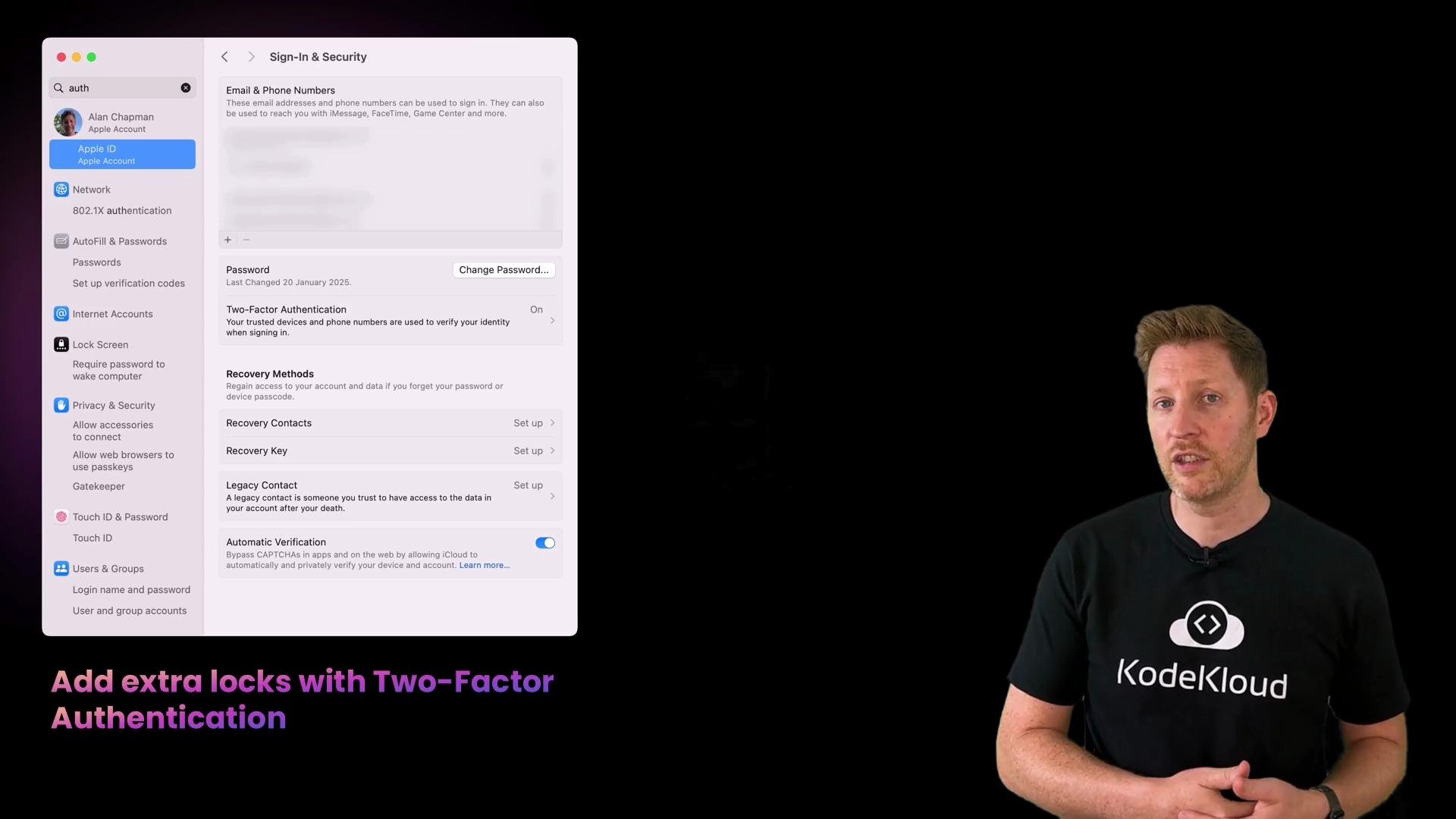
| Strong authentication & 2FA | Protects against credential theft | Enable two-factor authentication for accounts and admin access |
| Account lockout & rate limiting | Prevents brute-force login attempts | Configure temporary lockouts after repeated failed logins |
| Logging & monitoring | Enables detection and incident response | Keep audit logs, configure centralized logging, and enable alerts |
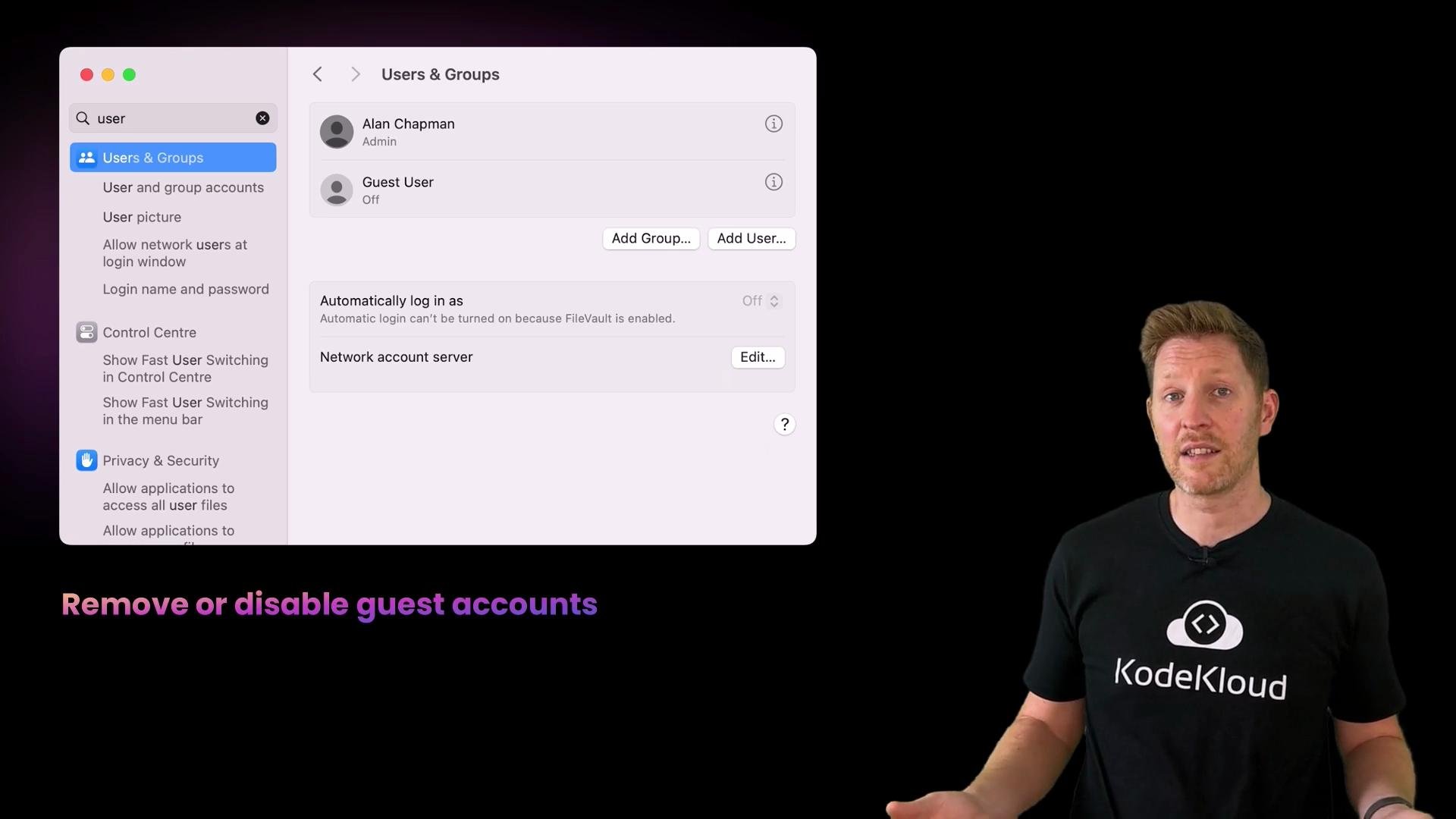
Guest accounts and default service accounts are common, easy targets. Disable or remove them unless absolutely needed, and avoid weak default credentials.
Hardening reduces complexity. If an OS runs 20 services but you only need 5, the other 15 are extra potential targets that may be overlooked during patching or audits. Hardening focuses on running only what is necessary so the system is smaller and easier to secure.
You may not notice these protections working — and that’s good. Effective security reduces opportunities for attackers without creating unnecessary friction.
## System Hardening — Reduce Your Attack Surface
Hardening is like securing a house: lock unused doors, seal old entrances, and remove spare keys. The principle is straightforward — fewer access points means fewer ways for attackers to get in.
Common hardening steps:
| Control | Why it matters | Example |
| ---------------------------------------- | ------------------------------------------------------- | ------------------------------------------------------------------------------- |
| Disable unnecessary services | Reduces entry points and the patch surface | Turn off unused remote login, file sharing, or print services |
| Close unused ports & audit listeners | Prevents remote access to unneeded services | Close firewall ports and check tools like `netstat` or `ss` to review listeners |
| Remove or disable guest/default accounts | Prevents unauthenticated or weakly authenticated access | Delete or disable guest accounts and default admin users |
| Principle of least privilege | Limits damage if accounts are compromised | Grant only required permissions to users and services |
| Strong authentication & 2FA | Protects against credential theft | Enable two-factor authentication for accounts and admin access |
| Account lockout & rate limiting | Prevents brute-force login attempts | Configure temporary lockouts after repeated failed logins |
| Logging & monitoring | Enables detection and incident response | Keep audit logs, configure centralized logging, and enable alerts |
Guest accounts and default service accounts are common, easy targets. Disable or remove them unless absolutely needed, and avoid weak default credentials.
Hardening reduces complexity. If an OS runs 20 services but you only need 5, the other 15 are extra potential targets that may be overlooked during patching or audits. Hardening focuses on running only what is necessary so the system is smaller and easier to secure.
 Example: remove guest accounts if they’re not required. Guest accounts can allow unauthenticated or minimally authenticated access, so disable them unless necessary.
 Add extra verification like two-factor authentication to increase protection against credential compromise.
 Locking accounts after repeated failed logins is another effective control. After several failed attempts, an account can be temporarily disabled or require additional verification — similar to an alarm that triggers when someone rattles the doors too many times.
Hardening isn’t about removing useful features; it’s about removing unnecessary risk. A streamlined system is easier to update, monitor, and protect.
Why fewer features improves security
* Every feature or service is a potential pathway for attackers.
* Unused components are often missed during patching and audits.
* Running only required services reduces exposure and maintenance effort.
Recap: hardened systems have fewer attack targets, disabled unused services and accounts, and stronger controls like 2FA and account lockout.
## The OS’s Four Key Security Responsibilities
An operating system protects a system by combining several roles that together address the CIA triad:
| Responsibility | Description | Examples |
| ------------------- | ---------------------------------------------------- | ---------------------------------------------------- |
| Manage access | Accounts, permissions, and enforcing least privilege | User/group permissions, ACLs, role-based access |
| Fix vulnerabilities | Provide updates and patches for OS components | Automatic updates, signed packages, patch management |
| Block threats | Perimeter and internal defenses | Firewalls, IDS/IPS, antivirus, app whitelisting |
| Reduce risk | Hardening and secure configuration management | Disabling services, configuration baselines, logging |
These layers work together to protect confidentiality (who can see data), integrity (ensuring data isn’t tampered with), and availability (keeping services running).
Locking accounts after repeated failed logins is another effective control. After several failed attempts, an account can be temporarily disabled or require additional verification — similar to an alarm that triggers when someone rattles the doors too many times.
Hardening isn’t about removing useful features; it’s about removing unnecessary risk. A streamlined system is easier to update, monitor, and protect.
Why fewer features improves security
* Every feature or service is a potential pathway for attackers.
* Unused components are often missed during patching and audits.
* Running only required services reduces exposure and maintenance effort.
Recap: hardened systems have fewer attack targets, disabled unused services and accounts, and stronger controls like 2FA and account lockout.
## The OS’s Four Key Security Responsibilities
An operating system protects a system by combining several roles that together address the CIA triad:
| Responsibility | Description | Examples |
| ------------------- | ---------------------------------------------------- | ---------------------------------------------------- |
| Manage access | Accounts, permissions, and enforcing least privilege | User/group permissions, ACLs, role-based access |
| Fix vulnerabilities | Provide updates and patches for OS components | Automatic updates, signed packages, patch management |
| Block threats | Perimeter and internal defenses | Firewalls, IDS/IPS, antivirus, app whitelisting |
| Reduce risk | Hardening and secure configuration management | Disabling services, configuration baselines, logging |
These layers work together to protect confidentiality (who can see data), integrity (ensuring data isn’t tampered with), and availability (keeping services running).
 ## Links and References
* [NIST Cybersecurity Framework](https://www.nist.gov/cyberframework) — baseline security controls and best practices
* [CIS Benchmarks](https://www.cisecurity.org/cis-benchmarks/) — platform-specific hardening guidance
* Apple: [macOS Security Overview](https://support.apple.com/guide/security/welcome/web) — platform protections and features
* OWASP: [Application Security Fundamentals](https://owasp.org/) — general principles for reducing attack surface
Use these resources to build and verify secure configurations, implement monitoring, and keep your systems patched. Security is layered: combine perimeter controls (firewalls), internal detection (antivirus), and configuration discipline (hardening) to create a resilient environment.
## Links and References
* [NIST Cybersecurity Framework](https://www.nist.gov/cyberframework) — baseline security controls and best practices
* [CIS Benchmarks](https://www.cisecurity.org/cis-benchmarks/) — platform-specific hardening guidance
* Apple: [macOS Security Overview](https://support.apple.com/guide/security/welcome/web) — platform protections and features
* OWASP: [Application Security Fundamentals](https://owasp.org/) — general principles for reducing attack surface
Use these resources to build and verify secure configurations, implement monitoring, and keep your systems patched. Security is layered: combine perimeter controls (firewalls), internal detection (antivirus), and configuration discipline (hardening) to create a resilient environment.