> ## Documentation Index
> Fetch the complete documentation index at: https://notes.kodekloud.com/llms.txt
> Use this file to discover all available pages before exploring further.
# String Actions
> Learn how Python compares strings, sorts lists, and converts data types with methods and examples for better understanding.
In this article, you'll learn how Python compares strings, sorts lists, and converts data types. We'll explore various methods and provide examples to help you understand these processes.
## Comparing Strings
Python allows you to compare strings using comparison operators such as `<`, `>`, and `==`. When comparing two strings, Python checks the Unicode (code point) values of each character sequentially. For example, consider the comparison:
```python theme={null}
print('apple' < 'banana')
```
This outputs:
```text theme={null}
True
```
Two strings are considered equal only if they consist of the same characters in the same order. If the strings differ, even if they are of the same length, Python determines the result based on the first pair of characters that differ. Remember that string comparisons are case sensitive; uppercase letters have different code point values than lowercase ones.
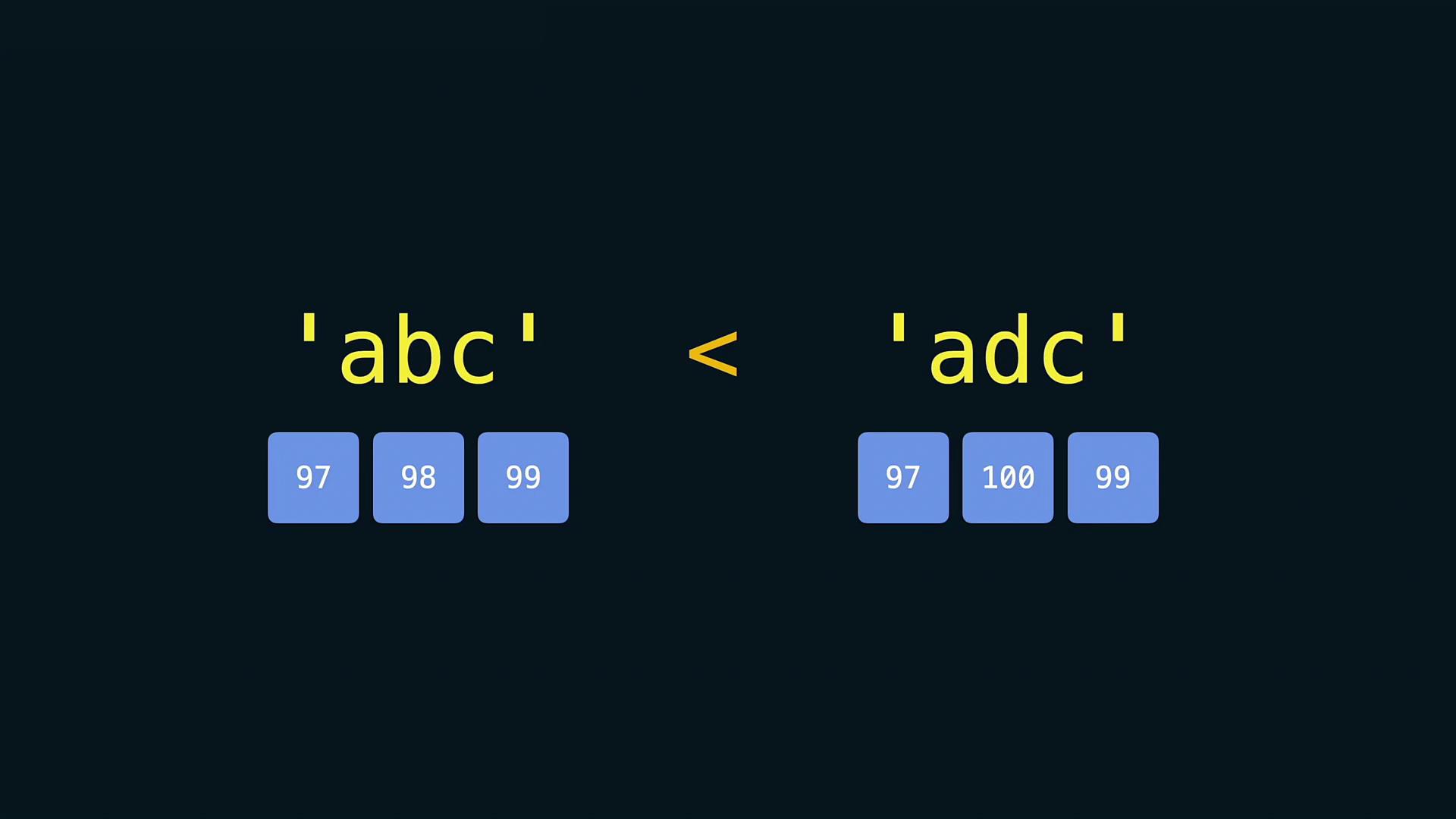
Be mindful that comparisons between strings are influenced by Unicode character values. This means that special characters and punctuation might affect comparison outcomes.
## Sorting Strings and Lists
Python offers two primary ways to sort elements. You can either use the built-in function `sorted()` which returns a new sorted list, or the list’s `sort()` method, which sorts the list in place.
### Using the sorted() Function
The `sorted()` function creates a new sorted list without altering the original collection. Consider these examples:
```python theme={null}
print(sorted(['kiwi', 'apple', 'mango']))
print(sorted('Sort me!'))
```
Console output:
```Python theme={null}
['apple', 'kiwi', 'mango']
[' ', '!', 'S', 'e', 'm', 'o', 'r', 't']
```
### Using the sort() Method
If you want to sort a list in place, use the `sort()` method:
```python theme={null}
fruits = ['kiwi', 'apple', 'mango']
fruits.sort()
print(fruits)
```
Console output:
```Python theme={null}
['apple', 'kiwi', 'mango']
```
Both sorting mechanisms arrange items in ascending order by default, meaning from the lowest to the highest value.
## Converting Data Types
In many scenarios, you may need to convert non-string elements into strings, particularly when printing messages that include numeric values. Use the `str()` function for this purpose:
```python theme={null}
age = 23
print('I am ' + str(age) + ' years old')
```
Attempting to concatenate a string with an integer directly without conversion will result in a `TypeError`:
```python theme={null}
age = 23
print('I am ' + age + ' years old')
```
Console output:
```Python theme={null}
I am 23 years old
TypeError: can only concatenate str (not "int") to str
```
Similarly, when comparing numeric values with numbers represented as strings, it is necessary to convert the string to a numerical type. For instance:
```python theme={null}
avg_age_input = '34.2'
min_avg_age = 30
print(float(avg_age_input) > min_avg_age)
print(avg_age_input < min_avg_age)
```
Console output:
```Python theme={null}
True
TypeError: '>' not supported between instances of 'str' and 'int'
```
If you do not convert the string to a floating-point number before making the comparison, Python will raise a `TypeError`.
Always ensure that you convert data types appropriately when performing operations. Failure to do so may result in errors that can interrupt your program's execution.
That's it for now! It's time to put these concepts into practice. Happy coding!