> ## Documentation Index
> Fetch the complete documentation index at: https://notes.kodekloud.com/llms.txt
> Use this file to discover all available pages before exploring further.
# Demo Configure NATS EventBus
> Guide to configure and verify a NATS-based EventBus for Argo Events, comparing EventBus backends and showing YAML and verification steps for native, exotic, JetStream, and Kafka
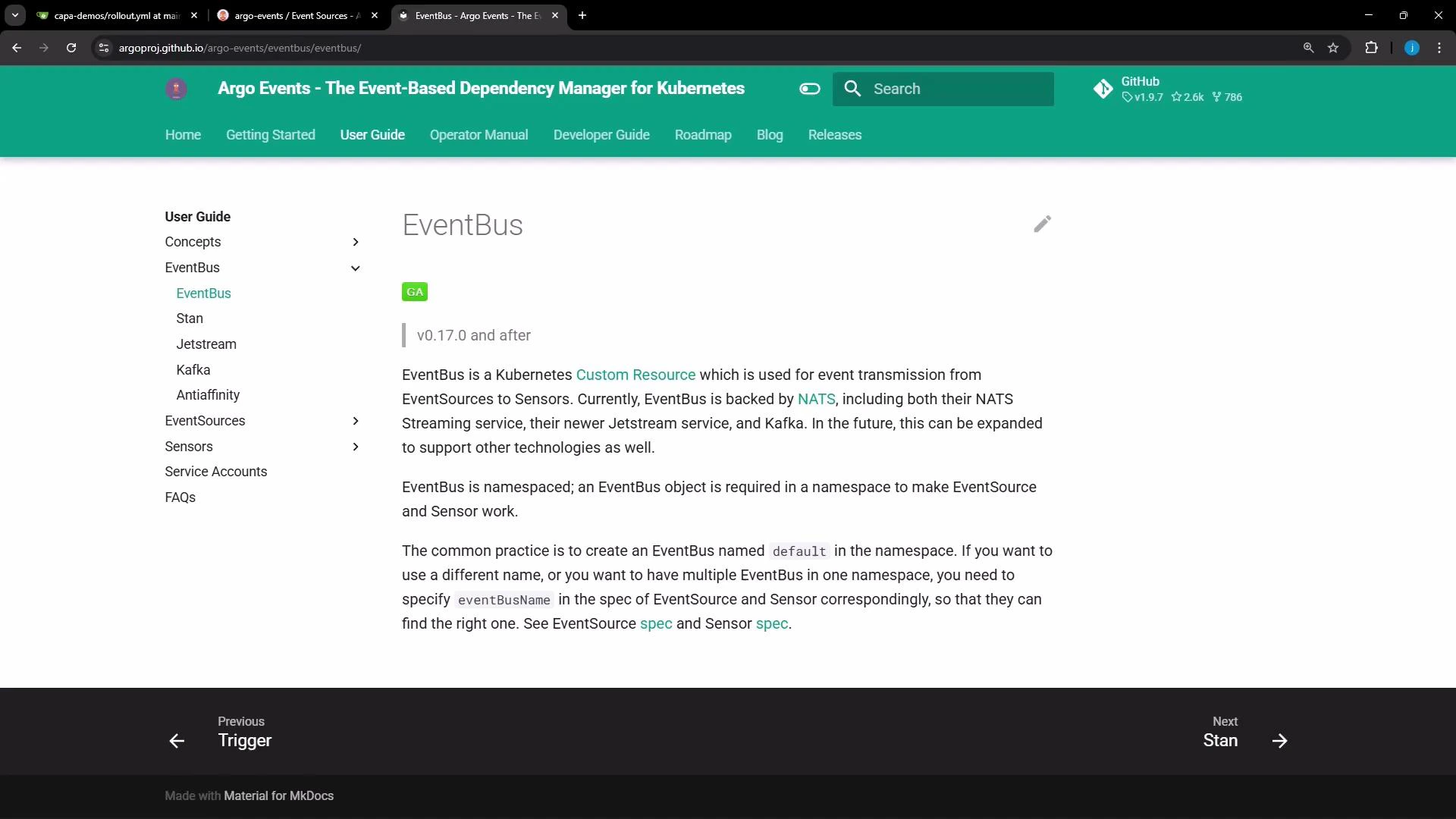
In this lesson we will create and verify an EventBus for Argo Events. An EventBus is the messaging backbone that routes events from event sources to sensors. Argo Events supports multiple EventBus backends; this guide compares the common options and shows how to create a NATS-based EventBus.
* [NATS](https://nats.io/) (native, managed by Argo Events)
* [NATS](https://nats.io/) (exotic — connect to an existing NATS streaming server)
* [NATS JetStream](https://docs.nats.io/jetstream)
* [Kafka](https://kafka.apache.org/)
 ## EventBus backend comparison
| Backend | Use case | Notes |
| ------------- | ----------------------------------------------------------------------------- | -------------------------------------------------------------------------- |
| NATS (native) | Simple deployments where Argo Events should manage the NATS streaming cluster | Argo Events will create StatefulSet(s) and services |
| NATS (exotic) | Use an existing, externally managed NATS cluster | Useful when you already operate NATS and want Argo Events to connect to it |
| JetStream | Durable stream storage and advanced delivery guarantees | Use a pinned JetStream version in production |
| Kafka | Enterprise-grade messaging systems already in use | Kafka must be provisioned and managed outside Argo Events |
## NATS (native)
The most common EventBus for Argo Events is the native NATS streaming implementation that Argo Events manages for you. A minimal native EventBus looks like this:
```yaml theme={null}
apiVersion: argoproj.io/v1alpha1
kind: EventBus
metadata:
name: default
spec:
nats:
native: {}
```
You can expand the native configuration to control replicas, authentication, and persistence:
```yaml theme={null}
apiVersion: argoproj.io/v1alpha1
kind: EventBus
metadata:
name: default
spec:
nats:
native:
replicas: 3 # optional; defaults to 3; requires a minimum of 3 for quorum
auth: token # optional; defaults to none
persistence: # optional
storageClassName: standard
accessMode: ReadWriteOnce
volumeSize: 10Gi
```
NATS streaming (native) typically expects at least three replicas to form a quorum for high availability. Set replicas to match your HA requirements and ensure your cluster has capacity to schedule those pods.
## NATS (exotic) — connect to an existing NATS streaming server
If you already run a NATS streaming cluster, instruct Argo Events to connect to it by using the exotic configuration:
```yaml theme={null}
apiVersion: argoproj.io/v1alpha1
kind: EventBus
metadata:
name: default
spec:
nats:
exotic:
url: nats://nats.example.internal:4222
clusterID: my-cluster-id
auth: token
accessSecret:
name: my-secret-name
key: secret-key
```
After applying an exotic EventBus, inspect the runtime configuration that the EventBus controller computes:
```bash theme={null}
kubectl get eventbus default -o json | jq '.status.config'
```
This prints the effective configuration used by the controller and helps verify connectivity settings.
## JetStream
Argo Events supports JetStream for advanced streaming features. Enable JetStream in the EventBus spec and pin a version for production stability:
```yaml theme={null}
apiVersion: argoproj.io/v1alpha1
kind: EventBus
metadata:
name: default
spec:
jetstream:
version: "2.11.0" # specify a concrete version for production
```
Do NOT use "latest" in production. Pin a concrete JetStream version to avoid unexpected upgrades or incompatibilities.
## Kafka
Kafka is supported as an EventBus backend as well. You must manage the Kafka brokers outside Argo Events:
```yaml theme={null}
apiVersion: argoproj.io/v1alpha1
kind: EventBus
metadata:
name: default
spec:
kafka:
url: kafka:9092 # must point to an existing Kafka broker
topic: "example" # optional
```
## Anti-affinity and scheduling considerations
To improve availability, configure Kubernetes pod anti-affinity so EventBus pods are spread across nodes or zones. Anti-affinity helps prevent correlated failures (for example, all replicas on a single node). The exact anti-affinity configuration depends on your cluster topology and scheduling constraints.
Recommendation checklist:
* Ensure storageClassName and volume sizes meet persistence needs.
* Set pod anti-affinity to spread replicas across nodes/availability-zones.
* Confirm the cluster has capacity for the required replica count.
## Create the EventBus in the cluster
1. Create a file named eventbus.yaml with your chosen EventBus configuration (for example, the native NATS YAML above).
2. Apply it to the argo-events namespace:
```bash theme={null}
kubectl -n argo-events apply -f eventbus.yaml
```
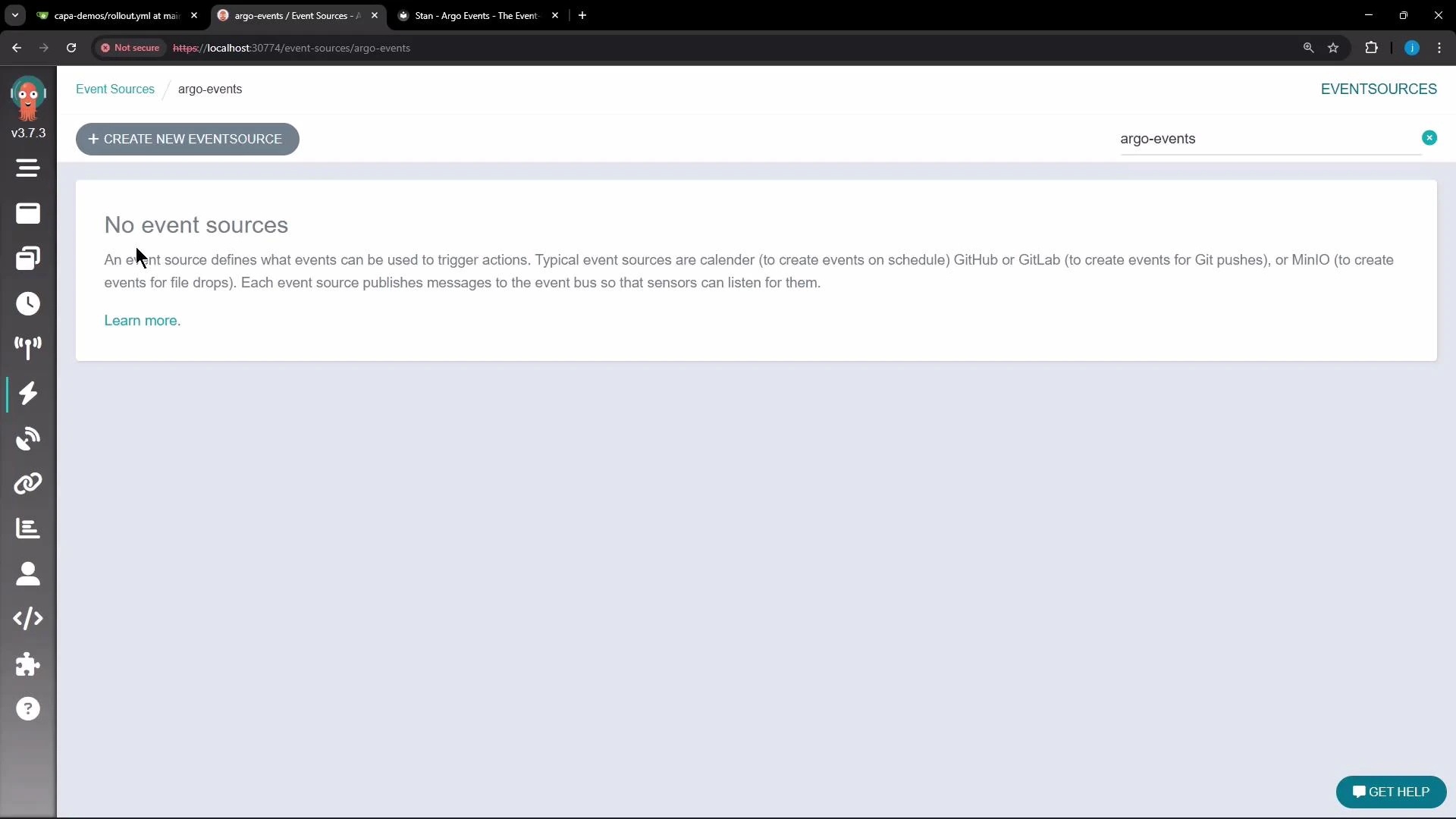
Note: The Argo Events UI may not provide a creation flow for EventBus objects; using kubectl is the typical path for initial EventBus creation.
## EventBus backend comparison
| Backend | Use case | Notes |
| ------------- | ----------------------------------------------------------------------------- | -------------------------------------------------------------------------- |
| NATS (native) | Simple deployments where Argo Events should manage the NATS streaming cluster | Argo Events will create StatefulSet(s) and services |
| NATS (exotic) | Use an existing, externally managed NATS cluster | Useful when you already operate NATS and want Argo Events to connect to it |
| JetStream | Durable stream storage and advanced delivery guarantees | Use a pinned JetStream version in production |
| Kafka | Enterprise-grade messaging systems already in use | Kafka must be provisioned and managed outside Argo Events |
## NATS (native)
The most common EventBus for Argo Events is the native NATS streaming implementation that Argo Events manages for you. A minimal native EventBus looks like this:
```yaml theme={null}
apiVersion: argoproj.io/v1alpha1
kind: EventBus
metadata:
name: default
spec:
nats:
native: {}
```
You can expand the native configuration to control replicas, authentication, and persistence:
```yaml theme={null}
apiVersion: argoproj.io/v1alpha1
kind: EventBus
metadata:
name: default
spec:
nats:
native:
replicas: 3 # optional; defaults to 3; requires a minimum of 3 for quorum
auth: token # optional; defaults to none
persistence: # optional
storageClassName: standard
accessMode: ReadWriteOnce
volumeSize: 10Gi
```
NATS streaming (native) typically expects at least three replicas to form a quorum for high availability. Set replicas to match your HA requirements and ensure your cluster has capacity to schedule those pods.
## NATS (exotic) — connect to an existing NATS streaming server
If you already run a NATS streaming cluster, instruct Argo Events to connect to it by using the exotic configuration:
```yaml theme={null}
apiVersion: argoproj.io/v1alpha1
kind: EventBus
metadata:
name: default
spec:
nats:
exotic:
url: nats://nats.example.internal:4222
clusterID: my-cluster-id
auth: token
accessSecret:
name: my-secret-name
key: secret-key
```
After applying an exotic EventBus, inspect the runtime configuration that the EventBus controller computes:
```bash theme={null}
kubectl get eventbus default -o json | jq '.status.config'
```
This prints the effective configuration used by the controller and helps verify connectivity settings.
## JetStream
Argo Events supports JetStream for advanced streaming features. Enable JetStream in the EventBus spec and pin a version for production stability:
```yaml theme={null}
apiVersion: argoproj.io/v1alpha1
kind: EventBus
metadata:
name: default
spec:
jetstream:
version: "2.11.0" # specify a concrete version for production
```
Do NOT use "latest" in production. Pin a concrete JetStream version to avoid unexpected upgrades or incompatibilities.
## Kafka
Kafka is supported as an EventBus backend as well. You must manage the Kafka brokers outside Argo Events:
```yaml theme={null}
apiVersion: argoproj.io/v1alpha1
kind: EventBus
metadata:
name: default
spec:
kafka:
url: kafka:9092 # must point to an existing Kafka broker
topic: "example" # optional
```
## Anti-affinity and scheduling considerations
To improve availability, configure Kubernetes pod anti-affinity so EventBus pods are spread across nodes or zones. Anti-affinity helps prevent correlated failures (for example, all replicas on a single node). The exact anti-affinity configuration depends on your cluster topology and scheduling constraints.
Recommendation checklist:
* Ensure storageClassName and volume sizes meet persistence needs.
* Set pod anti-affinity to spread replicas across nodes/availability-zones.
* Confirm the cluster has capacity for the required replica count.
## Create the EventBus in the cluster
1. Create a file named eventbus.yaml with your chosen EventBus configuration (for example, the native NATS YAML above).
2. Apply it to the argo-events namespace:
```bash theme={null}
kubectl -n argo-events apply -f eventbus.yaml
```
Note: The Argo Events UI may not provide a creation flow for EventBus objects; using kubectl is the typical path for initial EventBus creation.
 ## Monitor and verify the EventBus
After you apply the YAML, the EventBus controller will create Kubernetes resources. For native NATS this typically includes a StatefulSet and associated Services. Monitor pod creation and readiness:
```bash theme={null}
kubectl get pods -n argo-events
```
To inspect EventBus status and computed configuration:
```bash theme={null}
kubectl get eventbus default -o yaml
kubectl get eventbus default -o json | jq '.status.config'
```
Example workflow:
* Apply EventBus YAML:
* kubectl -n argo-events apply -f eventbus.yaml
* Inspect pods:
* kubectl get pods -n argo-events
* Check EventBus status and computed config:
* kubectl get eventbus default -o yaml
* kubectl get eventbus default -o json | jq '.status.config'
For a 3-replica native NATS EventBus you should see three NATS pods. It is normal for one pod to become Ready before the others; wait until all replicas are Ready before creating event sources and sensors.
Once the EventBus pods are Ready, proceed to create event sources and sensors that will publish and consume events via the configured EventBus.
## Links and references
* [Argo Events Documentation - EventBus](https://argoproj.github.io/argo-events/)
* [NATS](https://nats.io/)
* [NATS JetStream docs](https://docs.nats.io/jetstream)
* [Apache Kafka](https://kafka.apache.org/)
That's all for this lesson/article.
## Monitor and verify the EventBus
After you apply the YAML, the EventBus controller will create Kubernetes resources. For native NATS this typically includes a StatefulSet and associated Services. Monitor pod creation and readiness:
```bash theme={null}
kubectl get pods -n argo-events
```
To inspect EventBus status and computed configuration:
```bash theme={null}
kubectl get eventbus default -o yaml
kubectl get eventbus default -o json | jq '.status.config'
```
Example workflow:
* Apply EventBus YAML:
* kubectl -n argo-events apply -f eventbus.yaml
* Inspect pods:
* kubectl get pods -n argo-events
* Check EventBus status and computed config:
* kubectl get eventbus default -o yaml
* kubectl get eventbus default -o json | jq '.status.config'
For a 3-replica native NATS EventBus you should see three NATS pods. It is normal for one pod to become Ready before the others; wait until all replicas are Ready before creating event sources and sensors.
Once the EventBus pods are Ready, proceed to create event sources and sensors that will publish and consume events via the configured EventBus.
## Links and references
* [Argo Events Documentation - EventBus](https://argoproj.github.io/argo-events/)
* [NATS](https://nats.io/)
* [NATS JetStream docs](https://docs.nats.io/jetstream)
* [Apache Kafka](https://kafka.apache.org/)
That's all for this lesson/article.