> ## Documentation Index
> Fetch the complete documentation index at: https://notes.kodekloud.com/llms.txt
> Use this file to discover all available pages before exploring further.
# Demo Setup a MinIO Event Source
> Setting up an Argo Events EventSource to receive MinIO bucket notifications, including credentials, manifest, testing, and troubleshooting for object create and delete events
In this lesson you'll register an Argo Events EventSource that listens for MinIO bucket notifications. Argo Events receives events in a CloudEvents-style JSON envelope; a simplified example looks like:
```json theme={null}
{
"context": {
"type": "type_of_event_source",
"specversion": "cloud_events_version",
"source": "name_of_the_event_source",
"id": "unique_event_id",
"time": "event_time",
"datacontenttype": "type_of_data",
"subject": "name_of_the_configuration_within_event_source"
},
"data": {
"notification": [
{
"eventName": "s3:ObjectCreated:Put",
"bucket": { "name": "argo-events-bucket" },
"object": { "key": "path/to/object" }
}
]
}
}
```
This is the schema MinIO sends for bucket notifications. Your EventSource must be able to reach the MinIO API endpoint and have valid credentials (access key + secret key) available in the `argo-events` namespace.
## Prerequisites & connectivity
Ensure the following before creating the EventSource:
| Requirement | Purpose | Example / Notes |
| ---------------------------------- | ------------------------------------------------------------ | --------------------------------------------------------- |
| Reachable MinIO API | Argo Events must connect to MinIO (default port 9000) | Service endpoint like `minio.argo.svc.cluster.local:9000` |
| Kubernetes Secret with MinIO creds | EventSource reads credentials from a secret in `argo-events` | `minio-creds` containing `accesskey` and `secretkey` |
| Bucket to watch | The bucket that will emit notifications | `argo-events-bucket` |
If your cluster's DNS or service discovery differs, adjust the endpoint to the correct FQDN or ClusterIP:port. Confirm the MinIO API is accessible from the `argo-events` namespace.
## Port-forward locally and set up the MinIO client (optional)
If you prefer to configure the bucket from your workstation using the MinIO client (`mc`), port-forward the MinIO service and configure an alias:
```bash theme={null}
# Port-forward MinIO service (replace with the namespace where MinIO runs)
kubectl -n port-forward svc/minio 9000:9000
# Configure mc alias locally (example default MinIO credentials)
mc config host add minio http://localhost:9000 minio minio123
# Create a bucket for events
mc mb minio/argo-events-bucket
```
To check MinIO service presence in-cluster:
```bash theme={null}
# Replace with the namespace where MinIO is installed, e.g., "argo"
kubectl -n get svc
```
Example console output (truncated):
```text theme={null}
NAME TYPE CLUSTER-IP EXTERNAL-IP PORT(S) AGE
argo-server NodePort 10.98.122.61 2746:30774/TCP 29h
httpbin ClusterIP 10.103.119.102 9100/TCP 29h
minio NodePort 10.108.36.67 9000:30648/TCP,9001:30731/TCP 29h
```
## Create the Kubernetes Secret for MinIO credentials
Create a secret in the `argo-events` namespace so the EventSource can authenticate to MinIO. The simplest method is using kubectl:
```bash theme={null}
kubectl -n argo-events create secret generic minio-creds \
--from-literal=accesskey=minio \
--from-literal=secretkey=minio123
```
You should see:
```text theme={null}
secret/minio-creds created
```
Alternatively, if you want to apply YAML, use base64-encoded values:
```yaml theme={null}
apiVersion: v1
kind: Secret
metadata:
name: minio-creds
namespace: argo-events
data:
accesskey: bWluaW8= # base64 for "minio"
secretkey: bWluaW8xMjM= # base64 for "minio123"
```
Do not commit plain-text credentials to repositories. Use sealed secrets, HashiCorp Vault, or another secret management solution for production. Ensure RBAC limits who can read the `minio-creds` secret.
## EventSource manifest: MinIO listener
Below is a working EventSource YAML that registers a MinIO event source named `minio` with a configuration called `example`. It watches the `argo-events-bucket` bucket for object creation and deletion events, points at an in-cluster MinIO endpoint, and pulls credentials from the `minio-creds` secret.
```yaml theme={null}
apiVersion: argoproj.io/v1alpha1
kind: EventSource
metadata:
name: minio
namespace: argo-events
spec:
minio:
example:
bucket:
name: argo-events-bucket
endpoint: minio.argo.svc.cluster.local:9000
events:
- s3:ObjectCreated:Put
- s3:ObjectRemoved:Delete
insecure: true
accessKey:
name: minio-creds
key: accesskey
secretKey:
name: minio-creds
key: secretkey
```
Save this manifest as `eventsource-minio.yaml` (or a suitable name) and apply it:
```bash theme={null}
kubectl -n argo-events apply -f eventsource-minio.yaml
```
When the EventSource connects successfully, Argo Events will receive MinIO notifications for the configured events (e.g., PUT and DELETE) on the watched bucket and forward them to configured Sensors or other consumers.
## Test behavior and troubleshooting
* Upload or remove an object in `argo-events-bucket`. The MinIO server will emit a notification; Argo Events should receive it and generate a CloudEvent payload like the JSON example above.
* Check EventSource logs to verify connection and event receipt:
```bash theme={null}
# Replace with the event-source pod name if needed
kubectl -n argo-events logs deploy/eventsource-minio -c minio
```
* If you see authentication errors, re-check the secret keys and the MinIO endpoint and port.
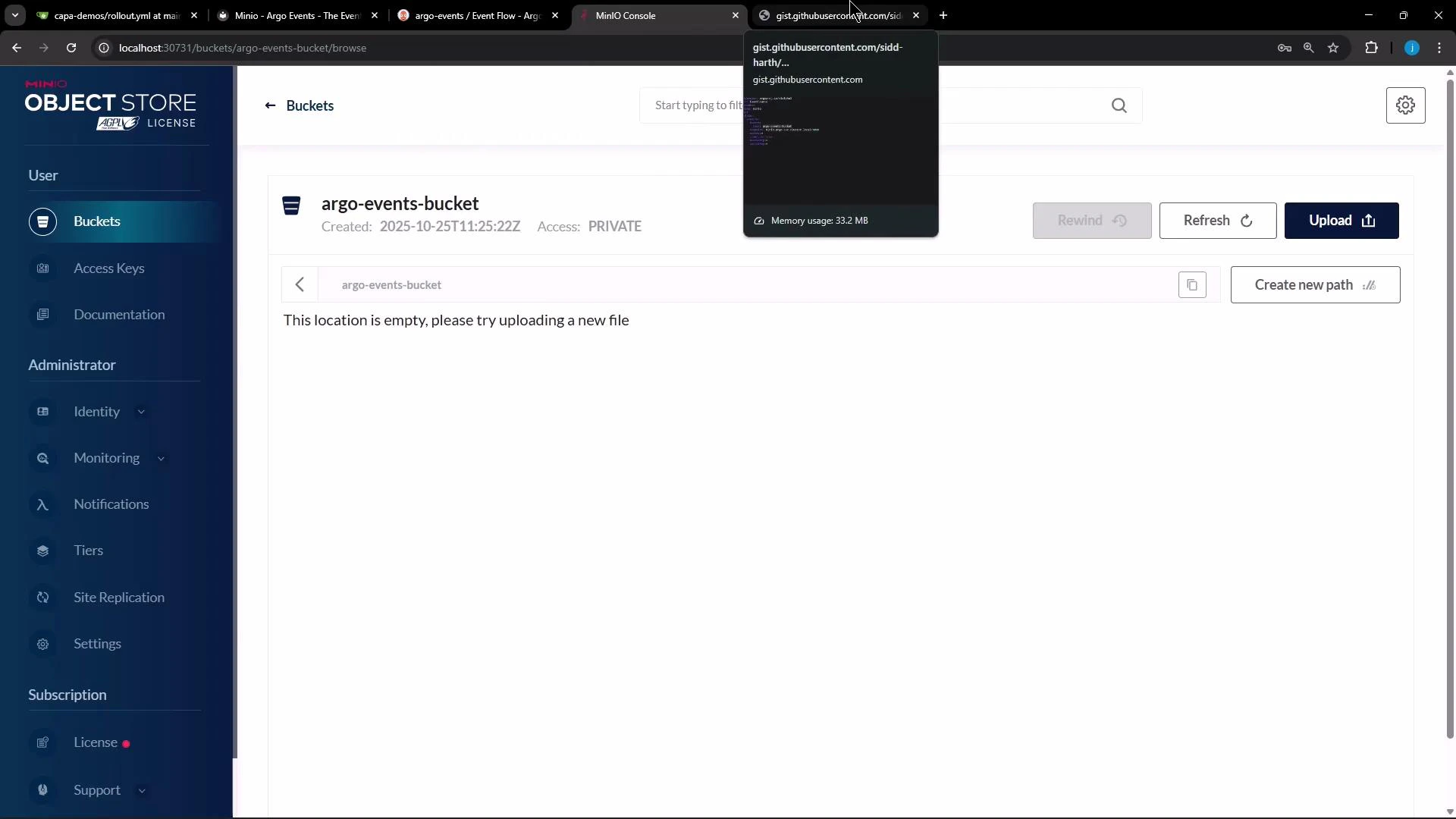
Here is the MinIO console showing the newly created (empty) bucket:
 ## Next steps
* Create an Argo Events Sensor that subscribes to the `minio` EventSource and triggers an Argo Workflow, HTTP call, or other consumer when notifications arrive.
* Validate end-to-end by uploading/deleting objects and observing Sensor-triggered actions.
* Consider configuring retry/backoff and dead-lettering for production workflows.
Ensure the endpoint (service name, namespace, and port) is correct for your cluster (for example: minio.argo.svc.cluster.local:9000). Also make sure the credentials in the `minio-creds` secret match the MinIO server credentials.
## Links and references
* Argo Events documentation: [https://argoproj.github.io/argo-events/](https://argoproj.github.io/argo-events/)
* MinIO documentation: [https://min.io/docs/](https://min.io/docs/)
* Kubernetes documentation: [https://kubernetes.io/docs/](https://kubernetes.io/docs/)
* MinIO client (mc): [https://min.io/docs/minio/linux/reference/minio-mc.html](https://min.io/docs/minio/linux/reference/minio-mc.html)
## Next steps
* Create an Argo Events Sensor that subscribes to the `minio` EventSource and triggers an Argo Workflow, HTTP call, or other consumer when notifications arrive.
* Validate end-to-end by uploading/deleting objects and observing Sensor-triggered actions.
* Consider configuring retry/backoff and dead-lettering for production workflows.
Ensure the endpoint (service name, namespace, and port) is correct for your cluster (for example: minio.argo.svc.cluster.local:9000). Also make sure the credentials in the `minio-creds` secret match the MinIO server credentials.
## Links and references
* Argo Events documentation: [https://argoproj.github.io/argo-events/](https://argoproj.github.io/argo-events/)
* MinIO documentation: [https://min.io/docs/](https://min.io/docs/)
* Kubernetes documentation: [https://kubernetes.io/docs/](https://kubernetes.io/docs/)
* MinIO client (mc): [https://min.io/docs/minio/linux/reference/minio-mc.html](https://min.io/docs/minio/linux/reference/minio-mc.html)