> ## Documentation Index
> Fetch the complete documentation index at: https://notes.kodekloud.com/llms.txt
> Use this file to discover all available pages before exploring further.
# Rollout Controller Specification
> Explains converting Kubernetes Deployments to Argo Rollouts, comparing direct conversion and workloadRef methods and configuring blue green or canary strategies while preserving pod templates and CI workflows
In this lesson you'll learn how to convert a standard Kubernetes Deployment into an Argo Rollout so you can adopt advanced deployment strategies (blue/green, canary, etc.) while keeping your existing pod template and replica settings.
Below is a simple Kubernetes Deployment manifest that defines the application template and runs three replicas:
```yaml theme={null}
apiVersion: apps/v1
kind: Deployment
metadata:
name: blue-green-deployment
spec:
replicas: 3
selector:
matchLabels:
app: blue-green
template:
metadata:
labels:
app: blue-green
spec:
containers:
- name: blue-green-container
image: siddharth67/app:blue
```
Direct conversion method (in-place conversion)
* The most common migration approach is a direct conversion of your existing Deployment manifest into a Rollout resource.
* Keep the pod template (`spec.template`), `replicas`, and `selector` unchanged to preserve runtime characteristics and labels.
* Key manifest changes:
* Change `kind: Deployment` to `kind: Rollout`.
* Set `apiVersion` to Argo Rollouts API: `argoproj.io/v1alpha1`.
* Add a `strategy` block to define update behavior (e.g., `blueGreen` or `canary`).
Example Rollout using the same pod template and replica settings with a blue/green strategy:
```yaml theme={null}
apiVersion: argoproj.io/v1alpha1
kind: Rollout
metadata:
name: blue-green-rollout
spec:
replicas: 3
selector:
matchLabels:
app: blue-green
template:
metadata:
labels:
app: blue-green
spec:
containers:
- name: blue-green-container
image: siddharth67/app:blue
strategy:
blueGreen:
activeService: blue-green-active-svc
previewService: blue-green-preview-svc
autoPromotionEnabled: false
```
Strategy block details
* `blueGreen.activeService`: Kubernetes Service name that routes production traffic to the active ReplicaSet.
* `blueGreen.previewService`: Service name used to preview the new ReplicaSet/version before promotion.
* `autoPromotionEnabled: false`: Requires manual promotion of the preview ReplicaSet to active. Set to `true` to enable automatic promotion after successful health checks.
The Argo Rollouts controller only watches Rollout custom resources. It does not manage standard Kubernetes Deployments. When you convert a Deployment into a Rollout (direct conversion), the Rollout becomes the primary controller for future updates.
Conversion checklist
* Ensure label selectors match between old Deployment and new Rollout.
* Confirm Services (active/preview) names are correct and target appropriate selectors.
* Validate health checks and analysis templates (if used) before enabling auto-promotion.
* Test promotion/rollback flows in a non-production environment.
WorkloadRef method (decoupled approach)
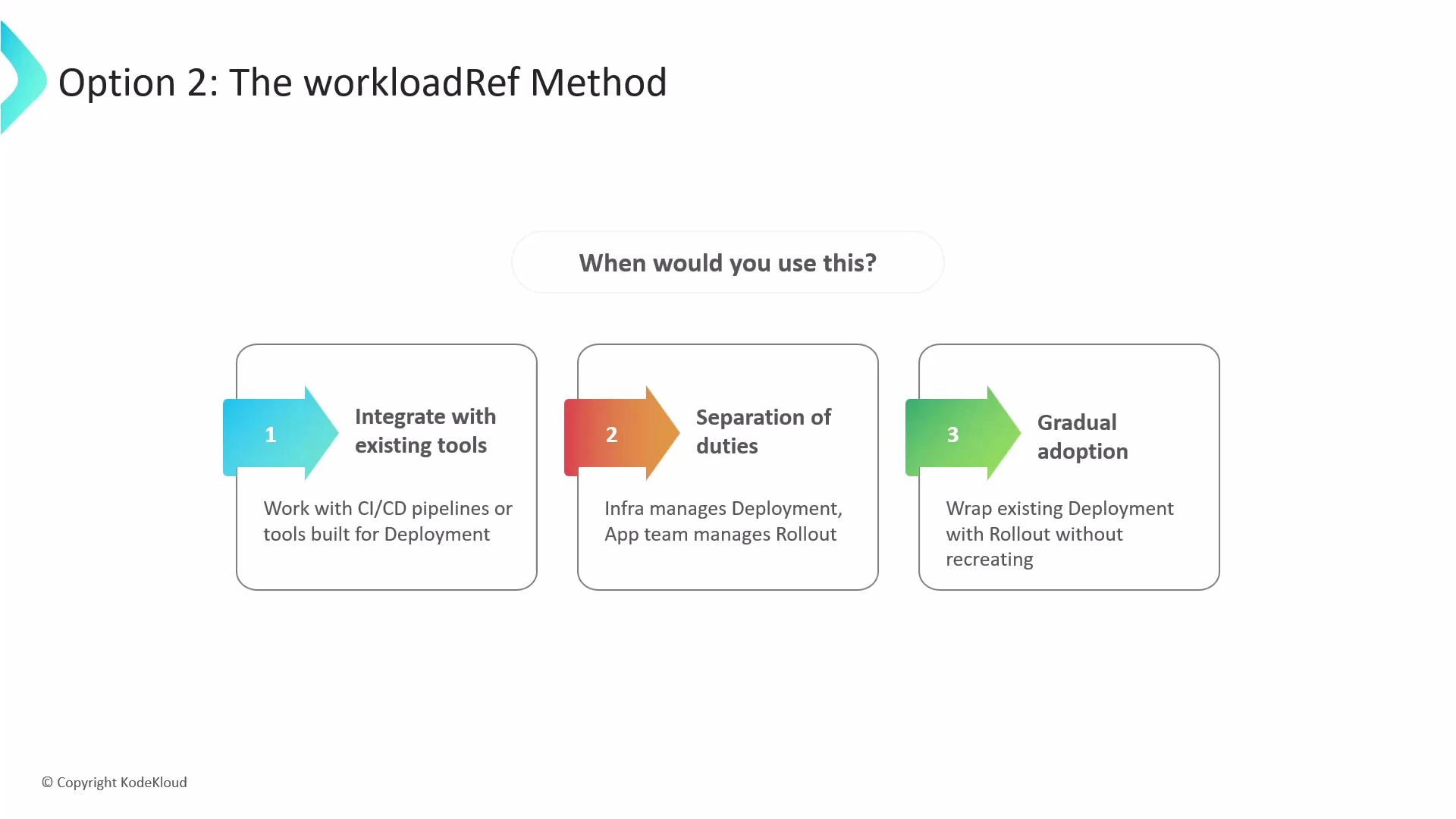
* Use this approach to keep your existing Deployment as the source of truth for the pod template while adding a lightweight Rollout resource that references that Deployment.
* Benefits:
* Integrates with existing tooling that patches Deployments (CI/CD, automation).
* Enables separation of responsibilities: infra can keep managing the Deployment while app teams adopt Rollouts.
* Supports gradual adoption without deleting or recreating current Deployments.
Example: keep the existing Deployment as-is, and create a lightweight Rollout that points to it:
```yaml theme={null}
apiVersion: argoproj.io/v1alpha1
kind: Rollout
metadata:
name: blue-green-rollout
spec:
workloadRef:
apiVersion: apps/v1
kind: Deployment
name: blue-green-deployment
# scaleDown can be set to one of: "never", "onSuccess", "progressive"
scaleDown: never
strategy:
blueGreen:
activeService: my-app-active
previewService: my-app-preview
autoPromotionEnabled: false
```
How it works
* The Rollout watches the referenced Deployment. When the Deployment is updated (for example, the container image is changed), the Rollout controller detects the change and executes the update process using the strategy defined in the Rollout.
* Because the pod template stays in the Deployment, existing CI/CD pipelines that patch Deployments continue to operate without modification.
scaleDown options explained
* never: The original Deployment is left running (not scaled down).
* onSuccess: The Deployment is scaled down only after the Rollout successfully promotes and becomes healthy.
* progressive: The Rollout progressively scales up while scaling the original Deployment down during migration. If the Rollout fails, the original Deployment is scaled back up.
Use the workloadRef approach when you need to integrate with existing CI/CD tooling, separate responsibilities between teams (infra owns Deployment, app team owns Rollout), or adopt Argo Rollouts gradually without recreating resources.
 Compare methods: direct conversion vs workloadRef
| Resource Model | Primary Controller | When to use | Pros |
| ---------------------------------------------------: | ---------------------------------------------- | ------------------------------------------------------------------- | ------------------------------------------------------ |
| Direct conversion (Rollout replaces Deployment) | Rollout CR | You want Argo Rollouts to be the single source of truth for updates | Full Rollout features; simpler resource topology |
| workloadRef (Rollout references existing Deployment) | Deployment (pod template) + Rollout (strategy) | You need to keep existing Deployment management workflows | Incremental adoption; existing CI/CD continues to work |
Links and references
* Argo Rollouts documentation: [https://argoproj.github.io/argo-rollouts/](https://argoproj.github.io/argo-rollouts/)
* Kubernetes Deployments: [https://kubernetes.io/docs/concepts/workloads/controllers/deployment/](https://kubernetes.io/docs/concepts/workloads/controllers/deployment/)
* Best practices for migration and testing: refer to the Argo Rollouts docs for blue/green and canary strategy patterns.
Compare methods: direct conversion vs workloadRef
| Resource Model | Primary Controller | When to use | Pros |
| ---------------------------------------------------: | ---------------------------------------------- | ------------------------------------------------------------------- | ------------------------------------------------------ |
| Direct conversion (Rollout replaces Deployment) | Rollout CR | You want Argo Rollouts to be the single source of truth for updates | Full Rollout features; simpler resource topology |
| workloadRef (Rollout references existing Deployment) | Deployment (pod template) + Rollout (strategy) | You need to keep existing Deployment management workflows | Incremental adoption; existing CI/CD continues to work |
Links and references
* Argo Rollouts documentation: [https://argoproj.github.io/argo-rollouts/](https://argoproj.github.io/argo-rollouts/)
* Kubernetes Deployments: [https://kubernetes.io/docs/concepts/workloads/controllers/deployment/](https://kubernetes.io/docs/concepts/workloads/controllers/deployment/)
* Best practices for migration and testing: refer to the Argo Rollouts docs for blue/green and canary strategy patterns.