> ## Documentation Index
> Fetch the complete documentation index at: https://notes.kodekloud.com/llms.txt
> Use this file to discover all available pages before exploring further.
# Demo WorkflowTemplates
> Explains Argo Workflows WorkflowTemplates, how to define and reuse them via workflowTemplateRef and templateRef, with examples for submission, parameters, and namespace considerations.
In this lesson we'll cover Argo Workflows WorkflowTemplates: what they are, how to create them, and two common ways to reuse them from multiple Workflows. WorkflowTemplates let you centralize reusable templates (steps, templates, and parameters) so different Workflows can reference the same definitions.
What you'll learn:
* How to define a WorkflowTemplate
* How to reference an entire WorkflowTemplate from a Workflow
* How to reference an individual template inside a WorkflowTemplate from a Workflow
* How to submit and inspect Workflows that use WorkflowTemplates
## Define a WorkflowTemplate
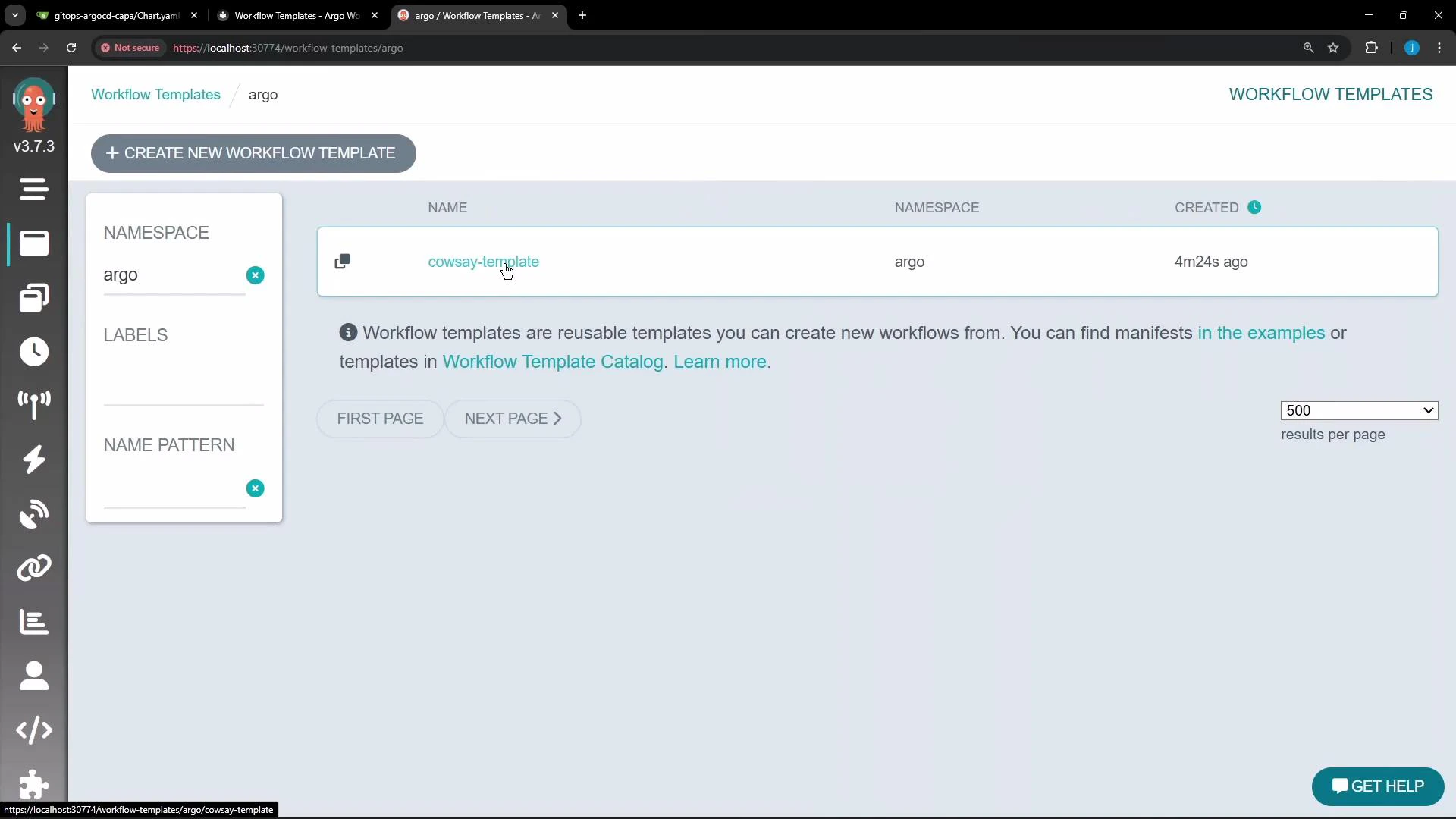
Below is a simple WorkflowTemplate named `cowsay-template`. It contains a single container template `cowsay` that expects an input parameter `message`.
```yaml theme={null}
apiVersion: argoproj.io/v1alpha1
kind: WorkflowTemplate
metadata:
name: cowsay-template
namespace: argo
spec:
entrypoint: cowsay
templates:
- name: cowsay
inputs:
parameters:
- name: message
container:
image: rancher/cowsay
command: [cowsay]
args: ["{{inputs.parameters.message}}"]
```
## Two common ways to reuse a WorkflowTemplate
There are two typical reuse patterns:
* Run the entire WorkflowTemplate by reference (workflowTemplateRef), passing parameters at the Workflow level.
* Call a single template from a WorkflowTemplate using templateRef inside a step, allowing mixing of local and shared templates.
### Compare the two approaches
| Reference type | Scope | Where parameters are passed | Use case |
| ------------------- | --------------------------------------------- | ---------------------------------- | --------------------------------------------------------------- |
| workflowTemplateRef | Entire WorkflowTemplate | Workflow spec.arguments.parameters | Run a full shared workflow definition without local templates |
| templateRef | A specific template inside a WorkflowTemplate | Step-level arguments | Reuse individual templates while composing local workflow steps |
## Example — run the whole WorkflowTemplate by reference
This Workflow points to the `cowsay-template` WorkflowTemplate and supplies the `message` parameter at the Workflow level.
```yaml theme={null}
apiVersion: argoproj.io/v1alpha1
kind: Workflow
metadata:
generateName: run-whole-template-
namespace: argo
spec:
arguments:
parameters:
- name: message
value: "Hello from a WorkflowTemplate!"
workflowTemplateRef:
name: cowsay-template
```
Notes:
* The Workflow defines no local templates; it delegates to the WorkflowTemplate named `cowsay-template`.
* The `message` parameter required by the `cowsay` template is supplied under `spec.arguments.parameters`.
## Example — call a specific template from a WorkflowTemplate using templateRef
Use `templateRef` inside a step to call the `cowsay` template defined in `cowsay-template`. This allows the Workflow to combine its own templates with referenced templates.
```yaml theme={null}
apiVersion: argoproj.io/v1alpha1
kind: Workflow
metadata:
generateName: use-single-template-
namespace: argo
spec:
entrypoint: my-custom-workflow
templates:
- name: my-custom-workflow
steps:
- - name: first-step
templateRef:
name: cowsay-template
template: cowsay
arguments:
parameters:
- name: message
value: "I called this from another workflow!"
```
Notes:
* The Workflow defines a `my-custom-workflow` entrypoint with one step, `first-step`.
* `first-step` references the `cowsay` template inside `cowsay-template` using `templateRef`.
* This pattern enables modular composition: mix local templates and external templates as needed.
WorkflowTemplates are namespace-scoped. To reuse templates across namespaces, use a ClusterWorkflowTemplate (cluster-scoped) or ensure both your Workflow and WorkflowTemplate are in the same namespace. See the ClusterWorkflowTemplate documentation for details: [ClusterWorkflowTemplate](https://argoproj.github.io/argo-workflows/workflow-templates/#clusterworkflowtemplate).
## Submitting and viewing Workflows that reference WorkflowTemplates
* Create the WorkflowTemplate using the Argo UI (Workflows → WorkflowTemplates → Create new) or with kubectl apply:
* kubectl apply -f cowsay-template.yaml
* For more kubectl guidance, see: [kubectl apply](https://kubernetes.io/docs/reference/generated/kubectl/kubectl-commands#apply)
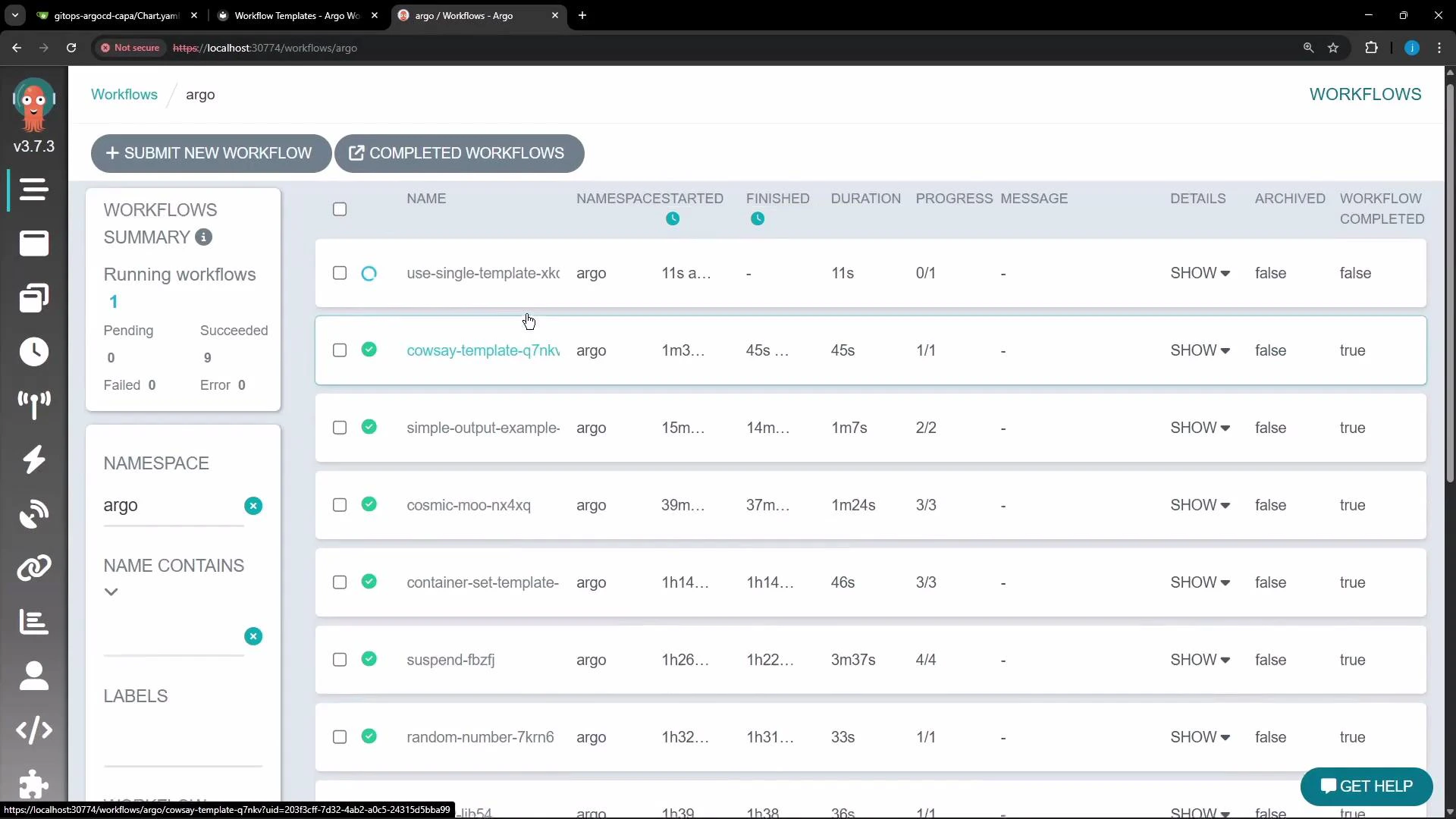
* Submit a Workflow that references the template either from the UI (select the WorkflowTemplate and provide parameters) or by applying the Workflow YAML shown above.
* Monitor workflow execution and status in the Argo Workflows UI.
 ## Example output (container logs)
When the cowsay container runs, it prints the message passed in. Example logs:
```text theme={null}
< Hello from a WorkflowTemplate! >
-------------------------------
^__^
\ (oo)\_______
(__)\ )\/\
||----w |
|| ||
```
You can also view the resolved manifest used to run the Workflow in the UI, which shows how WorkflowTemplates and parameters were resolved into the running Workflow.
## Example output (container logs)
When the cowsay container runs, it prints the message passed in. Example logs:
```text theme={null}
< Hello from a WorkflowTemplate! >
-------------------------------
^__^
\ (oo)\_______
(__)\ )\/\
||----w |
|| ||
```
You can also view the resolved manifest used to run the Workflow in the UI, which shows how WorkflowTemplates and parameters were resolved into the running Workflow.
 ## Summary
* WorkflowTemplates centralize reusable templates and parameter definitions to avoid duplication.
* Use workflowTemplateRef to run a full WorkflowTemplate and pass arguments at the Workflow level.
* Use templateRef to call individual templates from a WorkflowTemplate inside a step — useful for composing workflows from local and shared templates.
* Remember that WorkflowTemplates are namespace-scoped; use ClusterWorkflowTemplate for cluster-wide reuse or keep resources in the same namespace.
## Links and references
* Argo Workflows: [https://argoproj.github.io/argo-workflows/](https://argoproj.github.io/argo-workflows/)
* WorkflowTemplates docs: [https://argoproj.github.io/argo-workflows/workflow-templates/](https://argoproj.github.io/argo-workflows/workflow-templates/)
* ClusterWorkflowTemplate: [https://argoproj.github.io/argo-workflows/workflow-templates/#clusterworkflowtemplate](https://argoproj.github.io/argo-workflows/workflow-templates/#clusterworkflowtemplate)
* Kubernetes kubectl apply: [https://kubernetes.io/docs/reference/generated/kubectl/kubectl-commands#apply](https://kubernetes.io/docs/reference/generated/kubectl/kubectl-commands#apply)
## Summary
* WorkflowTemplates centralize reusable templates and parameter definitions to avoid duplication.
* Use workflowTemplateRef to run a full WorkflowTemplate and pass arguments at the Workflow level.
* Use templateRef to call individual templates from a WorkflowTemplate inside a step — useful for composing workflows from local and shared templates.
* Remember that WorkflowTemplates are namespace-scoped; use ClusterWorkflowTemplate for cluster-wide reuse or keep resources in the same namespace.
## Links and references
* Argo Workflows: [https://argoproj.github.io/argo-workflows/](https://argoproj.github.io/argo-workflows/)
* WorkflowTemplates docs: [https://argoproj.github.io/argo-workflows/workflow-templates/](https://argoproj.github.io/argo-workflows/workflow-templates/)
* ClusterWorkflowTemplate: [https://argoproj.github.io/argo-workflows/workflow-templates/#clusterworkflowtemplate](https://argoproj.github.io/argo-workflows/workflow-templates/#clusterworkflowtemplate)
* Kubernetes kubectl apply: [https://kubernetes.io/docs/reference/generated/kubectl/kubectl-commands#apply](https://kubernetes.io/docs/reference/generated/kubectl/kubectl-commands#apply)