> ## Documentation Index
> Fetch the complete documentation index at: https://notes.kodekloud.com/llms.txt
> Use this file to discover all available pages before exploring further.
# Demo Relationships
> Guide demonstrating how to model and register Backstage catalog entities and relationships, including components, groups, users, systems, domains, resources, ownership and dependencies
This guide demonstrates how to model and register Backstage catalog entities and their relationships: Components, Groups, Users, Systems, Domains, and Resources. You will create example entities—`shopping-cart`, `inventory`, `ecommerce` group, user `john`, `purchasing` system, `shopping-app` domain, and `inventory-db` resource—and wire ownership and dependency relationships between them.
What you'll learn:
* How to author entity descriptors (YAML) for common Backstage kinds
* How to import entities into the Backstage catalog
* How to express ownership, system membership, and dependency relationships
* How to update `app-config.yaml` import rules when a kind is blocked
***
## 1. Create a Component (shopping-cart)
Create a simple website component descriptor named `shopping-cart`. Save this YAML into the repository you use for Backstage catalog imports (for example `entity.yaml`):
```yaml theme={null}
apiVersion: backstage.io/v1alpha1
kind: Component
metadata:
name: shopping-cart
spec:
type: website
lifecycle: production
owner: guests
```
Commit and push the file:
```bash theme={null}
git add entity.yaml
git commit -m "Add shopping-cart component"
git push origin main
```
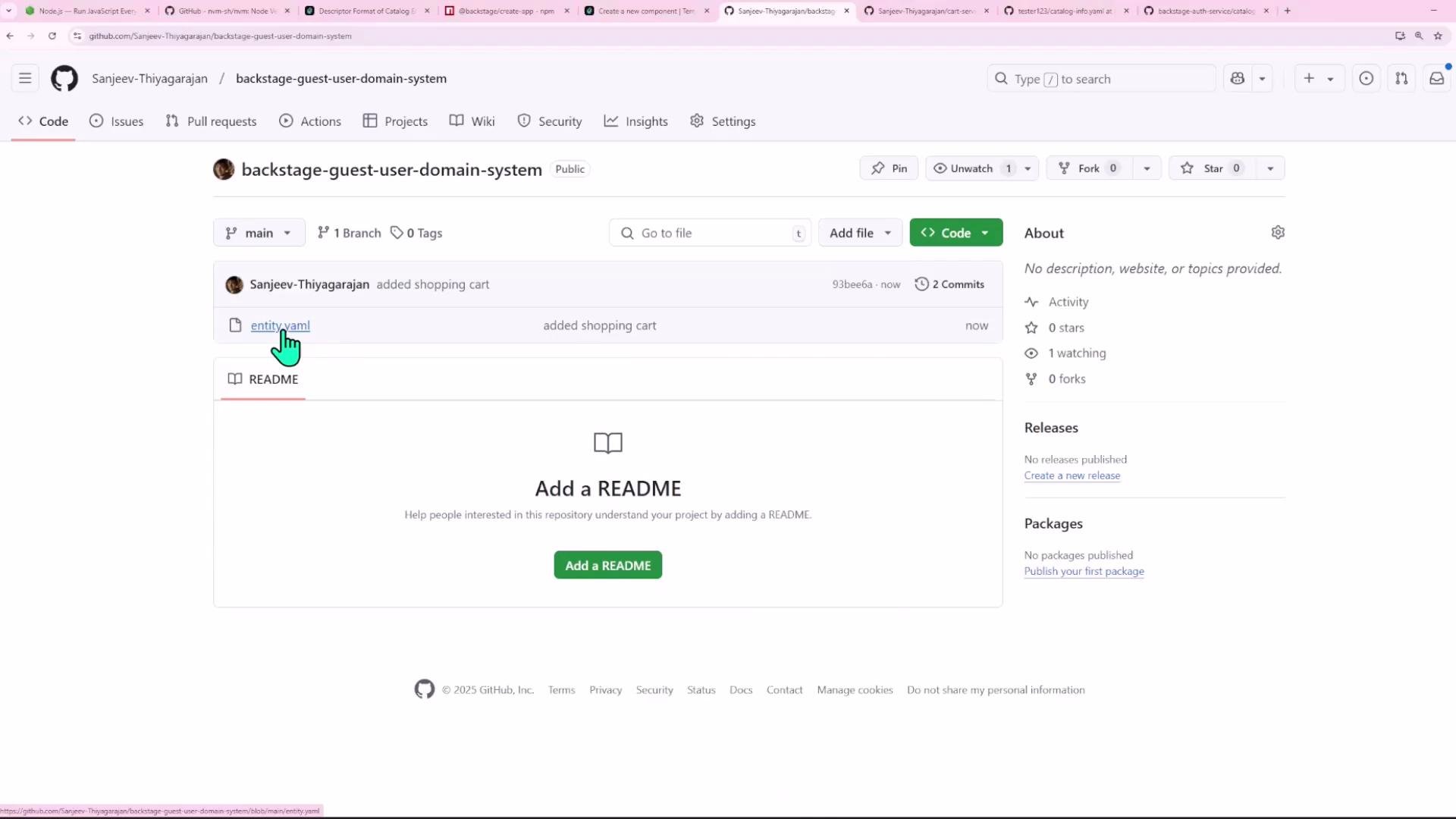
Then open the repository on GitHub to confirm the entity file is present.
 ***
## 2. Register the component in Backstage
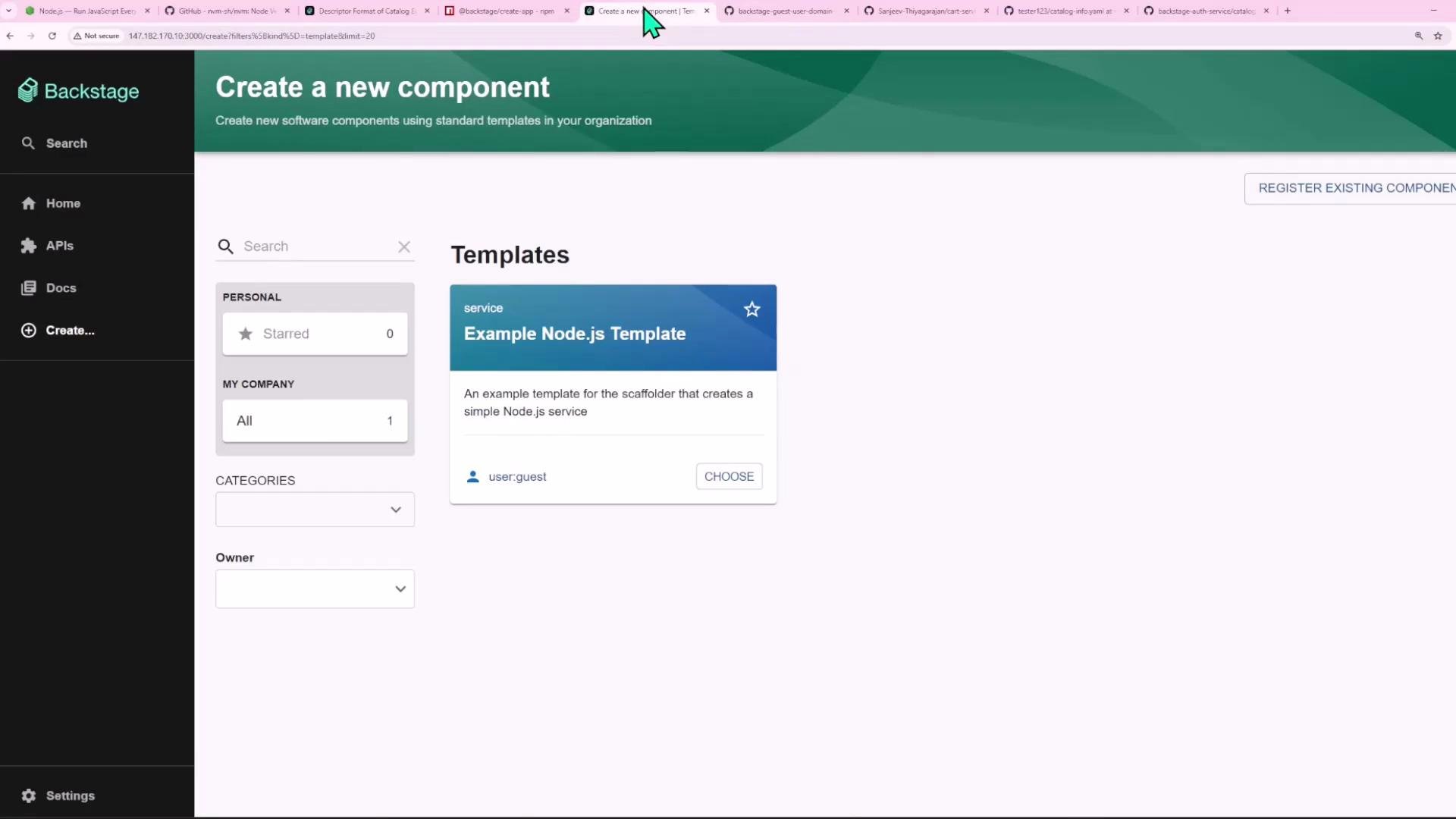
In Backstage, go to Create → Register Existing Component and point to the GitHub repo URL (or your configured file location). If Backstage previously fetched the file and returned an error due to a transient issue (such as a typo you already fixed), wait a minute and try Analyze again.
Backstage may cache a location's content for a short period. If you fixed a typo in your repository and the UI still shows the old error, wait a minute and click Analyze again before re-importing.
***
## 2. Register the component in Backstage
In Backstage, go to Create → Register Existing Component and point to the GitHub repo URL (or your configured file location). If Backstage previously fetched the file and returned an error due to a transient issue (such as a typo you already fixed), wait a minute and try Analyze again.
Backstage may cache a location's content for a short period. If you fixed a typo in your repository and the UI still shows the old error, wait a minute and click Analyze again before re-importing.
 If the UI or backend returns an InputError indicating an unrecognized kind or apiVersion, it usually means a typo in the YAML or that the catalog import rules for that location don't permit the kind. Example backend error (keep JSON inside a code block to avoid MDX parsing issues):
```json theme={null}
{
"error": {
"name": "InputError",
"message": "InputError: No processor recognized the entity component:default/shopping-cart as valid, possibly caused by a foreign kind or apiVersion",
"stack": "InputError: InputError: No processor recognized the entity component:default/shopping-cart as valid, possibly caused by a foreign kind or apiVersion\n at DefaultLocationService.processEntities (/root/demo/backstage/node_modules/@backstage/plugin-catalog-backend/src/service/DefaultLocationService.ts:110:15)\n at process.processTicksAndRejections (node:internal/process/task_queues:95:5)\n at DefaultLocationService.dryRunCreateLocation (/root/demo/backstage/node_modules/@backstage/plugin-catalog-backend/src/service/DefaultLocationService.ts:148:32)\n at (/root/demo/backstage/node_modules/@backstage/plugin-catalog-backend/src/service/createRouter.ts:322:24)"
},
"request": { "method": "POST", "url": "/locations?dryRun=true" },
"response": { "statusCode": 400 }
}
```
Once Analyze succeeds, click Import to add the component to the catalog.
***
## 3. Define and import a Group (e-commerce)
You can include multiple YAML entities in a single file separated by `---`. Add a `Group` entity to the same file (or as a separate file) like this:
```yaml theme={null}
apiVersion: backstage.io/v1alpha1
kind: Component
metadata:
name: shopping-cart
spec:
type: website
lifecycle: production
owner: guests
---
apiVersion: backstage.io/v1alpha1
kind: Group
metadata:
name: ecommerce
spec:
type: team
children: []
```
If importing the Group fails, it may be because your `app-config.yaml` import rules exclude `Group`. A default config might look like:
```yaml theme={null}
catalog:
import:
entityFilename: catalog-info.yaml
rules:
- allow: [Component, System, API, Resource, Location]
```
Add `Group` to the allowed list and restart Backstage:
```yaml theme={null}
catalog:
import:
entityFilename: catalog-info.yaml
rules:
- allow: [Component, System, API, Resource, Location, Group]
locations:
- type: file
target: ../../examples/entities.yaml
```
Any changes to `app-config.yaml` require you to restart the Backstage dev server for the new rules to take effect.
After restarting, re-import the location. If you want faster iteration, unregister the location in the UI and register it again to force immediate processing.
If the UI or backend returns an InputError indicating an unrecognized kind or apiVersion, it usually means a typo in the YAML or that the catalog import rules for that location don't permit the kind. Example backend error (keep JSON inside a code block to avoid MDX parsing issues):
```json theme={null}
{
"error": {
"name": "InputError",
"message": "InputError: No processor recognized the entity component:default/shopping-cart as valid, possibly caused by a foreign kind or apiVersion",
"stack": "InputError: InputError: No processor recognized the entity component:default/shopping-cart as valid, possibly caused by a foreign kind or apiVersion\n at DefaultLocationService.processEntities (/root/demo/backstage/node_modules/@backstage/plugin-catalog-backend/src/service/DefaultLocationService.ts:110:15)\n at process.processTicksAndRejections (node:internal/process/task_queues:95:5)\n at DefaultLocationService.dryRunCreateLocation (/root/demo/backstage/node_modules/@backstage/plugin-catalog-backend/src/service/DefaultLocationService.ts:148:32)\n at (/root/demo/backstage/node_modules/@backstage/plugin-catalog-backend/src/service/createRouter.ts:322:24)"
},
"request": { "method": "POST", "url": "/locations?dryRun=true" },
"response": { "statusCode": 400 }
}
```
Once Analyze succeeds, click Import to add the component to the catalog.
***
## 3. Define and import a Group (e-commerce)
You can include multiple YAML entities in a single file separated by `---`. Add a `Group` entity to the same file (or as a separate file) like this:
```yaml theme={null}
apiVersion: backstage.io/v1alpha1
kind: Component
metadata:
name: shopping-cart
spec:
type: website
lifecycle: production
owner: guests
---
apiVersion: backstage.io/v1alpha1
kind: Group
metadata:
name: ecommerce
spec:
type: team
children: []
```
If importing the Group fails, it may be because your `app-config.yaml` import rules exclude `Group`. A default config might look like:
```yaml theme={null}
catalog:
import:
entityFilename: catalog-info.yaml
rules:
- allow: [Component, System, API, Resource, Location]
```
Add `Group` to the allowed list and restart Backstage:
```yaml theme={null}
catalog:
import:
entityFilename: catalog-info.yaml
rules:
- allow: [Component, System, API, Resource, Location, Group]
locations:
- type: file
target: ../../examples/entities.yaml
```
Any changes to `app-config.yaml` require you to restart the Backstage dev server for the new rules to take effect.
After restarting, re-import the location. If you want faster iteration, unregister the location in the UI and register it again to force immediate processing.
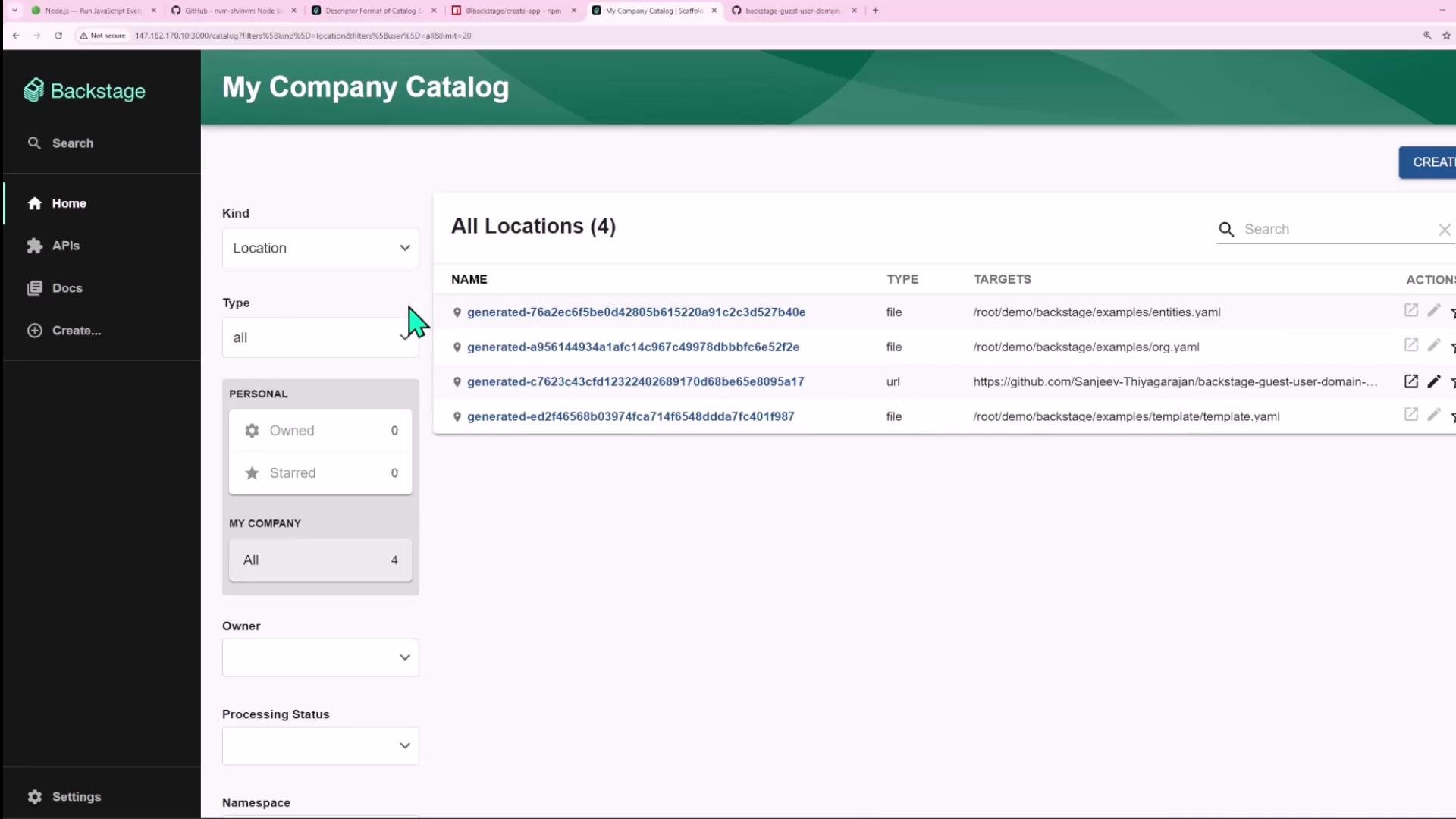
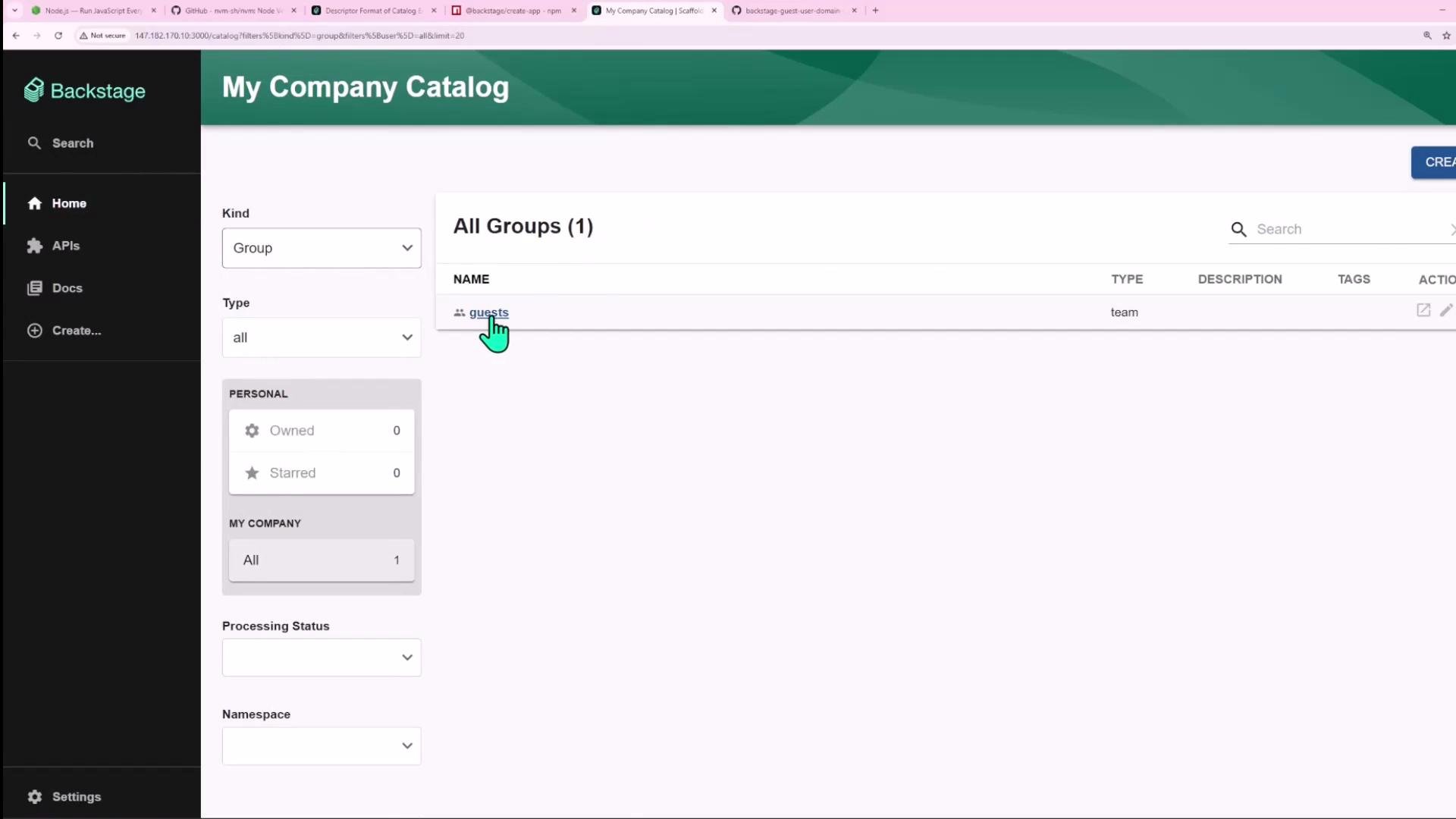 You can review configured locations in Backstage under Catalog → Locations:
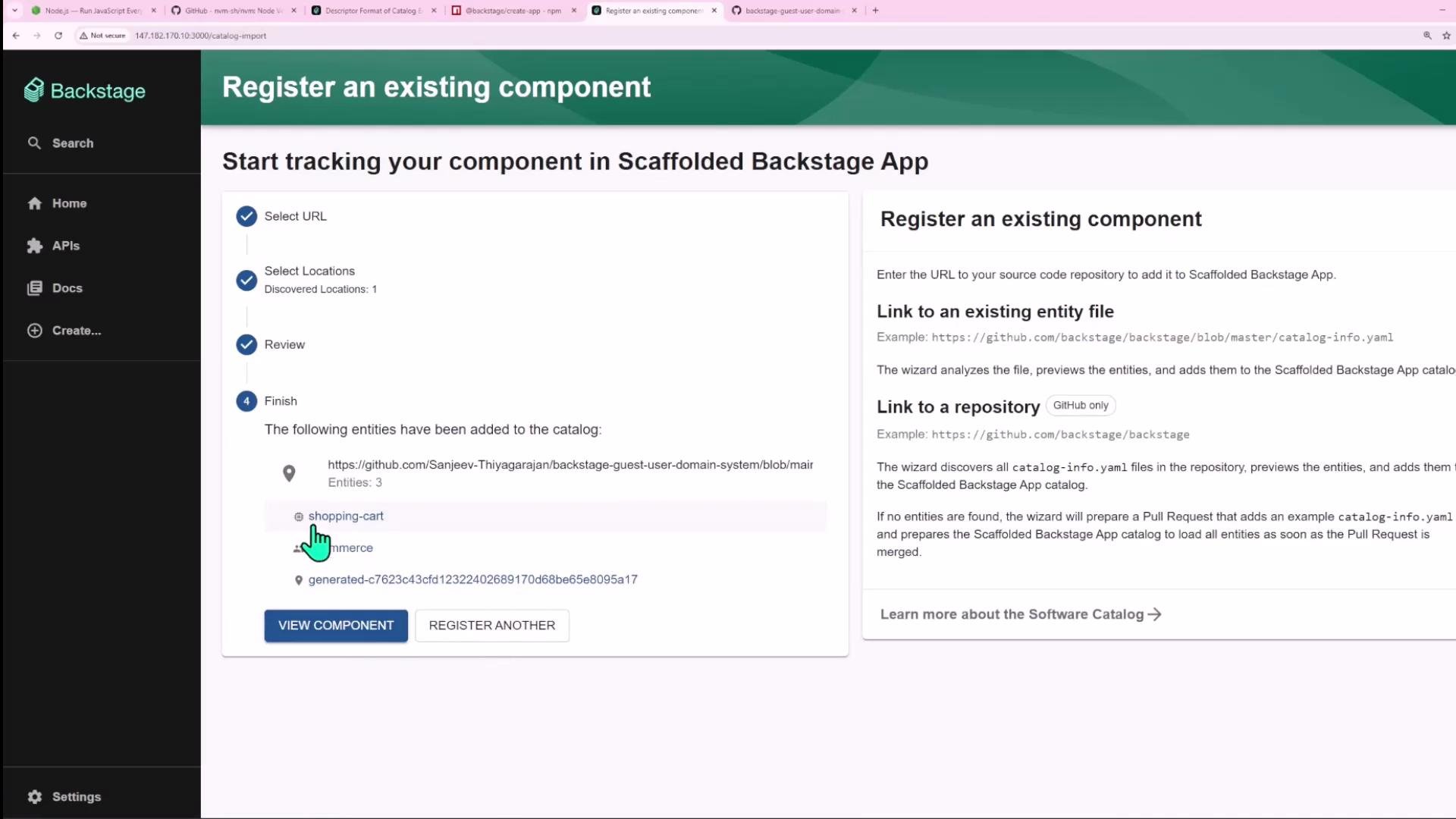
 When import completes, the Register wizard will list the discovered entities ready to import:
 ***
## 4. Create a User (john)
Backstage supports a `User` kind. Add this user entry to your entities file:
```yaml theme={null}
---
apiVersion: backstage.io/v1alpha1
kind: User
metadata:
name: john
spec:
memberOf: [ecommerce]
```
If `User` is not allowed for the location, you will see a NotAllowedError. Example:
```json theme={null}
{
"error": {
"name": "InputError",
"message": "NotAllowedError: Entity user:default/john at url:https://github.com/.../entity.yaml is not of an allowed kind for that location.",
"stack": "InputError: NotAllowedError: Entity user:default/john at url:... \n at DefaultLocationService.processEntities (...)"
},
"request": { "method": "POST", "url": "/locations?dryRun=true" },
"response": { "statusCode": 400 }
}
```
Add `User` (and any other required kinds like `Domain`) to `app-config.yaml` and restart Backstage:
```yaml theme={null}
catalog:
import:
entityFilename: catalog-info.yaml
rules:
- allow: [Component, System, API, Resource, Location, Group, User, Domain]
```
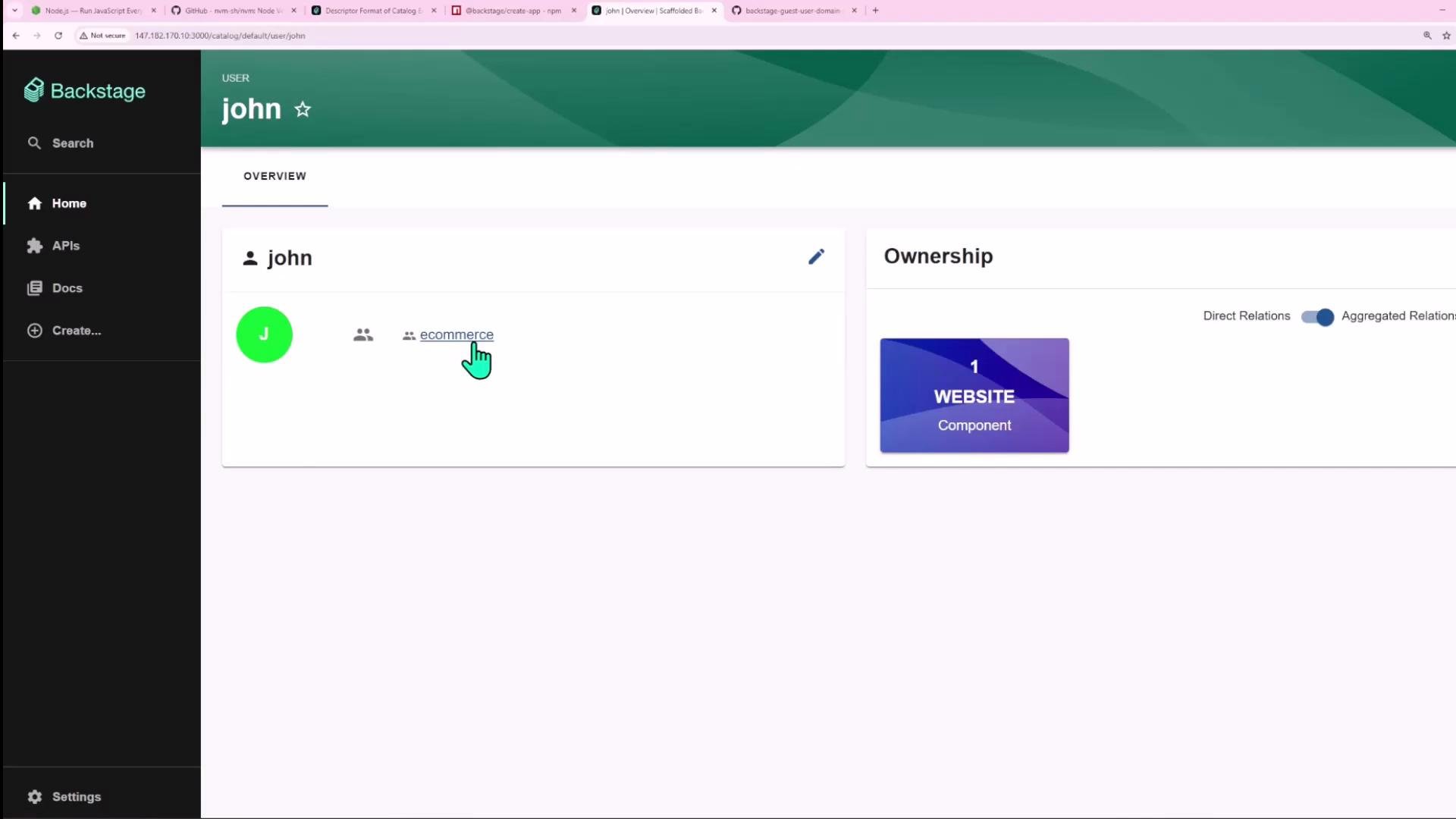
Once the user is imported, you can open `john`'s profile to see relations such as `memberOf: ecommerce` and any ownership cards.
***
## 4. Create a User (john)
Backstage supports a `User` kind. Add this user entry to your entities file:
```yaml theme={null}
---
apiVersion: backstage.io/v1alpha1
kind: User
metadata:
name: john
spec:
memberOf: [ecommerce]
```
If `User` is not allowed for the location, you will see a NotAllowedError. Example:
```json theme={null}
{
"error": {
"name": "InputError",
"message": "NotAllowedError: Entity user:default/john at url:https://github.com/.../entity.yaml is not of an allowed kind for that location.",
"stack": "InputError: NotAllowedError: Entity user:default/john at url:... \n at DefaultLocationService.processEntities (...)"
},
"request": { "method": "POST", "url": "/locations?dryRun=true" },
"response": { "statusCode": 400 }
}
```
Add `User` (and any other required kinds like `Domain`) to `app-config.yaml` and restart Backstage:
```yaml theme={null}
catalog:
import:
entityFilename: catalog-info.yaml
rules:
- allow: [Component, System, API, Resource, Location, Group, User, Domain]
```
Once the user is imported, you can open `john`'s profile to see relations such as `memberOf: ecommerce` and any ownership cards.
 ***
## 5. Set an owner to a User (owner reference format)
By default, `owner` values are interpreted as groups. To assign an individual user as owner, use a fully qualified entity reference such as `user:default/john` (or `user:john` if your location uses the default namespace). Example:
```yaml theme={null}
apiVersion: backstage.io/v1alpha1
kind: Component
metadata:
name: shopping-cart
spec:
type: website
lifecycle: production
owner: user:john
```
After updating and importing, `shopping-cart` will show `john` as owner.
***
## 6. Add another Component (inventory) and a dependency
Create an `inventory` component and make `shopping-cart` depend on it using `spec.dependsOn`. Place both components in the same file if convenient:
```yaml theme={null}
apiVersion: backstage.io/v1alpha1
kind: Component
metadata:
name: shopping-cart
spec:
dependsOn:
- component: inventory
type: website
lifecycle: production
owner: user:john
---
apiVersion: backstage.io/v1alpha1
kind: Component
metadata:
name: inventory
spec:
type: service
lifecycle: production
owner: ecommerce
```
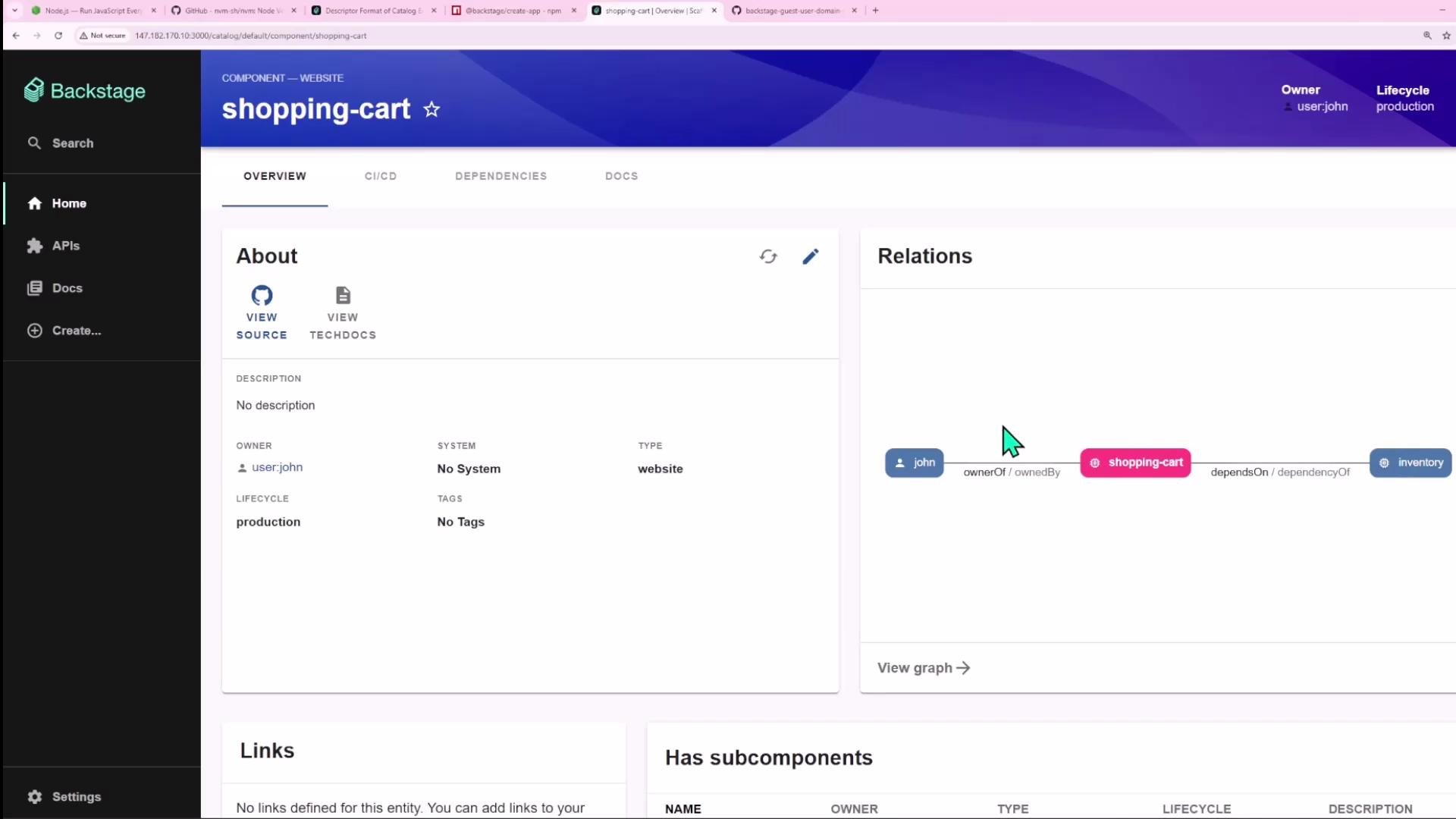
After importing, the `shopping-cart` component page will show a relation to the `inventory` component.
***
## 5. Set an owner to a User (owner reference format)
By default, `owner` values are interpreted as groups. To assign an individual user as owner, use a fully qualified entity reference such as `user:default/john` (or `user:john` if your location uses the default namespace). Example:
```yaml theme={null}
apiVersion: backstage.io/v1alpha1
kind: Component
metadata:
name: shopping-cart
spec:
type: website
lifecycle: production
owner: user:john
```
After updating and importing, `shopping-cart` will show `john` as owner.
***
## 6. Add another Component (inventory) and a dependency
Create an `inventory` component and make `shopping-cart` depend on it using `spec.dependsOn`. Place both components in the same file if convenient:
```yaml theme={null}
apiVersion: backstage.io/v1alpha1
kind: Component
metadata:
name: shopping-cart
spec:
dependsOn:
- component: inventory
type: website
lifecycle: production
owner: user:john
---
apiVersion: backstage.io/v1alpha1
kind: Component
metadata:
name: inventory
spec:
type: service
lifecycle: production
owner: ecommerce
```
After importing, the `shopping-cart` component page will show a relation to the `inventory` component.
 ***
## 7. Create a System and associate components
Systems group components delivering a bounded feature set. Example `System` descriptor:
```yaml theme={null}
apiVersion: backstage.io/v1alpha1
kind: System
metadata:
name: purchasing
description: system for managing user purchases
spec:
owner: ecommerce
```
Associate components with the `purchasing` system by setting `system: purchasing` in their `spec`:
```yaml theme={null}
apiVersion: backstage.io/v1alpha1
kind: Component
metadata:
name: inventory
spec:
type: service
lifecycle: production
owner: ecommerce
system: purchasing
```
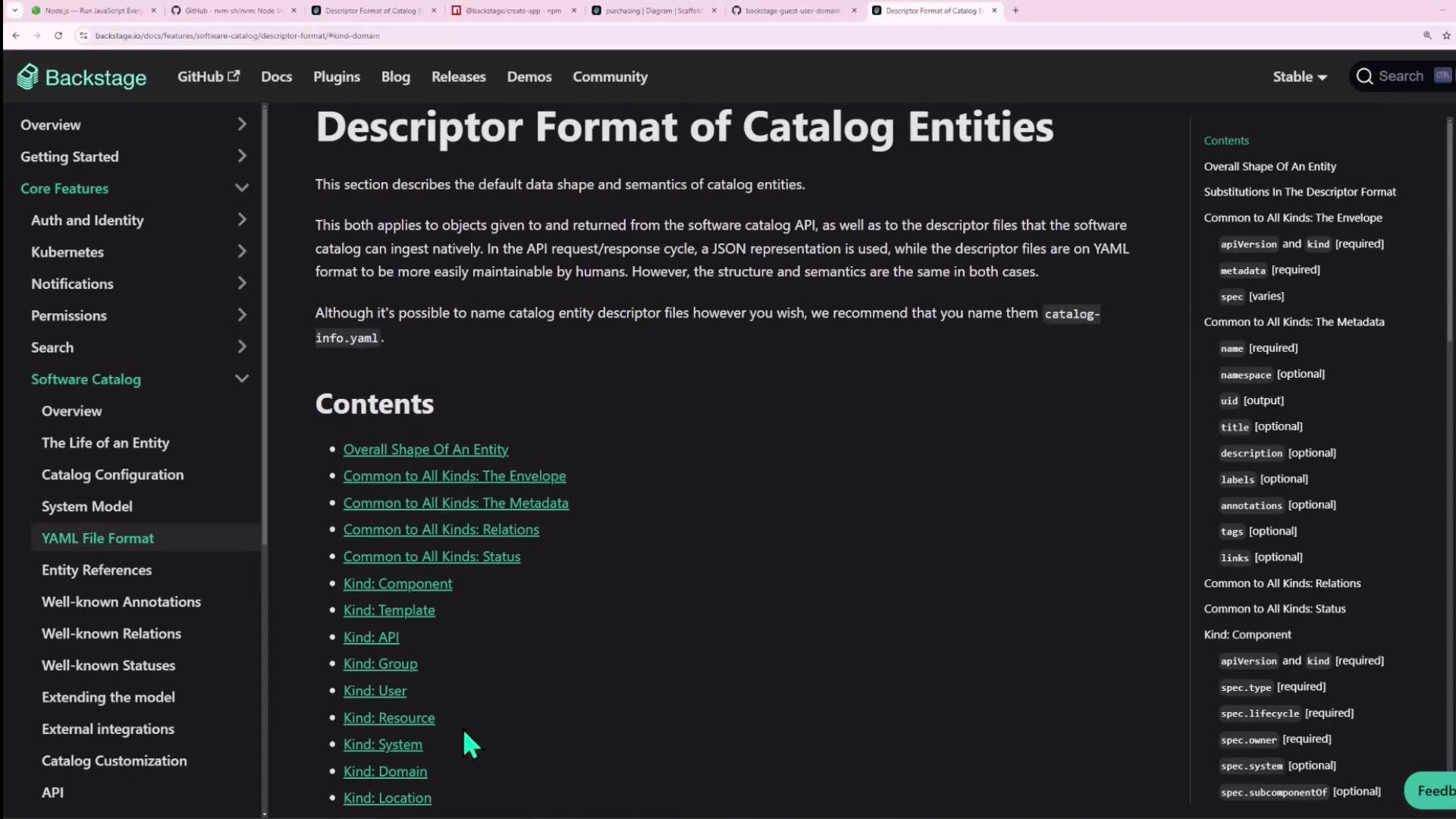
Viewing the `purchasing` system in Backstage will list related components, APIs, and resources. See the Backstage docs for more descriptor examples:
* Descriptor format: [https://backstage.io/docs/features/software-catalog/descriptor-format](https://backstage.io/docs/features/software-catalog/descriptor-format)
***
## 7. Create a System and associate components
Systems group components delivering a bounded feature set. Example `System` descriptor:
```yaml theme={null}
apiVersion: backstage.io/v1alpha1
kind: System
metadata:
name: purchasing
description: system for managing user purchases
spec:
owner: ecommerce
```
Associate components with the `purchasing` system by setting `system: purchasing` in their `spec`:
```yaml theme={null}
apiVersion: backstage.io/v1alpha1
kind: Component
metadata:
name: inventory
spec:
type: service
lifecycle: production
owner: ecommerce
system: purchasing
```
Viewing the `purchasing` system in Backstage will list related components, APIs, and resources. See the Backstage docs for more descriptor examples:
* Descriptor format: [https://backstage.io/docs/features/software-catalog/descriptor-format](https://backstage.io/docs/features/software-catalog/descriptor-format)
 ***
## 8. Create a Domain (shopping-app) and assign systems
Domains are a higher-level grouping for systems. Example `Domain` descriptor:
```yaml theme={null}
apiVersion: backstage.io/v1alpha1
kind: Domain
metadata:
name: shopping-app
description: Handles everything in the ecommerce portion of the business
spec:
owner: ecommerce
```
If `Domain` is blocked by import rules, add it to `app-config.yaml` (see earlier example), restart Backstage, and import. After importing, the `shopping-app` domain will list its systems (for example `purchasing`).
***
## 8. Create a Domain (shopping-app) and assign systems
Domains are a higher-level grouping for systems. Example `Domain` descriptor:
```yaml theme={null}
apiVersion: backstage.io/v1alpha1
kind: Domain
metadata:
name: shopping-app
description: Handles everything in the ecommerce portion of the business
spec:
owner: ecommerce
```
If `Domain` is blocked by import rules, add it to `app-config.yaml` (see earlier example), restart Backstage, and import. After importing, the `shopping-app` domain will list its systems (for example `purchasing`).
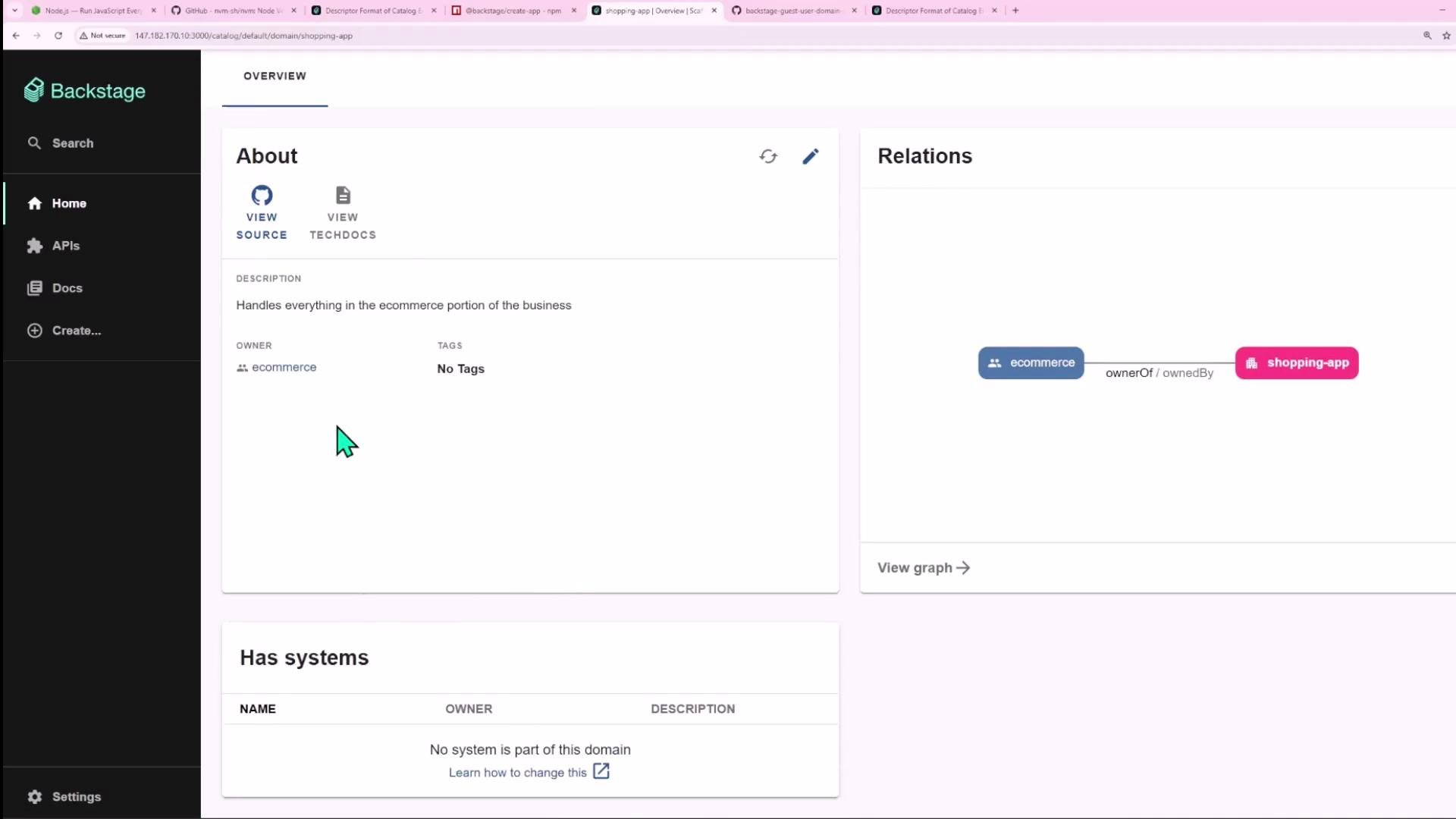 To assign a system to a domain, set `spec.domain` on the system to the domain name (for example `spec.domain: shopping-app`). You can also use `spec.subdomainOf` in domains for hierarchical structuring.
***
## 9. Create a Resource (inventory-db) and connect it
A `Resource` models infrastructure or external services such as databases. Example `Resource` descriptor for an inventory database:
```yaml theme={null}
apiVersion: backstage.io/v1alpha1
kind: Resource
metadata:
name: inventory-db
description: Stores inventory details
spec:
type: database
owner: ecommerce
system: purchasing
```
Make the `inventory` component depend on the resource by referencing it in `spec.dependsOn`:
```yaml theme={null}
apiVersion: backstage.io/v1alpha1
kind: Component
metadata:
name: inventory
spec:
dependsOn:
- resource: inventory-db
type: service
lifecycle: production
owner: ecommerce
system: purchasing
```
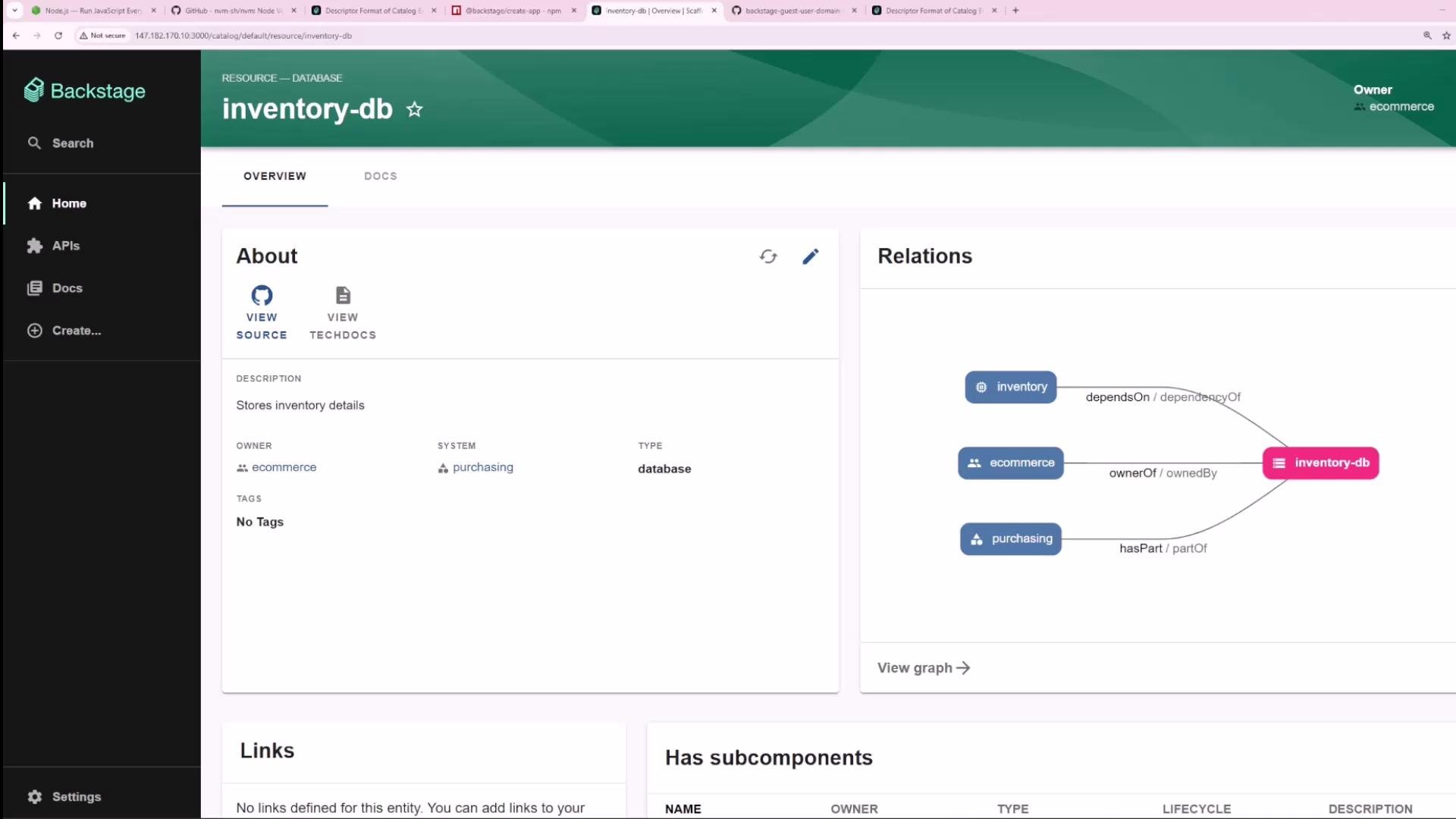
Ensure `Resource` is permitted by your catalog rules. After importing, the `inventory` component will show a relation to `inventory-db`, and clicking it will open the resource overview.
To assign a system to a domain, set `spec.domain` on the system to the domain name (for example `spec.domain: shopping-app`). You can also use `spec.subdomainOf` in domains for hierarchical structuring.
***
## 9. Create a Resource (inventory-db) and connect it
A `Resource` models infrastructure or external services such as databases. Example `Resource` descriptor for an inventory database:
```yaml theme={null}
apiVersion: backstage.io/v1alpha1
kind: Resource
metadata:
name: inventory-db
description: Stores inventory details
spec:
type: database
owner: ecommerce
system: purchasing
```
Make the `inventory` component depend on the resource by referencing it in `spec.dependsOn`:
```yaml theme={null}
apiVersion: backstage.io/v1alpha1
kind: Component
metadata:
name: inventory
spec:
dependsOn:
- resource: inventory-db
type: service
lifecycle: production
owner: ecommerce
system: purchasing
```
Ensure `Resource` is permitted by your catalog rules. After importing, the `inventory` component will show a relation to `inventory-db`, and clicking it will open the resource overview.
 ***
## Reference: Common Backstage Entity Kinds
| Entity Kind | Typical Use | Example field |
| ----------- | ------------------------------------------------- | ----------------------------- |
| Component | Deployable software (service, website) | `spec.type: website` |
| Group | Teams or organizational groups | `metadata.name: ecommerce` |
| User | Individual identity | `metadata.name: john` |
| System | Logical grouping of components | `metadata.name: purchasing` |
| Domain | High-level business area grouping systems | `metadata.name: shopping-app` |
| Resource | Infrastructure or external systems (DBs, buckets) | `spec.type: database` |
***
## Summary & Best Practices
* Backstage catalog supports first-class entity kinds: Components, Groups, Users, Systems, Domains, and Resources.
* Use `owner` to indicate ownership; prefix with `user:` for individual owners (for example `owner: user:john`). Groups can be referenced by plain names (for example `owner: ecommerce`).
* Use `spec.system` to associate a component with a system.
* Use `spec.dependsOn` to model dependencies between components and resources (for example `- component: inventory` or `- resource: inventory-db`).
* If you encounter NotAllowed errors when importing entities, review the `catalog.import.rules` in `app-config.yaml`, add the missing kinds, and restart Backstage.
* For details and more descriptor examples, consult the Backstage documentation:
* Descriptor format: [https://backstage.io/docs/features/software-catalog/descriptor-format](https://backstage.io/docs/features/software-catalog/descriptor-format)
* Software catalog overview: [https://backstage.io/docs/features/software-catalog/what-is-the-software-catalog](https://backstage.io/docs/features/software-catalog/what-is-the-software-catalog)
API entities and more advanced relationship modeling (custom relations, annotations, and entity refs across namespaces) are useful next topics to explore as you expand your catalog.
***
## Reference: Common Backstage Entity Kinds
| Entity Kind | Typical Use | Example field |
| ----------- | ------------------------------------------------- | ----------------------------- |
| Component | Deployable software (service, website) | `spec.type: website` |
| Group | Teams or organizational groups | `metadata.name: ecommerce` |
| User | Individual identity | `metadata.name: john` |
| System | Logical grouping of components | `metadata.name: purchasing` |
| Domain | High-level business area grouping systems | `metadata.name: shopping-app` |
| Resource | Infrastructure or external systems (DBs, buckets) | `spec.type: database` |
***
## Summary & Best Practices
* Backstage catalog supports first-class entity kinds: Components, Groups, Users, Systems, Domains, and Resources.
* Use `owner` to indicate ownership; prefix with `user:` for individual owners (for example `owner: user:john`). Groups can be referenced by plain names (for example `owner: ecommerce`).
* Use `spec.system` to associate a component with a system.
* Use `spec.dependsOn` to model dependencies between components and resources (for example `- component: inventory` or `- resource: inventory-db`).
* If you encounter NotAllowed errors when importing entities, review the `catalog.import.rules` in `app-config.yaml`, add the missing kinds, and restart Backstage.
* For details and more descriptor examples, consult the Backstage documentation:
* Descriptor format: [https://backstage.io/docs/features/software-catalog/descriptor-format](https://backstage.io/docs/features/software-catalog/descriptor-format)
* Software catalog overview: [https://backstage.io/docs/features/software-catalog/what-is-the-software-catalog](https://backstage.io/docs/features/software-catalog/what-is-the-software-catalog)
API entities and more advanced relationship modeling (custom relations, annotations, and entity refs across namespaces) are useful next topics to explore as you expand your catalog.