> ## Documentation Index
> Fetch the complete documentation index at: https://notes.kodekloud.com/llms.txt
> Use this file to discover all available pages before exploring further.
# Demo Working with UsersGroupsDomainsSystems
> Guide to modeling and relating Backstage entity types like Users, Groups, APIs, Systems, Domains, and Resources using YAML, references, and sync best practices.
In this lesson we'll explore the additional Backstage entity kinds you can model beyond Components and Templates: Users, Groups, APIs, Systems, Domains, and Resources. Each of these entity kinds follows the same top-level YAML shape — `apiVersion`, `kind`, `metadata`, and `spec` — which makes them simple to author, relate, and automate. After reading this guide you'll understand when to create each entity type and how they commonly reference one another.
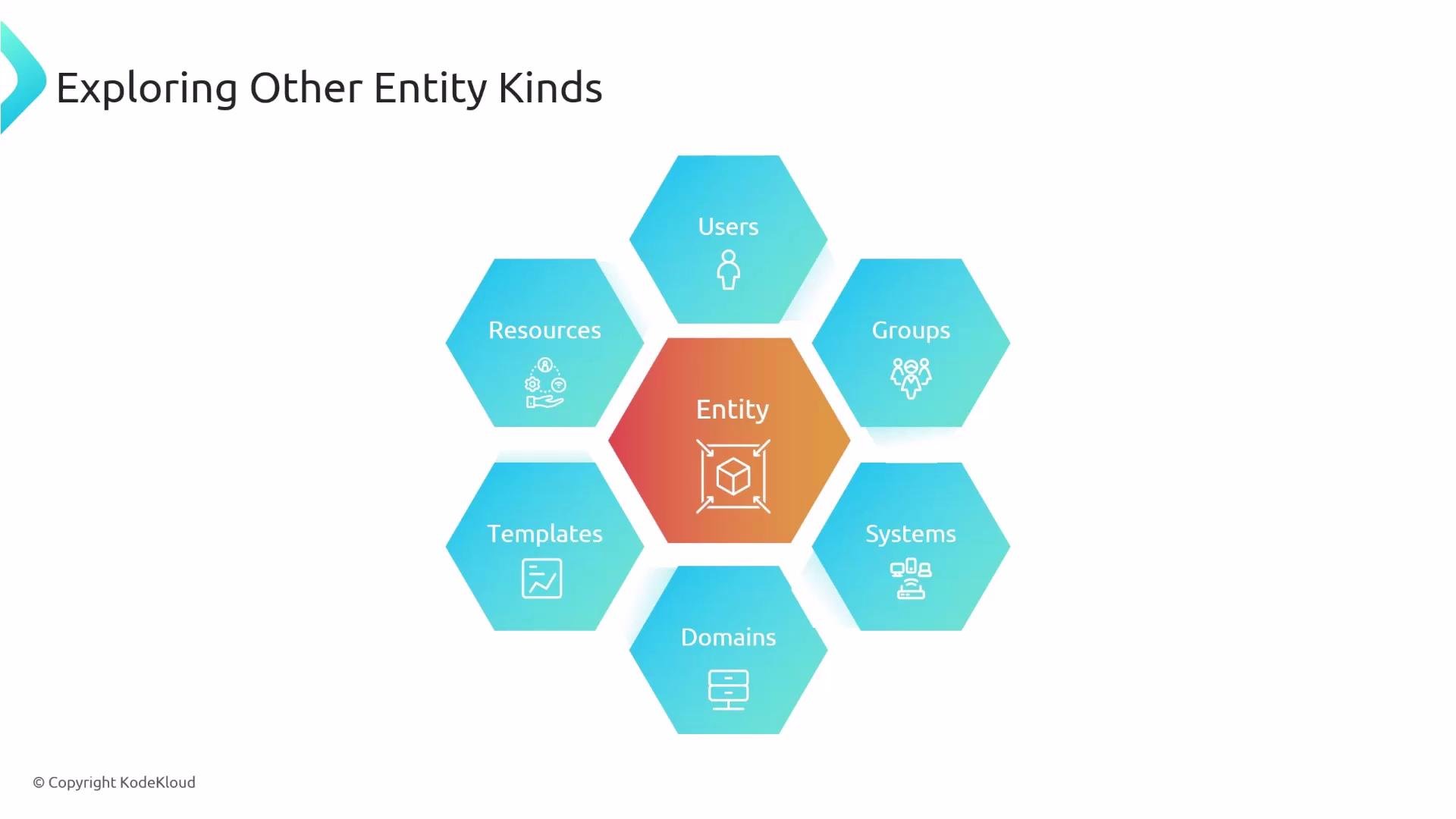 Summary table — What each entity type models
| Entity Kind | Primary purpose | Common spec fields |
| ----------- | ----------------------------------------------------------- | ----------------------------------------------------------- |
| `User` | Represents a person (employee, contractor) and profile info | `spec.profile`, `spec.memberOf` |
| `Group` | Organizational unit (team, BU) that contains members | `spec.type`, `spec.members`, `spec.parent`, `spec.children` |
| `API` | Formal interface (OpenAPI, gRPC, GraphQL, etc.) | `spec.type`, `spec.apiProvidedBy`, `spec.definition` |
| `System` | Logical boundary grouping related components/resources | `spec.owner`, `spec.domain` |
| `Domain` | High-level business/product grouping for systems | `spec.type`, `spec.owner`, `spec.subdomainOf` |
| `Resource` | Infrastructure dependency (DB, topic, bucket, etc.) | `spec.type`, `spec.system`, `spec.owner` |
Users
A `User` entity models a person in the organization and typically holds display and contact information. Users can belong to zero or more `Group` entities via the `memberOf` list, and are often automatically synchronized from your identity provider instead of being created manually.
Example User YAML:
```yaml theme={null}
apiVersion: backstage.io/v1alpha1
kind: User
metadata:
name: jdoe
spec:
profile:
displayName: Jenny Doe
email: jenny-doe@example.com
picture: https://example.com/staff/jenny-with-party-hat.jpeg
memberOf:
- team-b
- employees
```
Key points:
* `metadata.name` is the unique entity identifier used in cross-references (e.g. group `members`).
* `spec.profile` stores what is shown in UI cards (display name, email, picture).
* Prefer syncing from your canonical identity source to reduce duplication and drift.
Summary table — What each entity type models
| Entity Kind | Primary purpose | Common spec fields |
| ----------- | ----------------------------------------------------------- | ----------------------------------------------------------- |
| `User` | Represents a person (employee, contractor) and profile info | `spec.profile`, `spec.memberOf` |
| `Group` | Organizational unit (team, BU) that contains members | `spec.type`, `spec.members`, `spec.parent`, `spec.children` |
| `API` | Formal interface (OpenAPI, gRPC, GraphQL, etc.) | `spec.type`, `spec.apiProvidedBy`, `spec.definition` |
| `System` | Logical boundary grouping related components/resources | `spec.owner`, `spec.domain` |
| `Domain` | High-level business/product grouping for systems | `spec.type`, `spec.owner`, `spec.subdomainOf` |
| `Resource` | Infrastructure dependency (DB, topic, bucket, etc.) | `spec.type`, `spec.system`, `spec.owner` |
Users
A `User` entity models a person in the organization and typically holds display and contact information. Users can belong to zero or more `Group` entities via the `memberOf` list, and are often automatically synchronized from your identity provider instead of being created manually.
Example User YAML:
```yaml theme={null}
apiVersion: backstage.io/v1alpha1
kind: User
metadata:
name: jdoe
spec:
profile:
displayName: Jenny Doe
email: jenny-doe@example.com
picture: https://example.com/staff/jenny-with-party-hat.jpeg
memberOf:
- team-b
- employees
```
Key points:
* `metadata.name` is the unique entity identifier used in cross-references (e.g. group `members`).
* `spec.profile` stores what is shown in UI cards (display name, email, picture).
* Prefer syncing from your canonical identity source to reduce duplication and drift.
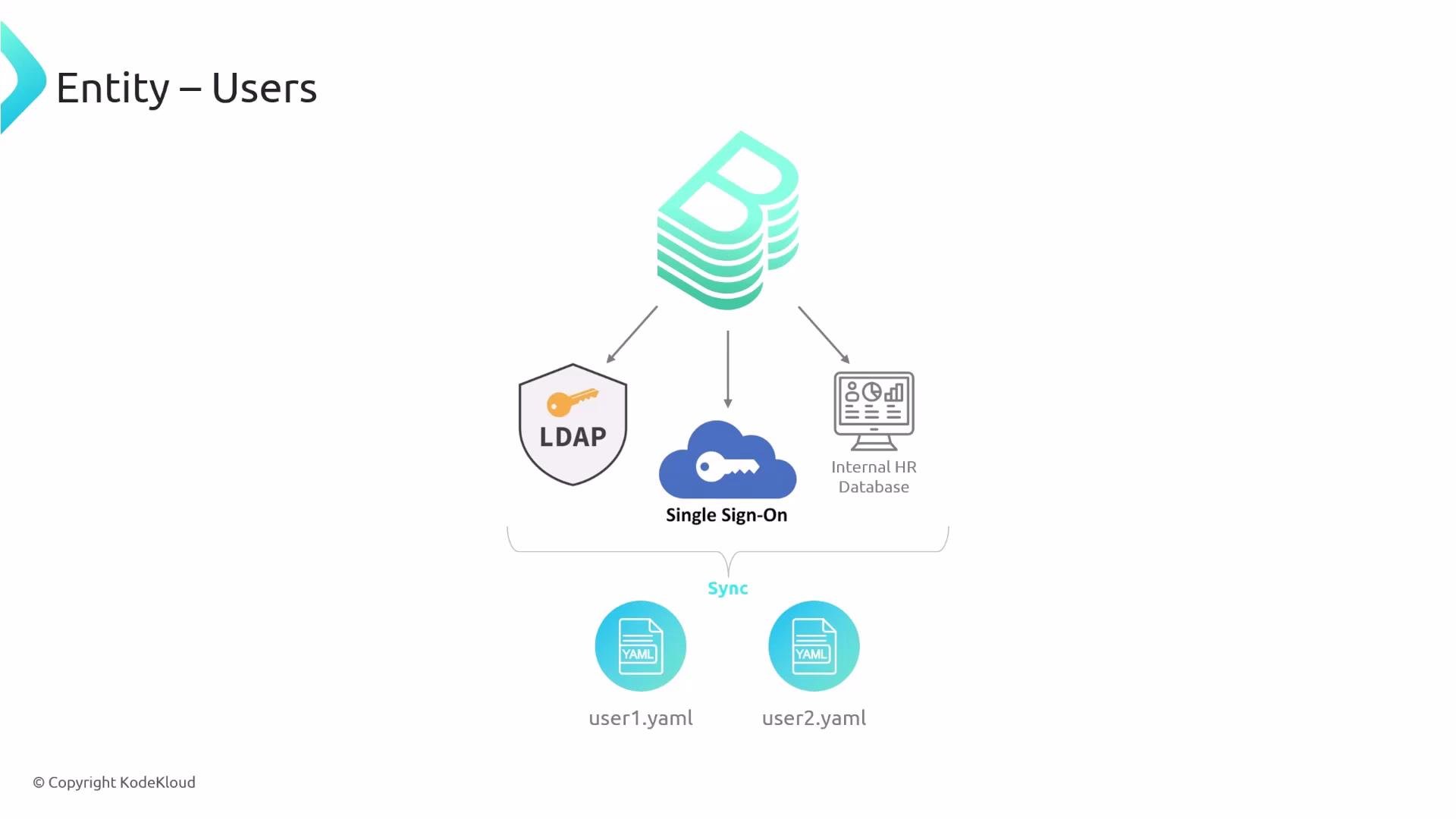 If you use LDAP, SSO, GitHub organizations, or an HR system, configure a catalog processor or a sync integration so `User` and `Group` entities are imported automatically rather than edited by hand.
Groups
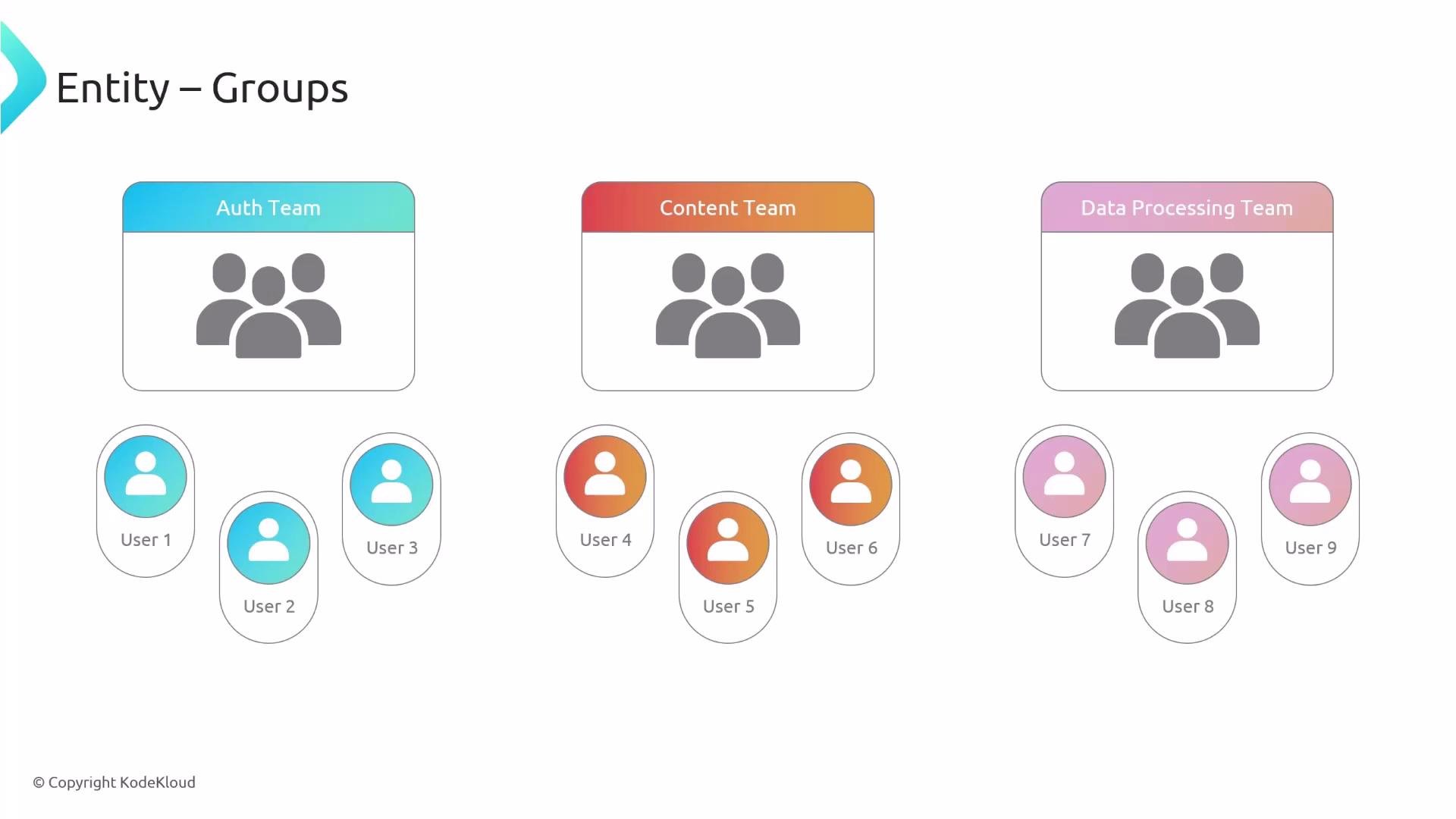
A `Group` models an organizational unit such as a team, business unit, or cross-functional group. Use `spec.members` to list user entity names and use `parent` / `children` to represent hierarchical structure.
Example Group YAML:
```yaml theme={null}
apiVersion: backstage.io/v1alpha1
kind: Group
metadata:
name: infrastructure
description: The infra business unit
spec:
type: business-unit
profile:
displayName: Infrastructure
email: infrastructure@example.com
picture: https://example.com/groups/bu-infrastructure.jpeg
parent: ops
children:
- backstage
- other
members:
- jdoe
```
Best practices:
* Keep `spec.type` small and consistent across the org (for example: `team`, `business-unit`, `guild`).
* Prefer references to user `metadata.name` values instead of repeating personal info.
If you use LDAP, SSO, GitHub organizations, or an HR system, configure a catalog processor or a sync integration so `User` and `Group` entities are imported automatically rather than edited by hand.
Groups
A `Group` models an organizational unit such as a team, business unit, or cross-functional group. Use `spec.members` to list user entity names and use `parent` / `children` to represent hierarchical structure.
Example Group YAML:
```yaml theme={null}
apiVersion: backstage.io/v1alpha1
kind: Group
metadata:
name: infrastructure
description: The infra business unit
spec:
type: business-unit
profile:
displayName: Infrastructure
email: infrastructure@example.com
picture: https://example.com/groups/bu-infrastructure.jpeg
parent: ops
children:
- backstage
- other
members:
- jdoe
```
Best practices:
* Keep `spec.type` small and consistent across the org (for example: `team`, `business-unit`, `guild`).
* Prefer references to user `metadata.name` values instead of repeating personal info.
 APIs and Component relationships
APIs are first-class entities in Backstage. Model APIs to represent formal interfaces and link them to `Component` entities to show which component provides or consumes an API. Typical relationship fields:
* On a `Component`: `spec.providesApis` (list of API names)
* On an `API`: `spec.apiProvidedBy` (the providing component)
Example Component and API YAML pair:
```yaml theme={null}
apiVersion: backstage.io/v1beta1
kind: Component
metadata:
name: auth-service
description: authentication service
tags:
- javascript
spec:
type: service
lifecycle: production
owner: auth-team
providesApis:
- auth-api
---
apiVersion: backstage.io/v1alpha1
kind: API
metadata:
name: auth-api
description: Verify user authentication status
spec:
type: openapi
lifecycle: production
owner: auth-team
apiProvidedBy: auth-service
definition:
$json: https://raw.githubusercontent.com/Sanjeev-Thiyagarajan/backstage-auth/main/openapi/auth-api-spec.yaml
```
Notes:
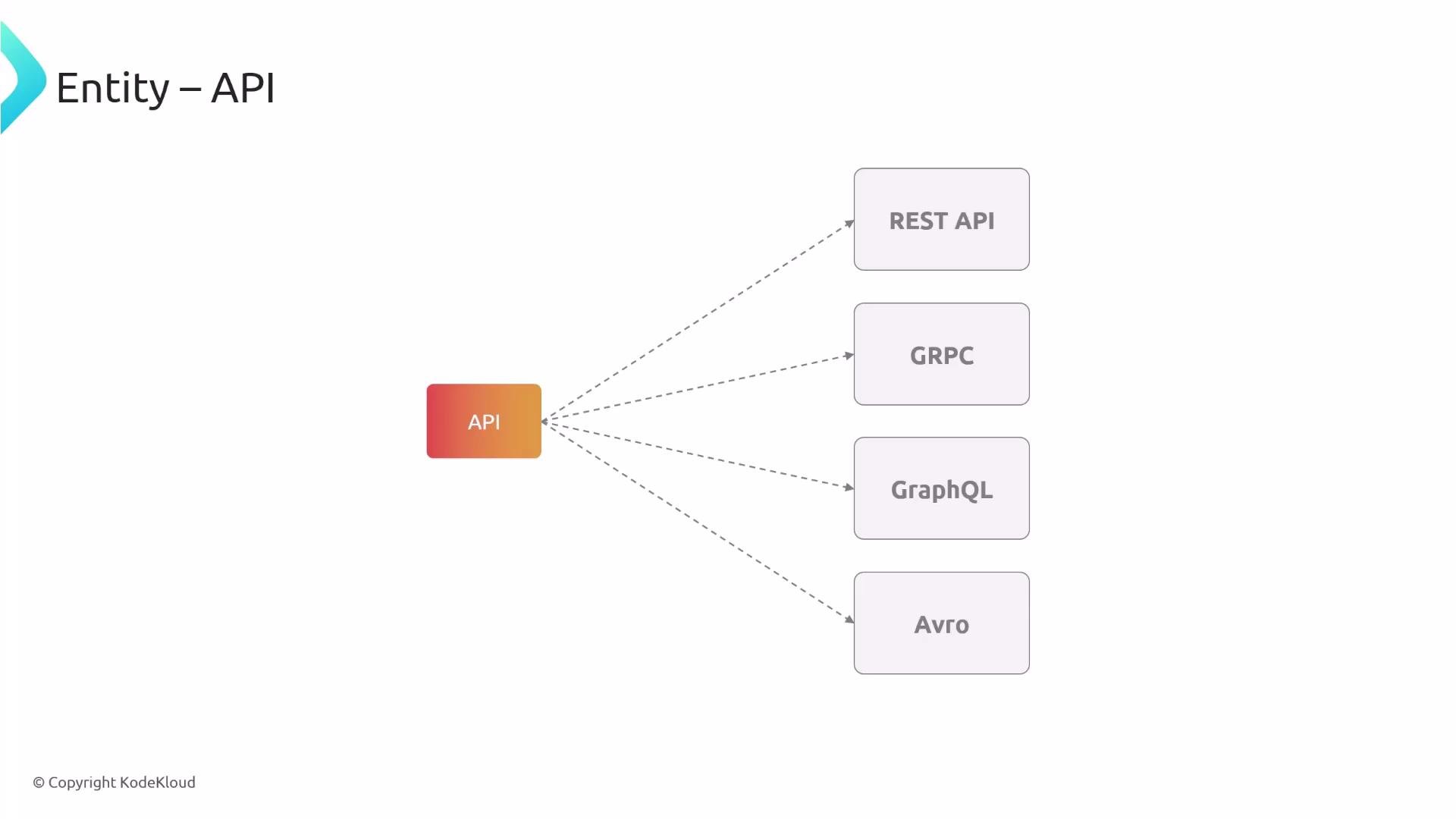
* `spec.type` on an API can be `openapi`, `grpc`, `graphql`, `avro`, etc.
* The `definition` field points to the API specification (URL or embedded document).
APIs and Component relationships
APIs are first-class entities in Backstage. Model APIs to represent formal interfaces and link them to `Component` entities to show which component provides or consumes an API. Typical relationship fields:
* On a `Component`: `spec.providesApis` (list of API names)
* On an `API`: `spec.apiProvidedBy` (the providing component)
Example Component and API YAML pair:
```yaml theme={null}
apiVersion: backstage.io/v1beta1
kind: Component
metadata:
name: auth-service
description: authentication service
tags:
- javascript
spec:
type: service
lifecycle: production
owner: auth-team
providesApis:
- auth-api
---
apiVersion: backstage.io/v1alpha1
kind: API
metadata:
name: auth-api
description: Verify user authentication status
spec:
type: openapi
lifecycle: production
owner: auth-team
apiProvidedBy: auth-service
definition:
$json: https://raw.githubusercontent.com/Sanjeev-Thiyagarajan/backstage-auth/main/openapi/auth-api-spec.yaml
```
Notes:
* `spec.type` on an API can be `openapi`, `grpc`, `graphql`, `avro`, etc.
* The `definition` field points to the API specification (URL or embedded document).
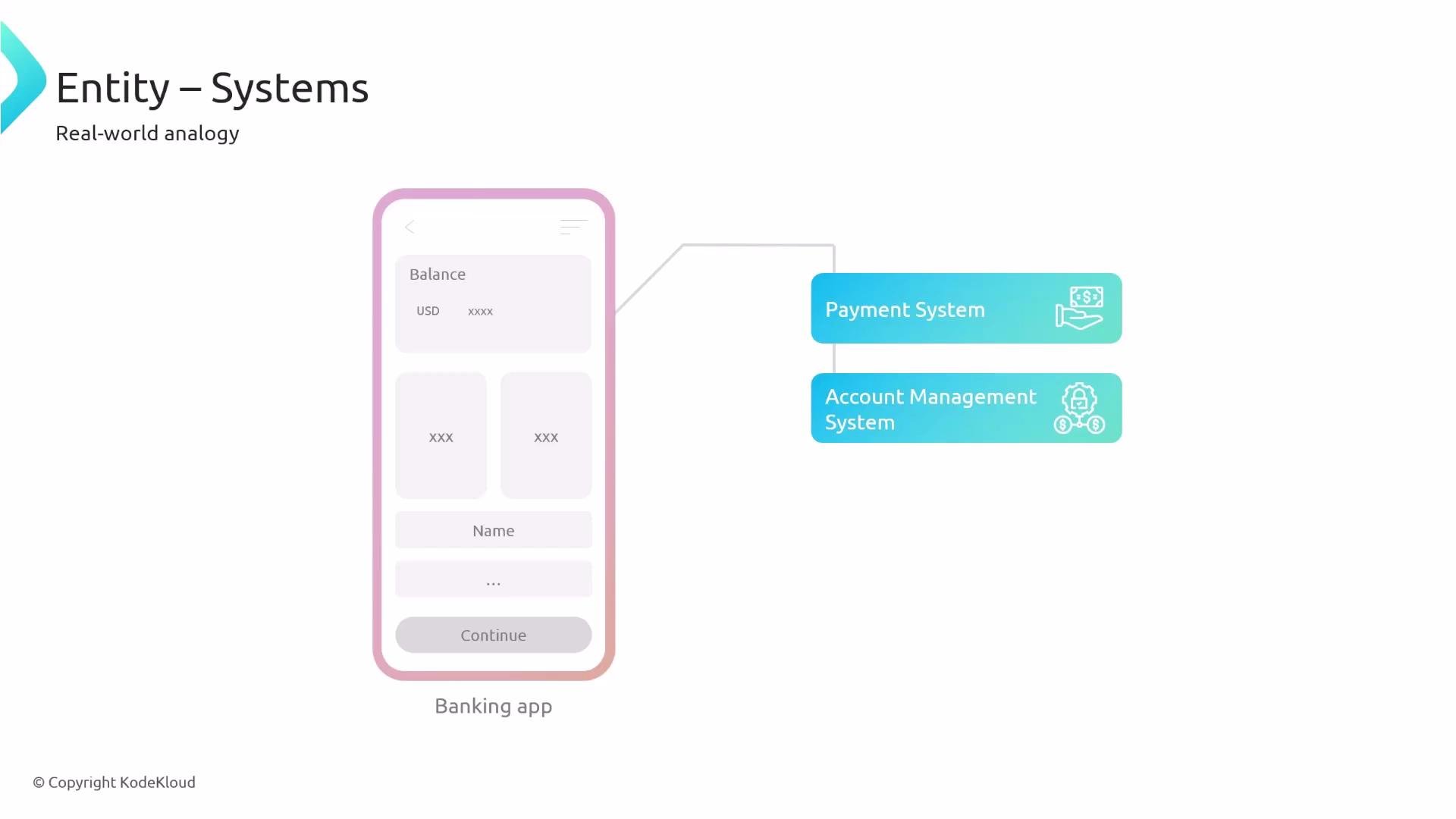
 Systems
Use `System` entities to group components, resources, and internal APIs that together implement a logical product or service area. Systems help surface which public APIs belong to a logical unit while encapsulating internal components.
Example System and Component association:
```yaml theme={null}
apiVersion: backstage.io/v1alpha1
kind: System
metadata:
name: authentication-authorization
description: Handles user authentication and profiles
spec:
owner: guests
domain: user-management
---
apiVersion: backstage.io/v1beta1
kind: Component
metadata:
name: auth-service
description: authentication service
tags:
- javascript
links:
- url: https://google.com
title: Admin Dashboard
icon: dashboard
type: admin-dashboard
spec:
type: service
lifecycle: production
owner: guests
system: authentication-authorization
providesApis:
- auth-api
```
Key relationships:
* Use `spec.system` on a `Component` to associate it with a `System`.
* Use `spec.system` on a `Resource` as well to associate infra with the same system.
Systems
Use `System` entities to group components, resources, and internal APIs that together implement a logical product or service area. Systems help surface which public APIs belong to a logical unit while encapsulating internal components.
Example System and Component association:
```yaml theme={null}
apiVersion: backstage.io/v1alpha1
kind: System
metadata:
name: authentication-authorization
description: Handles user authentication and profiles
spec:
owner: guests
domain: user-management
---
apiVersion: backstage.io/v1beta1
kind: Component
metadata:
name: auth-service
description: authentication service
tags:
- javascript
links:
- url: https://google.com
title: Admin Dashboard
icon: dashboard
type: admin-dashboard
spec:
type: service
lifecycle: production
owner: guests
system: authentication-authorization
providesApis:
- auth-api
```
Key relationships:
* Use `spec.system` on a `Component` to associate it with a `System`.
* Use `spec.system` on a `Resource` as well to associate infra with the same system.
 Domains
`Domain` entities capture broader business or product areas that group multiple `System` entities. Domains reflect organizational ownership and help align systems to strategic responsibilities.
Example Domain and System association:
```yaml theme={null}
apiVersion: backstage.io/v1alpha1
kind: Domain
metadata:
name: user-management
description: Everything about artists
spec:
type: product-area
owner: guests
subdomainOf: Ecommerce
---
apiVersion: backstage.io/v1alpha1
kind: System
metadata:
name: authentication-authorization
description: Handles user authentication and profiles
spec:
owner: guests
domain: user-management
```
Tips:
* Use `spec.subdomainOf` for nested domains.
* Domain ownership helps map support and governance responsibilities.
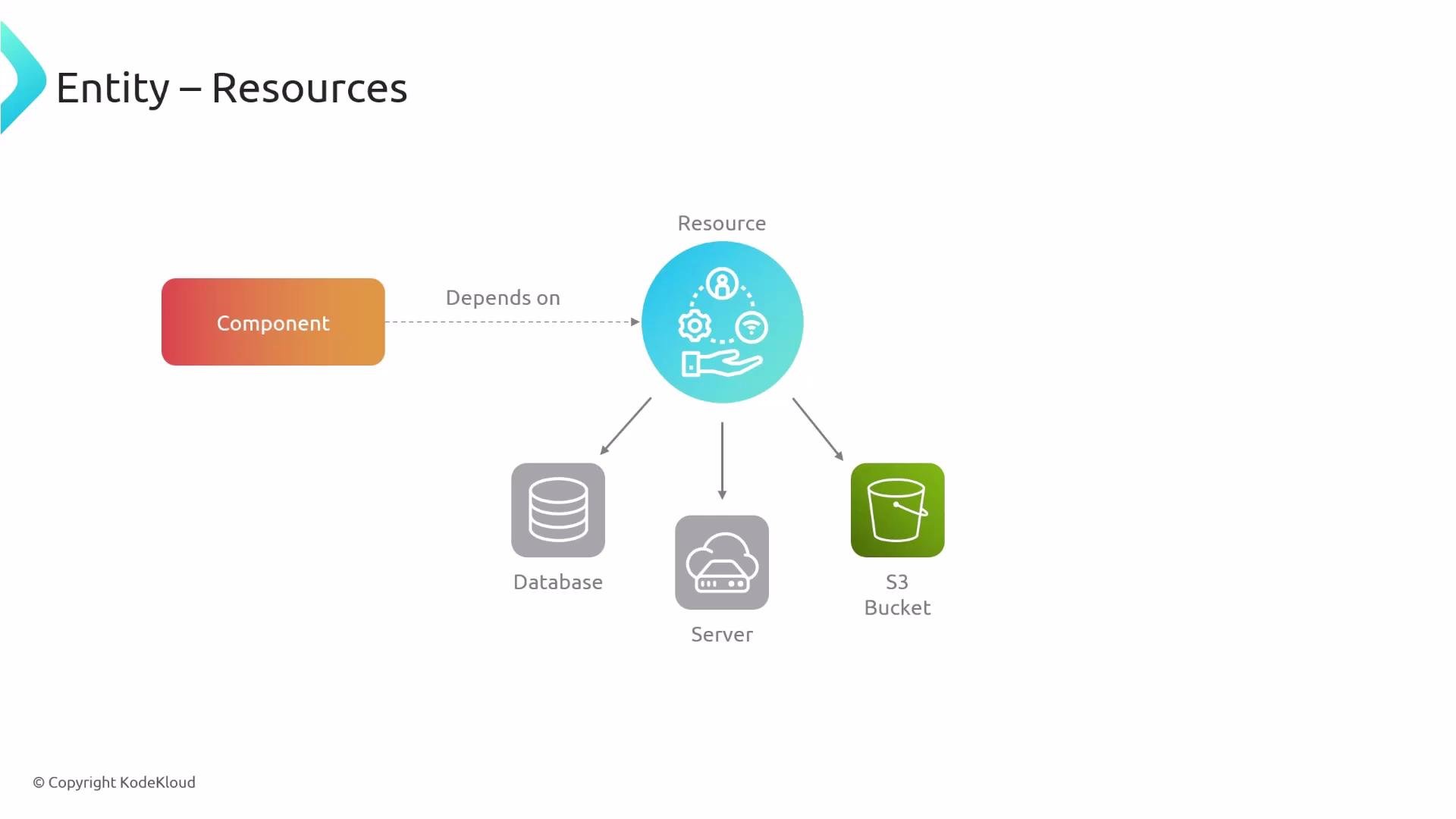
Resources
`Resource` entities model infrastructure dependencies (databases, message topics, storage buckets, CDNs). Explicit resource modeling clarifies operational boundaries and supports impact analysis.
Example Resource YAML:
```yaml theme={null}
apiVersion: backstage.io/v1alpha1
kind: Resource
metadata:
name: auth-db
description: Stores Users
spec:
type: database
owner: guests
system: authentication-authorization
```
Common uses:
* Reference the `Resource` from components and systems to mark dependencies.
* Use resource `spec.type` to categorize infra (e.g., `database`, `s3-bucket`, `kafka-topic`).
Domains
`Domain` entities capture broader business or product areas that group multiple `System` entities. Domains reflect organizational ownership and help align systems to strategic responsibilities.
Example Domain and System association:
```yaml theme={null}
apiVersion: backstage.io/v1alpha1
kind: Domain
metadata:
name: user-management
description: Everything about artists
spec:
type: product-area
owner: guests
subdomainOf: Ecommerce
---
apiVersion: backstage.io/v1alpha1
kind: System
metadata:
name: authentication-authorization
description: Handles user authentication and profiles
spec:
owner: guests
domain: user-management
```
Tips:
* Use `spec.subdomainOf` for nested domains.
* Domain ownership helps map support and governance responsibilities.
Resources
`Resource` entities model infrastructure dependencies (databases, message topics, storage buckets, CDNs). Explicit resource modeling clarifies operational boundaries and supports impact analysis.
Example Resource YAML:
```yaml theme={null}
apiVersion: backstage.io/v1alpha1
kind: Resource
metadata:
name: auth-db
description: Stores Users
spec:
type: database
owner: guests
system: authentication-authorization
```
Common uses:
* Reference the `Resource` from components and systems to mark dependencies.
* Use resource `spec.type` to categorize infra (e.g., `database`, `s3-bucket`, `kafka-topic`).
 Quick cross-reference — common entity fields
| Field | Meaning |
| ----------------------------- | -------------------------------------------------------------------------------------------- |
| `metadata.name` | Unique identifier for the entity; used in cross-references (e.g., `members`, `providesApis`) |
| `spec.owner` | Team or group responsible for the entity |
| `spec.lifecycle` | State of maturity (e.g., `production`, `experimental`) |
| `spec.type` | Classification specific to entity kind (API type, group type, resource type) |
| `spec.system` / `spec.domain` | Links a component/resource to a higher-level System or Domain |
Wrapping up
All Backstage entities use the same foundational YAML structure and connect through simple reference fields (`memberOf`, `members`, `providesApis`, `apiProvidedBy`, `system`, `domain`, `spec.subdomainOf`, etc.). Model entities to reflect your organizational structure and automate their creation and updates with catalog processors and sync integrations from your identity and infrastructure sources. Doing so reduces manual drift and keeps the catalog accurate and useful.
That's all for this lesson.
Quick cross-reference — common entity fields
| Field | Meaning |
| ----------------------------- | -------------------------------------------------------------------------------------------- |
| `metadata.name` | Unique identifier for the entity; used in cross-references (e.g., `members`, `providesApis`) |
| `spec.owner` | Team or group responsible for the entity |
| `spec.lifecycle` | State of maturity (e.g., `production`, `experimental`) |
| `spec.type` | Classification specific to entity kind (API type, group type, resource type) |
| `spec.system` / `spec.domain` | Links a component/resource to a higher-level System or Domain |
Wrapping up
All Backstage entities use the same foundational YAML structure and connect through simple reference fields (`memberOf`, `members`, `providesApis`, `apiProvidedBy`, `system`, `domain`, `spec.subdomainOf`, etc.). Model entities to reflect your organizational structure and automate their creation and updates with catalog processors and sync integrations from your identity and infrastructure sources. Doing so reduces manual drift and keeps the catalog accurate and useful.
That's all for this lesson.