> ## Documentation Index
> Fetch the complete documentation index at: https://notes.kodekloud.com/llms.txt
> Use this file to discover all available pages before exploring further.
# Integrations
> Explains how Backstage integrates with external systems to ingest, discover, sync, and publish entity data from code hosts, object storage, and identity providers.
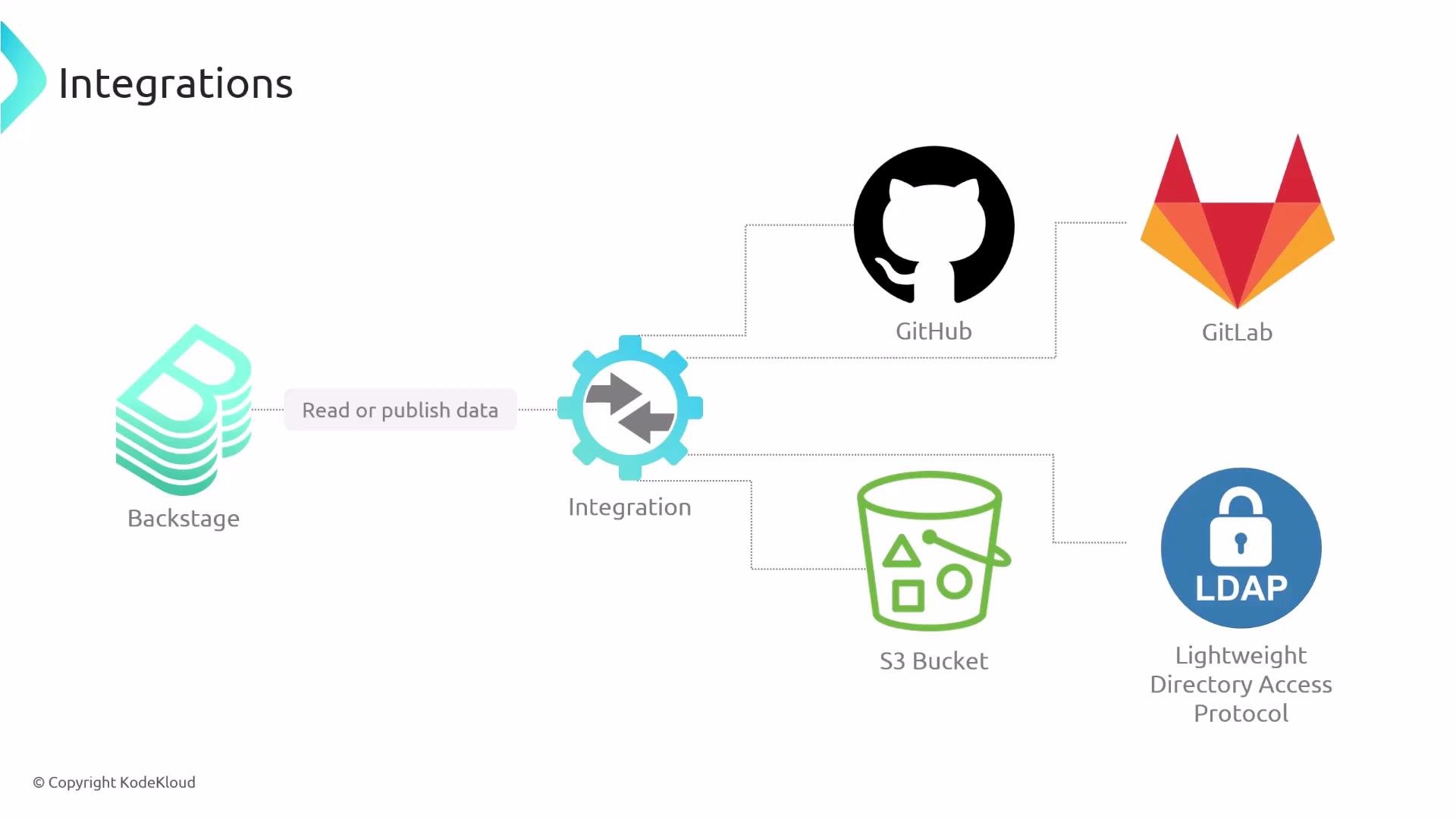
In this lesson we cover Backstage integrations — how Backstage reads from and publishes data to third‑party systems such as GitHub, GitLab, S3-compatible object storage, and LDAP/identity providers.
Integrations enable Backstage to:
* Ingest entity YAML files from source control or object storage.
* Discover entity files automatically across accounts or storage locations.
* Import organizational data (users, groups, hierarchy) from identity systems or code hosts.
* Publish or synchronize data back to external systems when required.
 What can integrations do?
| Capability | Typical use case |
| ------------------------------------------ | ---------------------------------------------------------------------------------------- |
| Load entities from repositories or storage | Read Backstage entity YAML files stored in a Git repo or object store |
| Automatic discovery (Entity Providers) | Scan a GitHub account or an S3 bucket to find entity files across many repositories |
| Import organisational data | Pull users, groups, and org structure from identity providers (Okta, LDAP) or code hosts |
| Publish data to external systems | Push catalog or metadata updates back to other systems when needed |
Loading entities from repositories
Backstage commonly stores entity files as YAML in source code repositories. To load entities from private repositories, Backstage needs credentials to access those repositories. For example, configure a GitHub integration and provide a token with the minimal required scopes so Backstage can read repository contents:
```yaml theme={null}
integrations:
github:
- host: github.com
token: ${GITHUB_TOKEN}
```
When using a GitHub token, grant only the minimal scopes required to read repository contents (for example, `repo` for private repos or appropriate read-only scopes). Keep tokens secure — use environment variables, secret managers, or vaults. See GitHub’s guidance for creating personal access tokens: [https://docs.github.com/en/authentication/keeping-your-account-and-data-secure/creating-a-personal-access-token](https://docs.github.com/en/authentication/keeping-your-account-and-data-secure/creating-a-personal-access-token)
Entity Providers: dynamic discovery
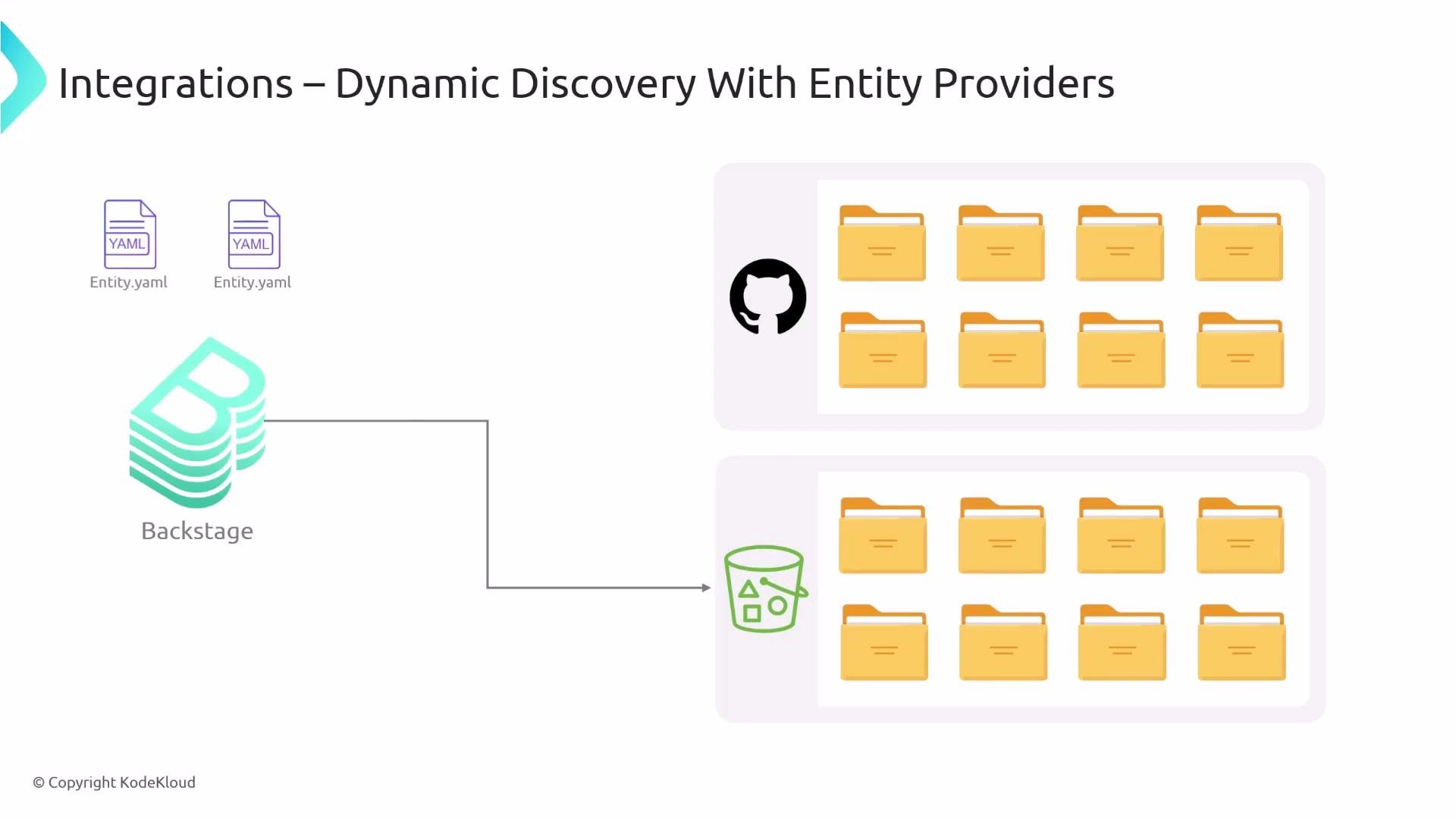
Manually listing every repository that contains entity YAML quickly becomes unmanageable. Backstage supports Entity Providers that automatically scan sources (GitHub, GitLab, object storage, etc.) to discover entity definitions and register them with the catalog. This automates onboarding of components, libraries, and services without requiring per-repo configuration.
The same pattern applies to object stores: store entity YAML files in an S3 bucket (or S3-compatible store) and configure Backstage to scan and ingest entities from that bucket.
What can integrations do?
| Capability | Typical use case |
| ------------------------------------------ | ---------------------------------------------------------------------------------------- |
| Load entities from repositories or storage | Read Backstage entity YAML files stored in a Git repo or object store |
| Automatic discovery (Entity Providers) | Scan a GitHub account or an S3 bucket to find entity files across many repositories |
| Import organisational data | Pull users, groups, and org structure from identity providers (Okta, LDAP) or code hosts |
| Publish data to external systems | Push catalog or metadata updates back to other systems when needed |
Loading entities from repositories
Backstage commonly stores entity files as YAML in source code repositories. To load entities from private repositories, Backstage needs credentials to access those repositories. For example, configure a GitHub integration and provide a token with the minimal required scopes so Backstage can read repository contents:
```yaml theme={null}
integrations:
github:
- host: github.com
token: ${GITHUB_TOKEN}
```
When using a GitHub token, grant only the minimal scopes required to read repository contents (for example, `repo` for private repos or appropriate read-only scopes). Keep tokens secure — use environment variables, secret managers, or vaults. See GitHub’s guidance for creating personal access tokens: [https://docs.github.com/en/authentication/keeping-your-account-and-data-secure/creating-a-personal-access-token](https://docs.github.com/en/authentication/keeping-your-account-and-data-secure/creating-a-personal-access-token)
Entity Providers: dynamic discovery
Manually listing every repository that contains entity YAML quickly becomes unmanageable. Backstage supports Entity Providers that automatically scan sources (GitHub, GitLab, object storage, etc.) to discover entity definitions and register them with the catalog. This automates onboarding of components, libraries, and services without requiring per-repo configuration.
The same pattern applies to object stores: store entity YAML files in an S3 bucket (or S3-compatible store) and configure Backstage to scan and ingest entities from that bucket.
 Organizational data
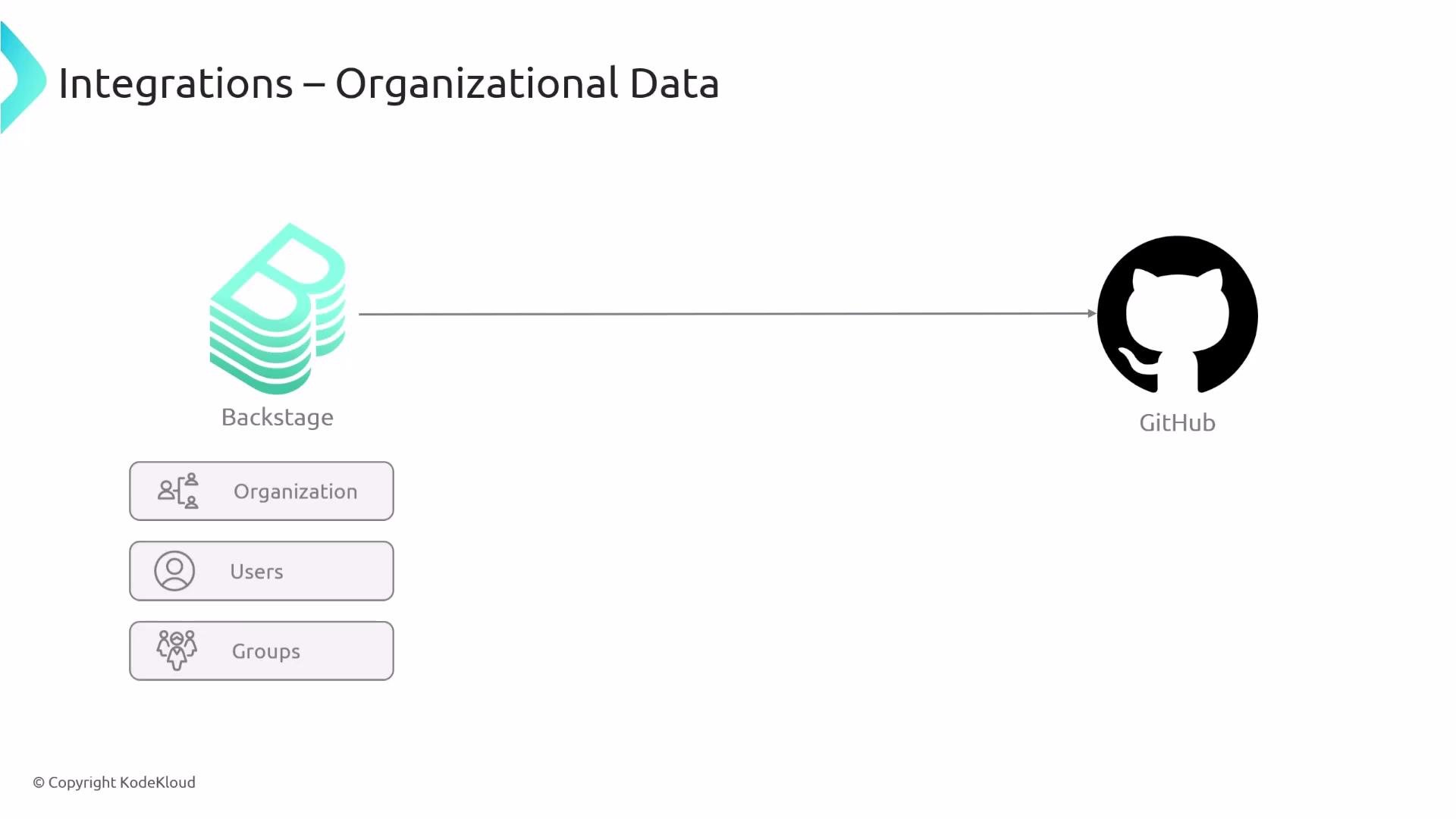
Integrations let Backstage import and maintain organizational information — users, groups, and hierarchy — from your existing single source of truth (identity providers or code host organizations). For example, Backstage can synchronize users and teams from a GitHub Organization or an identity provider such as Okta, avoiding the need to recreate that data inside Backstage.
Organizational data
Integrations let Backstage import and maintain organizational information — users, groups, and hierarchy — from your existing single source of truth (identity providers or code host organizations). For example, Backstage can synchronize users and teams from a GitHub Organization or an identity provider such as Okta, avoiding the need to recreate that data inside Backstage.
 Common integration types and examples
| Integration category | Example targets | What Backstage can import/export |
| -------------------- | -------------------------------- | ----------------------------------------------- |
| Code hosting | GitHub, GitLab, Bitbucket | Entity YAML, repository metadata, pull requests |
| Object storage | AWS S3, MinIO | Entity YAML files, static artifacts |
| Identity & directory | Okta, LDAP, Azure AD | Users, groups, organizational hierarchy |
| Artifact & registry | Docker Registry, GitHub Packages | Component build/publish metadata |
Links and references
* Backstage integrations overview: [https://backstage.io/docs/integrations/](https://backstage.io/docs/integrations/)
* Backstage GitHub integration docs: [https://backstage.io/docs/integrations/github/](https://backstage.io/docs/integrations/github/)
* Backstage entity providers: [https://backstage.io/docs/features/software-catalog/descriptor-format](https://backstage.io/docs/features/software-catalog/descriptor-format)
* GitHub personal access tokens: [https://docs.github.com/en/authentication/keeping-your-account-and-data-secure/creating-a-personal-access-token](https://docs.github.com/en/authentication/keeping-your-account-and-data-secure/creating-a-personal-access-token)
Use these integration patterns to keep your Backstage catalog synchronized with the systems you already maintain, reduce duplication, and automate onboarding of new components.
Common integration types and examples
| Integration category | Example targets | What Backstage can import/export |
| -------------------- | -------------------------------- | ----------------------------------------------- |
| Code hosting | GitHub, GitLab, Bitbucket | Entity YAML, repository metadata, pull requests |
| Object storage | AWS S3, MinIO | Entity YAML files, static artifacts |
| Identity & directory | Okta, LDAP, Azure AD | Users, groups, organizational hierarchy |
| Artifact & registry | Docker Registry, GitHub Packages | Component build/publish metadata |
Links and references
* Backstage integrations overview: [https://backstage.io/docs/integrations/](https://backstage.io/docs/integrations/)
* Backstage GitHub integration docs: [https://backstage.io/docs/integrations/github/](https://backstage.io/docs/integrations/github/)
* Backstage entity providers: [https://backstage.io/docs/features/software-catalog/descriptor-format](https://backstage.io/docs/features/software-catalog/descriptor-format)
* GitHub personal access tokens: [https://docs.github.com/en/authentication/keeping-your-account-and-data-secure/creating-a-personal-access-token](https://docs.github.com/en/authentication/keeping-your-account-and-data-secure/creating-a-personal-access-token)
Use these integration patterns to keep your Backstage catalog synchronized with the systems you already maintain, reduce duplication, and automate onboarding of new components.