> ## Documentation Index
> Fetch the complete documentation index at: https://notes.kodekloud.com/llms.txt
> Use this file to discover all available pages before exploring further.
# What is an Entity
> Explains Backstage entities, their YAML schema, storage conventions, and discovery methods for modeling and registering software and organizational resources in the software catalog.
In this lesson you'll learn what an entity is in Backstage and how the catalog uses entities to model and track your software and organizational resources.
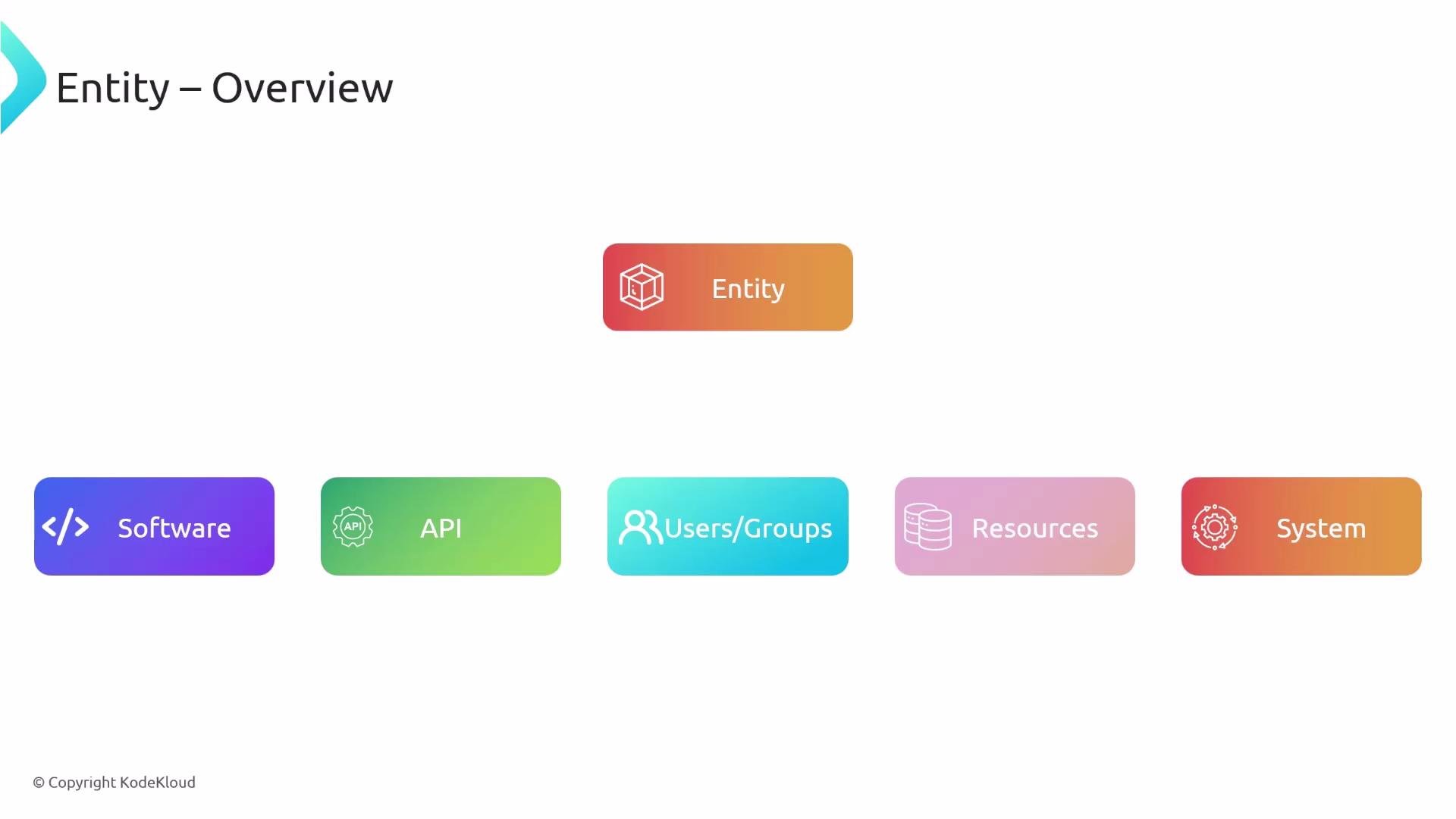
An entity in Backstage is any item you want the catalog to manage and display. Entities provide structured metadata about software and related items so Backstage can discover, present, and operate on them. Common entity types include:
| Entity Type | Use Case |
| -------------------- | -------------------------------------------------------------- |
| Component / Software | Applications, services, packages, frontends, backends |
| API | API specifications and contracts |
| User / Group | People and teams used for ownership and access control |
| Resource | External resources such as databases, cloud infra, or clusters |
| System | Logical groupings of components and services |
Whenever you want Backstage to track something — a microservice, an API, a team, or a resource — model it as an entity.
 Entity YAML: format and key fields
Entities are represented as YAML documents using a schema inspired by Kubernetes resources. This enables evolution through `apiVersion` values (for example `v1alpha1` → `v1beta1` → `v1`) while keeping a consistent top-level shape.
Typical top-level fields:
* `apiVersion` — schema version (e.g., `backstage.io/v1alpha1`)
* `kind` — entity kind (e.g., `Component`, `API`, `User`, `Resource`, `System`)
* `metadata` — identifier, name, description, labels, annotations, tags, and links
* `spec` — domain-specific fields (type, lifecycle, owner, system, etc.)
A typical component entity looks like this:
```yaml theme={null}
apiVersion: backstage.io/v1alpha1
kind: Component
metadata:
name: artist-web
description: The place to be, for great artists
labels:
example.com/custom: custom_label_value
annotations:
example.com/service-discovery: artistweb
circleci.com/project-slug: github/example-org/artist-website
tags:
- java
links:
- url: https://admin.example-org.com
title: Admin Dashboard
icon: dashboard
type: admin-dashboard
spec:
type: website
lifecycle: production
owner: group:artist-relations-team
system: public-websites
```
Key notes:
* `kind` determines how Backstage will interpret the entity and which built-in processors or templates apply.
* `metadata` is used for display, filtering, and linking in the UI.
* `spec` contains the attributes your organization uses to classify and operate the entity (standardize `spec.type` values across teams for consistent catalogs — e.g., `website`, `service`, `package`, `library`).
Where to store the entity YAML
The recommended convention is to store your entity declarations (commonly named `catalog-info.yaml`) in the root of the repository they describe. This keeps metadata versioned with the code and simplifies discovery when scanning repositories.
* Preferred: Put `catalog-info.yaml` at the repository root of the project it describes.
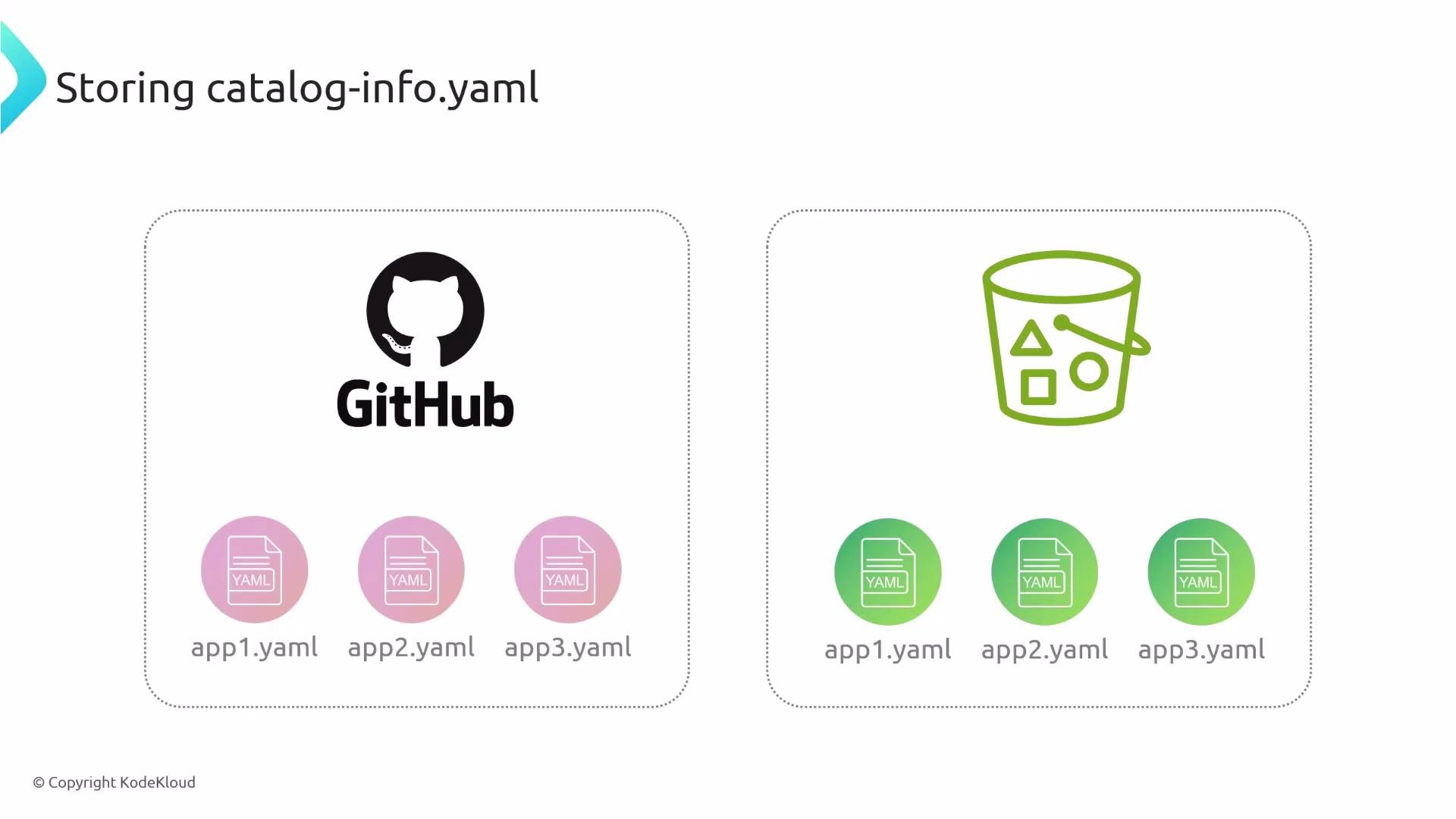
* Alternatives: Store entity YAML in a central repo, cloud storage (S3), or any location Backstage can access. Choose whatever fits your organization’s workflow.
Entity YAML: format and key fields
Entities are represented as YAML documents using a schema inspired by Kubernetes resources. This enables evolution through `apiVersion` values (for example `v1alpha1` → `v1beta1` → `v1`) while keeping a consistent top-level shape.
Typical top-level fields:
* `apiVersion` — schema version (e.g., `backstage.io/v1alpha1`)
* `kind` — entity kind (e.g., `Component`, `API`, `User`, `Resource`, `System`)
* `metadata` — identifier, name, description, labels, annotations, tags, and links
* `spec` — domain-specific fields (type, lifecycle, owner, system, etc.)
A typical component entity looks like this:
```yaml theme={null}
apiVersion: backstage.io/v1alpha1
kind: Component
metadata:
name: artist-web
description: The place to be, for great artists
labels:
example.com/custom: custom_label_value
annotations:
example.com/service-discovery: artistweb
circleci.com/project-slug: github/example-org/artist-website
tags:
- java
links:
- url: https://admin.example-org.com
title: Admin Dashboard
icon: dashboard
type: admin-dashboard
spec:
type: website
lifecycle: production
owner: group:artist-relations-team
system: public-websites
```
Key notes:
* `kind` determines how Backstage will interpret the entity and which built-in processors or templates apply.
* `metadata` is used for display, filtering, and linking in the UI.
* `spec` contains the attributes your organization uses to classify and operate the entity (standardize `spec.type` values across teams for consistent catalogs — e.g., `website`, `service`, `package`, `library`).
Where to store the entity YAML
The recommended convention is to store your entity declarations (commonly named `catalog-info.yaml`) in the root of the repository they describe. This keeps metadata versioned with the code and simplifies discovery when scanning repositories.
* Preferred: Put `catalog-info.yaml` at the repository root of the project it describes.
* Alternatives: Store entity YAML in a central repo, cloud storage (S3), or any location Backstage can access. Choose whatever fits your organization’s workflow.
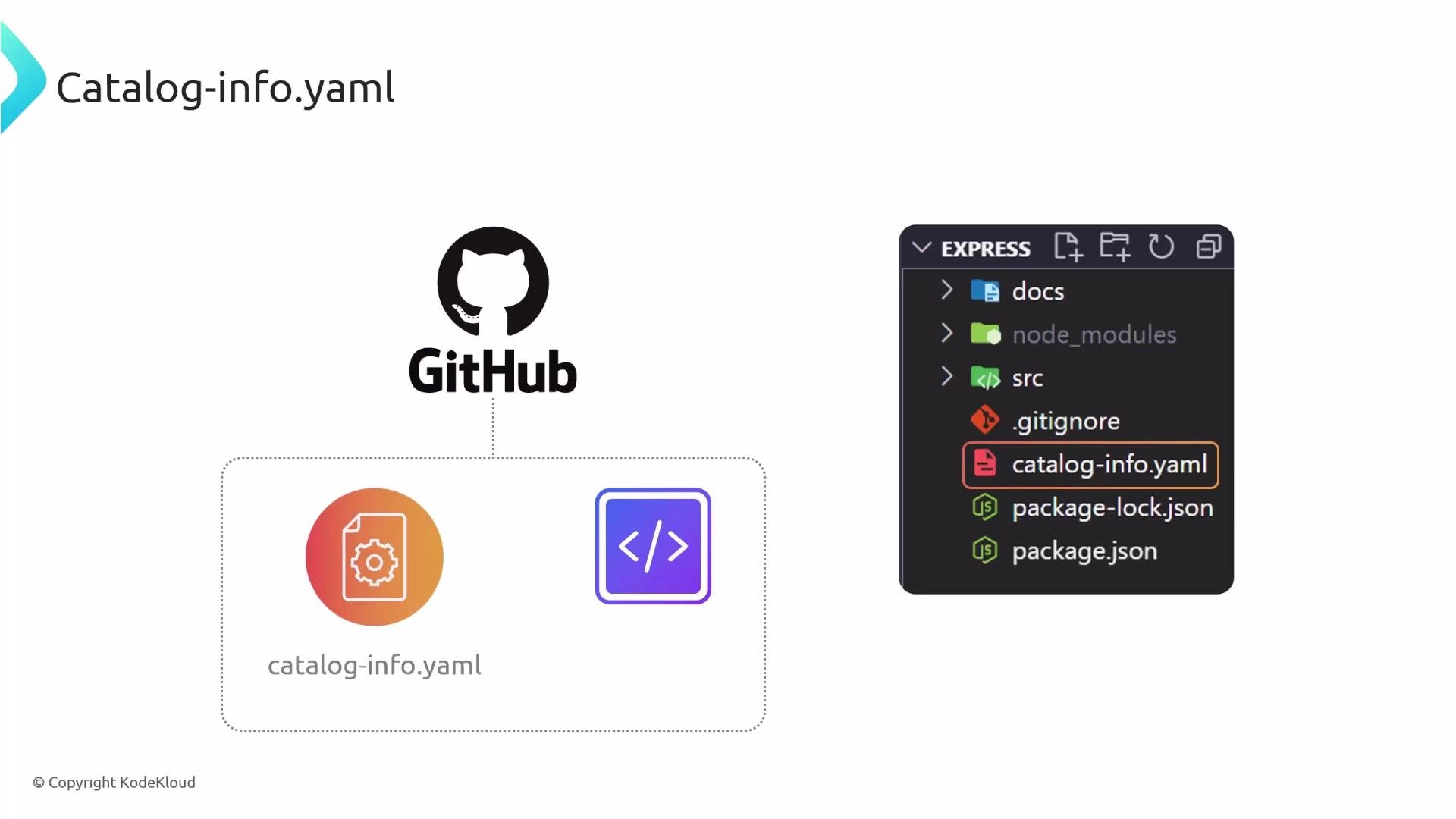 Placing `catalog-info.yaml` in the project root is recommended because it keeps entity metadata versioned alongside the code and simplifies automatic discovery through repository scans or templates.
 How Backstage discovers and registers entities
Backstage supports multiple ways to import and register entity YAML files into the catalog. Choose one or more approaches depending on scale and automation needs.
1. Static configuration via `app-config.yaml`
* Declare locations in your Backstage app configuration under `catalog.locations`. Each location can be a `url` (for raw GitHub files) or a `file` (local path relative to the backend process).
* Example `app-config.yaml` entries:
```yaml theme={null}
catalog:
locations:
- type: url
target: https://raw.githubusercontent.com/mygithub/myrepo/main/auth-component.yaml
# Local example data, file locations are relative to the backend process, typically `packages/backend`
- type: file
target: ../examples/entities.yaml
```
* Entities discovered via configured locations are imported on startup or when the location is refreshed. This is useful for centrally-managed lists of entities.
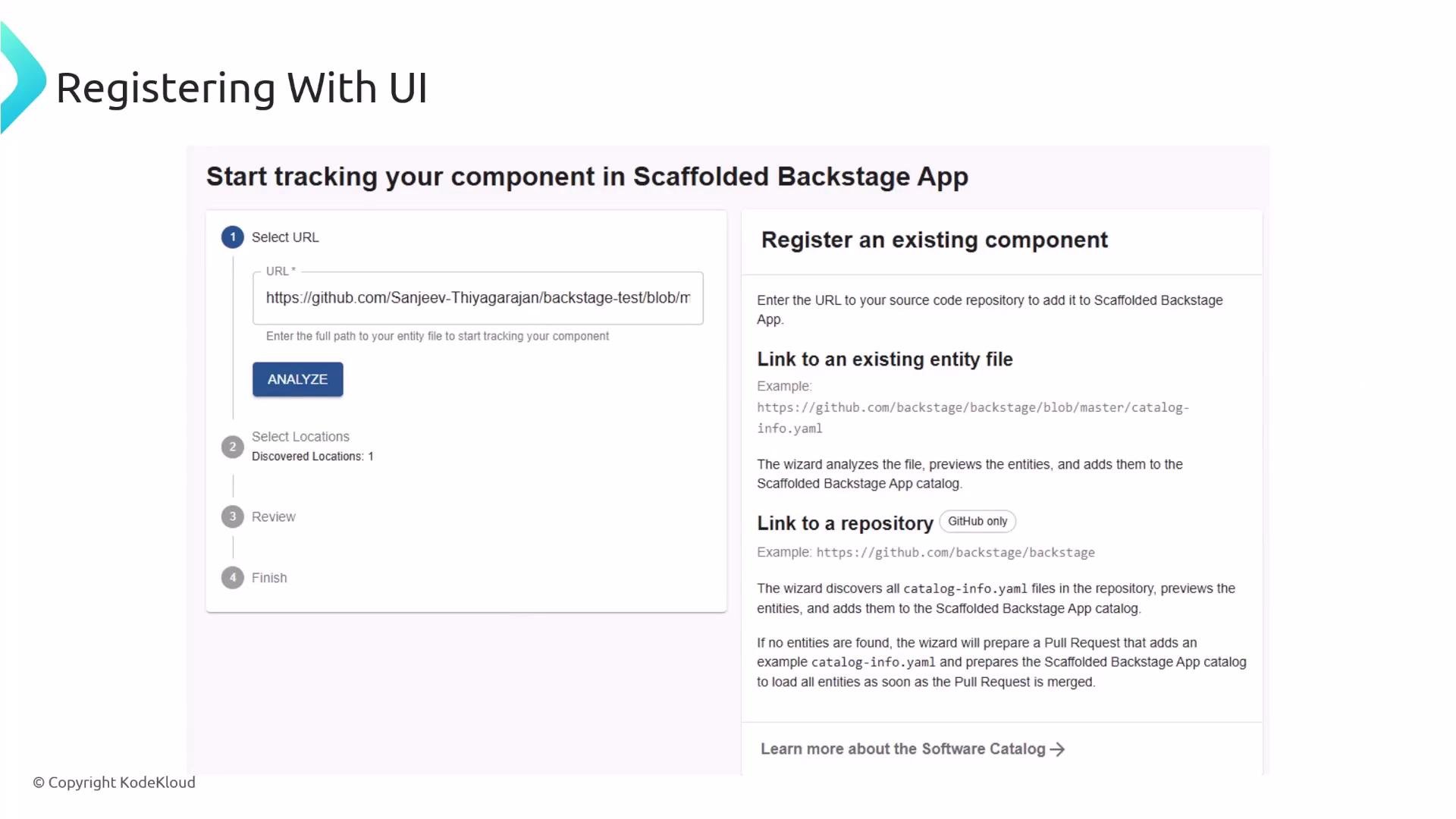
2. Register via the Backstage UI
* Use Create → Register Existing Component and provide a URL or repository path to an entity file. The UI analyzes the target and guides you through importing the entity.
How Backstage discovers and registers entities
Backstage supports multiple ways to import and register entity YAML files into the catalog. Choose one or more approaches depending on scale and automation needs.
1. Static configuration via `app-config.yaml`
* Declare locations in your Backstage app configuration under `catalog.locations`. Each location can be a `url` (for raw GitHub files) or a `file` (local path relative to the backend process).
* Example `app-config.yaml` entries:
```yaml theme={null}
catalog:
locations:
- type: url
target: https://raw.githubusercontent.com/mygithub/myrepo/main/auth-component.yaml
# Local example data, file locations are relative to the backend process, typically `packages/backend`
- type: file
target: ../examples/entities.yaml
```
* Entities discovered via configured locations are imported on startup or when the location is refreshed. This is useful for centrally-managed lists of entities.
2. Register via the Backstage UI
* Use Create → Register Existing Component and provide a URL or repository path to an entity file. The UI analyzes the target and guides you through importing the entity.
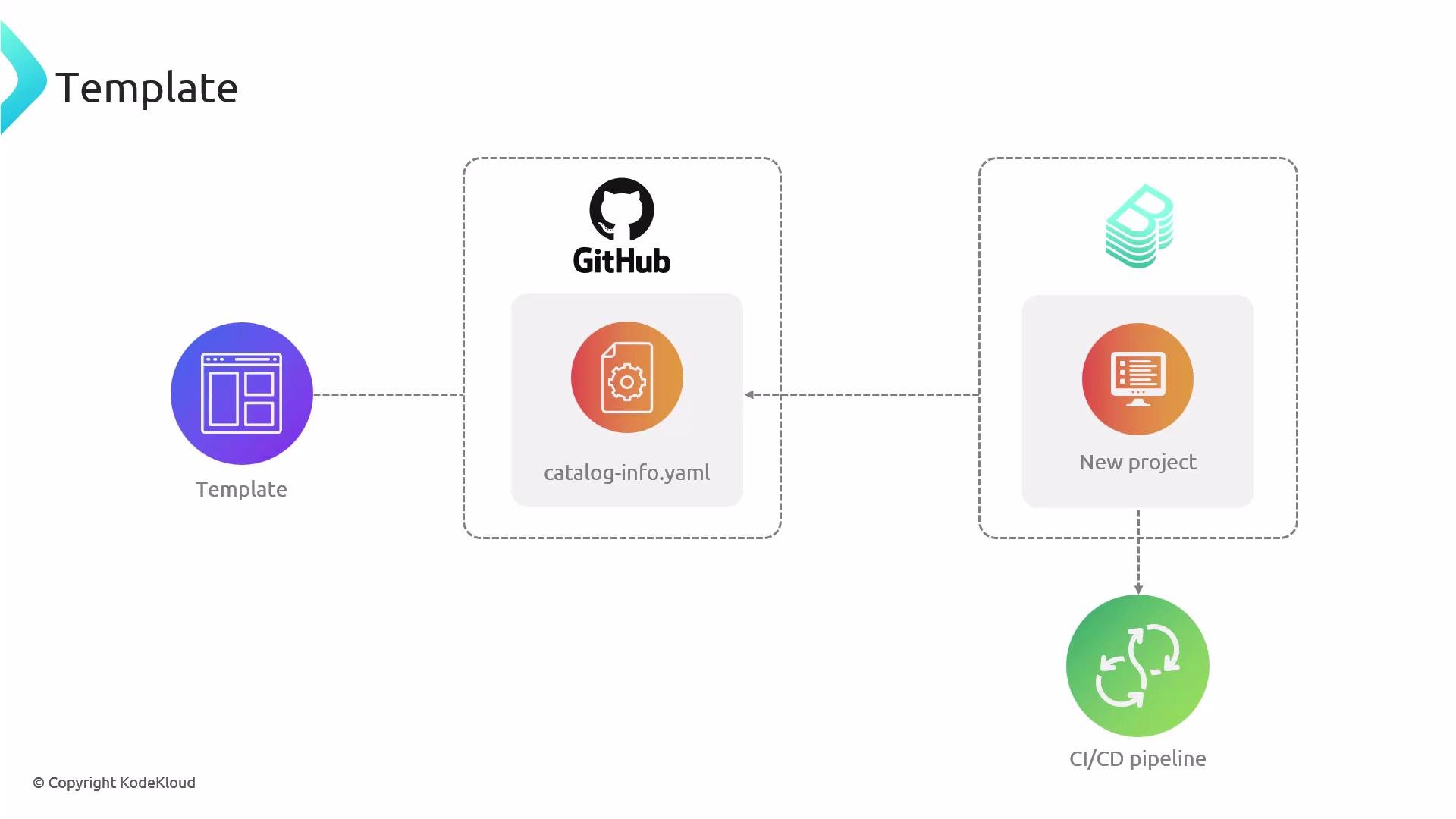
 3. Templates
* Backstage software templates scaffold new projects and can generate a `catalog-info.yaml` as part of the template. Templates can also include registration automation so a newly created project gets registered automatically in the catalog.
3. Templates
* Backstage software templates scaffold new projects and can generate a `catalog-info.yaml` as part of the template. Templates can also include registration automation so a newly created project gets registered automatically in the catalog.
 4. Entity providers
* Use entity providers to automatically discover and register entities at scale. Providers are able to scan sources such as:
* GitHub organizations or lists of repositories
* Cloud storage (S3)
* Custom inventory services
* Entity providers are ideal for onboarding many repositories without manually declaring each location.
Summary: putting it all together
* Define entity YAML files (`catalog-info.yaml`) for every resource you want Backstage to track.
* Store them where they best fit your workflow (recommended: next to the code).
* Choose discovery/registration strategies that match your scale: static `app-config.yaml` locations, UI registration, templates, or automated entity providers.
* Standardize metadata fields and allowed `spec.type` values across teams to maintain a consistent, searchable, and actionable catalog.
Links and further reading
* Backstage Catalog: [https://backstage.io/docs/features/software-catalog/overview](https://backstage.io/docs/features/software-catalog/overview)
* Backstage Software Templates: [https://backstage.io/docs/features/software-templates/overview](https://backstage.io/docs/features/software-templates/overview)
* Backstage Entity Model: [https://backstage.io/docs/features/software-catalog/descriptor-format](https://backstage.io/docs/features/software-catalog/descriptor-format)
* Kubernetes Concepts (for resource-like YAML familiarity): [https://kubernetes.io/docs/concepts/overview/what-is-kubernetes/](https://kubernetes.io/docs/concepts/overview/what-is-kubernetes/)
4. Entity providers
* Use entity providers to automatically discover and register entities at scale. Providers are able to scan sources such as:
* GitHub organizations or lists of repositories
* Cloud storage (S3)
* Custom inventory services
* Entity providers are ideal for onboarding many repositories without manually declaring each location.
Summary: putting it all together
* Define entity YAML files (`catalog-info.yaml`) for every resource you want Backstage to track.
* Store them where they best fit your workflow (recommended: next to the code).
* Choose discovery/registration strategies that match your scale: static `app-config.yaml` locations, UI registration, templates, or automated entity providers.
* Standardize metadata fields and allowed `spec.type` values across teams to maintain a consistent, searchable, and actionable catalog.
Links and further reading
* Backstage Catalog: [https://backstage.io/docs/features/software-catalog/overview](https://backstage.io/docs/features/software-catalog/overview)
* Backstage Software Templates: [https://backstage.io/docs/features/software-templates/overview](https://backstage.io/docs/features/software-templates/overview)
* Backstage Entity Model: [https://backstage.io/docs/features/software-catalog/descriptor-format](https://backstage.io/docs/features/software-catalog/descriptor-format)
* Kubernetes Concepts (for resource-like YAML familiarity): [https://kubernetes.io/docs/concepts/overview/what-is-kubernetes/](https://kubernetes.io/docs/concepts/overview/what-is-kubernetes/)