> ## Documentation Index
> Fetch the complete documentation index at: https://notes.kodekloud.com/llms.txt
> Use this file to discover all available pages before exploring further.
# Demo Community Plugins
> Guide to adding and configuring the GitHub Actions community plugin in Backstage, including frontend and backend installation, OAuth authentication, entity annotations, and UI integration.
This guide demonstrates how to add a Backstage community plugin to your instance and integrate it into an entity page. We use the GitHub Actions community plugin as an example and walk through:
* Locating the plugin in the Backstage community repository
* Installing frontend and backend packages
* Registering a backend provider for authentication
* Adding the plugin's UI to an entity page
* Annotating a component so the plugin can surface CI/CD data
## Finding the plugin
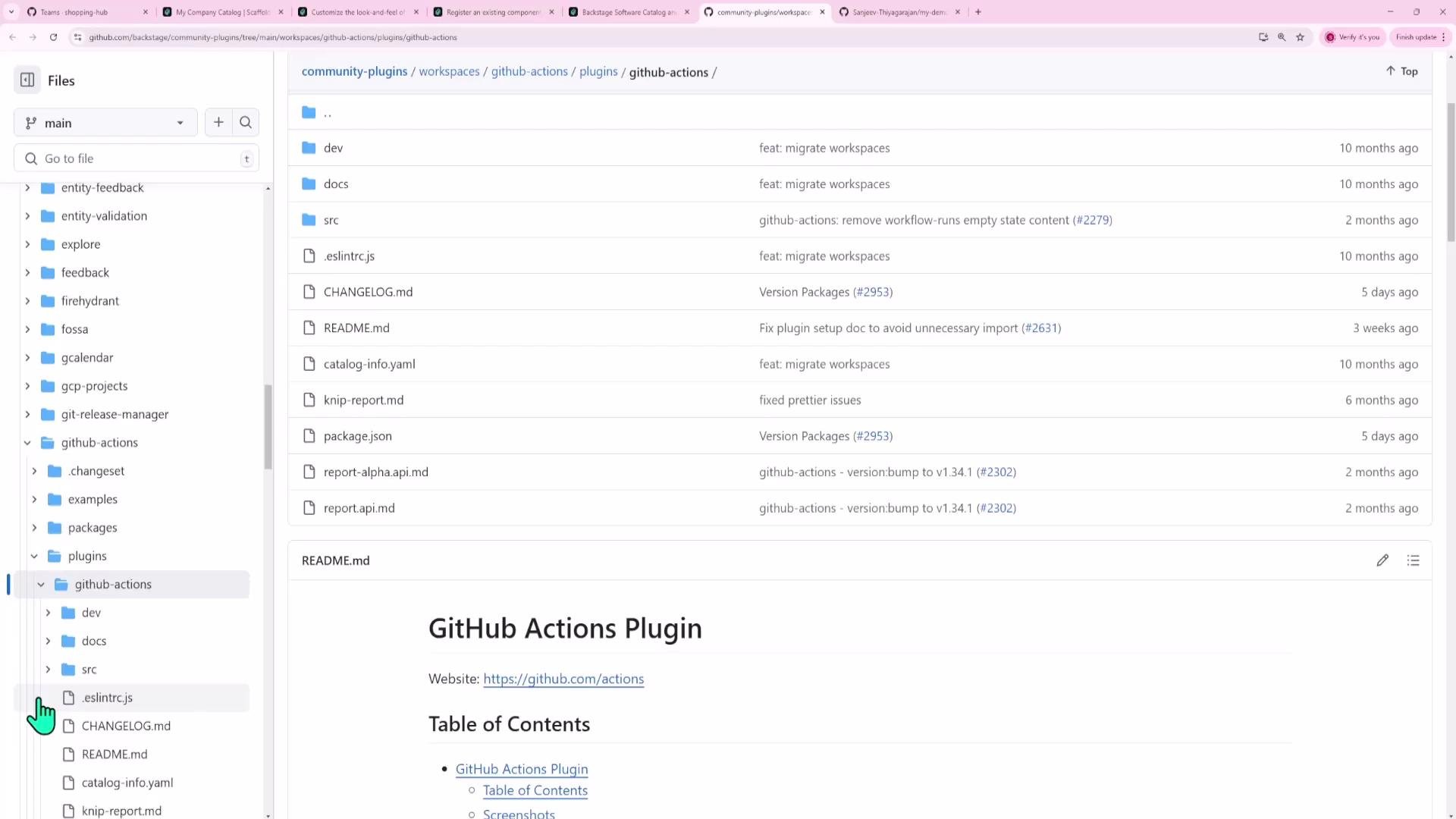
Community plugins are discoverable on the Backstage Plugins page and in the Backstage repository on GitHub. Searching for "GitHub Actions" leads you to the plugin folder and README in the [backstage/backstage/plugins](https://github.com/backstage/backstage/tree/master/plugins) area. Community plugins may include both frontend and backend packages (e.g., `plugin-name` and `plugin-name-backend`) or only frontend code. The GitHub Actions community plugin is primarily a frontend plugin but depends on backend auth/proxy support to perform authenticated requests.
 ## Frontend-only plugins and backend proxies
Many frontend-only community plugins require a backend to handle authentication, hide API tokens, or proxy requests. For example, the Dynatrace plugin is a frontend app that uses a backend proxy to add API tokens server-side so tokens are never exposed in the browser.
Example: adding a Dynatrace tab to an entity (JSX):
```jsx theme={null}
// packages/app/src/components/catalog/EntityPage.tsx (example)
const serviceEntityPage = (
[...]
);
```
Example proxy configuration (YAML) that forwards requests from the frontend to a backend proxy at `/dynatrace`, which adds the `Authorization` header using a backend environment variable:
```yaml theme={null}
proxy:
endpoints:
'/dynatrace':
target: 'https://example.dynatrace.com/api/v2'
headers:
Authorization: 'Api-Token ${DYNATRACE_ACCESS_TOKEN}'
dynatrace:
baseUrl: 'https://example.dynatrace.com'
```
## Installing the GitHub Actions plugin (frontend)
Install the frontend package inside your `packages/app` workspace:
```bash theme={null}
# From your Backstage root directory
yarn --cwd packages/app add @backstage-community/plugin-github-actions
```
This adds `@backstage-community/plugin-github-actions` to `packages/app/package.json` so the frontend can import the plugin components.
Example dependency excerpt from `packages/app/package.json`:
```json theme={null}
"dependencies": {
"@backstage-community/plugin-github-actions": "^0.8.0",
"@backstage/app-defaults": "^1.5.16",
"@backstage/catalog-model": "^1.7.3",
"@backstage/cli": "^0.29.5",
"@backstage/core-app-api": "^1.15.4",
"@backstage/core-components": "^0.16.3",
"@backstage/core-plugin-api": "^1.10.3"
}
```
After installation, the plugin components are available under `@backstage-community/plugin-github-actions`.
## Quick commands and files
| Action | Command / File |
| ----------------------------- | --------------------------------------------------------------------------------------- |
| Install frontend plugin | `yarn --cwd packages/app add @backstage-community/plugin-github-actions` |
| Install backend auth provider | `yarn --cwd packages/backend add @backstage/plugin-auth-backend-module-github-provider` |
| Frontend entity page | `packages/app/src/components/catalog/EntityPage.tsx` |
| Backend entrypoint | `packages/backend/src/index.ts` |
## Back to the UI: the catalog and the entity page
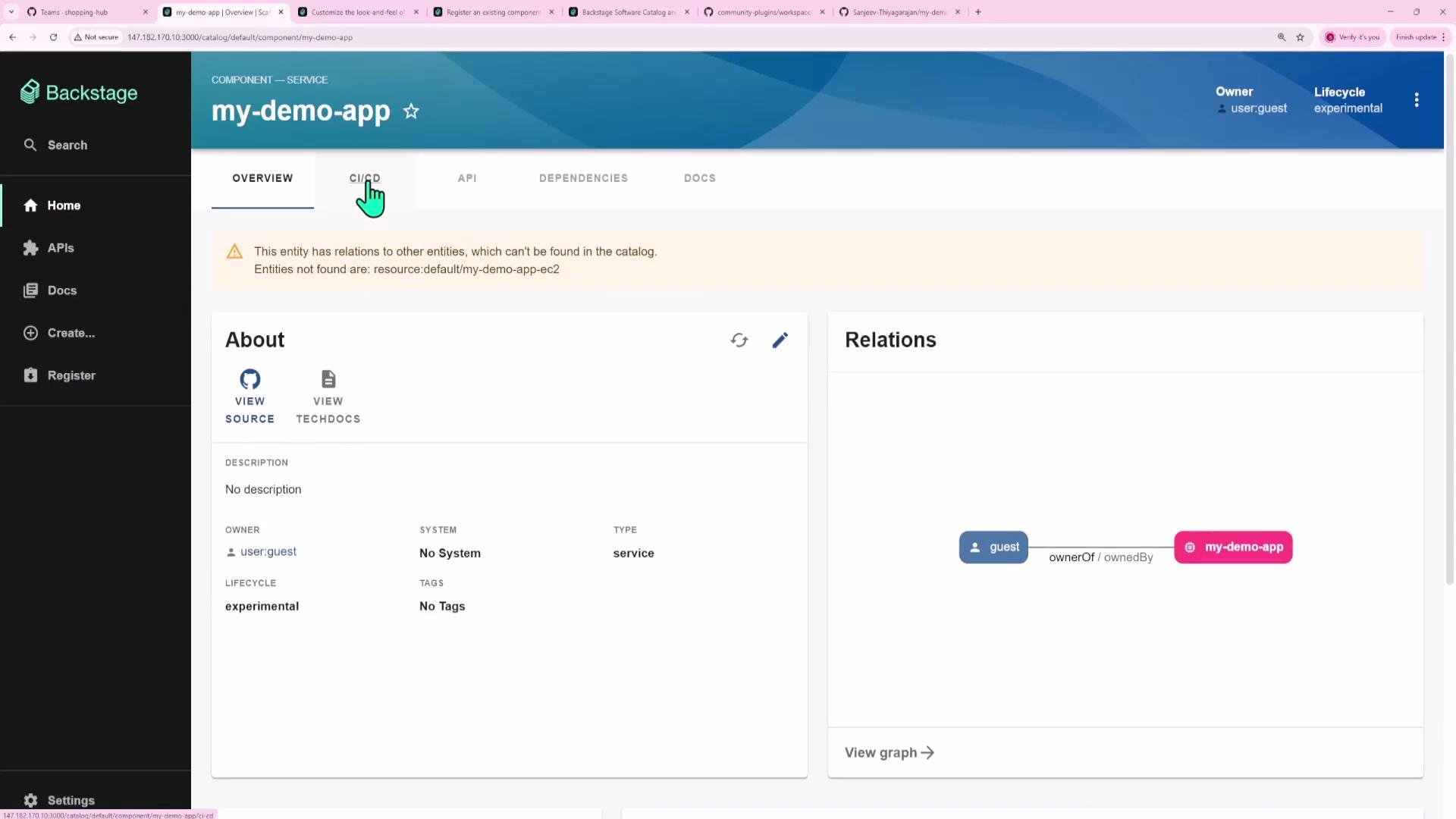
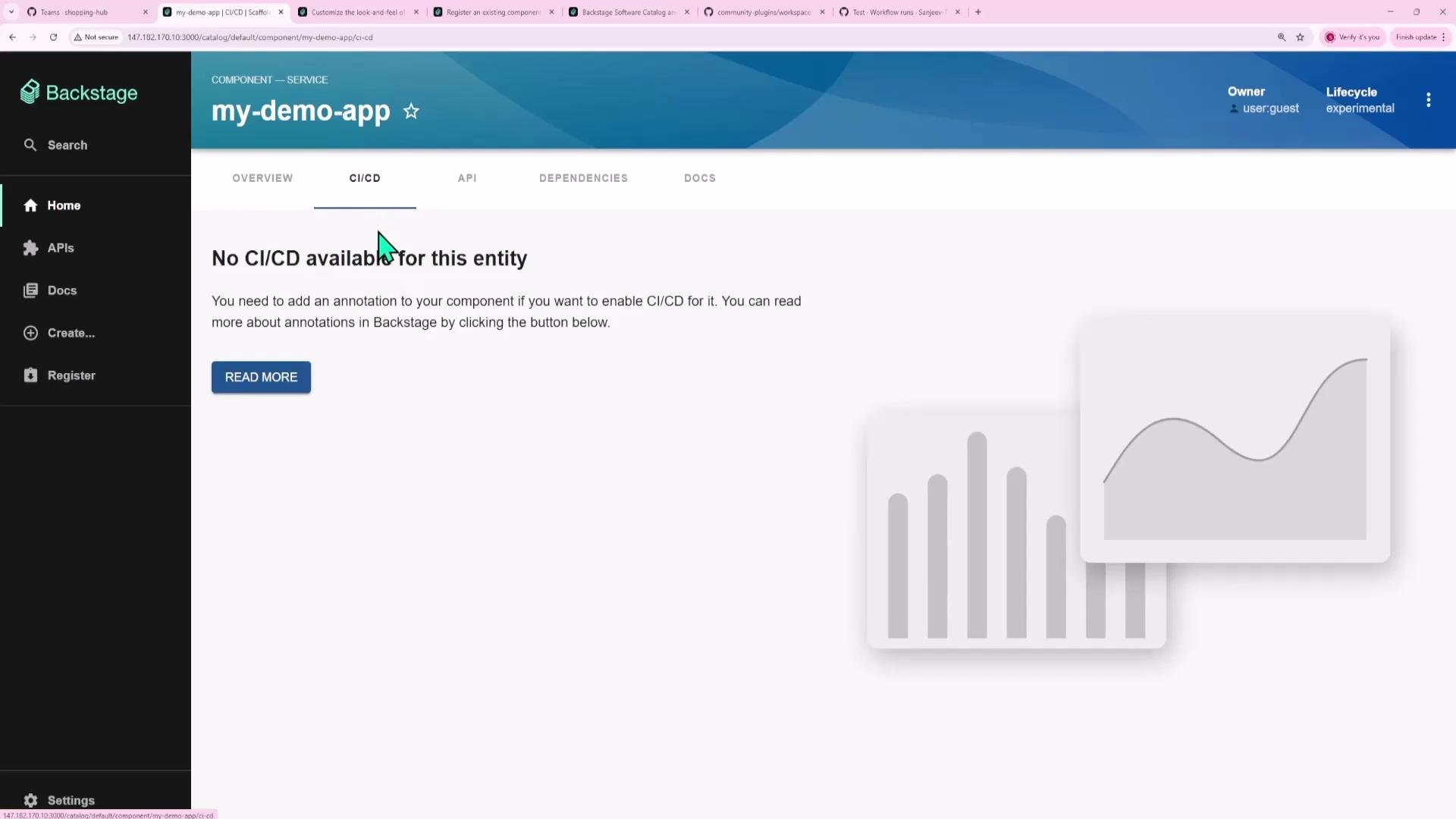
Open your Backstage instance and navigate to the Software Catalog. Select a component (for example, "My Demo app"). Components include the Overview, CI/CD, Kubernetes, and other tabs. The GitHub Actions plugin renders CI/CD details on the CI/CD tab once configured.
## Frontend-only plugins and backend proxies
Many frontend-only community plugins require a backend to handle authentication, hide API tokens, or proxy requests. For example, the Dynatrace plugin is a frontend app that uses a backend proxy to add API tokens server-side so tokens are never exposed in the browser.
Example: adding a Dynatrace tab to an entity (JSX):
```jsx theme={null}
// packages/app/src/components/catalog/EntityPage.tsx (example)
const serviceEntityPage = (
[...]
);
```
Example proxy configuration (YAML) that forwards requests from the frontend to a backend proxy at `/dynatrace`, which adds the `Authorization` header using a backend environment variable:
```yaml theme={null}
proxy:
endpoints:
'/dynatrace':
target: 'https://example.dynatrace.com/api/v2'
headers:
Authorization: 'Api-Token ${DYNATRACE_ACCESS_TOKEN}'
dynatrace:
baseUrl: 'https://example.dynatrace.com'
```
## Installing the GitHub Actions plugin (frontend)
Install the frontend package inside your `packages/app` workspace:
```bash theme={null}
# From your Backstage root directory
yarn --cwd packages/app add @backstage-community/plugin-github-actions
```
This adds `@backstage-community/plugin-github-actions` to `packages/app/package.json` so the frontend can import the plugin components.
Example dependency excerpt from `packages/app/package.json`:
```json theme={null}
"dependencies": {
"@backstage-community/plugin-github-actions": "^0.8.0",
"@backstage/app-defaults": "^1.5.16",
"@backstage/catalog-model": "^1.7.3",
"@backstage/cli": "^0.29.5",
"@backstage/core-app-api": "^1.15.4",
"@backstage/core-components": "^0.16.3",
"@backstage/core-plugin-api": "^1.10.3"
}
```
After installation, the plugin components are available under `@backstage-community/plugin-github-actions`.
## Quick commands and files
| Action | Command / File |
| ----------------------------- | --------------------------------------------------------------------------------------- |
| Install frontend plugin | `yarn --cwd packages/app add @backstage-community/plugin-github-actions` |
| Install backend auth provider | `yarn --cwd packages/backend add @backstage/plugin-auth-backend-module-github-provider` |
| Frontend entity page | `packages/app/src/components/catalog/EntityPage.tsx` |
| Backend entrypoint | `packages/backend/src/index.ts` |
## Back to the UI: the catalog and the entity page
Open your Backstage instance and navigate to the Software Catalog. Select a component (for example, "My Demo app"). Components include the Overview, CI/CD, Kubernetes, and other tabs. The GitHub Actions plugin renders CI/CD details on the CI/CD tab once configured.
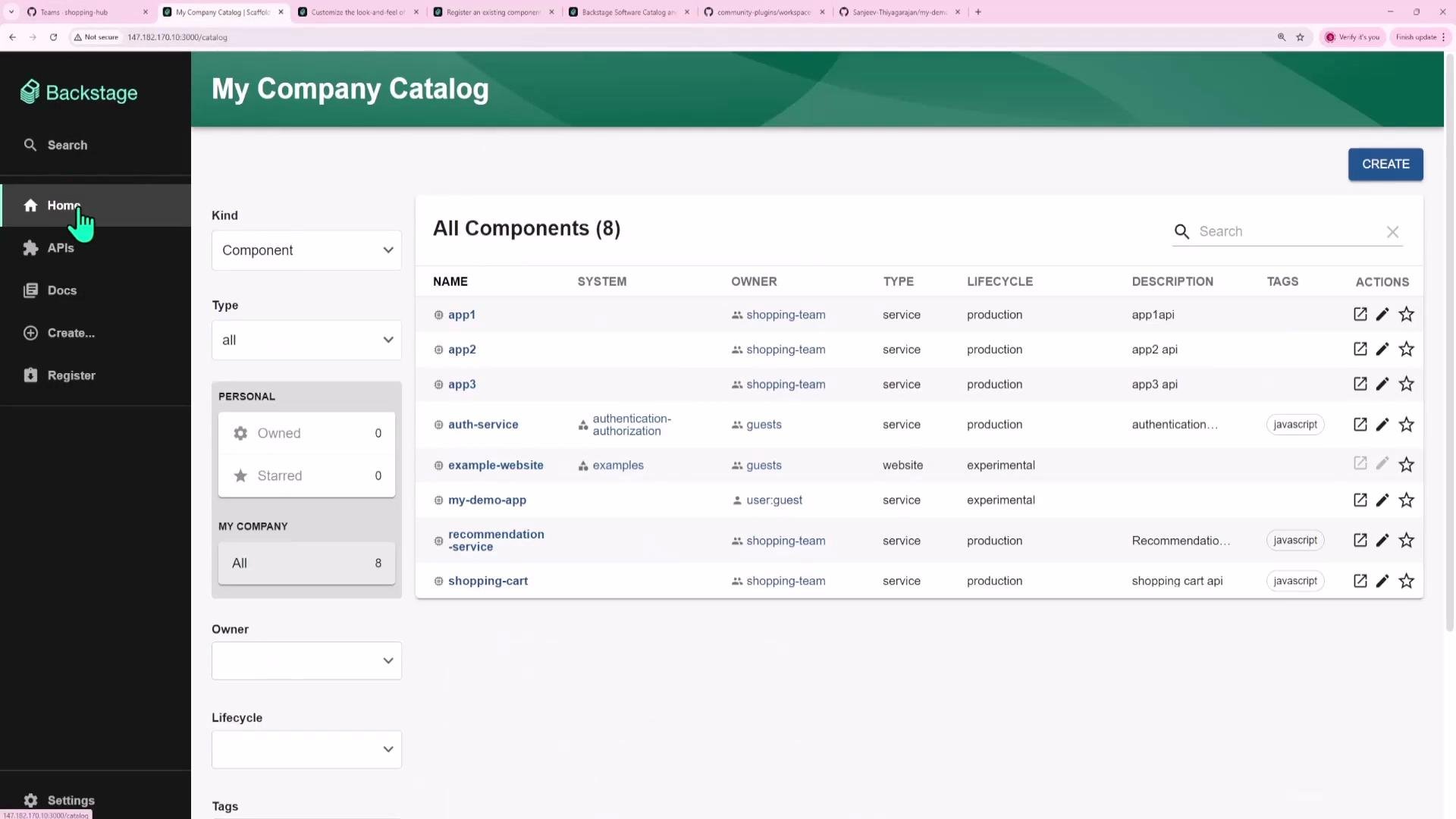 Open the component page and check tabs and relations. This entity page is where you will add the GitHub Actions tab.
 ## What the plugin shows
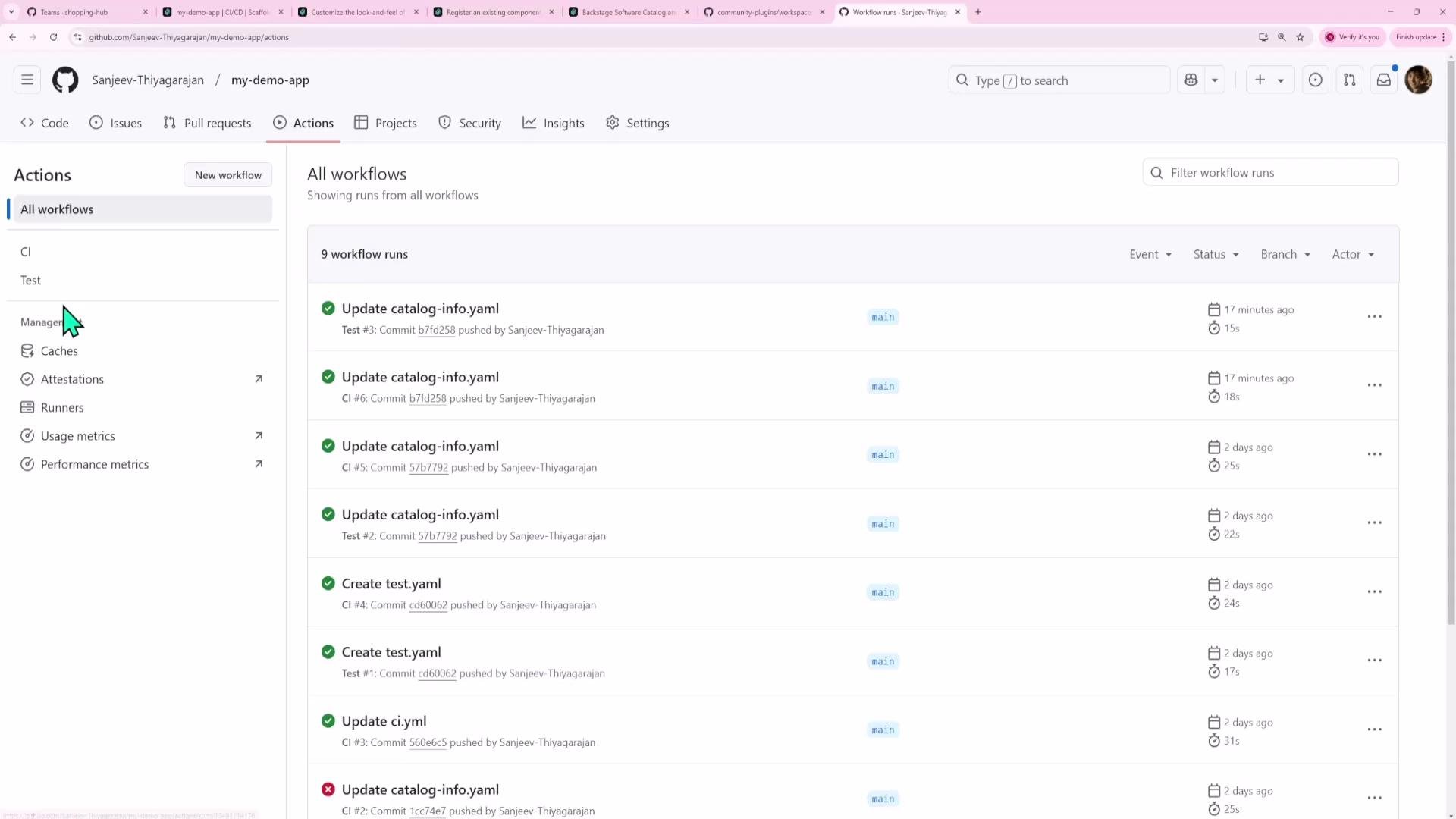
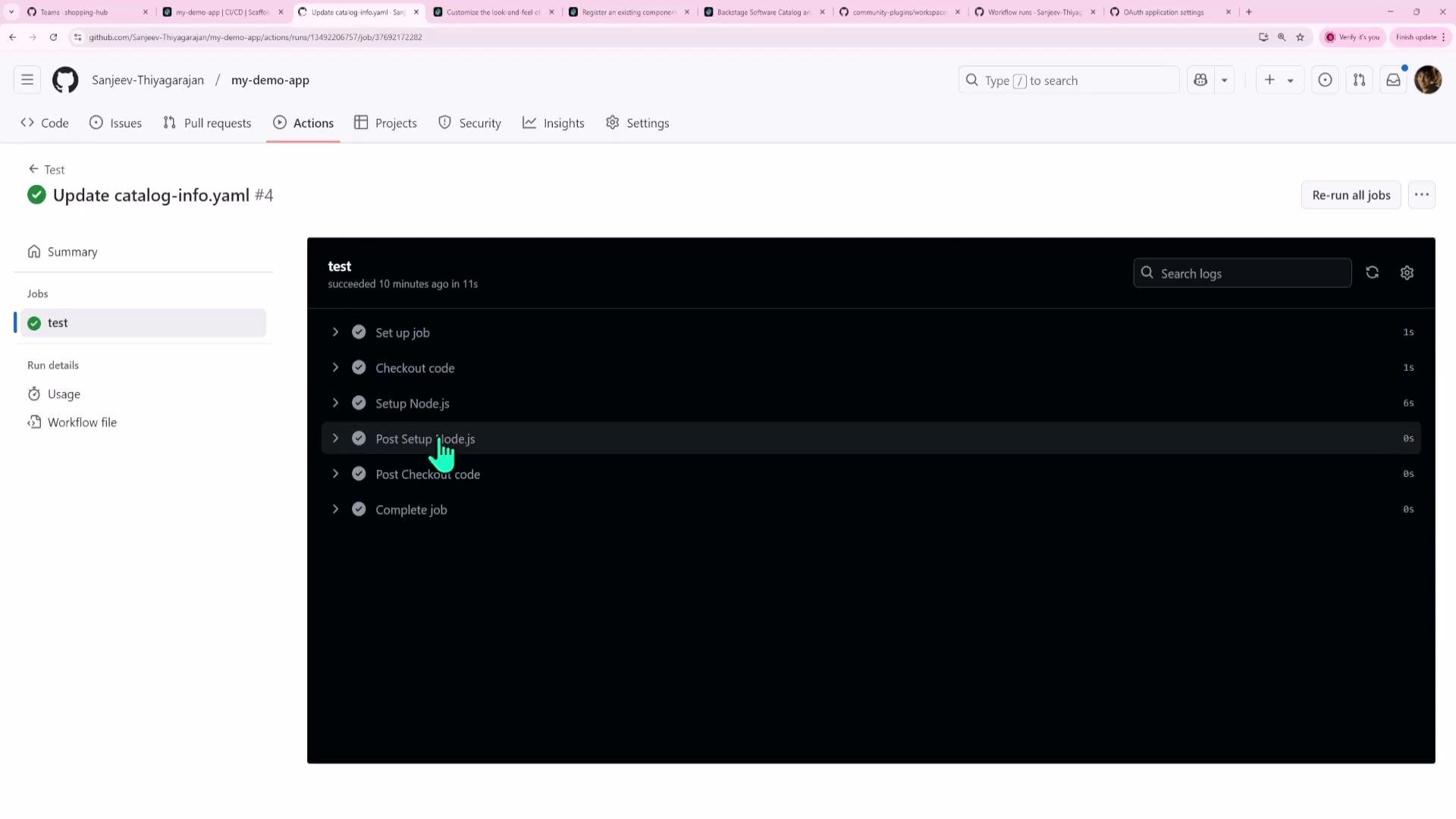
The GitHub Actions plugin queries workflow runs for the repository referenced by the component annotation. It displays recent runs, statuses, commit messages, and links to run details on GitHub—mirroring the information on a repository's Actions page.
## What the plugin shows
The GitHub Actions plugin queries workflow runs for the repository referenced by the component annotation. It displays recent runs, statuses, commit messages, and links to run details on GitHub—mirroring the information on a repository's Actions page.
 If an entity is missing CI/CD annotations, the CI/CD tab will show an empty state prompting you to add the required annotation.
 ## Adding the plugin UI to an entity page
Import the plugin components and add a route to your entity layout. Edit `packages/app/src/components/catalog/EntityPage.tsx` and insert the GitHub Actions route:
```tsx theme={null}
// In packages/app/src/components/catalog/EntityPage.tsx
import {
EntityGithubActionsContent,
isGithubActionsAvailable,
} from '@backstage-community/plugin-github-actions';
// Example: add a GitHub Actions tab to the service entity page
const serviceEntityPage = (
{/* other tabs... */}
);
```
The plugin exports an availability helper (`isGithubActionsAvailable`) to conditionally render the tab only for entities that include the required annotations.
You can also combine multiple CI/CD providers using `EntitySwitch` to show the correct provider or an empty state:
```tsx theme={null}
// packages/app/src/components/catalog/EntityPage.tsx (excerpt)
import { EntitySwitch } from '@backstage/plugin-catalog-react';
import { EntityGithubActionsContent, isGithubActionsAvailable } from '@backstage-community/plugin-github-actions';
const cicdContent = (
);
```
## Handling authentication on the backend
Although the GitHub Actions plugin runs in the frontend, it requires authenticated GitHub API requests. Backstage handles OAuth and tokens on the backend using auth modules such as `@backstage/plugin-auth-backend-module-github-provider`.
Install the GitHub auth provider into your backend workspace:
```bash theme={null}
# From your Backstage root directory
yarn --cwd packages/backend add @backstage/plugin-auth-backend-module-github-provider
```
This will add the module to `packages/backend/package.json` dependencies:
```json theme={null}
"dependencies": {
"@backstage/plugin-auth-backend": "^0.24.2",
"@backstage/plugin-auth-backend-module-github-provider": "^0.3.0",
"@backstage/plugin-auth-backend-module-guest-provider": "^0.2.4"
}
```
Register the provider in your backend entrypoint (`packages/backend/src/index.ts`) by adding it to the backend registry:
```ts theme={null}
// packages/backend/src/index.ts (excerpt)
import { createBackend } from '@backstage/backend-defaults';
const backend = createBackend();
backend.add(import('@backstage/plugin-app-backend'));
backend.add(import('@backstage/plugin-proxy-backend'));
backend.add(import('@backstage/plugin-scaffolder-backend'));
// ...
backend.add(import('@backstage/plugin-auth-backend'));
backend.add(import('@backstage/plugin-auth-backend-module-github-provider'));
// other backend plugins...
backend.start();
```
After installing a backend package, you must both add it to `packages/backend/package.json` and register it in the backend `index.ts` with `backend.add(...)`, then restart your backend.
## Configuring GitHub OAuth and Backstage auth
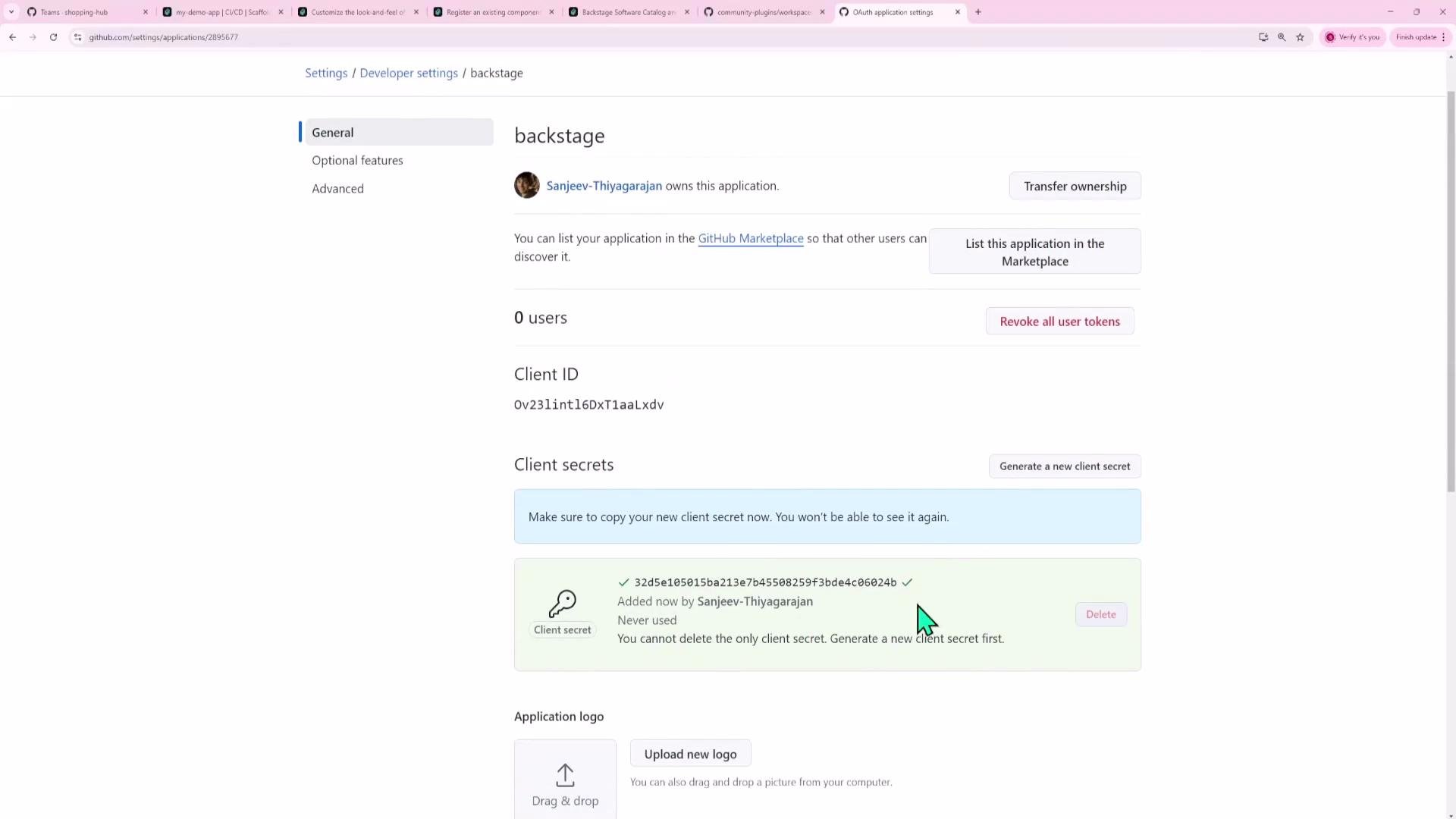
Create a GitHub OAuth App under GitHub → Settings → Developer settings → OAuth Apps. Set the callback URL to Backstage’s OAuth handler, for local development:
`http://localhost:7007/api/auth/github/handler/frame`
Add the client ID and client secret to your Backstage configuration. For development you can add them to `app-config.yaml`; for production use environment variables or a secrets store.
Example `auth` section in `app-config.yaml`:
```yaml theme={null}
auth:
providers:
github:
development:
clientId: ${AUTH_GITHUB_CLIENT_ID}
clientSecret: ${AUTH_GITHUB_CLIENT_SECRET}
guest: {}
```
After creating the OAuth app GitHub presents a client ID and lets you generate a client secret. Store these securely.
Do not commit OAuth client secrets to your repository. Use environment variables or a secrets manager (`AUTH_GITHUB_CLIENT_ID`, `AUTH_GITHUB_CLIENT_SECRET`) for production deployments.
## Adding the plugin UI to an entity page
Import the plugin components and add a route to your entity layout. Edit `packages/app/src/components/catalog/EntityPage.tsx` and insert the GitHub Actions route:
```tsx theme={null}
// In packages/app/src/components/catalog/EntityPage.tsx
import {
EntityGithubActionsContent,
isGithubActionsAvailable,
} from '@backstage-community/plugin-github-actions';
// Example: add a GitHub Actions tab to the service entity page
const serviceEntityPage = (
{/* other tabs... */}
);
```
The plugin exports an availability helper (`isGithubActionsAvailable`) to conditionally render the tab only for entities that include the required annotations.
You can also combine multiple CI/CD providers using `EntitySwitch` to show the correct provider or an empty state:
```tsx theme={null}
// packages/app/src/components/catalog/EntityPage.tsx (excerpt)
import { EntitySwitch } from '@backstage/plugin-catalog-react';
import { EntityGithubActionsContent, isGithubActionsAvailable } from '@backstage-community/plugin-github-actions';
const cicdContent = (
);
```
## Handling authentication on the backend
Although the GitHub Actions plugin runs in the frontend, it requires authenticated GitHub API requests. Backstage handles OAuth and tokens on the backend using auth modules such as `@backstage/plugin-auth-backend-module-github-provider`.
Install the GitHub auth provider into your backend workspace:
```bash theme={null}
# From your Backstage root directory
yarn --cwd packages/backend add @backstage/plugin-auth-backend-module-github-provider
```
This will add the module to `packages/backend/package.json` dependencies:
```json theme={null}
"dependencies": {
"@backstage/plugin-auth-backend": "^0.24.2",
"@backstage/plugin-auth-backend-module-github-provider": "^0.3.0",
"@backstage/plugin-auth-backend-module-guest-provider": "^0.2.4"
}
```
Register the provider in your backend entrypoint (`packages/backend/src/index.ts`) by adding it to the backend registry:
```ts theme={null}
// packages/backend/src/index.ts (excerpt)
import { createBackend } from '@backstage/backend-defaults';
const backend = createBackend();
backend.add(import('@backstage/plugin-app-backend'));
backend.add(import('@backstage/plugin-proxy-backend'));
backend.add(import('@backstage/plugin-scaffolder-backend'));
// ...
backend.add(import('@backstage/plugin-auth-backend'));
backend.add(import('@backstage/plugin-auth-backend-module-github-provider'));
// other backend plugins...
backend.start();
```
After installing a backend package, you must both add it to `packages/backend/package.json` and register it in the backend `index.ts` with `backend.add(...)`, then restart your backend.
## Configuring GitHub OAuth and Backstage auth
Create a GitHub OAuth App under GitHub → Settings → Developer settings → OAuth Apps. Set the callback URL to Backstage’s OAuth handler, for local development:
`http://localhost:7007/api/auth/github/handler/frame`
Add the client ID and client secret to your Backstage configuration. For development you can add them to `app-config.yaml`; for production use environment variables or a secrets store.
Example `auth` section in `app-config.yaml`:
```yaml theme={null}
auth:
providers:
github:
development:
clientId: ${AUTH_GITHUB_CLIENT_ID}
clientSecret: ${AUTH_GITHUB_CLIENT_SECRET}
guest: {}
```
After creating the OAuth app GitHub presents a client ID and lets you generate a client secret. Store these securely.
Do not commit OAuth client secrets to your repository. Use environment variables or a secrets manager (`AUTH_GITHUB_CLIENT_ID`, `AUTH_GITHUB_CLIENT_SECRET`) for production deployments.
 ## Annotate your component with the repository project slug
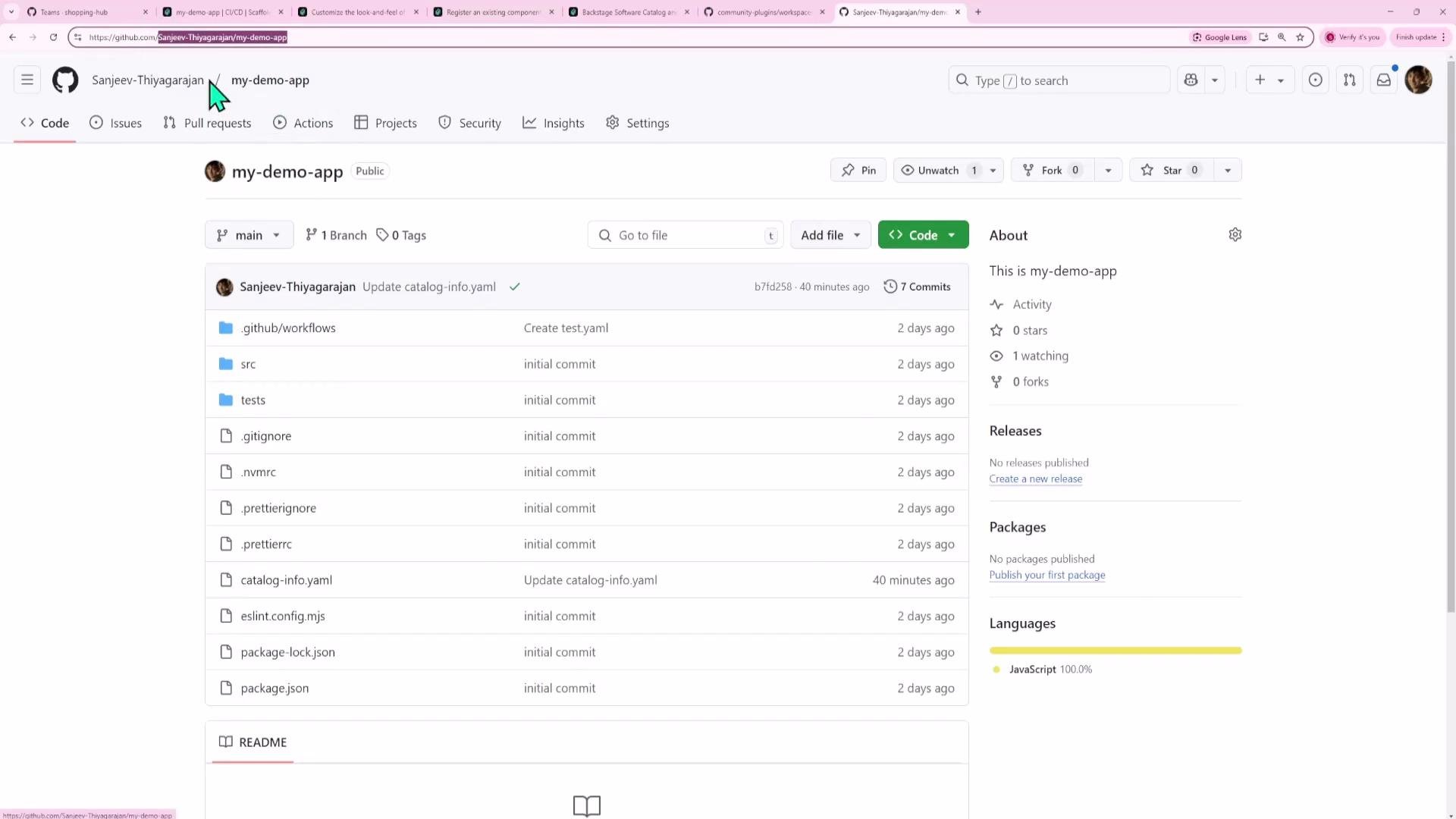
To map a Backstage component to a GitHub repository, add the `github.com/project-slug` annotation to the component's `catalog-info.yaml`. The slug is typically `owner/repo` (for example, `backstage/backstage`).
Example `catalog-info.yaml` excerpt:
```yaml theme={null}
apiVersion: backstage.io/v1alpha1
kind: Component
metadata:
name: backstage
description: backstage.io
annotations:
github.com/project-slug: 'backstage/backstage'
spec:
type: website
lifecycle: production
owner: user:guest
```
Commit and push the updated `catalog-info.yaml`. Backstage will refresh the entity and, if correctly configured, the GitHub Actions tab will appear and show workflow runs for the annotated repository.
You can find the repository slug on the GitHub repo page.
## Annotate your component with the repository project slug
To map a Backstage component to a GitHub repository, add the `github.com/project-slug` annotation to the component's `catalog-info.yaml`. The slug is typically `owner/repo` (for example, `backstage/backstage`).
Example `catalog-info.yaml` excerpt:
```yaml theme={null}
apiVersion: backstage.io/v1alpha1
kind: Component
metadata:
name: backstage
description: backstage.io
annotations:
github.com/project-slug: 'backstage/backstage'
spec:
type: website
lifecycle: production
owner: user:guest
```
Commit and push the updated `catalog-info.yaml`. Backstage will refresh the entity and, if correctly configured, the GitHub Actions tab will appear and show workflow runs for the annotated repository.
You can find the repository slug on the GitHub repo page.
 ## Using the plugin in Backstage
When you visit the component's CI/CD tab, the plugin will trigger an authentication prompt handled by the backend provider. After authorizing with GitHub, the plugin will list workflow runs and provide links to the GitHub run detail pages and step logs. The experience mirrors what you get in GitHub Actions but embedded inside Backstage.
## Using the plugin in Backstage
When you visit the component's CI/CD tab, the plugin will trigger an authentication prompt handled by the backend provider. After authorizing with GitHub, the plugin will list workflow runs and provide links to the GitHub run detail pages and step logs. The experience mirrors what you get in GitHub Actions but embedded inside Backstage.
 ## Key takeaways
* Community plugins may be frontend-only or include backend parts. The repository structure clarifies which is which.
* Frontend plugins are installed into `packages/app`; backend plugins and auth modules go in `packages/backend`.
* Example: `yarn --cwd packages/app add @backstage-community/plugin-github-actions`
* Example: `yarn --cwd packages/backend add @backstage/plugin-auth-backend-module-github-provider`
* Backend modules must be registered with `backend.add(import('...'))` in `packages/backend/src/index.ts` and require a backend restart.
* Many frontend plugins rely on backend auth modules or proxies to keep API tokens secret.
* Annotate components with `github.com/project-slug: 'owner/repo'` to enable CI/CD data for that entity.
Plugins can render in multiple ways:
* A full-page plugin (own route)
* A tab inside an entity page (like CI/CD)
* A small card or block on an entity page
Explore the community plugins repository and each plugin’s README for provider-specific setup instructions.
## Key takeaways
* Community plugins may be frontend-only or include backend parts. The repository structure clarifies which is which.
* Frontend plugins are installed into `packages/app`; backend plugins and auth modules go in `packages/backend`.
* Example: `yarn --cwd packages/app add @backstage-community/plugin-github-actions`
* Example: `yarn --cwd packages/backend add @backstage/plugin-auth-backend-module-github-provider`
* Backend modules must be registered with `backend.add(import('...'))` in `packages/backend/src/index.ts` and require a backend restart.
* Many frontend plugins rely on backend auth modules or proxies to keep API tokens secret.
* Annotate components with `github.com/project-slug: 'owner/repo'` to enable CI/CD data for that entity.
Plugins can render in multiple ways:
* A full-page plugin (own route)
* A tab inside an entity page (like CI/CD)
* A small card or block on an entity page
Explore the community plugins repository and each plugin’s README for provider-specific setup instructions.
 ## Links and references
* Backstage plugins: [https://backstage.io/plugins](https://backstage.io/plugins)
* Backstage community plugins repository: [https://github.com/backstage/backstage/tree/master/plugins](https://github.com/backstage/backstage/tree/master/plugins)
* Backstage authentication docs: [https://backstage.io/docs/auth](https://backstage.io/docs/auth)
* GitHub OAuth apps: [https://github.com/settings/developers](https://github.com/settings/developers)
For further customization, consult the specific community plugin README and Backstage developer documentation.
## Links and references
* Backstage plugins: [https://backstage.io/plugins](https://backstage.io/plugins)
* Backstage community plugins repository: [https://github.com/backstage/backstage/tree/master/plugins](https://github.com/backstage/backstage/tree/master/plugins)
* Backstage authentication docs: [https://backstage.io/docs/auth](https://backstage.io/docs/auth)
* GitHub OAuth apps: [https://github.com/settings/developers](https://github.com/settings/developers)
For further customization, consult the specific community plugin README and Backstage developer documentation.