> ## Documentation Index
> Fetch the complete documentation index at: https://notes.kodekloud.com/llms.txt
> Use this file to discover all available pages before exploring further.
# Plugins
> Overview of Backstage plugins, their architecture, monorepo layout, plugin types and frontend presentation patterns for extending and integrating the Backstage platform
In this lesson we’ll cover Backstage plugins: what they are, how they’re organized, and common design patterns for implementing and presenting them.
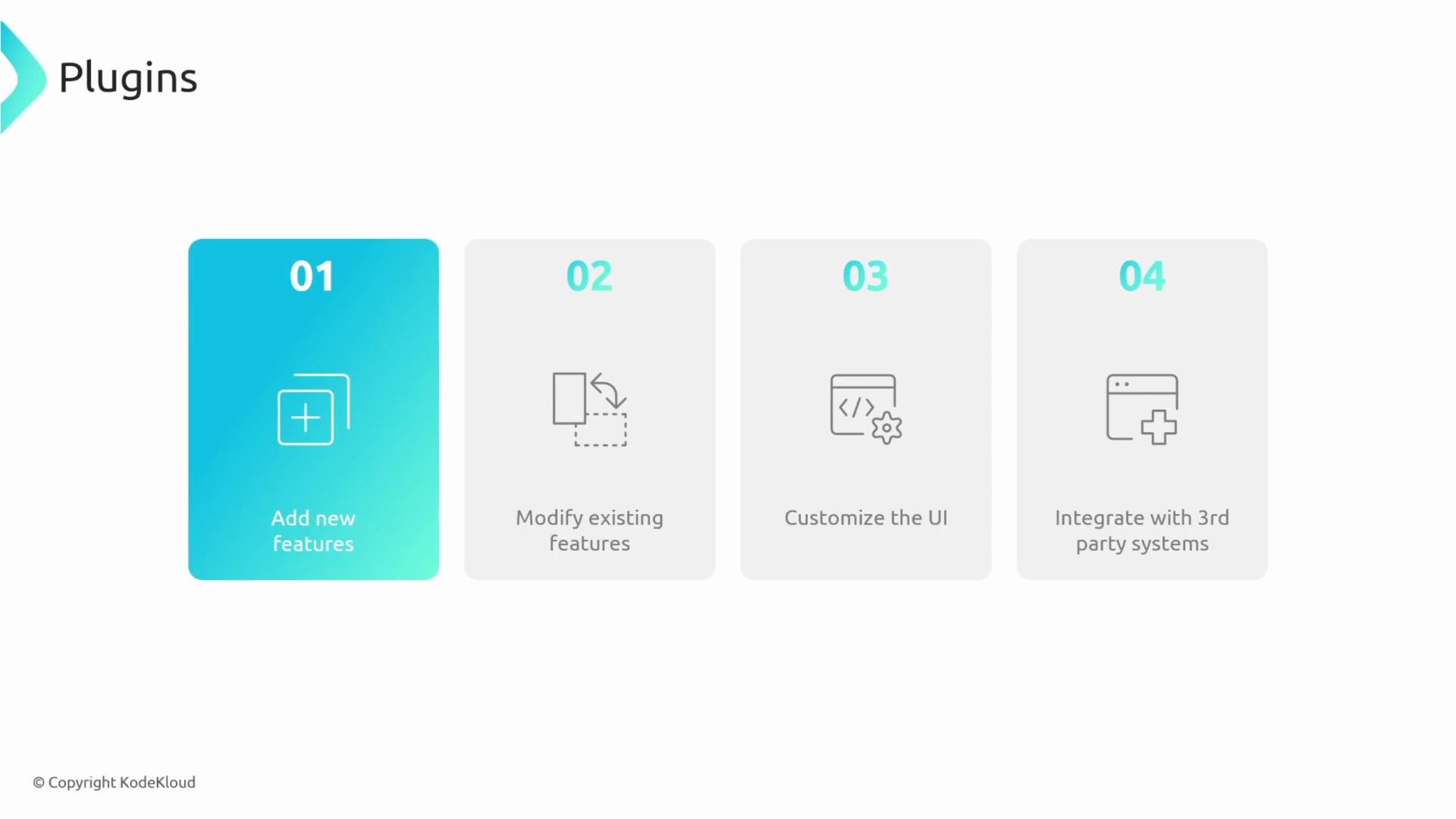
Plugins enable you to:
* Add new features to Backstage
* Modify or extend existing features
* Customize the UI
* Integrate with third‑party systems
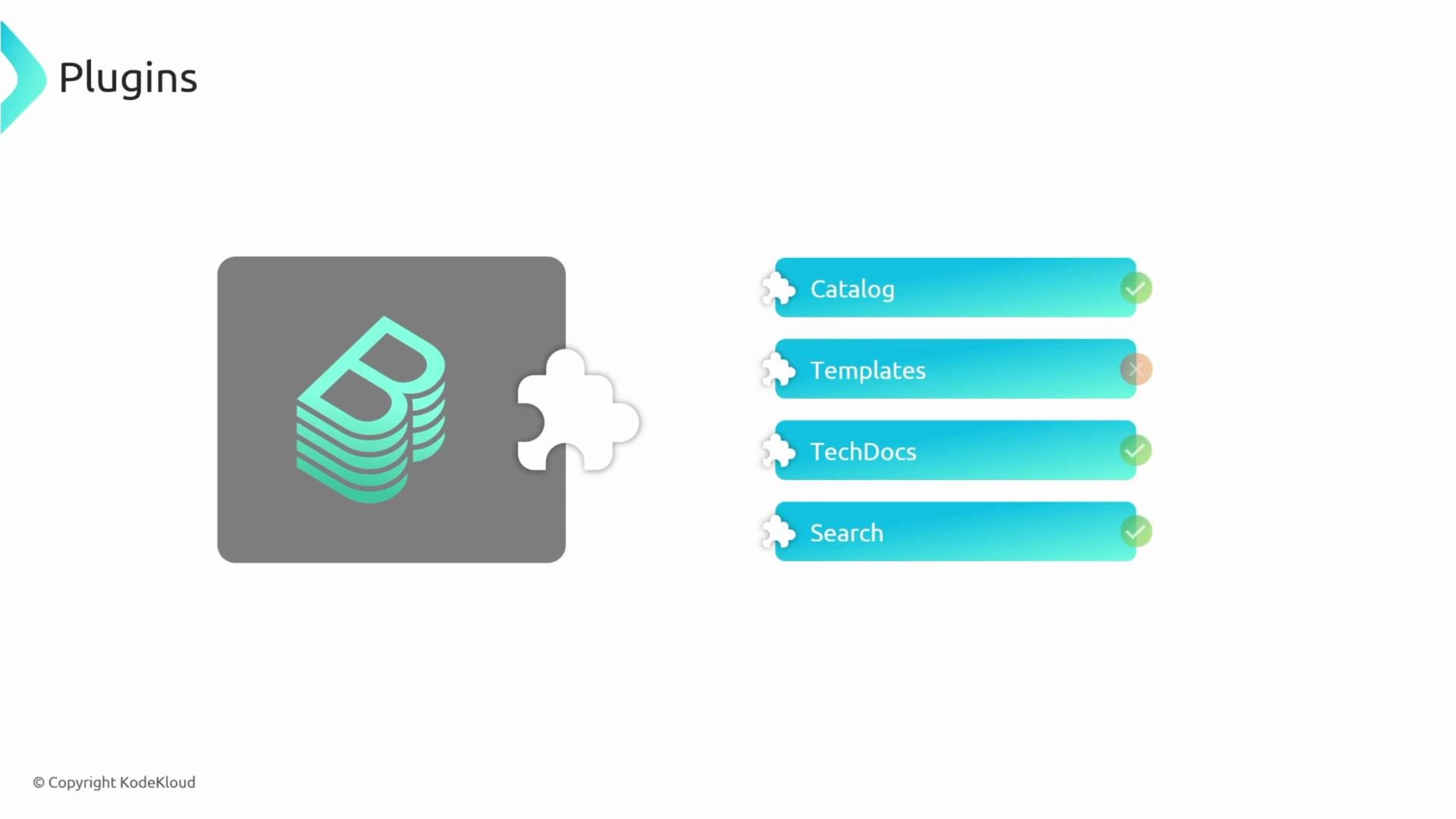
 Backstage is intentionally extensible: many core capabilities (Catalog, Software Templates, TechDocs, Search, etc.) are implemented as plugins. In practice, Backstage composes many independent plugin packages together to form the full platform.
## Architecture refresher
Backstage follows a classic web architecture: a frontend (React) and a backend (Node.js). Plugins may include both frontend and backend components. For example, the Catalog feature typically has a `catalog` frontend plugin and a corresponding backend plugin that handles data retrieval and APIs.
Typical request flow:
1. The user interacts with the frontend (clicks or navigates).
2. The frontend sends a request to a backend plugin endpoint.
3. The backend plugin queries a database or external service.
4. The backend returns data to the frontend, which renders it.
Because each plugin is designed to operate independently, a plugin can function like a small, standalone website (with its own frontend routes and optional backend). This isolation improves resilience: one failing plugin is less likely to take down the entire Backstage instance.
Backstage is intentionally extensible: many core capabilities (Catalog, Software Templates, TechDocs, Search, etc.) are implemented as plugins. In practice, Backstage composes many independent plugin packages together to form the full platform.
## Architecture refresher
Backstage follows a classic web architecture: a frontend (React) and a backend (Node.js). Plugins may include both frontend and backend components. For example, the Catalog feature typically has a `catalog` frontend plugin and a corresponding backend plugin that handles data retrieval and APIs.
Typical request flow:
1. The user interacts with the frontend (clicks or navigates).
2. The frontend sends a request to a backend plugin endpoint.
3. The backend plugin queries a database or external service.
4. The backend returns data to the frontend, which renders it.
Because each plugin is designed to operate independently, a plugin can function like a small, standalone website (with its own frontend routes and optional backend). This isolation improves resilience: one failing plugin is less likely to take down the entire Backstage instance.
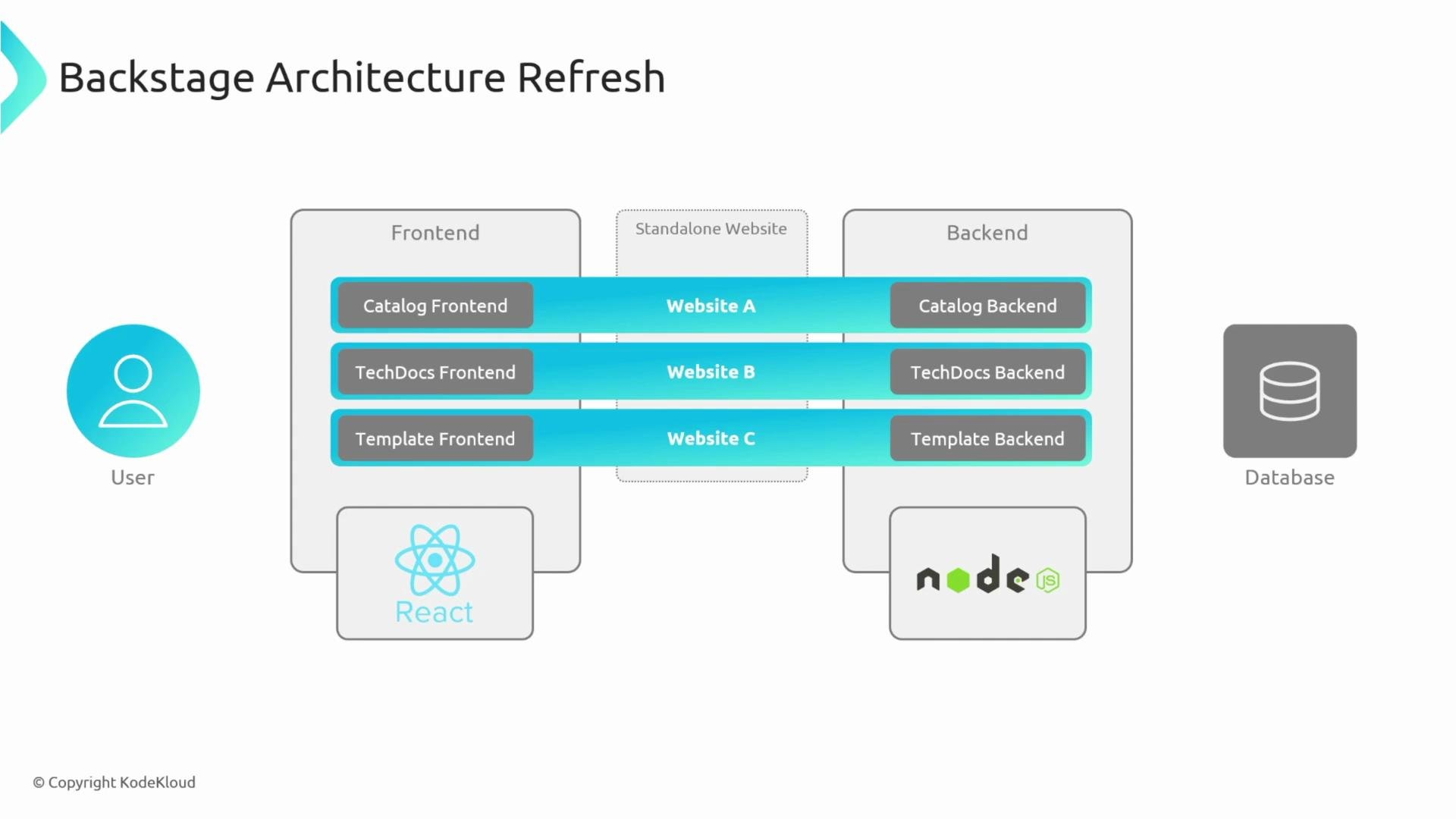 Note: The Backstage server is essentially a thin wrapper around backend plugins, and the frontend app is a thin wrapper around frontend plugins. The platform stitches those plugin “websites” together into a single cohesive product.
Each plugin is a separate package that can be developed, tested, and deployed in isolation. This improves developer productivity and runtime resilience.
## Monorepo layout
A common Backstage repo structure places each plugin in its own directory under `plugins/`, and core application code under `packages/`. Example layout:
```text theme={null}
.
├── README.md
├── app-config.local.yaml
├── app-config.production.yaml
├── app-config.yaml
├── backstage.json
├── catalog-info.yaml
├── package.json
├── packages
│ ├── app
│ └── backend
├── playwright.config.ts
├── plugins
│ ├── plugin1
│ └── plugin2
├── tsconfig.json
└── yarn.lock
```
Workspaces are usually configured to include both packages and plugins:
```json theme={null}
{
"workspaces": [
"packages/*",
"plugins/*"
]
}
```
Each plugin directory generally contains its own `package.json` and can be treated like an independent npm package. You can publish or share plugins via npm, and you can run or debug a single plugin without launching the entire Backstage app.
Note: The Backstage server is essentially a thin wrapper around backend plugins, and the frontend app is a thin wrapper around frontend plugins. The platform stitches those plugin “websites” together into a single cohesive product.
Each plugin is a separate package that can be developed, tested, and deployed in isolation. This improves developer productivity and runtime resilience.
## Monorepo layout
A common Backstage repo structure places each plugin in its own directory under `plugins/`, and core application code under `packages/`. Example layout:
```text theme={null}
.
├── README.md
├── app-config.local.yaml
├── app-config.production.yaml
├── app-config.yaml
├── backstage.json
├── catalog-info.yaml
├── package.json
├── packages
│ ├── app
│ └── backend
├── playwright.config.ts
├── plugins
│ ├── plugin1
│ └── plugin2
├── tsconfig.json
└── yarn.lock
```
Workspaces are usually configured to include both packages and plugins:
```json theme={null}
{
"workspaces": [
"packages/*",
"plugins/*"
]
}
```
Each plugin directory generally contains its own `package.json` and can be treated like an independent npm package. You can publish or share plugins via npm, and you can run or debug a single plugin without launching the entire Backstage app.
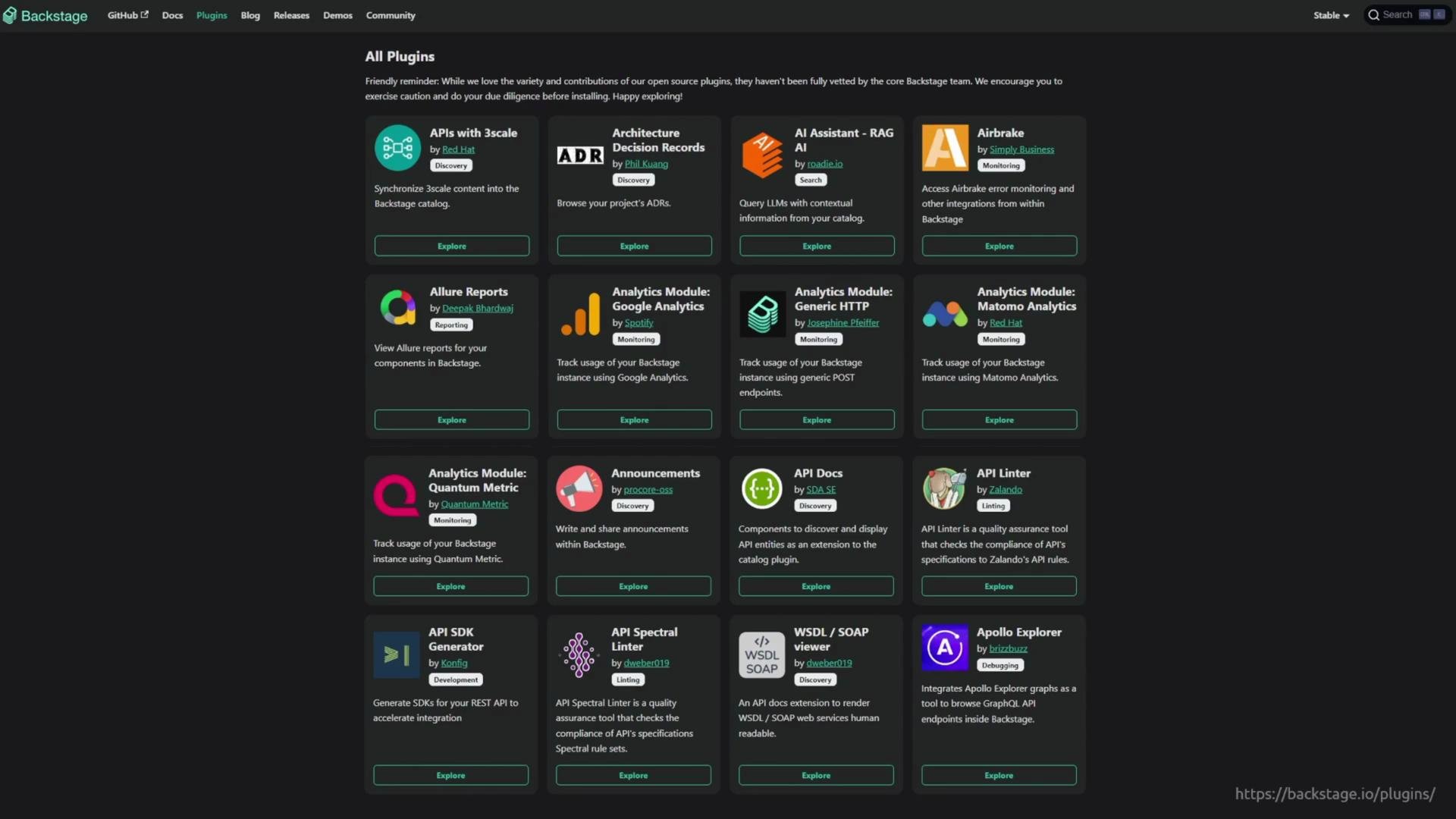
 Backstage has a large ecosystem of community and official plugins. Before building your own plugin, search the official plugin directory to see if an existing solution meets your needs: [Backstage plugins directory](https://backstage.io/plugins).
 ## Plugin architecture types
When designing plugins it helps to think in patterns. The three common plugin architecture types are:
| Type | When to use | Key characteristics |
| -------------------------- | ---------------------------------------------------------- | -------------------------------------------------------------------------------- |
| Standalone | When UI is static or only needs browser-side logic | Pure frontend React component, no backend calls |
| Service-backed | When you control backend logic or need internal APIs | Frontend talks to a backend plugin which interacts with DBs or internal services |
| Third‑party-backed (proxy) | When integrating with external SaaS/APIs you don’t control | Frontend -> backend proxy -> external API (useful for auth, CORS, caching) |
### Standalone plugin
A standalone plugin runs entirely in the browser. It is typically a React component that renders static or client-side data and does not require a backend plugin or external service calls.
## Plugin architecture types
When designing plugins it helps to think in patterns. The three common plugin architecture types are:
| Type | When to use | Key characteristics |
| -------------------------- | ---------------------------------------------------------- | -------------------------------------------------------------------------------- |
| Standalone | When UI is static or only needs browser-side logic | Pure frontend React component, no backend calls |
| Service-backed | When you control backend logic or need internal APIs | Frontend talks to a backend plugin which interacts with DBs or internal services |
| Third‑party-backed (proxy) | When integrating with external SaaS/APIs you don’t control | Frontend -> backend proxy -> external API (useful for auth, CORS, caching) |
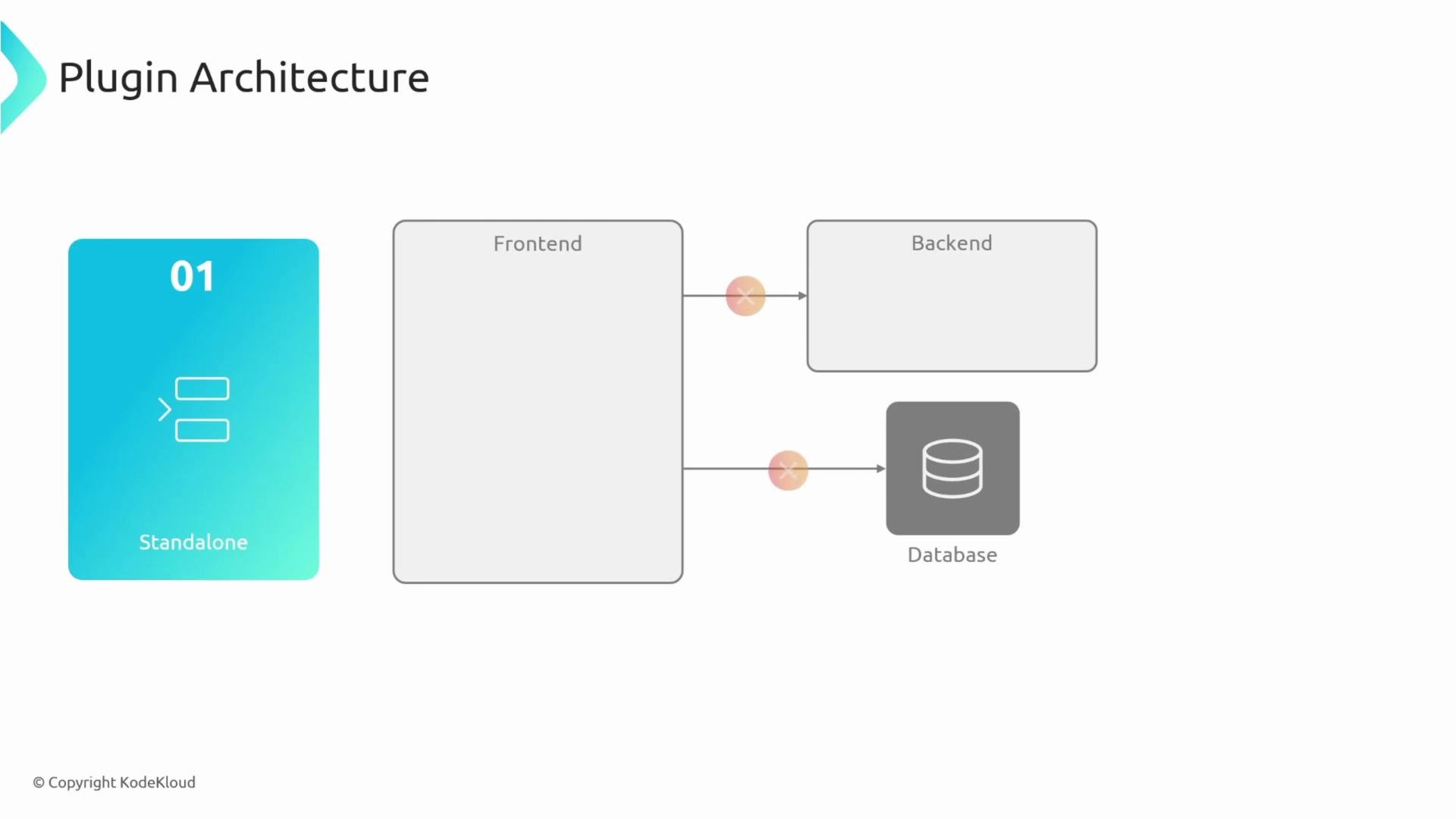
### Standalone plugin
A standalone plugin runs entirely in the browser. It is typically a React component that renders static or client-side data and does not require a backend plugin or external service calls.
 ### Service-backed plugin
Service-backed plugins are appropriate when you control the backend service or need to aggregate and process internal data. The frontend plugin calls a backend plugin; the backend then communicates with databases, caches, or internal services.
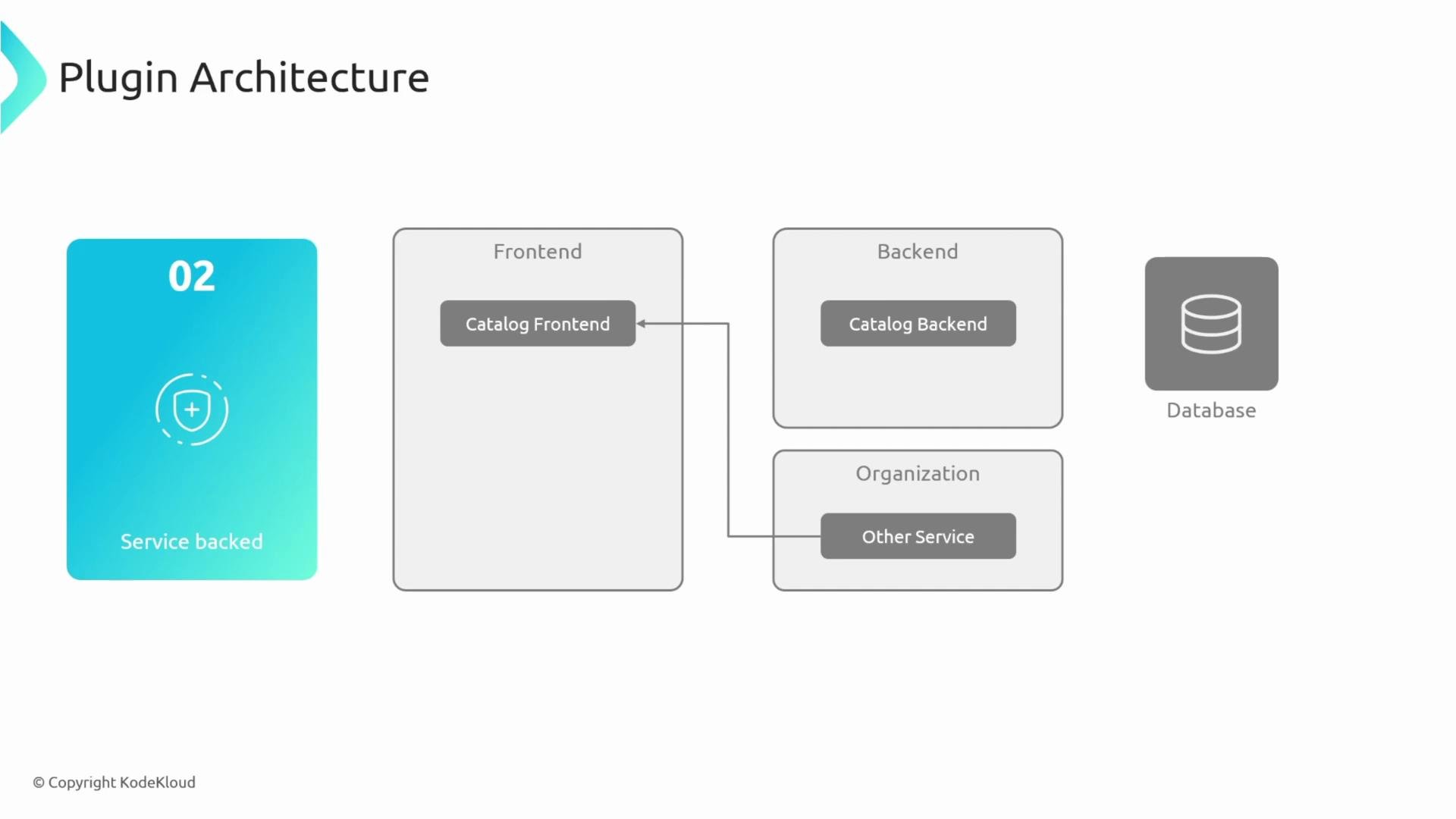
### Service-backed plugin
Service-backed plugins are appropriate when you control the backend service or need to aggregate and process internal data. The frontend plugin calls a backend plugin; the backend then communicates with databases, caches, or internal services.
 ### Third‑party‑backed (proxy) plugin
Use a third‑party‑backed pattern when you must interact with external services you do not control (e.g., GitHub, GitHub Actions, external SaaS APIs). In this pattern the frontend calls a backend proxy, which forwards requests to the external API.
Common reasons to add a backend proxy:
* Avoid CORS issues by making server-to-server requests
* Keep credentials and tokens on the backend (do not expose long-lived tokens in the browser)
* Apply authorization, caching, rate limiting, or request shaping before contacting the external API
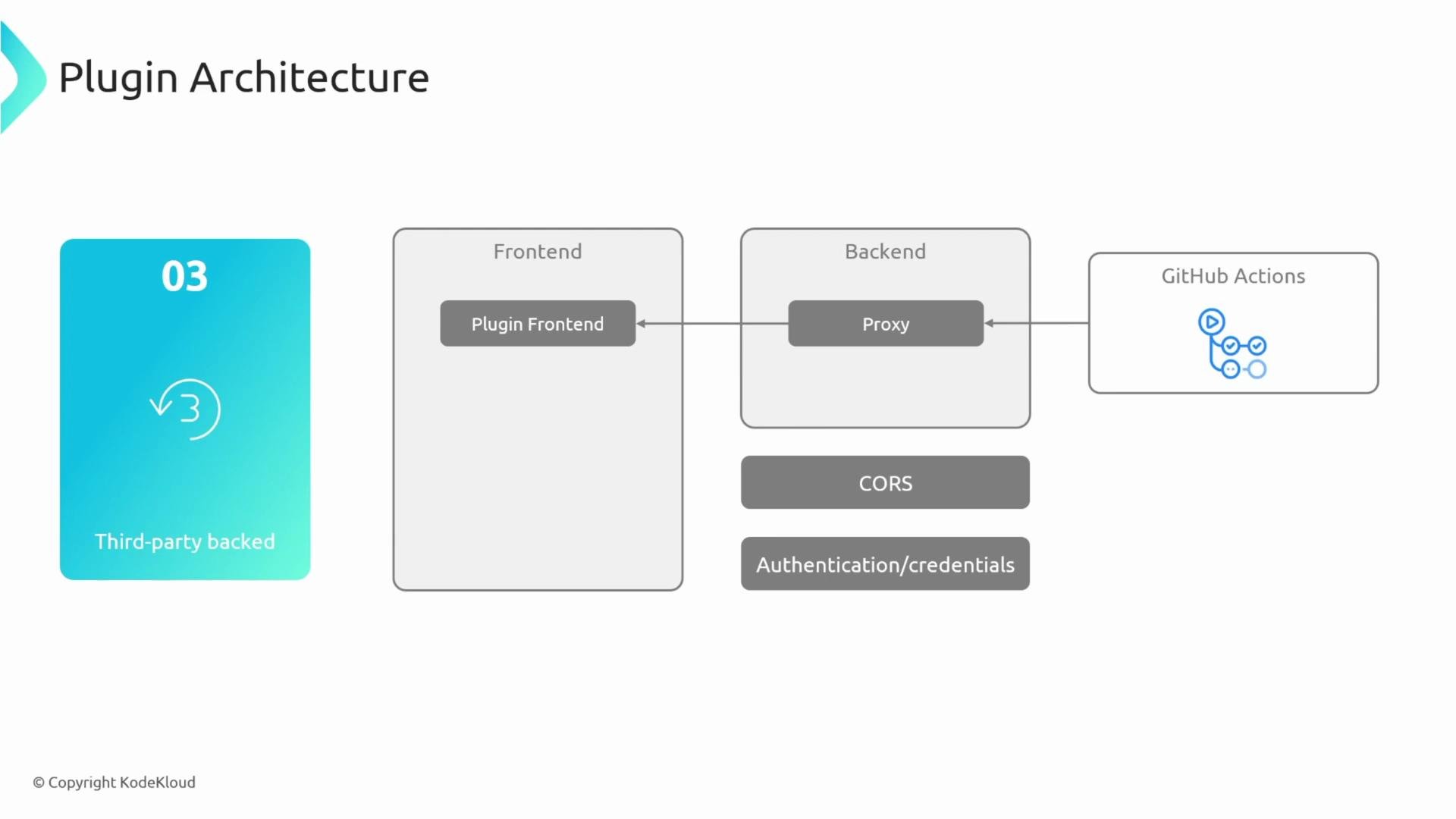
### Third‑party‑backed (proxy) plugin
Use a third‑party‑backed pattern when you must interact with external services you do not control (e.g., GitHub, GitHub Actions, external SaaS APIs). In this pattern the frontend calls a backend proxy, which forwards requests to the external API.
Common reasons to add a backend proxy:
* Avoid CORS issues by making server-to-server requests
* Keep credentials and tokens on the backend (do not expose long-lived tokens in the browser)
* Apply authorization, caching, rate limiting, or request shaping before contacting the external API
 Never store long‑lived API keys or credentials in frontend code. Use a backend proxy to keep secrets secure and to perform authorization checks server‑side.
## Frontend presentation patterns
Frontend plugins can be presented in multiple ways within Backstage. Common presentation patterns:
| Presentation | Description | Example use |
| ---------------- | ------------------------------------------------------------------------------ | ------------------------------------------------ |
| Full‑page plugin | Plugin registers its own route and renders an entire page (e.g., `/my-plugin`) | Dashboards, listings, admin pages |
| Catalog plugin | Renders cards or sections inside catalog entity pages | Adding entity-specific details to About or Links |
| Tab plugin | Renders as a tab on an entity page | CI/CD, Metrics, Logs tabs |
Never store long‑lived API keys or credentials in frontend code. Use a backend proxy to keep secrets secure and to perform authorization checks server‑side.
## Frontend presentation patterns
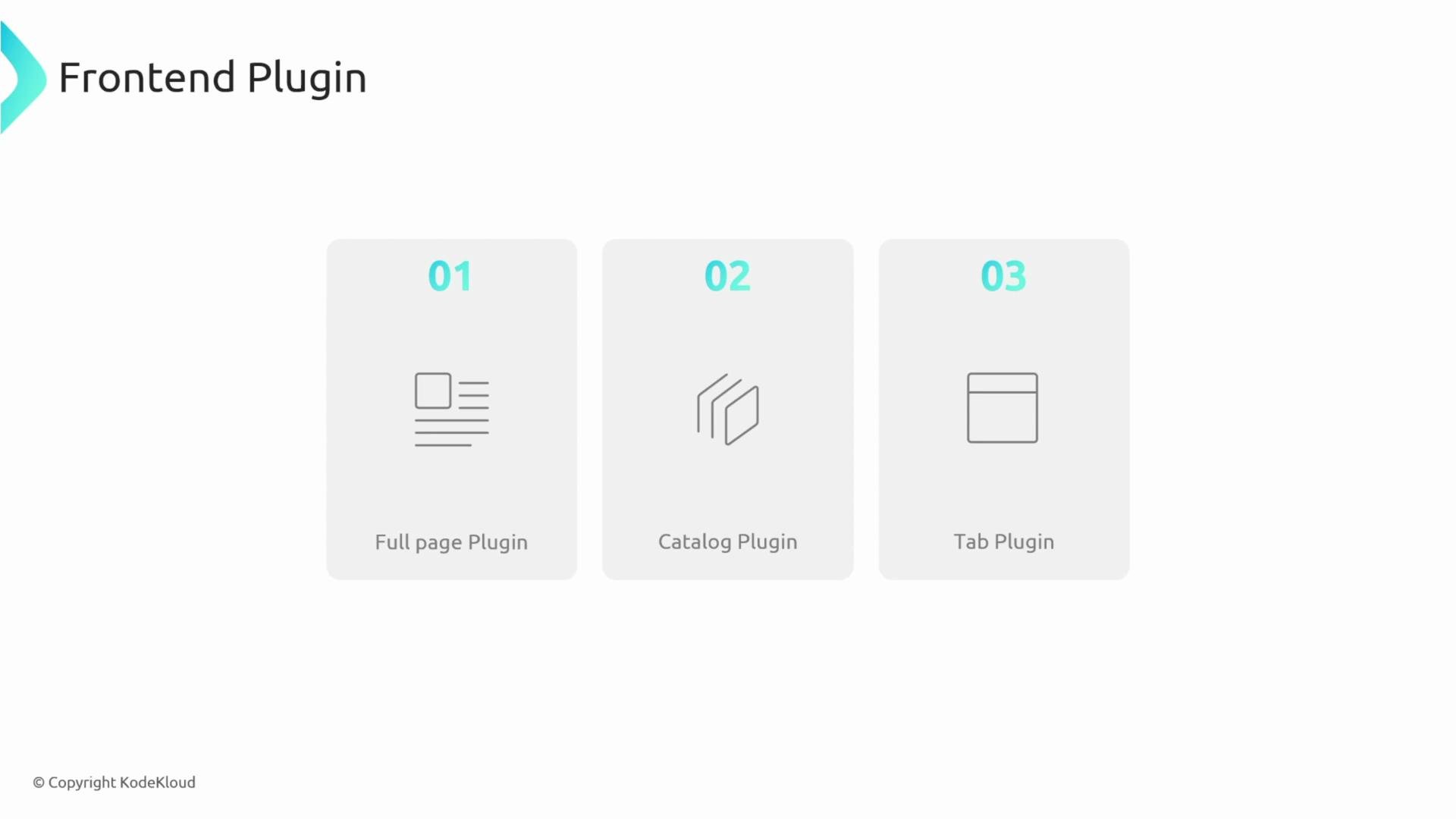
Frontend plugins can be presented in multiple ways within Backstage. Common presentation patterns:
| Presentation | Description | Example use |
| ---------------- | ------------------------------------------------------------------------------ | ------------------------------------------------ |
| Full‑page plugin | Plugin registers its own route and renders an entire page (e.g., `/my-plugin`) | Dashboards, listings, admin pages |
| Catalog plugin | Renders cards or sections inside catalog entity pages | Adding entity-specific details to About or Links |
| Tab plugin | Renders as a tab on an entity page | CI/CD, Metrics, Logs tabs |
 ### Full‑page plugin
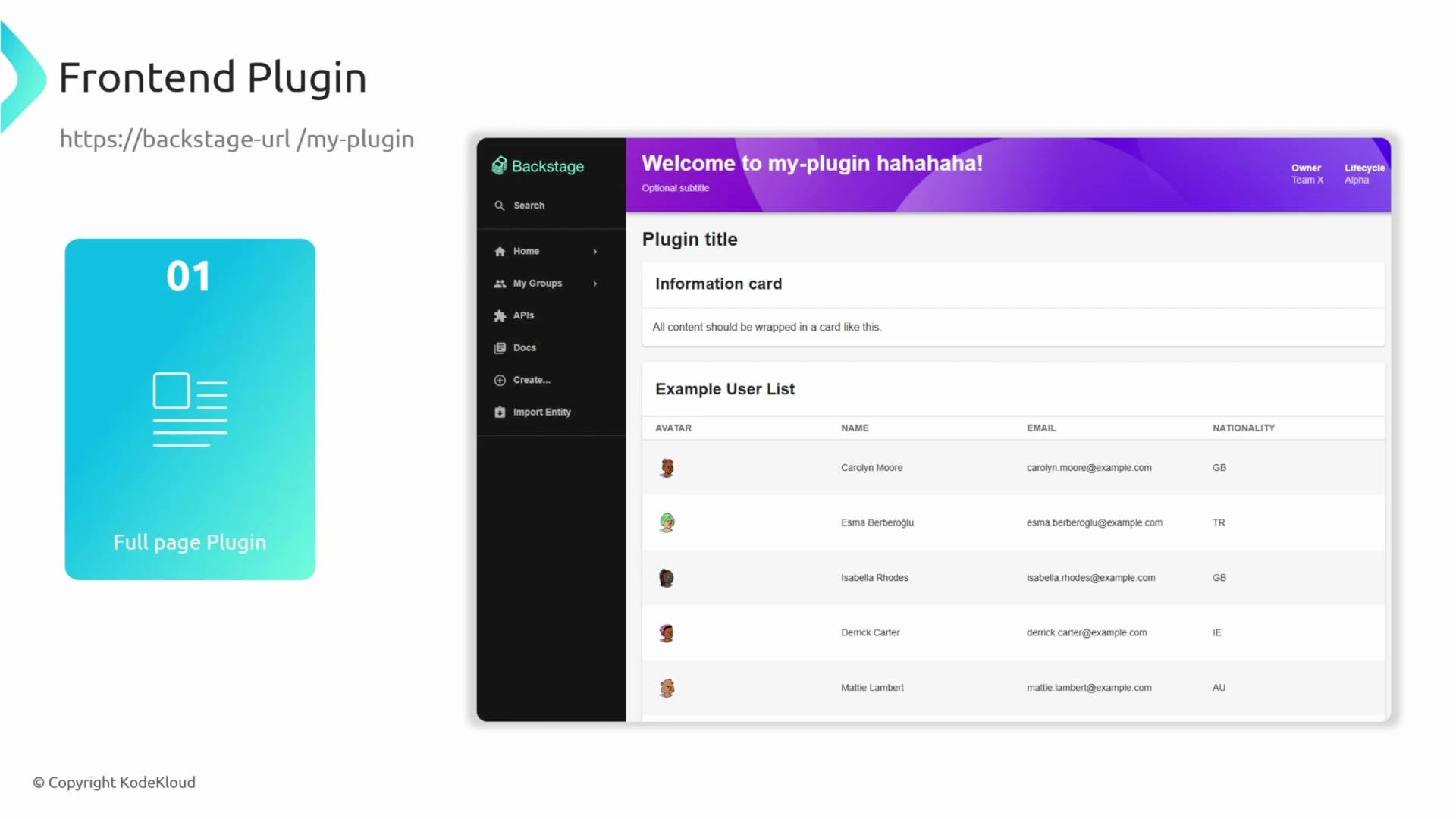
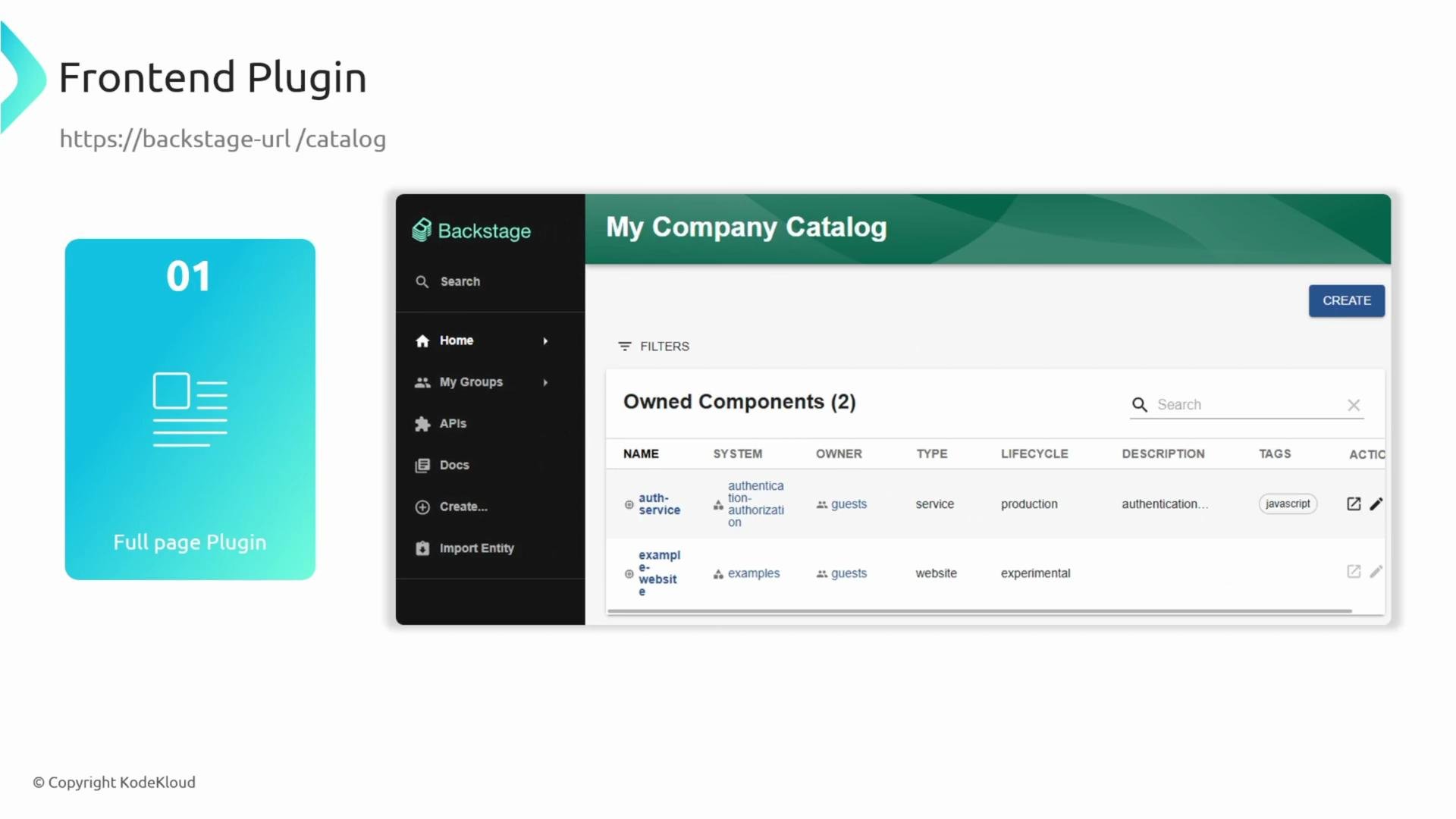
Full-page plugins register a route (for example, `/my-plugin`) and render an entire page within Backstage. Many core features, such as the Catalog (`/catalog`), are implemented as full-page plugins.
### Full‑page plugin
Full-page plugins register a route (for example, `/my-plugin`) and render an entire page within Backstage. Many core features, such as the Catalog (`/catalog`), are implemented as full-page plugins.
 ### Catalog plugin
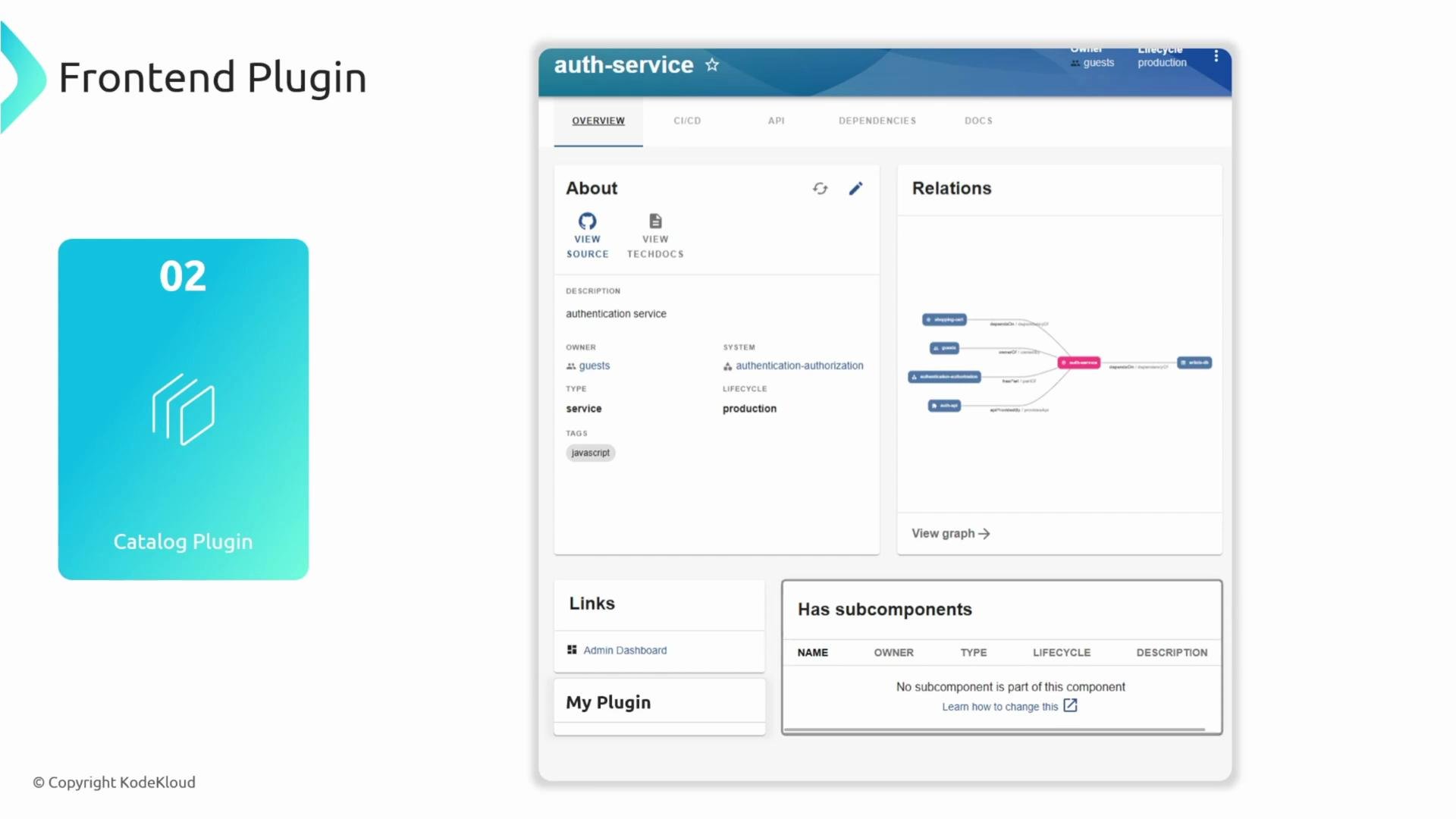
Catalog plugins enhance entity pages by injecting cards or sections into the existing Catalog UI (for example, adding an About section, relations, or links). This preserves the overall Catalog layout while surfacing extra contextual information for entities.
### Catalog plugin
Catalog plugins enhance entity pages by injecting cards or sections into the existing Catalog UI (for example, adding an About section, relations, or links). This preserves the overall Catalog layout while surfacing extra contextual information for entities.
 ## Conclusion
You now have a practical overview of Backstage plugins:
* Why plugins exist and what they enable
* How plugins are structured in a typical monorepo
* Common architecture patterns (standalone, service‑backed, third‑party proxy)
* Frontend presentation options (full‑page, catalog, tab)
Next steps:
* Explore the [Backstage plugin directory](https://backstage.io/plugins) for existing plugins
* Try creating a small standalone plugin to get familiar with the development workflow
* When integrating external APIs, design a secure backend proxy to handle credentials and cross‑service concerns
References and further reading:
* Backstage documentation: [https://backstage.io/docs](https://backstage.io/docs)
* Plugins directory: [https://backstage.io/plugins](https://backstage.io/plugins)
## Conclusion
You now have a practical overview of Backstage plugins:
* Why plugins exist and what they enable
* How plugins are structured in a typical monorepo
* Common architecture patterns (standalone, service‑backed, third‑party proxy)
* Frontend presentation options (full‑page, catalog, tab)
Next steps:
* Explore the [Backstage plugin directory](https://backstage.io/plugins) for existing plugins
* Try creating a small standalone plugin to get familiar with the development workflow
* When integrating external APIs, design a secure backend proxy to handle credentials and cross‑service concerns
References and further reading:
* Backstage documentation: [https://backstage.io/docs](https://backstage.io/docs)
* Plugins directory: [https://backstage.io/plugins](https://backstage.io/plugins)