> ## Documentation Index
> Fetch the complete documentation index at: https://notes.kodekloud.com/llms.txt
> Use this file to discover all available pages before exploring further.
# Postgres Database
> Guide to configuring Backstage to use a persistent PostgreSQL database, updating app-config, running migrations, and following production best practices for credentials, backups, and secure connections
In this lesson we cover how to configure Backstage to use a persistent PostgreSQL database instead of the default ephemeral stores used in many local or development setups.
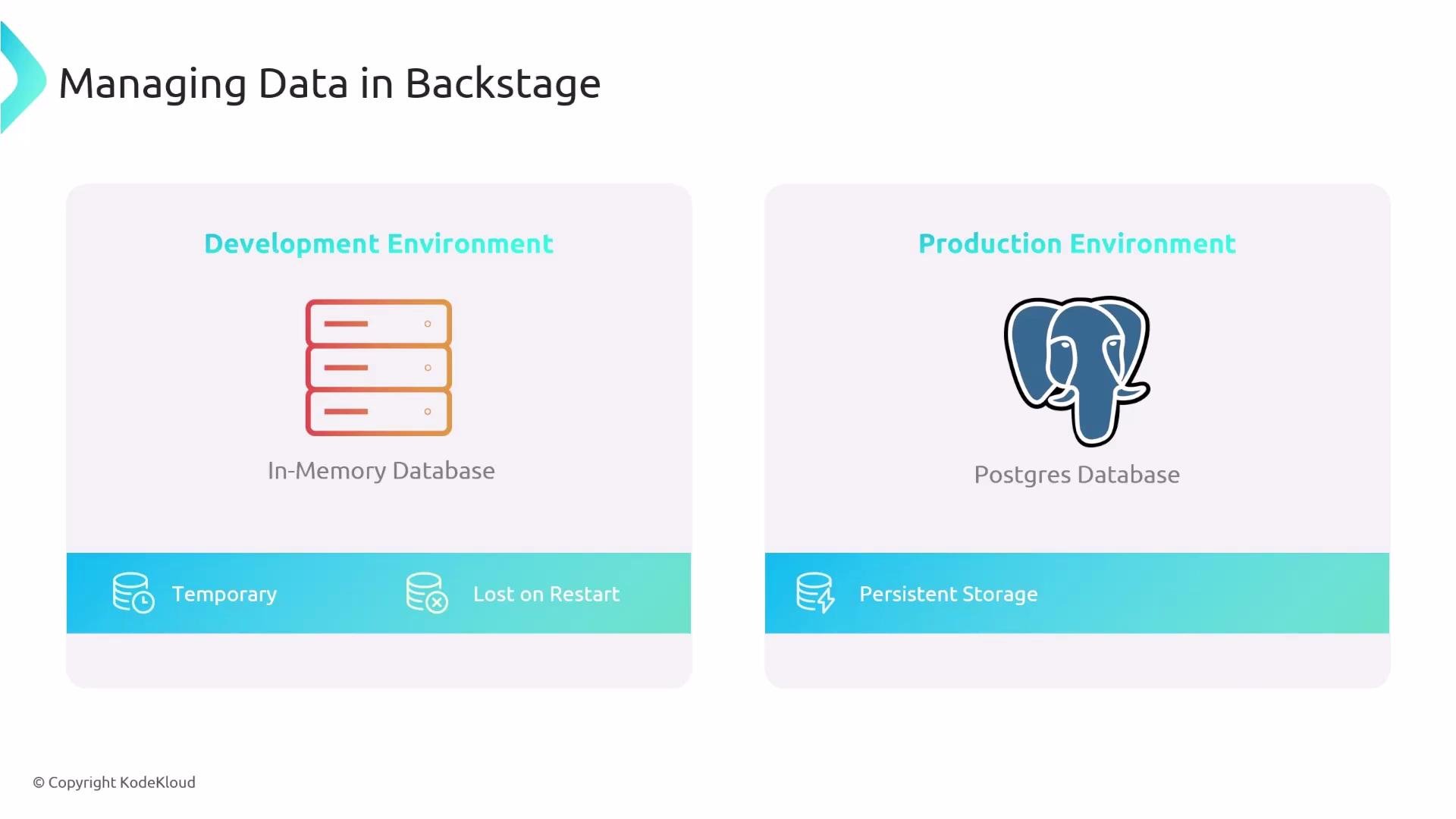
By default Backstage often runs with an in-memory database (or a local SQLite file in some templates). That means any entities or state you create while Backstage runs are temporary — they are lost when the process stops or restarts. For production and long-lived environments, use a persistent database such as Postgres to retain entities, settings, and application state across restarts.
 Overview — steps to configure Backstage with Postgres:
1. Provision a Postgres instance (local container, Docker Compose, or a managed cloud database).
2. Update Backstage's `app-config.yaml` to point to the Postgres instance.
3. Initialize the database schema by running Backstage database migrations.
4. Start Backstage with the environment variables or configuration in place so it can connect to Postgres.
Configuration example
Add a `backend.database` section under your backend configuration in `app-config.yaml`. This tells Backstage to use the `pg` client (node-postgres) and to read connection details from environment variables:
```yaml theme={null}
backend:
database:
client: pg
connection:
host: ${POSTGRES_HOST}
port: ${POSTGRES_PORT}
user: ${POSTGRES_USER}
password: ${POSTGRES_PASSWORD}
database: ${POSTGRES_DB}
```
Common connection options explained:
| Field | Purpose | Example |
| ---------- | ------------------------------------------- | --------------------------------------- |
| `host` | Hostname or IP of the Postgres server | `db.example.internal` |
| `port` | TCP port used by Postgres (default: `5432`) | `5432` |
| `user` | Username Backstage will use to connect | `backstage_user` |
| `password` | Password for the user | (set via environment or secret manager) |
| `database` | The database name on the Postgres server | `backstage` |
You can supply a single connection string instead of individual fields:
```yaml theme={null}
backend:
database:
client: pg
connection: postgres://user:password@host:5432/database
```
Or use an environment variable for the connection string:
```yaml theme={null}
backend:
database:
client: pg
connection: ${DATABASE_URL}
```
After configuring the connection, run Backstage's database migrations to create required tables and schemas. The exact migration command depends on your repository (check package.json scripts or README). Run migrations before starting Backstage in production to avoid runtime schema errors.
Best practices and operational notes
* Use strong credentials and store them in a secrets manager or environment variables — do not commit credentials to source control.
* Restrict network access to the database (VPCs, security groups, or private networks).
* Enable SSL/TLS for connections when using remote or managed Postgres services.
* Regularly back up your Postgres data and test restore procedures.
* For production, prefer a managed or highly available Postgres offering (for example, AWS RDS, Google Cloud SQL, or a clustered deployment).
Do not run production Backstage against an ephemeral or in-memory database. Data loss can occur on process restarts. Also ensure your migration strategy is part of your deployment pipeline to avoid schema drift.
Quick reference — example environment variable names
| Env var | Purpose |
| ------------------- | ---------------------------------------------------------------- |
| `POSTGRES_HOST` | Postgres hostname |
| `POSTGRES_PORT` | Postgres port (usually `5432`) |
| `POSTGRES_USER` | Username for Backstage DB connection |
| `POSTGRES_PASSWORD` | Password for the user |
| `POSTGRES_DB` | Database name Backstage will use |
| `DATABASE_URL` | Full connection string, e.g. `postgres://user:pass@host:5432/db` |
Links and references
* [PostgreSQL](https://www.postgresql.org/)
* [Backstage](https://backstage.io/)
* [node-postgres (pg)](https://node-postgres.com/)
* [AWS RDS for PostgreSQL](https://aws.amazon.com/rds/postgresql/)
* [Google Cloud SQL for PostgreSQL](https://cloud.google.com/sql/docs/postgres)
With the database configured and migrations applied, Backstage will persist entities and other state to Postgres instead of using an ephemeral in-memory store.
Overview — steps to configure Backstage with Postgres:
1. Provision a Postgres instance (local container, Docker Compose, or a managed cloud database).
2. Update Backstage's `app-config.yaml` to point to the Postgres instance.
3. Initialize the database schema by running Backstage database migrations.
4. Start Backstage with the environment variables or configuration in place so it can connect to Postgres.
Configuration example
Add a `backend.database` section under your backend configuration in `app-config.yaml`. This tells Backstage to use the `pg` client (node-postgres) and to read connection details from environment variables:
```yaml theme={null}
backend:
database:
client: pg
connection:
host: ${POSTGRES_HOST}
port: ${POSTGRES_PORT}
user: ${POSTGRES_USER}
password: ${POSTGRES_PASSWORD}
database: ${POSTGRES_DB}
```
Common connection options explained:
| Field | Purpose | Example |
| ---------- | ------------------------------------------- | --------------------------------------- |
| `host` | Hostname or IP of the Postgres server | `db.example.internal` |
| `port` | TCP port used by Postgres (default: `5432`) | `5432` |
| `user` | Username Backstage will use to connect | `backstage_user` |
| `password` | Password for the user | (set via environment or secret manager) |
| `database` | The database name on the Postgres server | `backstage` |
You can supply a single connection string instead of individual fields:
```yaml theme={null}
backend:
database:
client: pg
connection: postgres://user:password@host:5432/database
```
Or use an environment variable for the connection string:
```yaml theme={null}
backend:
database:
client: pg
connection: ${DATABASE_URL}
```
After configuring the connection, run Backstage's database migrations to create required tables and schemas. The exact migration command depends on your repository (check package.json scripts or README). Run migrations before starting Backstage in production to avoid runtime schema errors.
Best practices and operational notes
* Use strong credentials and store them in a secrets manager or environment variables — do not commit credentials to source control.
* Restrict network access to the database (VPCs, security groups, or private networks).
* Enable SSL/TLS for connections when using remote or managed Postgres services.
* Regularly back up your Postgres data and test restore procedures.
* For production, prefer a managed or highly available Postgres offering (for example, AWS RDS, Google Cloud SQL, or a clustered deployment).
Do not run production Backstage against an ephemeral or in-memory database. Data loss can occur on process restarts. Also ensure your migration strategy is part of your deployment pipeline to avoid schema drift.
Quick reference — example environment variable names
| Env var | Purpose |
| ------------------- | ---------------------------------------------------------------- |
| `POSTGRES_HOST` | Postgres hostname |
| `POSTGRES_PORT` | Postgres port (usually `5432`) |
| `POSTGRES_USER` | Username for Backstage DB connection |
| `POSTGRES_PASSWORD` | Password for the user |
| `POSTGRES_DB` | Database name Backstage will use |
| `DATABASE_URL` | Full connection string, e.g. `postgres://user:pass@host:5432/db` |
Links and references
* [PostgreSQL](https://www.postgresql.org/)
* [Backstage](https://backstage.io/)
* [node-postgres (pg)](https://node-postgres.com/)
* [AWS RDS for PostgreSQL](https://aws.amazon.com/rds/postgresql/)
* [Google Cloud SQL for PostgreSQL](https://cloud.google.com/sql/docs/postgres)
With the database configured and migrations applied, Backstage will persist entities and other state to Postgres instead of using an ephemeral in-memory store.