> ## Documentation Index
> Fetch the complete documentation index at: https://notes.kodekloud.com/llms.txt
> Use this file to discover all available pages before exploring further.
# Demo TechDocs Basics
> Guide to Backstage TechDocs setup, MkDocs integration, repository layout, configuration, and production recommendations for building, publishing, and serving component documentation inside Backstage.
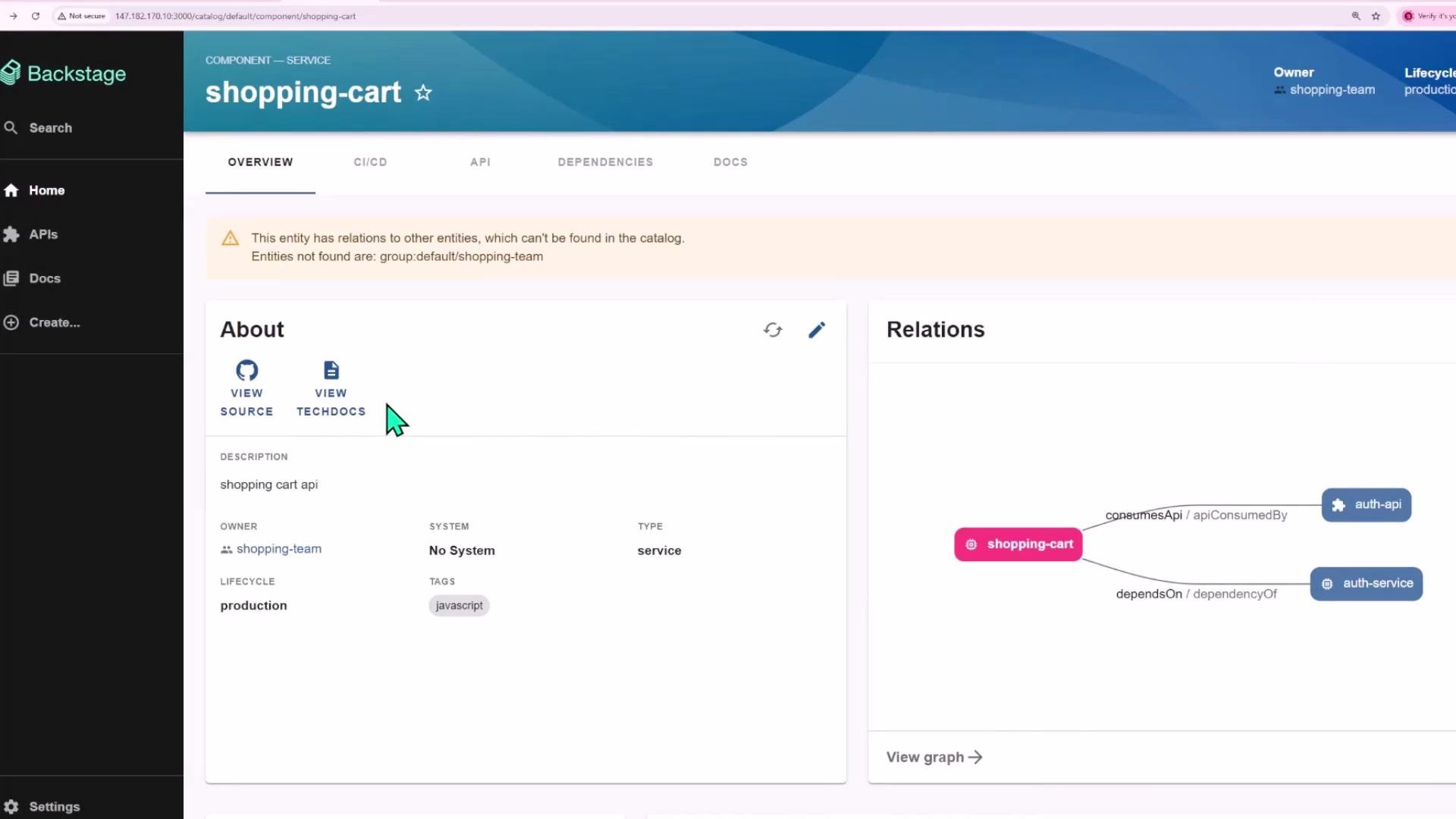
In this lesson we'll walk through Backstage TechDocs — the built-in documentation system that lets each catalog component expose and render documentation directly inside Backstage. You'll learn the minimal configuration and repository layout required to enable TechDocs for a component, how Backstage builds and serves the docs, and recommendations for production deployments.
 What is TechDocs?
* TechDocs is a Backstage plugin (backend + frontend) that generates and displays static documentation for catalog entities.
* It typically uses MkDocs (often with the mkdocs-material theme) to render Markdown into a static site that Backstage can serve or publish to object storage.
Overview — high-level steps
| Step | Goal | Where to configure |
| ---- | ----------------------------------------------------------- | -------------------------------- |
| 1 | Ensure TechDocs backend plugin is enabled | Backstage backend bootstrap file |
| 2 | Configure builder/generator/publisher behavior | `app-config.yaml` |
| 3 | Add MkDocs config and documentation files to the repository | `mkdocs.yml` and `docs/` |
| 4 | Annotate the catalog entity with TechDocs location | `catalog-info.yaml` |
| 5 | Import the component into Backstage and view TechDocs | Backstage catalog UI |
Backstage backend: enable the TechDocs backend plugin
Open your backend bootstrap (where backend plugins are wired) and confirm TechDocs backend is added. Example:
```javascript theme={null}
// backend/index.js
import { createBackend } from '@backstage/backend-defaults';
const backend = createBackend();
backend.add(import('@backstage/plugin-app-backend'));
backend.add(import('@backstage/plugin-proxy-backend'));
backend.add(import('@backstage/plugin-scaffolder-backend'));
backend.add(import('@backstage/plugin-scaffolder-backend-module-github'));
backend.add(import('@backstage/plugin-techdocs-backend'));
// auth plugin
backend.add(import('@backstage/plugin-auth-backend'));
backend.add(import('@backstage/plugin-auth-backend-module-guest-provider'));
// catalog plugin
backend.add(import('@backstage/plugin-catalog-backend'));
```
Repository integrations (example)
Backstage typically stores Git host integrations in `app-config.yaml`. Use environment variables for secrets — never hardcode tokens.
```yaml theme={null}
integrations:
github:
- host: github.com
# Use an environment variable for the token, do not hardcode secrets.
token: ${GITHUB_TOKEN}
```
TechDocs configuration in app-config.yaml
Configure the TechDocs builder, generator, and publisher. For experimentation you can use local options; for production prefer CI-built artifacts and cloud storage.
```yaml theme={null}
# Reference: https://backstage.io/docs/features/techdocs/
techdocs:
builder: 'local' # Alternatives: 'external'
generator:
runIn: 'docker' # Alternatives: 'local'
publisher:
type: 'local' # Alternatives: 'googleGcs' or 'awsS3'
```
TechDocs options at a glance
| Option | Typical values | Notes |
| ----------------- | ----------------------------- | ---------------------------------------------------------------------------------------------------------------------- |
| `builder` | `local`, `external` | `local` runs the build inside the backend; `external` delegates to an external builder (recommended for CI workflows). |
| `generator.runIn` | `docker`, `local` | `docker` uses the TechDocs Docker image; `local` requires installing the TechDocs binary on the host. |
| `publisher.type` | `local`, `googleGcs`, `awsS3` | Use `googleGcs` or `awsS3` for production (object storage) to serve static builds at scale. |
Project repository layout
Place MkDocs config and Markdown documentation alongside your code so documentation is versioned with the project.
| File / Folder | Purpose |
| ------------------- | ---------------------------------------------------------- |
| `package.json` | Project dependencies / build scripts (if applicable) |
| `catalog-info.yaml` | Backstage entity definition and annotations |
| `mkdocs.yml` | MkDocs site configuration (nav, theme, plugins) |
| `docs/` | Markdown files to be rendered by MkDocs (e.g., `index.md`) |
Example `package.json` (trimmed):
```json theme={null}
{
"name": "recommendation-service",
"version": "1.0.0",
"main": "index.js",
"type": "module",
"dependencies": {
"express": "^4.21.2"
}
}
```
`.gitignore` (example):
```text theme={null}
node_modules/
```
MkDocs configuration
Place `mkdocs.yml` (or `mkdocs.yaml`) at repo root. TechDocs commonly uses mkdocs-material.
```yaml theme={null}
site_name: 'example-docs'
nav:
- Home: index.md
- Getting Started: getting-started.md
- API Reference: api.md
theme:
name: material
plugins:
- techdocs-core
```
If you store your docs in a non-default directory, set `docs_dir`:
```yaml theme={null}
# Example to use a directory named "documentation" instead of "docs"
# docs_dir: documentation
```
Documentation content example
Create Markdown under `docs/`. Example `docs/index.md`:
```markdown theme={null}
## Getting Started
Welcome to the docs for the recommendation service.
### Examples
- Step 1
- Step 2
```
Catalog entity annotation
Point Backstage to the repository location containing `mkdocs.yml` and the `docs/` folder by adding the TechDocs annotation to `catalog-info.yaml`. Quote the annotation value to avoid YAML parsing issues.
```yaml theme={null}
apiVersion: backstage.io/v1beta1
kind: Component
metadata:
name: recommendation-service
description: Recommendation service api
annotations:
'backstage.io/techdocs-ref': 'dir:.'
tags:
- javascript
links:
- url: https://google.com
title: Admin Dashboard
icon: dashboard
type: admin-dashboard
spec:
type: service
```
* `'backstage.io/techdocs-ref': 'dir:.'` tells Backstage to read `mkdocs.yml` from the repository root and use the default `docs/` folder.
* To point to a subfolder, update the `dir:` path (for example `'dir:docs/subfolder'`) or set `docs_dir` in `mkdocs.yml`.
Build and publish behavior
How the docs get built and served depends on your `techdocs` config:
1. Backstage fetches the repository referenced by the catalog entity.
2. The generator runs MkDocs (inside Docker or locally) to produce a static site.
3. The publisher stores the generated site (local storage or cloud object storage) and the frontend serves it when you click "View TechDocs".
Example developer workflow:
1. Push repository changes (include `catalog-info.yaml`, `mkdocs.yml`, and `docs/`) to your Git host.
2. Import or refresh the component in the Backstage catalog.
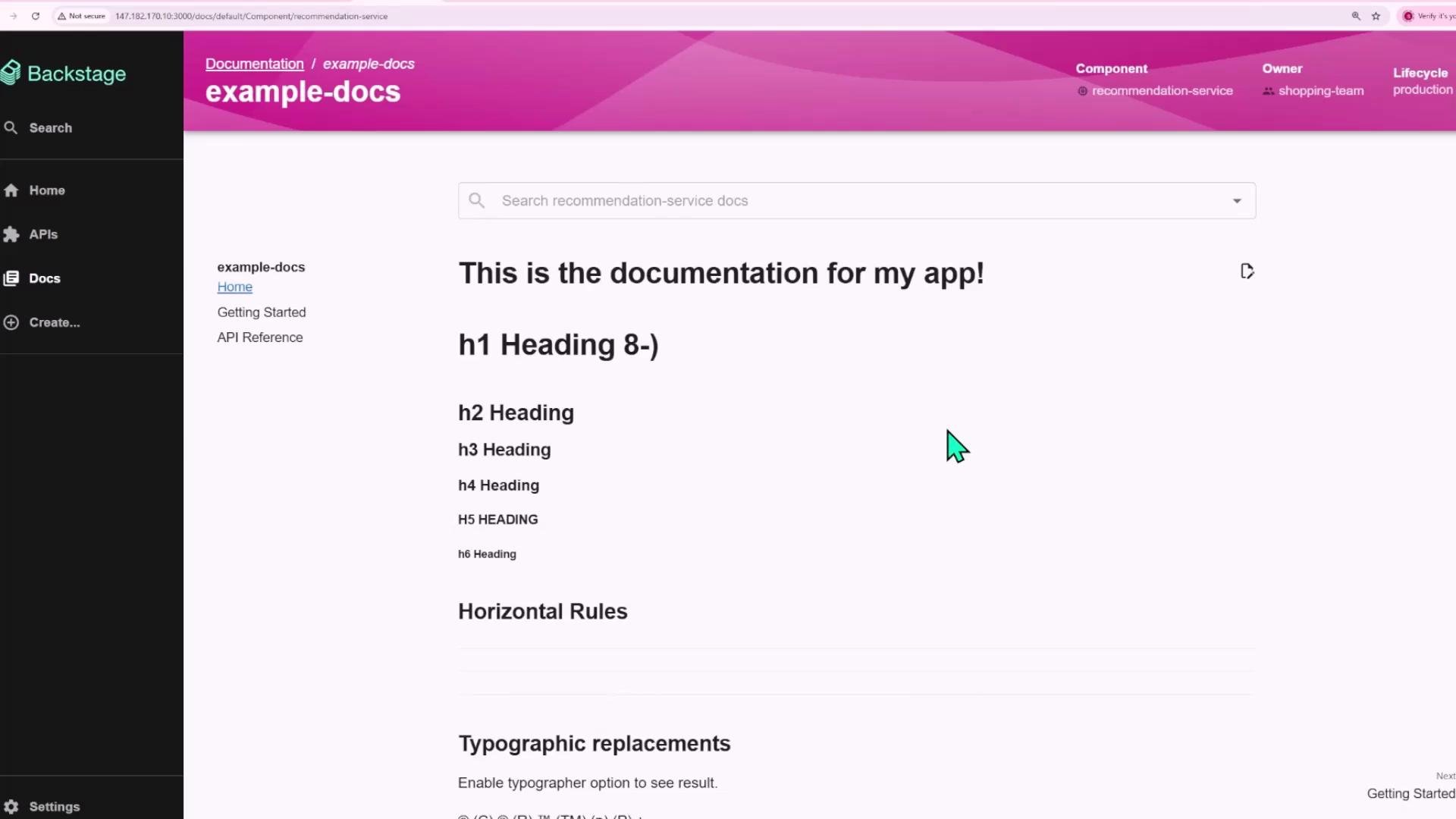
3. Open the component page and click "View TechDocs" (or the Docs tab). Backstage will generate and display the documentation according to your configured builder/generator/publisher.
What is TechDocs?
* TechDocs is a Backstage plugin (backend + frontend) that generates and displays static documentation for catalog entities.
* It typically uses MkDocs (often with the mkdocs-material theme) to render Markdown into a static site that Backstage can serve or publish to object storage.
Overview — high-level steps
| Step | Goal | Where to configure |
| ---- | ----------------------------------------------------------- | -------------------------------- |
| 1 | Ensure TechDocs backend plugin is enabled | Backstage backend bootstrap file |
| 2 | Configure builder/generator/publisher behavior | `app-config.yaml` |
| 3 | Add MkDocs config and documentation files to the repository | `mkdocs.yml` and `docs/` |
| 4 | Annotate the catalog entity with TechDocs location | `catalog-info.yaml` |
| 5 | Import the component into Backstage and view TechDocs | Backstage catalog UI |
Backstage backend: enable the TechDocs backend plugin
Open your backend bootstrap (where backend plugins are wired) and confirm TechDocs backend is added. Example:
```javascript theme={null}
// backend/index.js
import { createBackend } from '@backstage/backend-defaults';
const backend = createBackend();
backend.add(import('@backstage/plugin-app-backend'));
backend.add(import('@backstage/plugin-proxy-backend'));
backend.add(import('@backstage/plugin-scaffolder-backend'));
backend.add(import('@backstage/plugin-scaffolder-backend-module-github'));
backend.add(import('@backstage/plugin-techdocs-backend'));
// auth plugin
backend.add(import('@backstage/plugin-auth-backend'));
backend.add(import('@backstage/plugin-auth-backend-module-guest-provider'));
// catalog plugin
backend.add(import('@backstage/plugin-catalog-backend'));
```
Repository integrations (example)
Backstage typically stores Git host integrations in `app-config.yaml`. Use environment variables for secrets — never hardcode tokens.
```yaml theme={null}
integrations:
github:
- host: github.com
# Use an environment variable for the token, do not hardcode secrets.
token: ${GITHUB_TOKEN}
```
TechDocs configuration in app-config.yaml
Configure the TechDocs builder, generator, and publisher. For experimentation you can use local options; for production prefer CI-built artifacts and cloud storage.
```yaml theme={null}
# Reference: https://backstage.io/docs/features/techdocs/
techdocs:
builder: 'local' # Alternatives: 'external'
generator:
runIn: 'docker' # Alternatives: 'local'
publisher:
type: 'local' # Alternatives: 'googleGcs' or 'awsS3'
```
TechDocs options at a glance
| Option | Typical values | Notes |
| ----------------- | ----------------------------- | ---------------------------------------------------------------------------------------------------------------------- |
| `builder` | `local`, `external` | `local` runs the build inside the backend; `external` delegates to an external builder (recommended for CI workflows). |
| `generator.runIn` | `docker`, `local` | `docker` uses the TechDocs Docker image; `local` requires installing the TechDocs binary on the host. |
| `publisher.type` | `local`, `googleGcs`, `awsS3` | Use `googleGcs` or `awsS3` for production (object storage) to serve static builds at scale. |
Project repository layout
Place MkDocs config and Markdown documentation alongside your code so documentation is versioned with the project.
| File / Folder | Purpose |
| ------------------- | ---------------------------------------------------------- |
| `package.json` | Project dependencies / build scripts (if applicable) |
| `catalog-info.yaml` | Backstage entity definition and annotations |
| `mkdocs.yml` | MkDocs site configuration (nav, theme, plugins) |
| `docs/` | Markdown files to be rendered by MkDocs (e.g., `index.md`) |
Example `package.json` (trimmed):
```json theme={null}
{
"name": "recommendation-service",
"version": "1.0.0",
"main": "index.js",
"type": "module",
"dependencies": {
"express": "^4.21.2"
}
}
```
`.gitignore` (example):
```text theme={null}
node_modules/
```
MkDocs configuration
Place `mkdocs.yml` (or `mkdocs.yaml`) at repo root. TechDocs commonly uses mkdocs-material.
```yaml theme={null}
site_name: 'example-docs'
nav:
- Home: index.md
- Getting Started: getting-started.md
- API Reference: api.md
theme:
name: material
plugins:
- techdocs-core
```
If you store your docs in a non-default directory, set `docs_dir`:
```yaml theme={null}
# Example to use a directory named "documentation" instead of "docs"
# docs_dir: documentation
```
Documentation content example
Create Markdown under `docs/`. Example `docs/index.md`:
```markdown theme={null}
## Getting Started
Welcome to the docs for the recommendation service.
### Examples
- Step 1
- Step 2
```
Catalog entity annotation
Point Backstage to the repository location containing `mkdocs.yml` and the `docs/` folder by adding the TechDocs annotation to `catalog-info.yaml`. Quote the annotation value to avoid YAML parsing issues.
```yaml theme={null}
apiVersion: backstage.io/v1beta1
kind: Component
metadata:
name: recommendation-service
description: Recommendation service api
annotations:
'backstage.io/techdocs-ref': 'dir:.'
tags:
- javascript
links:
- url: https://google.com
title: Admin Dashboard
icon: dashboard
type: admin-dashboard
spec:
type: service
```
* `'backstage.io/techdocs-ref': 'dir:.'` tells Backstage to read `mkdocs.yml` from the repository root and use the default `docs/` folder.
* To point to a subfolder, update the `dir:` path (for example `'dir:docs/subfolder'`) or set `docs_dir` in `mkdocs.yml`.
Build and publish behavior
How the docs get built and served depends on your `techdocs` config:
1. Backstage fetches the repository referenced by the catalog entity.
2. The generator runs MkDocs (inside Docker or locally) to produce a static site.
3. The publisher stores the generated site (local storage or cloud object storage) and the frontend serves it when you click "View TechDocs".
Example developer workflow:
1. Push repository changes (include `catalog-info.yaml`, `mkdocs.yml`, and `docs/`) to your Git host.
2. Import or refresh the component in the Backstage catalog.
3. Open the component page and click "View TechDocs" (or the Docs tab). Backstage will generate and display the documentation according to your configured builder/generator/publisher.
 Production considerations
For production, Backstage recommends generating TechDocs artifacts in CI and publishing the generated static site to cloud storage ([Google Cloud Storage](https://cloud.google.com/storage) or [AWS S3](https://aws.amazon.com/s3)) instead of using the local publisher. This improves scalability, reduces on-demand build latency, and allows serving docs from highly-available object storage.
Best practices and tips
* Never commit secrets or tokens to `app-config.yaml`. Use environment variables or secret management.
* Prefer CI-based builds and cloud publishers (`googleGcs` or `awsS3`) for production workloads.
* Use `mkdocs-material` for a polished default theme that integrates well with TechDocs.
* If using generator `runIn: docker`, ensure your backend host can run Docker, or switch to CI-based generation for environments where Docker isn’t available.
Summary
* TechDocs integrates MkDocs with Backstage to render component docs inside the catalog.
* Enable the TechDocs backend plugin and configure builder/generator/publisher in `app-config.yaml`.
* Add `mkdocs.yml` and a `docs/` folder to your repository and annotate the entity with `'backstage.io/techdocs-ref'`.
* For production, build docs in CI and publish to cloud storage for scalability and faster page loads.
Links and references
* Backstage TechDocs docs: [https://backstage.io/docs/features/techdocs/](https://backstage.io/docs/features/techdocs/)
* MkDocs: [https://www.mkdocs.org/](https://www.mkdocs.org/)
* mkdocs-material theme: [https://squidfunk.github.io/mkdocs-material/](https://squidfunk.github.io/mkdocs-material/)
* Google Cloud Storage: [https://cloud.google.com/storage](https://cloud.google.com/storage)
* AWS S3: [https://aws.amazon.com/s3/](https://aws.amazon.com/s3/)
Production considerations
For production, Backstage recommends generating TechDocs artifacts in CI and publishing the generated static site to cloud storage ([Google Cloud Storage](https://cloud.google.com/storage) or [AWS S3](https://aws.amazon.com/s3)) instead of using the local publisher. This improves scalability, reduces on-demand build latency, and allows serving docs from highly-available object storage.
Best practices and tips
* Never commit secrets or tokens to `app-config.yaml`. Use environment variables or secret management.
* Prefer CI-based builds and cloud publishers (`googleGcs` or `awsS3`) for production workloads.
* Use `mkdocs-material` for a polished default theme that integrates well with TechDocs.
* If using generator `runIn: docker`, ensure your backend host can run Docker, or switch to CI-based generation for environments where Docker isn’t available.
Summary
* TechDocs integrates MkDocs with Backstage to render component docs inside the catalog.
* Enable the TechDocs backend plugin and configure builder/generator/publisher in `app-config.yaml`.
* Add `mkdocs.yml` and a `docs/` folder to your repository and annotate the entity with `'backstage.io/techdocs-ref'`.
* For production, build docs in CI and publish to cloud storage for scalability and faster page loads.
Links and references
* Backstage TechDocs docs: [https://backstage.io/docs/features/techdocs/](https://backstage.io/docs/features/techdocs/)
* MkDocs: [https://www.mkdocs.org/](https://www.mkdocs.org/)
* mkdocs-material theme: [https://squidfunk.github.io/mkdocs-material/](https://squidfunk.github.io/mkdocs-material/)
* Google Cloud Storage: [https://cloud.google.com/storage](https://cloud.google.com/storage)
* AWS S3: [https://aws.amazon.com/s3/](https://aws.amazon.com/s3/)