> ## Documentation Index
> Fetch the complete documentation index at: https://notes.kodekloud.com/llms.txt
> Use this file to discover all available pages before exploring further.
# Why Templates
> Explains Backstage templates and how they automate project scaffolding, enforcing standards and speeding delivery.
In this lesson we’ll explain what templates are in Backstage, why they exist, and how they streamline project creation. Backstage templates automate the repetitive steps teams complete when starting a new project—reducing errors, enforcing standards, and accelerating delivery.
Templates provide an automated, repeatable scaffold for new projects. They combine repository creation, recommended code and configuration, CI/CD setup, and infrastructure provisioning into a single workflow.
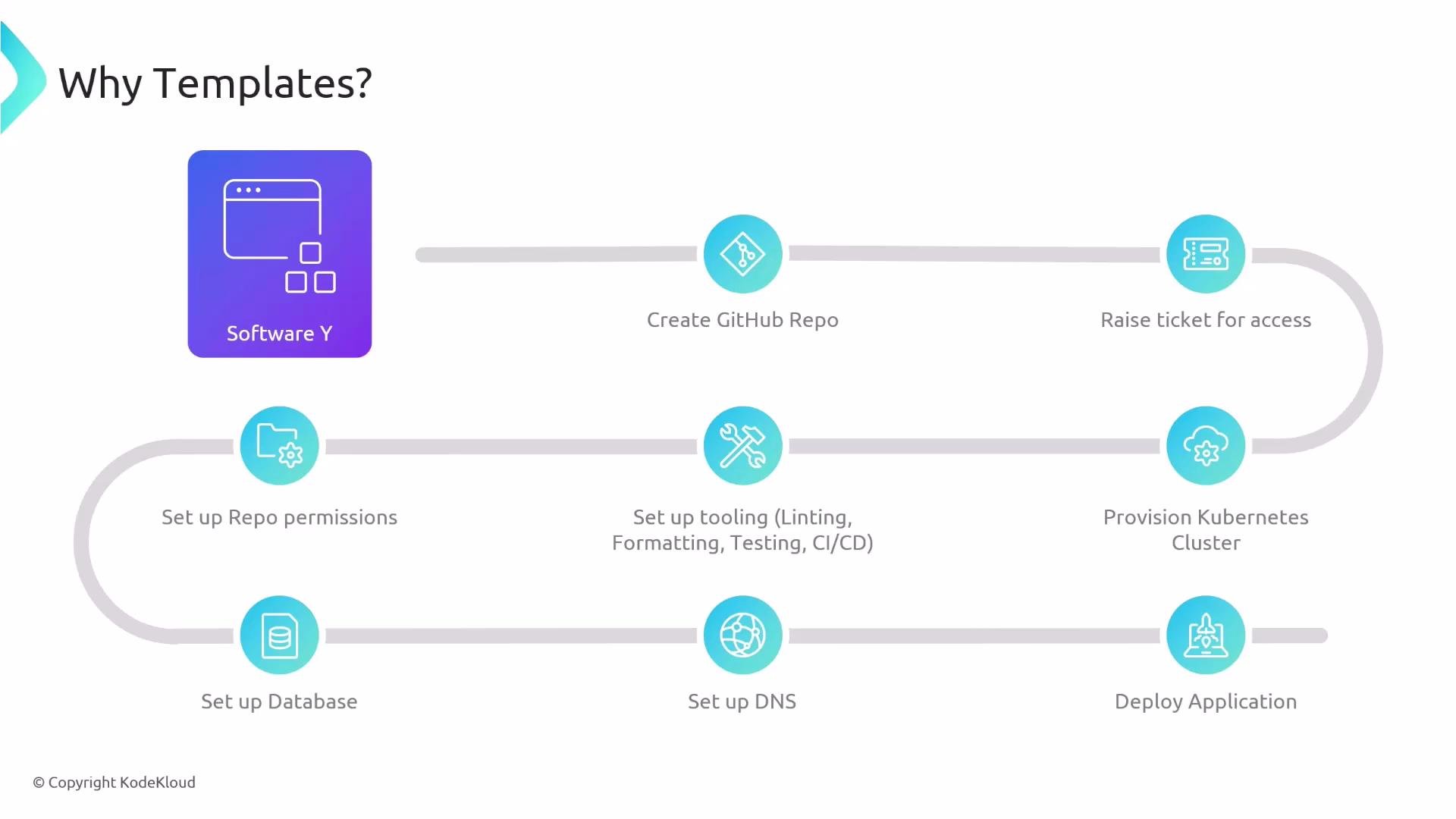
Why templates matter: teams routinely repeat the same manual tasks for every new repo:
* Create a new GitHub repository.
* Request and configure access (raise tickets, set repo permissions).
* Provision the target environment (for example, a [Kubernetes](https://learn.kodekloud.com/user/courses/kubernetes-for-the-absolute-beginners-hands-on-tutorial) cluster or [Amazon EC2](https://learn.kodekloud.com/user/courses/amazon-elastic-compute-cloud-ec2)).
* Configure repository tooling (linters, formatters, tests, CI/CD pipelines).
* Set up dependent resources (databases, DNS, secrets).
* Deploy the application.
Repetition increases time-to-first-commit and introduces drift between projects. Templates remove this friction by codifying the workflow.
 What templates automate
When a developer selects a template and supplies inputs (project name, owning team, repository name, compute target, etc.), the template performs the end-to-end scaffolding workflow, for example:
* Create the repository with an initial codebase and best-practice defaults.
* Configure linting, formatting, tests, and CI/CD.
* Set repository permissions and open any required tickets or approvals.
* Provision infrastructure (for example, create an EC2 instance or provision Kubernetes resources).
* Deploy the application and provision dependent services (databases, DNS) when configured.
Table: Manual steps vs. Template automation
| Manual task | Template automation |
| ---------------------------------- | ------------------------------------------------------------ |
| Create repo and push starter code | `Create repository` with initial code and ownership metadata |
| Request access and set permissions | `Configure repository permissions` and approvals |
| Set up linters, tests, and CI | `Add CI/CD configs`, linters, and test scaffolding |
| Provision infrastructure | `Provision compute` (EC2, Kubernetes) and resources |
| Set dependent services (DB, DNS) | `Create and wire dependent services` if specified |
| Deploy application | `Automated deployment` as part of the workflow |
By automating these steps you gain consistency across projects, faster onboarding, and fewer manual errors.
What templates automate
When a developer selects a template and supplies inputs (project name, owning team, repository name, compute target, etc.), the template performs the end-to-end scaffolding workflow, for example:
* Create the repository with an initial codebase and best-practice defaults.
* Configure linting, formatting, tests, and CI/CD.
* Set repository permissions and open any required tickets or approvals.
* Provision infrastructure (for example, create an EC2 instance or provision Kubernetes resources).
* Deploy the application and provision dependent services (databases, DNS) when configured.
Table: Manual steps vs. Template automation
| Manual task | Template automation |
| ---------------------------------- | ------------------------------------------------------------ |
| Create repo and push starter code | `Create repository` with initial code and ownership metadata |
| Request access and set permissions | `Configure repository permissions` and approvals |
| Set up linters, tests, and CI | `Add CI/CD configs`, linters, and test scaffolding |
| Provision infrastructure | `Provision compute` (EC2, Kubernetes) and resources |
| Set dependent services (DB, DNS) | `Create and wire dependent services` if specified |
| Deploy application | `Automated deployment` as part of the workflow |
By automating these steps you gain consistency across projects, faster onboarding, and fewer manual errors.
 Tailoring templates to your organization
Templates are flexible and can be scoped to match your teams’ common project types:
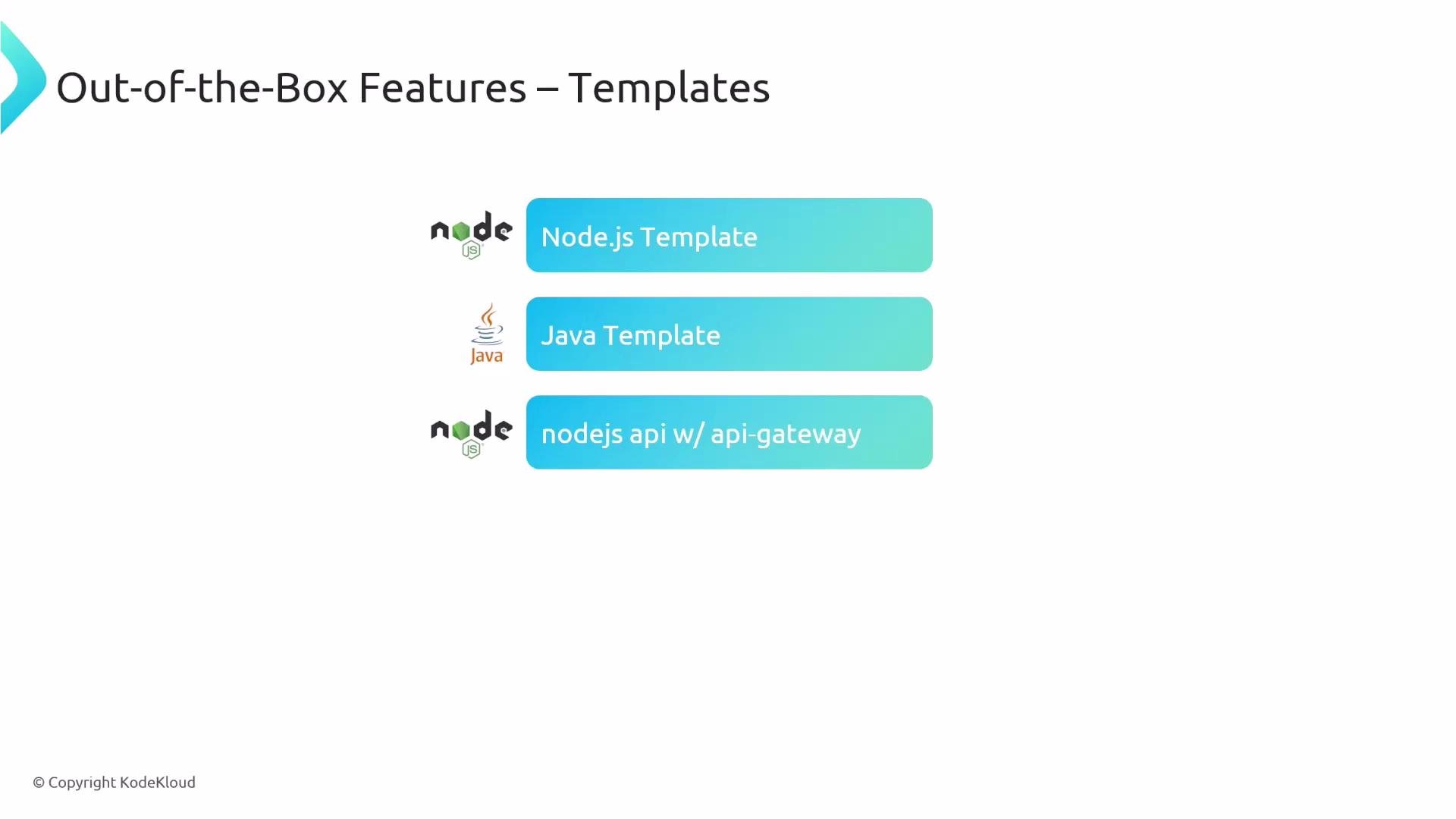
* Language-specific templates (Node.js, Java, [Python](https://learn.kodekloud.com/user/courses/python-basics), Ruby).
* Framework-specific templates (Next.js, Django, [FastAPI](https://learn.kodekloud.com/user/courses/python-api-development-with-fastapi)).
* Role-specific templates (microservice, data science project, API-backed service with API Gateway).
The more specific a template is, the more organizational best practices and infrastructure choices it encodes—ensuring new projects start with the correct defaults.
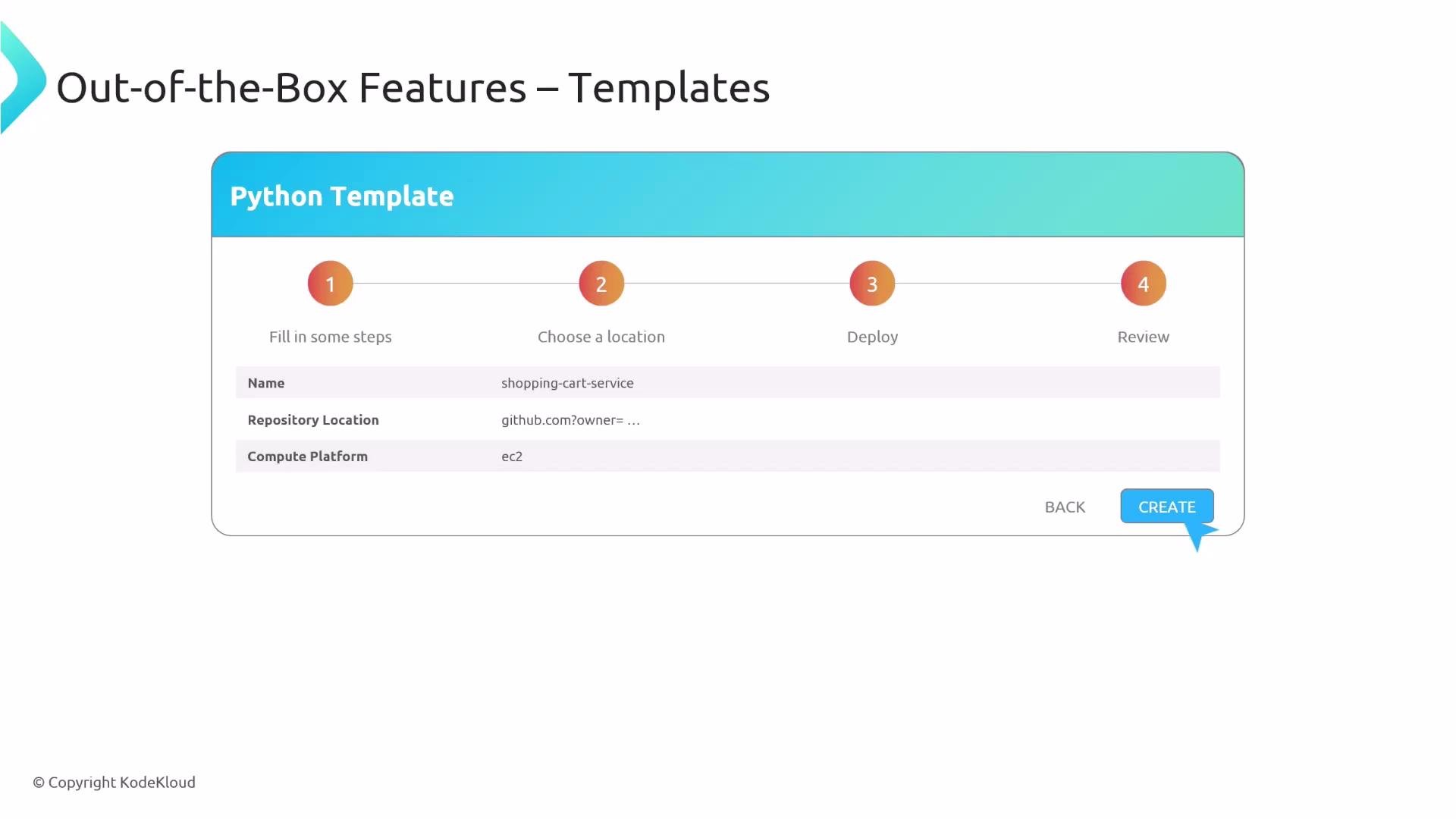
Typical developer flow using a template:
1. Select the template that matches the project (for example, "Python app" or "Node API").
2. Fill in the small form with required inputs (project name, owning team, repository location, compute platform).
3. Click Create.
4. The template executes the automated workflow: repository creation, code scaffolding, CI/CD setup, infrastructure provisioning, and deployment.
Tailoring templates to your organization
Templates are flexible and can be scoped to match your teams’ common project types:
* Language-specific templates (Node.js, Java, [Python](https://learn.kodekloud.com/user/courses/python-basics), Ruby).
* Framework-specific templates (Next.js, Django, [FastAPI](https://learn.kodekloud.com/user/courses/python-api-development-with-fastapi)).
* Role-specific templates (microservice, data science project, API-backed service with API Gateway).
The more specific a template is, the more organizational best practices and infrastructure choices it encodes—ensuring new projects start with the correct defaults.
Typical developer flow using a template:
1. Select the template that matches the project (for example, "Python app" or "Node API").
2. Fill in the small form with required inputs (project name, owning team, repository location, compute platform).
3. Click Create.
4. The template executes the automated workflow: repository creation, code scaffolding, CI/CD setup, infrastructure provisioning, and deployment.
 Execution: one click to production-ready scaffolding
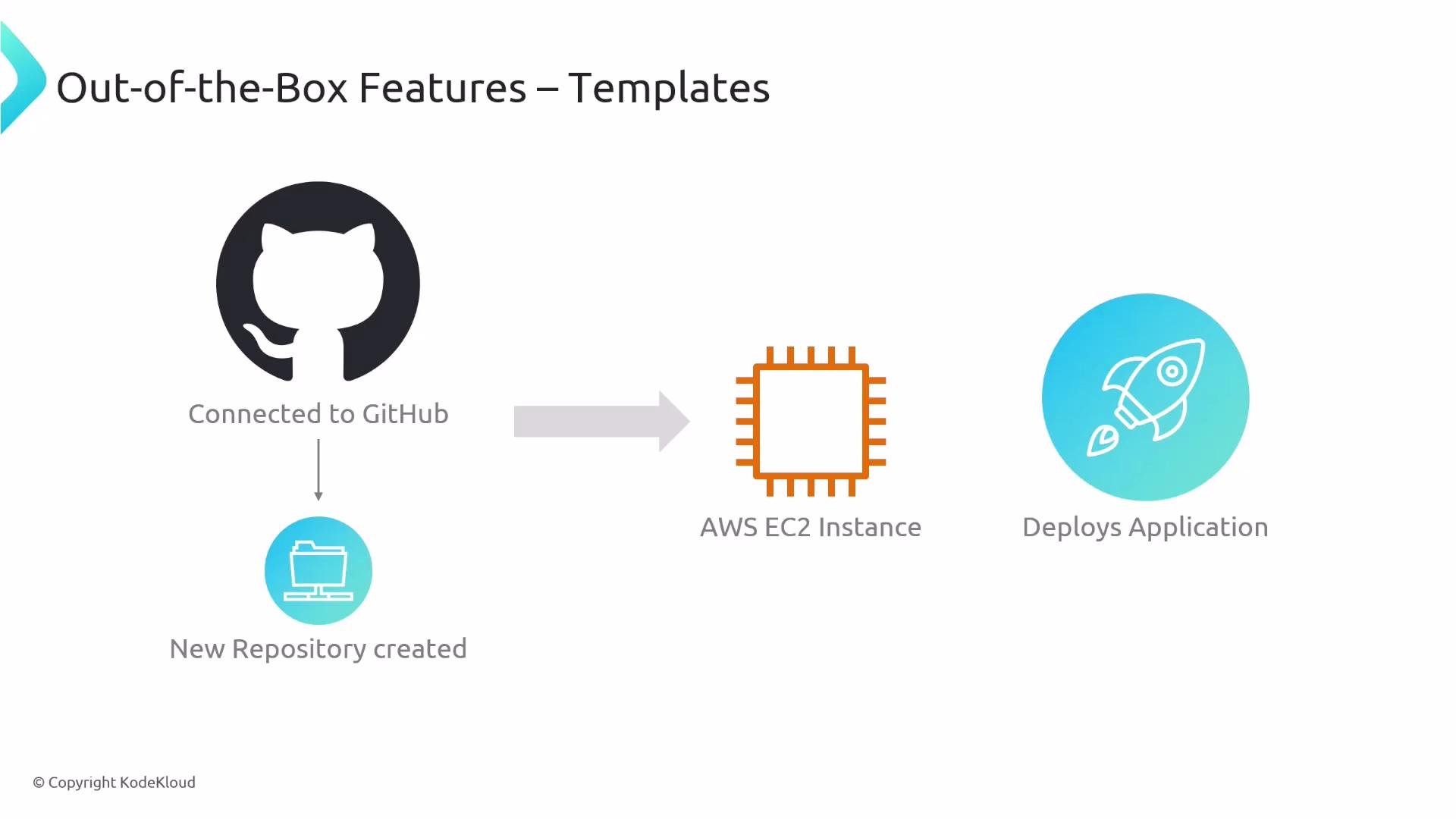
When a template runs it can:
* Connect to GitHub and create the repo with branch protection and default reviewers.
* Apply initial code and configuration (linting, formatting, tests, CI/CD).
* Provision the selected compute (for example, [Amazon EC2](https://learn.kodekloud.com/user/courses/amazon-elastic-compute-cloud-ec2) or [Kubernetes](https://learn.kodekloud.com/user/courses/kubernetes-for-the-absolute-beginners-hands-on-tutorial)).
* Deploy the application and wire up services (databases, DNS, secrets) so the team can start developing immediately.
Execution: one click to production-ready scaffolding
When a template runs it can:
* Connect to GitHub and create the repo with branch protection and default reviewers.
* Apply initial code and configuration (linting, formatting, tests, CI/CD).
* Provision the selected compute (for example, [Amazon EC2](https://learn.kodekloud.com/user/courses/amazon-elastic-compute-cloud-ec2) or [Kubernetes](https://learn.kodekloud.com/user/courses/kubernetes-for-the-absolute-beginners-hands-on-tutorial)).
* Deploy the application and wire up services (databases, DNS, secrets) so the team can start developing immediately.
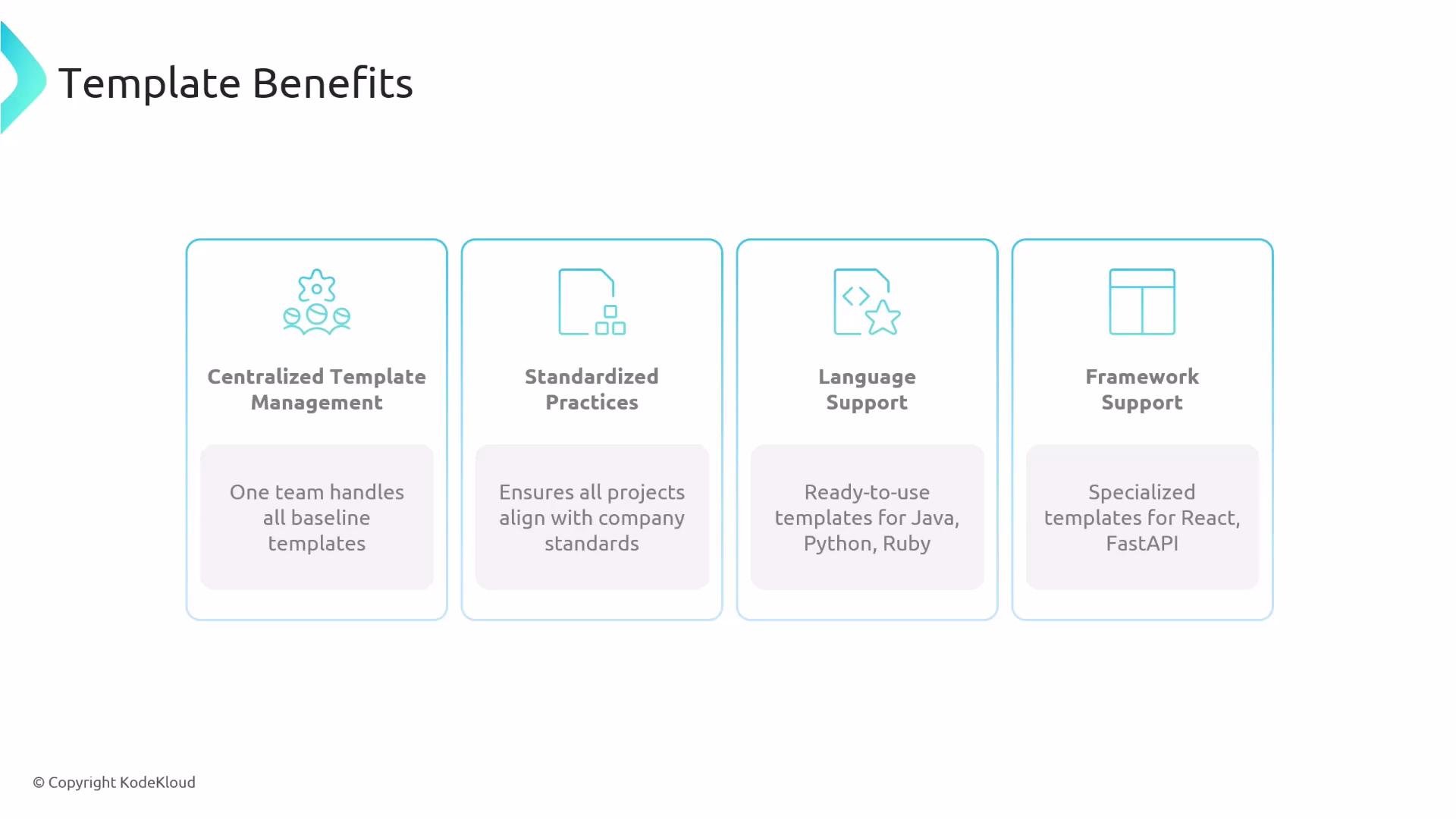
 Template benefits (compact summary)
| Benefit | Why it matters |
| ---------------------------------- | --------------------------------------------------------------------------------------------------- |
| Centralized template management | A core team maintains baseline templates so all projects adhere to company standards. |
| Standardized practices | Templates encode best practices (security, testing, CI) to reduce configuration drift. |
| Multi-language & framework support | Maintain separate templates for Java, Python, Node, React, FastAPI, etc., to match your tech stack. |
| Faster onboarding and delivery | Automation reduces manual work, shortening time to first feature and lowering human error. |
Template benefits (compact summary)
| Benefit | Why it matters |
| ---------------------------------- | --------------------------------------------------------------------------------------------------- |
| Centralized template management | A core team maintains baseline templates so all projects adhere to company standards. |
| Standardized practices | Templates encode best practices (security, testing, CI) to reduce configuration drift. |
| Multi-language & framework support | Maintain separate templates for Java, Python, Node, React, FastAPI, etc., to match your tech stack. |
| Faster onboarding and delivery | Automation reduces manual work, shortening time to first feature and lowering human error. |
 Best practices and considerations
* Keep templates focused and simple: prefer multiple specialized templates over one giant monolith.
* Version and test templates: treat templates as code, run CI on template changes, and version them to support existing projects.
* Review permissions and secrets: templates that auto-configure access or create secrets should be audited and follow least-privilege principles.
Ensure templates do not grant excessive permissions or expose secrets unintentionally. Always review and audit templates that automate access control or infrastructure provisioning.
Further reading and references
* Backstage templates documentation: [https://backstage.io/docs/features/software-templates](https://backstage.io/docs/features/software-templates)
* [Kubernetes Basics](https://kubernetes.io/docs/concepts/overview/what-is-kubernetes/)
* [Amazon EC2 documentation](https://aws.amazon.com/ec2/)
* Language and framework courses: [Python basics](https://learn.kodekloud.com/user/courses/python-basics), [FastAPI](https://learn.kodekloud.com/user/courses/python-api-development-with-fastapi)
Use templates to standardize onboarding, reduce manual toil, and get teams coding faster—Backstage templates turn multi-step setup into a single reproducible workflow.
Best practices and considerations
* Keep templates focused and simple: prefer multiple specialized templates over one giant monolith.
* Version and test templates: treat templates as code, run CI on template changes, and version them to support existing projects.
* Review permissions and secrets: templates that auto-configure access or create secrets should be audited and follow least-privilege principles.
Ensure templates do not grant excessive permissions or expose secrets unintentionally. Always review and audit templates that automate access control or infrastructure provisioning.
Further reading and references
* Backstage templates documentation: [https://backstage.io/docs/features/software-templates](https://backstage.io/docs/features/software-templates)
* [Kubernetes Basics](https://kubernetes.io/docs/concepts/overview/what-is-kubernetes/)
* [Amazon EC2 documentation](https://aws.amazon.com/ec2/)
* Language and framework courses: [Python basics](https://learn.kodekloud.com/user/courses/python-basics), [FastAPI](https://learn.kodekloud.com/user/courses/python-api-development-with-fastapi)
Use templates to standardize onboarding, reduce manual toil, and get teams coding faster—Backstage templates turn multi-step setup into a single reproducible workflow.