> ## Documentation Index
> Fetch the complete documentation index at: https://notes.kodekloud.com/llms.txt
> Use this file to discover all available pages before exploring further.
# ArgoCD Overview Applications Sync Policies and Helm Integration
> Overview of Argo CD Application CRDs, sync policies, Helm integration, and ApplicationSets for production GitOps automation and scalable deployments
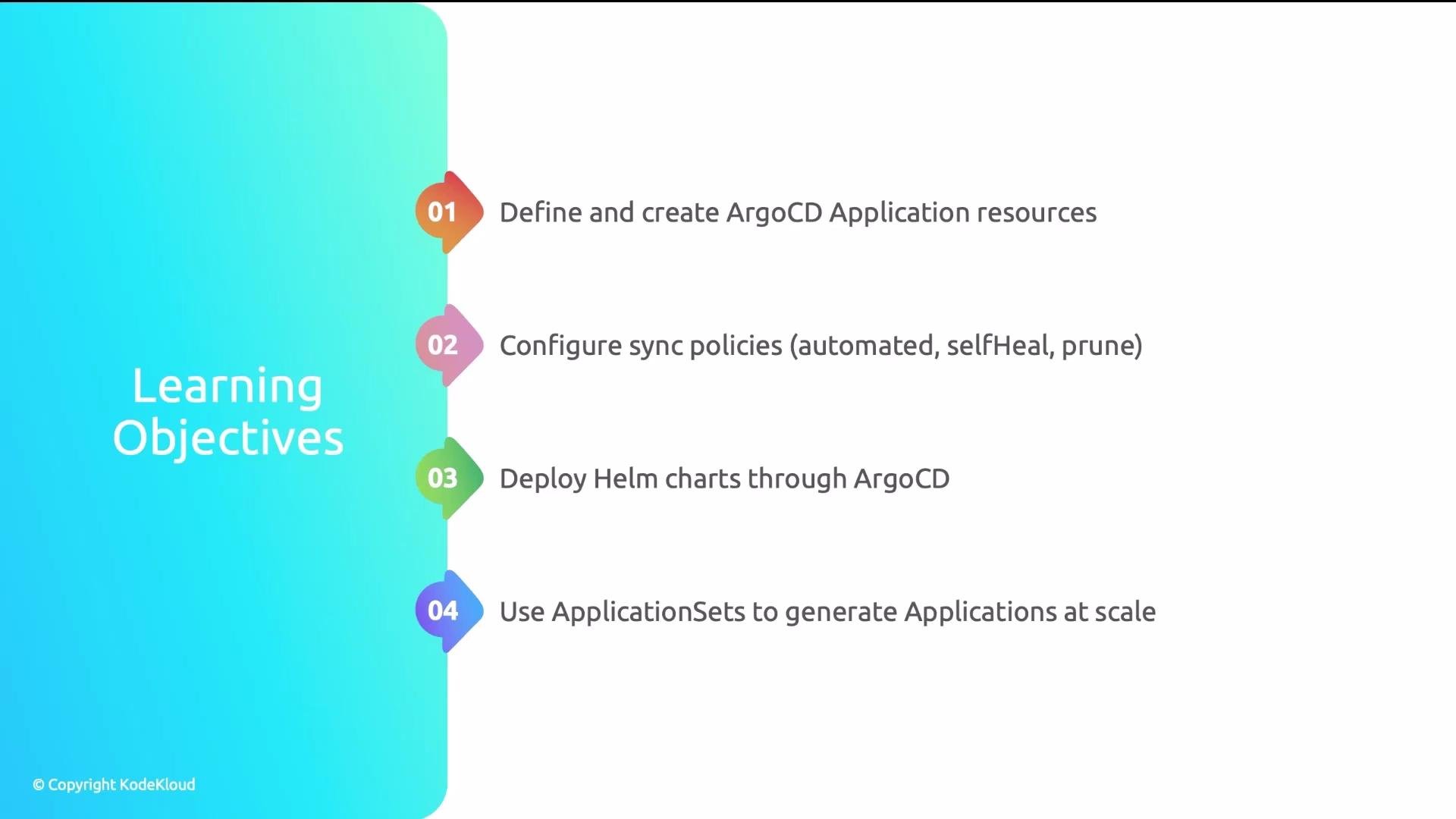
In this lesson you'll get hands-on with Argo CD's core resources and patterns for production-grade GitOps. We'll cover how to:
* Define an Argo CD Application CRD that maps Git/Helm sources to target clusters.
* Configure sync policies for automated GitOps (auto-sync, self-heal, prune).
* Deploy Helm charts through Argo CD and manage Helm value overrides.
* Use ApplicationSets to scale many Applications across clusters and environments.
 Why automation matters — a short story
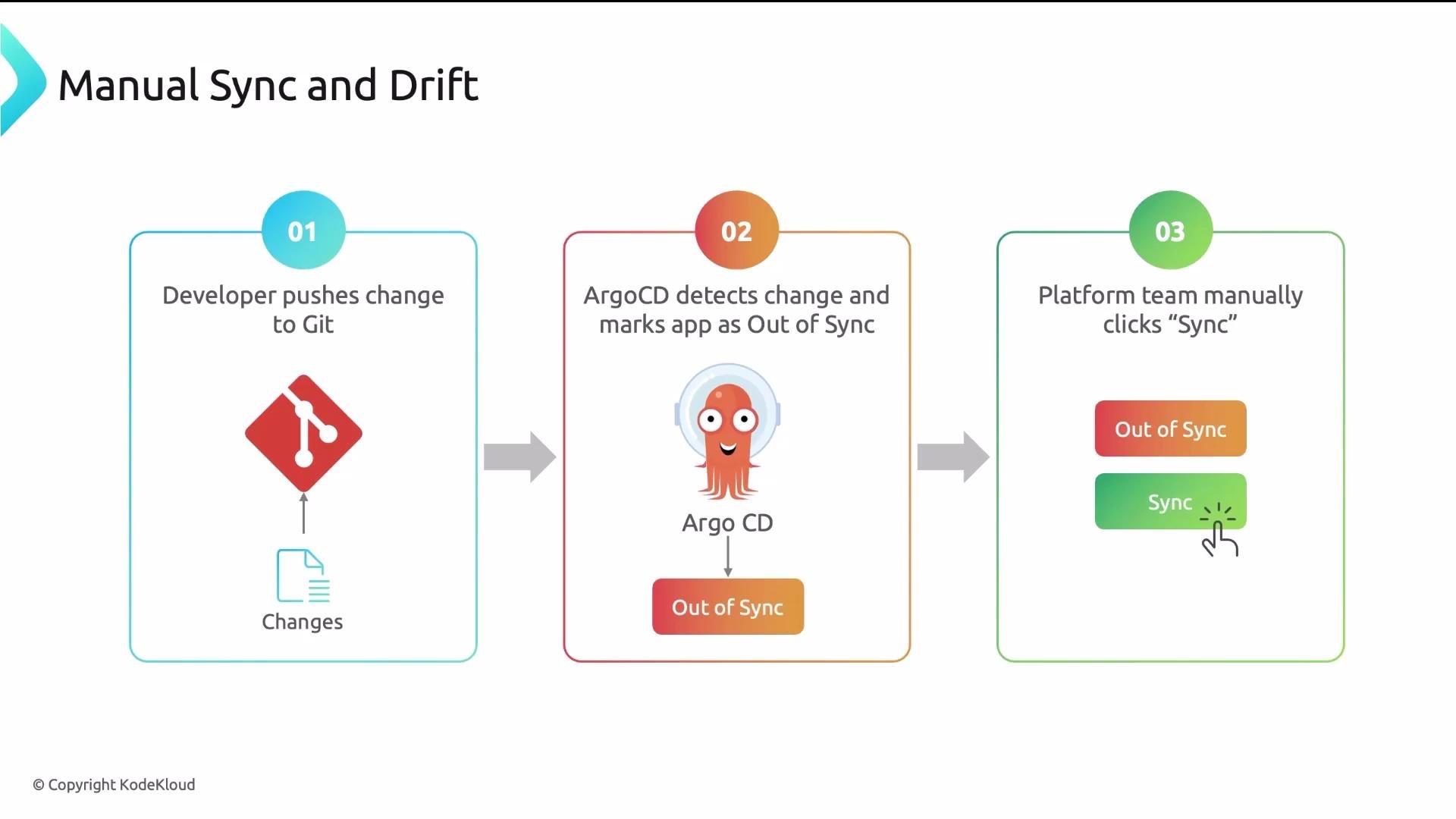
A logistics platform team had Argo CD installed but left auto-sync disabled. The workflow became:
1. Developer pushes a change to Git.
2. Argo CD detects the change and marks the Application "Out of Sync".
3. A platform engineer must manually open the Argo CD UI and click Sync to deploy.
Why automation matters — a short story
A logistics platform team had Argo CD installed but left auto-sync disabled. The workflow became:
1. Developer pushes a change to Git.
2. Argo CD detects the change and marks the Application "Out of Sync".
3. A platform engineer must manually open the Argo CD UI and click Sync to deploy.
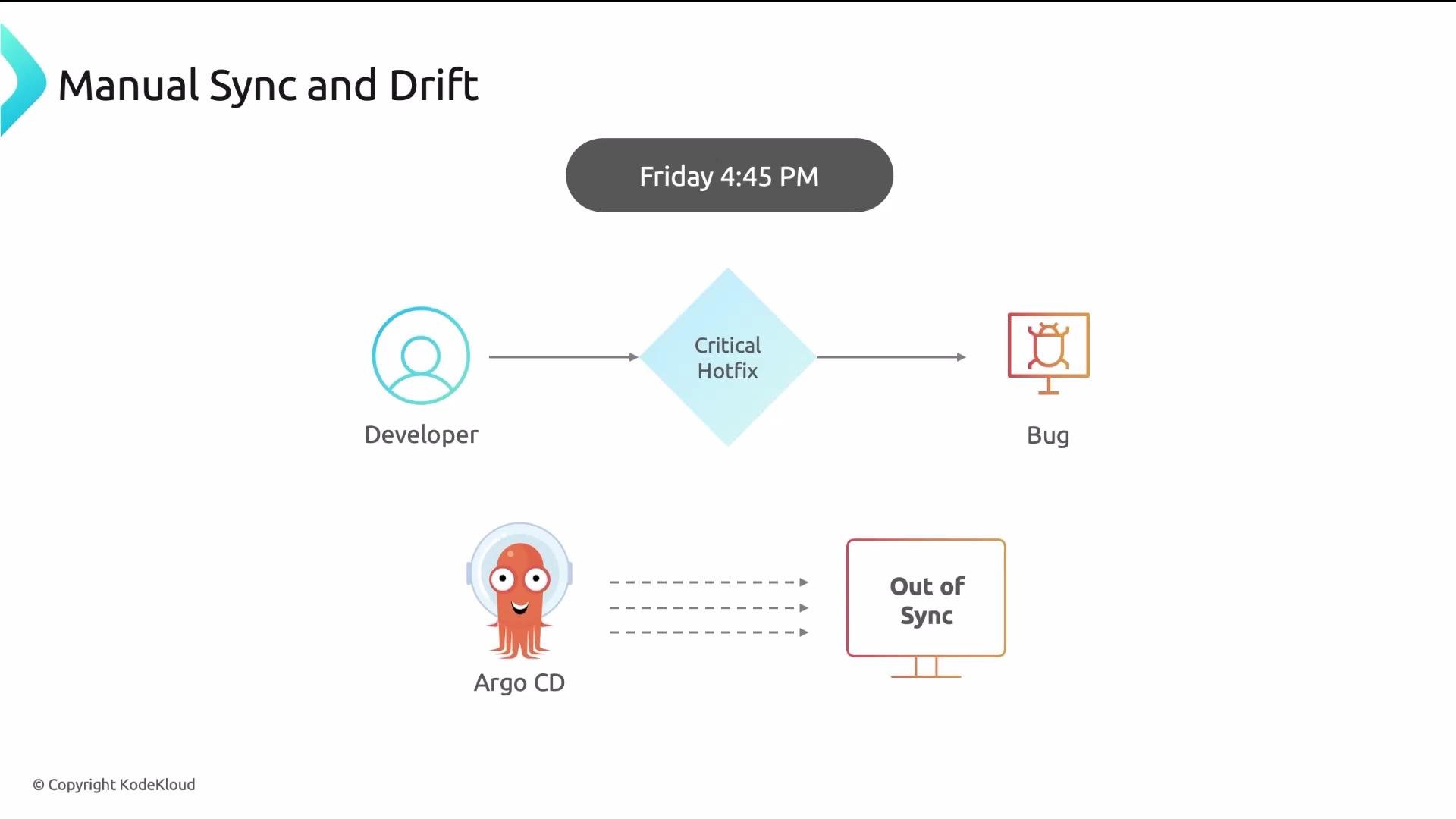
 When a critical hotfix was pushed late on Friday, the change remained undeployed until Monday because the platform team was off-site and auto-sync was disabled. The cluster drifted from Git and caused real business impact.
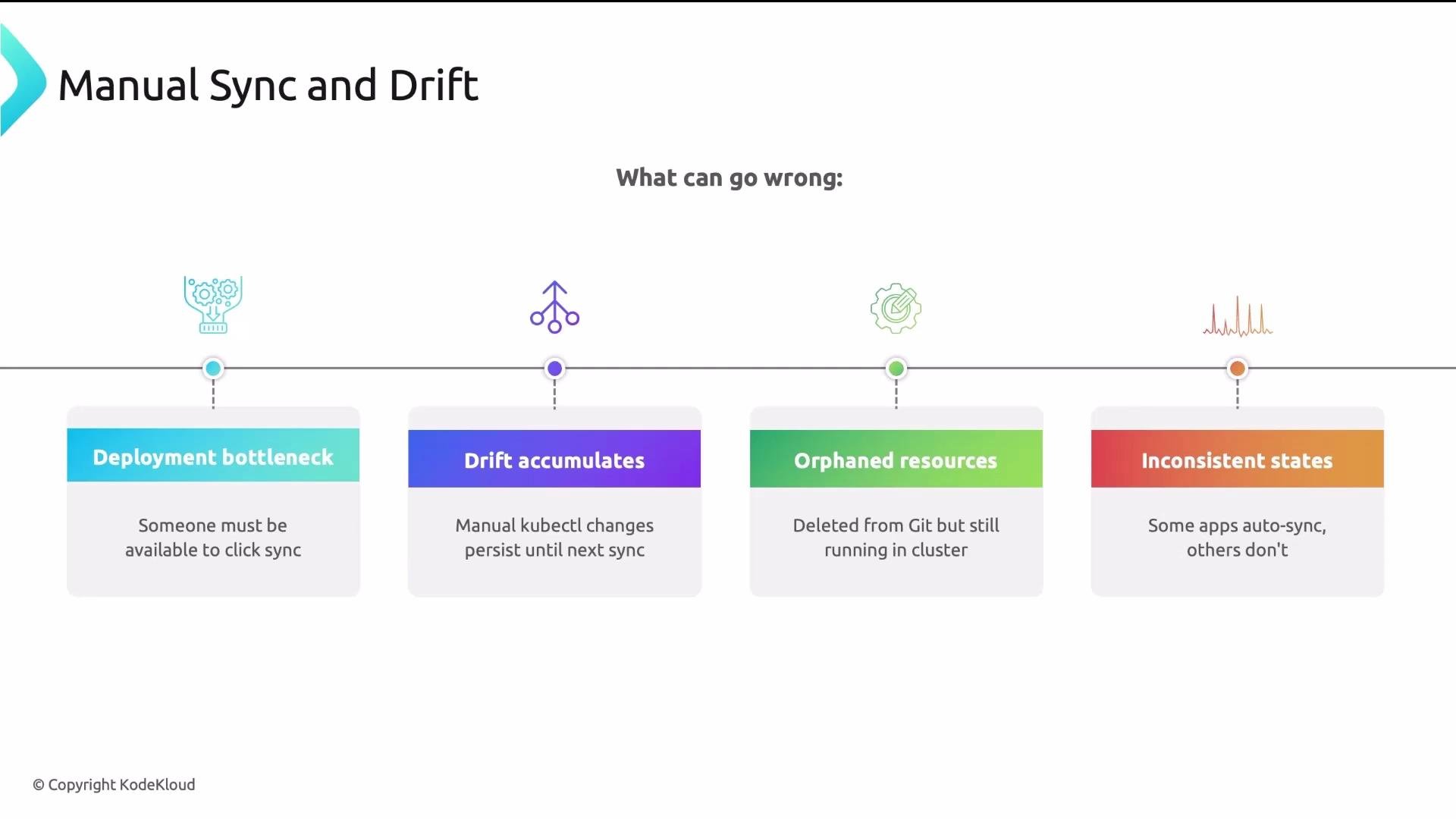
 Manual sync creates operational risk
* Hotfixes and deployments are delayed by manual steps.
* Manual `kubectl` edits introduce drift until reconciled.
* Resources removed from Git are not pruned and can become orphaned.
* Mixed sync modes cause inconsistent environment behavior.
Manual sync creates operational risk
* Hotfixes and deployments are delayed by manual steps.
* Manual `kubectl` edits introduce drift until reconciled.
* Resources removed from Git are not pruned and can become orphaned.
* Mixed sync modes cause inconsistent environment behavior.
 Application CRD — the core resource
An Argo CD Application CRD bridges two ends:
* Source: where manifests originate (Git repo path/revision or Helm chart + repo/OCI).
* Destination: where manifests are deployed (cluster server/cluster name and namespace).
Applications are grouped into Projects for RBAC, quota, and tenant isolation (e.g., restrict which namespaces a team can deploy to).
A minimal Application manifest:
```yaml theme={null}
apiVersion: argoproj.io/v1alpha1
kind: Application
metadata:
name: my-app
namespace: argocd
spec:
project: default
source:
repoURL: https://github.com/org/repo
targetRevision: main
path: apps/my-app
destination:
server: https://kubernetes.default.svc
namespace: my-app
syncPolicy:
automated:
prune: true
selfHeal: true
```
Quick reference: core Application spec fields
| Field | Purpose | Example |
| ------------------ | -------------------------------------------------- | ---------------------------------------- |
| `spec.source` | Where to fetch manifests (Git path or Helm chart). | `repoURL: https://github.com/org/repo` |
| `spec.destination` | Target cluster and namespace for deployment. | `server: https://kubernetes.default.svc` |
| `spec.project` | Project for grouping and RBAC isolation. | `project: default` |
| `spec.syncPolicy` | Controls automation: automated, selfHeal, prune. | See table below |
Sync policies — automation for true GitOps
Argo CD supports automation options you should enable in production. The main options:
| Option | Behavior | When to enable |
| ----------- | ------------------------------------------------------------------ | -------------------------------------- |
| `automated` | Apply changes from Git automatically (no UI click). | Enable for continuous delivery. |
| `selfHeal` | Continuously reconcile cluster to match Git (revert manual edits). | Enable to prevent configuration drift. |
| `prune` | Delete resources removed from Git to avoid orphaned resources. | Enable to keep cluster state clean. |
Example concise snippet to enable production-grade automation:
```yaml theme={null}
spec:
syncPolicy:
automated:
prune: true
selfHeal: true
```
Enable `automated` with `selfHeal: true` and `prune: true` in production to ensure Git changes are applied automatically, manual edits are reverted, and removed resources are pruned.
Helm integration — server-side rendering and overrides
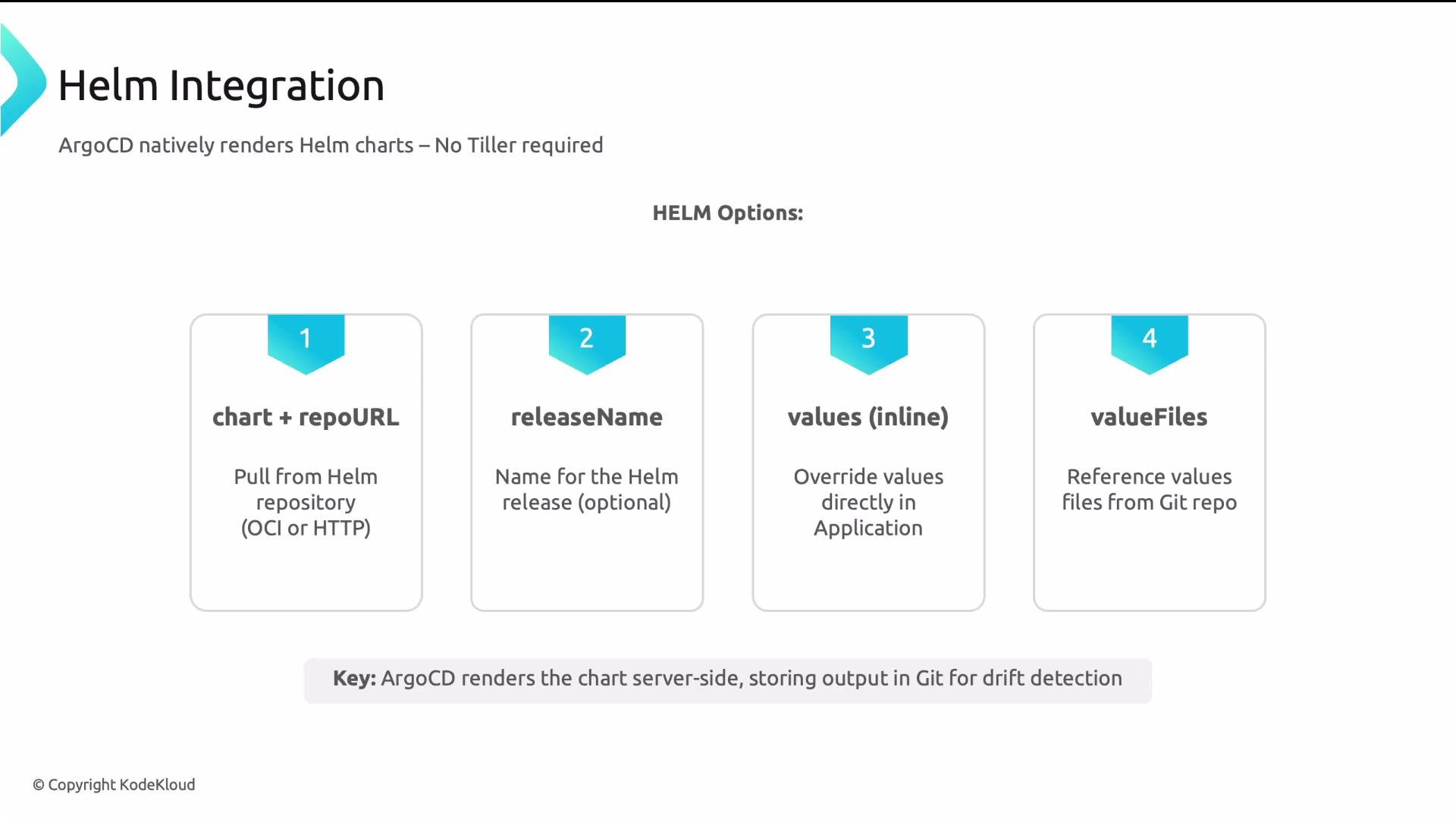
Argo CD renders Helm charts server-side — you do not need a Helm client inside the cluster. For Helm-based Applications, the `source` includes `chart` and `repoURL` (or an OCI reference). Argo CD caches the rendered manifests for diffs and drift detection, but it does not commit rendered manifests back to Git.
Two primary ways to supply Helm values:
* `helm.values` — inline YAML embedded directly in the Application (good for small overrides).
* `helm.valueFiles` — reference files inside the repo (preferred for many or environment-specific overrides).
Example Helm-based Application with both approaches:
```yaml theme={null}
apiVersion: argoproj.io/v1alpha1
kind: Application
metadata:
name: my-helm-app
namespace: argocd
spec:
project: default
source:
repoURL: https://charts.example.com
chart: mychart
targetRevision: 1.2.3
helm:
valueFiles:
- values-prod.yaml
values: |
replicaCount: 3
image:
tag: "1.2.3"
destination:
server: https://kubernetes.default.svc
namespace: my-helm-app
syncPolicy:
automated:
prune: true
selfHeal: true
```
Key Helm tips
* Use `helm.valueFiles` to keep overrides versioned and environment-specific.
* Use `helm.values` for small, quick overrides (but prefer files for consistency).
* Argo CD’s server-side rendering supports chart dependencies, templating, and helpers as a local Helm client would.
Application CRD — the core resource
An Argo CD Application CRD bridges two ends:
* Source: where manifests originate (Git repo path/revision or Helm chart + repo/OCI).
* Destination: where manifests are deployed (cluster server/cluster name and namespace).
Applications are grouped into Projects for RBAC, quota, and tenant isolation (e.g., restrict which namespaces a team can deploy to).
A minimal Application manifest:
```yaml theme={null}
apiVersion: argoproj.io/v1alpha1
kind: Application
metadata:
name: my-app
namespace: argocd
spec:
project: default
source:
repoURL: https://github.com/org/repo
targetRevision: main
path: apps/my-app
destination:
server: https://kubernetes.default.svc
namespace: my-app
syncPolicy:
automated:
prune: true
selfHeal: true
```
Quick reference: core Application spec fields
| Field | Purpose | Example |
| ------------------ | -------------------------------------------------- | ---------------------------------------- |
| `spec.source` | Where to fetch manifests (Git path or Helm chart). | `repoURL: https://github.com/org/repo` |
| `spec.destination` | Target cluster and namespace for deployment. | `server: https://kubernetes.default.svc` |
| `spec.project` | Project for grouping and RBAC isolation. | `project: default` |
| `spec.syncPolicy` | Controls automation: automated, selfHeal, prune. | See table below |
Sync policies — automation for true GitOps
Argo CD supports automation options you should enable in production. The main options:
| Option | Behavior | When to enable |
| ----------- | ------------------------------------------------------------------ | -------------------------------------- |
| `automated` | Apply changes from Git automatically (no UI click). | Enable for continuous delivery. |
| `selfHeal` | Continuously reconcile cluster to match Git (revert manual edits). | Enable to prevent configuration drift. |
| `prune` | Delete resources removed from Git to avoid orphaned resources. | Enable to keep cluster state clean. |
Example concise snippet to enable production-grade automation:
```yaml theme={null}
spec:
syncPolicy:
automated:
prune: true
selfHeal: true
```
Enable `automated` with `selfHeal: true` and `prune: true` in production to ensure Git changes are applied automatically, manual edits are reverted, and removed resources are pruned.
Helm integration — server-side rendering and overrides
Argo CD renders Helm charts server-side — you do not need a Helm client inside the cluster. For Helm-based Applications, the `source` includes `chart` and `repoURL` (or an OCI reference). Argo CD caches the rendered manifests for diffs and drift detection, but it does not commit rendered manifests back to Git.
Two primary ways to supply Helm values:
* `helm.values` — inline YAML embedded directly in the Application (good for small overrides).
* `helm.valueFiles` — reference files inside the repo (preferred for many or environment-specific overrides).
Example Helm-based Application with both approaches:
```yaml theme={null}
apiVersion: argoproj.io/v1alpha1
kind: Application
metadata:
name: my-helm-app
namespace: argocd
spec:
project: default
source:
repoURL: https://charts.example.com
chart: mychart
targetRevision: 1.2.3
helm:
valueFiles:
- values-prod.yaml
values: |
replicaCount: 3
image:
tag: "1.2.3"
destination:
server: https://kubernetes.default.svc
namespace: my-helm-app
syncPolicy:
automated:
prune: true
selfHeal: true
```
Key Helm tips
* Use `helm.valueFiles` to keep overrides versioned and environment-specific.
* Use `helm.values` for small, quick overrides (but prefer files for consistency).
* Argo CD’s server-side rendering supports chart dependencies, templating, and helpers as a local Helm client would.
 ApplicationSets — scale Application management
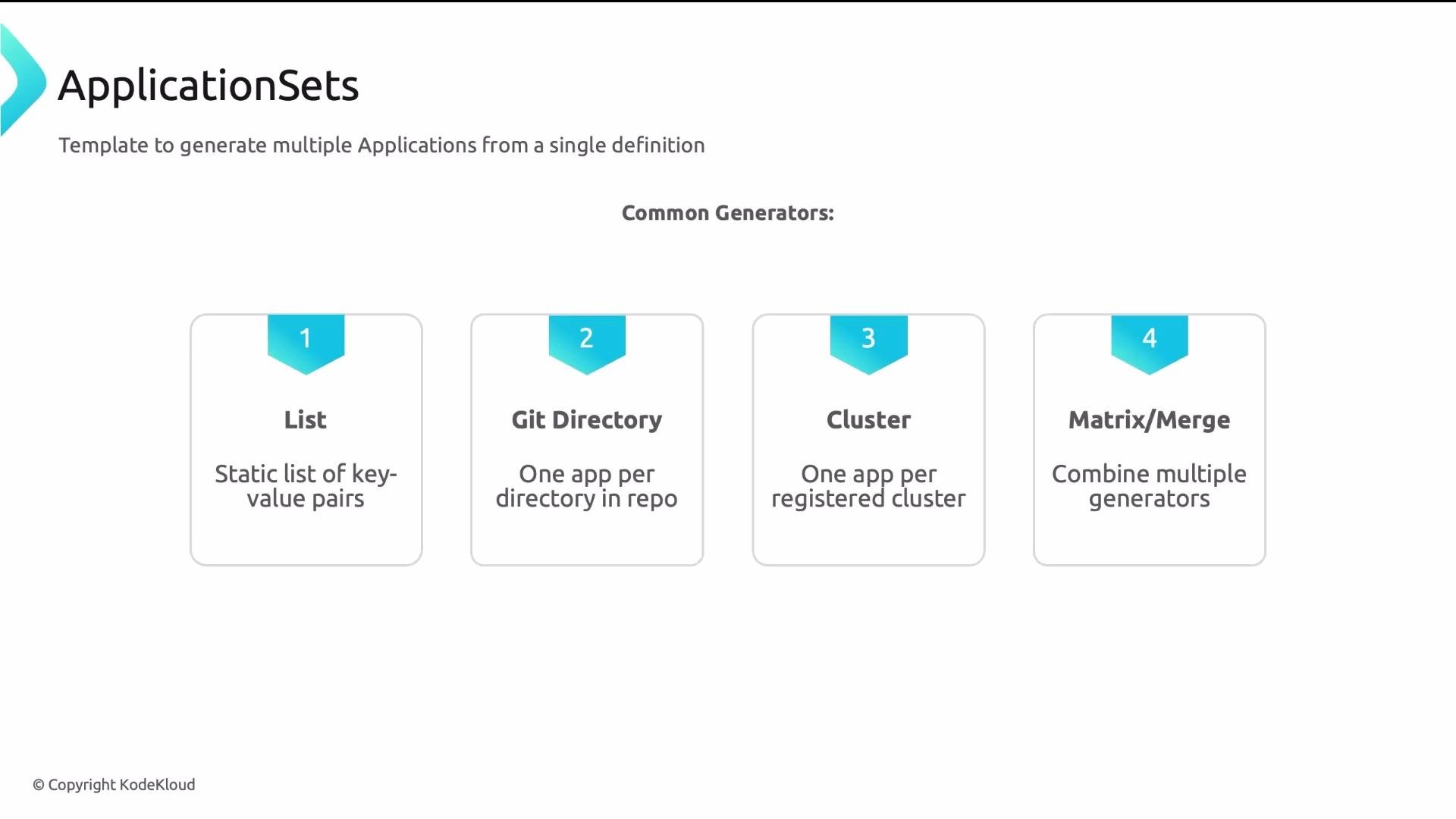
Managing dozens or hundreds of Application manifests by hand is error-prone. ApplicationSets generate many Application CRs from a single template using a generator.
Common generators:
* list — static list of elements (good for a small, fixed set).
* git — one application per directory found in a Git repo (add a directory to create a new Application).
* cluster — one application per registered cluster (register a cluster to deploy to it).
* matrix/merge — combine generators (e.g., app × cluster combinations).
Example: deploy the same app to dev and prod using a list generator. The template uses placeholders like `myapp-{{cluster}}` to stamp unique Application names per element.
```yaml theme={null}
apiVersion: argoproj.io/v1alpha1
kind: ApplicationSet
metadata:
name: myapp
namespace: argocd
spec:
generators:
- list:
elements:
- cluster: dev
url: https://kubernetes.default.svc
namespace: myapp-dev
- cluster: prod
url: https://prod.example.com
namespace: myapp-prod
template:
metadata:
name: "myapp-{{cluster}}"
spec:
project: default
source:
repoURL: https://github.com/org/repo
targetRevision: main
path: apps/my-app
destination:
server: "{{url}}"
namespace: "{{namespace}}"
syncPolicy:
automated:
prune: true
selfHeal: true
```
ApplicationSets — scale Application management
Managing dozens or hundreds of Application manifests by hand is error-prone. ApplicationSets generate many Application CRs from a single template using a generator.
Common generators:
* list — static list of elements (good for a small, fixed set).
* git — one application per directory found in a Git repo (add a directory to create a new Application).
* cluster — one application per registered cluster (register a cluster to deploy to it).
* matrix/merge — combine generators (e.g., app × cluster combinations).
Example: deploy the same app to dev and prod using a list generator. The template uses placeholders like `myapp-{{cluster}}` to stamp unique Application names per element.
```yaml theme={null}
apiVersion: argoproj.io/v1alpha1
kind: ApplicationSet
metadata:
name: myapp
namespace: argocd
spec:
generators:
- list:
elements:
- cluster: dev
url: https://kubernetes.default.svc
namespace: myapp-dev
- cluster: prod
url: https://prod.example.com
namespace: myapp-prod
template:
metadata:
name: "myapp-{{cluster}}"
spec:
project: default
source:
repoURL: https://github.com/org/repo
targetRevision: main
path: apps/my-app
destination:
server: "{{url}}"
namespace: "{{namespace}}"
syncPolicy:
automated:
prune: true
selfHeal: true
```
 Add a third cluster (by adding another element to the list or registering another cluster), and the ApplicationSet will automatically create a third Application—no manifest duplication required.
Recap — four key takeaways
* Application CRDs map a source (Git or Helm chart) to a destination (cluster/namespace) and are grouped into Projects for RBAC.
* For production GitOps, enable `automated` plus `selfHeal` and `prune` to apply Git changes automatically, revert manual edits, and remove orphaned resources.
* Argo CD renders Helm charts server-side. Use `helm.values` for small inline overrides and `helm.valueFiles` for versioned environment overrides.
* ApplicationSets let you scale Application creation using generators (list, git, cluster, matrix), avoiding manual duplication.
Further reading and references
* Argo CD documentation: [https://argo-cd.readthedocs.io/](https://argo-cd.readthedocs.io/)
* ApplicationSet controller docs: [https://argocd-applicationset.readthedocs.io/](https://argocd-applicationset.readthedocs.io/)
* For a different GitOps perspective, compare with GitOps using Flux: [https://learn.kodekloud.com/user/courses/gitops-with-fluxcd](https://learn.kodekloud.com/user/courses/gitops-with-fluxcd)
Mastering the Application CRD (source, destination, syncPolicy, and Helm values) and ApplicationSets gives you the foundation to operate Argo CD effectively in production and exam scenarios.
Add a third cluster (by adding another element to the list or registering another cluster), and the ApplicationSet will automatically create a third Application—no manifest duplication required.
Recap — four key takeaways
* Application CRDs map a source (Git or Helm chart) to a destination (cluster/namespace) and are grouped into Projects for RBAC.
* For production GitOps, enable `automated` plus `selfHeal` and `prune` to apply Git changes automatically, revert manual edits, and remove orphaned resources.
* Argo CD renders Helm charts server-side. Use `helm.values` for small inline overrides and `helm.valueFiles` for versioned environment overrides.
* ApplicationSets let you scale Application creation using generators (list, git, cluster, matrix), avoiding manual duplication.
Further reading and references
* Argo CD documentation: [https://argo-cd.readthedocs.io/](https://argo-cd.readthedocs.io/)
* ApplicationSet controller docs: [https://argocd-applicationset.readthedocs.io/](https://argocd-applicationset.readthedocs.io/)
* For a different GitOps perspective, compare with GitOps using Flux: [https://learn.kodekloud.com/user/courses/gitops-with-fluxcd](https://learn.kodekloud.com/user/courses/gitops-with-fluxcd)
Mastering the Application CRD (source, destination, syncPolicy, and Helm values) and ApplicationSets gives you the foundation to operate Argo CD effectively in production and exam scenarios.