> ## Documentation Index
> Fetch the complete documentation index at: https://notes.kodekloud.com/llms.txt
> Use this file to discover all available pages before exploring further.
# Repo Design That Works Apps Infra Environments Promotion
> Guide to organizing GitOps repositories by separating apps and infra, using base and overlays, choosing mono versus multi repo, and implementing promotion strategies for scalable, auditable deployments.
GitOps encourages “put everything in Git.” That’s excellent guidance — but Git alone doesn’t prescribe how to organize files. Without a deliberate repo layout, your GitOps repository becomes the YAML equivalent of a junk drawer: hard to understand, brittle, and slow to change.
In this guide you’ll get a practical, scalable repo reference architecture that separates concerns, makes promotion paths explicit, and reduces tribal knowledge.
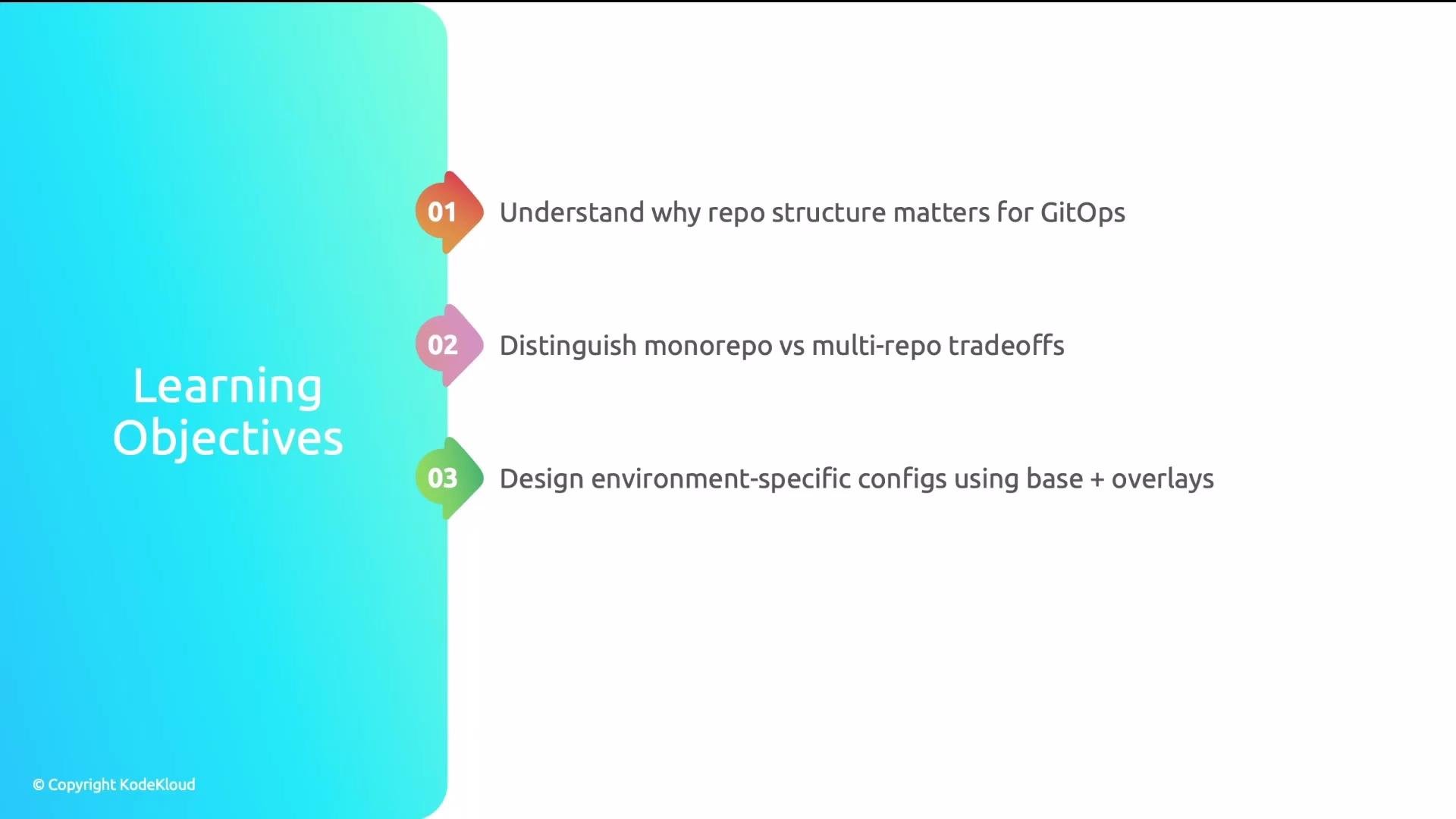 By the end of this article you will have a concrete repo layout you can adopt immediately and guidance on promotion strategies that scale.
## Real-world pain: repo chaos
A SaaS startup started small: one developer, a few YAML files. A year later the repo contained hundreds of files in a flat directory. New hires spent days figuring out what was used and what was stale.
By the end of this article you will have a concrete repo layout you can adopt immediately and guidance on promotion strategies that scale.
## Real-world pain: repo chaos
A SaaS startup started small: one developer, a few YAML files. A year later the repo contained hundreds of files in a flat directory. New hires spent days figuring out what was used and what was stale.
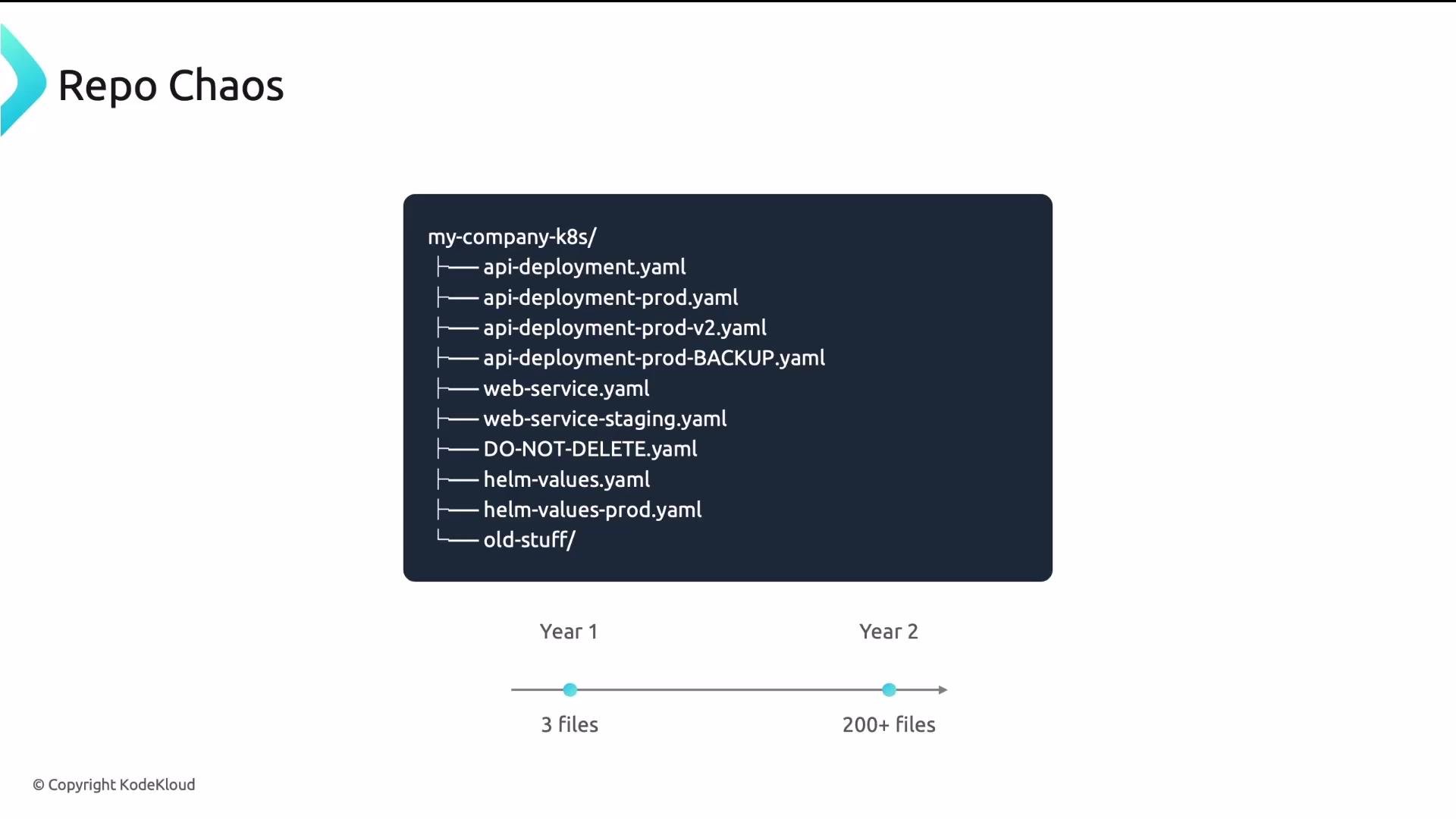 Representative excerpt of a flat layout:
```text theme={null}
my-company-k8s/
├── api-deployment.yaml
├── api-deployment-prod.yaml
├── api-deployment-prod-v2.yaml
├── api-deployment-prod-BACKUP.yaml
├── web-service.yaml
├── web-service-staging.yaml
├── DO-NOT-DELETE.yaml
├── helm-values.yaml
├── helm-values-prod.yaml
└── old-stuff/
```
The onboarding instructions said, “ask Sarah” — and Sarah was long gone. Which file is authoritative? Nobody knew.
## Four common problems in a flat repo
| Problem | Why it hurts |
| ------------------------------------------- | ----------------------------------------------------------------------------------------------- |
| Multiple versions with no clear active file | Teams waste time guessing which YAML is authoritative; deployments become unreliable. |
| Environment confusion | Dev, staging, and prod configs mixed together cause accidental promotions or misconfigurations. |
| No promotion path | Changes have no predictable flow from dev → staging → prod; audits and rollbacks are hard. |
| Apps & infra mixed | Platform and app teams step on each other’s changes; ownership is unclear. |
These issues are not about negligence — they’re about the fact that Git doesn’t enforce a structure. You must design it.
## Principle 1: separate application source from GitOps configuration
Application code and deployment/configuration files have different owners, lifecycles, and security requirements:
* Application code: source, Dockerfiles, unit tests. Fast iteration cadence (many commits/day).
* GitOps configuration: Kubernetes manifests, Helm values, Kustomize overlays. Slower cadence, stricter reviews, and platform ownership.
Keep them in separate repositories. Example:
```text theme={null}
my-app/
├── src/
├── Dockerfile
└── tests/
gitops-configs/
├── apps/
└── clusters/
```
Mixing app source and GitOps config leads to coupling of lifecycles, larger review scopes, and permission escalations. Use separate repos to enforce different PR workflows and access controls.
## Monorepo vs multi-repo for GitOps configs
Choose based on org size, team boundaries, and required access controls.
| Approach | When to use | Pros | Cons |
| ---------- | ---------------------------------------: | --------------------------------------------------------------------------------- | ------------------------------------------------ |
| Monorepo | Small-to-medium orgs, tight coordination | Single source of truth, atomic cross-app changes, easier enforcement of standards | Coarse-grained access control, can grow unwieldy |
| Multi-repo | Large orgs or strict team boundaries | Fine-grained access control, team autonomy, smaller blast radius | Cross-repo changes harder; standards can drift |
A common hybrid path: start with a monorepo, and split into per-app repos when you hit \~20–30 services or need stronger team isolation.
Example monorepo layout:
```text theme={null}
gitops-configs/
├── apps/api/
├── apps/web/
└── clusters/[dev|stg|prod]
```
When splitting:
```text theme={null}
api-gitops/
web-gitops/
platform-gitops/
```
## Managing environment-specific configuration: base + overlays (Kustomize-style)
Follow a base + overlay pattern so the canonical manifests live in one place and environment differences are expressed as minimal deltas.
* base/: reusable, valid manifests shared across environments.
* overlays/: per-environment patches that keep differences explicit and small.
Kustomize is a common tool for this pattern. See Kustomize docs for more: [https://learn.kodekloud.com/user/courses/kustomize](https://learn.kodekloud.com/user/courses/kustomize)
Example layout:
```text theme={null}
api/
├── base/
│ ├── deployment.yaml
│ ├── service.yaml
│ └── kustomization.yaml
└── overlays/
├── dev/
│ └── kustomization.yaml
├── staging/
│ └── kustomization.yaml
└── prod/
├── kustomization.yaml
└── replicas-patch.yaml
```
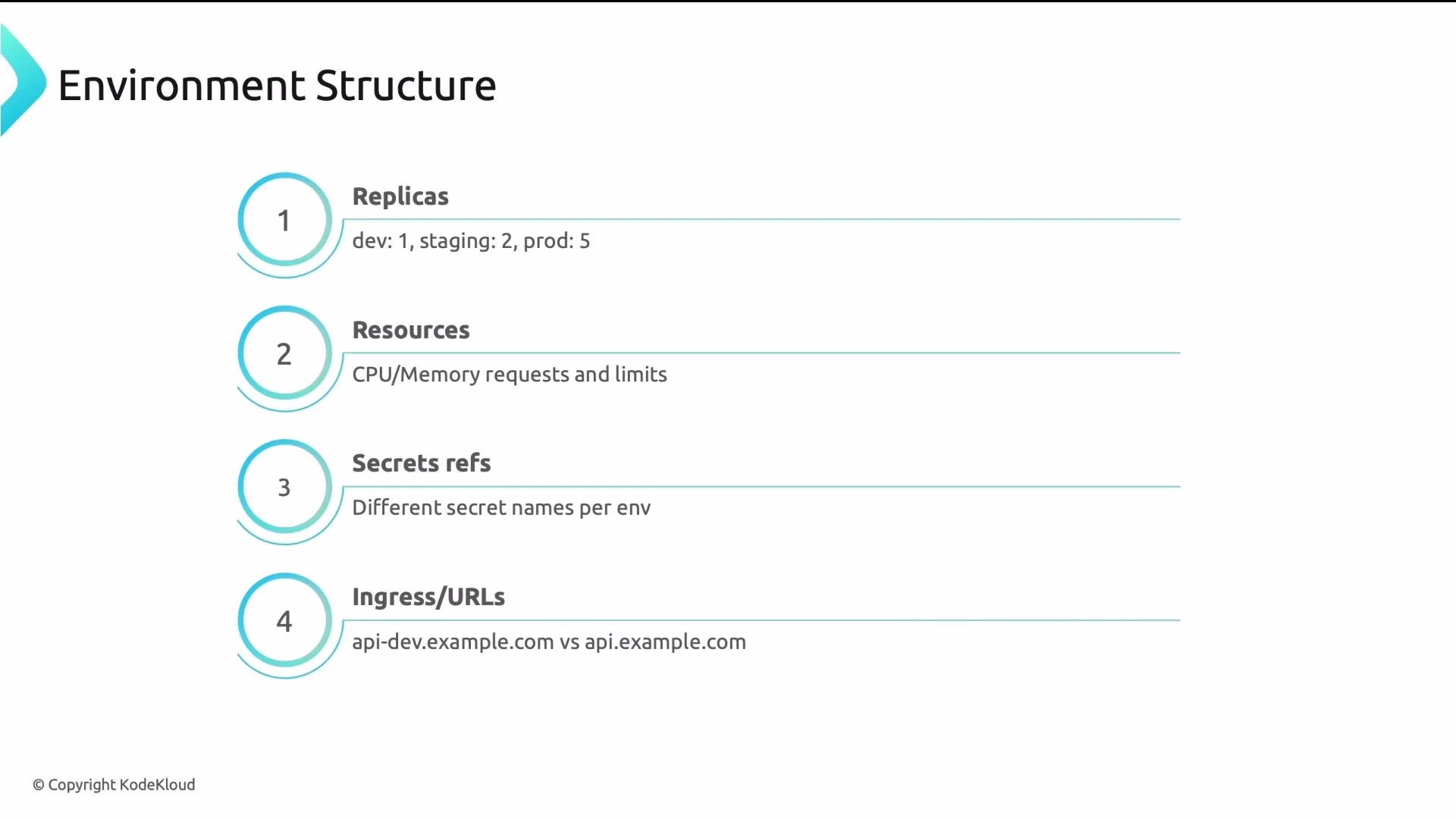
What typically varies per environment?
| Configuration area | Typical differences |
| ------------------ | -------------------------------------------------- |
| Replicas | `dev: 1`, `staging: 2`, `prod: 5` |
| Resources | Different CPU/memory requests & limits |
| Secrets | Different secret objects or naming per environment |
| Ingress / URLs | e.g., `api-dev.example.com` vs `api.example.com` |
Representative excerpt of a flat layout:
```text theme={null}
my-company-k8s/
├── api-deployment.yaml
├── api-deployment-prod.yaml
├── api-deployment-prod-v2.yaml
├── api-deployment-prod-BACKUP.yaml
├── web-service.yaml
├── web-service-staging.yaml
├── DO-NOT-DELETE.yaml
├── helm-values.yaml
├── helm-values-prod.yaml
└── old-stuff/
```
The onboarding instructions said, “ask Sarah” — and Sarah was long gone. Which file is authoritative? Nobody knew.
## Four common problems in a flat repo
| Problem | Why it hurts |
| ------------------------------------------- | ----------------------------------------------------------------------------------------------- |
| Multiple versions with no clear active file | Teams waste time guessing which YAML is authoritative; deployments become unreliable. |
| Environment confusion | Dev, staging, and prod configs mixed together cause accidental promotions or misconfigurations. |
| No promotion path | Changes have no predictable flow from dev → staging → prod; audits and rollbacks are hard. |
| Apps & infra mixed | Platform and app teams step on each other’s changes; ownership is unclear. |
These issues are not about negligence — they’re about the fact that Git doesn’t enforce a structure. You must design it.
## Principle 1: separate application source from GitOps configuration
Application code and deployment/configuration files have different owners, lifecycles, and security requirements:
* Application code: source, Dockerfiles, unit tests. Fast iteration cadence (many commits/day).
* GitOps configuration: Kubernetes manifests, Helm values, Kustomize overlays. Slower cadence, stricter reviews, and platform ownership.
Keep them in separate repositories. Example:
```text theme={null}
my-app/
├── src/
├── Dockerfile
└── tests/
gitops-configs/
├── apps/
└── clusters/
```
Mixing app source and GitOps config leads to coupling of lifecycles, larger review scopes, and permission escalations. Use separate repos to enforce different PR workflows and access controls.
## Monorepo vs multi-repo for GitOps configs
Choose based on org size, team boundaries, and required access controls.
| Approach | When to use | Pros | Cons |
| ---------- | ---------------------------------------: | --------------------------------------------------------------------------------- | ------------------------------------------------ |
| Monorepo | Small-to-medium orgs, tight coordination | Single source of truth, atomic cross-app changes, easier enforcement of standards | Coarse-grained access control, can grow unwieldy |
| Multi-repo | Large orgs or strict team boundaries | Fine-grained access control, team autonomy, smaller blast radius | Cross-repo changes harder; standards can drift |
A common hybrid path: start with a monorepo, and split into per-app repos when you hit \~20–30 services or need stronger team isolation.
Example monorepo layout:
```text theme={null}
gitops-configs/
├── apps/api/
├── apps/web/
└── clusters/[dev|stg|prod]
```
When splitting:
```text theme={null}
api-gitops/
web-gitops/
platform-gitops/
```
## Managing environment-specific configuration: base + overlays (Kustomize-style)
Follow a base + overlay pattern so the canonical manifests live in one place and environment differences are expressed as minimal deltas.
* base/: reusable, valid manifests shared across environments.
* overlays/: per-environment patches that keep differences explicit and small.
Kustomize is a common tool for this pattern. See Kustomize docs for more: [https://learn.kodekloud.com/user/courses/kustomize](https://learn.kodekloud.com/user/courses/kustomize)
Example layout:
```text theme={null}
api/
├── base/
│ ├── deployment.yaml
│ ├── service.yaml
│ └── kustomization.yaml
└── overlays/
├── dev/
│ └── kustomization.yaml
├── staging/
│ └── kustomization.yaml
└── prod/
├── kustomization.yaml
└── replicas-patch.yaml
```
What typically varies per environment?
| Configuration area | Typical differences |
| ------------------ | -------------------------------------------------- |
| Replicas | `dev: 1`, `staging: 2`, `prod: 5` |
| Resources | Different CPU/memory requests & limits |
| Secrets | Different secret objects or naming per environment |
| Ingress / URLs | e.g., `api-dev.example.com` vs `api.example.com` |
 Principle: keep the base identical across environments. Overlays should contain only the differences (deltas). If an overlay contains many unrelated changes, revisit your base design.
## Promotion strategies: how changes move between environments
Choose a promotion strategy that matches your team’s workflow and tooling.
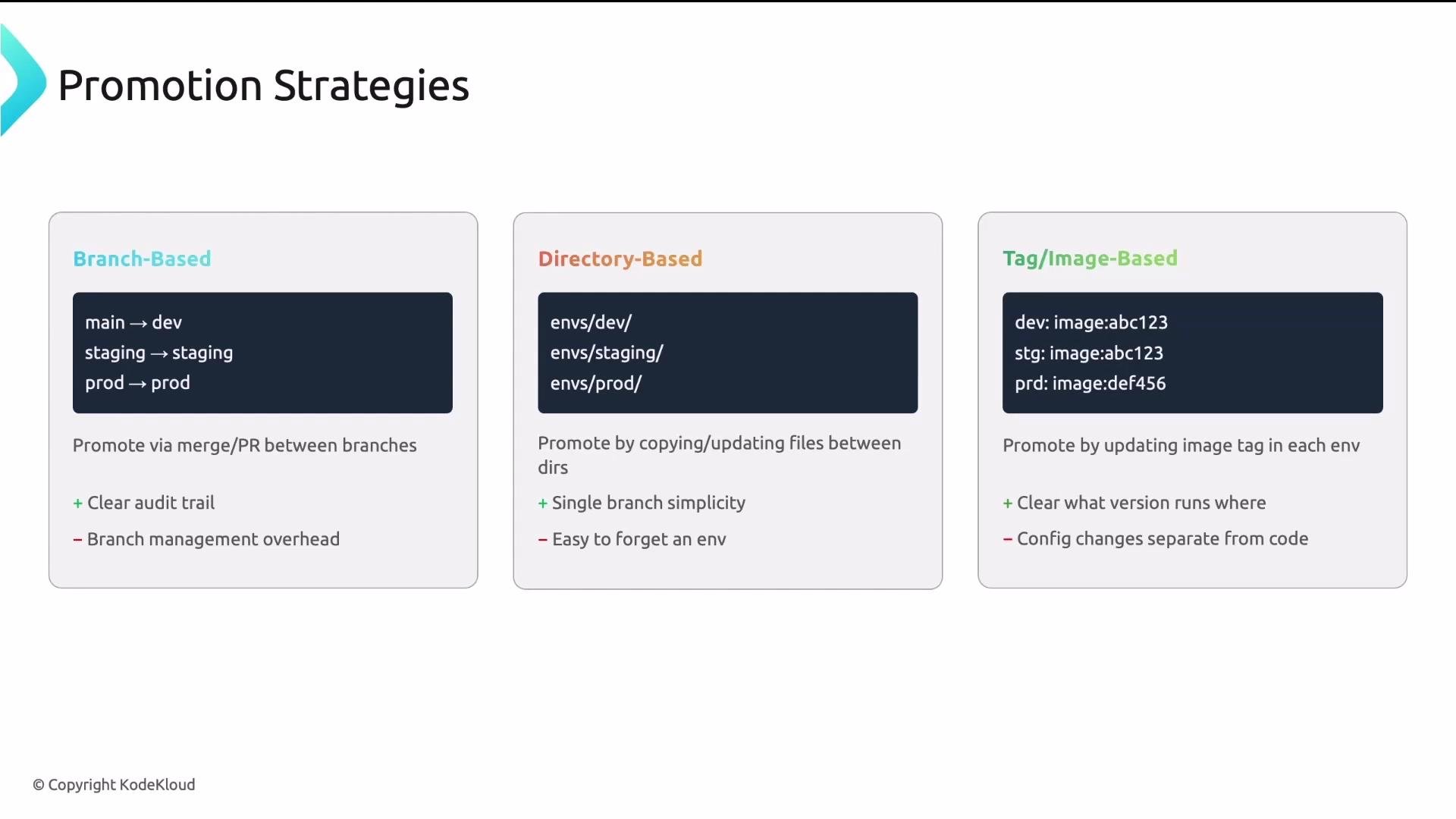
* Branch-based: each environment corresponds to a branch (e.g., `main`, `staging`, `prod`). Promote by merging. Simple, but branch management adds overhead.
* Directory-based: each environment is a directory path (e.g., `clusters/dev`, `clusters/staging`, `clusters/prod`). Promote by PRs that copy or update the config into the next environment directory; audit-friendly.
* Tag/image-based: each environment references a container image tag. Promote by updating the image tag in the next environment’s config (e.g., bump `my-app:1.2.3` → `my-app:1.2.4`).
Principle: keep the base identical across environments. Overlays should contain only the differences (deltas). If an overlay contains many unrelated changes, revisit your base design.
## Promotion strategies: how changes move between environments
Choose a promotion strategy that matches your team’s workflow and tooling.
* Branch-based: each environment corresponds to a branch (e.g., `main`, `staging`, `prod`). Promote by merging. Simple, but branch management adds overhead.
* Directory-based: each environment is a directory path (e.g., `clusters/dev`, `clusters/staging`, `clusters/prod`). Promote by PRs that copy or update the config into the next environment directory; audit-friendly.
* Tag/image-based: each environment references a container image tag. Promote by updating the image tag in the next environment’s config (e.g., bump `my-app:1.2.3` → `my-app:1.2.4`).
 Recommended practical pattern
For many organizations, a directory-based repo layout combined with tag/image-based promotion offers the best balance:
* Use clear, small overlays per environment (so Argo CD Applications can point to overlay paths).
* Promote by bumping the image tag in the next environment — this keeps diffs small, auditable, and focused on the artifact version.
Recommendation: Use directory-based environment layouts with small overlays, and promote by updating image tags. This produces small, auditable PRs and integrates well with tools like Argo CD. See Argo CD concepts for Application and ApplicationSet patterns: [https://learn.kodekloud.com/user/courses/gitops-with-argocd](https://learn.kodekloud.com/user/courses/gitops-with-argocd)
## Reference repo structure (payoff)
A clean, top-level layout clarifies ownership and scales with growth. Suggested top-level directories:
* apps/: application workloads owned by development teams. Each app uses base/overlays.
* infrastructure/: platform components owned by the platform team (monitoring, ingress, cert-manager).
* clusters/: cluster-level config and environment definitions that declare which apps and infra to deploy.
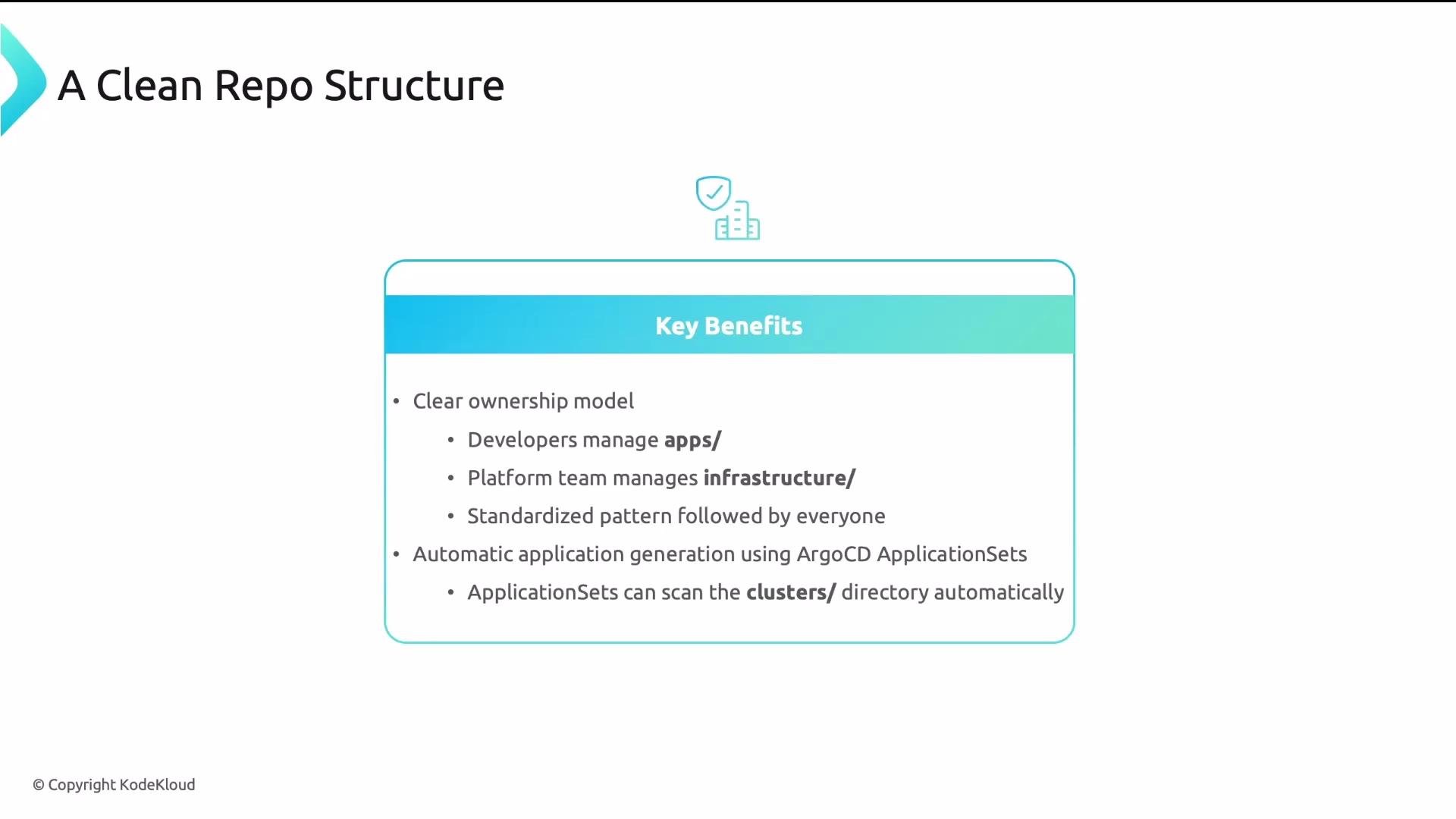
Benefits:
* Clear ownership boundaries.
* Standardized patterns across teams.
* Declarative mapping: Argo CD ApplicationSets can scan directories and generate Applications automatically.
Recommended practical pattern
For many organizations, a directory-based repo layout combined with tag/image-based promotion offers the best balance:
* Use clear, small overlays per environment (so Argo CD Applications can point to overlay paths).
* Promote by bumping the image tag in the next environment — this keeps diffs small, auditable, and focused on the artifact version.
Recommendation: Use directory-based environment layouts with small overlays, and promote by updating image tags. This produces small, auditable PRs and integrates well with tools like Argo CD. See Argo CD concepts for Application and ApplicationSet patterns: [https://learn.kodekloud.com/user/courses/gitops-with-argocd](https://learn.kodekloud.com/user/courses/gitops-with-argocd)
## Reference repo structure (payoff)
A clean, top-level layout clarifies ownership and scales with growth. Suggested top-level directories:
* apps/: application workloads owned by development teams. Each app uses base/overlays.
* infrastructure/: platform components owned by the platform team (monitoring, ingress, cert-manager).
* clusters/: cluster-level config and environment definitions that declare which apps and infra to deploy.
Benefits:
* Clear ownership boundaries.
* Standardized patterns across teams.
* Declarative mapping: Argo CD ApplicationSets can scan directories and generate Applications automatically.
 When a new team member joins, the directory tree becomes living documentation: they can quickly understand what is deployed where and who owns it.
## Four final takeaways
* Separate code from config so each follows an appropriate lifecycle and access policy.
* Use base + overlays to avoid duplication and keep environment differences minimal.
* Define a clear promotion path (dev → staging → prod) so changes move predictably and are auditable.
* Separate apps from infrastructure so teams have distinct ownership, review policies, and reduced merge conflicts.
When a new team member joins, the directory tree becomes living documentation: they can quickly understand what is deployed where and who owns it.
## Four final takeaways
* Separate code from config so each follows an appropriate lifecycle and access policy.
* Use base + overlays to avoid duplication and keep environment differences minimal.
* Define a clear promotion path (dev → staging → prod) so changes move predictably and are auditable.
* Separate apps from infrastructure so teams have distinct ownership, review policies, and reduced merge conflicts.