> ## Documentation Index
> Fetch the complete documentation index at: https://notes.kodekloud.com/llms.txt
> Use this file to discover all available pages before exploring further.
# Crossplane Functions
> Explains Crossplane function pipelines and Patch-and-Transform usage to map composite resource intent into provider-specific managed resources using patches, transforms, and conditional logic.
Compositions (XRs and XRDs) define the structure of composed infrastructure, but they need programmable logic to flow values from the composite resource (XR) into the composed managed resources. For example: how does a developer-specified `spec.size: small` on an XR become `spec.forProvider.instanceClass: db.t3.micro` on an AWS RDS resource? Crossplane functions implement this mapping and conditional logic.
In this lesson we will:
* Explain why compositions need programmable logic.
* Describe the pipeline architecture used by function-based compositions.
* Master the Patch-and-Transform function: its structure, configuration, patch types, and transforms.
* Trace a complete patch-with-transform example end-to-end.
Why functions?
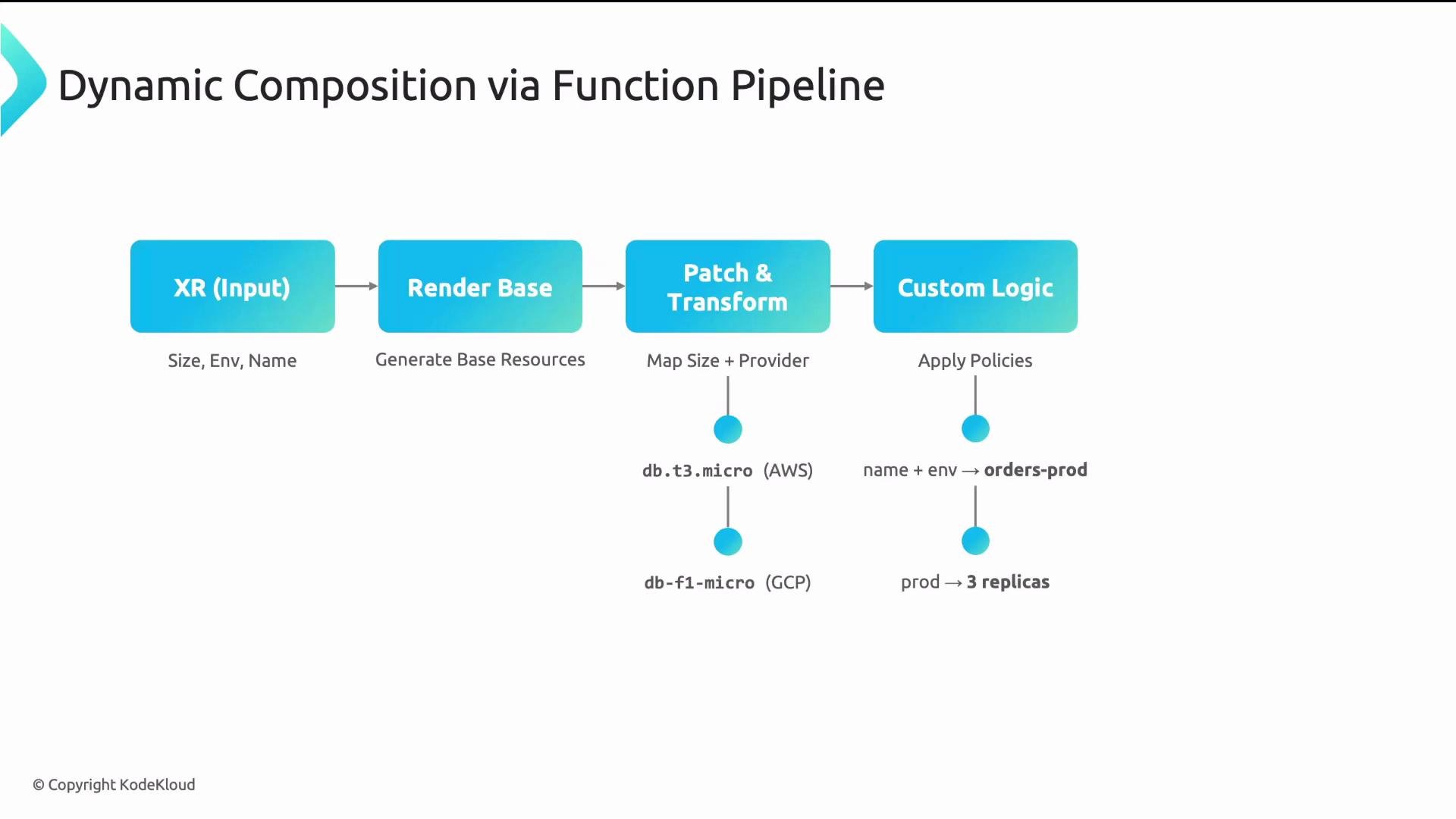
A static composition that hard-codes values (e.g., always `db.t3.micro`, always `us-east-1`, always 20 GB) is not a real platform. Real self-service platforms accept simple, intent-oriented inputs like `size: small`, `environment: prod`, and `name: orders`, and then translate those into provider-specific configuration.
Typical runtime mappings:
* `small` → `db.t3.micro` (AWS) or `db-f1-micro` (GCP)
* `name: orders` + `environment: prod` → `orders-prod` for unique resource names
* `environment: prod` → 3 replicas; `dev` → 1 replica
Functions provide these mappings and conditional behaviors. They execute in a pipeline that typically follows this flow:
1. Render base resources (templates).
2. Apply patches and transforms to move and convert data.
3. Optionally run custom logic (filters, readiness checks, additional transforms).
Each function receives the XR and the accumulated output, then returns an updated output to the next function. The pipeline supports three primary capabilities: patches & transforms, conditional logic, and value mapping.
 Function types
Core Crossplane function types to know:
| Function Type | Use Case | Notes / Example |
| ------------------- | -------------------------------------------------- | ------------------------------------------------------------------------------------------------ |
| Patch-and-Transform | Declarative, YAML-based composition transforms | Covers \~90% of use cases; input kind `Resources` with `apiVersion: pt.fn.crossplane.io/v1beta1` |
| GoTemplating | Complex string manipulation and templating | Uses Go templates + Sprig; for logic not expressible in Patch-and-Transform |
| KCL | Programmatic configuration language for transforms | More expressive than YAML-only transforms, less verbose than custom functions |
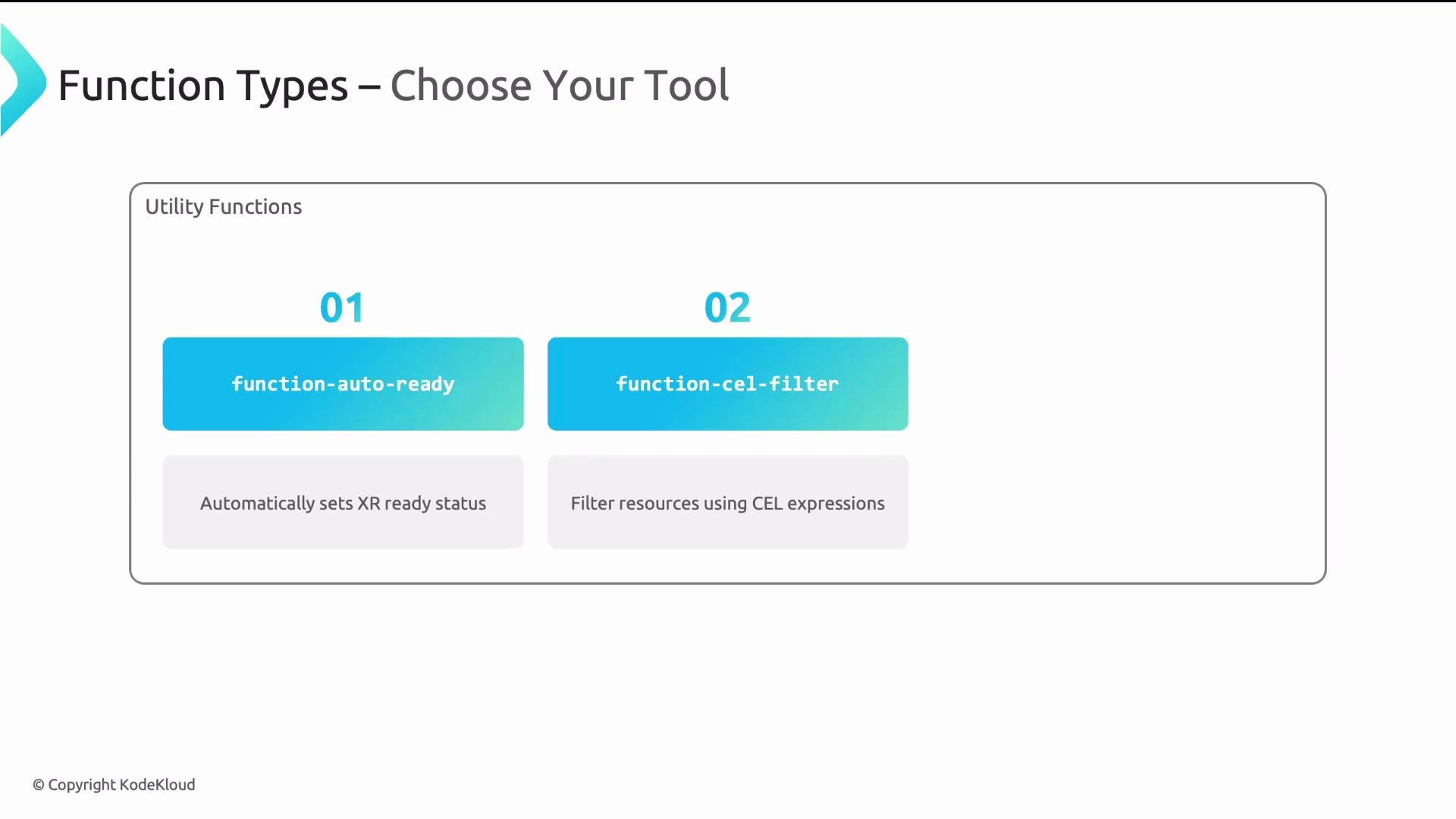
| Utility functions | Small helpers (readiness, filtering) | Examples: `function-auto-ready`, `function-cel-filter` |
| Custom functions | Full custom logic in Go/Python | Use when platform needs bespoke behavior |
Function types
Core Crossplane function types to know:
| Function Type | Use Case | Notes / Example |
| ------------------- | -------------------------------------------------- | ------------------------------------------------------------------------------------------------ |
| Patch-and-Transform | Declarative, YAML-based composition transforms | Covers \~90% of use cases; input kind `Resources` with `apiVersion: pt.fn.crossplane.io/v1beta1` |
| GoTemplating | Complex string manipulation and templating | Uses Go templates + Sprig; for logic not expressible in Patch-and-Transform |
| KCL | Programmatic configuration language for transforms | More expressive than YAML-only transforms, less verbose than custom functions |
| Utility functions | Small helpers (readiness, filtering) | Examples: `function-auto-ready`, `function-cel-filter` |
| Custom functions | Full custom logic in Go/Python | Use when platform needs bespoke behavior |
 Pipeline and Patch-and-Transform structure
In pipeline mode, each step references a function and provides the function's input. For Patch-and-Transform the input typically uses API version `pt.fn.crossplane.io/v1beta1` and kind `Resources`. The top-level `resources` array lists each composed resource: a `name`, a `base` template for the managed resource, and a list of `patches` (with optional `transforms`) to apply.
Example pipeline step (YAML):
```yaml theme={null}
spec:
mode: Pipeline
pipeline:
- step: render-resources
functionRef:
name: function-patch-and-transform
input:
apiVersion: pt.fn.crossplane.io/v1beta1
kind: Resources
resources:
- name: my-resource
base:
apiVersion: database.aws.crossplane.io/v1beta1
kind: RDSInstance
spec:
forProvider:
# default or placeholder spec values go here
patches:
# patch definitions go here
```
A composition often contains multiple pipeline steps. Each step calls a function with an `input` that tells it which resources to create and which patches / transforms to apply. Patch-and-Transform is the most common function because it enables declarative, composition-friendly mapping.
Patch types
Patch-and-Transform supports copying data in both directions and from environment configs. The most common patch types:
| Patch Type | Direction | Purpose | Example |
| ------------------------ | ---------------------- | --------------------------------------------------------------------- | -------------------------------- |
| FromCompositeFieldPath | XR → resource | Copy a value from XR into composed resource | `type: FromCompositeFieldPath` |
| CombineFromComposite | XR → resource | Combine multiple XR fields into one (e.g., create names) | `type: CombineFromComposite` |
| ToCompositeFieldPath | resource → XR | Copy a value from composed resource back to the XR (usually `status`) | `type: ToCompositeFieldPath` |
| FromEnvironmentFieldPath | Environment → resource | Copy values from an `EnvironmentConfig` into a resource | `type: FromEnvironmentFieldPath` |
Example: basic FromCompositeFieldPath
```yaml theme={null}
type: FromCompositeFieldPath
fromFieldPath: spec.size
toFieldPath: spec.forProvider.instanceClass
```
Example: Combine fields into a metadata name
```yaml theme={null}
type: CombineFromComposite
combine:
strategy: string
string:
fmt: "%s-%s"
fromFieldPaths:
- spec.appName
- spec.environment
toFieldPath: metadata.name
```
Focus on `FromCompositeFieldPath` and `CombineFromComposite` first — these cover the majority of practical composition needs.
Transforms
Patches copy values; transforms convert or format those values between reading and writing. Common transform types:
| Transform Type | Purpose | Example |
| -------------- | ------------------------------------------------------- | ---------------------------- |
| string | Format strings, e.g., build resource names | `fmt: "db-%s-instance"` |
| map | Lookup table mapping friendly inputs to provider values | map: `small: "db.t3.micro"` |
| convert | Primitive type conversion (string → integer, etc.) | `toType: integer` |
| math | Arithmetic on numeric values | multiply by `1024` (GB → MB) |
Examples
String format transform:
```yaml theme={null}
transforms:
- type: string
string:
fmt: "db-%s-instance"
```
Map transform (map developer-friendly sizes to provider instance classes):
```yaml theme={null}
transforms:
- type: map
map:
small: "db.t3.micro"
medium: "db.t3.medium"
large: "db.r5.xlarge"
```
Convert transform:
```yaml theme={null}
transforms:
- type: convert
convert:
toType: integer
```
Math transform:
```yaml theme={null}
transforms:
- type: math
math:
operator: multiply
operand: 1024
```
String and map transforms are the most commonly used in platform compositions because they let you translate compact, human-friendly inputs into provider-specific configuration.
End-to-end example: size → instance class
A common pattern converts a simple XR field (`spec.size`) to a provider instance class:
1. Developer submits an XR with `spec.size: small`.
2. A `FromCompositeFieldPath` patch reads `spec.size`.
3. A `map` transform maps `small` → `db.t3.micro`.
4. The mapped value is written to the composed resource at `spec.forProvider.instanceClass`.
Patch example:
```yaml theme={null}
- type: FromCompositeFieldPath
fromFieldPath: spec.size
toFieldPath: spec.forProvider.instanceClass
transforms:
- type: map
map:
small: "db.t3.micro"
medium: "db.t3.medium"
large: "db.r5.xlarge"
```
This `FromCompositeFieldPath` + `map` transform pattern is the bread-and-butter of Crossplane compositions. Mastering it enables most practical platform workflows.
Summary
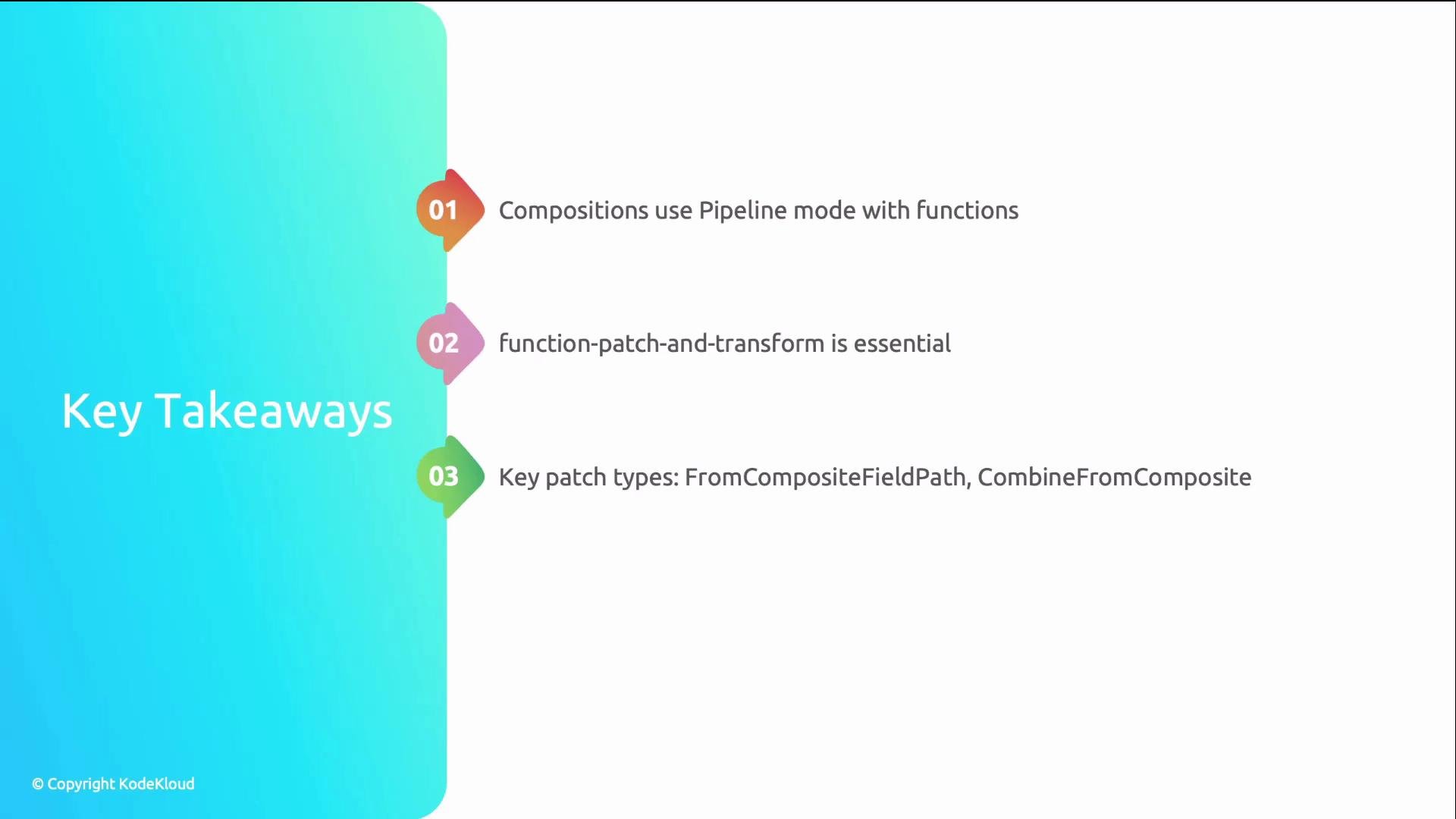
* Use pipeline-mode functions for programmable mappings in compositions.
* Patch-and-Transform (`apiVersion: pt.fn.crossplane.io/v1beta1`, `kind: Resources`) is the primary, declarative function for most use cases.
* Focus first on `FromCompositeFieldPath` and `CombineFromComposite` patches.
* Use `string` and `map` transforms for name formatting and mapping developer-friendly values to provider-specific configuration.
* Reserve GoTemplating, KCL, or custom functions for cases where Patch-and-Transform is not expressive enough.
Pipeline and Patch-and-Transform structure
In pipeline mode, each step references a function and provides the function's input. For Patch-and-Transform the input typically uses API version `pt.fn.crossplane.io/v1beta1` and kind `Resources`. The top-level `resources` array lists each composed resource: a `name`, a `base` template for the managed resource, and a list of `patches` (with optional `transforms`) to apply.
Example pipeline step (YAML):
```yaml theme={null}
spec:
mode: Pipeline
pipeline:
- step: render-resources
functionRef:
name: function-patch-and-transform
input:
apiVersion: pt.fn.crossplane.io/v1beta1
kind: Resources
resources:
- name: my-resource
base:
apiVersion: database.aws.crossplane.io/v1beta1
kind: RDSInstance
spec:
forProvider:
# default or placeholder spec values go here
patches:
# patch definitions go here
```
A composition often contains multiple pipeline steps. Each step calls a function with an `input` that tells it which resources to create and which patches / transforms to apply. Patch-and-Transform is the most common function because it enables declarative, composition-friendly mapping.
Patch types
Patch-and-Transform supports copying data in both directions and from environment configs. The most common patch types:
| Patch Type | Direction | Purpose | Example |
| ------------------------ | ---------------------- | --------------------------------------------------------------------- | -------------------------------- |
| FromCompositeFieldPath | XR → resource | Copy a value from XR into composed resource | `type: FromCompositeFieldPath` |
| CombineFromComposite | XR → resource | Combine multiple XR fields into one (e.g., create names) | `type: CombineFromComposite` |
| ToCompositeFieldPath | resource → XR | Copy a value from composed resource back to the XR (usually `status`) | `type: ToCompositeFieldPath` |
| FromEnvironmentFieldPath | Environment → resource | Copy values from an `EnvironmentConfig` into a resource | `type: FromEnvironmentFieldPath` |
Example: basic FromCompositeFieldPath
```yaml theme={null}
type: FromCompositeFieldPath
fromFieldPath: spec.size
toFieldPath: spec.forProvider.instanceClass
```
Example: Combine fields into a metadata name
```yaml theme={null}
type: CombineFromComposite
combine:
strategy: string
string:
fmt: "%s-%s"
fromFieldPaths:
- spec.appName
- spec.environment
toFieldPath: metadata.name
```
Focus on `FromCompositeFieldPath` and `CombineFromComposite` first — these cover the majority of practical composition needs.
Transforms
Patches copy values; transforms convert or format those values between reading and writing. Common transform types:
| Transform Type | Purpose | Example |
| -------------- | ------------------------------------------------------- | ---------------------------- |
| string | Format strings, e.g., build resource names | `fmt: "db-%s-instance"` |
| map | Lookup table mapping friendly inputs to provider values | map: `small: "db.t3.micro"` |
| convert | Primitive type conversion (string → integer, etc.) | `toType: integer` |
| math | Arithmetic on numeric values | multiply by `1024` (GB → MB) |
Examples
String format transform:
```yaml theme={null}
transforms:
- type: string
string:
fmt: "db-%s-instance"
```
Map transform (map developer-friendly sizes to provider instance classes):
```yaml theme={null}
transforms:
- type: map
map:
small: "db.t3.micro"
medium: "db.t3.medium"
large: "db.r5.xlarge"
```
Convert transform:
```yaml theme={null}
transforms:
- type: convert
convert:
toType: integer
```
Math transform:
```yaml theme={null}
transforms:
- type: math
math:
operator: multiply
operand: 1024
```
String and map transforms are the most commonly used in platform compositions because they let you translate compact, human-friendly inputs into provider-specific configuration.
End-to-end example: size → instance class
A common pattern converts a simple XR field (`spec.size`) to a provider instance class:
1. Developer submits an XR with `spec.size: small`.
2. A `FromCompositeFieldPath` patch reads `spec.size`.
3. A `map` transform maps `small` → `db.t3.micro`.
4. The mapped value is written to the composed resource at `spec.forProvider.instanceClass`.
Patch example:
```yaml theme={null}
- type: FromCompositeFieldPath
fromFieldPath: spec.size
toFieldPath: spec.forProvider.instanceClass
transforms:
- type: map
map:
small: "db.t3.micro"
medium: "db.t3.medium"
large: "db.r5.xlarge"
```
This `FromCompositeFieldPath` + `map` transform pattern is the bread-and-butter of Crossplane compositions. Mastering it enables most practical platform workflows.
Summary
* Use pipeline-mode functions for programmable mappings in compositions.
* Patch-and-Transform (`apiVersion: pt.fn.crossplane.io/v1beta1`, `kind: Resources`) is the primary, declarative function for most use cases.
* Focus first on `FromCompositeFieldPath` and `CombineFromComposite` patches.
* Use `string` and `map` transforms for name formatting and mapping developer-friendly values to provider-specific configuration.
* Reserve GoTemplating, KCL, or custom functions for cases where Patch-and-Transform is not expressive enough.
 Links and references
* [Crossplane Composition Functions (official docs)](https://doc.crds.dev/github.com/crossplane/function-patch-and-transform)
* [Crossplane Composition Overview](https://crossplane.io/docs/latest/concepts/composition.html)
* Kubernetes documentation: [Kubernetes Concepts](https://kubernetes.io/docs/concepts/overview/what-is-kubernetes/)
Links and references
* [Crossplane Composition Functions (official docs)](https://doc.crds.dev/github.com/crossplane/function-patch-and-transform)
* [Crossplane Composition Overview](https://crossplane.io/docs/latest/concepts/composition.html)
* Kubernetes documentation: [Kubernetes Concepts](https://kubernetes.io/docs/concepts/overview/what-is-kubernetes/)