> ## Documentation Index
> Fetch the complete documentation index at: https://notes.kodekloud.com/llms.txt
> Use this file to discover all available pages before exploring further.
# Demo Compositions with Crossplane
> Demo of using Crossplane Compositions to expose user-friendly Kubernetes APIs that map composite resources into concrete provider resources via XRDs, Compositions, patches, and transforms.
[Crossplane](https://crossplane.io) enables platform engineering by letting platform teams expose simple, user-facing APIs that automatically provision cloud and Kubernetes resources. A platform user declares a single Kubernetes custom resource (for example, a Database). Crossplane reconciles that request and provisions everything underneath — no need for the user to know about ConfigMaps, namespaces, or cloud-specific instance classes.
This walkthrough will:
* Verify what Crossplane components are running in the cluster.
* Inspect the Composite Resource Definition (XRD) that defines the user-facing API.
* Inspect the Composition that implements the XRD and applies patches/transforms.
* Create two composite resources with different inputs and observe the composed Kubernetes resources.
High-level architecture:
* The XRD defines the API users consume (which fields they can set).
* The Composition describes how to build concrete resources from that API.
## What is running in the cluster
First, verify the Crossplane controllers, the RBAC manager, the function used for patch/transform, and the Kubernetes provider:
```bash theme={null}
kubectl get pods -n crossplane-system
```
Example output:
```text theme={null}
NAME READY STATUS RESTARTS AGE
crossplane-5cb76b766d-zh6fd 1/1 Running 0 24m
crossplane-rbac-manager-74494c4b9f-55wgx 1/1 Running 0 24m
function-patch-and-transform-0a59aad149b-5bf6d68d-qwr2 1/1 Running 0 21m
provider-kubernetes-ed54bcb787-574d9bbd9-g9dx 1/1 Running 0 23m
```
Check which XRDs are offered by the platform:
```bash theme={null}
kubectl get xrd
```
Example output:
```text theme={null}
NAME ESTABLISHED OFFERED AGE
databases.platform.example.com True 20m
```
## Inspect the XRD (Database)
An XRD looks like a Kubernetes CRD: it contains group, names, scope, versions, and an OpenAPI schema describing the `spec` users can provide. Below is a representative excerpt of the XRD YAML for `databases.platform.example.com`:
```yaml theme={null}
apiVersion: apiextensions.crossplane.io/v1
kind: CompositeResourceDefinition
metadata:
name: databases.platform.example.com
spec:
group: platform.example.com
names:
kind: Database
plural: databases
scope: Namespaced
versions:
- name: v1
referenceable: true
served: true
schema:
openAPIV3Schema:
type: object
properties:
spec:
type: object
properties:
engine:
type: string
enum:
- postgresql
- mysql
environment:
type: string
size:
type: string
enum:
- small
- medium
- large
targetNamespace:
type: string
required:
- engine
- size
- environment
- targetNamespace
```
The XRD defines the user-facing API surface (the fields users can set). The Composition maps those fields into concrete resources, using patches and transforms to translate user-friendly values into provider-specific details.
Note about scope:
* `scope: Namespaced` — composite resource instances must be created in a namespace and the composed resources will be created according to composition logic.
* `scope: Cluster` — composite resources would be cluster-scoped. This impacts where users create resources and which RBAC permissions are required.
## Inspect the Composition
The Composition named `database-kubernetes` implements the `Database` composite type. It runs in pipeline mode and calls a function (`patch-and-transform`) to apply patches and transforms to the composed resources.
A simplified excerpt of the Composition:
```yaml theme={null}
apiVersion: apiextensions.crossplane.io/v1
kind: Composition
metadata:
name: database-kubernetes
spec:
compositeTypeRef:
apiVersion: platform.example.com/v1
kind: Database
mode: Pipeline
pipeline:
- functionRef:
name: function-patch-and-transform
input:
apiVersion: pt.fn.crossplane.io/v1beta1
kind: Resources
resources:
- base:
apiVersion: kubernetes.m.crossplane.io/v1alpha1
kind: Object
spec:
forProvider:
manifest:
apiVersion: v1
kind: ConfigMap
metadata:
name: db-config
namespace: default
data: {}
providerConfigRef:
name: default
patches:
- fromFieldPath: spec.targetNamespace
toFieldPath: spec.forProvider.manifest.metadata.namespace
type: FromCompositeFieldPath
- fromFieldPath: spec.engine
toFieldPath: spec.forProvider.manifest.data.engine
type: FromCompositeFieldPath
- fromFieldPath: spec.environment
toFieldPath: spec.forProvider.manifest.data.environment
type: FromCompositeFieldPath
- fromFieldPath: spec.size
toFieldPath: spec.forProvider.manifest.data.instanceClass
type: FromCompositeFieldPath
transforms:
- type: map
map:
large: db.r5.large
medium: db.t3.medium
small: db.t3.micro
step: patch-and-transform
```
Key implementation details:
* The composition creates a Kubernetes ConfigMap (`kubernetes.m.crossplane.io/v1alpha1` Object) via the Kubernetes provider.
* `patches` map fields from the composite resource spec (`spec.engine`, `spec.size`, etc.) into the ConfigMap manifest.
* The `map` transform converts user-friendly `size` values (small/medium/large) into concrete instance classes (`db.t3.micro`, `db.t3.medium`, `db.r5.large`).
## Example: create a Database composite resource
Create a composite resource `orders-db.yaml` that a platform user might apply:
```yaml theme={null}
apiVersion: platform.example.com/v1
kind: Database
metadata:
name: orders-db
namespace: default
spec:
engine: postgresql
size: large
environment: prod
targetNamespace: team-frontend
```
Apply it:
```bash theme={null}
kubectl apply -f orders-db.yaml
```
Check the composite resource and the composition selection:
```bash theme={null}
kubectl get database orders-db
```
Example output:
```text theme={null}
NAME SYNCED READY COMPOSITION AGE
orders-db True True database-kubernetes 17s
```
Crossplane composes the resource. The Kubernetes provider creates a `ConfigMap` in the target namespace `team-frontend`. Inspect the created ConfigMap:
```bash theme={null}
kubectl get configmaps -n team-frontend -oyaml
```
Representative output for the created ConfigMap:
```yaml theme={null}
apiVersion: v1
items:
- apiVersion: v1
kind: ConfigMap
metadata:
name: db-config
namespace: team-frontend
creationTimestamp: "2026-04-13T03:33:04Z"
resourceVersion: "9044"
uid: b53a553a-5c5f-4e8e-a0a7-607ef629fd63
annotations:
kubectl.kubernetes.io/last-applied-configuration: |
{"apiVersion":"v1","data":{"engine":"postgresql","environment":"prod","instanceClass":"db.r5.large"},"kind":"ConfigMap","metadata":{"name":"db-config","namespace":"team-frontend"}}
data:
engine: postgresql
environment: prod
instanceClass: db.r5.large
```
Notice how `size: large` from the composite resource was transformed into `instanceClass: db.r5.large` via the composition's map transform — the user provided a meaningful size value and the platform supplied the concrete instance class.
## Create a second composite resource with different inputs
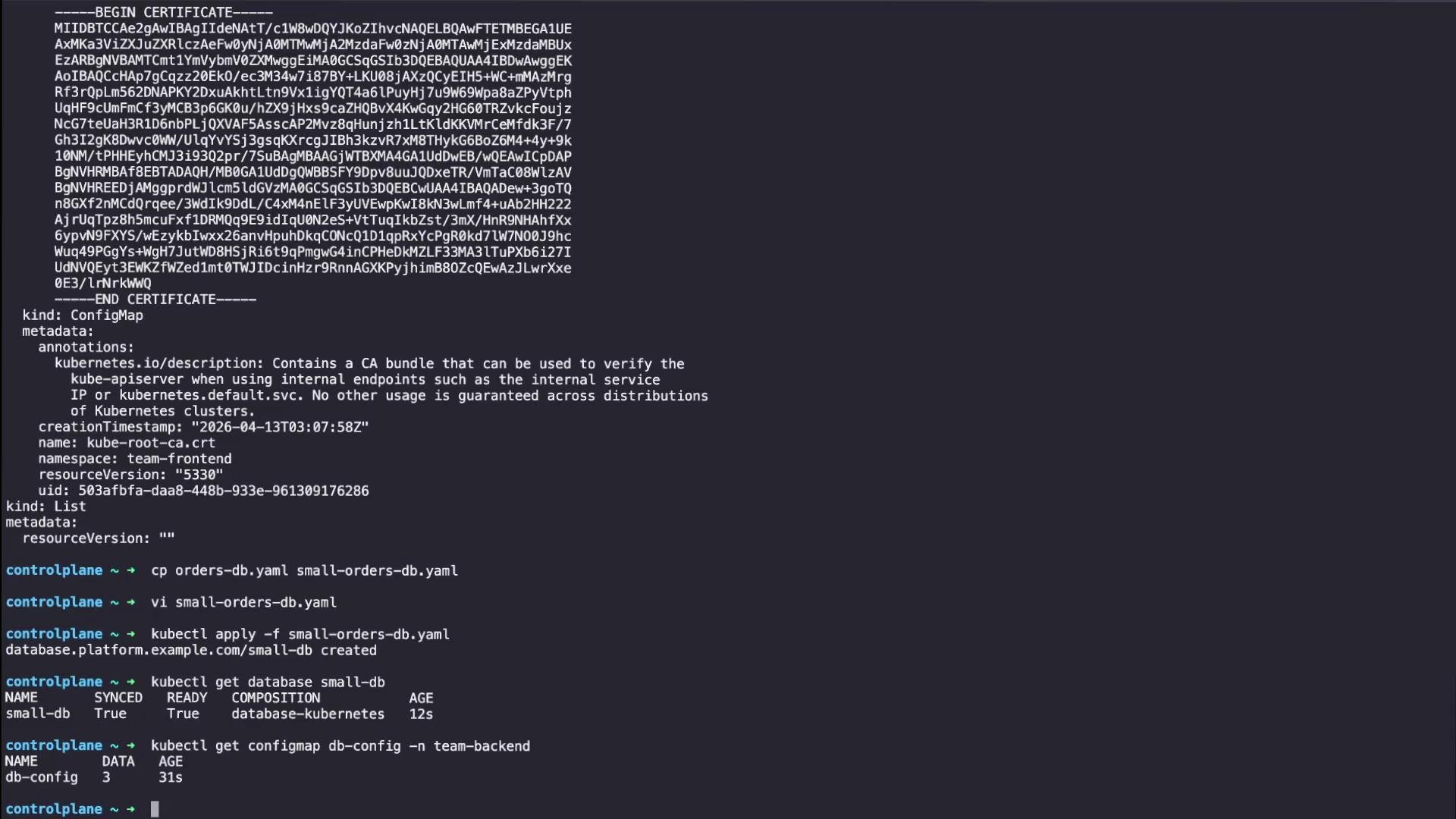
Create `small-db` (copy `orders-db.yaml` and update fields):
```yaml theme={null}
apiVersion: platform.example.com/v1
kind: Database
metadata:
name: small-db
namespace: default
spec:
engine: mysql
size: small
environment: dev
targetNamespace: team-backend
```
Apply it:
```bash theme={null}
kubectl apply -f small-db.yaml
```
Confirm the composite and the composed ConfigMap:
```bash theme={null}
kubectl get database small-db
kubectl get configmap db-config -n team-backend -oyaml
```
Representative output for the created ConfigMap:
```yaml theme={null}
apiVersion: v1
kind: ConfigMap
metadata:
name: db-config
namespace: team-backend
creationTimestamp: "2026-04-13T03:16:32Z"
resourceVersion: "9548"
uid: ce60db0b-b1e7-4548-8db5-3420d54b569
annotations:
kubectl.kubernetes.io/last-applied-configuration: |-
{"apiVersion":"v1","data":{"engine":"mysql","environment":"dev","instanceClass":"db.t3.micro"},"kind":"ConfigMap","metadata":{"name":"db-config","namespace":"team-backend"}}
data:
engine: mysql
environment: dev
instanceClass: db.t3.micro
```
Crossplane used the same composition but different composite inputs, producing a different concrete `instanceClass` (`db.t3.micro`) via the map transform.
 ## Inspect the composite resource status
To inspect status and conditions (same pattern as many Kubernetes operators):
```bash theme={null}
kubectl describe database orders-db
```
Important fields to check:
* Conditions — `Synced`, `Ready`, `Responsive`: indicate reconcile success and resource availability.
* Events — useful to debug composition selection, composition revision, or composed resource readiness.
If provisioning fails:
* `Ready` will be `False`.
* Review `Events` and `Conditions` — they often include explanatory error messages.
Start troubleshooting by checking the composite resource’s conditions and related events.
If your composition creates resources in target namespaces, ensure the Crossplane provider and RBAC permissions allow the provider to create resources in those namespaces. Incorrect RBAC or namespace permissions are a common cause of provisioning failures.
## Quick summary
| Concept | Purpose | Example |
| --------------------------------- | -------------------------------------------------------- | --------------------------------------------------------------- |
| XRD (CompositeResourceDefinition) | Defines user-facing API fields and schema | `databases.platform.example.com` |
| Composition | Implements the XRD — maps fields to concrete resources | `database-kubernetes` Composition with pipeline & map transform |
| Composite Resource | Resource created by users to request a platform resource | `Database` instance `orders-db` |
| Composed Resource | Concrete resource created by the provider | Kubernetes `ConfigMap` in `team-frontend` with `instanceClass` |
## Next steps and references
Recommended deeper topics:
* Composition patch and transform types (map, string, merge, etc.).
* Writing and testing inline functions for patch-and-transform pipelines.
* Managing Composition revisions and making changes in a safe, versioned way.
Further reading:
* [Crossplane Documentation](https://crossplane.io/docs/)
* [Kubernetes CustomResourceDefinitions](https://kubernetes.io/docs/tasks/extend-kubernetes/custom-resources/custom-resource-definitions/)
* [Kubernetes RBAC](https://kubernetes.io/docs/reference/access-authn-authz/rbac/)
This demo shows how a platform can expose a simple API while using Crossplane Compositions and transforms to map user-friendly inputs to concrete, provider-specific settings.
## Inspect the composite resource status
To inspect status and conditions (same pattern as many Kubernetes operators):
```bash theme={null}
kubectl describe database orders-db
```
Important fields to check:
* Conditions — `Synced`, `Ready`, `Responsive`: indicate reconcile success and resource availability.
* Events — useful to debug composition selection, composition revision, or composed resource readiness.
If provisioning fails:
* `Ready` will be `False`.
* Review `Events` and `Conditions` — they often include explanatory error messages.
Start troubleshooting by checking the composite resource’s conditions and related events.
If your composition creates resources in target namespaces, ensure the Crossplane provider and RBAC permissions allow the provider to create resources in those namespaces. Incorrect RBAC or namespace permissions are a common cause of provisioning failures.
## Quick summary
| Concept | Purpose | Example |
| --------------------------------- | -------------------------------------------------------- | --------------------------------------------------------------- |
| XRD (CompositeResourceDefinition) | Defines user-facing API fields and schema | `databases.platform.example.com` |
| Composition | Implements the XRD — maps fields to concrete resources | `database-kubernetes` Composition with pipeline & map transform |
| Composite Resource | Resource created by users to request a platform resource | `Database` instance `orders-db` |
| Composed Resource | Concrete resource created by the provider | Kubernetes `ConfigMap` in `team-frontend` with `instanceClass` |
## Next steps and references
Recommended deeper topics:
* Composition patch and transform types (map, string, merge, etc.).
* Writing and testing inline functions for patch-and-transform pipelines.
* Managing Composition revisions and making changes in a safe, versioned way.
Further reading:
* [Crossplane Documentation](https://crossplane.io/docs/)
* [Kubernetes CustomResourceDefinitions](https://kubernetes.io/docs/tasks/extend-kubernetes/custom-resources/custom-resource-definitions/)
* [Kubernetes RBAC](https://kubernetes.io/docs/reference/access-authn-authz/rbac/)
This demo shows how a platform can expose a simple API while using Crossplane Compositions and transforms to map user-friendly inputs to concrete, provider-specific settings.