> ## Documentation Index
> Fetch the complete documentation index at: https://notes.kodekloud.com/llms.txt
> Use this file to discover all available pages before exploring further.
# Extending Kubernetes Custom Resources and API Extensions
> Explains how to extend the Kubernetes API with CustomResourceDefinitions, define CRDs and schemas, validate via OpenAPI v3, and reconcile custom resources with controllers
Kubernetes exposes a rich API, but its built-in primitives (Pods, Services, Deployments, etc.) are generic. Platform teams and developers think in higher-level, domain-specific concepts — for example, "database" — which Kubernetes does not natively represent. Modeling those domain concepts using only primitive resources produces complexity, duplication, and operational gaps.
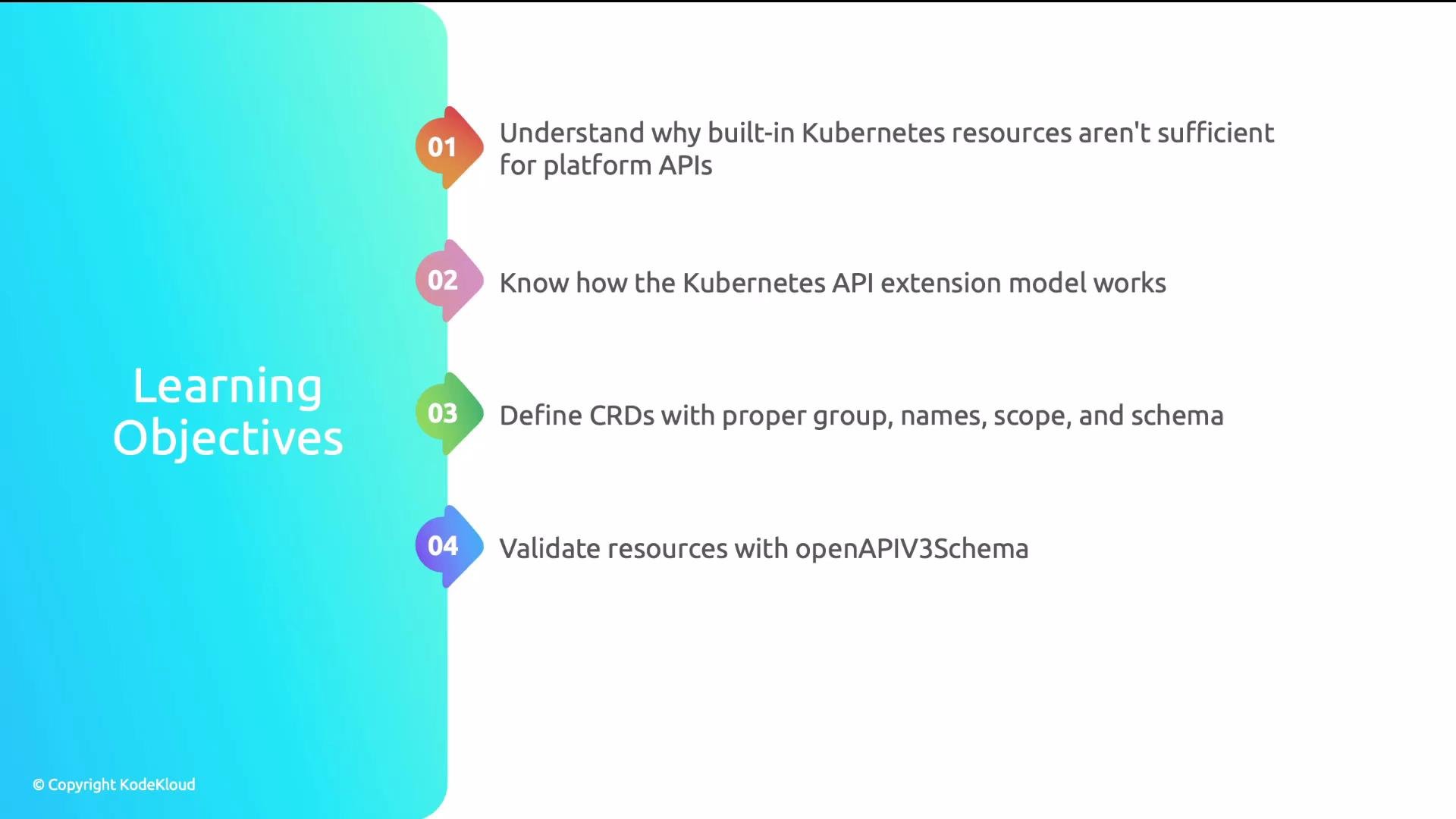
In this lesson you will learn how to extend the Kubernetes API with domain-specific concepts using CustomResourceDefinitions (CRDs). We'll cover why built-in resources fall short for platform abstractions, how the API extension model works, how to author CRDs (group, names, scope, versions, and schema), and how to validate resources with OpenAPI v3 schemas. Finally, you'll understand the lifecycle between CRD, Custom Resource (CR), and the controller that reconciles them.
 ## Problem: Mapping platform concepts to primitives
A common anti-pattern is modeling a single domain concept (e.g., a database) with multiple unrelated Kubernetes objects. For example, a single database might be represented by five separate resources: StatefulSet, ConfigMap, Secret, ServiceAccount, and NetworkPolicy.
## Problem: Mapping platform concepts to primitives
A common anti-pattern is modeling a single domain concept (e.g., a database) with multiple unrelated Kubernetes objects. For example, a single database might be represented by five separate resources: StatefulSet, ConfigMap, Secret, ServiceAccount, and NetworkPolicy.
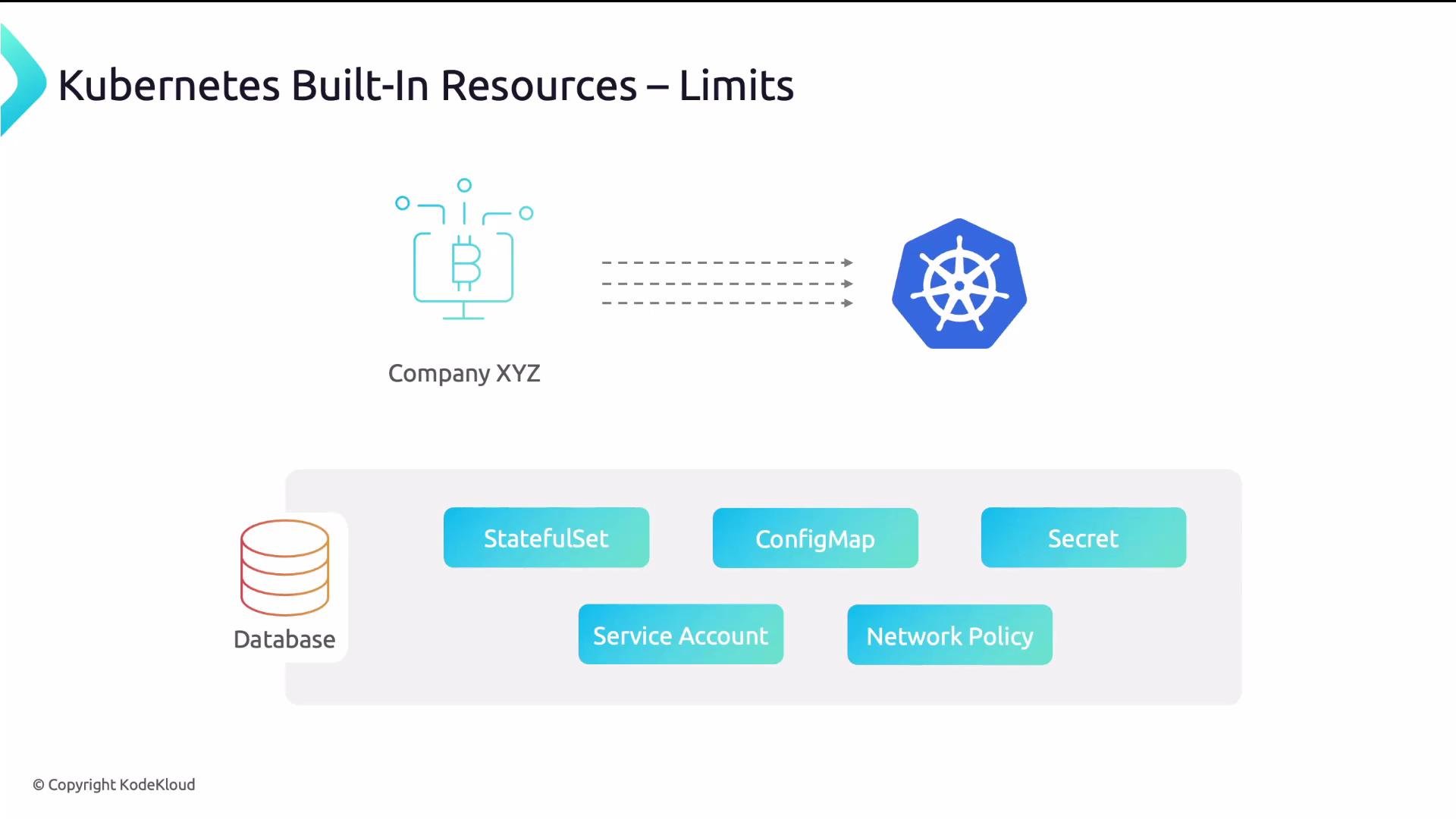 With 40 microservices each needing a database, that anti-pattern can produce 200 database-related objects that have no single logical representation or lifecycle. That makes discovery, validation, governance, and automation harder.
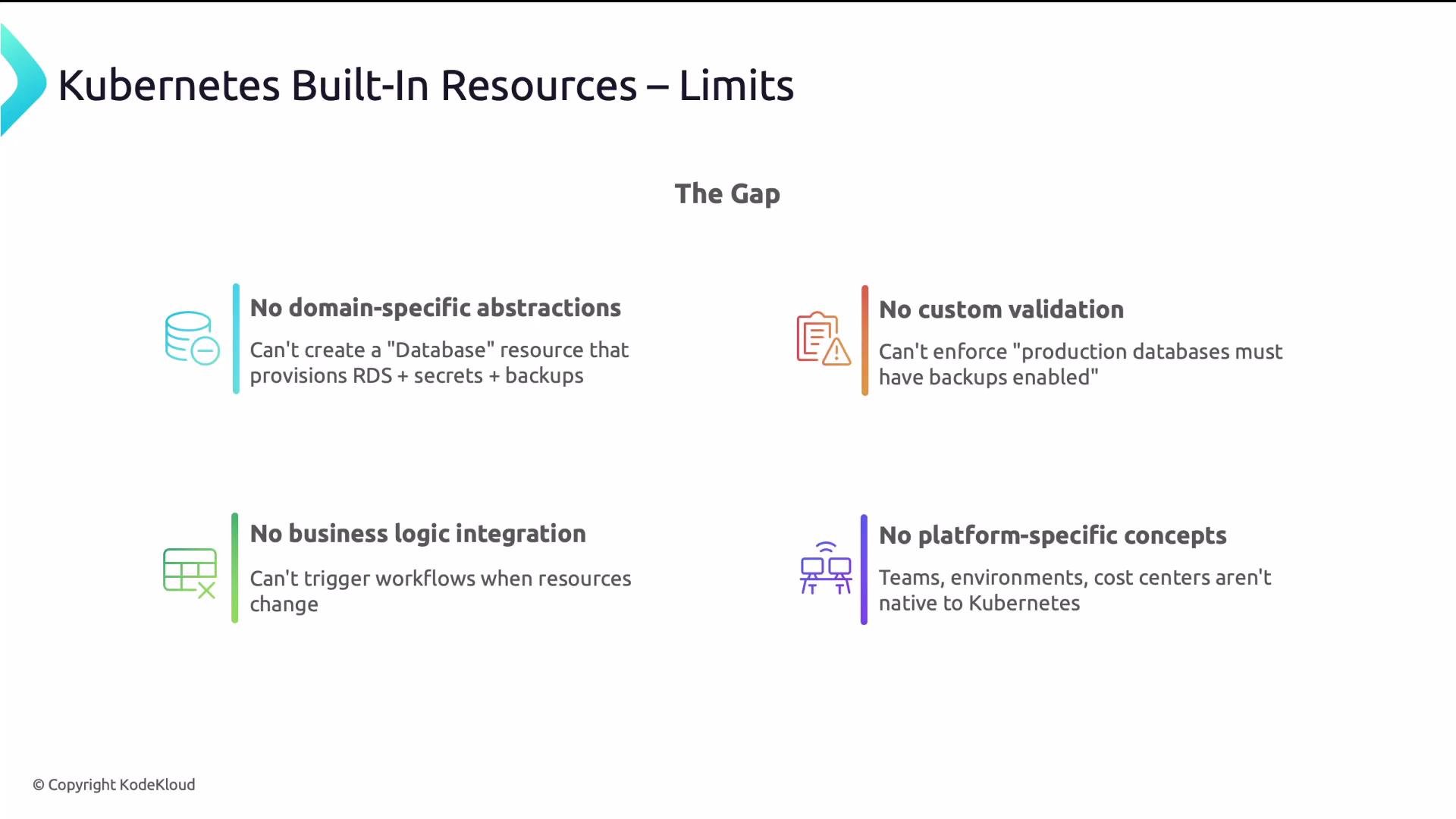
Four key limitations when using only built-in resources:
* No domain-specific abstractions: you cannot represent a Database as a single, first-class object.
* No custom validation beyond primitive field checks (for example, you cannot require "production databases must have backups enabled" at the API layer).
* No simple trigger point for platform workflows when a logical resource changes.
* Platform concepts like teams, environments, and cost centers are not represented natively.
With 40 microservices each needing a database, that anti-pattern can produce 200 database-related objects that have no single logical representation or lifecycle. That makes discovery, validation, governance, and automation harder.
Four key limitations when using only built-in resources:
* No domain-specific abstractions: you cannot represent a Database as a single, first-class object.
* No custom validation beyond primitive field checks (for example, you cannot require "production databases must have backups enabled" at the API layer).
* No simple trigger point for platform workflows when a logical resource changes.
* Platform concepts like teams, environments, and cost centers are not represented natively.
 Before CRDs, answering “which databases do we have?” required custom scripts that correlated multiple objects by labels. After introducing a Database CRD, teams could run `kubectl get databases` and see meaningful results directly.
## Kubernetes extension model — same API, new types
Kubernetes APIs follow a consistent URL pattern: group, version, namespace (if namespaced), and resource. For built-in Deployments the path is:
/apis/apps/v1/namespaces/default/deployments
Custom resources follow the same pattern. For example, a Database custom resource could be served at:
/apis/platform.acme.io/v1/namespaces/dev/databases
Because custom APIs use the same API server, they are first-class:
* `kubectl` can get/list/describe/delete CRs.
* RBAC can secure them.
* GitOps tools (ArgoCD, Flux) can sync them.
* Policy engines (Gatekeeper/Open Policy Agent) can enforce rules.
Creating a CRD registers the new type with the API server — you get these integrations without building a separate API server.
## CRD anatomy
A CRD defines a new resource type. Key fields include `group`, `names`, `scope`, `versions`, and the `openAPIV3Schema`. Below is a concise reference table for the most important CRD fields.
| Field | Purpose | Example |
| ----------------------- | ---------------------------------------------------- | ---------------------------- |
| `metadata.name` | Unique name for the CRD — must be `.` | `databases.platform.acme.io` |
| `spec.group` | API group to avoid collisions (usually your domain) | `platform.acme.io` |
| `spec.names.plural` | Plural name used in URLs and `kubectl get` | `databases` |
| `spec.names.singular` | Singular form for API usage | `database` |
| `spec.names.kind` | Kind used in manifests (`kind: Database`) | `Database` |
| `spec.names.shortNames` | Short aliases for convenience | `- db` |
| `spec.scope` | `Namespaced` or `Cluster` | `Namespaced` |
| `spec.versions` | List of versions served; each version has schema | `v1` with `openAPIV3Schema` |
| `openAPIV3Schema` | OpenAPI v3 schema used for API-level validation | See YAML example below |
Each version in `spec.versions` can be `served: true/false` and one version can be `storage: true` (the persisted version).
### Example CRD (illustrative)
This CRD demonstrates group, names, version, and an `openAPIV3Schema` for validation.
```yaml theme={null}
apiVersion: apiextensions.k8s.io/v1
kind: CustomResourceDefinition
metadata:
name: databases.platform.acme.io
spec:
group: platform.acme.io
scope: Namespaced
names:
plural: databases
singular: database
kind: Database
shortNames:
- db
versions:
- name: v1
served: true
storage: true
schema:
openAPIV3Schema:
type: object
required:
- spec
properties:
spec:
type: object
required:
- size
properties:
size:
type: string
enum: [small, medium, large]
engine:
type: string
replicas:
type: integer
minimum: 1
maximum: 10
default: 3
status:
type: object
properties:
phase:
type: string
enum: [Pending, Ready, Failed]
```
Notes on schema and fields:
* `metadata.name` must be `.` (e.g., `databases.platform.acme.io`).
* `group` is typically your company or platform domain to avoid naming collisions.
* `names.plural` is used for URLs and `kubectl get`.
* `kind` is the manifest `kind` (e.g., `Database`).
* `scope` determines whether objects are cluster-scoped or namespaced.
* `versions` let you evolve APIs; `storage: true` marks which version is stored in etcd.
* `openAPIV3Schema` enables API-server level validation (types, enums, required fields, numeric constraints, and defaults where supported).
## Validation with OpenAPI v3 schemas
`openAPIV3Schema` is the first line of defense: the API server validates objects before passing them to controllers. The schema supports:
* Type validation: `string`, `integer`, `boolean`, `array`, `object`.
* Enums: restrict allowed values (e.g., `size: enum [small, medium, large]`).
* Required fields: enforce mandatory inputs.
* Numeric constraints: `minimum`, `maximum`.
* Defaults: where supported, the API server can apply default values.
Example: if `spec.size` is restricted by an `enum`, sending `xlarge` will be rejected with a validation error. If `replicas` has `maximum: 10`, creating a resource with 100 replicas will be rejected.
## CRD lifecycle and reconciliation loop
The lifecycle consists of three main players:
1. CRD — the class definition (schema and metadata) registered with the API server.
2. CR (Custom Resource) — an instance that conforms to the CRD.
3. Controller — code that watches CRs and reconciles desired state into real resources (StatefulSets, Secrets, external provisioning operations), and updates `status`.
Before CRDs, answering “which databases do we have?” required custom scripts that correlated multiple objects by labels. After introducing a Database CRD, teams could run `kubectl get databases` and see meaningful results directly.
## Kubernetes extension model — same API, new types
Kubernetes APIs follow a consistent URL pattern: group, version, namespace (if namespaced), and resource. For built-in Deployments the path is:
/apis/apps/v1/namespaces/default/deployments
Custom resources follow the same pattern. For example, a Database custom resource could be served at:
/apis/platform.acme.io/v1/namespaces/dev/databases
Because custom APIs use the same API server, they are first-class:
* `kubectl` can get/list/describe/delete CRs.
* RBAC can secure them.
* GitOps tools (ArgoCD, Flux) can sync them.
* Policy engines (Gatekeeper/Open Policy Agent) can enforce rules.
Creating a CRD registers the new type with the API server — you get these integrations without building a separate API server.
## CRD anatomy
A CRD defines a new resource type. Key fields include `group`, `names`, `scope`, `versions`, and the `openAPIV3Schema`. Below is a concise reference table for the most important CRD fields.
| Field | Purpose | Example |
| ----------------------- | ---------------------------------------------------- | ---------------------------- |
| `metadata.name` | Unique name for the CRD — must be `.` | `databases.platform.acme.io` |
| `spec.group` | API group to avoid collisions (usually your domain) | `platform.acme.io` |
| `spec.names.plural` | Plural name used in URLs and `kubectl get` | `databases` |
| `spec.names.singular` | Singular form for API usage | `database` |
| `spec.names.kind` | Kind used in manifests (`kind: Database`) | `Database` |
| `spec.names.shortNames` | Short aliases for convenience | `- db` |
| `spec.scope` | `Namespaced` or `Cluster` | `Namespaced` |
| `spec.versions` | List of versions served; each version has schema | `v1` with `openAPIV3Schema` |
| `openAPIV3Schema` | OpenAPI v3 schema used for API-level validation | See YAML example below |
Each version in `spec.versions` can be `served: true/false` and one version can be `storage: true` (the persisted version).
### Example CRD (illustrative)
This CRD demonstrates group, names, version, and an `openAPIV3Schema` for validation.
```yaml theme={null}
apiVersion: apiextensions.k8s.io/v1
kind: CustomResourceDefinition
metadata:
name: databases.platform.acme.io
spec:
group: platform.acme.io
scope: Namespaced
names:
plural: databases
singular: database
kind: Database
shortNames:
- db
versions:
- name: v1
served: true
storage: true
schema:
openAPIV3Schema:
type: object
required:
- spec
properties:
spec:
type: object
required:
- size
properties:
size:
type: string
enum: [small, medium, large]
engine:
type: string
replicas:
type: integer
minimum: 1
maximum: 10
default: 3
status:
type: object
properties:
phase:
type: string
enum: [Pending, Ready, Failed]
```
Notes on schema and fields:
* `metadata.name` must be `.` (e.g., `databases.platform.acme.io`).
* `group` is typically your company or platform domain to avoid naming collisions.
* `names.plural` is used for URLs and `kubectl get`.
* `kind` is the manifest `kind` (e.g., `Database`).
* `scope` determines whether objects are cluster-scoped or namespaced.
* `versions` let you evolve APIs; `storage: true` marks which version is stored in etcd.
* `openAPIV3Schema` enables API-server level validation (types, enums, required fields, numeric constraints, and defaults where supported).
## Validation with OpenAPI v3 schemas
`openAPIV3Schema` is the first line of defense: the API server validates objects before passing them to controllers. The schema supports:
* Type validation: `string`, `integer`, `boolean`, `array`, `object`.
* Enums: restrict allowed values (e.g., `size: enum [small, medium, large]`).
* Required fields: enforce mandatory inputs.
* Numeric constraints: `minimum`, `maximum`.
* Defaults: where supported, the API server can apply default values.
Example: if `spec.size` is restricted by an `enum`, sending `xlarge` will be rejected with a validation error. If `replicas` has `maximum: 10`, creating a resource with 100 replicas will be rejected.
## CRD lifecycle and reconciliation loop
The lifecycle consists of three main players:
1. CRD — the class definition (schema and metadata) registered with the API server.
2. CR (Custom Resource) — an instance that conforms to the CRD.
3. Controller — code that watches CRs and reconciles desired state into real resources (StatefulSets, Secrets, external provisioning operations), and updates `status`.
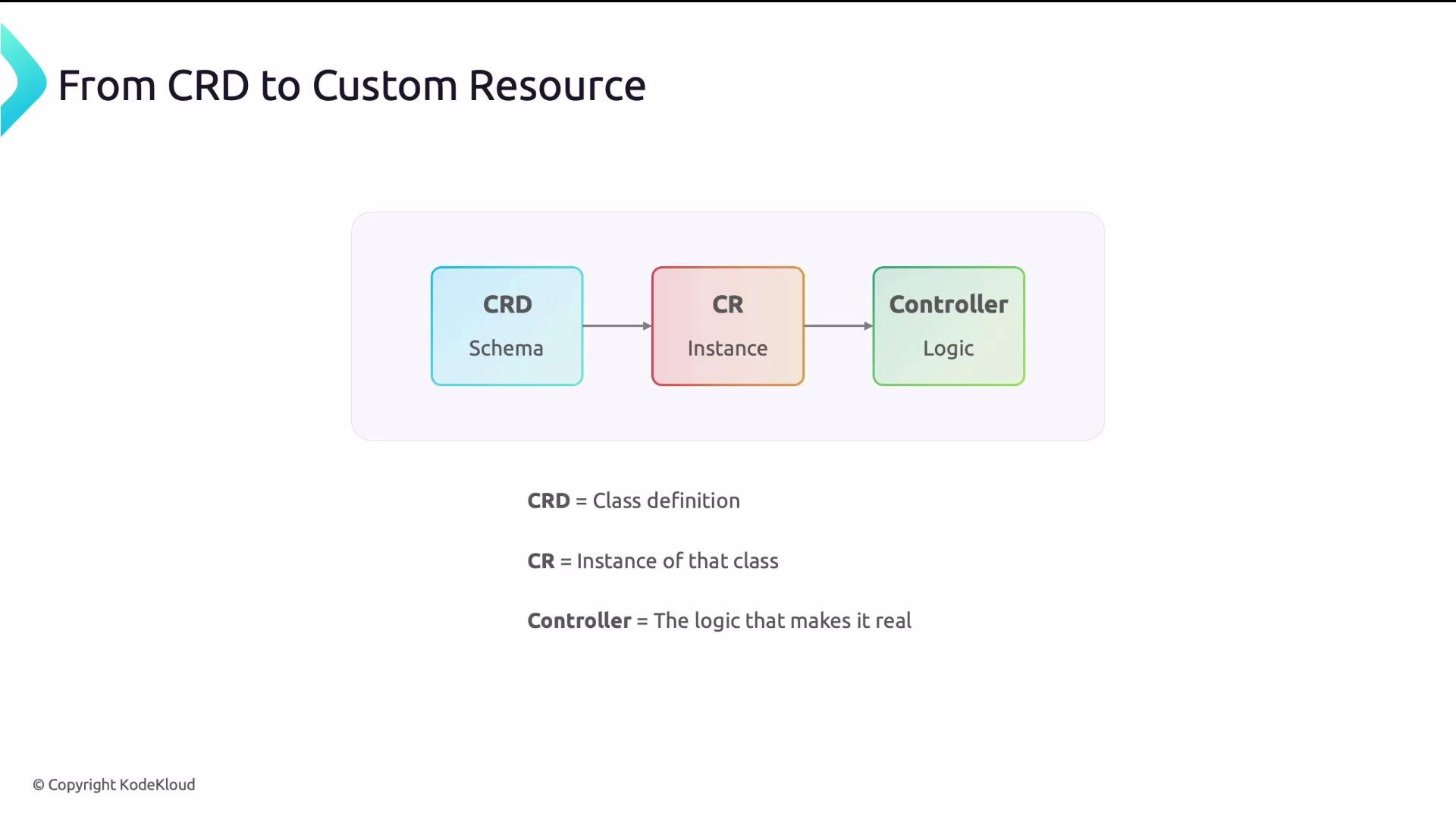 A simple mental model: the CRD is the menu, the CR is your order, and the controller is the kitchen that makes the order real.
### Example Custom Resource
An instance that conforms to the CRD shown above:
```yaml theme={null}
apiVersion: platform.acme.io/v1
kind: Database
metadata:
name: orders-db
spec:
size: medium
engine: postgresql
replicas: 3
```
Apply the CR with kubectl:
```bash theme={null}
kubectl apply -f database.yaml
```
Typical interactions after applying the CR:
```bash theme={null}
kubectl get databases
# Output example:
# NAME SIZE ENGINE AGE
kubectl get db
kubectl describe db orders-db
kubectl delete db orders-db
```
The controller watches `Database` resources and drives the provisioning workflow:
* Create Kubernetes objects (Secrets, StatefulSets, Services) or external resources (cloud DB instances).
* Update the CR `status` with progress and conditions.
* Reconcile changes (scaling, backups, configuration updates).
* Clean up resources when the CR is deleted.
## Takeaways
* CRDs extend Kubernetes without modifying the control plane — they register new types with the API server.
* Custom resources use the same API URL patterns and kubectl tooling as built-in resources.
* OpenAPI v3 validation enforces correctness at the API layer before controller logic runs.
* The lifecycle is simple but powerful: CRD defines the schema, CR is the instance, and the controller implements the actions required to realize the instance.
CRDs make your platform concepts first-class Kubernetes resources so platform teams can expose domain-specific APIs that integrate seamlessly with kubectl, RBAC, GitOps, and policy engines — all without building a separate API server.
## Further reading and references
* Kubernetes API concepts: [https://kubernetes.io/docs/concepts/overview/what-is-kubernetes/](https://kubernetes.io/docs/concepts/overview/what-is-kubernetes/)
* kubectl overview: [https://kubernetes.io/docs/reference/kubectl/overview/](https://kubernetes.io/docs/reference/kubectl/overview/)
* RBAC docs: [https://kubernetes.io/docs/reference/access-authn-authz/rbac/](https://kubernetes.io/docs/reference/access-authn-authz/rbac/)
* OpenAPI v3 specification: [https://spec.openapis.org/oas/v3.0.3](https://spec.openapis.org/oas/v3.0.3)
* Gatekeeper / OPA: [https://open-policy-agent.github.io/gatekeeper/](https://open-policy-agent.github.io/gatekeeper/)
A simple mental model: the CRD is the menu, the CR is your order, and the controller is the kitchen that makes the order real.
### Example Custom Resource
An instance that conforms to the CRD shown above:
```yaml theme={null}
apiVersion: platform.acme.io/v1
kind: Database
metadata:
name: orders-db
spec:
size: medium
engine: postgresql
replicas: 3
```
Apply the CR with kubectl:
```bash theme={null}
kubectl apply -f database.yaml
```
Typical interactions after applying the CR:
```bash theme={null}
kubectl get databases
# Output example:
# NAME SIZE ENGINE AGE
kubectl get db
kubectl describe db orders-db
kubectl delete db orders-db
```
The controller watches `Database` resources and drives the provisioning workflow:
* Create Kubernetes objects (Secrets, StatefulSets, Services) or external resources (cloud DB instances).
* Update the CR `status` with progress and conditions.
* Reconcile changes (scaling, backups, configuration updates).
* Clean up resources when the CR is deleted.
## Takeaways
* CRDs extend Kubernetes without modifying the control plane — they register new types with the API server.
* Custom resources use the same API URL patterns and kubectl tooling as built-in resources.
* OpenAPI v3 validation enforces correctness at the API layer before controller logic runs.
* The lifecycle is simple but powerful: CRD defines the schema, CR is the instance, and the controller implements the actions required to realize the instance.
CRDs make your platform concepts first-class Kubernetes resources so platform teams can expose domain-specific APIs that integrate seamlessly with kubectl, RBAC, GitOps, and policy engines — all without building a separate API server.
## Further reading and references
* Kubernetes API concepts: [https://kubernetes.io/docs/concepts/overview/what-is-kubernetes/](https://kubernetes.io/docs/concepts/overview/what-is-kubernetes/)
* kubectl overview: [https://kubernetes.io/docs/reference/kubectl/overview/](https://kubernetes.io/docs/reference/kubectl/overview/)
* RBAC docs: [https://kubernetes.io/docs/reference/access-authn-authz/rbac/](https://kubernetes.io/docs/reference/access-authn-authz/rbac/)
* OpenAPI v3 specification: [https://spec.openapis.org/oas/v3.0.3](https://spec.openapis.org/oas/v3.0.3)
* Gatekeeper / OPA: [https://open-policy-agent.github.io/gatekeeper/](https://open-policy-agent.github.io/gatekeeper/)