> ## Documentation Index
> Fetch the complete documentation index at: https://notes.kodekloud.com/llms.txt
> Use this file to discover all available pages before exploring further.
# Platform Building Blocks Crossplane XRs Compositions and Functions
> Explains how Crossplane uses XRDs and Compositions to create Kubernetes native platform APIs that unify application and infrastructure provisioning for GitOps based self service
We have CRDs and controllers to model custom APIs and their behavior, plus orchestration workflows for complex systems. Yet many organizations still have a painful gap: application delivery happens through a Kubernetes-native GitOps workflow, but infrastructure provisioning uses separate tooling. Two tools. Two workflows. Two mental models.
Crossplane extends Kubernetes so you can manage infrastructure using the same declarative YAML, kubectl commands, RBAC, and GitOps patterns you already use. This article explains how Crossplane closes the gap and helps platform teams expose self-service, Kubernetes-native platform APIs using Composite Resource Definitions (XRDs) and Compositions.
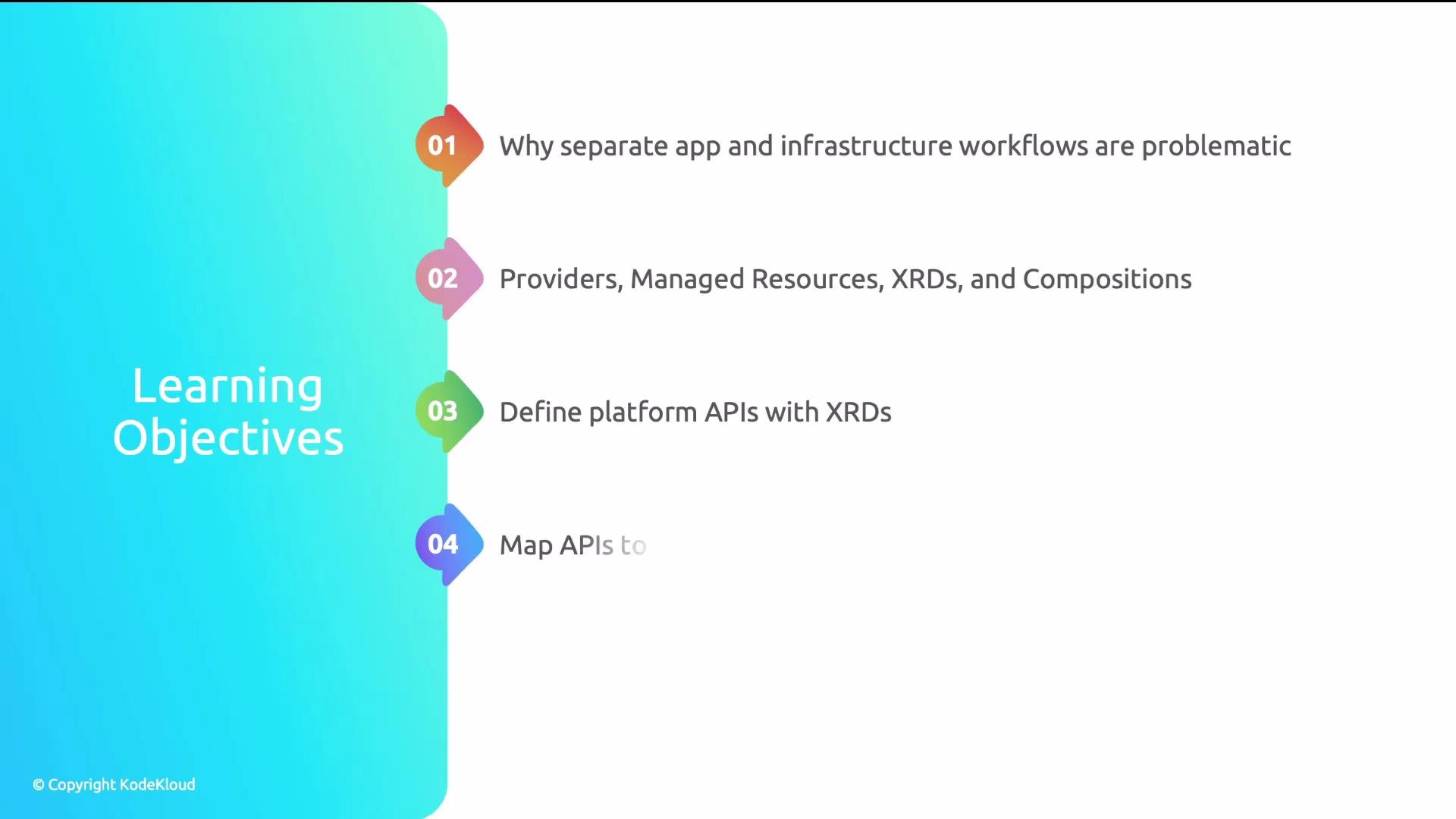 In this guide you will learn to:
* Explain why separate app and infrastructure workflows are problematic.
* Understand Crossplane’s core concepts and architecture.
* Define platform APIs with XRDs and map those APIs to concrete resources using Compositions.
* Compose Kubernetes resources and cloud infrastructure together in a single abstraction.
Why separate app and infra workflows cause friction
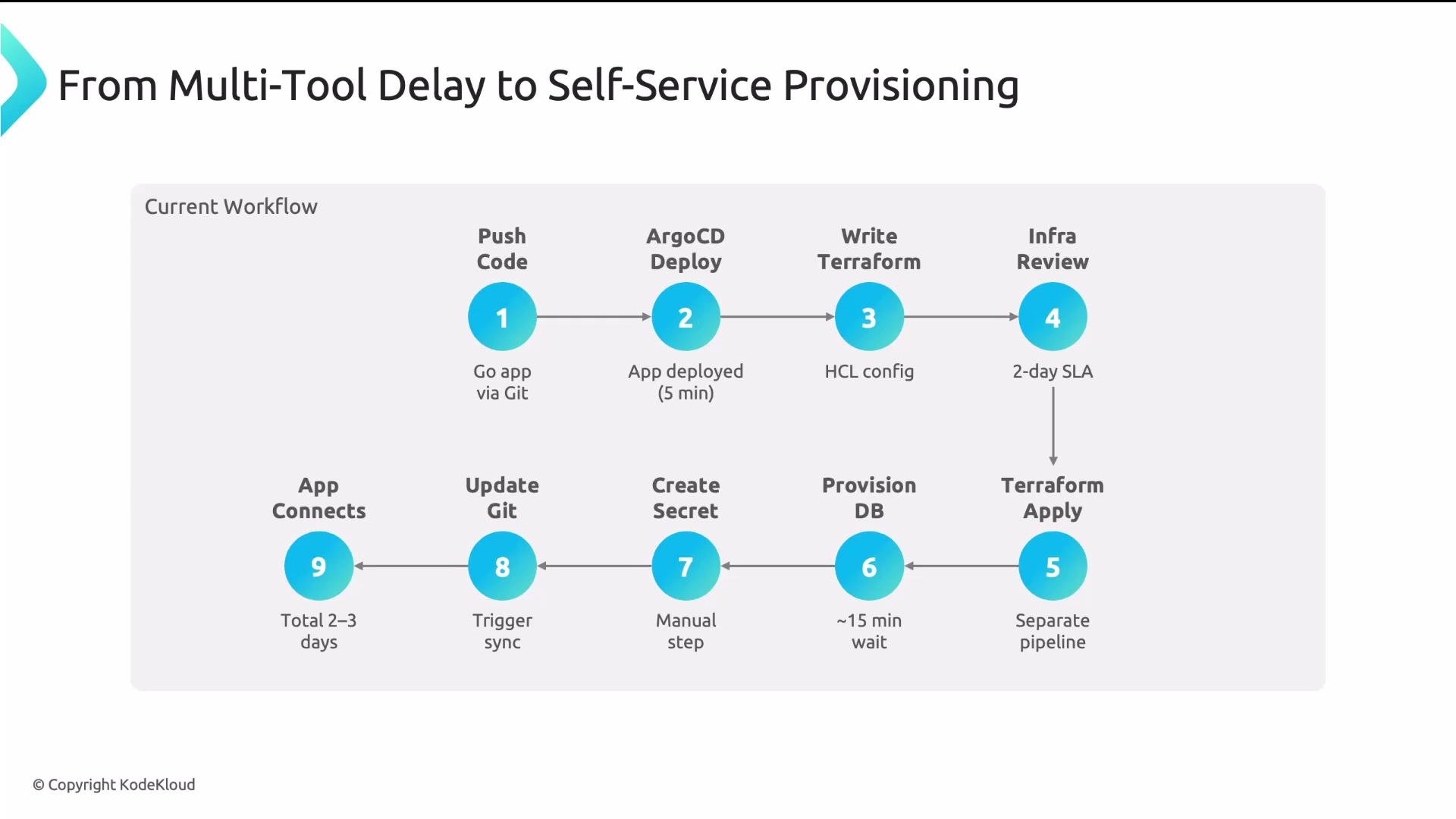
A typical developer flow at many organizations looks like:
* Push application code to Git; Argo CD deploys the app.
* Need a database → switch to Terraform, author HCL.
* Infrastructure team reviews and applies the Terraform plan (multi-day SLA).
* Platform team or devops manually creates Kubernetes Secrets with connection strings.
* Argo CD syncs the secret; app finally connects.
From “I need a database” to a connected app often takes days — and requires multiple tools and mental models.
In this guide you will learn to:
* Explain why separate app and infrastructure workflows are problematic.
* Understand Crossplane’s core concepts and architecture.
* Define platform APIs with XRDs and map those APIs to concrete resources using Compositions.
* Compose Kubernetes resources and cloud infrastructure together in a single abstraction.
Why separate app and infra workflows cause friction
A typical developer flow at many organizations looks like:
* Push application code to Git; Argo CD deploys the app.
* Need a database → switch to Terraform, author HCL.
* Infrastructure team reviews and applies the Terraform plan (multi-day SLA).
* Platform team or devops manually creates Kubernetes Secrets with connection strings.
* Argo CD syncs the secret; app finally connects.
From “I need a database” to a connected app often takes days — and requires multiple tools and mental models.
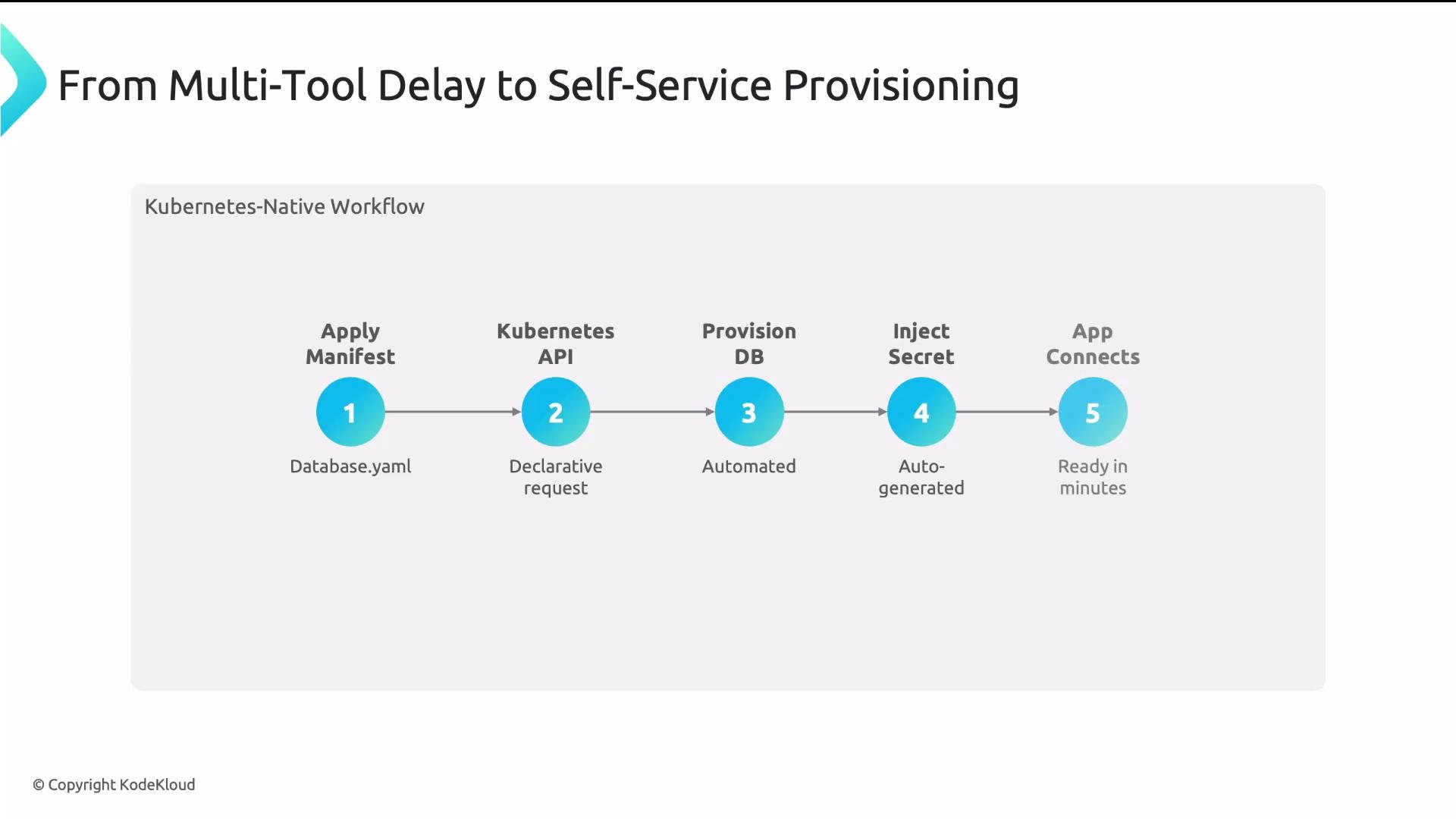
 Contrast that with a Kubernetes-native workflow: a developer applies a single manifest and Crossplane (running in-cluster) provisions cloud resources, injects Secrets, and the app connects within minutes.
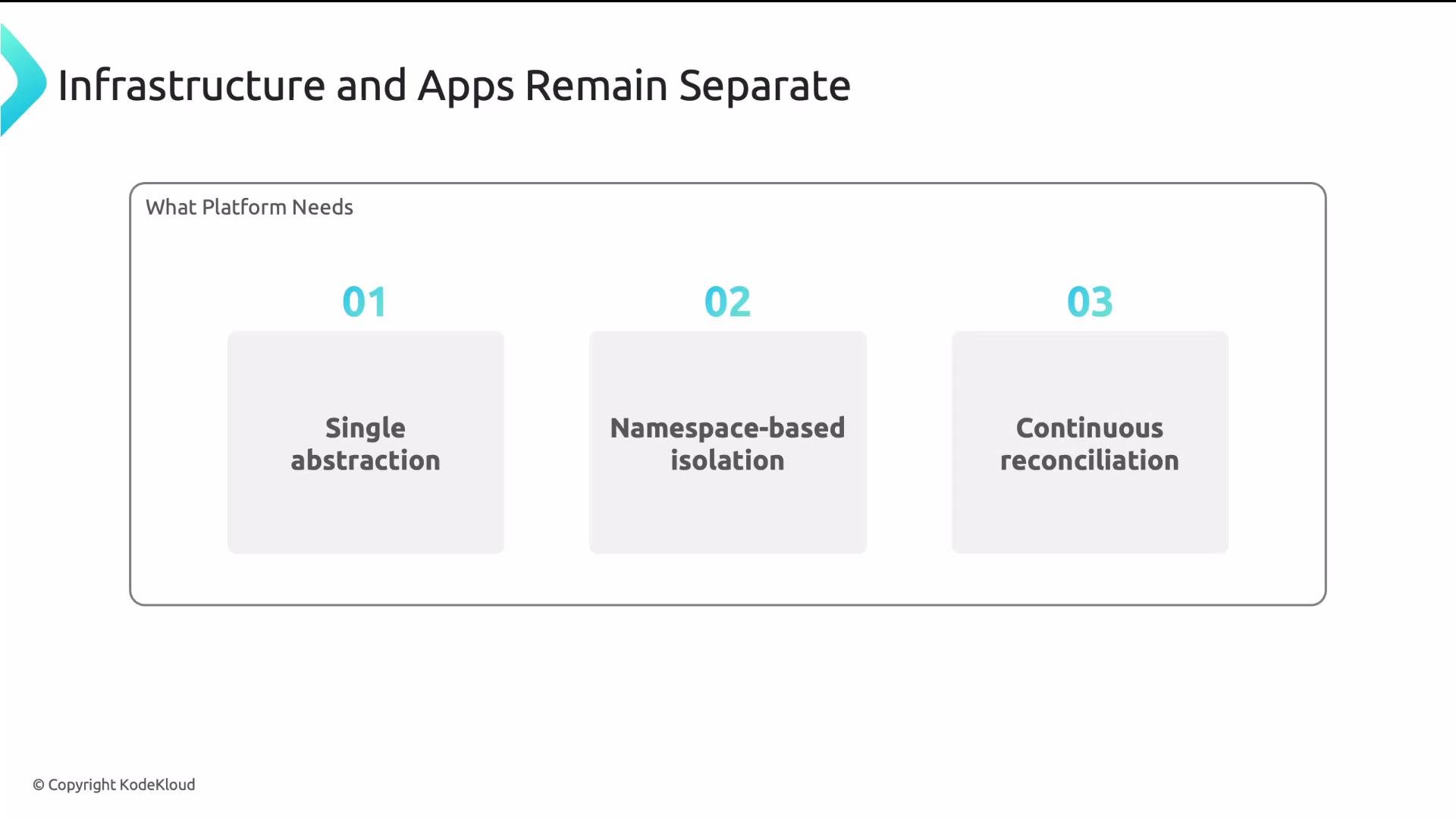
 Common requirements for platform teams
* Single abstraction: one YAML file to declare app + DB + networking + security.
* Namespace isolation: teams operate in their own namespaces with RBAC boundaries.
* Continuous reconciliation: detect drift and self-heal cloud and Kubernetes resources.
Common requirements for platform teams
* Single abstraction: one YAML file to declare app + DB + networking + security.
* Namespace isolation: teams operate in their own namespaces with RBAC boundaries.
* Continuous reconciliation: detect drift and self-heal cloud and Kubernetes resources.
 Crossplane provides these capabilities by treating Kubernetes as the universal control plane and extending it with a few key primitives.
Callout icon example to highlight the main benefit:
Crossplane lets platform teams create Kubernetes-native platform APIs so developers use the same GitOps, kubectl, and YAML workflows they already know — simplifying self-service and reducing mean time to provision.
Crossplane’s core concepts
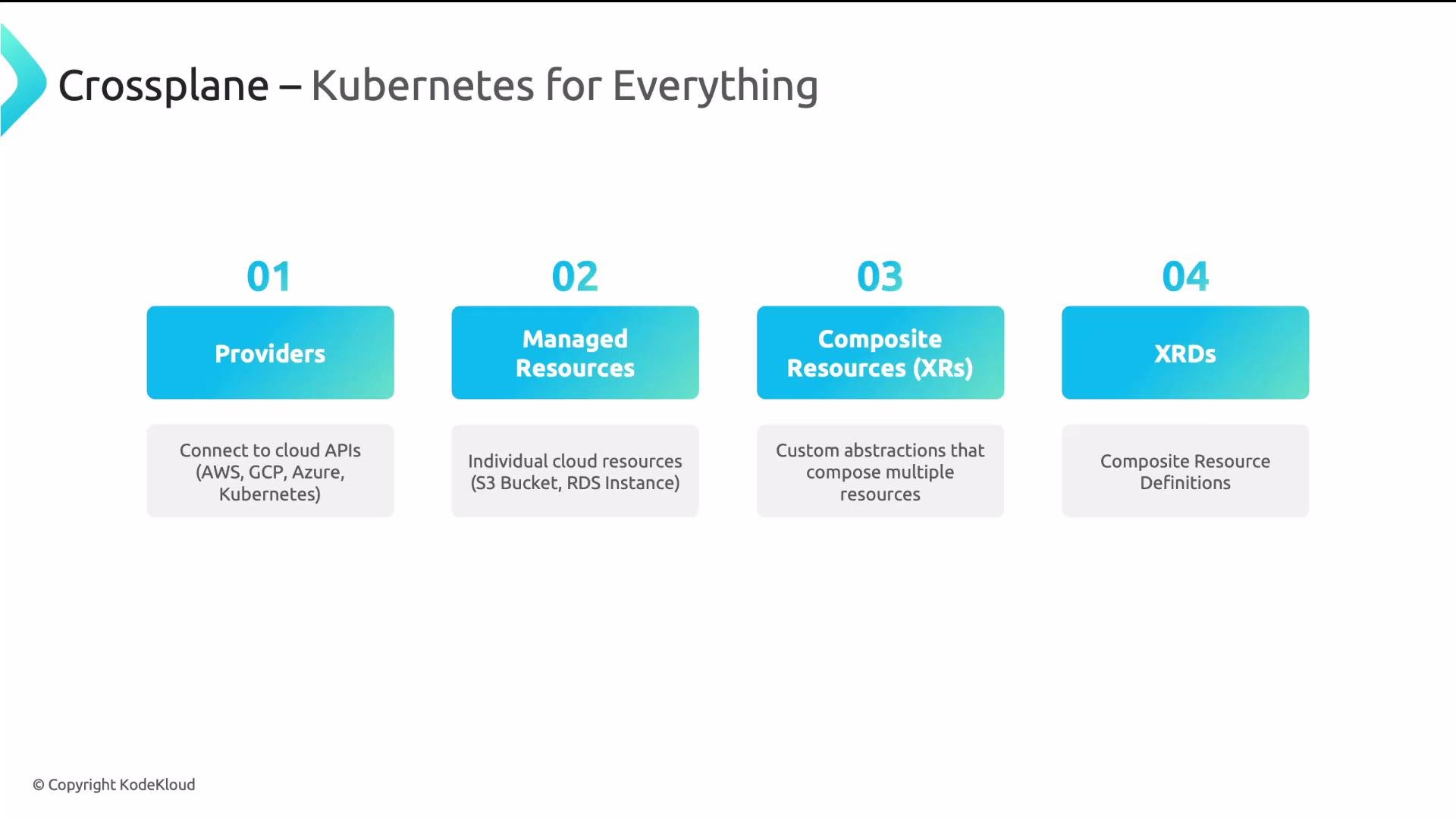
Kubernetes already offers a strong control plane model: declarative APIs, reconciliation loops, RBAC, and a vibrant ecosystem. Crossplane leverages that model and extends it to provision and reconcile external infrastructure. The four core Crossplane concepts are:
| Concept | Purpose | Example |
| ----------------------------------- | ------------------------------------------------------------------------------------------------------------------------------------------------------------ | ------------------------------------------------------------------ |
| Providers | Adapters that connect Crossplane to cloud APIs (AWS, GCP, Azure) or other control planes. Providers install CRDs for managed resources and act like drivers. | `provider-aws` package |
| Managed resources | Kubernetes representations of real cloud resources (S3 bucket, RDS instance). Created by Crossplane using provider APIs. | `Bucket`, `RDSInstance` CRDs |
| Composite resources (XRs) | Higher-level, opinionated abstractions developers request (e.g., Database). An XR may represent multiple managed resources. | `Database` XR that encapsulates RDS + SecurityGroup + Secret |
| CompositeResourceDefinitions (XRDs) | CRD-like definitions that declare the API schema for XRs — the platform API that developers use. | `CompositeResourceDefinition` for `databases.platform.example.com` |
Crossplane provides these capabilities by treating Kubernetes as the universal control plane and extending it with a few key primitives.
Callout icon example to highlight the main benefit:
Crossplane lets platform teams create Kubernetes-native platform APIs so developers use the same GitOps, kubectl, and YAML workflows they already know — simplifying self-service and reducing mean time to provision.
Crossplane’s core concepts
Kubernetes already offers a strong control plane model: declarative APIs, reconciliation loops, RBAC, and a vibrant ecosystem. Crossplane leverages that model and extends it to provision and reconcile external infrastructure. The four core Crossplane concepts are:
| Concept | Purpose | Example |
| ----------------------------------- | ------------------------------------------------------------------------------------------------------------------------------------------------------------ | ------------------------------------------------------------------ |
| Providers | Adapters that connect Crossplane to cloud APIs (AWS, GCP, Azure) or other control planes. Providers install CRDs for managed resources and act like drivers. | `provider-aws` package |
| Managed resources | Kubernetes representations of real cloud resources (S3 bucket, RDS instance). Created by Crossplane using provider APIs. | `Bucket`, `RDSInstance` CRDs |
| Composite resources (XRs) | Higher-level, opinionated abstractions developers request (e.g., Database). An XR may represent multiple managed resources. | `Database` XR that encapsulates RDS + SecurityGroup + Secret |
| CompositeResourceDefinitions (XRDs) | CRD-like definitions that declare the API schema for XRs — the platform API that developers use. | `CompositeResourceDefinition` for `databases.platform.example.com` |
 High-level Crossplane flow (platform team → developer)
1. Platform team authors an XRD to define a platform API (schema, fields, defaults).
2. Platform team creates one or more Compositions that map the XRD to concrete resources.
3. Developers create instances of the XR (Composite Resources) in their namespaces; Crossplane matches the XR to a Composition and provisions everything automatically.
Providers
Providers are installed as packages and supply the managed resource CRDs required by Compositions. Example Provider installation:
```yaml theme={null}
apiVersion: pkg.crossplane.io/v1
kind: Provider
metadata:
name: provider-aws
spec:
package: xpkg.upbound.io/upbound/provider-aws:v1.0.0
```
Once a provider is installed and configured (with credentials via a ProviderConfig), you can create managed resources as Kubernetes objects. Managed resources typically include a `spec.forProvider` section containing provider-specific configuration. Crossplane performs the cloud API calls and continuously reconciles state.
Example managed resource (S3 bucket):
```yaml theme={null}
apiVersion: s3.aws.upbound.io/v1beta2
kind: Bucket
metadata:
name: my-bucket
namespace: team-frontend
spec:
forProvider:
region: us-east-1
providerConfigRef:
name: aws-creds
```
XRDs: define the developer-facing platform API
XRDs declare what developers can request and the schema for those requests. Think of an XRD as a CRD focused on Crossplane composition. XRDs:
* Describe fields, types, required properties, and defaults.
* Set the `scope` to `Namespaced` or `Cluster`. Namespaced XRs enable multi-tenancy by allowing teams to create XRs directly in their namespaces (no claims/proxy objects required).
Example XRD snippet:
```yaml theme={null}
apiVersion: apiextensions.crossplane.io/v1
kind: CompositeResourceDefinition
metadata:
name: databases.platform.example.com
spec:
group: platform.example.com
names:
kind: Database
plural: databases
scope: Namespaced
```
Developer-facing XR example (requesting a database):
```yaml theme={null}
apiVersion: platform.example.com/v1
kind: Database
metadata:
name: orders-db
namespace: team-orders
spec:
engine: postgresql
size: medium
```
Compositions: map XRs to concrete resources
A Composition maps an XR schema to one or more composed resources (managed resources, Kubernetes resources, or both). Compositions generally execute as pipelines: each step runs a function that renders or transforms a composed resource. The most-used function is `function-patch-and-transform`, which maps values from the XR into the composed resources.
Typical Composition pipeline flow:
* Developer creates an XR instance.
* Crossplane selects a matching Composition.
* The Composition pipeline runs functions that render composed resource manifests.
* Crossplane creates and continuously reconciles those composed resources.
Example mapping behavior: `function-patch-and-transform` can map `spec.size` from an XR to `spec.forProvider.instanceClass` in an RDS managed resource, translating friendly sizes (e.g., `medium`) into provider-specific instance classes (e.g., `db.r5.large`).
Compose Kubernetes resources and cloud infrastructure together
Compositions are not limited to cloud managed resources. Any Kubernetes resource can be composed — Deployments, Services, ConfigMaps, Ingresses, Secrets — alongside cloud resources such as RDS instances and SecurityGroups. This enables a single platform API to provision an entire microservice stack: app Deployment, network routing, DB instance, and the Secret with credentials.
High-level Crossplane flow (platform team → developer)
1. Platform team authors an XRD to define a platform API (schema, fields, defaults).
2. Platform team creates one or more Compositions that map the XRD to concrete resources.
3. Developers create instances of the XR (Composite Resources) in their namespaces; Crossplane matches the XR to a Composition and provisions everything automatically.
Providers
Providers are installed as packages and supply the managed resource CRDs required by Compositions. Example Provider installation:
```yaml theme={null}
apiVersion: pkg.crossplane.io/v1
kind: Provider
metadata:
name: provider-aws
spec:
package: xpkg.upbound.io/upbound/provider-aws:v1.0.0
```
Once a provider is installed and configured (with credentials via a ProviderConfig), you can create managed resources as Kubernetes objects. Managed resources typically include a `spec.forProvider` section containing provider-specific configuration. Crossplane performs the cloud API calls and continuously reconciles state.
Example managed resource (S3 bucket):
```yaml theme={null}
apiVersion: s3.aws.upbound.io/v1beta2
kind: Bucket
metadata:
name: my-bucket
namespace: team-frontend
spec:
forProvider:
region: us-east-1
providerConfigRef:
name: aws-creds
```
XRDs: define the developer-facing platform API
XRDs declare what developers can request and the schema for those requests. Think of an XRD as a CRD focused on Crossplane composition. XRDs:
* Describe fields, types, required properties, and defaults.
* Set the `scope` to `Namespaced` or `Cluster`. Namespaced XRs enable multi-tenancy by allowing teams to create XRs directly in their namespaces (no claims/proxy objects required).
Example XRD snippet:
```yaml theme={null}
apiVersion: apiextensions.crossplane.io/v1
kind: CompositeResourceDefinition
metadata:
name: databases.platform.example.com
spec:
group: platform.example.com
names:
kind: Database
plural: databases
scope: Namespaced
```
Developer-facing XR example (requesting a database):
```yaml theme={null}
apiVersion: platform.example.com/v1
kind: Database
metadata:
name: orders-db
namespace: team-orders
spec:
engine: postgresql
size: medium
```
Compositions: map XRs to concrete resources
A Composition maps an XR schema to one or more composed resources (managed resources, Kubernetes resources, or both). Compositions generally execute as pipelines: each step runs a function that renders or transforms a composed resource. The most-used function is `function-patch-and-transform`, which maps values from the XR into the composed resources.
Typical Composition pipeline flow:
* Developer creates an XR instance.
* Crossplane selects a matching Composition.
* The Composition pipeline runs functions that render composed resource manifests.
* Crossplane creates and continuously reconciles those composed resources.
Example mapping behavior: `function-patch-and-transform` can map `spec.size` from an XR to `spec.forProvider.instanceClass` in an RDS managed resource, translating friendly sizes (e.g., `medium`) into provider-specific instance classes (e.g., `db.r5.large`).
Compose Kubernetes resources and cloud infrastructure together
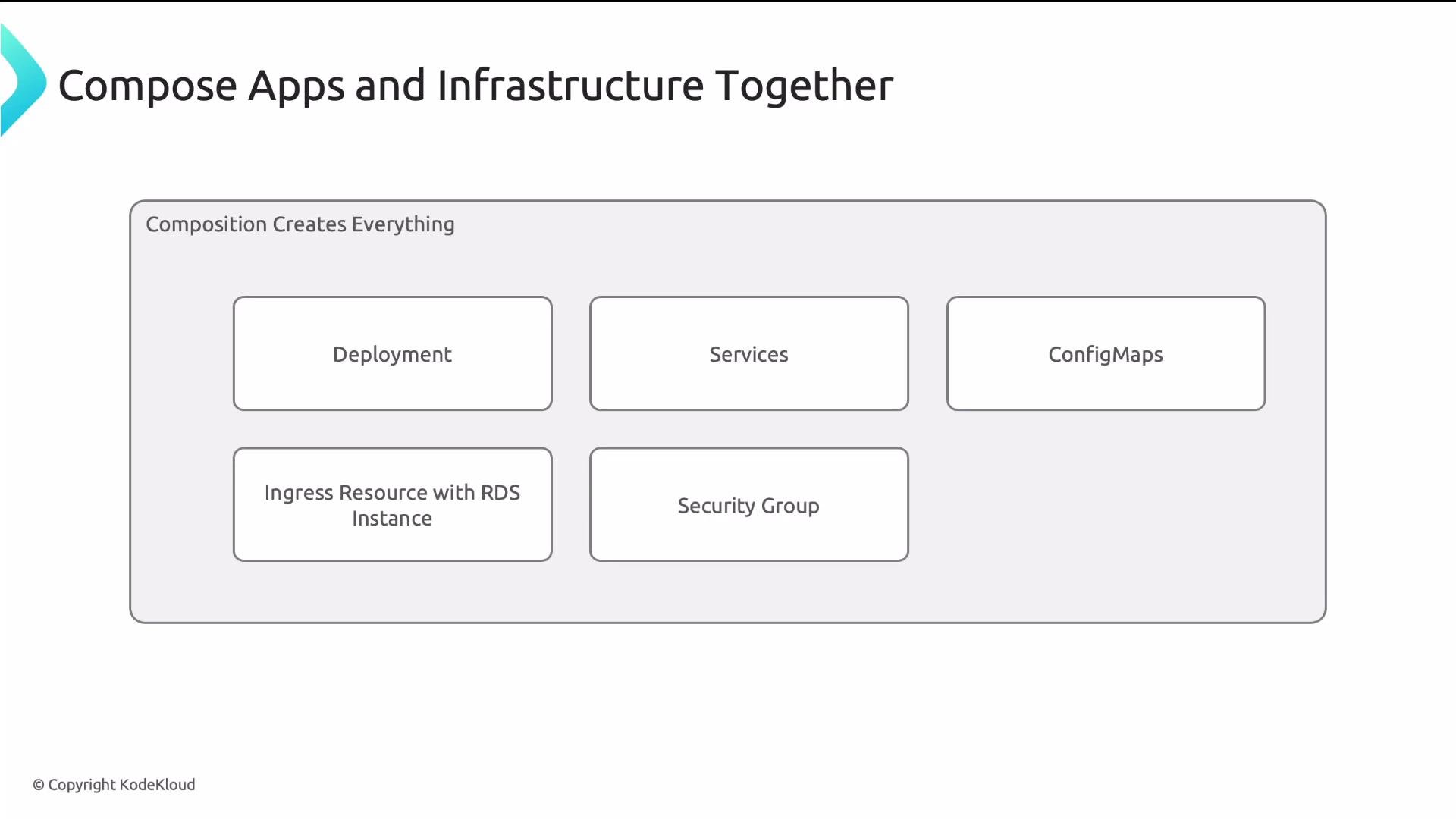
Compositions are not limited to cloud managed resources. Any Kubernetes resource can be composed — Deployments, Services, ConfigMaps, Ingresses, Secrets — alongside cloud resources such as RDS instances and SecurityGroups. This enables a single platform API to provision an entire microservice stack: app Deployment, network routing, DB instance, and the Secret with credentials.
 Example developer XR for a microservice (one apply creates everything):
```yaml theme={null}
apiVersion: platform.acme.io/v1
kind: Microservice
metadata:
name: user-api
namespace: team-backend
spec:
image: acme/user-api:v2
replicas: 3
database: postgresql
ingress: true
```
A Composition for this XR could render:
* A Kubernetes Deployment and Service
* An Ingress resource
* An RDS instance (managed resource)
* A Security Group and network configuration
* A Secret containing the DB connection string (populated by Crossplane)
One resource, one `kubectl apply`, continuous reconciliation — that’s the platform API experience Crossplane enables.
Best practices and operational notes
* Use Namespaced XRs for team multi-tenancy; set RBAC to control who can create which XRs.
* Keep Compositions declarative and idempotent; prefer pipeline functions for transformation logic.
* Install Providers as packages and centralize ProviderConfig credentials in platform-managed namespaces.
* Treat XRDs and Compositions as platform code: version, review, and store them in Git to enable GitOps workflows.
Summary / Key takeaways
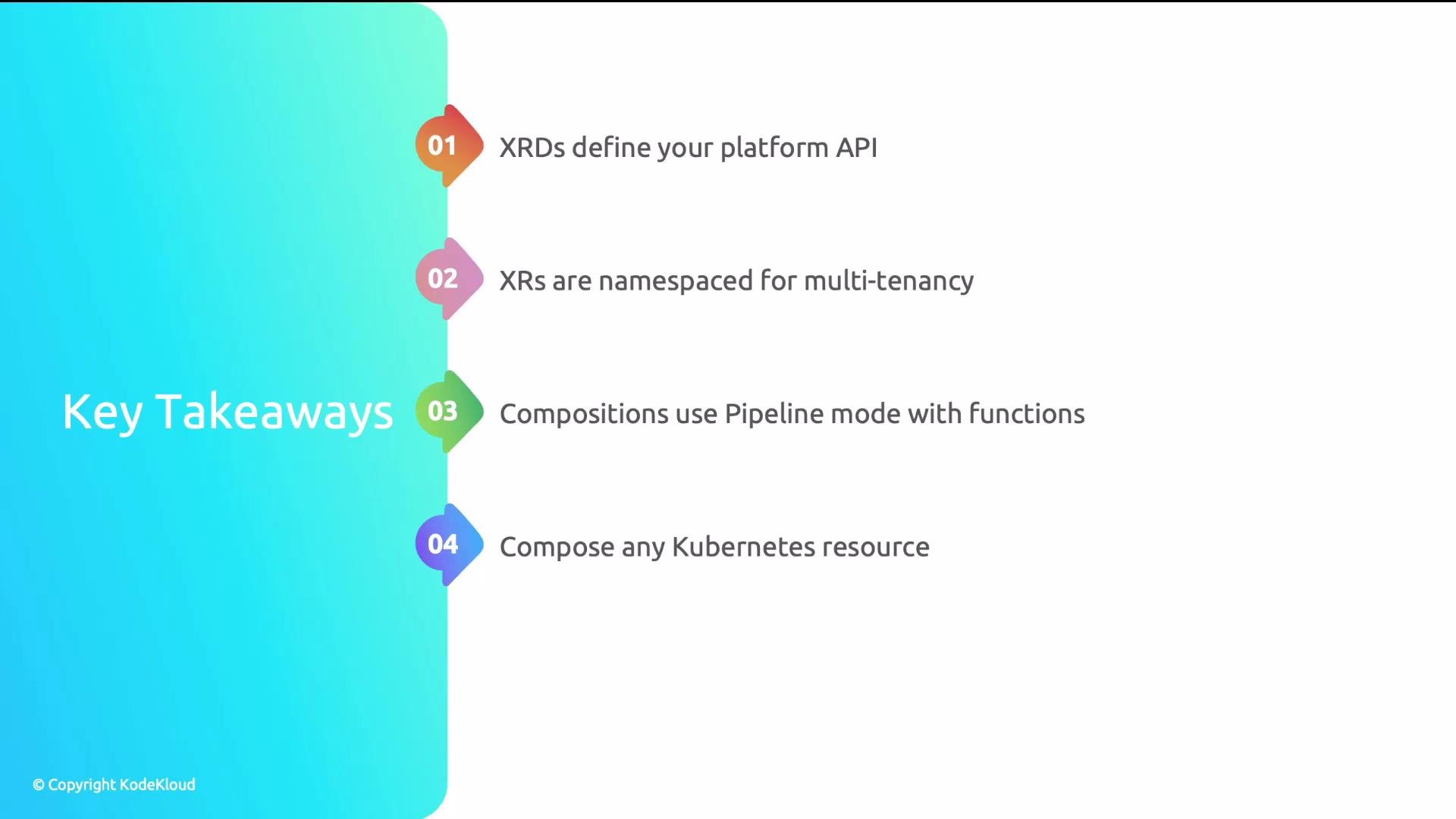
* XRDs define your platform API and the schema developers use.
* XRs (Composite Resources) are instances of that API; namespaced XRs simplify multi-tenancy.
* Compositions map XRs to concrete Kubernetes and cloud managed resources, typically using pipeline mode with functions for rendering and transformation.
* You can compose any Kubernetes resource alongside cloud infrastructure to provide unified, GitOps-friendly platform APIs.
Example developer XR for a microservice (one apply creates everything):
```yaml theme={null}
apiVersion: platform.acme.io/v1
kind: Microservice
metadata:
name: user-api
namespace: team-backend
spec:
image: acme/user-api:v2
replicas: 3
database: postgresql
ingress: true
```
A Composition for this XR could render:
* A Kubernetes Deployment and Service
* An Ingress resource
* An RDS instance (managed resource)
* A Security Group and network configuration
* A Secret containing the DB connection string (populated by Crossplane)
One resource, one `kubectl apply`, continuous reconciliation — that’s the platform API experience Crossplane enables.
Best practices and operational notes
* Use Namespaced XRs for team multi-tenancy; set RBAC to control who can create which XRs.
* Keep Compositions declarative and idempotent; prefer pipeline functions for transformation logic.
* Install Providers as packages and centralize ProviderConfig credentials in platform-managed namespaces.
* Treat XRDs and Compositions as platform code: version, review, and store them in Git to enable GitOps workflows.
Summary / Key takeaways
* XRDs define your platform API and the schema developers use.
* XRs (Composite Resources) are instances of that API; namespaced XRs simplify multi-tenancy.
* Compositions map XRs to concrete Kubernetes and cloud managed resources, typically using pipeline mode with functions for rendering and transformation.
* You can compose any Kubernetes resource alongside cloud infrastructure to provide unified, GitOps-friendly platform APIs.
 Further reading and references
* Crossplane: [https://crossplane.io/](https://crossplane.io/)
* Kubernetes kubectl reference: [https://kubernetes.io/docs/reference/kubectl/](https://kubernetes.io/docs/reference/kubectl/)
* Argo CD (GitOps): [https://argo-cd.readthedocs.io/en/stable/](https://argo-cd.readthedocs.io/en/stable/)
* Terraform: [https://www.terraform.io/](https://www.terraform.io/)
Further reading and references
* Crossplane: [https://crossplane.io/](https://crossplane.io/)
* Kubernetes kubectl reference: [https://kubernetes.io/docs/reference/kubectl/](https://kubernetes.io/docs/reference/kubectl/)
* Argo CD (GitOps): [https://argo-cd.readthedocs.io/en/stable/](https://argo-cd.readthedocs.io/en/stable/)
* Terraform: [https://www.terraform.io/](https://www.terraform.io/)