> ## Documentation Index
> Fetch the complete documentation index at: https://notes.kodekloud.com/llms.txt
> Use this file to discover all available pages before exploring further.
# Workflow Orchestration DAGs Steps and Event Driven Automation
> Explains using Argo Workflows and Argo Events to replace fragile scripts with declarative, parallel, retryable, observable Kubernetes-native automation for complex platform tasks.
Controllers continuously reconcile desired state, but many platform tasks are one-off: data migrations, multi-step environment setup, or ad-hoc provisioning. Imperative Bash scripts or simple CI jobs often lack the expressiveness, retries, observability, and parallelism required for these workflows.
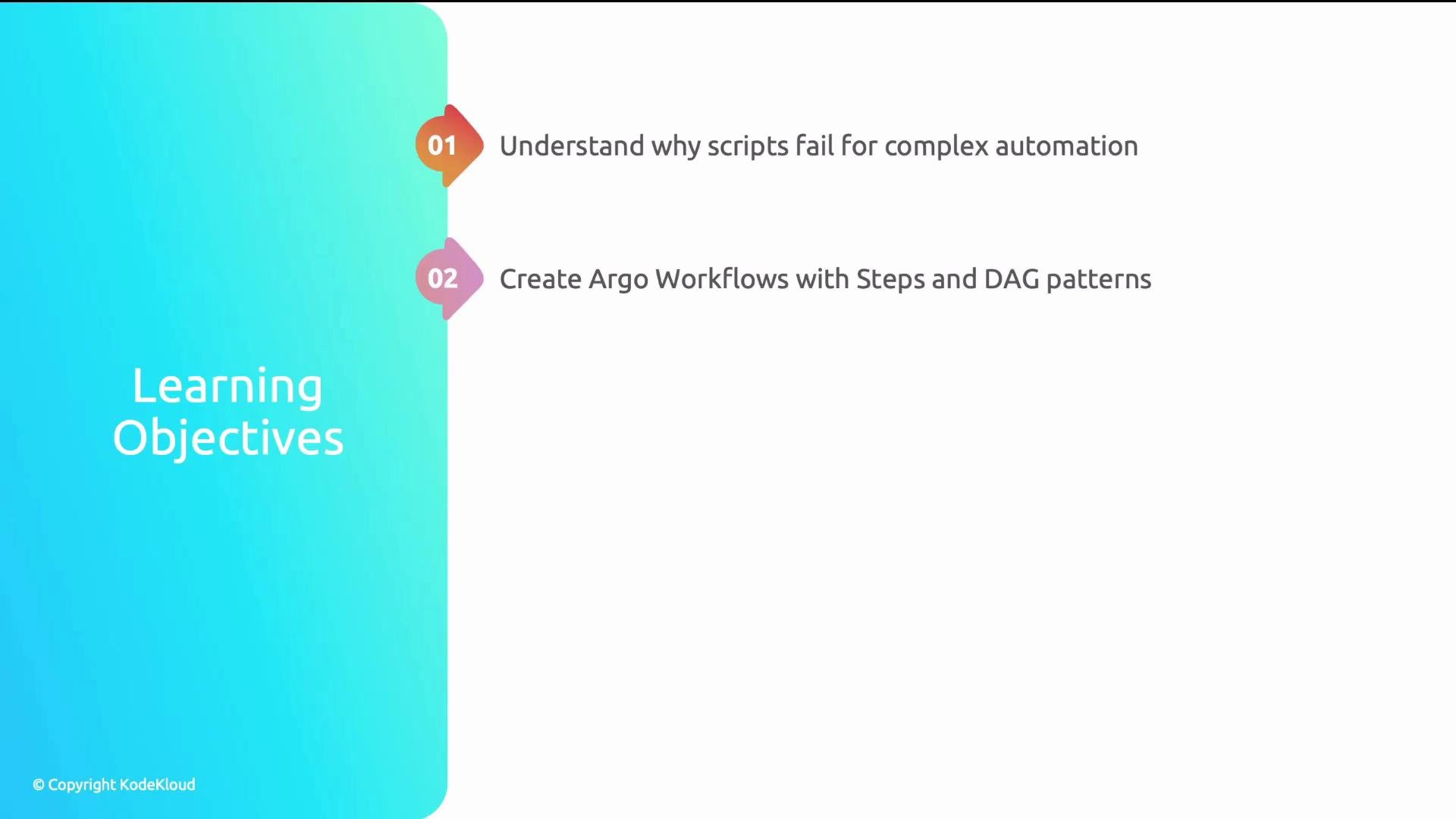
This article explains why scripts fail for complex automation and how to use Argo Workflows and Argo Events to build resilient, declarative, and event-driven platform automation:
* Why scripts and pipelines break for complex platform automation.
* How to author Argo Workflows using Steps and DAG patterns.
* Building reusable WorkflowTemplates with parameters.
* Passing artifacts reliably between steps.
* Triggering workflows from external events with Argo Events.
 Problem scenario: a 50-line Bash script to provision a development environment
A platform team had a single Bash script that: created a namespace, applied RBAC, deployed monitoring agents, configured Ingress, and set up DNS. It ran sequentially even though many steps were independent. When a later step (DNS) timed out, the script failed entirely, requiring manual rollback and a full re-run.
Problem scenario: a 50-line Bash script to provision a development environment
A platform team had a single Bash script that: created a namespace, applied RBAC, deployed monitoring agents, configured Ingress, and set up DNS. It ran sequentially even though many steps were independent. When a later step (DNS) timed out, the script failed entirely, requiring manual rollback and a full re-run.
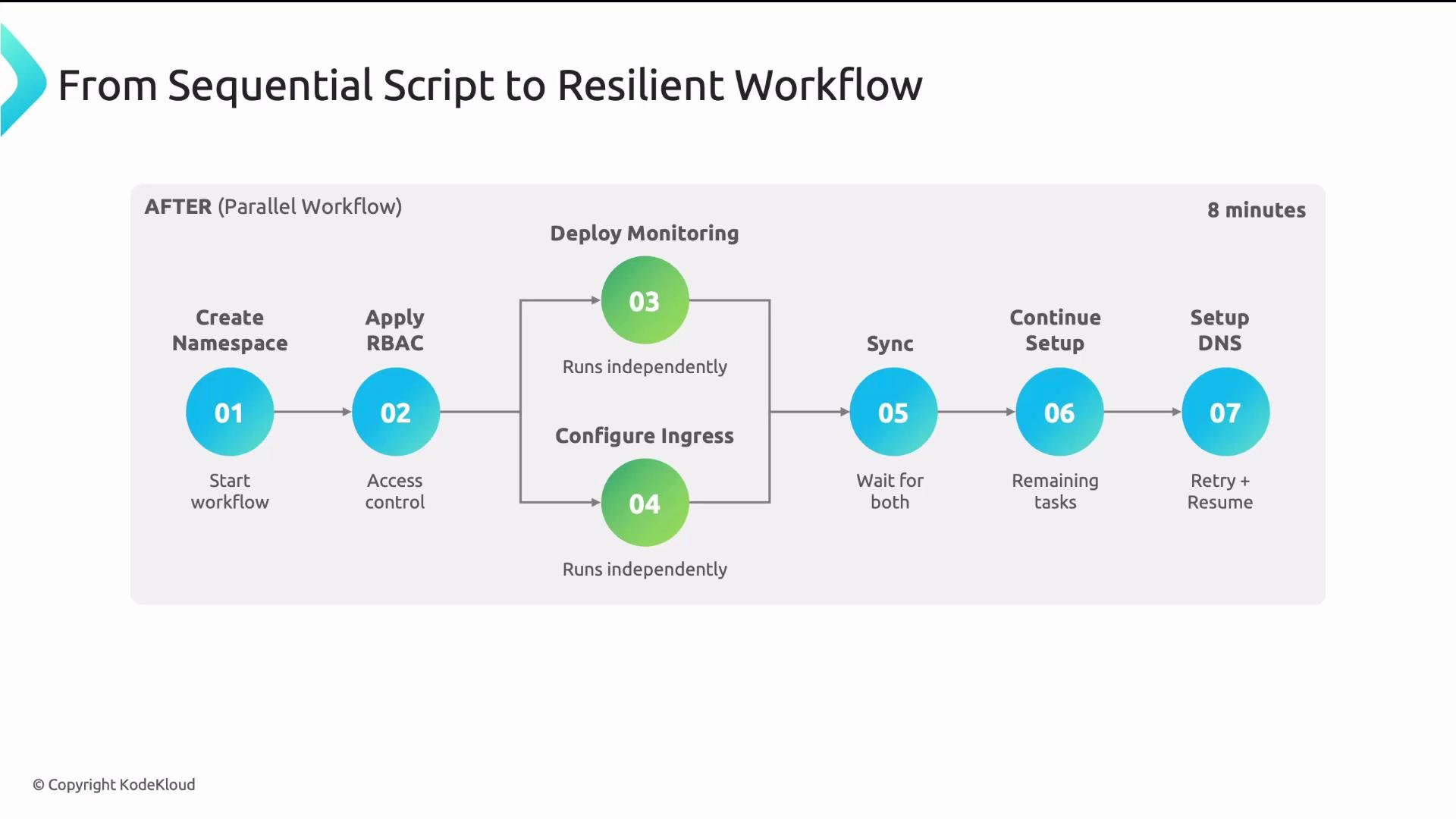
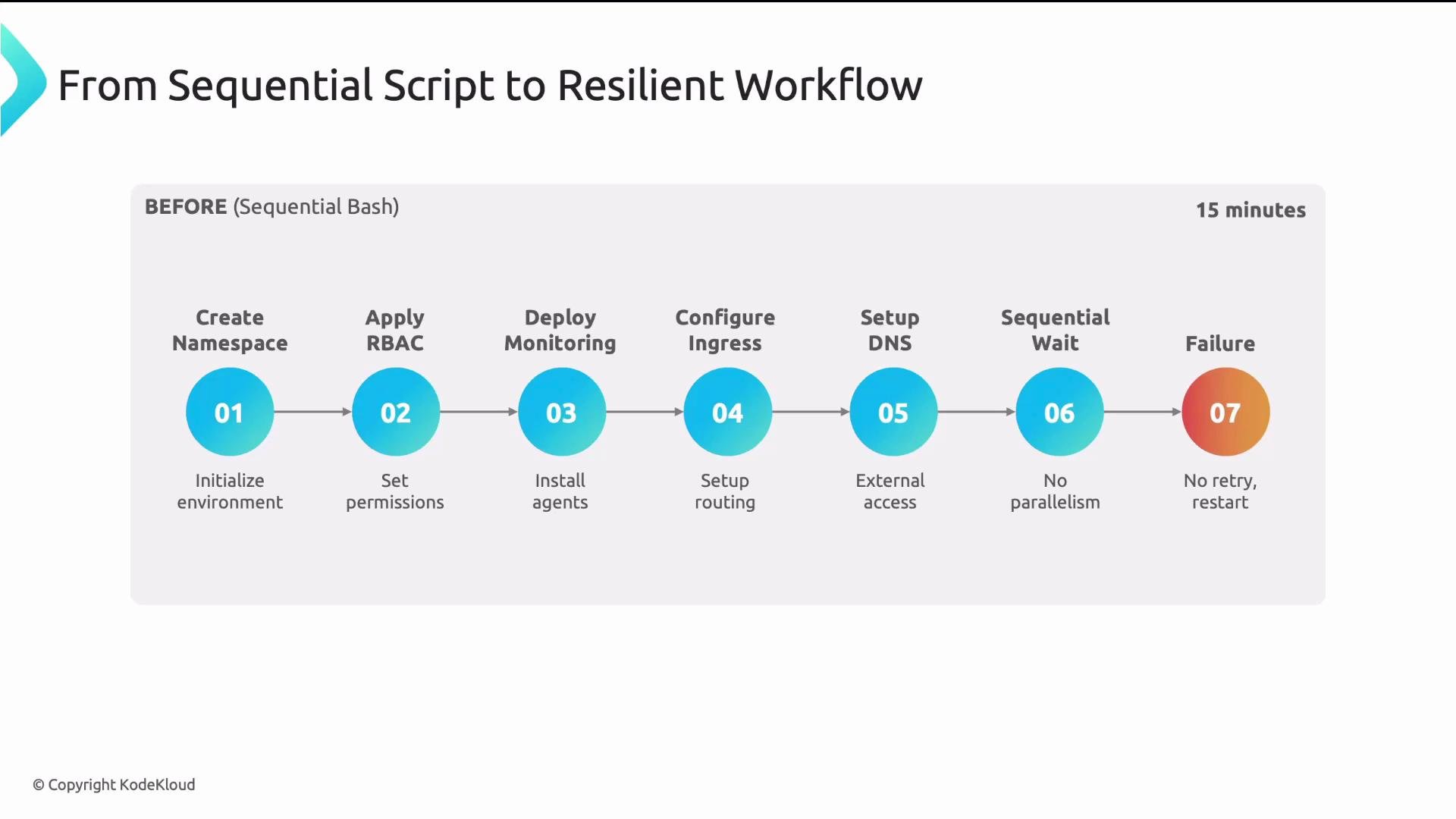 Because Bash executed everything sequentially, independent steps that could have run concurrently extended the runtime (15 minutes vs 8). When the DNS step failed, there were no retries, backoff, or resumability—manual intervention was required.
 Common automation approaches and their limits
The slide shows three common approaches to platform automation: shell scripts, CI pipelines, and CronJobs. Each has limitations for complex orchestration.
Common automation approaches and their limits
The slide shows three common approaches to platform automation: shell scripts, CI pipelines, and CronJobs. Each has limitations for complex orchestration.
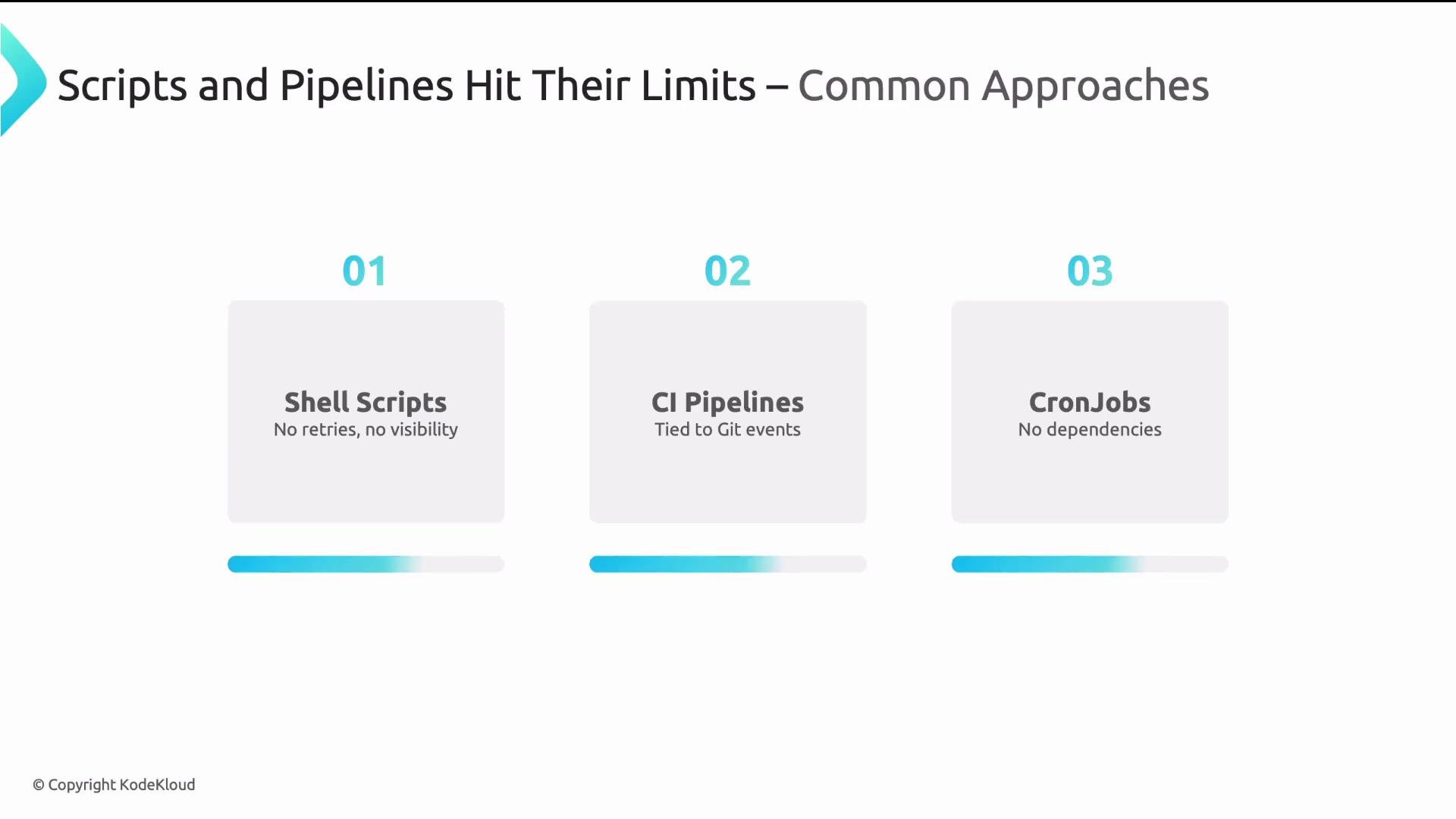 Table: automation approaches at a glance
| Resource Type | Strengths | Limitations |
| ------------- | --------------------------------: | ------------------------------------------------------------------------------ |
| Shell script | Fast to write for small tasks | Sequential by default, poor retries, limited observability |
| CI pipeline | Integrates with repo/PR workflows | Often linear, limited artifact sharing between stages, varying retry semantics |
| CronJob | Good for scheduled tasks | Not event-driven, limited retry/resume support |
Common problems with scripts/pipelines
* No explicit dependency graph (cannot express "run C after A and B" cleanly).
* Sequential execution for many implementations—independent tasks run one after another.
* Little or no retry/backoff/resume semantics.
* Poor observability into the exact failing step or current execution state.
For robust platform automation you need a workflow engine that is Kubernetes-native and declarative.
Why Argo Workflows?
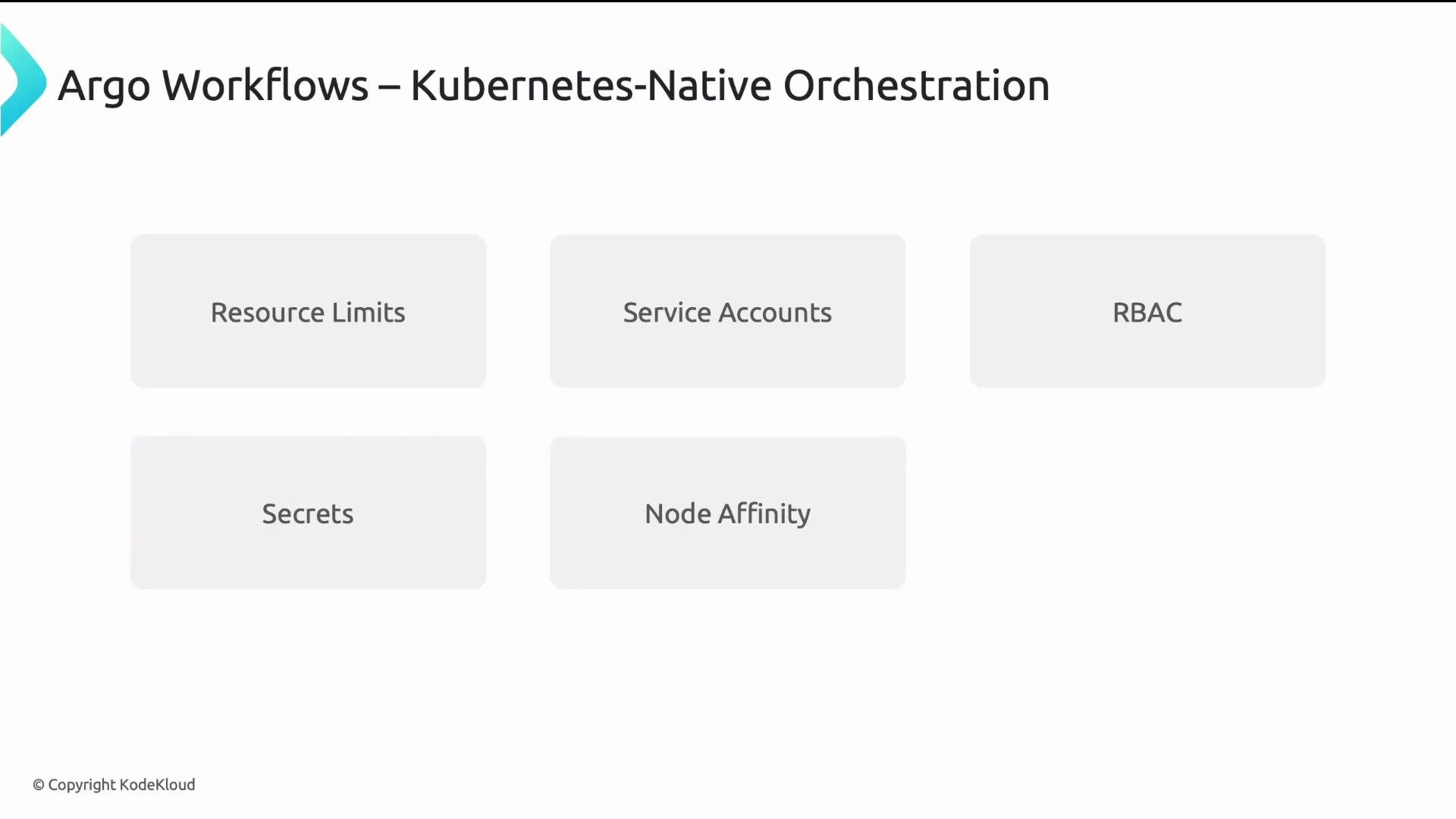
Argo Workflows runs each step as a Kubernetes pod, so you gain all Kubernetes primitives—resource requests/limits, service accounts, RBAC, secrets, node affinity, and priority classes. Workflows are CRDs (YAML), so you can store them in Git for auditable, declarative automation.
Table: automation approaches at a glance
| Resource Type | Strengths | Limitations |
| ------------- | --------------------------------: | ------------------------------------------------------------------------------ |
| Shell script | Fast to write for small tasks | Sequential by default, poor retries, limited observability |
| CI pipeline | Integrates with repo/PR workflows | Often linear, limited artifact sharing between stages, varying retry semantics |
| CronJob | Good for scheduled tasks | Not event-driven, limited retry/resume support |
Common problems with scripts/pipelines
* No explicit dependency graph (cannot express "run C after A and B" cleanly).
* Sequential execution for many implementations—independent tasks run one after another.
* Little or no retry/backoff/resume semantics.
* Poor observability into the exact failing step or current execution state.
For robust platform automation you need a workflow engine that is Kubernetes-native and declarative.
Why Argo Workflows?
Argo Workflows runs each step as a Kubernetes pod, so you gain all Kubernetes primitives—resource requests/limits, service accounts, RBAC, secrets, node affinity, and priority classes. Workflows are CRDs (YAML), so you can store them in Git for auditable, declarative automation.
 Core capabilities
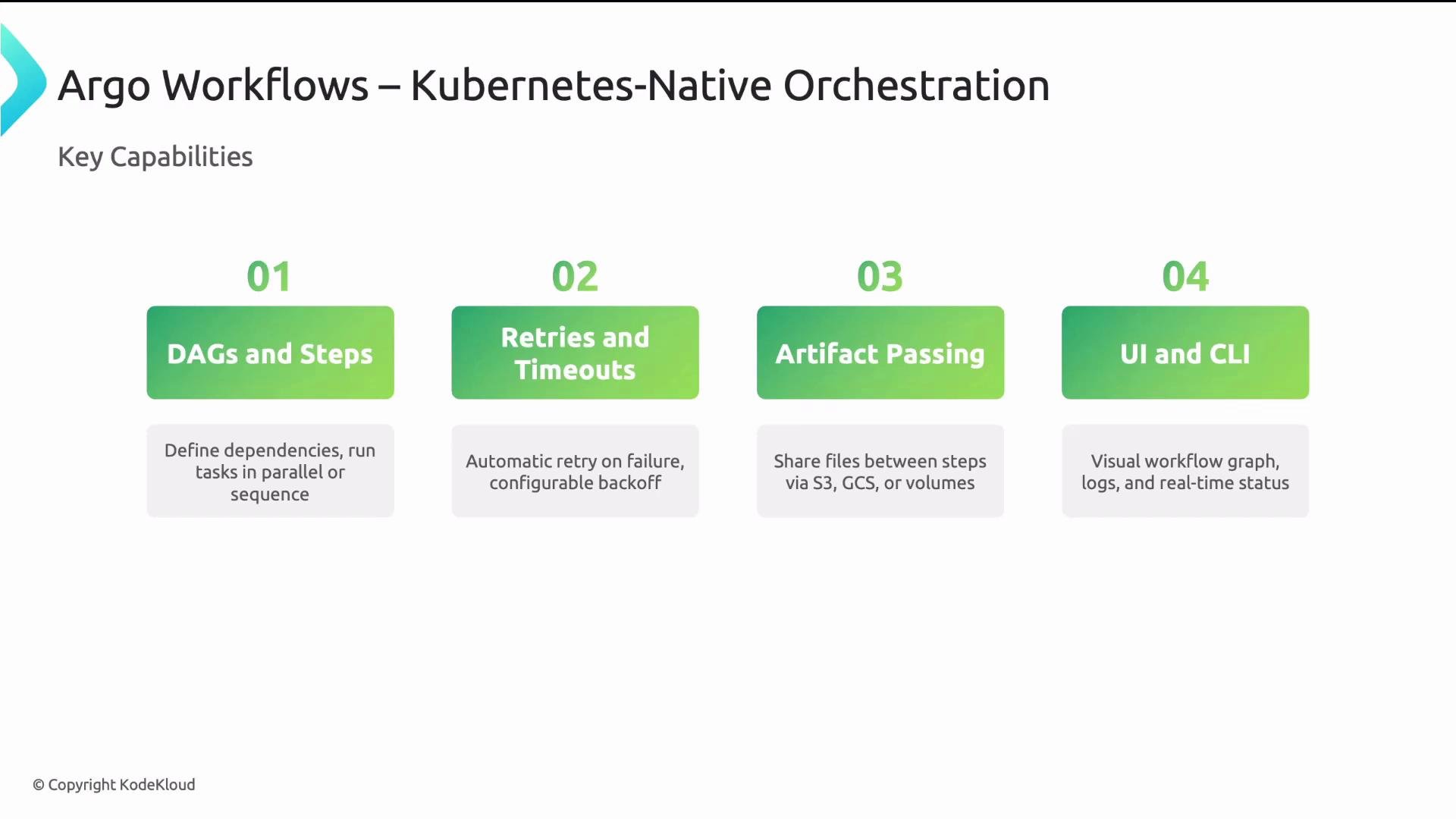
* DAGs and Steps: express dependencies and control parallelism.
* Retries and timeouts: set per-step retries with backoff, and per-step timeouts.
* Artifacts: share files between steps using S3, GCS, MinIO, etc.
* UI and CLI: visual graphs, logs, task timing and retries; CLI submission and monitoring.
Core capabilities
* DAGs and Steps: express dependencies and control parallelism.
* Retries and timeouts: set per-step retries with backoff, and per-step timeouts.
* Artifacts: share files between steps using S3, GCS, MinIO, etc.
* UI and CLI: visual graphs, logs, task timing and retries; CLI submission and monitoring.
 Expressing execution order: Steps vs DAGs
Argo supports two primary patterns to express execution order:
* Steps: a list-of-lists pattern where the outer list is sequential phases and each inner list contains steps that run in parallel. Best for mostly linear pipelines with some parallel groups.
* DAGs: explicit nodes with dependencies. Best for complex graphs with multiple concurrent paths and explicit dependency control.
Correct Steps example (array-of-arrays):
```yaml theme={null}
# Example: steps pattern (array-of-arrays)
spec:
entrypoint: workflow-steps
templates:
- name: workflow-steps
steps:
# Phase 1: sequential single step (build)
- - name: build
template: build
# Phase 2: parallel steps (test-a and test-b)
- - name: test-a
template: test-a
- name: test-b
template: test-b
# Phase 3: sequential single step (deploy)
- - name: deploy
template: deploy
```
DAG example with explicit dependencies:
```yaml theme={null}
# Example: dag pattern
spec:
entrypoint: workflow-dag
templates:
- name: workflow-dag
dag:
tasks:
- name: build
template: build
- name: test-a
template: test-a
dependencies: [build]
- name: test-b
template: test-b
dependencies: [build]
- name: deploy
template: deploy
dependencies: [test-a, test-b]
```
Tasks whose dependencies are satisfied will run immediately, letting Argo maximize parallelism safely.
Use Steps for straightforward, mostly linear pipelines. Choose DAGs when explicit dependency control and multiple concurrent paths are required.
Templates: reusable building blocks
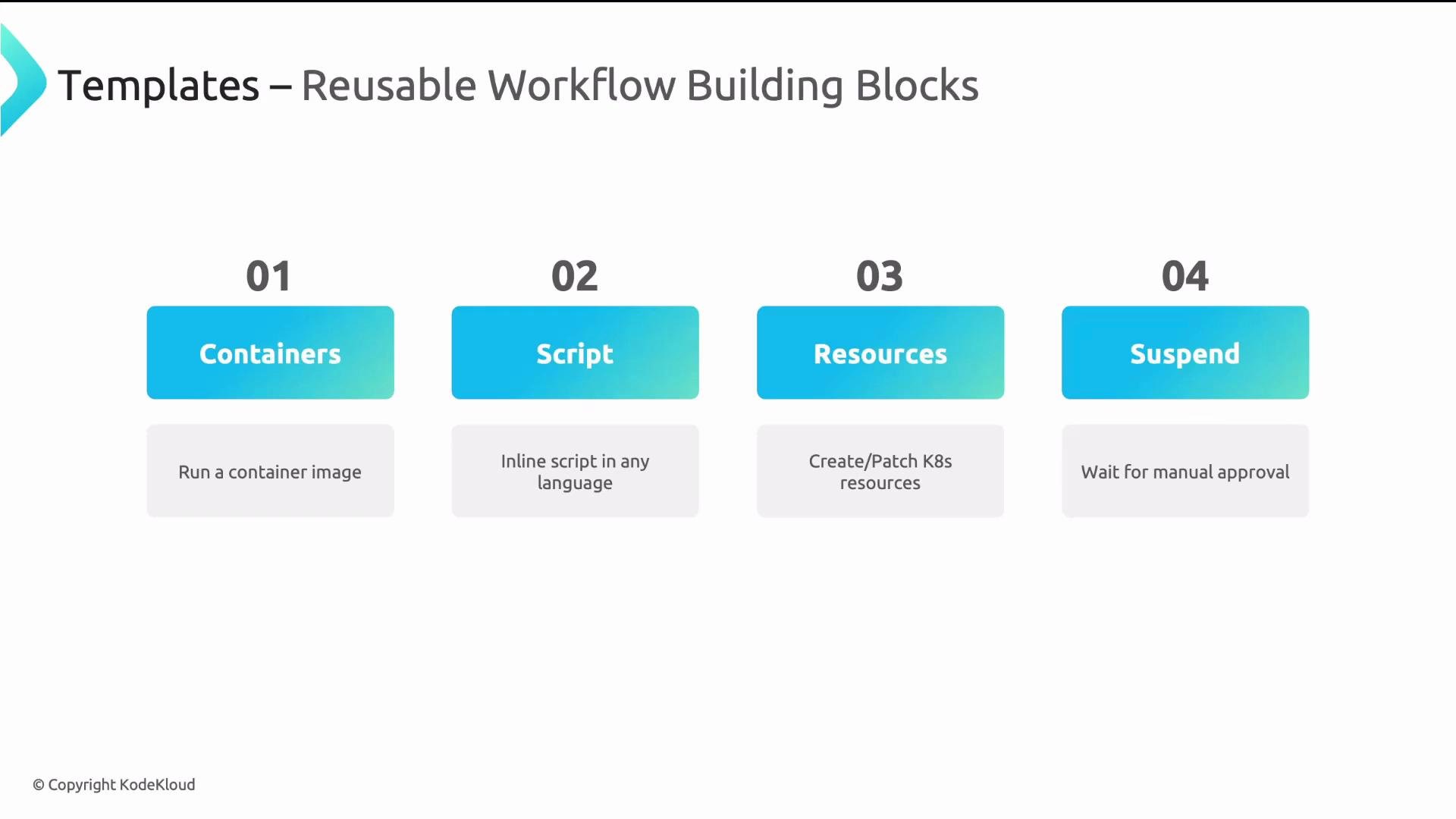
Templates are the modular units of Argo Workflows. Define them once and reuse across workflows. Common template types:
| Template Type | Description | When to use |
| ------------- | -------------------------------------------------------------------------- | ----------------------------------------------------- |
| container | Runs a container image; specify `image`, `command`, `args`, `resources` | Most tasks: builds, tests, CLI tools |
| script | Inline script in Python/Bash/etc. | Small, self-contained logic without a dedicated image |
| resource | Create/patch/delete Kubernetes resources and optionally wait for readiness | Provisioning CRDs, applying manifests |
| suspend | Pause execution for manual approval or an external signal | Human-in-the-loop approvals or manual gating |
Expressing execution order: Steps vs DAGs
Argo supports two primary patterns to express execution order:
* Steps: a list-of-lists pattern where the outer list is sequential phases and each inner list contains steps that run in parallel. Best for mostly linear pipelines with some parallel groups.
* DAGs: explicit nodes with dependencies. Best for complex graphs with multiple concurrent paths and explicit dependency control.
Correct Steps example (array-of-arrays):
```yaml theme={null}
# Example: steps pattern (array-of-arrays)
spec:
entrypoint: workflow-steps
templates:
- name: workflow-steps
steps:
# Phase 1: sequential single step (build)
- - name: build
template: build
# Phase 2: parallel steps (test-a and test-b)
- - name: test-a
template: test-a
- name: test-b
template: test-b
# Phase 3: sequential single step (deploy)
- - name: deploy
template: deploy
```
DAG example with explicit dependencies:
```yaml theme={null}
# Example: dag pattern
spec:
entrypoint: workflow-dag
templates:
- name: workflow-dag
dag:
tasks:
- name: build
template: build
- name: test-a
template: test-a
dependencies: [build]
- name: test-b
template: test-b
dependencies: [build]
- name: deploy
template: deploy
dependencies: [test-a, test-b]
```
Tasks whose dependencies are satisfied will run immediately, letting Argo maximize parallelism safely.
Use Steps for straightforward, mostly linear pipelines. Choose DAGs when explicit dependency control and multiple concurrent paths are required.
Templates: reusable building blocks
Templates are the modular units of Argo Workflows. Define them once and reuse across workflows. Common template types:
| Template Type | Description | When to use |
| ------------- | -------------------------------------------------------------------------- | ----------------------------------------------------- |
| container | Runs a container image; specify `image`, `command`, `args`, `resources` | Most tasks: builds, tests, CLI tools |
| script | Inline script in Python/Bash/etc. | Small, self-contained logic without a dedicated image |
| resource | Create/patch/delete Kubernetes resources and optionally wait for readiness | Provisioning CRDs, applying manifests |
| suspend | Pause execution for manual approval or an external signal | Human-in-the-loop approvals or manual gating |
 WorkflowTemplates and ClusterWorkflowTemplates
WorkflowTemplates provide namespaced, reusable definitions. Use them to create a library of platform tasks. For cluster-wide reuse, use ClusterWorkflowTemplate.
Example WorkflowTemplate (kaniko build):
```yaml theme={null}
apiVersion: argoproj.io/v1alpha1
kind: WorkflowTemplate
metadata:
name: build-and-push
spec:
templates:
- name: kaniko-build
inputs:
parameters:
- name: repo
container:
image: gcr.io/kaniko-project/executor
args:
- "--destination={{inputs.parameters.repo}}"
```
Parameters make templates flexible. Pass values at runtime or wire outputs from earlier steps into other templates. For example, a `deploy` template can accept a `namespace` parameter to operate across environments.
Artifacts: reliable file passing between steps
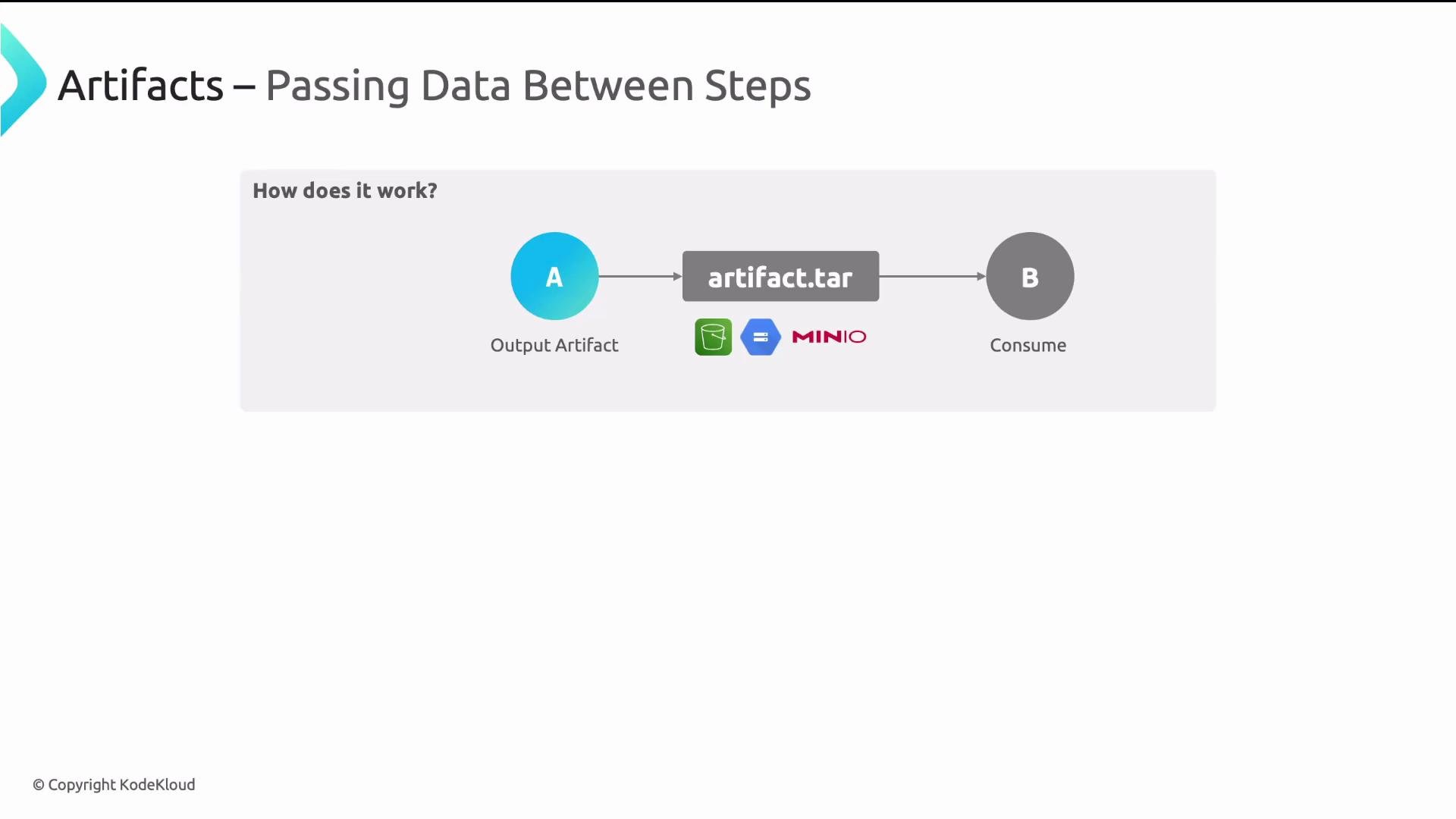
Because each step runs in its own pod with an isolated filesystem, you must use artifacts to pass files between steps. Typical flow:
* Step A writes a file (e.g., `/tmp/artifact.tar`) and declares it as an output artifact.
* Argo uploads that artifact to the configured artifact repository (S3, GCS, MinIO).
* Step B declares the artifact as an input and Argo downloads it into the pod before the step runs.
WorkflowTemplates and ClusterWorkflowTemplates
WorkflowTemplates provide namespaced, reusable definitions. Use them to create a library of platform tasks. For cluster-wide reuse, use ClusterWorkflowTemplate.
Example WorkflowTemplate (kaniko build):
```yaml theme={null}
apiVersion: argoproj.io/v1alpha1
kind: WorkflowTemplate
metadata:
name: build-and-push
spec:
templates:
- name: kaniko-build
inputs:
parameters:
- name: repo
container:
image: gcr.io/kaniko-project/executor
args:
- "--destination={{inputs.parameters.repo}}"
```
Parameters make templates flexible. Pass values at runtime or wire outputs from earlier steps into other templates. For example, a `deploy` template can accept a `namespace` parameter to operate across environments.
Artifacts: reliable file passing between steps
Because each step runs in its own pod with an isolated filesystem, you must use artifacts to pass files between steps. Typical flow:
* Step A writes a file (e.g., `/tmp/artifact.tar`) and declares it as an output artifact.
* Argo uploads that artifact to the configured artifact repository (S3, GCS, MinIO).
* Step B declares the artifact as an input and Argo downloads it into the pod before the step runs.
 Producer/consumer artifact example
Producer template snippet (writes `/tmp/msg.txt` and exposes it as an output artifact):
```yaml theme={null}
# Producer template: writes /tmp/msg.txt and uploads as artifact "message"
outputs:
artifacts:
- name: message
path: /tmp/msg.txt
# (This would be defined inside a template's container/script block that creates /tmp/msg.txt)
```
Consumer template snippet (declares `message` as an input artifact and reads it):
```yaml theme={null}
# Consumer template: declares input artifact "message" and uses it in the container
inputs:
artifacts:
- name: message
path: /tmp/msg.txt
container:
image: alpine
command: [cat, /tmp/msg.txt]
```
Configure artifact backends via the artifact repository ConfigMap in the argocd/argo namespace (or your Argo namespace). For local demos use MinIO; for production use S3, GCS, or another supported backend.
Artifacts are ideal for build outputs, test results, generated configs, or any files that subsequent steps require.
Argo Events: external triggers and event-driven automation
Argo Events extends Argo Workflows to react to external events and trigger Workflows (or other actions).
Producer/consumer artifact example
Producer template snippet (writes `/tmp/msg.txt` and exposes it as an output artifact):
```yaml theme={null}
# Producer template: writes /tmp/msg.txt and uploads as artifact "message"
outputs:
artifacts:
- name: message
path: /tmp/msg.txt
# (This would be defined inside a template's container/script block that creates /tmp/msg.txt)
```
Consumer template snippet (declares `message` as an input artifact and reads it):
```yaml theme={null}
# Consumer template: declares input artifact "message" and uses it in the container
inputs:
artifacts:
- name: message
path: /tmp/msg.txt
container:
image: alpine
command: [cat, /tmp/msg.txt]
```
Configure artifact backends via the artifact repository ConfigMap in the argocd/argo namespace (or your Argo namespace). For local demos use MinIO; for production use S3, GCS, or another supported backend.
Artifacts are ideal for build outputs, test results, generated configs, or any files that subsequent steps require.
Argo Events: external triggers and event-driven automation
Argo Events extends Argo Workflows to react to external events and trigger Workflows (or other actions).
 Argo Events components
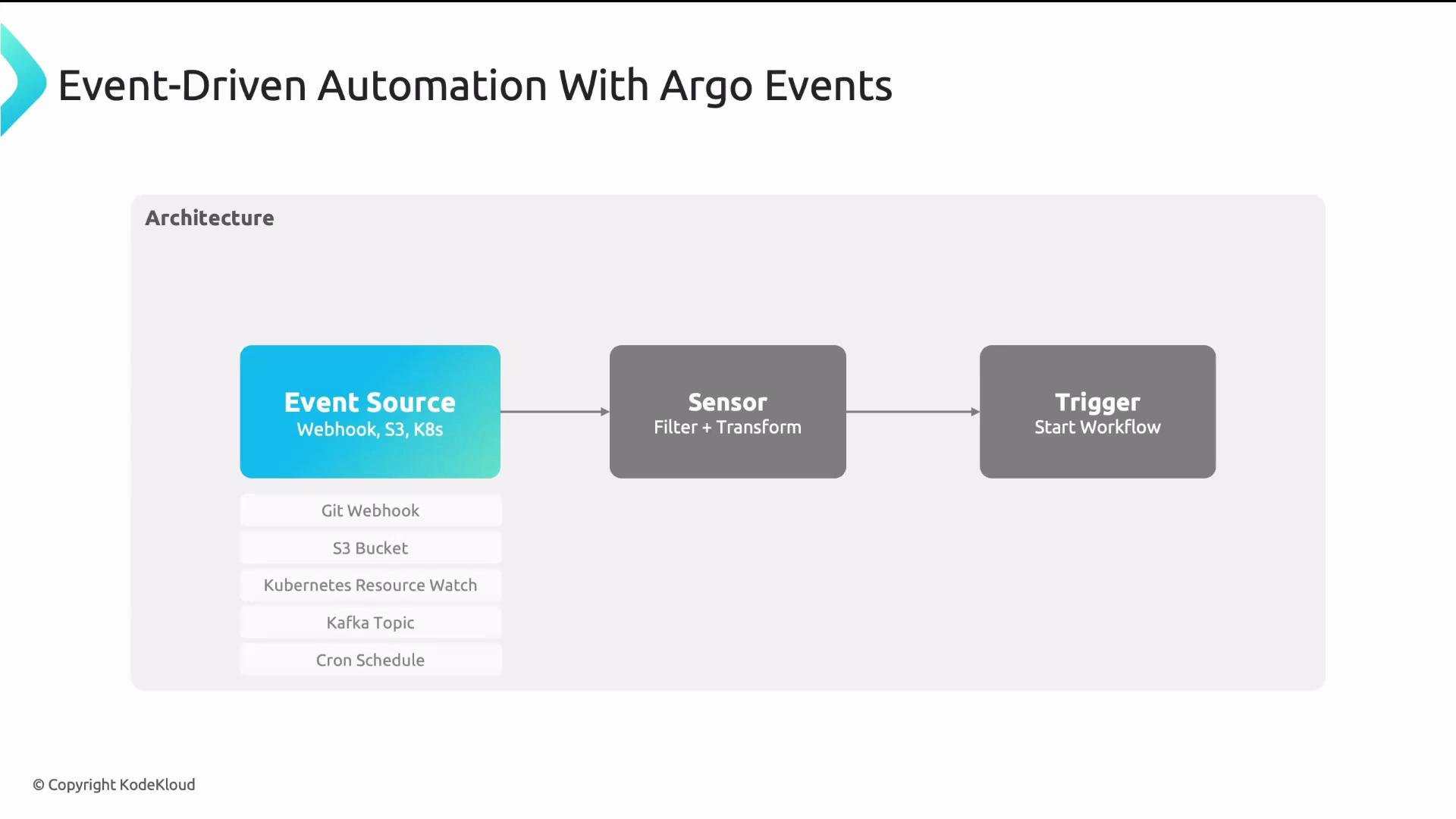
* EventSource: connects to external event streams (Git, webhooks, S3, message queues) and listens for events.
* Sensor: filters and transforms events, extracting parameters (for example, trigger only on pushes to `main` and pass the commit SHA).
* Trigger: performs an action—commonly submits an Argo Workflow.
Example use cases
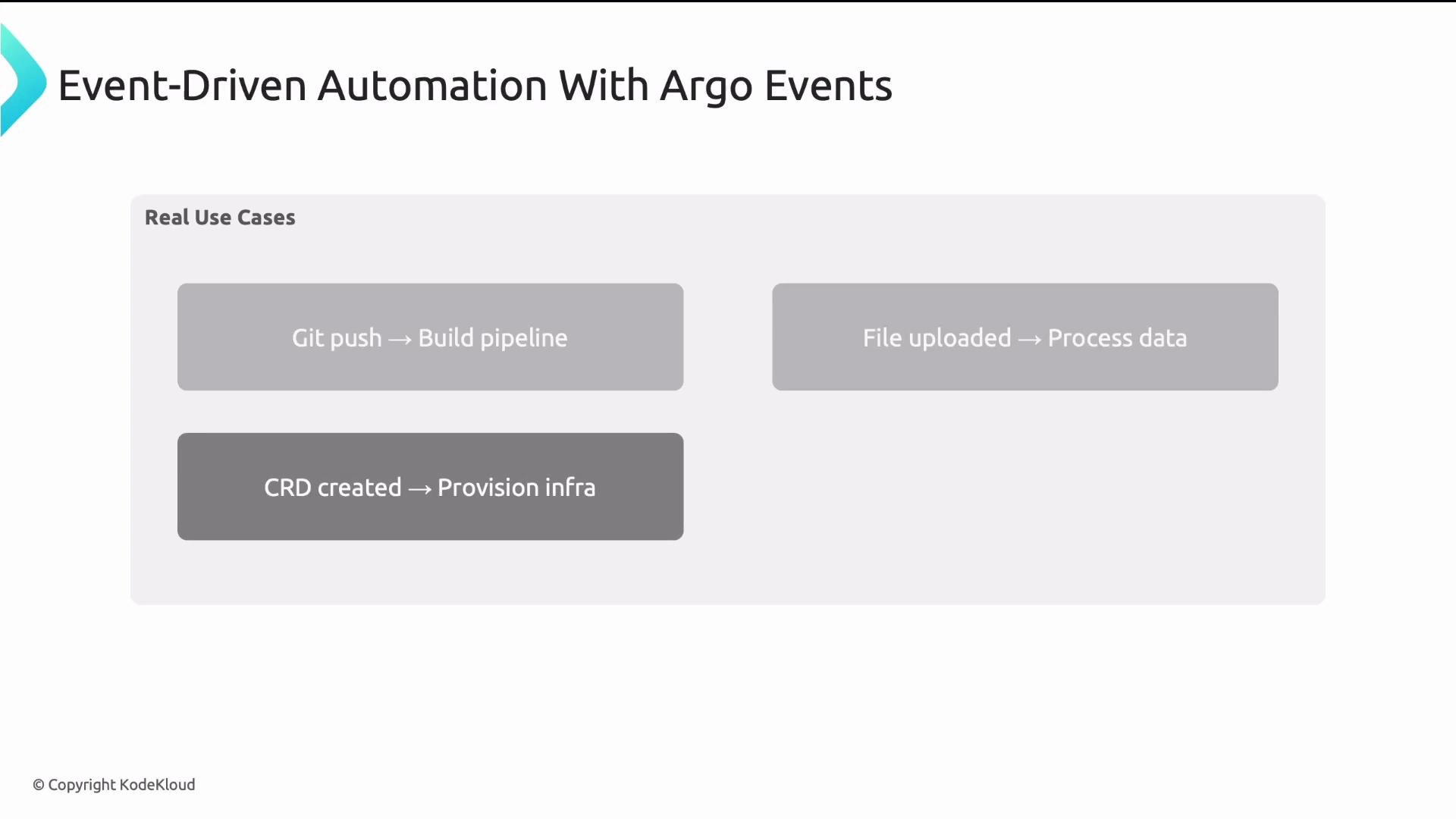
* Git push triggers a build and deploy pipeline.
* File uploaded to S3 triggers a data processing workflow.
* Creation of a CRD triggers infra provisioning workflows.
* Cron-like schedules trigger nightly cleanup or reporting workflows.
Argo Events components
* EventSource: connects to external event streams (Git, webhooks, S3, message queues) and listens for events.
* Sensor: filters and transforms events, extracting parameters (for example, trigger only on pushes to `main` and pass the commit SHA).
* Trigger: performs an action—commonly submits an Argo Workflow.
Example use cases
* Git push triggers a build and deploy pipeline.
* File uploaded to S3 triggers a data processing workflow.
* Creation of a CRD triggers infra provisioning workflows.
* Cron-like schedules trigger nightly cleanup or reporting workflows.
 Combined architecture
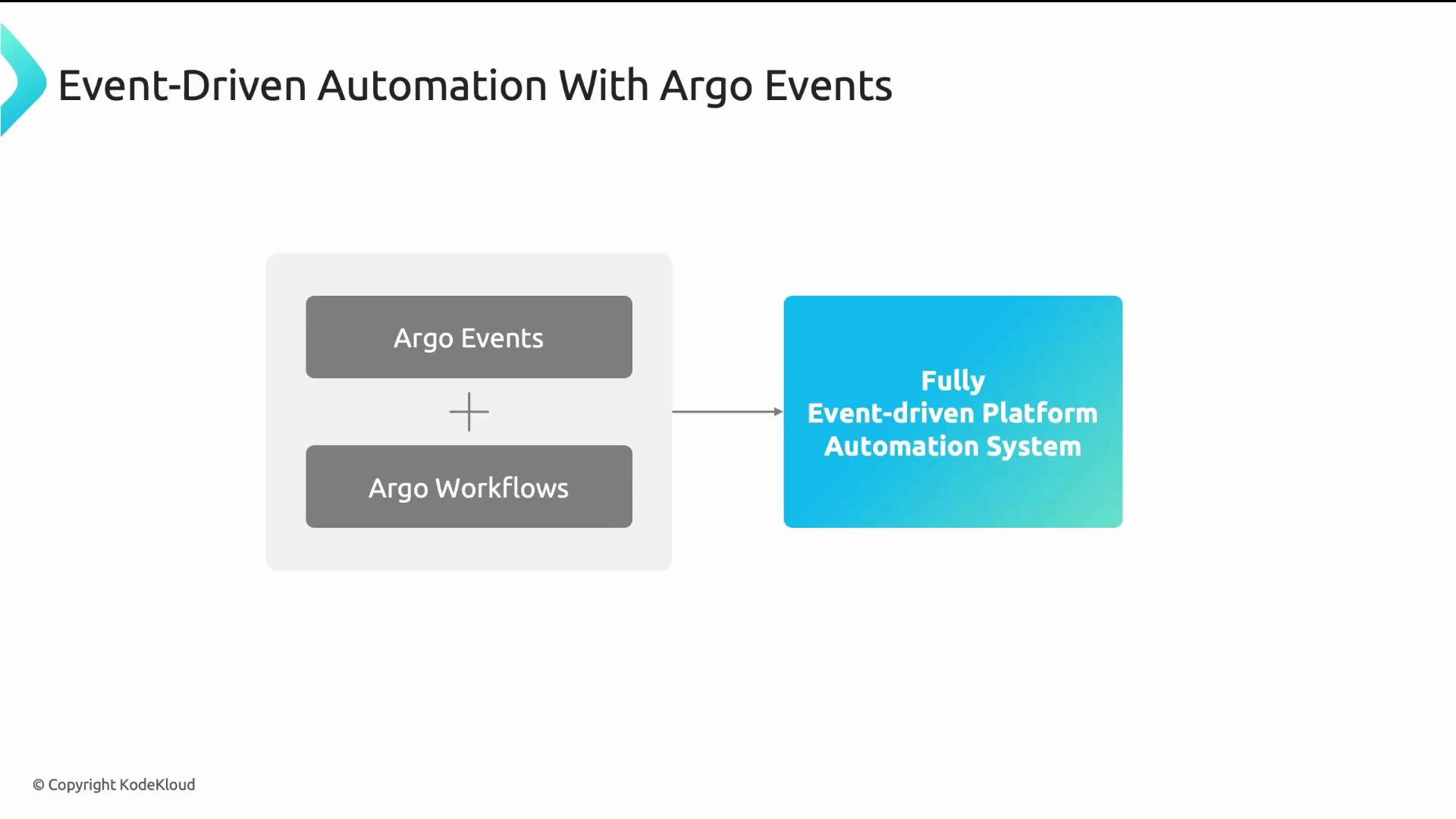
Together, Argo Events + Argo Workflows provide a fully event-driven automation platform. Declare what should happen when an event occurs; the system manages execution, retries, artifacts, and observability.
Combined architecture
Together, Argo Events + Argo Workflows provide a fully event-driven automation platform. Declare what should happen when an event occurs; the system manages execution, retries, artifacts, and observability.
 Key takeaways
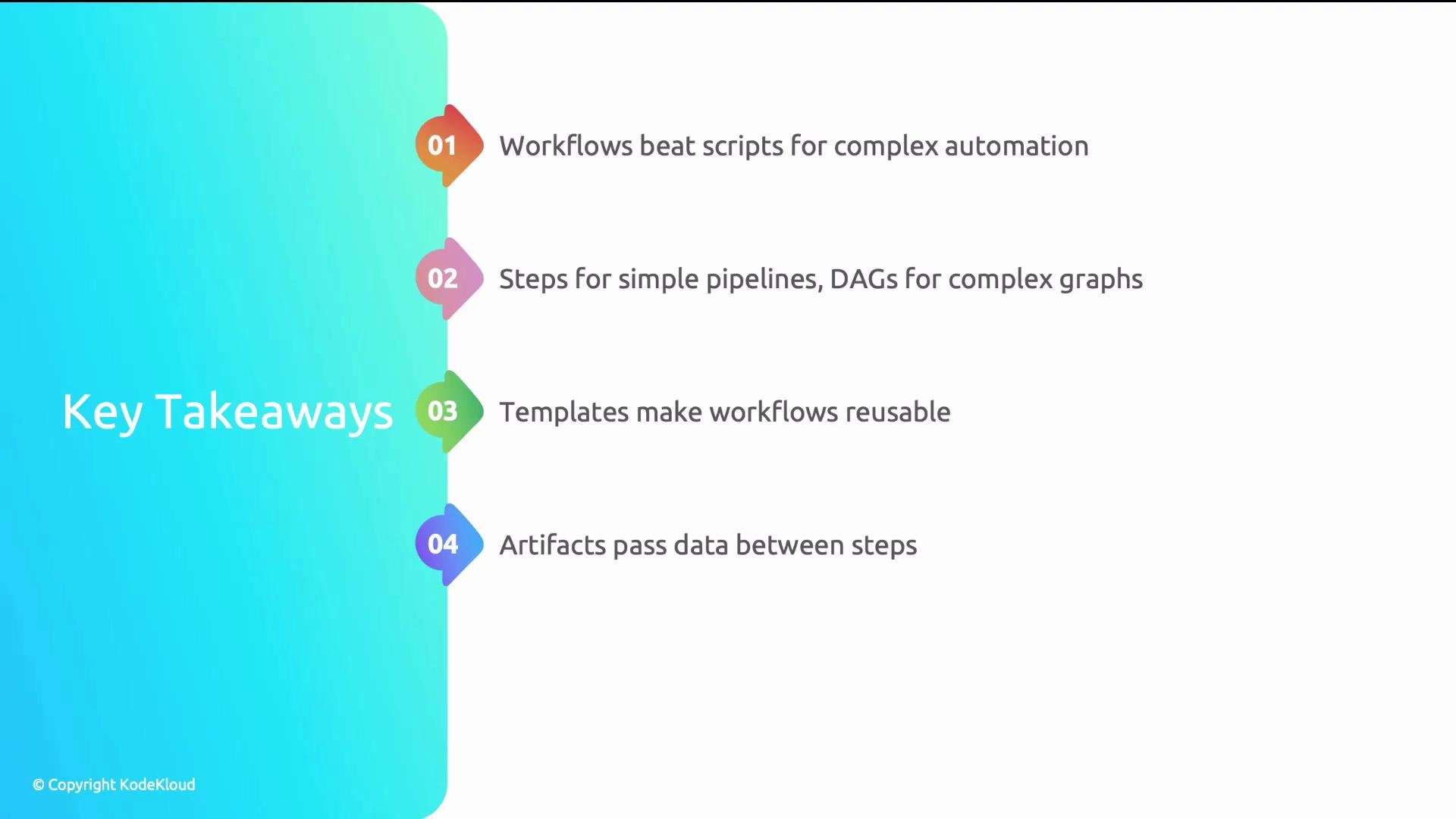
* Workflows are a better fit than scripts for complex platform automation—especially when you need parallelism, retries, and observability.
* Use Steps for simple, mostly linear pipelines; use DAGs when you need explicit dependency graphs and complex concurrency.
* Templates and WorkflowTemplates make automation reusable and parameterizable across teams and environments.
* Artifacts provide reliable file transfer between isolated pods and are essential for build/test artifacts and generated configurations.
* Argo Events adds event-driven capabilities so your automation reacts to external triggers (Git, webhooks, object stores, message queues).
Key takeaways
* Workflows are a better fit than scripts for complex platform automation—especially when you need parallelism, retries, and observability.
* Use Steps for simple, mostly linear pipelines; use DAGs when you need explicit dependency graphs and complex concurrency.
* Templates and WorkflowTemplates make automation reusable and parameterizable across teams and environments.
* Artifacts provide reliable file transfer between isolated pods and are essential for build/test artifacts and generated configurations.
* Argo Events adds event-driven capabilities so your automation reacts to external triggers (Git, webhooks, object stores, message queues).
 Further reading and references
* Argo Workflows documentation: [https://argoproj.github.io/argo-workflows/](https://argoproj.github.io/argo-workflows/)
* Argo Events documentation: [https://argoproj.github.io/argo-events/](https://argoproj.github.io/argo-events/)
* MinIO: [https://min.io/](https://min.io/)
* AWS S3: [https://aws.amazon.com/s3/](https://aws.amazon.com/s3/)
* Google Cloud Storage: [https://cloud.google.com/storage/](https://cloud.google.com/storage/)
Further reading and references
* Argo Workflows documentation: [https://argoproj.github.io/argo-workflows/](https://argoproj.github.io/argo-workflows/)
* Argo Events documentation: [https://argoproj.github.io/argo-events/](https://argoproj.github.io/argo-events/)
* MinIO: [https://min.io/](https://min.io/)
* AWS S3: [https://aws.amazon.com/s3/](https://aws.amazon.com/s3/)
* Google Cloud Storage: [https://cloud.google.com/storage/](https://cloud.google.com/storage/)