> ## Documentation Index
> Fetch the complete documentation index at: https://notes.kodekloud.com/llms.txt
> Use this file to discover all available pages before exploring further.
# Defaults Budgets Designing LimitRanges and Quotas
> Guidance for designing Kubernetes LimitRange and ResourceQuota defaults, tiered namespace quotas, and iterative monitoring to balance developer agility and cluster resource governance
This lesson expands on ResourceQuota and LimitRange concepts and answers the practical question: which values should you actually configure?
You will learn:
* Why one-size-fits-all quotas fail
* How to choose sensible defaults for common workloads
* How to design environment-specific quotas (namespace tiers)
* How to apply observed usage to refine limits and requests
Start with a common real-world failure.
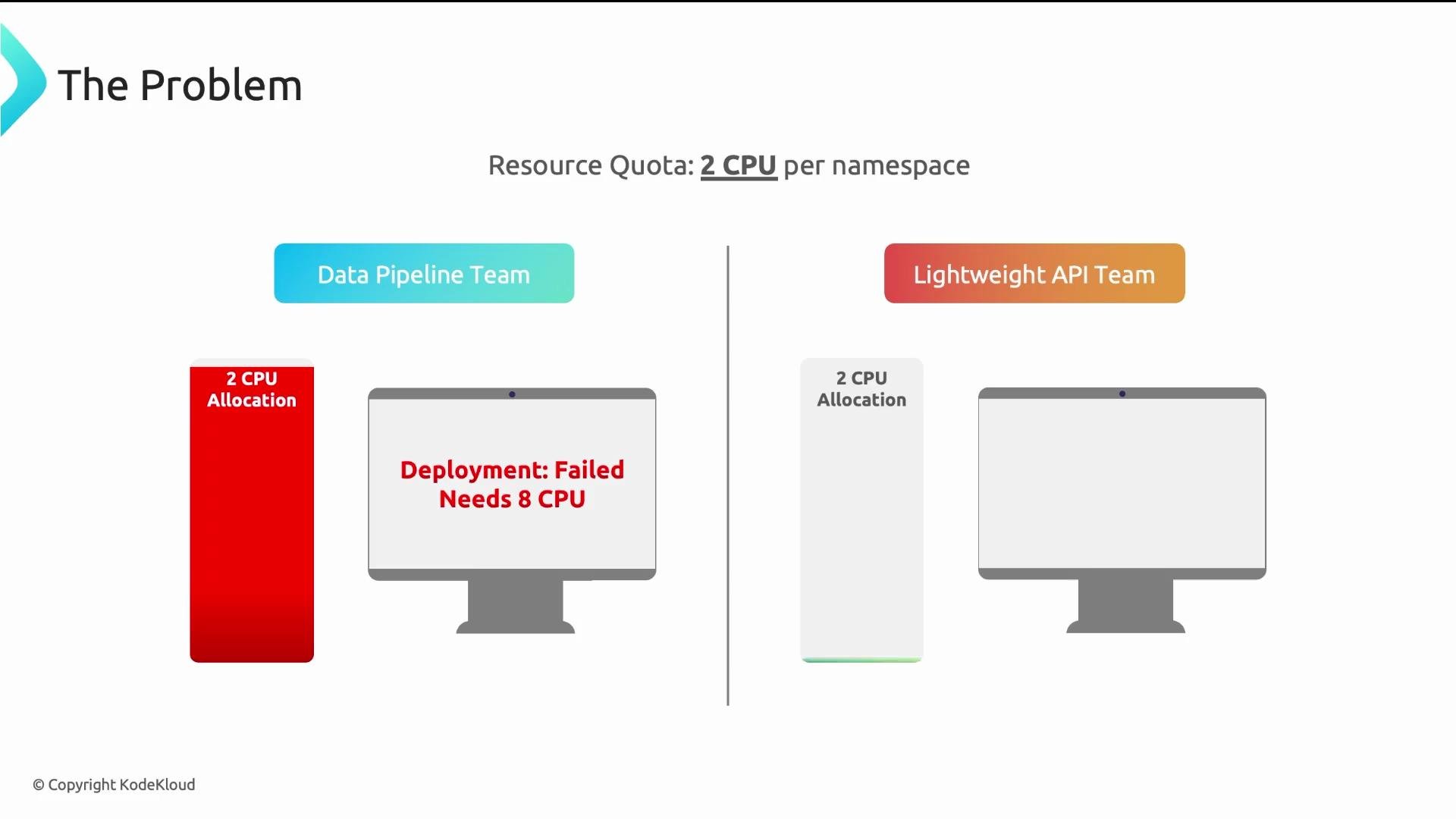
A platform team at a logistics company applied a flat `ResourceQuota` of 2 CPUs to every namespace. Within 24 hours the data pipeline team could not deploy: their batch jobs required 8 CPUs per container. Meanwhile, a lightweight API team used only \~200m CPU of their 2-CPU allocation — most capacity was wasted. A single quota for all namespaces helped no one.
 Four questions every platform team asks
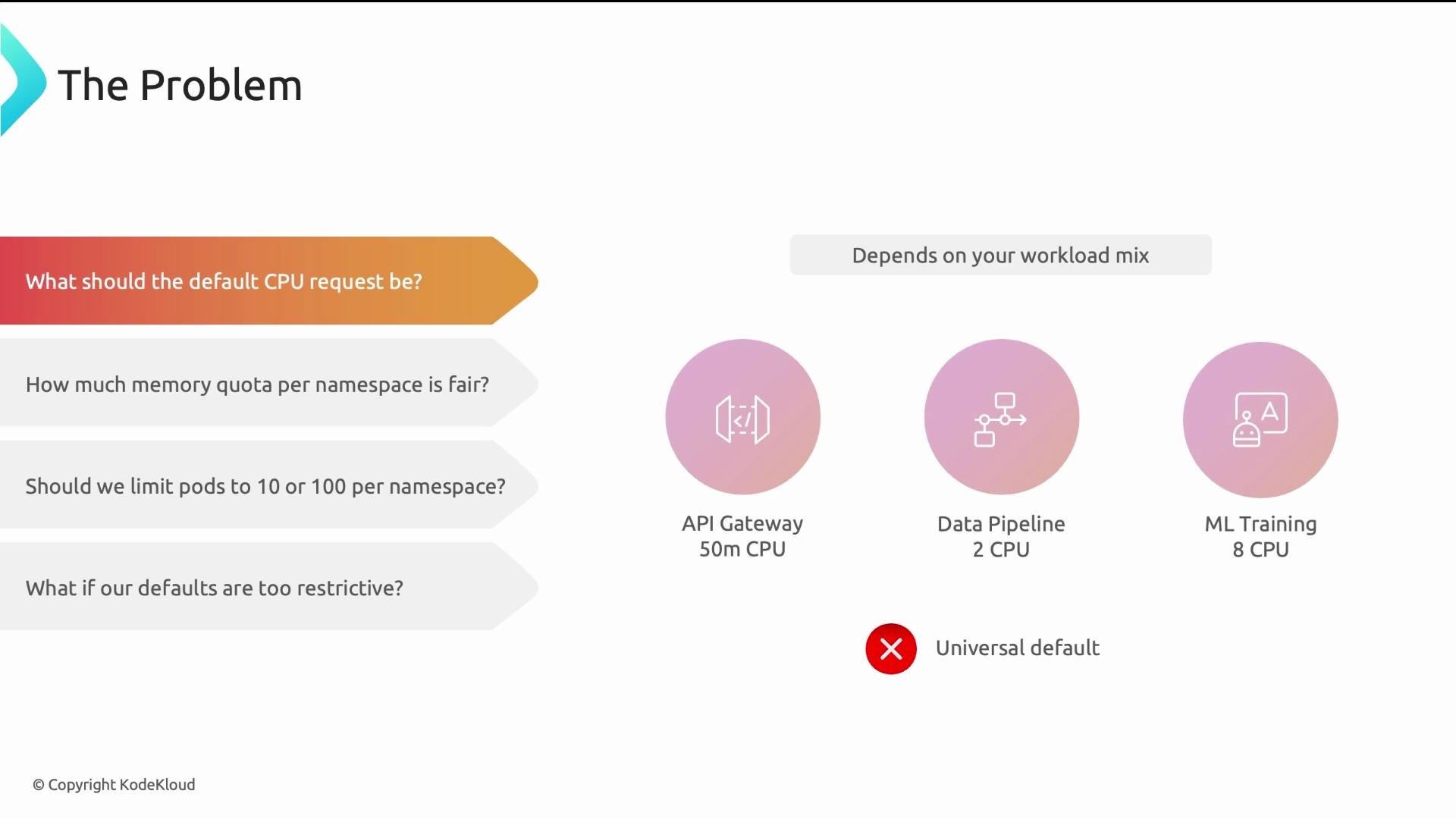
1. What should the default CPU request be?
* Answer: it depends on the workload mix. A lightweight web API might request \~500m, a medium batch job \~2 CPUs, and an ML training pod may require 8+ CPUs. There is no single universal default.
Four questions every platform team asks
1. What should the default CPU request be?
* Answer: it depends on the workload mix. A lightweight web API might request \~500m, a medium batch job \~2 CPUs, and an ML training pod may require 8+ CPUs. There is no single universal default.
 2. How much memory quota per namespace is fair?
* Answer: it depends on how many services a team runs, their workload intensity, and whether the namespace is for exploratory dev or customer-facing production.
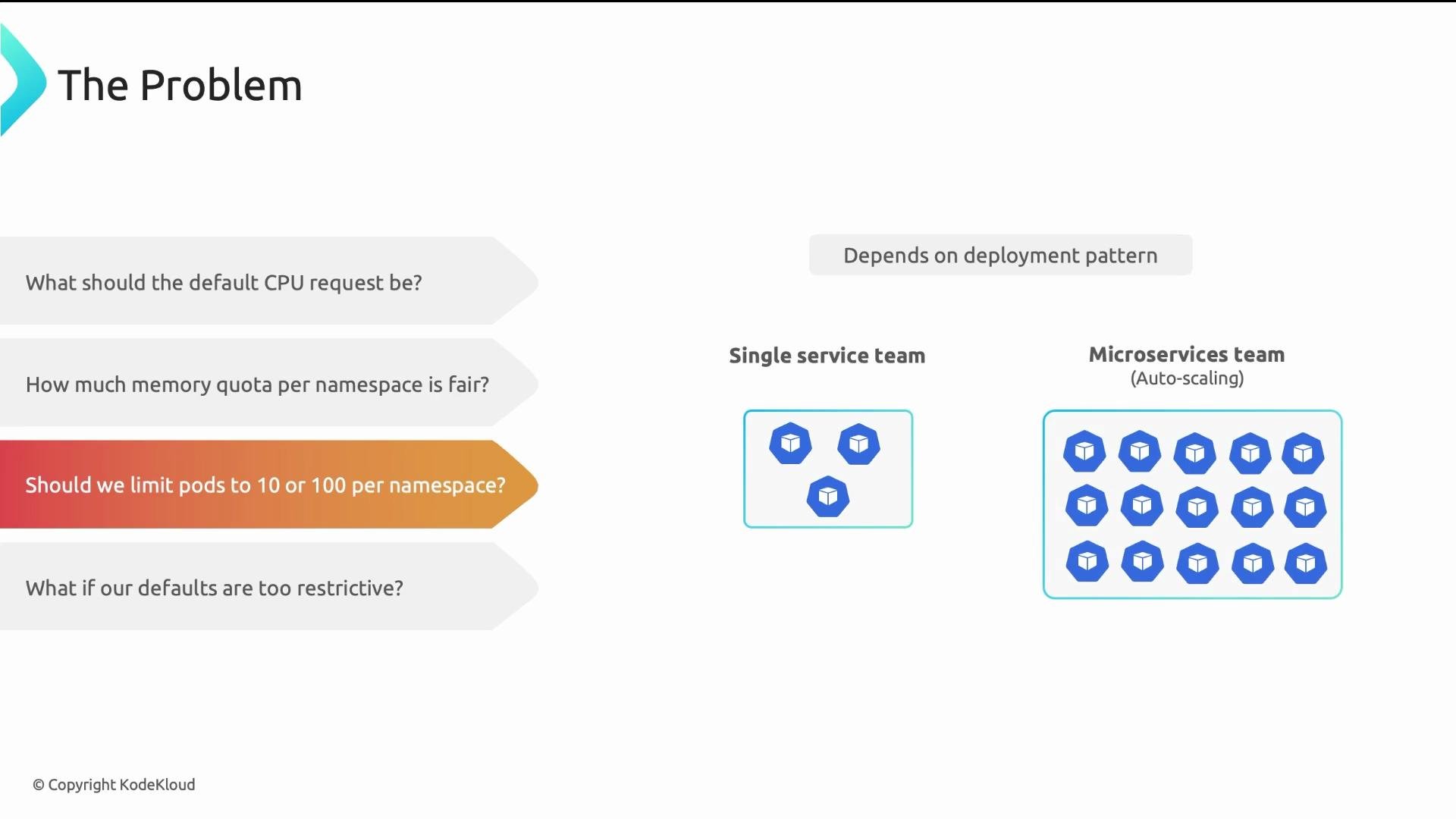
3. How many Pods should we allow per namespace?
* Answer: it depends on deployment patterns. A team with a single service and three replicas needs few Pods. A team running 20 microservices with autoscaling may need hundreds.
2. How much memory quota per namespace is fair?
* Answer: it depends on how many services a team runs, their workload intensity, and whether the namespace is for exploratory dev or customer-facing production.
3. How many Pods should we allow per namespace?
* Answer: it depends on deployment patterns. A team with a single service and three replicas needs few Pods. A team running 20 microservices with autoscaling may need hundreds.
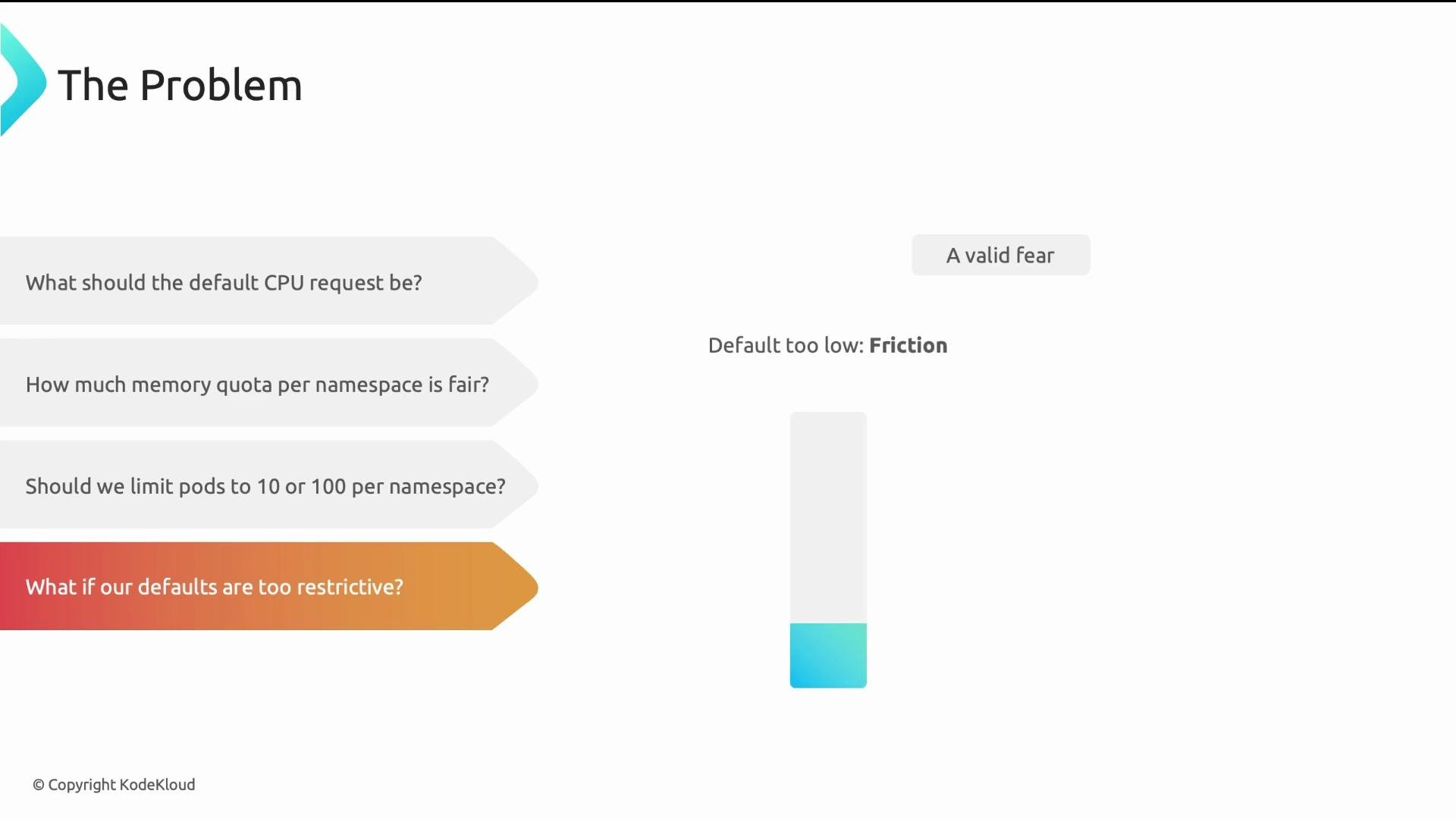
 4. What happens if defaults are too restrictive?
* Answer: low defaults increase developer friction (many quota escalation requests). High defaults defeat governance and waste cluster capacity.
4. What happens if defaults are too restrictive?
* Answer: low defaults increase developer friction (many quota escalation requests). High defaults defeat governance and waste cluster capacity.
 You need a methodology, not a magic number. The rest of this lesson provides one.
Recognize workload variability
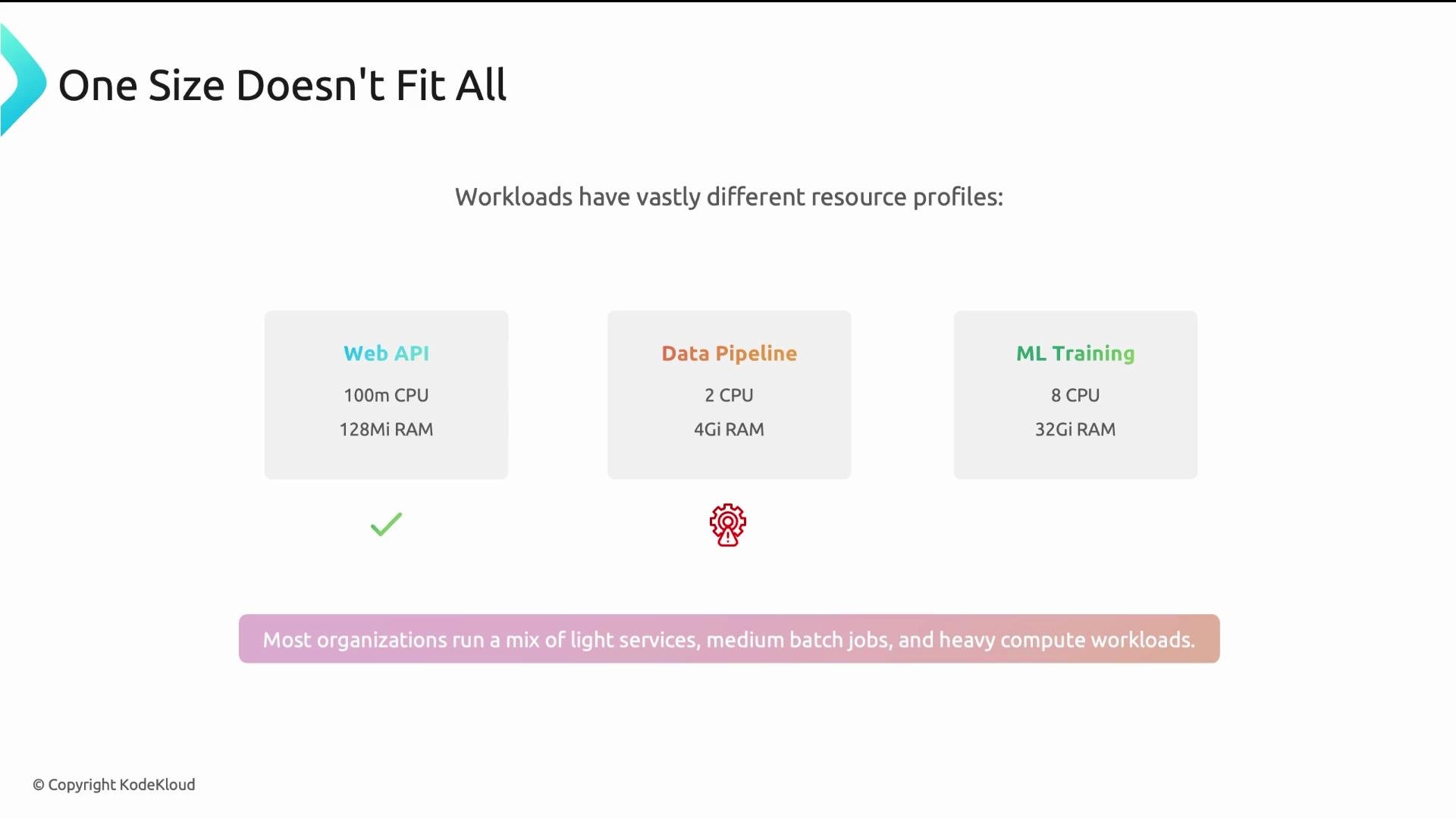
Workloads differ dramatically: web APIs, batch data pipelines, and ML training jobs each have distinct resource patterns. Most organizations host a mix of lightweight services, medium-weight batch jobs, and heavy compute workloads. Defaults designed for one category will either throttle or waste resources for others.
You need a methodology, not a magic number. The rest of this lesson provides one.
Recognize workload variability
Workloads differ dramatically: web APIs, batch data pipelines, and ML training jobs each have distinct resource patterns. Most organizations host a mix of lightweight services, medium-weight batch jobs, and heavy compute workloads. Defaults designed for one category will either throttle or waste resources for others.
 Use environment intent to guide quotas
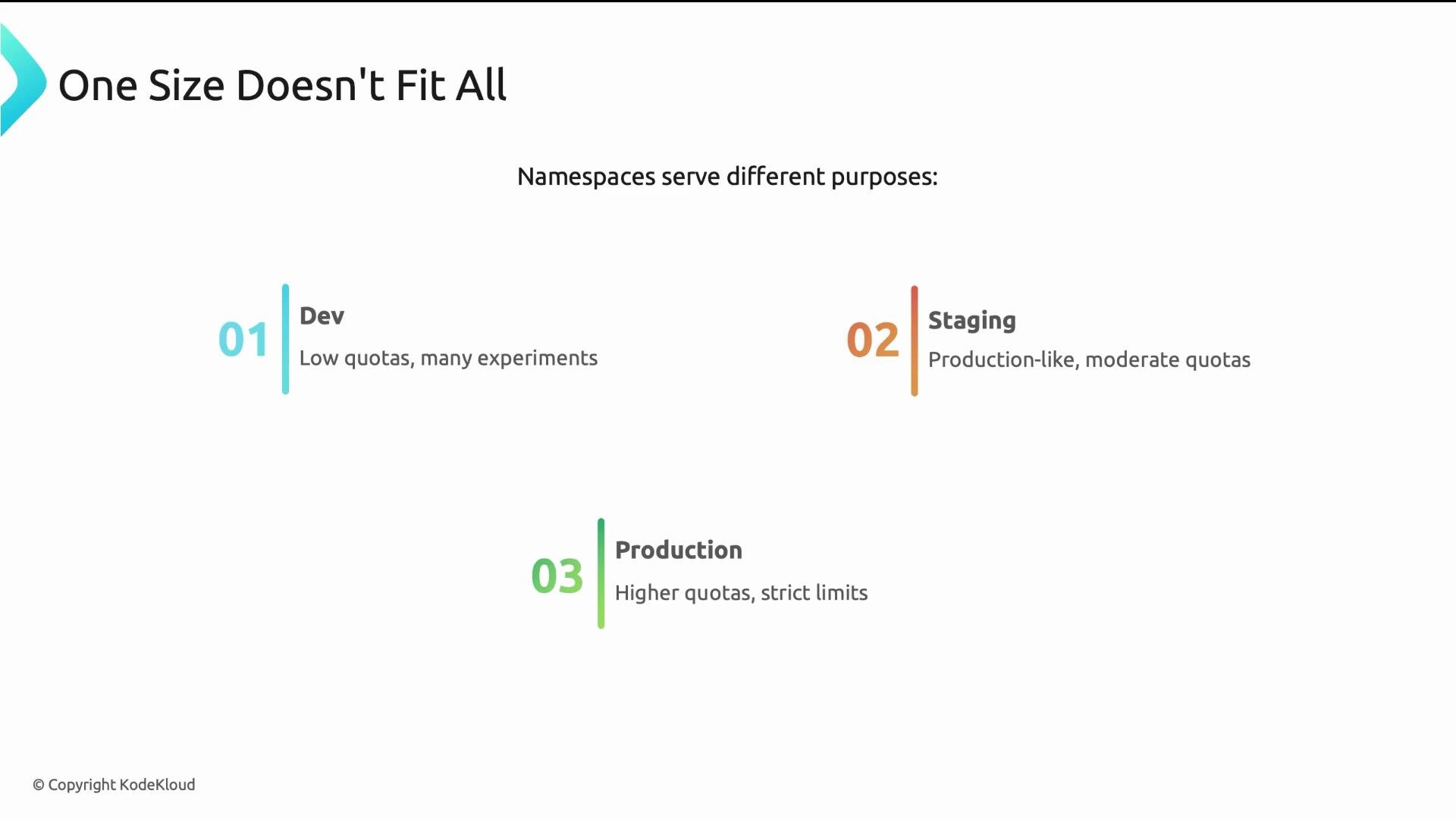
Namespaces represent intent: dev, staging, production. Apply different policies accordingly:
* Dev namespaces: low quotas for experimentation, quick feedback loops.
* Staging namespaces: moderate quotas to run production-like tests.
* Production namespaces: higher quotas and stricter controls for availability and performance.
Use environment intent to guide quotas
Namespaces represent intent: dev, staging, production. Apply different policies accordingly:
* Dev namespaces: low quotas for experimentation, quick feedback loops.
* Staging namespaces: moderate quotas to run production-like tests.
* Production namespaces: higher quotas and stricter controls for availability and performance.
 Two core design principles
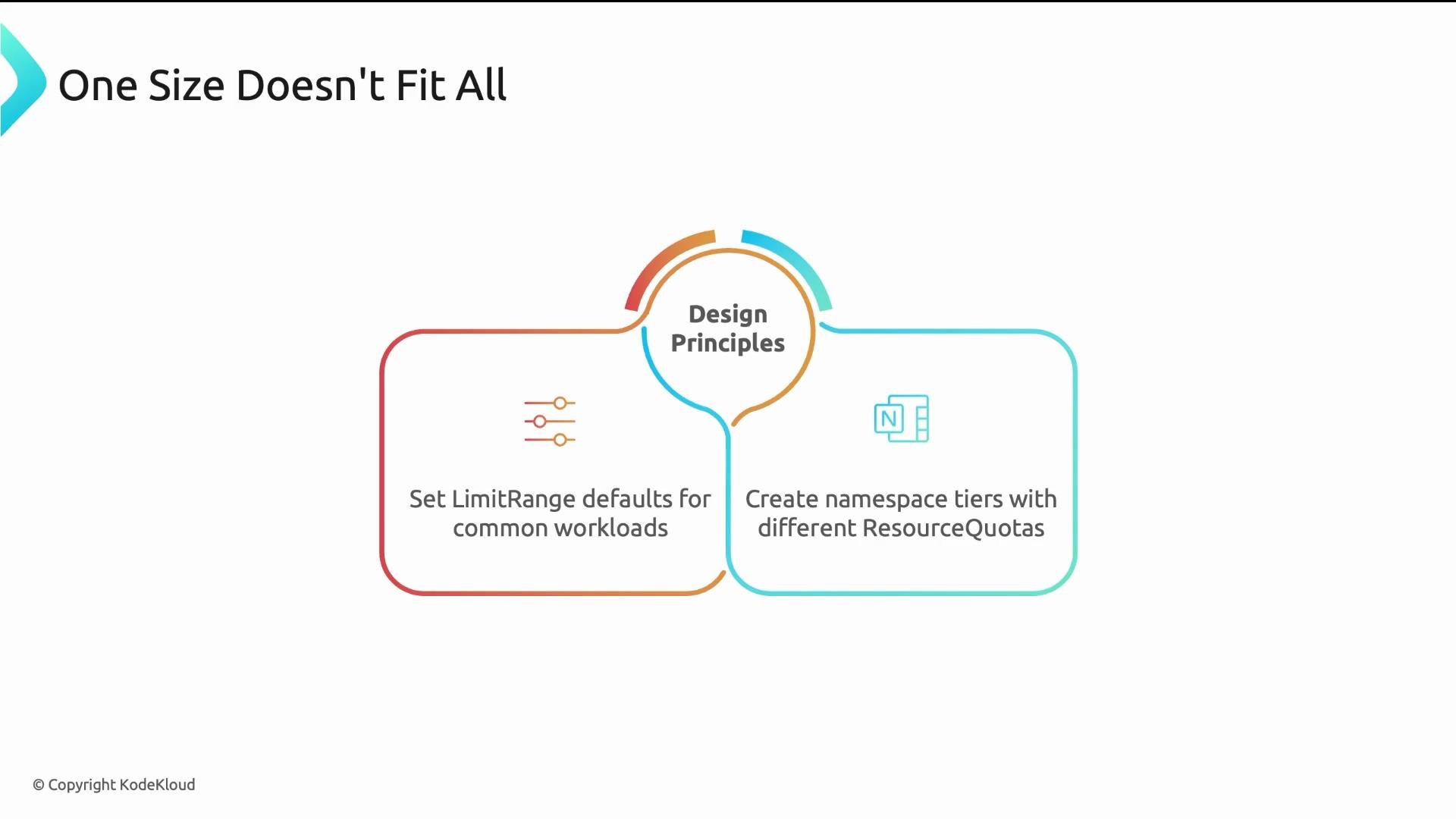
* Set LimitRange defaults to match common workload types and require explicit overrides for exceptional cases.
* Create namespace tiers (small, medium, large) and apply tier-specific ResourceQuotas.
Two core design principles
* Set LimitRange defaults to match common workload types and require explicit overrides for exceptional cases.
* Create namespace tiers (small, medium, large) and apply tier-specific ResourceQuotas.
 Practical starting points (sensible, not sacred)
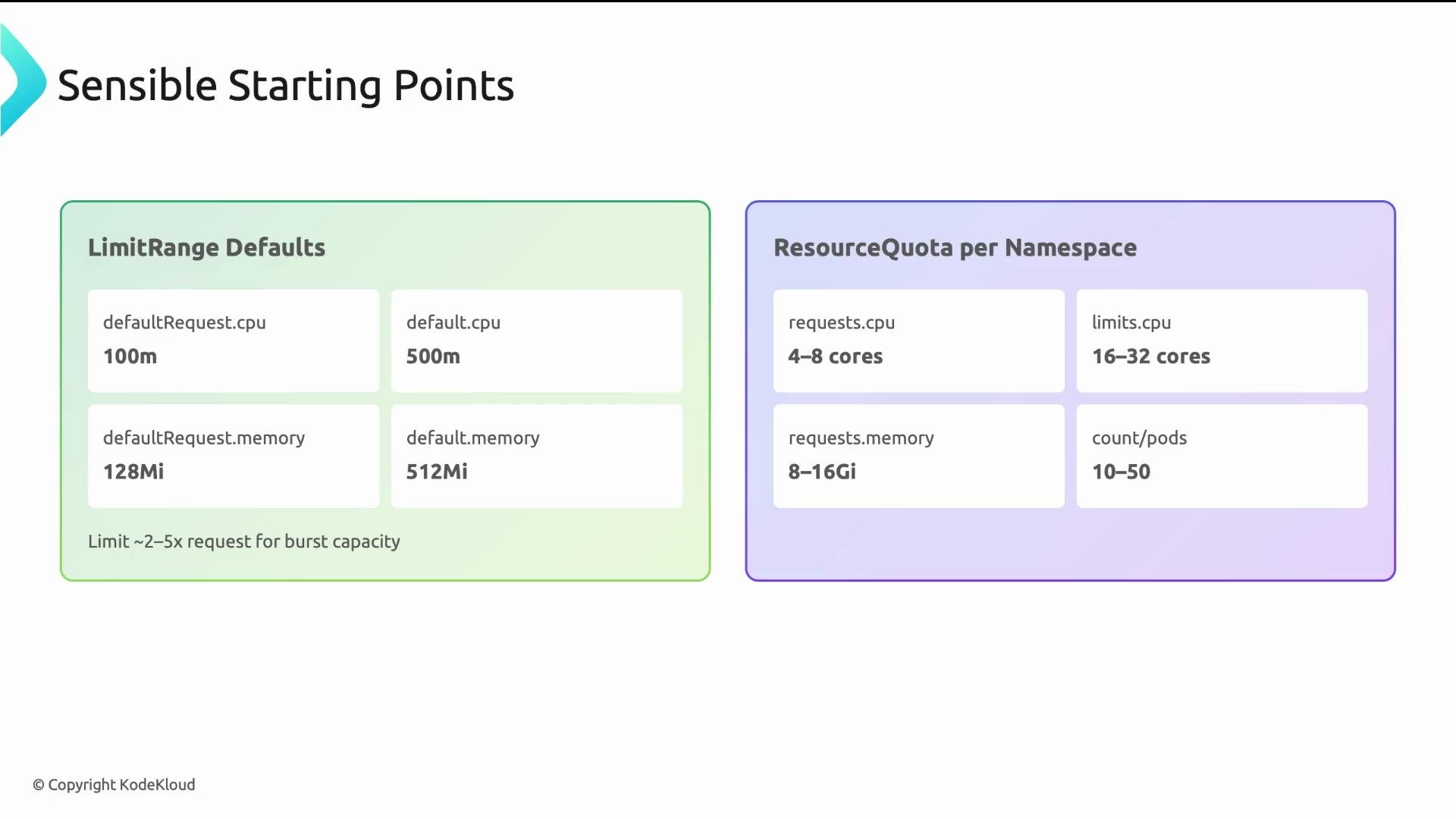
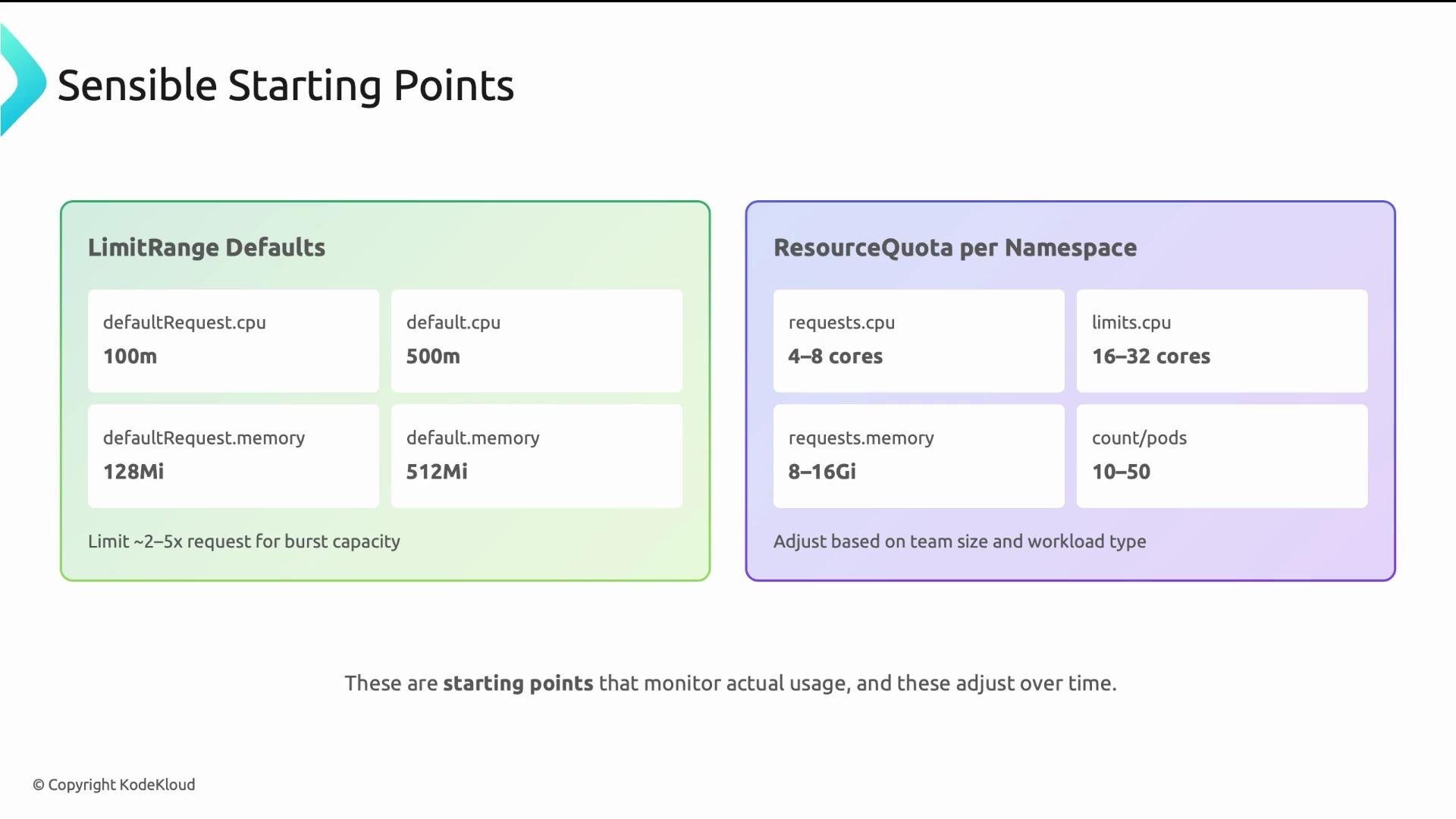
Use pragmatic defaults per-container for small, lightweight services and provide tiered namespace quotas for teams. These are starting points to be validated and adjusted.
* LimitRange defaults (per-container) for lightweight services:
* default request: cpu: 100m, memory: 128Mi
* default limit: cpu: 500m, memory: 512Mi
* Multiplier guidance: limit/request commonly 2x–5x. CPU multipliers can be higher (3x–5x); memory multipliers should be tighter (2x–3x) to reduce OOM risk.
* ResourceQuota per namespace: select values based on expected service count and replica targets. Pairing ResourceQuota with LimitRange reduces Pod creation rejections by ensuring defaults are injected before quota checks.
Practical starting points (sensible, not sacred)
Use pragmatic defaults per-container for small, lightweight services and provide tiered namespace quotas for teams. These are starting points to be validated and adjusted.
* LimitRange defaults (per-container) for lightweight services:
* default request: cpu: 100m, memory: 128Mi
* default limit: cpu: 500m, memory: 512Mi
* Multiplier guidance: limit/request commonly 2x–5x. CPU multipliers can be higher (3x–5x); memory multipliers should be tighter (2x–3x) to reduce OOM risk.
* ResourceQuota per namespace: select values based on expected service count and replica targets. Pairing ResourceQuota with LimitRange reduces Pod creation rejections by ensuring defaults are injected before quota checks.
 Adjust these starting points for team size and workload types. Monitor actual usage for 2–4 weeks and iterate; never set values once and forget them.
 LimitRange — a walk-through
LimitRange fields can be confusing. Key behaviors:
* `spec.limits[].default`: injected as container limits when a container omits explicit limits (caps burst).
* `spec.limits[].defaultRequest`: injected as container requests when omitted (scheduler reserves this).
* `spec.limits[].max` / `min`: optional hard bounds. If `max.cpu` is "4", a container limit >4 will be rejected.
* `type: "Container"` applies defaults and bounds per container. A Pod with three containers receives defaults three times (one per container). Use `type: "Pod"` to apply at Pod level instead.
Important: LimitRange only injects defaults when containers omit requests/limits. If developers specify explicit values, LimitRange will not override them, only validate against min/max.
YAML example:
```yaml theme={null}
apiVersion: v1
kind: LimitRange
metadata:
name: default-limits
spec:
limits:
- type: Container
default:
cpu: 500m
memory: 512Mi
defaultRequest:
cpu: 100m
memory: 128Mi
min:
cpu: 50m
memory: 64Mi
max:
cpu: "4"
memory: 4Gi
```
ResourceQuota — a walk-through
This ResourceQuota complements the LimitRange above.
* `requests.*` fields cap the sum of container requests in the namespace (the scheduler budget).
* `limits.*` fields cap the sum of container limits in the namespace (runtime/burst budget).
* Typical pattern: `limits.*` > `requests.*` to permit bursting (for example, `limits.cpu: "8"` vs `requests.cpu: "4"`).
* `pods` sets a hard cap on the number of Pods (prevents accidental sprawl).
You can also quota other resources (`services`, `configmaps`, `persistentvolumeclaims`, etc.) to avoid object sprawl.
Behavioral note: Quota admission rejects Pod creations that would exceed tracked usage. LimitRange injection happens before quota validation, so using both together lowers the chance of unexpected rejections.
YAML example:
```yaml theme={null}
apiVersion: v1
kind: ResourceQuota
metadata:
name: team-quota
spec:
hard:
requests.cpu: "4"
requests.memory: "8Gi"
limits.cpu: "8"
limits.memory: "16Gi"
pods: "20"
```
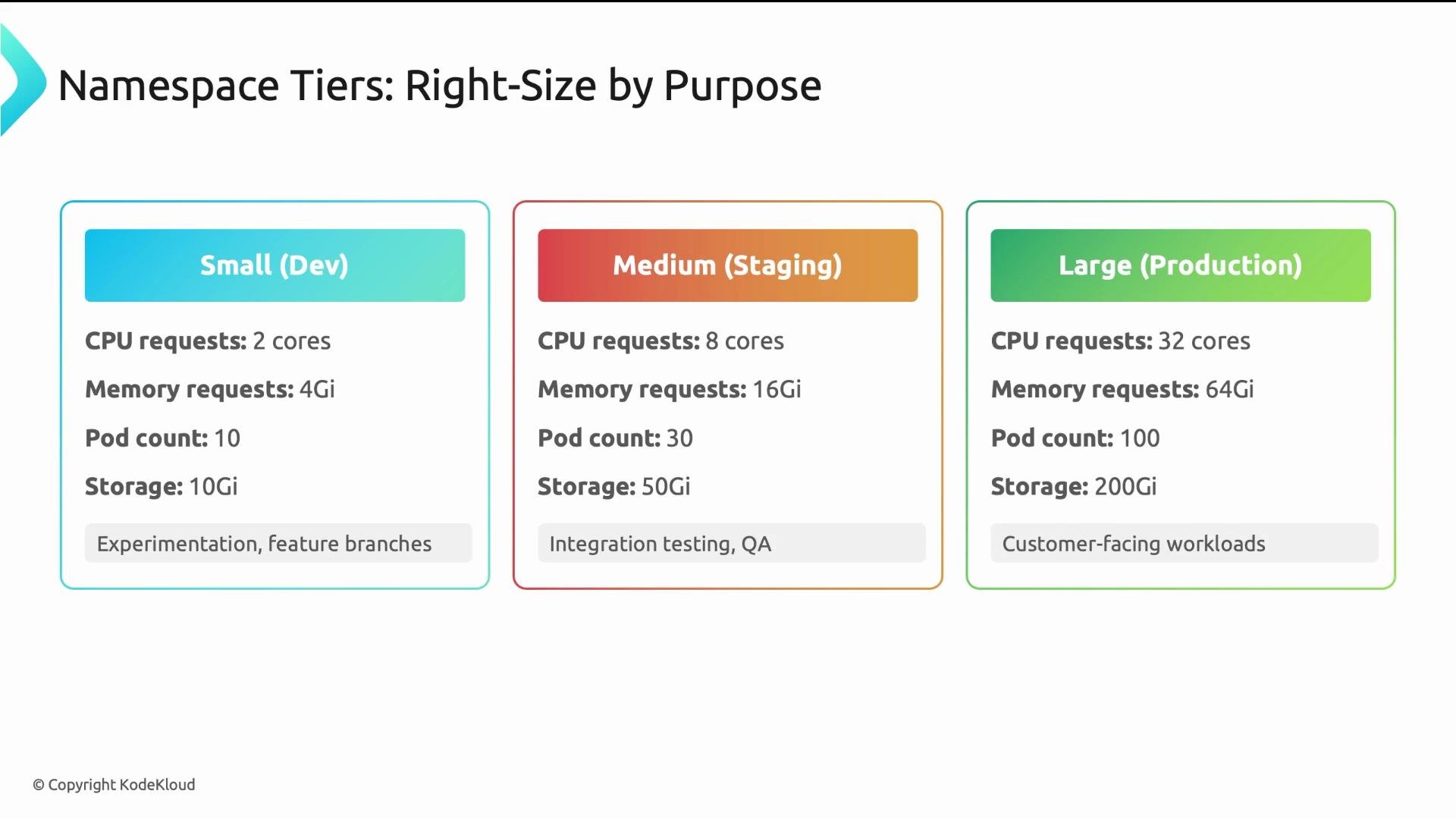
Namespace tiers — put the methodology into practice
Create tier templates and apply them consistently. Review assignments quarterly.
| Tier | Typical intent | Example ResourceQuota guidance |
| ------------------ | ------------------------------------------- | --------------------------------------------------------------------------------------------------------------- |
| Small (Dev) | Experimentation, feature work | `requests.cpu: "1"`, `limits.cpu: "2"`, `requests.memory: "2Gi"`, `limits.memory: "4Gi"`, `pods: "10"` |
| Medium (Staging) | Integration/QA, production-like tests | `requests.cpu: "4"`, `limits.cpu: "8"`, `requests.memory: "8Gi"`, `limits.memory: "16Gi"`, `pods: "50"` |
| Large (Production) | Production services, autoscaling and spikes | `requests.cpu: "8+"`, `limits.cpu: "16+"`, `requests.memory: "16Gi+"`, `limits.memory: "32Gi+"`, `pods: "100+"` |
LimitRange — a walk-through
LimitRange fields can be confusing. Key behaviors:
* `spec.limits[].default`: injected as container limits when a container omits explicit limits (caps burst).
* `spec.limits[].defaultRequest`: injected as container requests when omitted (scheduler reserves this).
* `spec.limits[].max` / `min`: optional hard bounds. If `max.cpu` is "4", a container limit >4 will be rejected.
* `type: "Container"` applies defaults and bounds per container. A Pod with three containers receives defaults three times (one per container). Use `type: "Pod"` to apply at Pod level instead.
Important: LimitRange only injects defaults when containers omit requests/limits. If developers specify explicit values, LimitRange will not override them, only validate against min/max.
YAML example:
```yaml theme={null}
apiVersion: v1
kind: LimitRange
metadata:
name: default-limits
spec:
limits:
- type: Container
default:
cpu: 500m
memory: 512Mi
defaultRequest:
cpu: 100m
memory: 128Mi
min:
cpu: 50m
memory: 64Mi
max:
cpu: "4"
memory: 4Gi
```
ResourceQuota — a walk-through
This ResourceQuota complements the LimitRange above.
* `requests.*` fields cap the sum of container requests in the namespace (the scheduler budget).
* `limits.*` fields cap the sum of container limits in the namespace (runtime/burst budget).
* Typical pattern: `limits.*` > `requests.*` to permit bursting (for example, `limits.cpu: "8"` vs `requests.cpu: "4"`).
* `pods` sets a hard cap on the number of Pods (prevents accidental sprawl).
You can also quota other resources (`services`, `configmaps`, `persistentvolumeclaims`, etc.) to avoid object sprawl.
Behavioral note: Quota admission rejects Pod creations that would exceed tracked usage. LimitRange injection happens before quota validation, so using both together lowers the chance of unexpected rejections.
YAML example:
```yaml theme={null}
apiVersion: v1
kind: ResourceQuota
metadata:
name: team-quota
spec:
hard:
requests.cpu: "4"
requests.memory: "8Gi"
limits.cpu: "8"
limits.memory: "16Gi"
pods: "20"
```
Namespace tiers — put the methodology into practice
Create tier templates and apply them consistently. Review assignments quarterly.
| Tier | Typical intent | Example ResourceQuota guidance |
| ------------------ | ------------------------------------------- | --------------------------------------------------------------------------------------------------------------- |
| Small (Dev) | Experimentation, feature work | `requests.cpu: "1"`, `limits.cpu: "2"`, `requests.memory: "2Gi"`, `limits.memory: "4Gi"`, `pods: "10"` |
| Medium (Staging) | Integration/QA, production-like tests | `requests.cpu: "4"`, `limits.cpu: "8"`, `requests.memory: "8Gi"`, `limits.memory: "16Gi"`, `pods: "50"` |
| Large (Production) | Production services, autoscaling and spikes | `requests.cpu: "8+"`, `limits.cpu: "16+"`, `requests.memory: "16Gi+"`, `limits.memory: "32Gi+"`, `pods: "100+"` |
 Monitoring and iteration
* Instrument cluster and namespace-level metrics (CPU, memory, pod counts, OOM events).
* Observe for 2–4 weeks across representative workloads.
* Adjust LimitRange defaults, min/max, and ResourceQuota hard limits based on real usage and growth trends.
* Communicate changes and provide a clear escalation path for teams that need temporary or permanent quota increases.
Resources and further reading
* Kubernetes LimitRange: [https://kubernetes.io/docs/concepts/policy/limit-range/](https://kubernetes.io/docs/concepts/policy/limit-range/)
* Kubernetes ResourceQuota: [https://kubernetes.io/docs/concepts/policy/resource-quotas/](https://kubernetes.io/docs/concepts/policy/resource-quotas/)
* Monitoring practices: use Prometheus/Grafana or cloud provider metrics to capture long-term trends
Five key takeaways
* Start with sensible defaults and iterate based on observed usage.
* Use namespace tiers to reflect environment intent (dev, staging, prod).
* Always pair ResourceQuota with LimitRange: quotas enforce totals, LimitRange provides defaults and validation.
* Monitor, review, and evolve quotas — governance is not "set-and-forget."
* Good governance enables teams while protecting shared cluster resources and preventing accidental or malicious exhaustion.
Design for variability: different workloads and environments require different default strategies. Start with sensible defaults, monitor real usage, and evolve quotas and limits to match observed needs.
Monitoring and iteration
* Instrument cluster and namespace-level metrics (CPU, memory, pod counts, OOM events).
* Observe for 2–4 weeks across representative workloads.
* Adjust LimitRange defaults, min/max, and ResourceQuota hard limits based on real usage and growth trends.
* Communicate changes and provide a clear escalation path for teams that need temporary or permanent quota increases.
Resources and further reading
* Kubernetes LimitRange: [https://kubernetes.io/docs/concepts/policy/limit-range/](https://kubernetes.io/docs/concepts/policy/limit-range/)
* Kubernetes ResourceQuota: [https://kubernetes.io/docs/concepts/policy/resource-quotas/](https://kubernetes.io/docs/concepts/policy/resource-quotas/)
* Monitoring practices: use Prometheus/Grafana or cloud provider metrics to capture long-term trends
Five key takeaways
* Start with sensible defaults and iterate based on observed usage.
* Use namespace tiers to reflect environment intent (dev, staging, prod).
* Always pair ResourceQuota with LimitRange: quotas enforce totals, LimitRange provides defaults and validation.
* Monitor, review, and evolve quotas — governance is not "set-and-forget."
* Good governance enables teams while protecting shared cluster resources and preventing accidental or malicious exhaustion.
Design for variability: different workloads and environments require different default strategies. Start with sensible defaults, monitor real usage, and evolve quotas and limits to match observed needs.