> ## Documentation Index
> Fetch the complete documentation index at: https://notes.kodekloud.com/llms.txt
> Use this file to discover all available pages before exploring further.
# Persistent Storage Concepts Volumes Claims and Provisioners
> Explains Kubernetes persistent storage concepts including PersistentVolumes PersistentVolumeClaims StorageClasses provisioning methods access modes and guidance to match storage to workload performance availability and cost
This section shifts focus from compute topics—architecting the platform, sizing resources, isolating tenants, and governing usage—to the second pillar of platform engineering: storage.
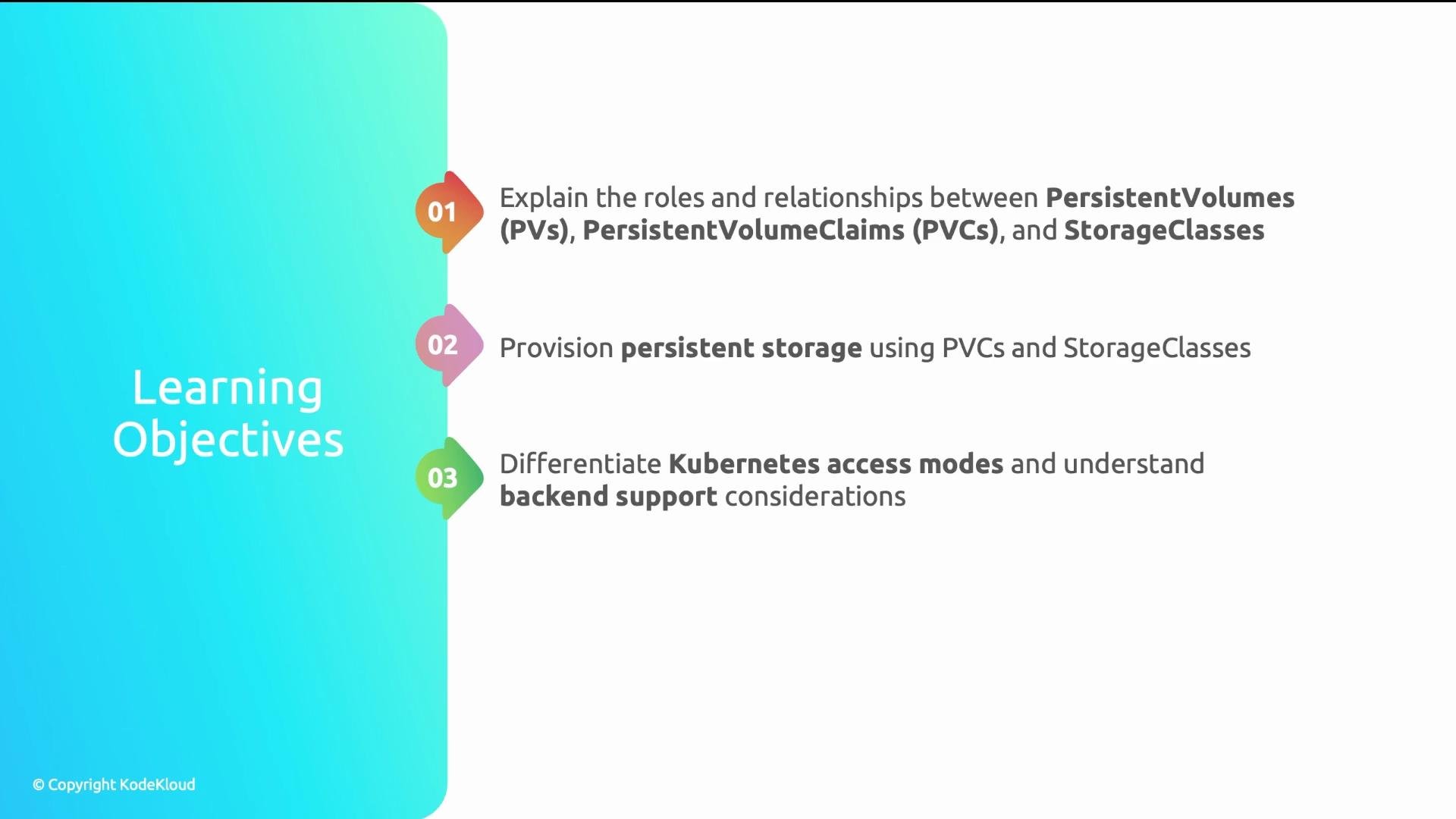
By the end of this lesson you'll understand how PersistentVolumeClaims (PVCs), PersistentVolumes (PVs), and StorageClasses work together in Kubernetes. You will know how to provision storage (static vs dynamic), the three access modes and backend support for each, and how to match workload requirements to the right storage configuration for performance, availability, and cost.
 Start with a real problem.
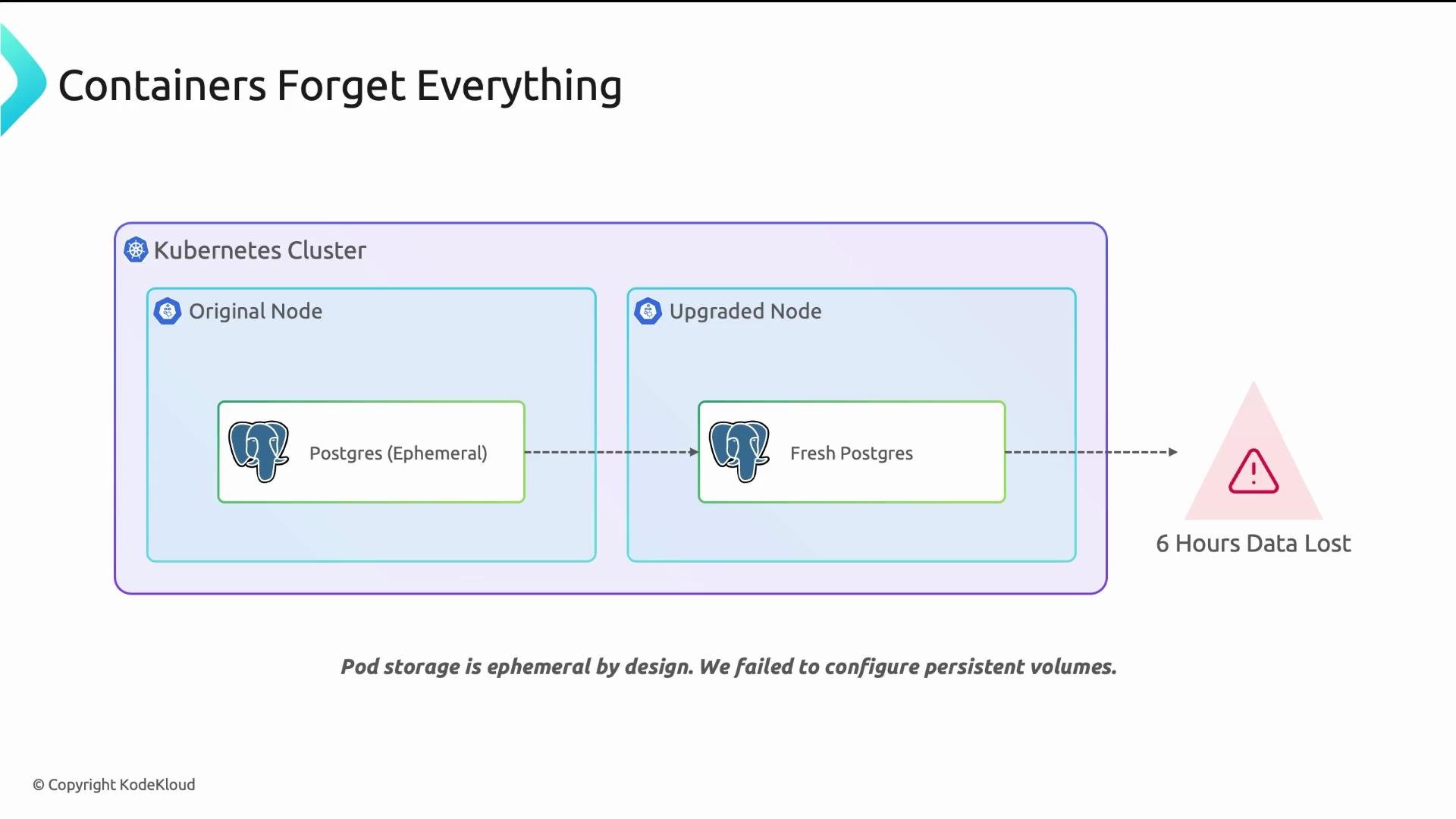
A startup deployed PostgreSQL in Kubernetes without persistent volumes. During a routine cluster upgrade the node was drained, the Postgres pod restarted on a different node, and the container filesystem was empty. Six hours of customer transactions were lost.
This is not a hypothetical risk—running stateful services on ephemeral container storage can and will lead to data loss during node maintenance, evictions, autoscaling, and failures.
Start with a real problem.
A startup deployed PostgreSQL in Kubernetes without persistent volumes. During a routine cluster upgrade the node was drained, the Postgres pod restarted on a different node, and the container filesystem was empty. Six hours of customer transactions were lost.
This is not a hypothetical risk—running stateful services on ephemeral container storage can and will lead to data loss during node maintenance, evictions, autoscaling, and failures.
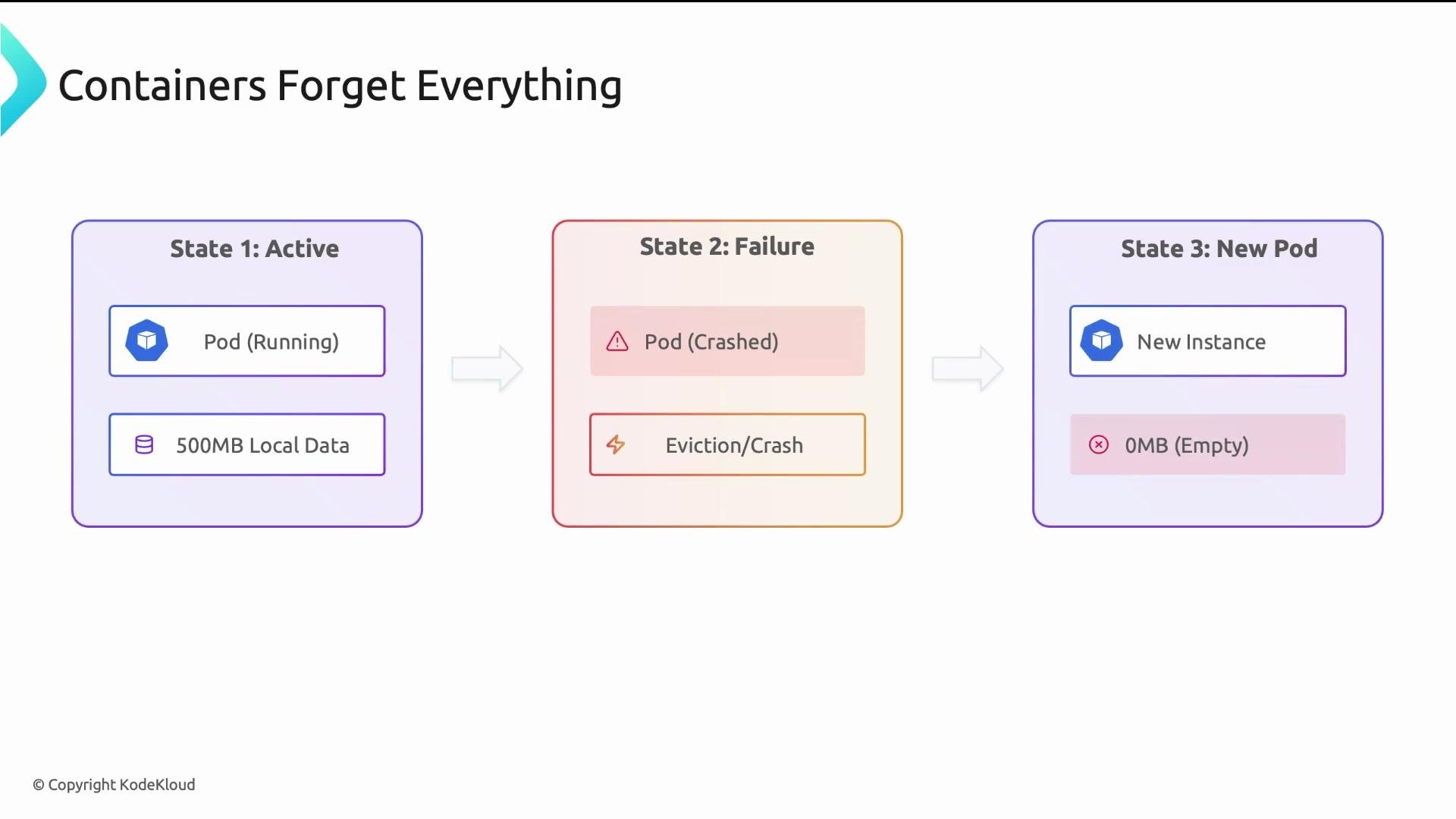
 Why did this happen? Containers are disposable: when a pod is removed (crash, eviction, reschedule), the container runtime deletes the writable layer that contains any data written to the container filesystem. For example, a pod that had written 500 MiB will restart with 0 MiB unless that data was stored outside the ephemeral layer.
 This is by design: containers are stateless and replaceable. Stateless workloads—web servers, API frontends, functions—are fine with ephemeral storage. Stateful workloads—databases, message queues, file stores—require durable storage that survives pod replacement.
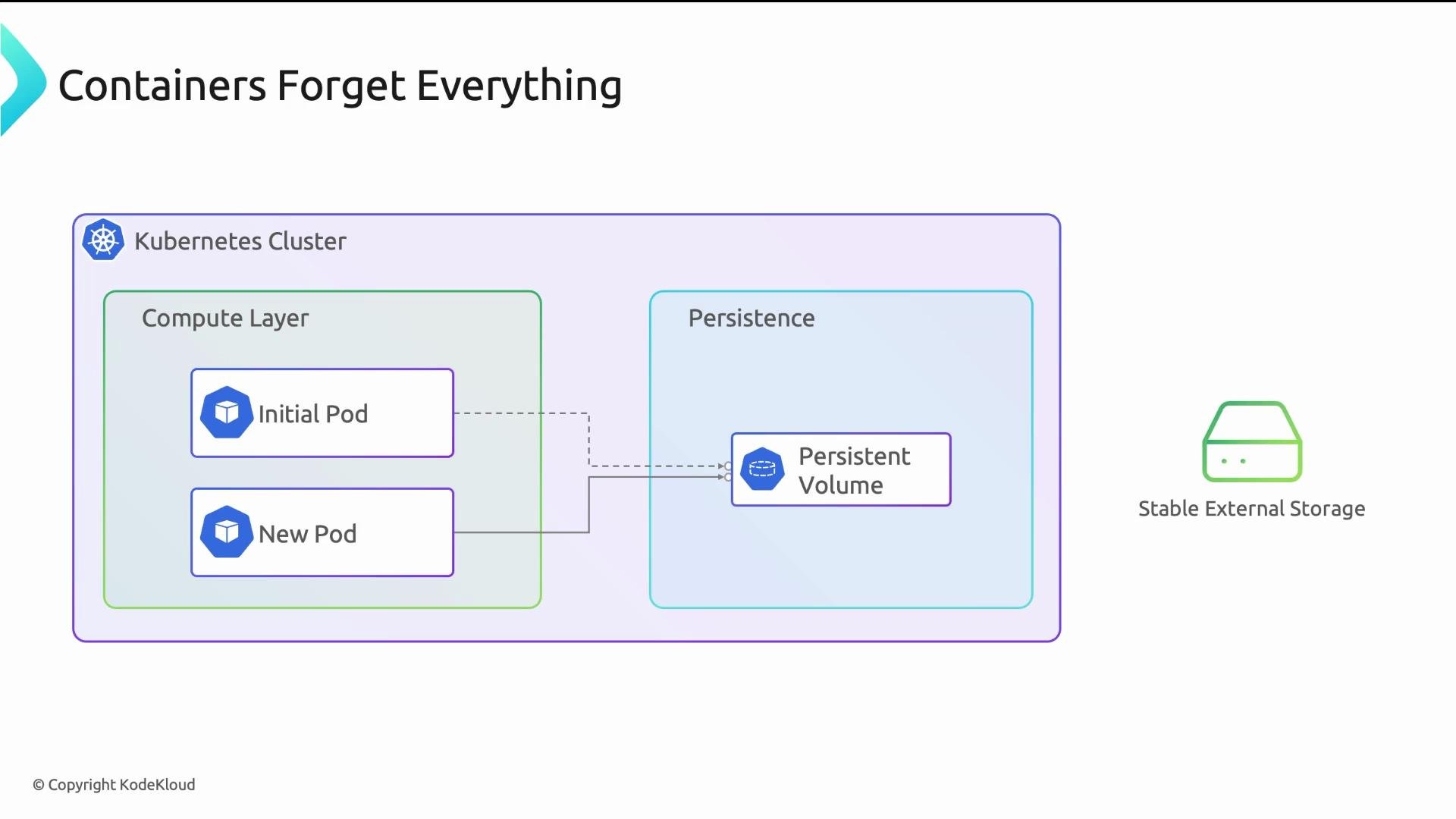
The solution is to attach external storage that outlives a pod. Kubernetes mounts that storage into the pod as a filesystem so the pod can be replaced while the data remains intact on the volume.
This is by design: containers are stateless and replaceable. Stateless workloads—web servers, API frontends, functions—are fine with ephemeral storage. Stateful workloads—databases, message queues, file stores—require durable storage that survives pod replacement.
The solution is to attach external storage that outlives a pod. Kubernetes mounts that storage into the pod as a filesystem so the pod can be replaced while the data remains intact on the volume.
 ## Kubernetes storage stack (three layers)
Understanding which component creates and manages what is essential for platform teams and developers.
## Kubernetes storage stack (three layers)
Understanding which component creates and manages what is essential for platform teams and developers.
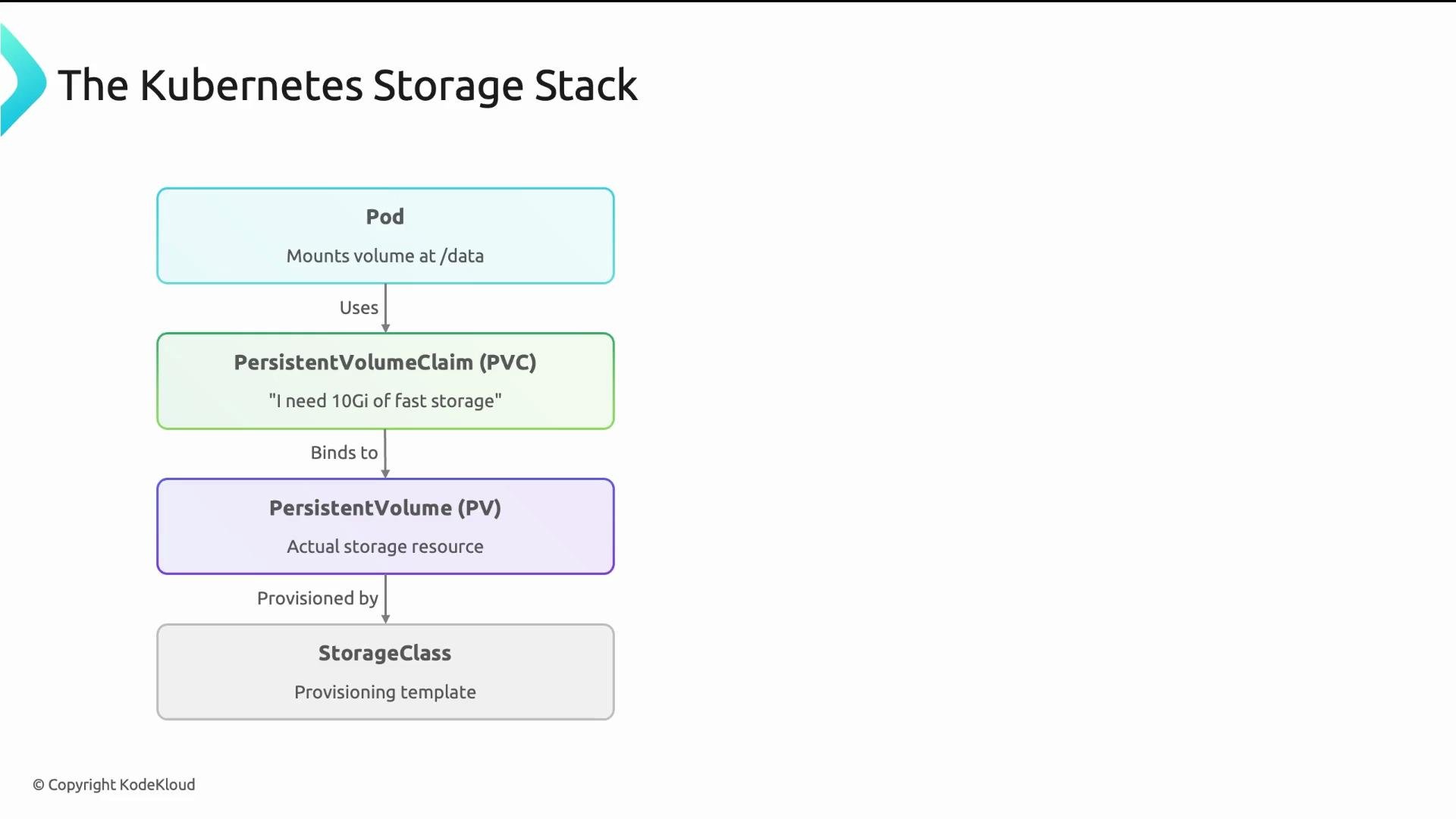 From bottom to top:
* StorageClass — A template or “menu entry” that defines how volumes are provisioned. It points to a CSI driver (the provisioner) and includes provider-specific parameters such as disk type, IOPS, encryption, and topology constraints. Platform teams create and manage StorageClasses for developers to choose from.
* PersistentVolume (PV) — A representation of an actual storage resource. PVs are either:
* statically provisioned by admins (manually created), or
* dynamically provisioned by a StorageClass when a PVC is requested.
Cloud environments typically use dynamic provisioning.
* PersistentVolumeClaim (PVC) — A developer’s request for storage. The PVC declares size, access mode(s), and optionally a StorageClass name. Kubernetes attempts to find an existing matching PV or asks the StorageClass to provision one, then binds the PVC to that PV. A pod mounts the PVC as a directory (for example, /data).
Analogy: StorageClass is the menu, PVC is your order, PV is the dish, and the Pod consumes it. If a diner (pod) leaves, the dish (data) stays.
## Access modes
Access modes define how a volume may be mounted and how many nodes/pods can use it. Not all modes are supported by every backend.
* ReadWriteOnce (RWO): mount read-write by a single node (multiple pods on that node may share). Typical for block volumes and databases.
* ReadOnlyMany (ROX): mount read-only by many nodes. Good for distributing static assets across replicas.
* ReadWriteMany (RWX): mount read-write by many nodes. Requires a network filesystem or file-share CSI driver (NFS, EFS, Azure Files, etc.).
From bottom to top:
* StorageClass — A template or “menu entry” that defines how volumes are provisioned. It points to a CSI driver (the provisioner) and includes provider-specific parameters such as disk type, IOPS, encryption, and topology constraints. Platform teams create and manage StorageClasses for developers to choose from.
* PersistentVolume (PV) — A representation of an actual storage resource. PVs are either:
* statically provisioned by admins (manually created), or
* dynamically provisioned by a StorageClass when a PVC is requested.
Cloud environments typically use dynamic provisioning.
* PersistentVolumeClaim (PVC) — A developer’s request for storage. The PVC declares size, access mode(s), and optionally a StorageClass name. Kubernetes attempts to find an existing matching PV or asks the StorageClass to provision one, then binds the PVC to that PV. A pod mounts the PVC as a directory (for example, /data).
Analogy: StorageClass is the menu, PVC is your order, PV is the dish, and the Pod consumes it. If a diner (pod) leaves, the dish (data) stays.
## Access modes
Access modes define how a volume may be mounted and how many nodes/pods can use it. Not all modes are supported by every backend.
* ReadWriteOnce (RWO): mount read-write by a single node (multiple pods on that node may share). Typical for block volumes and databases.
* ReadOnlyMany (ROX): mount read-only by many nodes. Good for distributing static assets across replicas.
* ReadWriteMany (RWX): mount read-write by many nodes. Requires a network filesystem or file-share CSI driver (NFS, EFS, Azure Files, etc.).
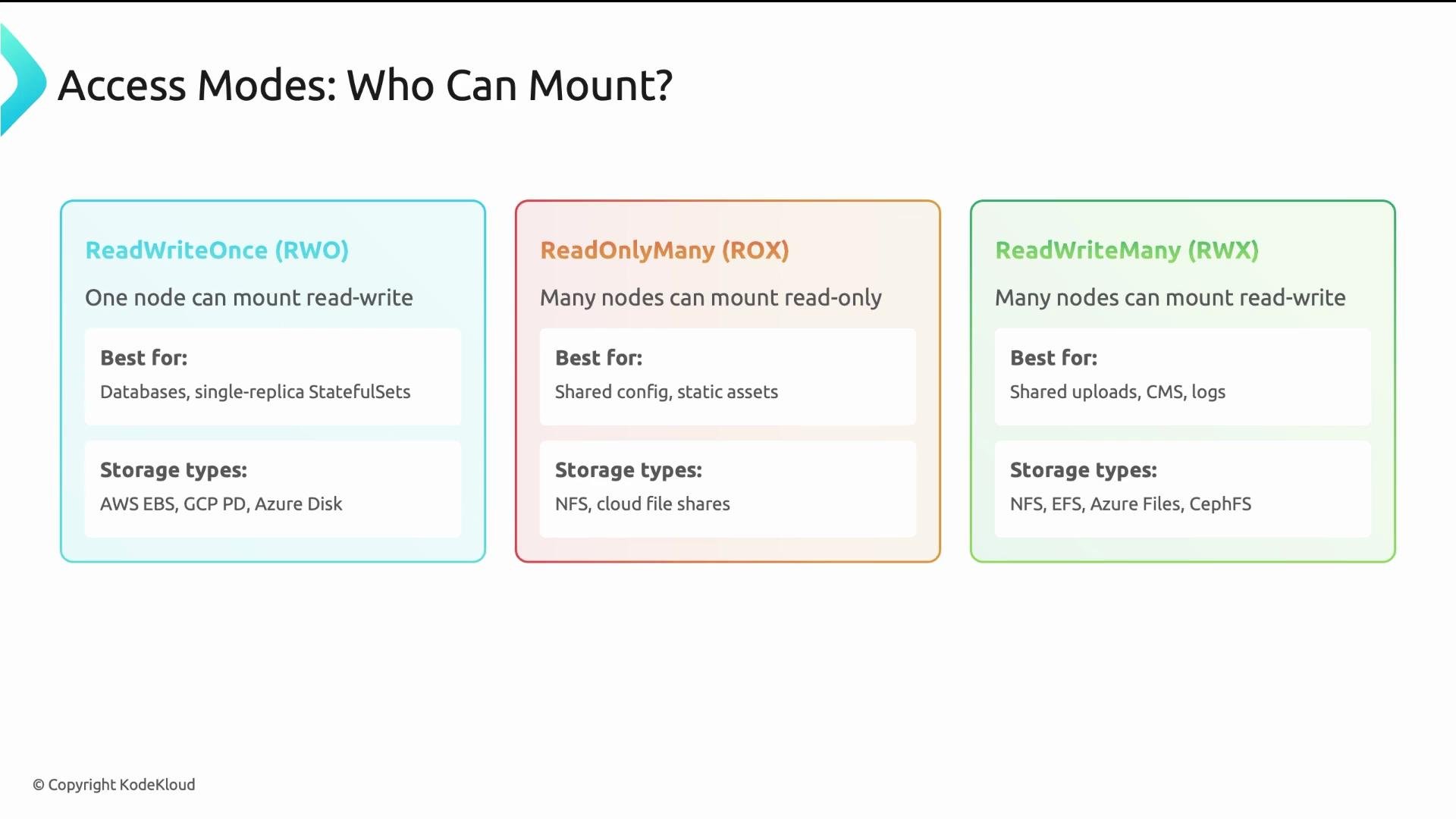 Use access modes that match both workload behavior and backend capability — for example, databases typically need RWO; distributed file systems are required for RWX.
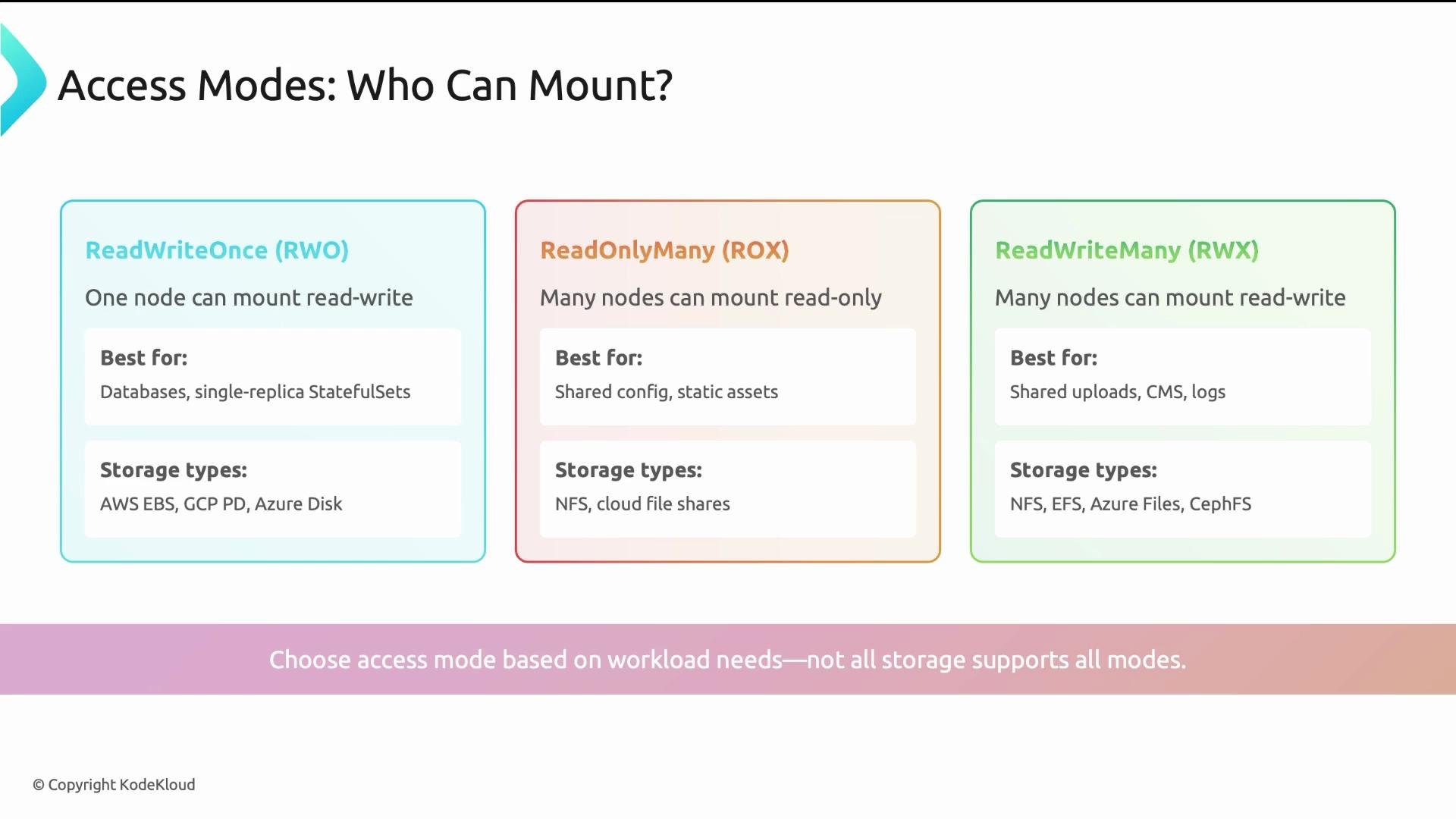 Table: Access modes at a glance
| Access Mode | Mounts per Node | Typical use case | Typical backend |
| ------------------- | ----------------- | --------------------------------------- | --------------------------------------------- |
| ReadWriteOnce (RWO) | Single node (R/W) | Databases, single-replica StatefulSets | Block storage (AWS EBS, GCP PD, Azure Disk) |
| ReadOnlyMany (ROX) | Many nodes (R/O) | Read-only static content, config data | Object mounts, read-only NFS exports |
| ReadWriteMany (RWX) | Many nodes (R/W) | Shared file systems, concurrent writers | NFS, EFS, Azure Files, CSI file-share drivers |
## Example PVC
A PVC declares size, accessModes, and optionally a `storageClassName`. Kubernetes will bind an existing PV or ask the StorageClass to provision a PV dynamically. If `storageClassName` is omitted, the cluster default StorageClass (if configured) will be used.
Correct example PVC:
```yaml theme={null}
apiVersion: v1
kind: PersistentVolumeClaim
metadata:
name: postgres-data
spec:
accessModes:
- ReadWriteOnce
resources:
requests:
storage: 10Gi
storageClassName: fast-ssd
```
After creation the PVC status should move from `Pending` to `Bound`. If the PVC remains `Pending` inspect it:
```bash theme={null}
kubectl describe pvc
```
Common reasons for `Pending`:
* StorageClass name typo or missing StorageClass.
* Insufficient capacity in the backend.
* StorageClass uses `volumeBindingMode: WaitForFirstConsumer` and no pod is scheduled that references the PVC yet.
* Requested access mode is not supported by available PVs or provisioner.
If a PVC stays `Pending`, check the StorageClass, backend capacity, and `volumeBindingMode`. For multi-AZ clusters, prefer `WaitForFirstConsumer` to ensure volumes are provisioned in the consuming Pod's zone.
## StorageClass details
Platform teams define StorageClasses to expose curated storage offerings. Developers reference them by name in PVCs.
Example StorageClass:
```yaml theme={null}
apiVersion: storage.k8s.io/v1
kind: StorageClass
metadata:
name: fast-ssd
provisioner: ebs.csi.aws.com
parameters:
type: gp3
iops: "3000"
reclaimPolicy: Delete
volumeBindingMode: WaitForFirstConsumer
```
Table: Key StorageClass fields
| Field | Purpose |
| ------------------- | --------------------------------------------------------------------------------------------------- |
| `provisioner` | The CSI driver used to provision volumes (e.g., `ebs.csi.aws.com`). |
| `parameters` | Provider-specific options such as disk type, IOPS, encryption flags. |
| `reclaimPolicy` | `Delete` (remove underlying storage when PVC deleted) or `Retain` (keep data after PVC deletion). |
| `volumeBindingMode` | `Immediate` (provision on PVC creation) or `WaitForFirstConsumer` (delay until a Pod is scheduled). |
Notes on reclaim policies:
* Delete: good for ephemeral or reproducible data where storage lifecycle follows the PVC.
* Retain: use for critical data that must be preserved after PVC deletion (manual cleanup required).
volumeBindingMode considerations:
* `Immediate` may cause volumes to be provisioned in the wrong AZ/zone for multi-AZ clusters.
* `WaitForFirstConsumer` ensures volumes are created in the correct topology aligned to where the Pod will run.
## Choosing storage for workloads
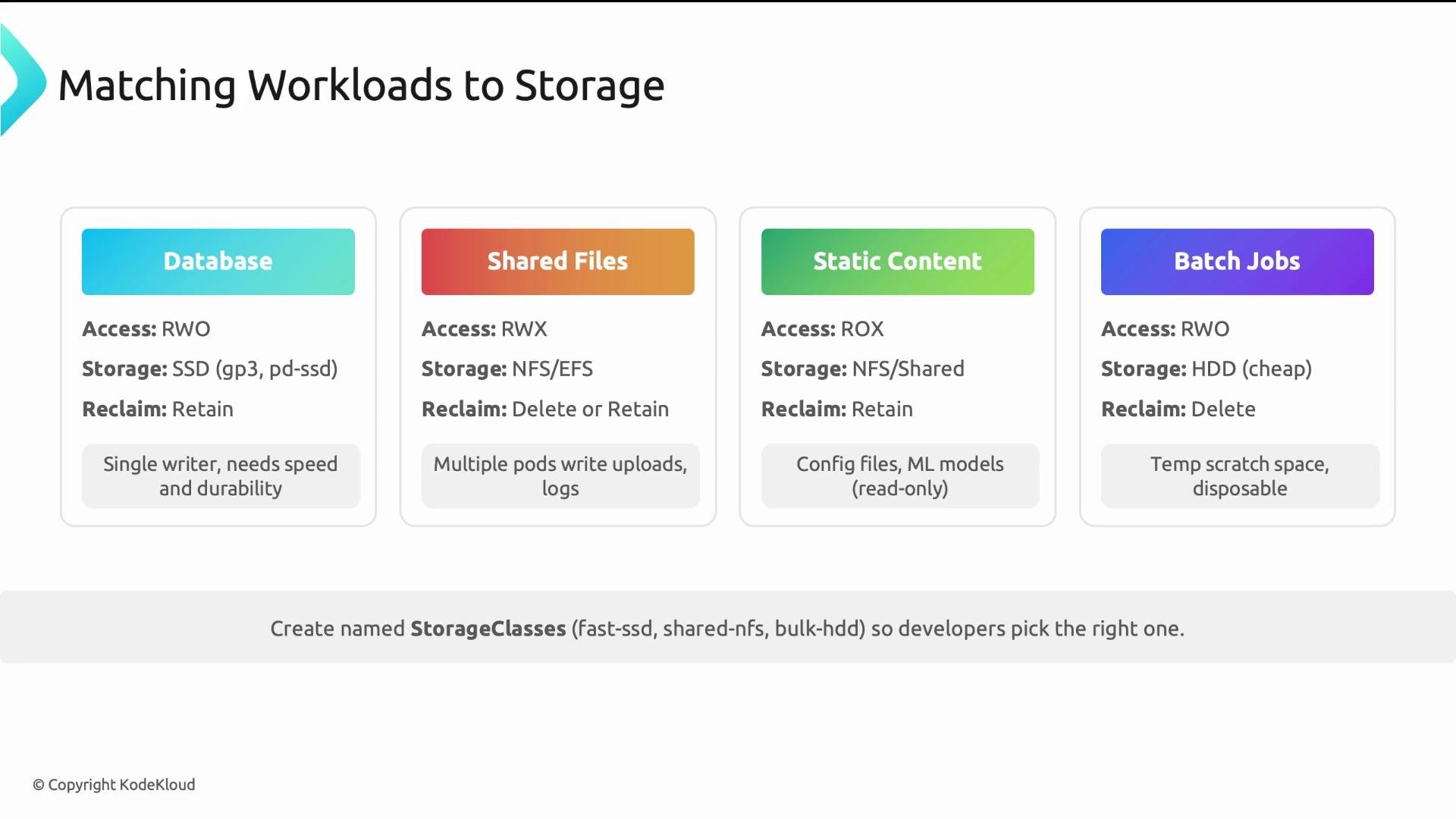
Answer the question "Which storage should I use?" using four criteria: access mode, storage type, reclaim policy, and workload characteristics.
Suggested mappings:
| Workload | Access Mode | Storage type | Reclaim policy |
| --------------------------- | ------------- | ----------------------------------------- | ------------------------------------- |
| Databases (Postgres, MySQL) | ReadWriteOnce | Fast SSD / provisioned IOPS block storage | `Retain` |
| Shared file systems | ReadWriteMany | NFS, EFS, Azure Files (RWX-capable CSI) | As appropriate (`Delete` or `Retain`) |
| Static content | ReadOnlyMany | Object-backed mounts or read-only NFS | `Delete` |
| Batch jobs / ephemeral data | ReadWriteOnce | Cheap HDD or low-cost block | `Delete` |
Name StorageClasses by use case (e.g., `fast-ssd`, `shared-nfs`, `bulk-hdd`) rather than by cloud provider. This keeps the platform portable and makes selection easier for developers.
Table: Access modes at a glance
| Access Mode | Mounts per Node | Typical use case | Typical backend |
| ------------------- | ----------------- | --------------------------------------- | --------------------------------------------- |
| ReadWriteOnce (RWO) | Single node (R/W) | Databases, single-replica StatefulSets | Block storage (AWS EBS, GCP PD, Azure Disk) |
| ReadOnlyMany (ROX) | Many nodes (R/O) | Read-only static content, config data | Object mounts, read-only NFS exports |
| ReadWriteMany (RWX) | Many nodes (R/W) | Shared file systems, concurrent writers | NFS, EFS, Azure Files, CSI file-share drivers |
## Example PVC
A PVC declares size, accessModes, and optionally a `storageClassName`. Kubernetes will bind an existing PV or ask the StorageClass to provision a PV dynamically. If `storageClassName` is omitted, the cluster default StorageClass (if configured) will be used.
Correct example PVC:
```yaml theme={null}
apiVersion: v1
kind: PersistentVolumeClaim
metadata:
name: postgres-data
spec:
accessModes:
- ReadWriteOnce
resources:
requests:
storage: 10Gi
storageClassName: fast-ssd
```
After creation the PVC status should move from `Pending` to `Bound`. If the PVC remains `Pending` inspect it:
```bash theme={null}
kubectl describe pvc
```
Common reasons for `Pending`:
* StorageClass name typo or missing StorageClass.
* Insufficient capacity in the backend.
* StorageClass uses `volumeBindingMode: WaitForFirstConsumer` and no pod is scheduled that references the PVC yet.
* Requested access mode is not supported by available PVs or provisioner.
If a PVC stays `Pending`, check the StorageClass, backend capacity, and `volumeBindingMode`. For multi-AZ clusters, prefer `WaitForFirstConsumer` to ensure volumes are provisioned in the consuming Pod's zone.
## StorageClass details
Platform teams define StorageClasses to expose curated storage offerings. Developers reference them by name in PVCs.
Example StorageClass:
```yaml theme={null}
apiVersion: storage.k8s.io/v1
kind: StorageClass
metadata:
name: fast-ssd
provisioner: ebs.csi.aws.com
parameters:
type: gp3
iops: "3000"
reclaimPolicy: Delete
volumeBindingMode: WaitForFirstConsumer
```
Table: Key StorageClass fields
| Field | Purpose |
| ------------------- | --------------------------------------------------------------------------------------------------- |
| `provisioner` | The CSI driver used to provision volumes (e.g., `ebs.csi.aws.com`). |
| `parameters` | Provider-specific options such as disk type, IOPS, encryption flags. |
| `reclaimPolicy` | `Delete` (remove underlying storage when PVC deleted) or `Retain` (keep data after PVC deletion). |
| `volumeBindingMode` | `Immediate` (provision on PVC creation) or `WaitForFirstConsumer` (delay until a Pod is scheduled). |
Notes on reclaim policies:
* Delete: good for ephemeral or reproducible data where storage lifecycle follows the PVC.
* Retain: use for critical data that must be preserved after PVC deletion (manual cleanup required).
volumeBindingMode considerations:
* `Immediate` may cause volumes to be provisioned in the wrong AZ/zone for multi-AZ clusters.
* `WaitForFirstConsumer` ensures volumes are created in the correct topology aligned to where the Pod will run.
## Choosing storage for workloads
Answer the question "Which storage should I use?" using four criteria: access mode, storage type, reclaim policy, and workload characteristics.
Suggested mappings:
| Workload | Access Mode | Storage type | Reclaim policy |
| --------------------------- | ------------- | ----------------------------------------- | ------------------------------------- |
| Databases (Postgres, MySQL) | ReadWriteOnce | Fast SSD / provisioned IOPS block storage | `Retain` |
| Shared file systems | ReadWriteMany | NFS, EFS, Azure Files (RWX-capable CSI) | As appropriate (`Delete` or `Retain`) |
| Static content | ReadOnlyMany | Object-backed mounts or read-only NFS | `Delete` |
| Batch jobs / ephemeral data | ReadWriteOnce | Cheap HDD or low-cost block | `Delete` |
Name StorageClasses by use case (e.g., `fast-ssd`, `shared-nfs`, `bulk-hdd`) rather than by cloud provider. This keeps the platform portable and makes selection easier for developers.
 ## Five key takeaways
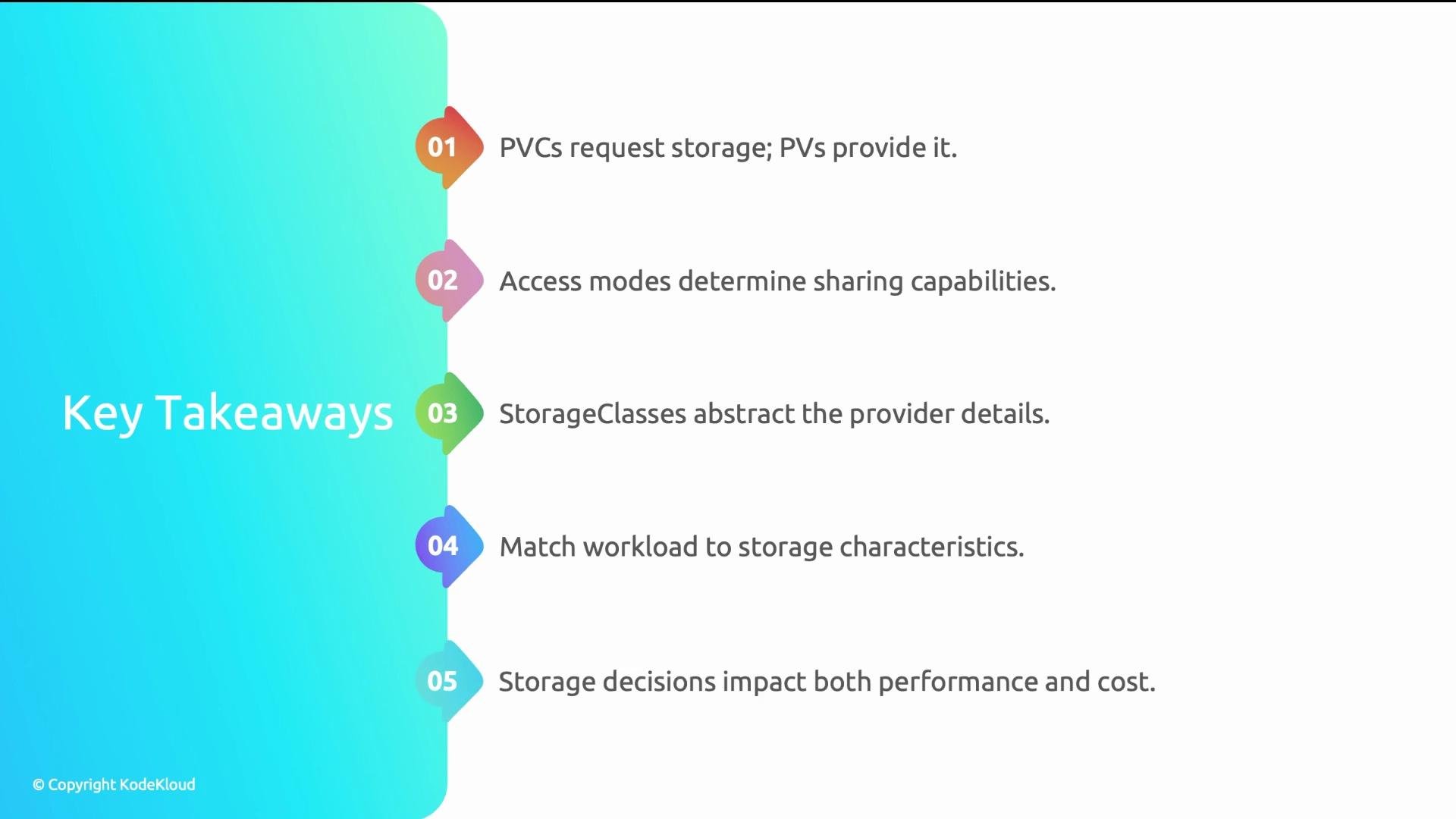
* PVCs request storage; PVs provide it. Developers create PVCs; platform teams manage StorageClasses—clear separation of concerns.
* Access modes dictate sharing semantics. Not every backend supports every mode.
* StorageClasses abstract provider details; name them by use case to help developers choose the right one.
* Match workload to storage: databases typically need SSD + `Retain`; batch jobs can use cheaper disks + `Delete`.
* Storage decisions affect both performance and cost—evaluate IO, throughput, durability, and availability when designing StorageClasses.
## Five key takeaways
* PVCs request storage; PVs provide it. Developers create PVCs; platform teams manage StorageClasses—clear separation of concerns.
* Access modes dictate sharing semantics. Not every backend supports every mode.
* StorageClasses abstract provider details; name them by use case to help developers choose the right one.
* Match workload to storage: databases typically need SSD + `Retain`; batch jobs can use cheaper disks + `Delete`.
* Storage decisions affect both performance and cost—evaluate IO, throughput, durability, and availability when designing StorageClasses.
 ## Links and References
* Kubernetes Persistent Volumes: [https://kubernetes.io/docs/concepts/storage/persistent-volumes/](https://kubernetes.io/docs/concepts/storage/persistent-volumes/)
* Kubernetes StorageClasses: [https://kubernetes.io/docs/concepts/storage/storage-classes/](https://kubernetes.io/docs/concepts/storage/storage-classes/)
* CSI (Container Storage Interface) docs: [https://kubernetes-csi.github.io/](https://kubernetes-csi.github.io/)
* AWS EBS CSI Driver: [https://github.com/kubernetes-sigs/aws-ebs-csi-driver](https://github.com/kubernetes-sigs/aws-ebs-csi-driver)
* NFS and RWX solutions: see cloud vendor docs for EFS (AWS), Azure Files, and GCP Filestore.
## Links and References
* Kubernetes Persistent Volumes: [https://kubernetes.io/docs/concepts/storage/persistent-volumes/](https://kubernetes.io/docs/concepts/storage/persistent-volumes/)
* Kubernetes StorageClasses: [https://kubernetes.io/docs/concepts/storage/storage-classes/](https://kubernetes.io/docs/concepts/storage/storage-classes/)
* CSI (Container Storage Interface) docs: [https://kubernetes-csi.github.io/](https://kubernetes-csi.github.io/)
* AWS EBS CSI Driver: [https://github.com/kubernetes-sigs/aws-ebs-csi-driver](https://github.com/kubernetes-sigs/aws-ebs-csi-driver)
* NFS and RWX solutions: see cloud vendor docs for EFS (AWS), Azure Files, and GCP Filestore.