> ## Documentation Index
> Fetch the complete documentation index at: https://notes.kodekloud.com/llms.txt
> Use this file to discover all available pages before exploring further.
# Service Mesh Security Encryption and Identity
> Explains Istio mTLS, SPIFFE identities, PeerAuthentication and AuthorizationPolicy to secure and control encrypted pod-to-pod traffic in Kubernetes service meshes
We have already secured who can access the cluster (RBAC), what configurations are allowed (Admission Control), and what pods can do at runtime (Pod Security Standards). The next layer is securing network traffic between workloads inside the cluster.
Mutual TLS (mTLS) encrypts all pod-to-pod communication and gives each workload a cryptographic identity. Without mTLS, traffic inside the cluster is plaintext and a compromised pod could sniff sensitive data or impersonate other services.
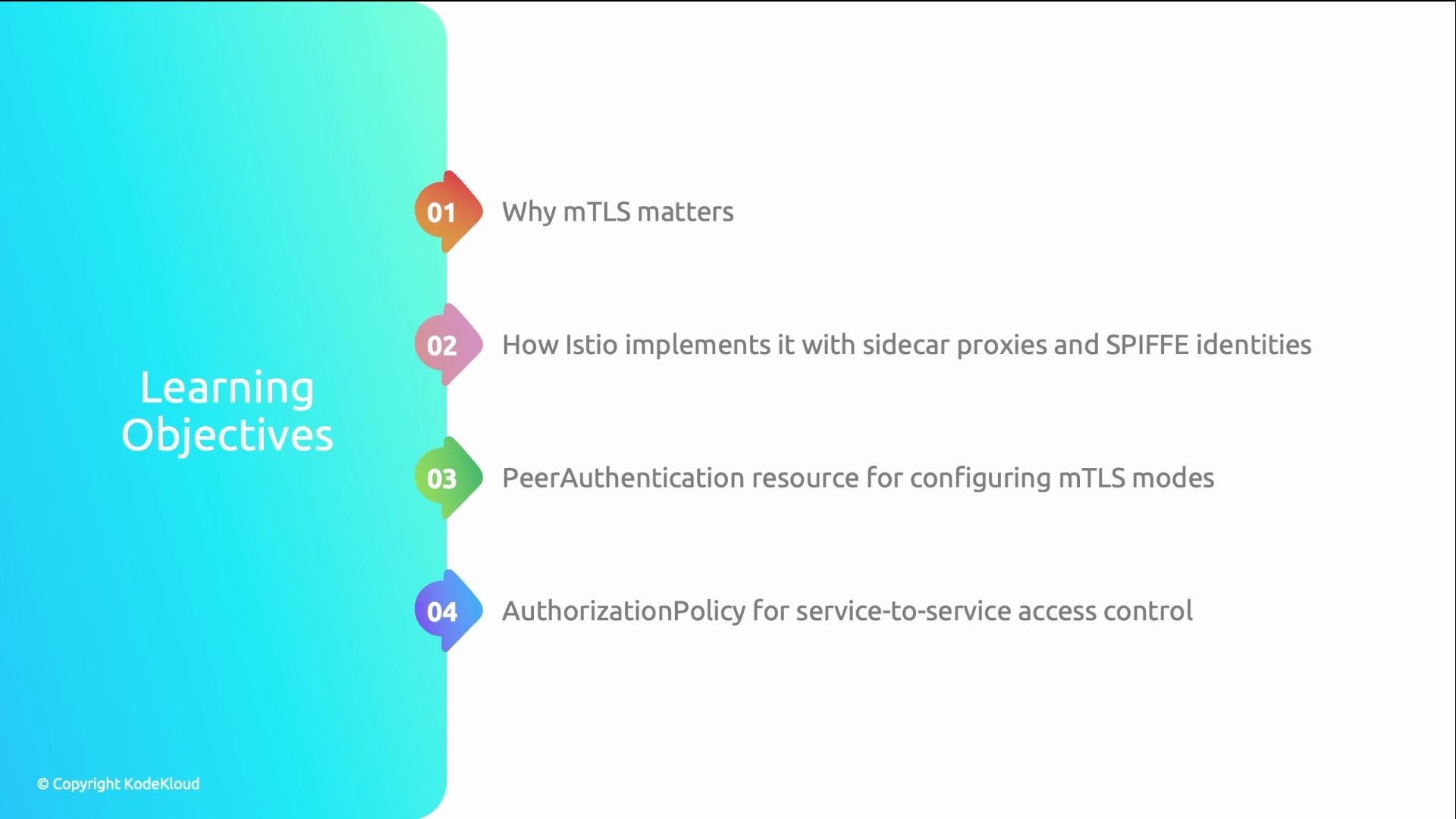
In this article we use Istio Service Mesh as an example to demonstrate:
* How mTLS works with sidecar proxies and SPIFFE identities.
* How to configure mTLS modes with `PeerAuthentication`.
* How to apply service-level access control using `AuthorizationPolicy` and SPIFFE identities.
 ## Why mTLS matters
Kubernetes networking is plaintext by default. That creates three main risks:
* A compromised pod can sniff node-local traffic — exposing API keys, credentials, and user data.
* There is no built-in service identity, so pods can impersonate one another.
* There is no native, easy way to enforce which services are allowed to call which.
mTLS addresses these problems by providing:
* Encryption: traffic is encrypted in transit.
* Identity: each workload receives a SPIFFE certificate that encodes its trust domain, namespace, and service account.
* Authentication: callers are verified before connections are established.
Learn more about SPIFFE: [https://spiffe.io/](https://spiffe.io/)
## How Istio implements mTLS
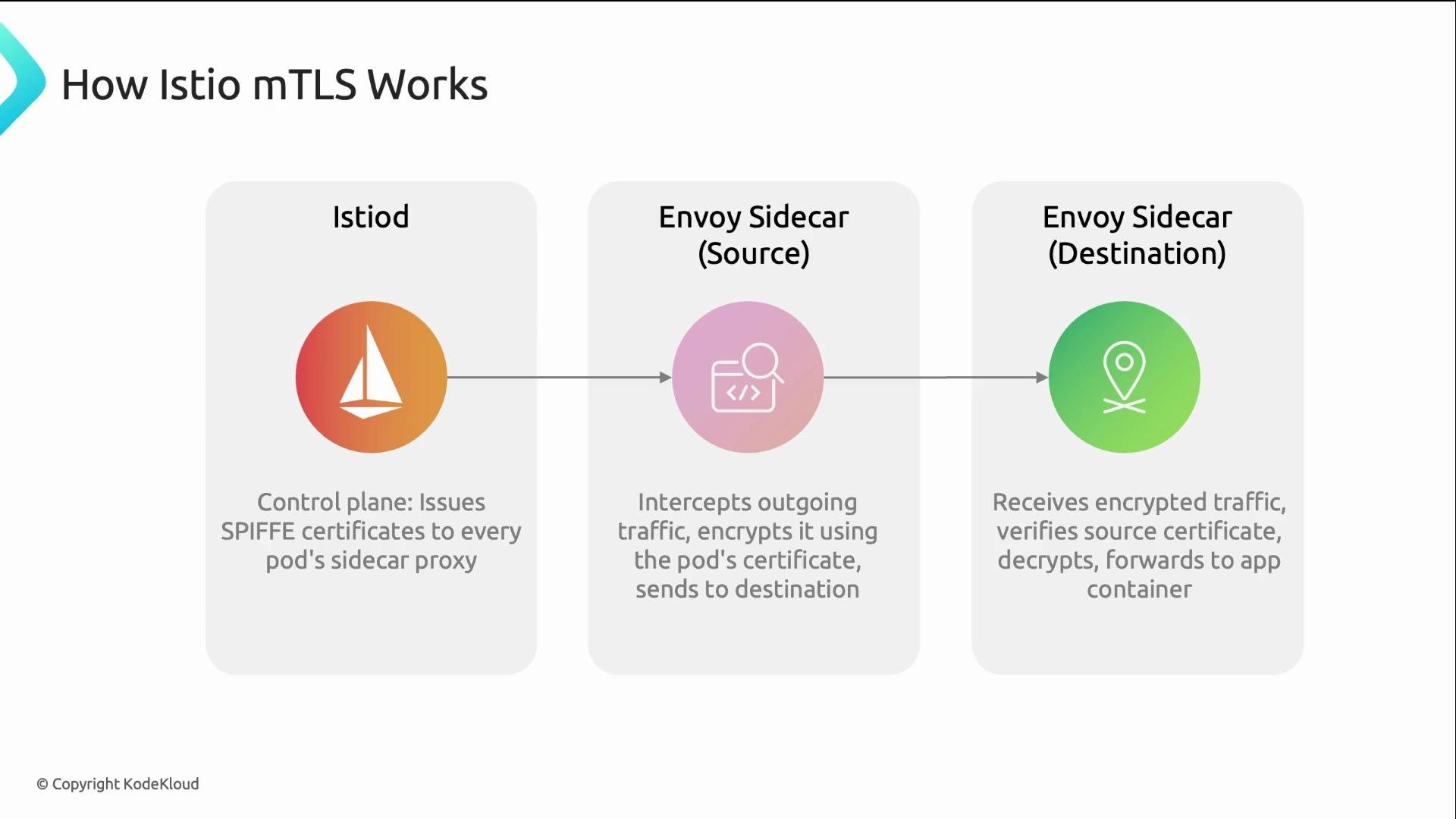
Istio’s control plane (Istiod) acts as a certificate authority. It issues short-lived X.509 certificates to each pod’s Envoy sidecar. Each certificate contains a SPIFFE URI identity such as:
spiffe://cluster.local/ns/frontend/sa/web-app
When pod A talks to pod B, the Envoy sidecars perform mutual TLS and validate each other’s certificates. Application code doesn’t need changes — apps continue to send plain HTTP. Encryption and identity verification happen at the sidecar layer.
## Why mTLS matters
Kubernetes networking is plaintext by default. That creates three main risks:
* A compromised pod can sniff node-local traffic — exposing API keys, credentials, and user data.
* There is no built-in service identity, so pods can impersonate one another.
* There is no native, easy way to enforce which services are allowed to call which.
mTLS addresses these problems by providing:
* Encryption: traffic is encrypted in transit.
* Identity: each workload receives a SPIFFE certificate that encodes its trust domain, namespace, and service account.
* Authentication: callers are verified before connections are established.
Learn more about SPIFFE: [https://spiffe.io/](https://spiffe.io/)
## How Istio implements mTLS
Istio’s control plane (Istiod) acts as a certificate authority. It issues short-lived X.509 certificates to each pod’s Envoy sidecar. Each certificate contains a SPIFFE URI identity such as:
spiffe://cluster.local/ns/frontend/sa/web-app
When pod A talks to pod B, the Envoy sidecars perform mutual TLS and validate each other’s certificates. Application code doesn’t need changes — apps continue to send plain HTTP. Encryption and identity verification happen at the sidecar layer.
 ## Controlling mTLS with PeerAuthentication
Istio’s `PeerAuthentication` resource determines the mTLS mode for inbound traffic. The key field is `spec.mtls.mode`.
Common modes and recommended usage:
| Mode | Description | When to use |
| ------------ | ---------------------------------------------------------------------------- | ---------------------------------------------------------------- |
| `STRICT` | Require mTLS for all inbound traffic. Connections failing mTLS are rejected. | Production (recommended once all services are meshed) |
| `PERMISSIVE` | Accept both mTLS and plaintext. | Safe migration stage — allows mixed workloads |
| `DISABLE` | Turn off mTLS entirely for the scoped workloads. | Rarely recommended; use only for troubleshooting or legacy cases |
Example `PeerAuthentication` to enforce strict mTLS for the `payments` namespace:
```yaml theme={null}
apiVersion: security.istio.io/v1beta1
kind: PeerAuthentication
metadata:
name: default
namespace: payments
spec:
mtls:
mode: STRICT
```
Scope rules for `PeerAuthentication`:
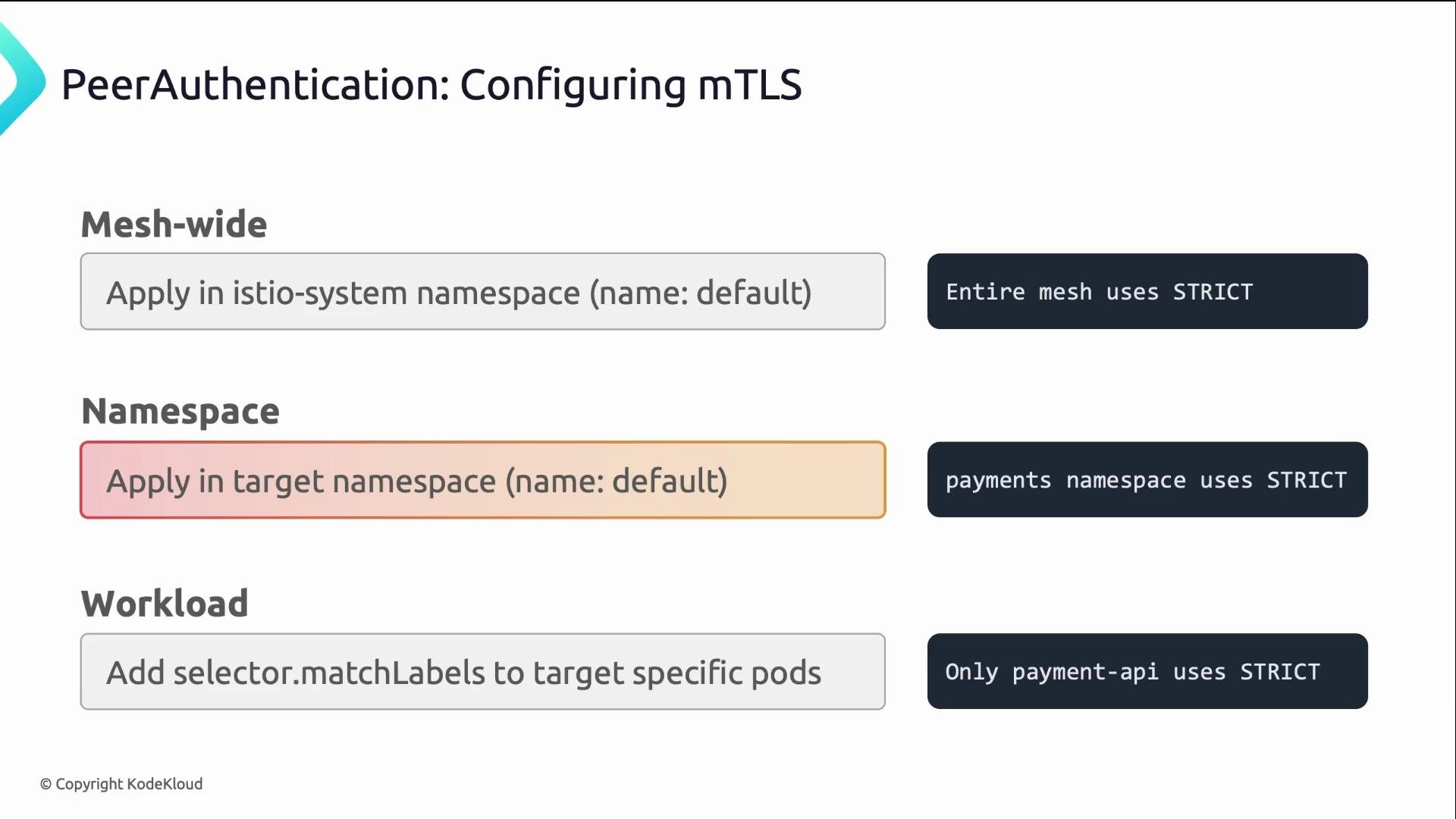
* A `PeerAuthentication` named `default` in `istio-system` typically sets a mesh-wide default.
* A `PeerAuthentication` named `default` in a namespace affects only that namespace.
* A `PeerAuthentication` with a `selector` applies only to matching workloads (labels).
If you want strict mTLS for a specific namespace, create a `PeerAuthentication` named `default` in that namespace with `mode: STRICT`.
## Controlling mTLS with PeerAuthentication
Istio’s `PeerAuthentication` resource determines the mTLS mode for inbound traffic. The key field is `spec.mtls.mode`.
Common modes and recommended usage:
| Mode | Description | When to use |
| ------------ | ---------------------------------------------------------------------------- | ---------------------------------------------------------------- |
| `STRICT` | Require mTLS for all inbound traffic. Connections failing mTLS are rejected. | Production (recommended once all services are meshed) |
| `PERMISSIVE` | Accept both mTLS and plaintext. | Safe migration stage — allows mixed workloads |
| `DISABLE` | Turn off mTLS entirely for the scoped workloads. | Rarely recommended; use only for troubleshooting or legacy cases |
Example `PeerAuthentication` to enforce strict mTLS for the `payments` namespace:
```yaml theme={null}
apiVersion: security.istio.io/v1beta1
kind: PeerAuthentication
metadata:
name: default
namespace: payments
spec:
mtls:
mode: STRICT
```
Scope rules for `PeerAuthentication`:
* A `PeerAuthentication` named `default` in `istio-system` typically sets a mesh-wide default.
* A `PeerAuthentication` named `default` in a namespace affects only that namespace.
* A `PeerAuthentication` with a `selector` applies only to matching workloads (labels).
If you want strict mTLS for a specific namespace, create a `PeerAuthentication` named `default` in that namespace with `mode: STRICT`.
 ## AuthorizationPolicy: service-level RBAC using SPIFFE identities
While `PeerAuthentication` ensures encryption and identity, Istio’s `AuthorizationPolicy` enforces access control based on those identities. Policies reference SPIFFE URIs from mTLS certificates inside the `principals` field.
Example: allow only the `web-app` service account in the `frontend` namespace to call the `payment-api` service, and permit only GET and POST to `/api/*`:
```yaml theme={null}
apiVersion: security.istio.io/v1beta1
kind: AuthorizationPolicy
metadata:
name: allow-api-only
namespace: payments
spec:
selector:
matchLabels:
app: payment-api
rules:
- from:
- source:
principals:
- "spiffe://cluster.local/ns/frontend/sa/web-app"
to:
- operation:
methods: ["GET", "POST"]
paths: ["/api/*"]
```
Notes:
* The `principals` value is the SPIFFE URI that the Envoy sidecars present during mTLS.
* The default trust domain is often `cluster.local` in typical Istio installs; adjust if your cluster uses a different trust domain.
## Verifying mTLS and sidecar injection
Check that `PeerAuthentication` resources are present and inspect their modes:
```bash theme={null}
# List PeerAuthentication resources in the payments namespace
kubectl get peerauthentication -n payments
# Inspect a PeerAuthentication resource to see the mode
kubectl get peerauthentication default -n payments -o yaml
```
Use `istioctl` to inspect a pod and see the applied mTLS settings and relevant policies:
```bash theme={null}
# Describe pod via istioctl to view mTLS and policy details
istioctl x describe pod payment-api-xxx -n payments
```
Verify sidecar injection (the sidecar is the istio-proxy container). A `2/2` READY indicates the application container plus the istio-proxy sidecar:
```bash theme={null}
# Confirm the sidecar is injected — look for READY = 2/2
kubectl get pods -n payments
# Example output:
# NAME READY STATUS
# payment-api-xxx 2/2 Running <-- istio-proxy sidecar present
```
If you see `1/1`, no sidecar is injected and mTLS will not be applied for that pod.
## Rolling out strict mTLS safely
Follow a staged rollout to avoid outages:
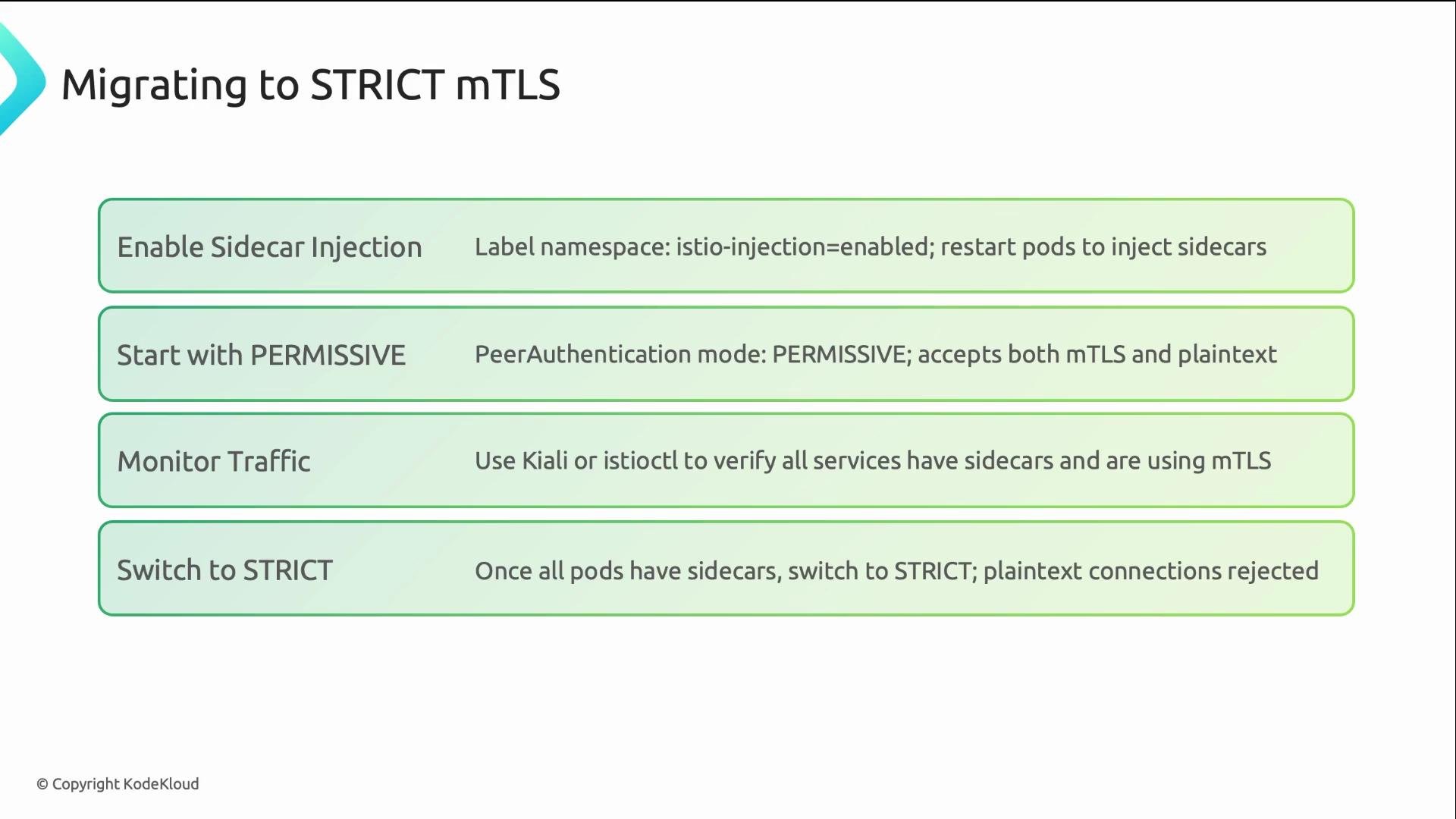
1. Enable automatic sidecar injection for the target namespace(s) and restart pods so they pick up the sidecar.
2. Start with `PERMISSIVE` mode at the mesh or namespace level so both mTLS and plaintext are accepted. This allows services not yet meshed to continue communicating.
3. Monitor traffic, Istio telemetry, and logs to detect and remediate failures.
4. Once all workloads show sidecars and traffic is healthy, change the mode to `STRICT` for full enforcement.
This approach mirrors standard safe rollout patterns used for security and policy enforcement.
## AuthorizationPolicy: service-level RBAC using SPIFFE identities
While `PeerAuthentication` ensures encryption and identity, Istio’s `AuthorizationPolicy` enforces access control based on those identities. Policies reference SPIFFE URIs from mTLS certificates inside the `principals` field.
Example: allow only the `web-app` service account in the `frontend` namespace to call the `payment-api` service, and permit only GET and POST to `/api/*`:
```yaml theme={null}
apiVersion: security.istio.io/v1beta1
kind: AuthorizationPolicy
metadata:
name: allow-api-only
namespace: payments
spec:
selector:
matchLabels:
app: payment-api
rules:
- from:
- source:
principals:
- "spiffe://cluster.local/ns/frontend/sa/web-app"
to:
- operation:
methods: ["GET", "POST"]
paths: ["/api/*"]
```
Notes:
* The `principals` value is the SPIFFE URI that the Envoy sidecars present during mTLS.
* The default trust domain is often `cluster.local` in typical Istio installs; adjust if your cluster uses a different trust domain.
## Verifying mTLS and sidecar injection
Check that `PeerAuthentication` resources are present and inspect their modes:
```bash theme={null}
# List PeerAuthentication resources in the payments namespace
kubectl get peerauthentication -n payments
# Inspect a PeerAuthentication resource to see the mode
kubectl get peerauthentication default -n payments -o yaml
```
Use `istioctl` to inspect a pod and see the applied mTLS settings and relevant policies:
```bash theme={null}
# Describe pod via istioctl to view mTLS and policy details
istioctl x describe pod payment-api-xxx -n payments
```
Verify sidecar injection (the sidecar is the istio-proxy container). A `2/2` READY indicates the application container plus the istio-proxy sidecar:
```bash theme={null}
# Confirm the sidecar is injected — look for READY = 2/2
kubectl get pods -n payments
# Example output:
# NAME READY STATUS
# payment-api-xxx 2/2 Running <-- istio-proxy sidecar present
```
If you see `1/1`, no sidecar is injected and mTLS will not be applied for that pod.
## Rolling out strict mTLS safely
Follow a staged rollout to avoid outages:
1. Enable automatic sidecar injection for the target namespace(s) and restart pods so they pick up the sidecar.
2. Start with `PERMISSIVE` mode at the mesh or namespace level so both mTLS and plaintext are accepted. This allows services not yet meshed to continue communicating.
3. Monitor traffic, Istio telemetry, and logs to detect and remediate failures.
4. Once all workloads show sidecars and traffic is healthy, change the mode to `STRICT` for full enforcement.
This approach mirrors standard safe rollout patterns used for security and policy enforcement.
 ## Quick checklist
* Ensure sidecar injection is enabled for target namespaces.
* Confirm pods show `2/2` READY (application + istio-proxy).
* Start with `PERMISSIVE` to avoid breaking traffic during migration.
* Apply `PeerAuthentication` (`STRICT`) once all workloads are meshed.
* Use `AuthorizationPolicy` to enforce service-to-service access using SPIFFE principals.
* Validate with `istioctl x describe pod` and `kubectl` commands.
Enable sidecar injection for the target namespaces and validate with `kubectl get pods -n ` (look for `2/2` READY) before switching PeerAuthentication to `STRICT`.
## References
* Istio Service Mesh: [https://learn.kodekloud.com/user/courses/istio-service-mesh](https://learn.kodekloud.com/user/courses/istio-service-mesh)
* SPIFFE: [https://spiffe.io/](https://spiffe.io/)
* Envoy Proxy: [https://www.envoyproxy.io/](https://www.envoyproxy.io/)
## Quick checklist
* Ensure sidecar injection is enabled for target namespaces.
* Confirm pods show `2/2` READY (application + istio-proxy).
* Start with `PERMISSIVE` to avoid breaking traffic during migration.
* Apply `PeerAuthentication` (`STRICT`) once all workloads are meshed.
* Use `AuthorizationPolicy` to enforce service-to-service access using SPIFFE principals.
* Validate with `istioctl x describe pod` and `kubectl` commands.
Enable sidecar injection for the target namespaces and validate with `kubectl get pods -n ` (look for `2/2` READY) before switching PeerAuthentication to `STRICT`.
## References
* Istio Service Mesh: [https://learn.kodekloud.com/user/courses/istio-service-mesh](https://learn.kodekloud.com/user/courses/istio-service-mesh)
* SPIFFE: [https://spiffe.io/](https://spiffe.io/)
* Envoy Proxy: [https://www.envoyproxy.io/](https://www.envoyproxy.io/)