> ## Documentation Index
> Fetch the complete documentation index at: https://notes.kodekloud.com/llms.txt
> Use this file to discover all available pages before exploring further.
# CNPA Registration and Exam Day Walkthrough
> Step-by-step guide to registering, purchasing, preparing for, and taking the proctored CNPA certification exam.
Welcome back.
This lesson walks through the complete CNPA (Certified Cloud Native Platform Engineering Associate) registration, purchase, scheduling, and exam-day process. If you’ve previously registered for or taken a Linux Foundation proctored exam, you can skim the sections you already know and continue. Otherwise, follow each step to ensure a smooth experience from account creation to receiving your certification.
If you already have a Linux Foundation account and have completed ID verification for a previous exam, you can skip straight to “Scheduling & Exam Day” below.
## Prerequisites
* A valid payment method (credit/debit card) or a voucher/promo code.
* A government-issued photo ID. The name on your Linux Foundation account, payment method, and ID must match exactly.
* An active email address (you’ll confirm it during account creation and receive exam communications).
* A computer with a stable internet connection, working microphone, and working webcam.
* A quiet, private room for the duration of the exam (see “Preparing your exam space”).
## Account creation and purchasing the exam
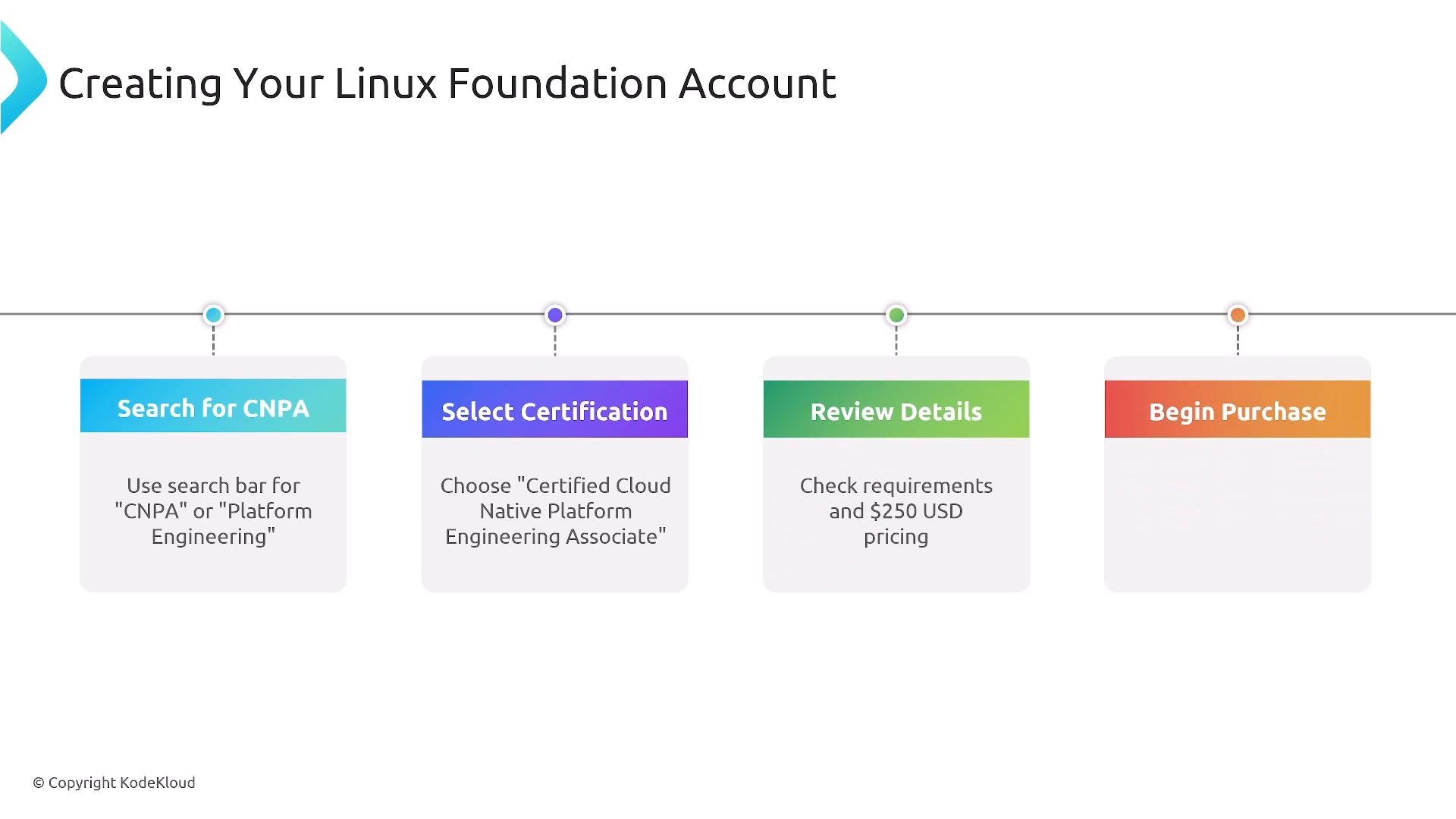
1. Create a Linux Foundation account on the Linux Foundation website: [https://www.linuxfoundation.org/](https://www.linuxfoundation.org/). When registering, enter your full name exactly as it appears on your government ID and verify your email address.
2. Locate the CNPA exam using the site search or the certification listings.
3. On the CNPA certification page, review the exam details, objectives, and pricing, then begin checkout.
4. At checkout you may:
* Pay with a credit/debit card.
* Redeem a voucher or promo code to zero out the balance.
* Choose bulk purchase options for team or organizational needs.
 ## After purchase
* You’ll receive a purchase confirmation email with instructions to access and schedule the exam.
* Sign in to “My Portal,” find the CNPA exam entry, enable the exam, and pick your exam date/time.
* You have 12 months from purchase to schedule and take the exam — don’t let the access expire.
## Payment and name matching
The name on your payment method and Linux Foundation account must match your government-issued ID exactly. Mismatches can prevent you from starting the exam.
* If you used a voucher, apply it at checkout to remove any balance.
* If paying by card, confirm that billing name and account name are correct and match your ID.
## System requirements and recommended setup
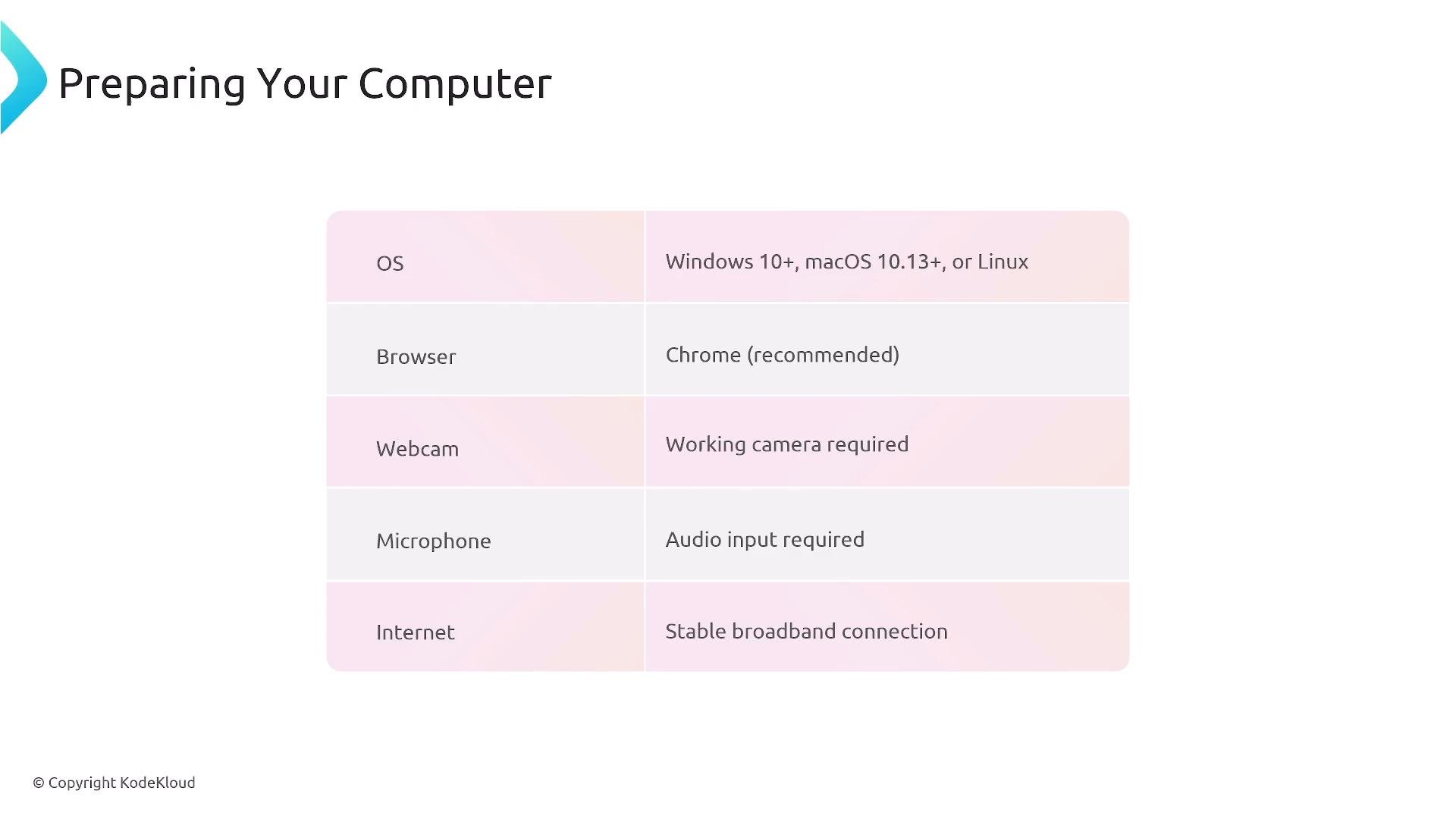
Use the following minimum environment for a reliable proctored exam session:
| Requirement | Details |
| - | - |
| Operating System | `Windows 10+`, `macOS 10.13+`, or desktop `Linux` |
| Browser | `Chrome` (recommended for best compatibility) |
| Camera | Working webcam (internal or external) |
| Microphone | Working microphone (internal or external) |
| Network | Stable broadband connection; reliable Wi‑Fi is acceptable |
| Other | Single-monitor recommended; ensure power and no automatic sleep |
Mobile hotspots or unstable cellular connections are not recommended. If you can only use mobile data, consider taking the exam at an official test center to avoid connectivity issues.
## After purchase
* You’ll receive a purchase confirmation email with instructions to access and schedule the exam.
* Sign in to “My Portal,” find the CNPA exam entry, enable the exam, and pick your exam date/time.
* You have 12 months from purchase to schedule and take the exam — don’t let the access expire.
## Payment and name matching
The name on your payment method and Linux Foundation account must match your government-issued ID exactly. Mismatches can prevent you from starting the exam.
* If you used a voucher, apply it at checkout to remove any balance.
* If paying by card, confirm that billing name and account name are correct and match your ID.
## System requirements and recommended setup
Use the following minimum environment for a reliable proctored exam session:
| Requirement | Details |
| - | - |
| Operating System | `Windows 10+`, `macOS 10.13+`, or desktop `Linux` |
| Browser | `Chrome` (recommended for best compatibility) |
| Camera | Working webcam (internal or external) |
| Microphone | Working microphone (internal or external) |
| Network | Stable broadband connection; reliable Wi‑Fi is acceptable |
| Other | Single-monitor recommended; ensure power and no automatic sleep |
Mobile hotspots or unstable cellular connections are not recommended. If you can only use mobile data, consider taking the exam at an official test center to avoid connectivity issues.
 ## Preparing your exam space
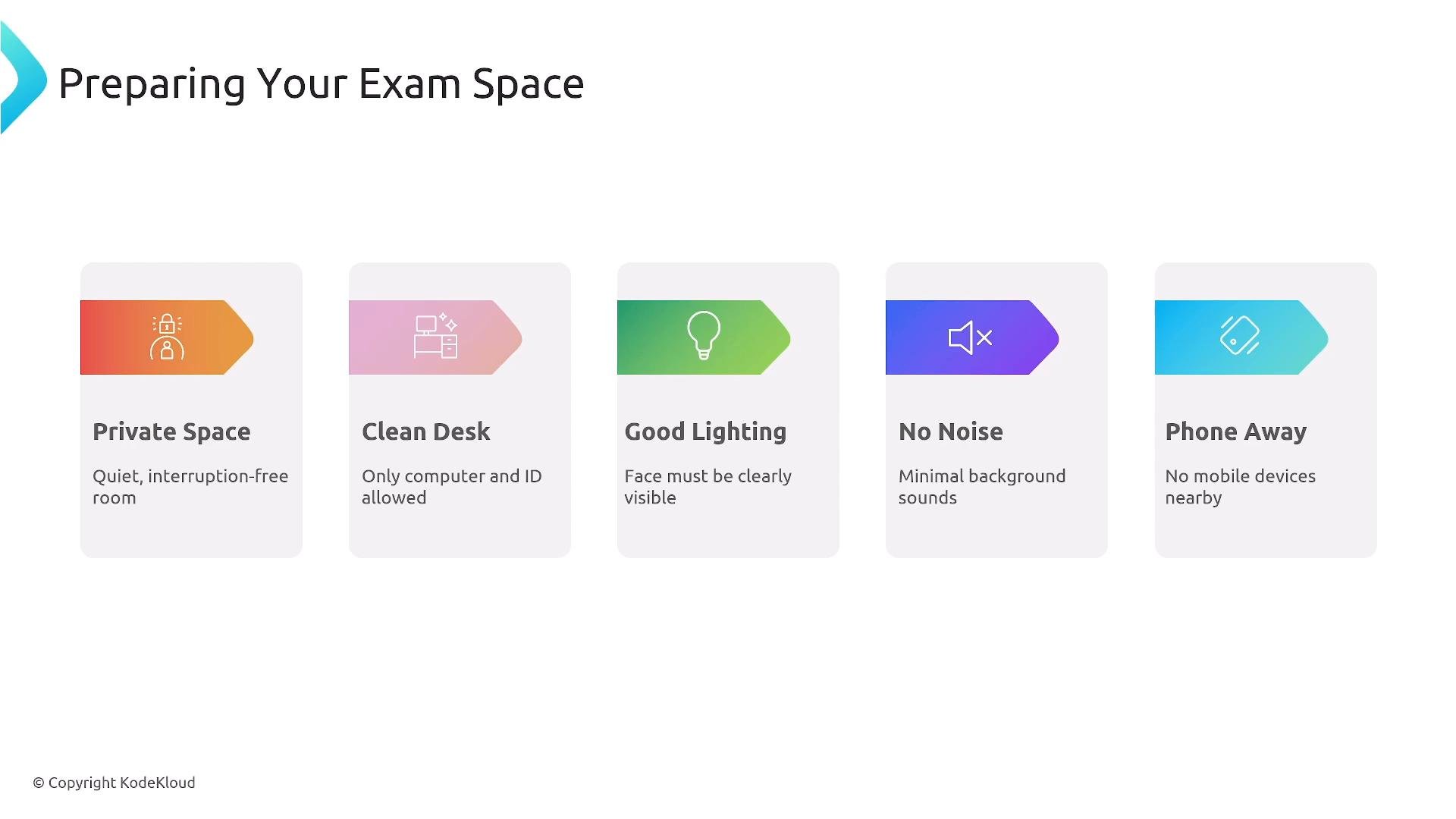
Follow a clean-desk and distraction-free policy to comply with proctoring rules:
* Choose a quiet, private room with a closed door and minimal foot traffic.
* Clear your desk: only your computer, keyboard, and mouse should be present. Avoid papers, notes, phones, or additional monitors unless explicitly allowed.
* Ensure good lighting so your face is clearly visible to the proctor.
* Remove pets, food, drinks, and other people from the room.
* Keep your phone out of reach and powered down for the exam.
* If you need food, drink, or other special accommodations, request them in advance through Linux Foundation exam support.
## Preparing your exam space
Follow a clean-desk and distraction-free policy to comply with proctoring rules:
* Choose a quiet, private room with a closed door and minimal foot traffic.
* Clear your desk: only your computer, keyboard, and mouse should be present. Avoid papers, notes, phones, or additional monitors unless explicitly allowed.
* Ensure good lighting so your face is clearly visible to the proctor.
* Remove pets, food, drinks, and other people from the room.
* Keep your phone out of reach and powered down for the exam.
* If you need food, drink, or other special accommodations, request them in advance through Linux Foundation exam support.
 ## Scheduling & exam-day check-in (proctored experience)
* Arrive early. For your first scheduled exam, plan to begin check-in at least 30 minutes before the scheduled start time to complete identity and environment checks.
* The proctoring software will lock or take control of your screen temporarily and walk you through verification steps:
* Present your government-issued photo ID (name must match your account).
* Do a 360° scan of your testing area (desk and surrounding space).
* Show any required items (e.g., desk, walls) to confirm there are no prohibited materials.
* After the proctor verifies your ID and testing environment and answers routine checks, you’ll be cleared to start the exam.
Tips for a smooth check-in:
* Have your ID ready and clearly visible.
* Close unrelated applications and browser tabs.
* Disable notifications and automatic updates to avoid interruptions.
## During the exam
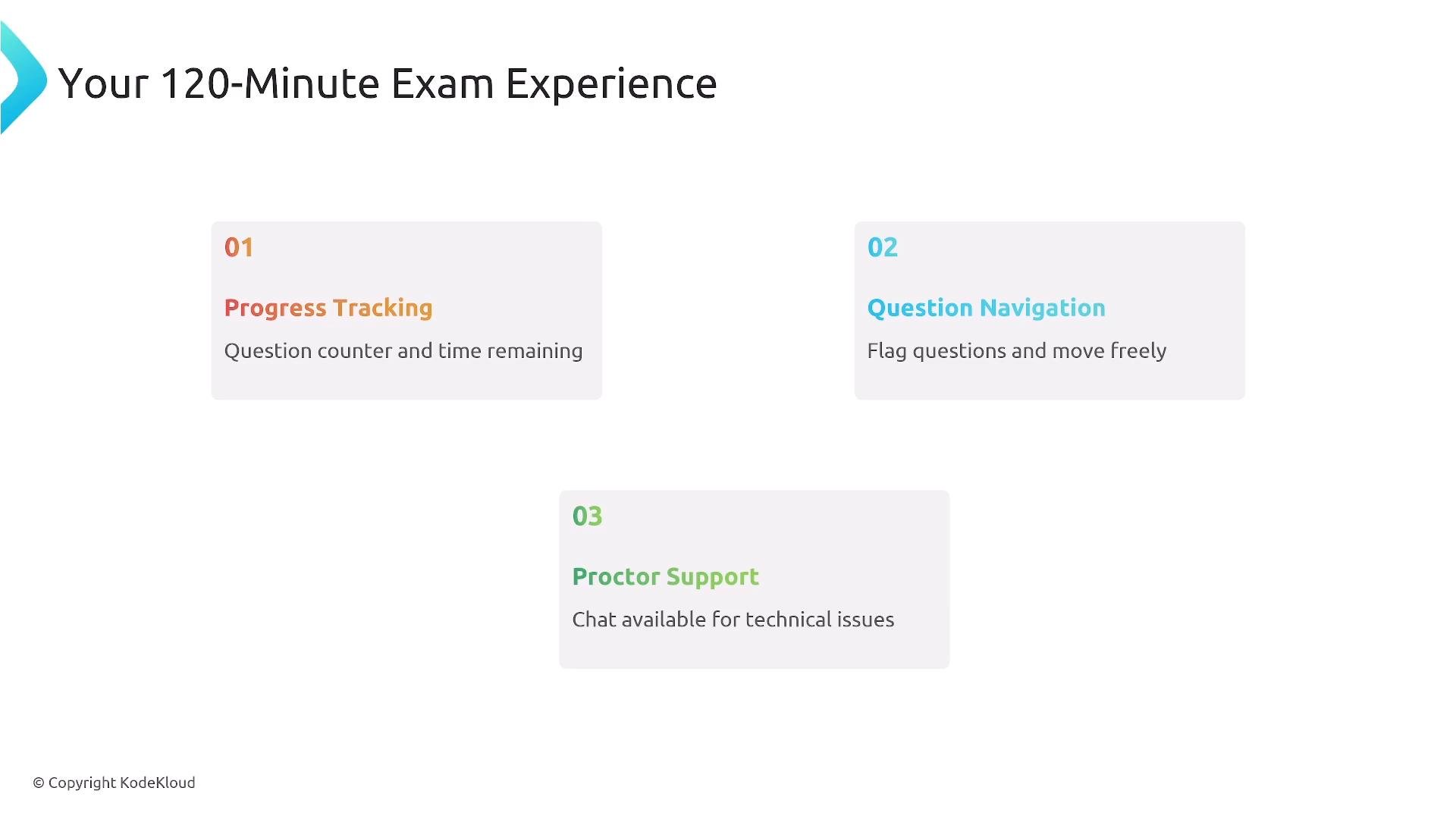
* Duration: 120 minutes (2 hours).
* Interface features:
* Time remaining and question progress tracking.
* Navigate freely between questions and flag items for review.
* Use proctor chat or support if you experience technical issues — don’t leave the camera or room without approval.
* Maintain exam integrity: do not speak aloud, do not use your phone, and stay in view of the webcam at all times unless instructed otherwise.
## Scheduling & exam-day check-in (proctored experience)
* Arrive early. For your first scheduled exam, plan to begin check-in at least 30 minutes before the scheduled start time to complete identity and environment checks.
* The proctoring software will lock or take control of your screen temporarily and walk you through verification steps:
* Present your government-issued photo ID (name must match your account).
* Do a 360° scan of your testing area (desk and surrounding space).
* Show any required items (e.g., desk, walls) to confirm there are no prohibited materials.
* After the proctor verifies your ID and testing environment and answers routine checks, you’ll be cleared to start the exam.
Tips for a smooth check-in:
* Have your ID ready and clearly visible.
* Close unrelated applications and browser tabs.
* Disable notifications and automatic updates to avoid interruptions.
## During the exam
* Duration: 120 minutes (2 hours).
* Interface features:
* Time remaining and question progress tracking.
* Navigate freely between questions and flag items for review.
* Use proctor chat or support if you experience technical issues — don’t leave the camera or room without approval.
* Maintain exam integrity: do not speak aloud, do not use your phone, and stay in view of the webcam at all times unless instructed otherwise.
 ## After the exam
* Follow the on-screen prompts to submit your exam when finished.
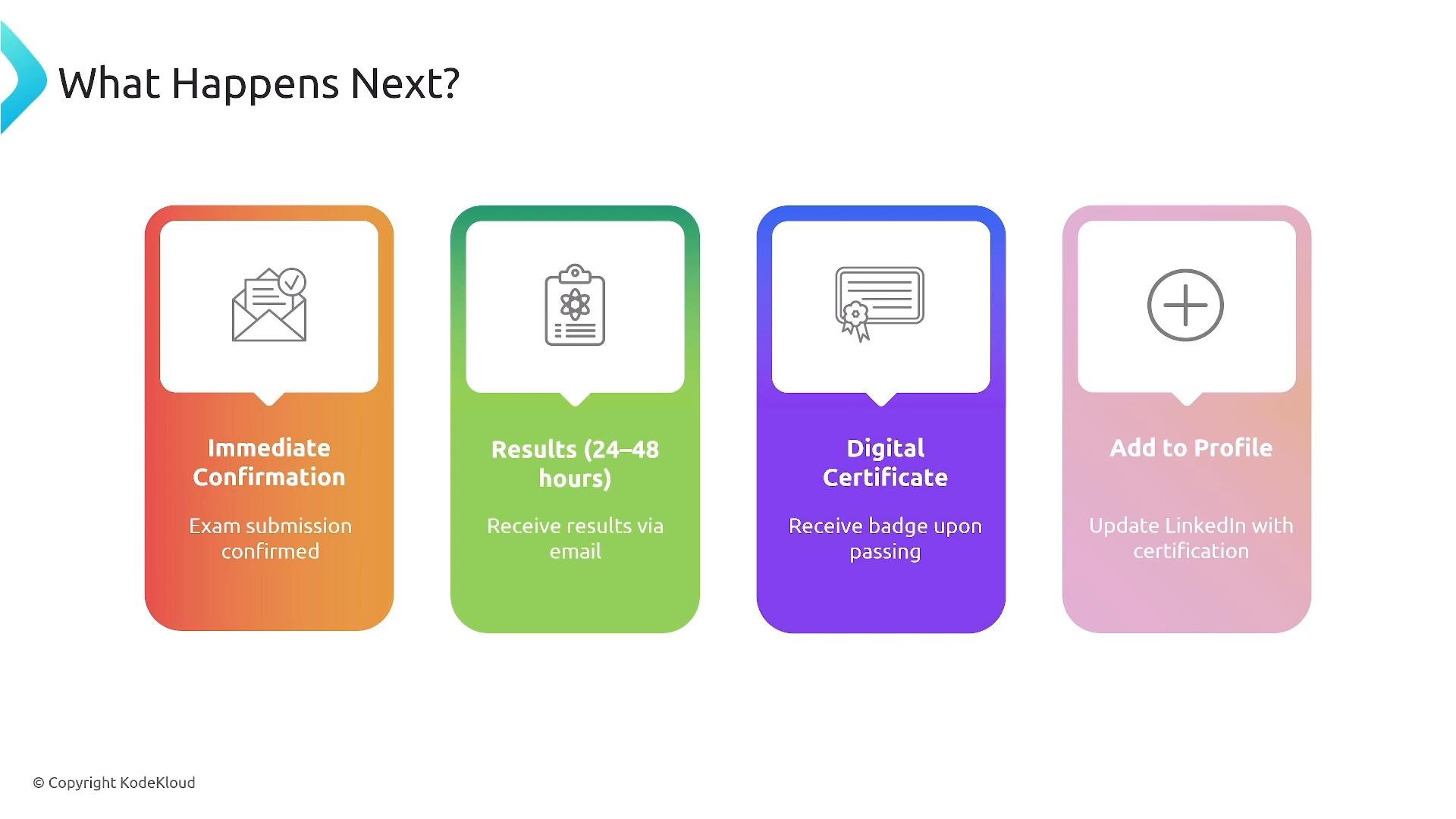
* Results are typically delivered by email and often available within 24–48 hours; some results may be released sooner.
* On passing:
* You will receive a digital certificate and a shareable badge (usually issued via Credly).
* You’ll also receive a certification license/ID to include on your profile or resume.
## After the exam
* Follow the on-screen prompts to submit your exam when finished.
* Results are typically delivered by email and often available within 24–48 hours; some results may be released sooner.
* On passing:
* You will receive a digital certificate and a shareable badge (usually issued via Credly).
* You’ll also receive a certification license/ID to include on your profile or resume.
 ## Quick checklist (before the exam)
* Account name matches government ID exactly.
* Confirmed and accessible email address.
* Computer charged and power connected.
* Webcam and microphone working (test them beforehand).
* Stable network connection; wired Ethernet preferred if available.
* Quiet, well-lit room with cleared desk.
## Links and references
* Linux Foundation: [https://www.linuxfoundation.org/](https://www.linuxfoundation.org/)
* Credly (digital badges): [https://www.credly.com/](https://www.credly.com/)
* If you need help with vouchers, accessibility, or scheduling, contact Linux Foundation exam support via the certification portal.
Good luck on your CNPA exam — with the right preparation and setup, you’ll be ready on exam day. See you in the next lesson!
This documentation is built and hosted on [Mintlify](https://mintlify.com), a developer documentation platform.
## Quick checklist (before the exam)
* Account name matches government ID exactly.
* Confirmed and accessible email address.
* Computer charged and power connected.
* Webcam and microphone working (test them beforehand).
* Stable network connection; wired Ethernet preferred if available.
* Quiet, well-lit room with cleared desk.
## Links and references
* Linux Foundation: [https://www.linuxfoundation.org/](https://www.linuxfoundation.org/)
* Credly (digital badges): [https://www.credly.com/](https://www.credly.com/)
* If you need help with vouchers, accessibility, or scheduling, contact Linux Foundation exam support via the certification portal.
Good luck on your CNPA exam — with the right preparation and setup, you’ll be ready on exam day. See you in the next lesson!
This documentation is built and hosted on [Mintlify](https://mintlify.com), a developer documentation platform.