> ## Documentation Index
> Fetch the complete documentation index at: https://notes.kodekloud.com/llms.txt
> Use this file to discover all available pages before exploring further.
# Cilium Encryption
> Guide to enabling transparent inter-node pod encryption in Kubernetes with Cilium, comparing IPsec and WireGuard and showing configuration and verification steps.
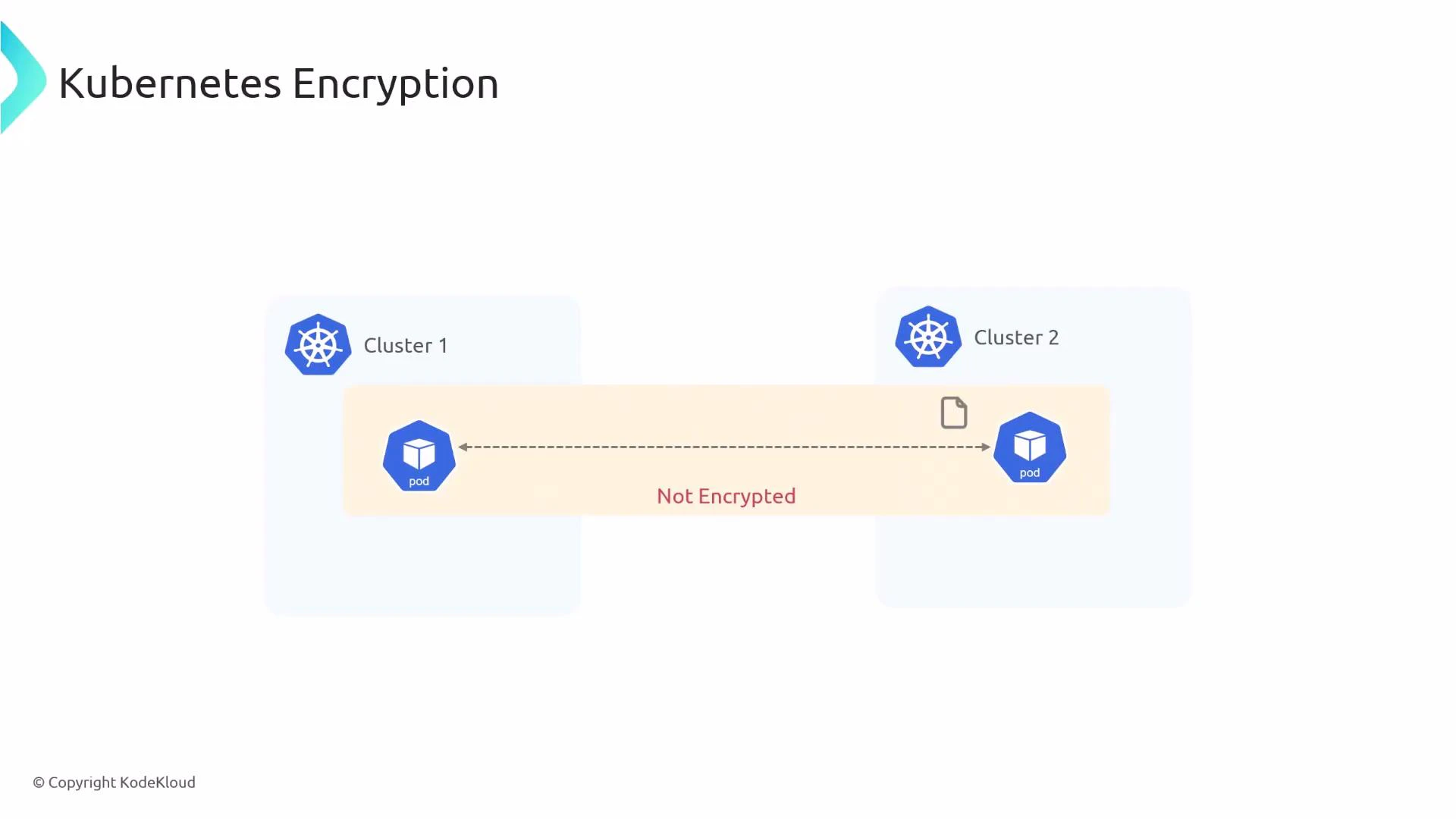
In this lesson you'll learn how to enable transparent pod-to-pod encryption in Kubernetes using Cilium. By default, pod traffic inside a cluster is unencrypted, so an attacker who can capture network packets may be able to read sensitive data. Cilium provides two built-in methods to secure inter-node pod traffic:
 * IPsec
* WireGuard
Both methods are transparent to applications and protect pod-to-pod traffic that crosses node boundaries. Below are step-by-step instructions to configure each method and verify that encryption is active.
Quick comparison: IPsec vs WireGuard
| Feature | IPsec | WireGuard |
| ---------------- | ------------------------: | ---------------------------------------------- |
| Performance | Mature, widely supported | High-performance, simpler codebase |
| Key management | Secret keys in Kubernetes | Keys managed by Cilium (peer-based) |
| Compatibility | Works across many kernels | Requires WireGuard support in kernel or module |
| Typical use case | Stable enterprise setups | High-throughput, low-latency environments |
Before you begin: ensure you have kubectl access to the cluster, Cilium installed (via Helm, CiliumOperator/CiliumConfig, or daemonset), and permissions to create secrets in the kube-system namespace.
## Creating the IPsec key secret
Cilium expects an IPsec secret in Kubernetes with the following format:
key-id algorithm psk-in-hex key-size
The command below generates a random PSK (in hex) and stores it in the `kube-system` namespace as the secret `cilium-ipsec-keys`. The example creates one key entry (key ID 1) using RFC4106 AES-GCM with a 128-bit key.
```bash theme={null}
kubectl create -n kube-system secret generic cilium-ipsec-keys \
--from-literal=keys="1 rfc4106(gcm(aes)) $(dd if=/dev/urandom bs=20 count=1 2>/dev/null | xxd -p -c 64) 128"
```
Verify the secret exists:
```bash theme={null}
kubectl -n kube-system get secret cilium-ipsec-keys
```
Protect your PSKs: store/retrieve secrets using secure tooling (e.g., external KMS or sealed-secrets) and rotate keys periodically. Exposing PSKs compromises all encrypted traffic.
## Enabling IPsec in the Cilium Helm values
Update your Cilium configuration (Helm `values.yaml` or CiliumConfig/DaemonSet settings) to enable encryption and set the type to `ipsec`:
```yaml theme={null}
encryption:
# -- Enable transparent network encryption.
enabled: true
# -- Encryption method. Can be either ipsec or wireguard.
type: ipsec
```
After applying the updated values (or patching the CiliumConfig), restart the operator and the Cilium agents (daemonset) so they pick up the new encryption settings:
```bash theme={null}
kubectl -n kube-system rollout restart deployment/cilium-operator
kubectl -n kube-system rollout restart ds/cilium
```
## Verify IPsec encryption
Exec into a Cilium agent pod and run the Cilium debug command to inspect encryption state and keys in use:
```bash theme={null}
kubectl -n kube-system exec -ti ds/cilium -- cilium-dbg encrypt status
```
Sample output (IPsec):
```text theme={null}
Encryption: IPsec
Decryption interface(s): eth0, eth1, eth2
Keys in use: 4
Max Seq. Number: 0x1e3/0xffffffff
Errors: 0
```
## Enabling WireGuard
To enable WireGuard instead of IPsec, set the `type` to `wireguard` in the same configuration area:
```yaml theme={null}
encryption:
enabled: true
type: wireguard
```
Restart the operator and daemonset just like with IPsec:
```bash theme={null}
kubectl -n kube-system rollout restart deployment/cilium-operator
kubectl -n kube-system rollout restart ds/cilium
```
Verify WireGuard encryption using the cilium debug/status output:
```bash theme={null}
kubectl -n kube-system exec -ti ds/cilium -- cilium-dbg status | grep Encryption
```
Sample output (WireGuard):
```text theme={null}
Encryption: Wireguard [cilium_wg0 (Pubkey: <..>, Port: 51871, Peers: 2)]
```
## Encryption behavior
Cilium only encrypts pod-to-pod traffic that traverses the network between different nodes. Pods communicating on the same node exchange traffic locally and this traffic is not encrypted by Cilium. This design reduces overhead and is based on the assumption that an attacker who can read local node traffic likely already has privileged access to that node.
* IPsec
* WireGuard
Both methods are transparent to applications and protect pod-to-pod traffic that crosses node boundaries. Below are step-by-step instructions to configure each method and verify that encryption is active.
Quick comparison: IPsec vs WireGuard
| Feature | IPsec | WireGuard |
| ---------------- | ------------------------: | ---------------------------------------------- |
| Performance | Mature, widely supported | High-performance, simpler codebase |
| Key management | Secret keys in Kubernetes | Keys managed by Cilium (peer-based) |
| Compatibility | Works across many kernels | Requires WireGuard support in kernel or module |
| Typical use case | Stable enterprise setups | High-throughput, low-latency environments |
Before you begin: ensure you have kubectl access to the cluster, Cilium installed (via Helm, CiliumOperator/CiliumConfig, or daemonset), and permissions to create secrets in the kube-system namespace.
## Creating the IPsec key secret
Cilium expects an IPsec secret in Kubernetes with the following format:
key-id algorithm psk-in-hex key-size
The command below generates a random PSK (in hex) and stores it in the `kube-system` namespace as the secret `cilium-ipsec-keys`. The example creates one key entry (key ID 1) using RFC4106 AES-GCM with a 128-bit key.
```bash theme={null}
kubectl create -n kube-system secret generic cilium-ipsec-keys \
--from-literal=keys="1 rfc4106(gcm(aes)) $(dd if=/dev/urandom bs=20 count=1 2>/dev/null | xxd -p -c 64) 128"
```
Verify the secret exists:
```bash theme={null}
kubectl -n kube-system get secret cilium-ipsec-keys
```
Protect your PSKs: store/retrieve secrets using secure tooling (e.g., external KMS or sealed-secrets) and rotate keys periodically. Exposing PSKs compromises all encrypted traffic.
## Enabling IPsec in the Cilium Helm values
Update your Cilium configuration (Helm `values.yaml` or CiliumConfig/DaemonSet settings) to enable encryption and set the type to `ipsec`:
```yaml theme={null}
encryption:
# -- Enable transparent network encryption.
enabled: true
# -- Encryption method. Can be either ipsec or wireguard.
type: ipsec
```
After applying the updated values (or patching the CiliumConfig), restart the operator and the Cilium agents (daemonset) so they pick up the new encryption settings:
```bash theme={null}
kubectl -n kube-system rollout restart deployment/cilium-operator
kubectl -n kube-system rollout restart ds/cilium
```
## Verify IPsec encryption
Exec into a Cilium agent pod and run the Cilium debug command to inspect encryption state and keys in use:
```bash theme={null}
kubectl -n kube-system exec -ti ds/cilium -- cilium-dbg encrypt status
```
Sample output (IPsec):
```text theme={null}
Encryption: IPsec
Decryption interface(s): eth0, eth1, eth2
Keys in use: 4
Max Seq. Number: 0x1e3/0xffffffff
Errors: 0
```
## Enabling WireGuard
To enable WireGuard instead of IPsec, set the `type` to `wireguard` in the same configuration area:
```yaml theme={null}
encryption:
enabled: true
type: wireguard
```
Restart the operator and daemonset just like with IPsec:
```bash theme={null}
kubectl -n kube-system rollout restart deployment/cilium-operator
kubectl -n kube-system rollout restart ds/cilium
```
Verify WireGuard encryption using the cilium debug/status output:
```bash theme={null}
kubectl -n kube-system exec -ti ds/cilium -- cilium-dbg status | grep Encryption
```
Sample output (WireGuard):
```text theme={null}
Encryption: Wireguard [cilium_wg0 (Pubkey: <..>, Port: 51871, Peers: 2)]
```
## Encryption behavior
Cilium only encrypts pod-to-pod traffic that traverses the network between different nodes. Pods communicating on the same node exchange traffic locally and this traffic is not encrypted by Cilium. This design reduces overhead and is based on the assumption that an attacker who can read local node traffic likely already has privileged access to that node.
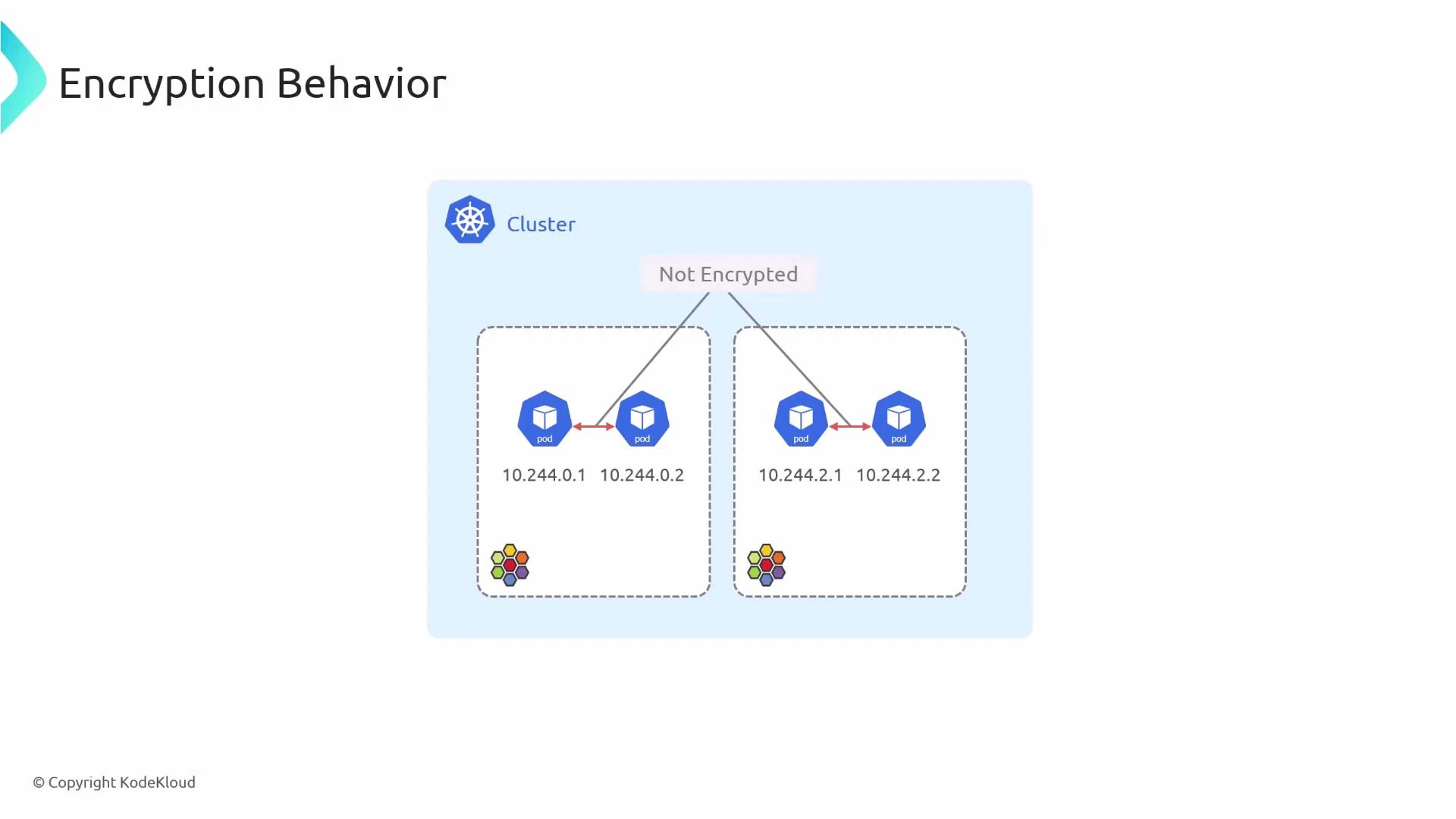 Traffic between pods on the same node is left unencrypted because protecting it would not stop an attacker who already has root on that node. Cilium focuses on encrypting inter-node pod traffic — the traffic that traverses the network where interception is possible without node compromise.
References and further reading
* Cilium encryption docs: [https://docs.cilium.io/en/stable/concepts/encryption/](https://docs.cilium.io/en/stable/concepts/encryption/)
* WireGuard: [https://www.wireguard.com/](https://www.wireguard.com/)
* IPsec overview: [https://datatracker.ietf.org/wg/ipsecme/about/](https://datatracker.ietf.org/wg/ipsecme/about/)
Traffic between pods on the same node is left unencrypted because protecting it would not stop an attacker who already has root on that node. Cilium focuses on encrypting inter-node pod traffic — the traffic that traverses the network where interception is possible without node compromise.
References and further reading
* Cilium encryption docs: [https://docs.cilium.io/en/stable/concepts/encryption/](https://docs.cilium.io/en/stable/concepts/encryption/)
* WireGuard: [https://www.wireguard.com/](https://www.wireguard.com/)
* IPsec overview: [https://datatracker.ietf.org/wg/ipsecme/about/](https://datatracker.ietf.org/wg/ipsecme/about/)