> ## Documentation Index
> Fetch the complete documentation index at: https://notes.kodekloud.com/llms.txt
> Use this file to discover all available pages before exploring further.
# Getting Started with Azure Cloud Management
> Guide to Azure cloud cost management covering visibility, budgeting, tagging, optimization strategies, governance controls, and automation to reduce and govern cloud spending.
Welcome back. In this lesson we shift focus to Azure Cloud Management.
Microsoft Azure provides a comprehensive toolbox—like GCP and AWS—for monitoring, analyzing, and optimizing cloud spending from day one. This article explains the four pillars of Azure Cloud Cost Management, practical optimization strategies, organizational best practices, and automation techniques to help control and reduce cloud costs across single- or multi-cloud environments.
## Four pillars of Azure Cloud Cost Management
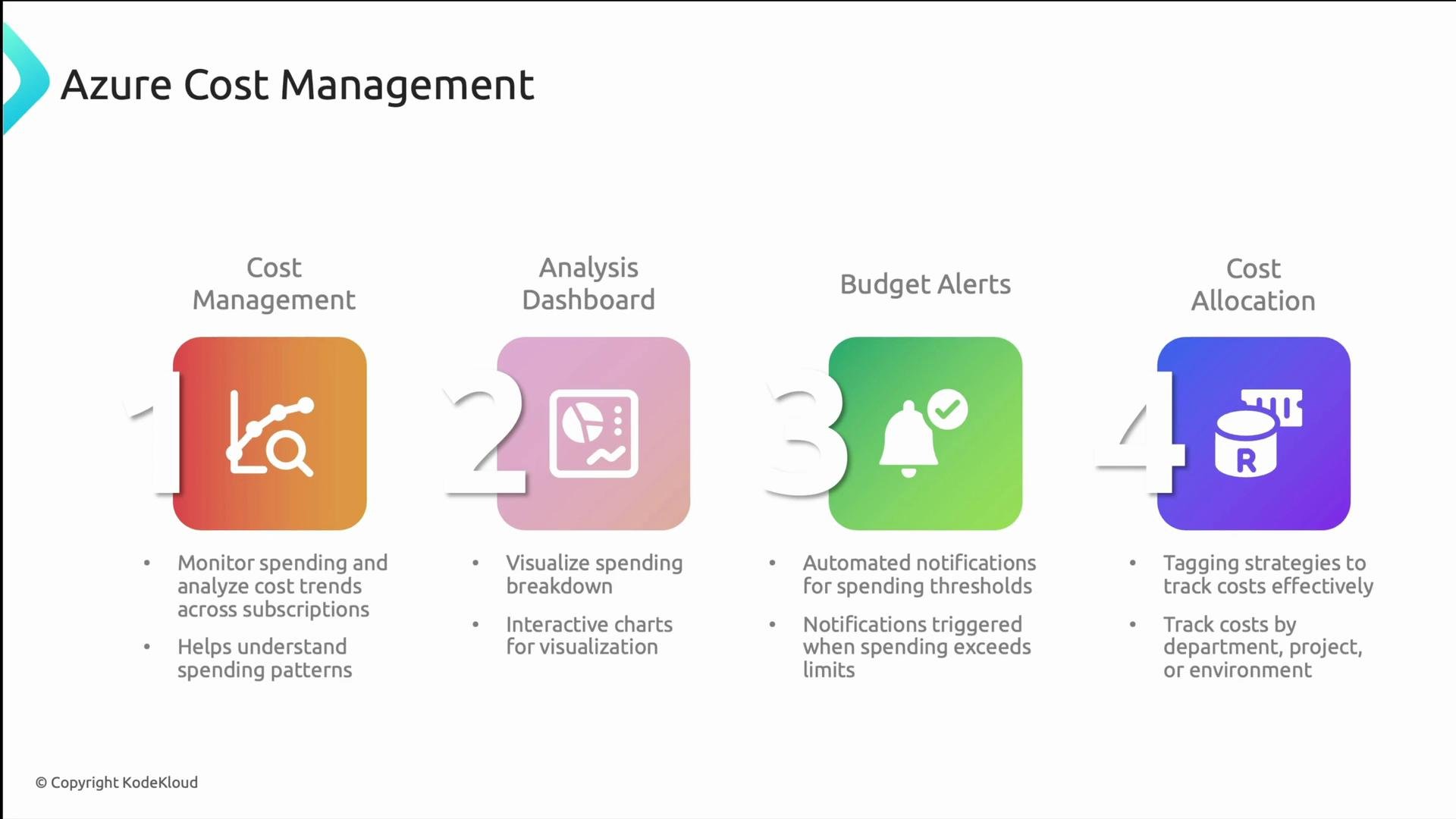
Azure Cost Management combines capabilities that give you visibility, analysis, enforcement, and allocation of cloud spend. Use these pillars together to detect anomalies, explain spend, and drive accountability.
| Pillar | Purpose | Typical uses |
| ------------------------- | ---------------------------------------- | ---------------------------------------------------------------------------------------------- |
| Cost Management | Track overall spend across subscriptions | Monitor spend trends, spot unexpected spikes, correlate costs with business events |
| Analysis Dashboard | Visualize and slice costs | Interactive charts, reports by resource group, service, region, or tags |
| Budget Alerts | Prevent or mitigate overruns | Automated notifications, trigger workflows or policy-based actions when thresholds are crossed |
| Cost Allocation (Tagging) | Attribute costs to teams/projects | Use consistent tags to enable chargeback/ showback and accurate reporting |
 Tagging is one of the most critical cross-cloud practices. Adopt consistent naming conventions and tag keys so cost allocation and reporting are reliable and automatable.
## Core cost-optimization strategies
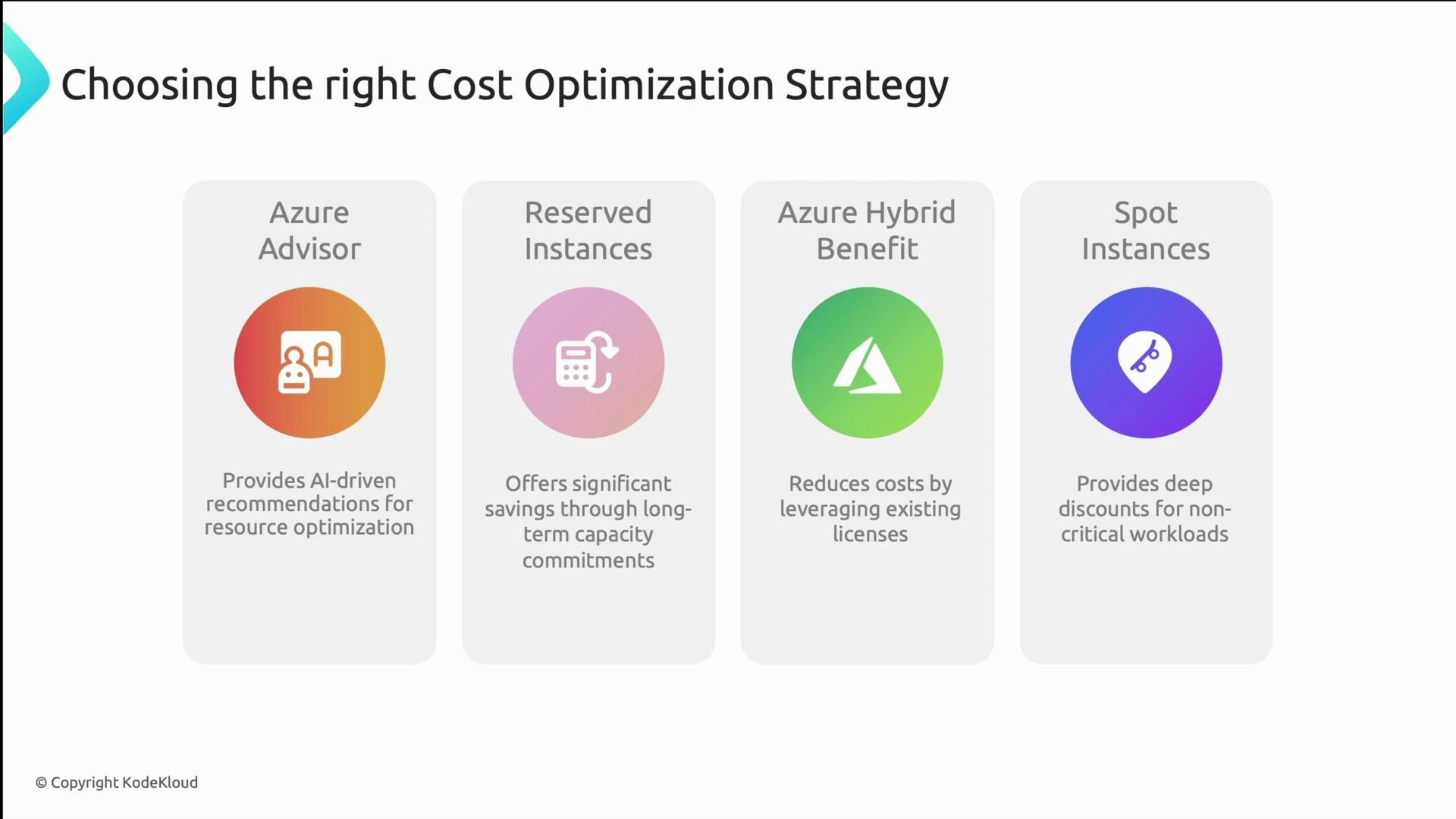
Azure offers several levers to reduce cost depending on workload profile, variability, and criticality:
| Strategy | Best for | Reference |
| ------------------------- | ------------------------------------------------ | -------------------------------------------------------------------------------------------------------------------------------------------------- |
| Azure Advisor | Mixed workloads with room for right-sizing | [https://learn.microsoft.com/azure/advisor/](https://learn.microsoft.com/azure/advisor/) |
| Reserved Instances (RIs) | Steady-state workloads with predictable capacity | [https://learn.microsoft.com/azure/cost-management-billing/reservations/](https://learn.microsoft.com/azure/cost-management-billing/reservations/) |
| Azure Hybrid Benefit | Organizations with existing Windows/SQL licenses | [https://learn.microsoft.com/azure/azure-hybrid-benefit/](https://learn.microsoft.com/azure/azure-hybrid-benefit/) |
| Spot Instances (Spot VMs) | Fault-tolerant, non-critical batch or test jobs | [https://learn.microsoft.com/azure/virtual-machines/spot-vms](https://learn.microsoft.com/azure/virtual-machines/spot-vms) |
* Azure Advisor analyzes usage and configuration to recommend rightsizing, orphaned resources, and tier adjustments.
* Reserved Instances commit capacity for 1–3 years for substantial discounts versus pay-as-you-go—great for predictable workloads.
* Azure Hybrid Benefit lets you reuse eligible on-premises licenses to reduce Azure compute and SQL costs.
* Spot VMs use surplus capacity at deep discounts but can be evicted; design for interruptions.
Spot VMs deliver large savings for interruptible workloads. Build fault-tolerance with checkpoints, retries, or stateless designs to handle evictions gracefully.
Tagging is one of the most critical cross-cloud practices. Adopt consistent naming conventions and tag keys so cost allocation and reporting are reliable and automatable.
## Core cost-optimization strategies
Azure offers several levers to reduce cost depending on workload profile, variability, and criticality:
| Strategy | Best for | Reference |
| ------------------------- | ------------------------------------------------ | -------------------------------------------------------------------------------------------------------------------------------------------------- |
| Azure Advisor | Mixed workloads with room for right-sizing | [https://learn.microsoft.com/azure/advisor/](https://learn.microsoft.com/azure/advisor/) |
| Reserved Instances (RIs) | Steady-state workloads with predictable capacity | [https://learn.microsoft.com/azure/cost-management-billing/reservations/](https://learn.microsoft.com/azure/cost-management-billing/reservations/) |
| Azure Hybrid Benefit | Organizations with existing Windows/SQL licenses | [https://learn.microsoft.com/azure/azure-hybrid-benefit/](https://learn.microsoft.com/azure/azure-hybrid-benefit/) |
| Spot Instances (Spot VMs) | Fault-tolerant, non-critical batch or test jobs | [https://learn.microsoft.com/azure/virtual-machines/spot-vms](https://learn.microsoft.com/azure/virtual-machines/spot-vms) |
* Azure Advisor analyzes usage and configuration to recommend rightsizing, orphaned resources, and tier adjustments.
* Reserved Instances commit capacity for 1–3 years for substantial discounts versus pay-as-you-go—great for predictable workloads.
* Azure Hybrid Benefit lets you reuse eligible on-premises licenses to reduce Azure compute and SQL costs.
* Spot VMs use surplus capacity at deep discounts but can be evicted; design for interruptions.
Spot VMs deliver large savings for interruptible workloads. Build fault-tolerance with checkpoints, retries, or stateless designs to handle evictions gracefully.
 ## Organizational controls and governance
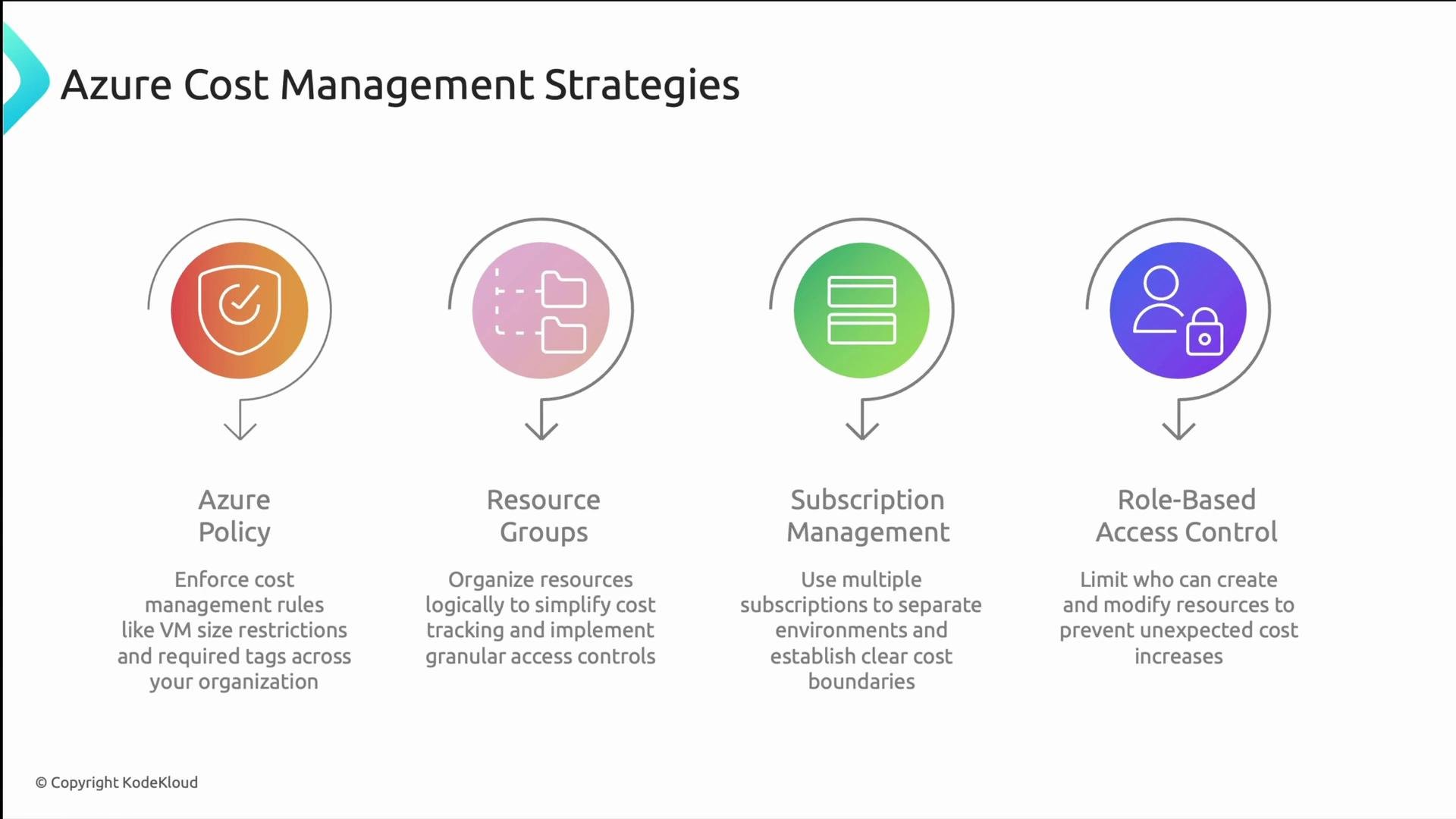
Enforce cost controls and accountability by applying governance patterns and access controls:
* Azure Policy: Create guardrails (e.g., disallow large VM SKUs in dev, require tags, or block high-cost SKUs in non-prod).
* [https://learn.microsoft.com/azure/governance/policy/](https://learn.microsoft.com/azure/governance/policy/)
* Resource Groups: Group related resources for management, role assignment, and scoped cost tracking.
* [https://learn.microsoft.com/azure/azure-resource-manager/management/resource-groups-portal](https://learn.microsoft.com/azure/azure-resource-manager/management/resource-groups-portal)
* Subscription Management: Use separate subscriptions to create billing boundaries between environments and business units.
* [https://learn.microsoft.com/azure/cost-management-billing/manage/](https://learn.microsoft.com/azure/cost-management-billing/manage/)
* Role-Based Access Control (RBAC): Limit permissions to prevent accidental or unauthorized resource creation that increases costs.
* [https://learn.microsoft.com/azure/role-based-access-control/overview](https://learn.microsoft.com/azure/role-based-access-control/overview)
Azure Policy and RBAC provide a mix of preventive (policy enforcement) and detective (alerts, reports) controls that keep spend within organizational guidelines.
## Organizational controls and governance
Enforce cost controls and accountability by applying governance patterns and access controls:
* Azure Policy: Create guardrails (e.g., disallow large VM SKUs in dev, require tags, or block high-cost SKUs in non-prod).
* [https://learn.microsoft.com/azure/governance/policy/](https://learn.microsoft.com/azure/governance/policy/)
* Resource Groups: Group related resources for management, role assignment, and scoped cost tracking.
* [https://learn.microsoft.com/azure/azure-resource-manager/management/resource-groups-portal](https://learn.microsoft.com/azure/azure-resource-manager/management/resource-groups-portal)
* Subscription Management: Use separate subscriptions to create billing boundaries between environments and business units.
* [https://learn.microsoft.com/azure/cost-management-billing/manage/](https://learn.microsoft.com/azure/cost-management-billing/manage/)
* Role-Based Access Control (RBAC): Limit permissions to prevent accidental or unauthorized resource creation that increases costs.
* [https://learn.microsoft.com/azure/role-based-access-control/overview](https://learn.microsoft.com/azure/role-based-access-control/overview)
Azure Policy and RBAC provide a mix of preventive (policy enforcement) and detective (alerts, reports) controls that keep spend within organizational guidelines.
 ## Automation: APIs, reporting, and infrastructure as code
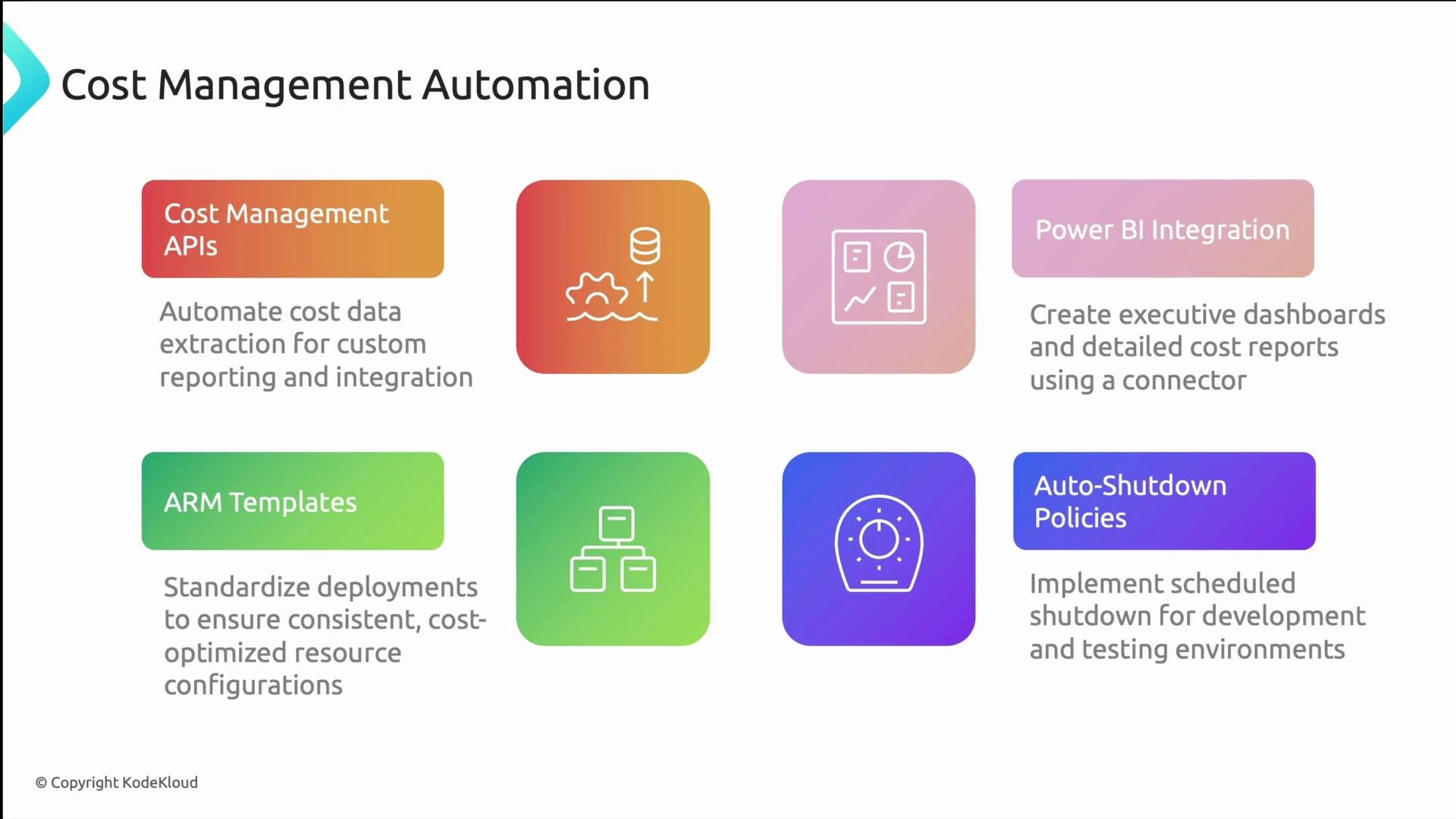
Automation reduces manual effort and improves consistency in reporting and enforcement:
* Cost Management APIs: Programmatically extract cost and usage data for integration with BI tools or financial systems.
* [https://learn.microsoft.com/azure/cost-management-billing/costs/cost-management-get-started-rest](https://learn.microsoft.com/azure/cost-management-billing/costs/cost-management-get-started-rest)
* Power BI Integration: Combine cost data with operational metrics to create business-facing dashboards.
* [https://learn.microsoft.com/azure/cost-management-billing/costs/connect-to-power-bi](https://learn.microsoft.com/azure/cost-management-billing/costs/connect-to-power-bi)
* ARM Templates and Bicep: Codify infrastructure to enforce tags, naming, and cost-aware defaults at deployment time.
* [https://learn.microsoft.com/azure/azure-resource-manager/templates/](https://learn.microsoft.com/azure/azure-resource-manager/templates/)
* [https://learn.microsoft.com/azure/azure-resource-manager/bicep/](https://learn.microsoft.com/azure/azure-resource-manager/bicep/)
* Auto-Shutdown Policies: Schedule idle non-production VMs to shut down to avoid paying for unused compute—use DevTest Labs or native scheduling for large savings.
Before rolling out auto-shutdown broadly, validate service dependencies and scheduled jobs (e.g., CI/CD runners) to prevent unexpected disruptions.
## Automation: APIs, reporting, and infrastructure as code
Automation reduces manual effort and improves consistency in reporting and enforcement:
* Cost Management APIs: Programmatically extract cost and usage data for integration with BI tools or financial systems.
* [https://learn.microsoft.com/azure/cost-management-billing/costs/cost-management-get-started-rest](https://learn.microsoft.com/azure/cost-management-billing/costs/cost-management-get-started-rest)
* Power BI Integration: Combine cost data with operational metrics to create business-facing dashboards.
* [https://learn.microsoft.com/azure/cost-management-billing/costs/connect-to-power-bi](https://learn.microsoft.com/azure/cost-management-billing/costs/connect-to-power-bi)
* ARM Templates and Bicep: Codify infrastructure to enforce tags, naming, and cost-aware defaults at deployment time.
* [https://learn.microsoft.com/azure/azure-resource-manager/templates/](https://learn.microsoft.com/azure/azure-resource-manager/templates/)
* [https://learn.microsoft.com/azure/azure-resource-manager/bicep/](https://learn.microsoft.com/azure/azure-resource-manager/bicep/)
* Auto-Shutdown Policies: Schedule idle non-production VMs to shut down to avoid paying for unused compute—use DevTest Labs or native scheduling for large savings.
Before rolling out auto-shutdown broadly, validate service dependencies and scheduled jobs (e.g., CI/CD runners) to prevent unexpected disruptions.
 ## Summary & recommended practices
* Azure Cloud Management gives you a framework for financial governance: visibility, analysis, budgeting, allocation, optimization, and automation.
* Key levers: tagging and allocation, policies and RBAC, reserved capacity and hybrid licensing, Advisor recommendations, and automation via APIs and IaC.
* Treat cost management as a continuous process: keep documentation, tag standards, and policies current; review Advisor and reservation utilization regularly.
Maintain living documentation for tagging and cost policies. Regularly review Advisor recommendations, RI utilization, and policy effectiveness to keep costs aligned with business needs.
That concludes this lesson. See you in the next one.
## Links and references
* Azure Cost Management docs: [https://learn.microsoft.com/azure/cost-management-billing/](https://learn.microsoft.com/azure/cost-management-billing/)
* Azure Advisor: [https://learn.microsoft.com/azure/advisor/](https://learn.microsoft.com/azure/advisor/)
* Reserved Instances: [https://learn.microsoft.com/azure/cost-management-billing/reservations/](https://learn.microsoft.com/azure/cost-management-billing/reservations/)
* Azure Hybrid Benefit: [https://learn.microsoft.com/azure/azure-hybrid-benefit/](https://learn.microsoft.com/azure/azure-hybrid-benefit/)
* Spot VMs: [https://learn.microsoft.com/azure/virtual-machines/spot-vms](https://learn.microsoft.com/azure/virtual-machines/spot-vms)
* Azure Policy: [https://learn.microsoft.com/azure/governance/policy/](https://learn.microsoft.com/azure/governance/policy/)
* ARM Templates and Bicep: [https://learn.microsoft.com/azure/azure-resource-manager/templates/](https://learn.microsoft.com/azure/azure-resource-manager/templates/) and [https://learn.microsoft.com/azure/azure-resource-manager/bicep/](https://learn.microsoft.com/azure/azure-resource-manager/bicep/)
* Power BI integration: [https://learn.microsoft.com/azure/cost-management-billing/costs/connect-to-power-bi](https://learn.microsoft.com/azure/cost-management-billing/costs/connect-to-power-bi)
## Summary & recommended practices
* Azure Cloud Management gives you a framework for financial governance: visibility, analysis, budgeting, allocation, optimization, and automation.
* Key levers: tagging and allocation, policies and RBAC, reserved capacity and hybrid licensing, Advisor recommendations, and automation via APIs and IaC.
* Treat cost management as a continuous process: keep documentation, tag standards, and policies current; review Advisor and reservation utilization regularly.
Maintain living documentation for tagging and cost policies. Regularly review Advisor recommendations, RI utilization, and policy effectiveness to keep costs aligned with business needs.
That concludes this lesson. See you in the next one.
## Links and references
* Azure Cost Management docs: [https://learn.microsoft.com/azure/cost-management-billing/](https://learn.microsoft.com/azure/cost-management-billing/)
* Azure Advisor: [https://learn.microsoft.com/azure/advisor/](https://learn.microsoft.com/azure/advisor/)
* Reserved Instances: [https://learn.microsoft.com/azure/cost-management-billing/reservations/](https://learn.microsoft.com/azure/cost-management-billing/reservations/)
* Azure Hybrid Benefit: [https://learn.microsoft.com/azure/azure-hybrid-benefit/](https://learn.microsoft.com/azure/azure-hybrid-benefit/)
* Spot VMs: [https://learn.microsoft.com/azure/virtual-machines/spot-vms](https://learn.microsoft.com/azure/virtual-machines/spot-vms)
* Azure Policy: [https://learn.microsoft.com/azure/governance/policy/](https://learn.microsoft.com/azure/governance/policy/)
* ARM Templates and Bicep: [https://learn.microsoft.com/azure/azure-resource-manager/templates/](https://learn.microsoft.com/azure/azure-resource-manager/templates/) and [https://learn.microsoft.com/azure/azure-resource-manager/bicep/](https://learn.microsoft.com/azure/azure-resource-manager/bicep/)
* Power BI integration: [https://learn.microsoft.com/azure/cost-management-billing/costs/connect-to-power-bi](https://learn.microsoft.com/azure/cost-management-billing/costs/connect-to-power-bi)