> ## Documentation Index
> Fetch the complete documentation index at: https://notes.kodekloud.com/llms.txt
> Use this file to discover all available pages before exploring further.
# Demo Encrypt Secrets Using Bitnami Sealed Secrets
> Demonstrates encrypting Kubernetes Secrets with Bitnami Sealed Secrets using kubeseal and Argo CD so secrets can be safely stored in Git and decrypted only by the cluster controller
In this lesson we encrypt Kubernetes Secrets with Bitnami Sealed Secrets so they can be safely stored in Git and only be decrypted by the Sealed Secrets controller running in the target cluster.
We will work inside the `sealed-secret` directory of the `cgoa-demos` repository.
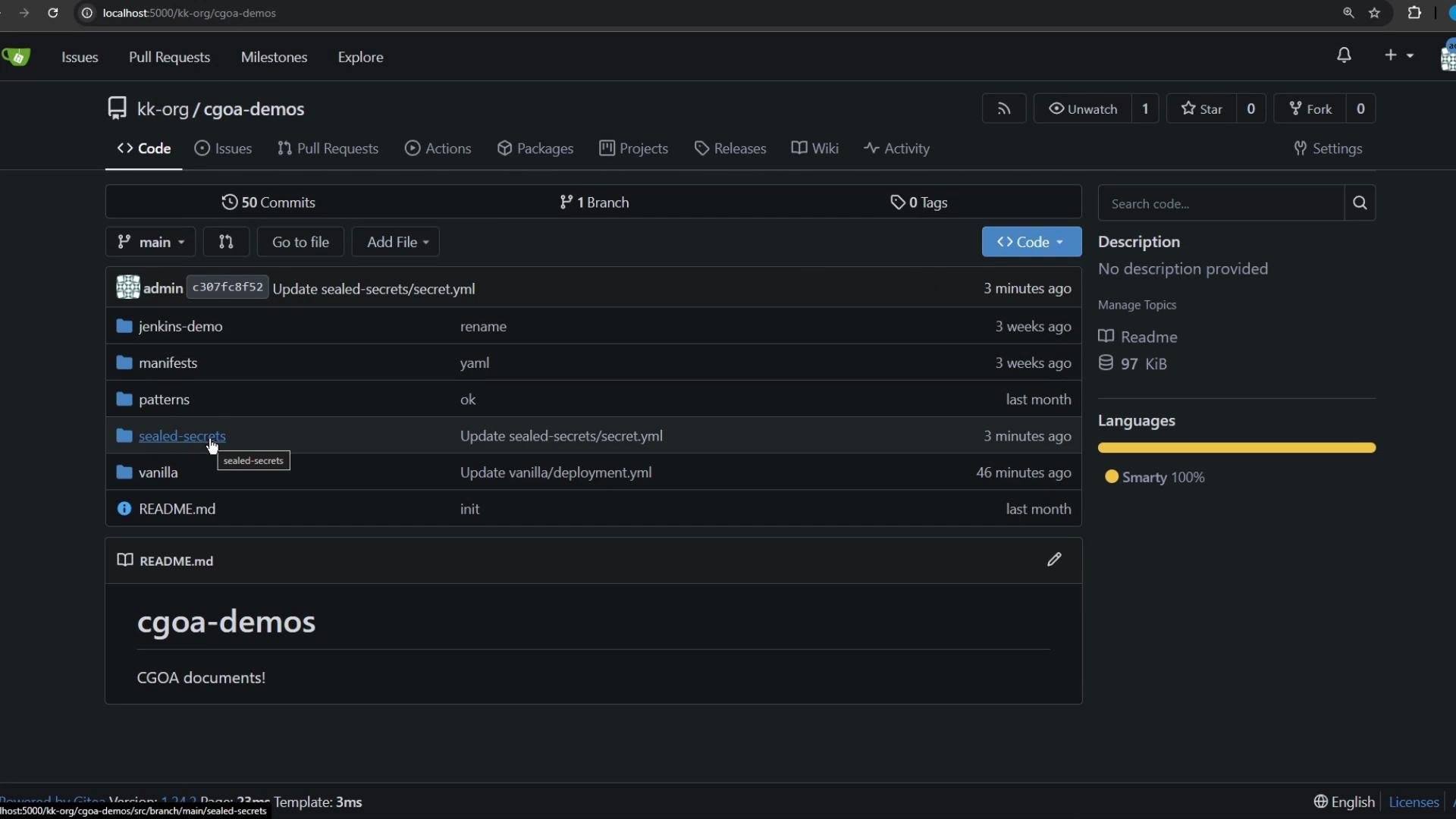 In that directory you can see a Deployment, a Service, and a standard Kubernetes Secret file that was recently updated.
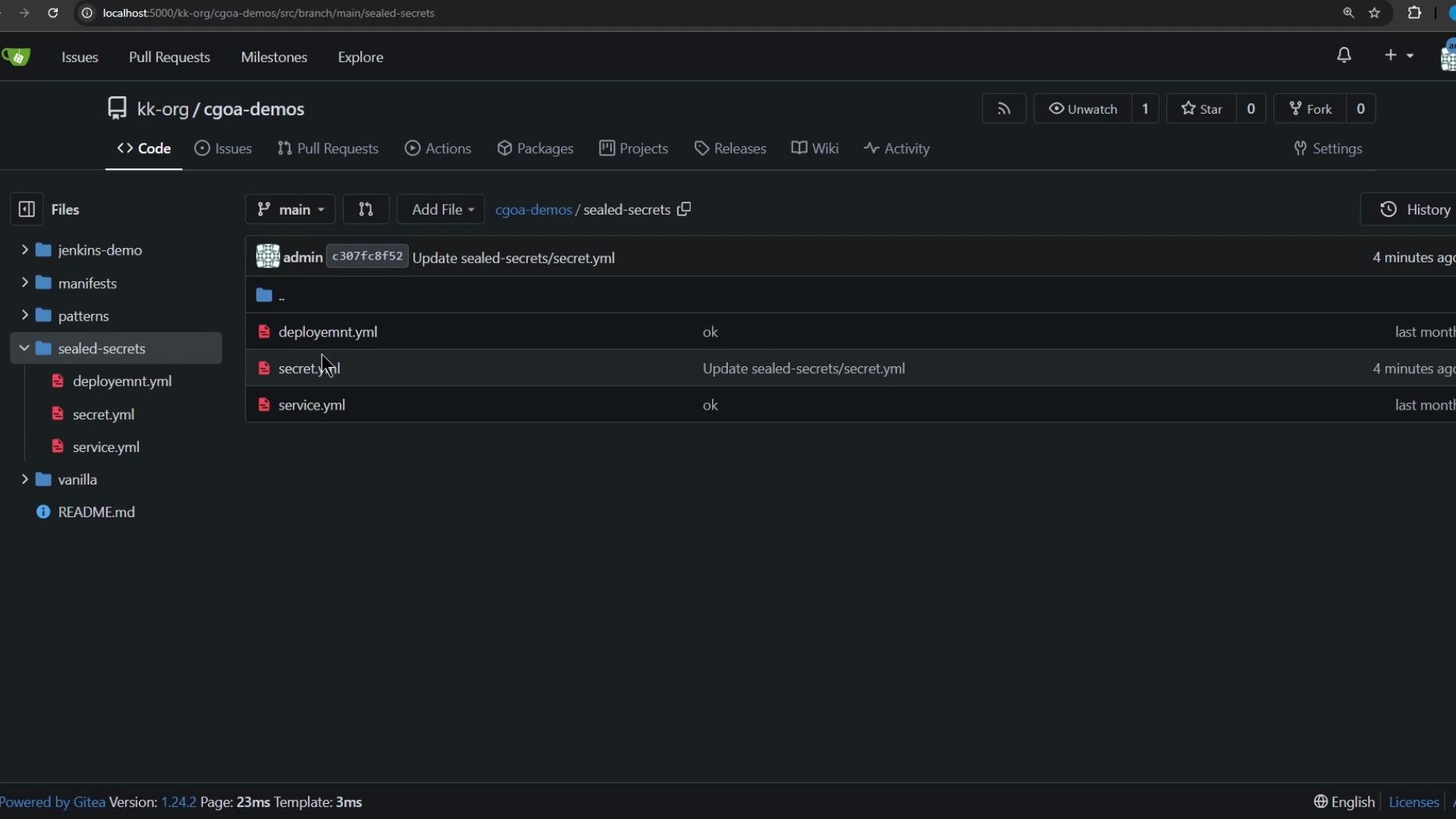 Important: a Kubernetes Secret stores values Base64-encoded, not encrypted. Anyone with the file can decode the values.
Example of a plain Secret YAML (values are Base64-encoded):
```yaml theme={null}
apiVersion: v1
kind: Secret
metadata:
name: app-crds
data:
apikey: emFDRUxnTC0wa1l5ZmM4bVZM3dzQWF3
username: YWRtaW4=
password: cGFzc3dvcmQ=
```
Because GitOps workflows keep manifests in Git, never commit plain (or only Base64-encoded) Secrets. Instead, encrypt secrets for storage in Git with a tool that only the cluster controller can decrypt — for example, Bitnami Sealed Secrets.
Overview — how this works
* The Sealed Secrets controller in the cluster holds a private key.
* You fetch the controller's public certificate and use `kubeseal` to encrypt a regular Secret YAML into a SealedSecret.
* The SealedSecret is safe to commit to Git because it contains only encrypted data.
* When applied to a cluster, the controller decrypts it and creates a standard Kubernetes Secret for pods to consume.
Step 1 — get the Sealed Secrets controller public certificate
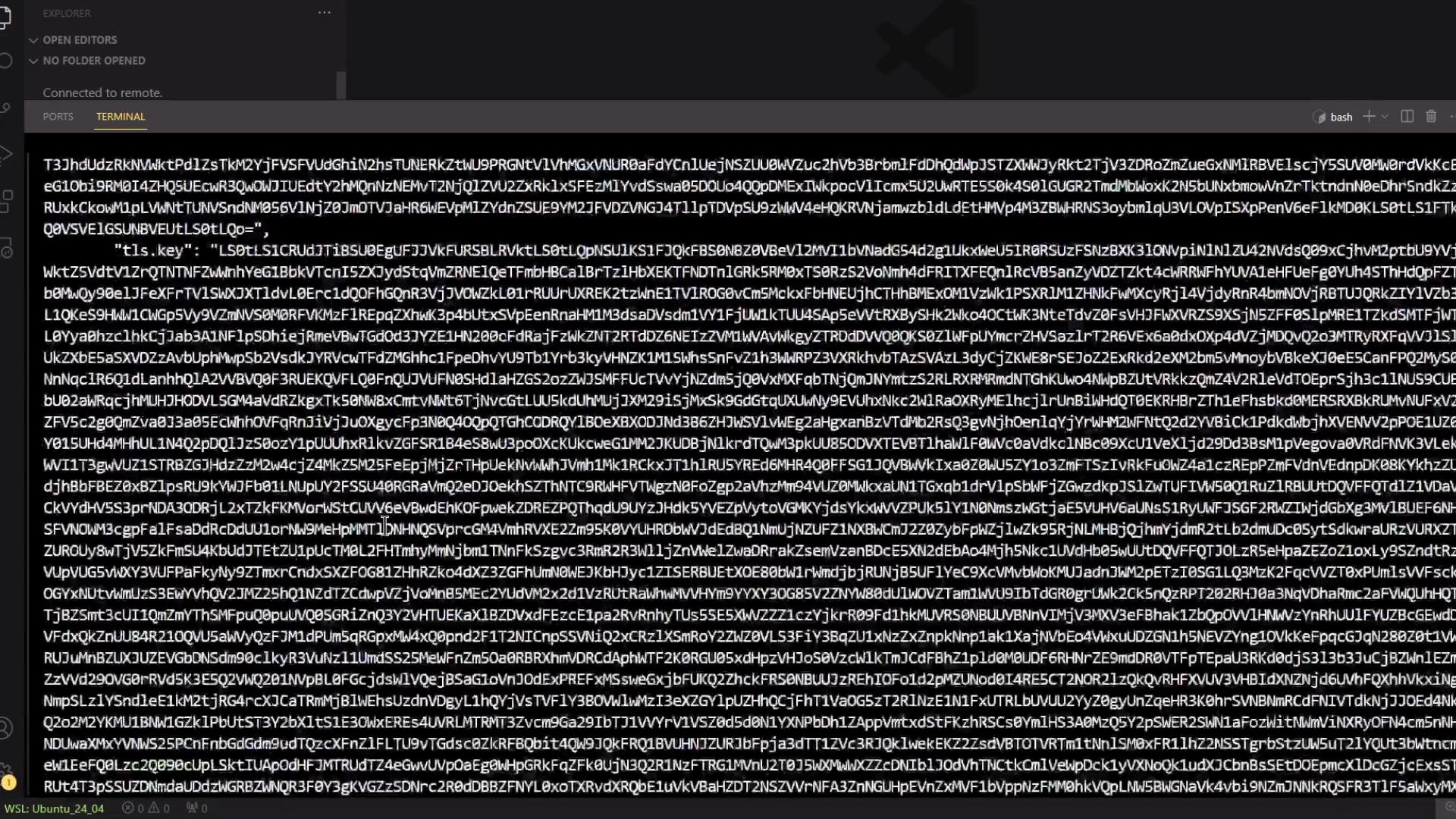
The `kubeseal` client needs the controller's public cert to encrypt secrets. Fetch it from the namespace where the controller is installed (commonly `kube-system`):
1. List secrets in the controller namespace:
```bash theme={null}
kubectl -n kube-system get secret
```
2. Extract and decode the controller certificate (replace `` with the secret name you found):
```bash theme={null}
kubectl -n kube-system get secret -o json \
| jq -r '.data["tls.crt"]' \
| base64 --decode > ss-public.crt
```
Notes:
* The bracket notation `["tls.crt"]` is required because the key contains a dot.
* `ss-public.crt` will contain the controller public certificate in PEM format, e.g.:
```text theme={null}
-----BEGIN CERTIFICATE-----
MIIzEDCArSgAwIBAgIQNydvhgVzGKbSCcZ...
-----END CERTIFICATE-----
```
Important: a Kubernetes Secret stores values Base64-encoded, not encrypted. Anyone with the file can decode the values.
Example of a plain Secret YAML (values are Base64-encoded):
```yaml theme={null}
apiVersion: v1
kind: Secret
metadata:
name: app-crds
data:
apikey: emFDRUxnTC0wa1l5ZmM4bVZM3dzQWF3
username: YWRtaW4=
password: cGFzc3dvcmQ=
```
Because GitOps workflows keep manifests in Git, never commit plain (or only Base64-encoded) Secrets. Instead, encrypt secrets for storage in Git with a tool that only the cluster controller can decrypt — for example, Bitnami Sealed Secrets.
Overview — how this works
* The Sealed Secrets controller in the cluster holds a private key.
* You fetch the controller's public certificate and use `kubeseal` to encrypt a regular Secret YAML into a SealedSecret.
* The SealedSecret is safe to commit to Git because it contains only encrypted data.
* When applied to a cluster, the controller decrypts it and creates a standard Kubernetes Secret for pods to consume.
Step 1 — get the Sealed Secrets controller public certificate
The `kubeseal` client needs the controller's public cert to encrypt secrets. Fetch it from the namespace where the controller is installed (commonly `kube-system`):
1. List secrets in the controller namespace:
```bash theme={null}
kubectl -n kube-system get secret
```
2. Extract and decode the controller certificate (replace `` with the secret name you found):
```bash theme={null}
kubectl -n kube-system get secret -o json \
| jq -r '.data["tls.crt"]' \
| base64 --decode > ss-public.crt
```
Notes:
* The bracket notation `["tls.crt"]` is required because the key contains a dot.
* `ss-public.crt` will contain the controller public certificate in PEM format, e.g.:
```text theme={null}
-----BEGIN CERTIFICATE-----
MIIzEDCArSgAwIBAgIQNydvhgVzGKbSCcZ...
-----END CERTIFICATE-----
```
 Step 2 — generate the Secret YAML locally (without applying it)
Use `kubectl create secret` with a dry-run to produce the Secret YAML file:
```bash theme={null}
kubectl create secret generic app-crds \
--from-literal=apikey=zaCELGm8vAyarYr4Rx-Af50DDqtlx \
--from-literal=username=admin-dev-group \
--from-literal='password=pa$$w0rd123' \
-o yaml --dry-run=client > mysql-password.yaml
```
Tip: quote literal values that include shell-sensitive characters (like `$`) to prevent expansion, as shown for the `password`.
Generated Secret (simplified):
```yaml theme={null}
apiVersion: v1
kind: Secret
metadata:
name: app-crds
data:
apikey: emFRUXnTC0wAlmbm4ZWM3dzQWF3
username: YWRtaW4tZGV2LWxpcw==
password: cGEtJHcwdmQxMjM=
```
Step 3 — encrypt the Secret with kubeseal
Use the public certificate and choose a scope for the resulting SealedSecret (`cluster-wide` or `namespace`):
```bash theme={null}
kubeseal --cert ss-public.crt --scope cluster-wide -o yaml \
< mysql-password.yaml > sealed-secret.yaml
```
This reads the cleartext Secret from stdin and writes a SealedSecret resource to `sealed-secret.yaml`. A SealedSecret uses `spec.encryptedData` (not `data`) and is safe to commit.
Example (truncated):
```yaml theme={null}
apiVersion: bitnami.com/v1alpha1
kind: SealedSecret
metadata:
name: app-crds
annotations:
sealedsecrets.bitnami.com/cluster-wide: "true"
spec:
encryptedData:
apikey: AgAWtLEpdg/433zTXjKhuIrubYubbDA1or7Mm4UmMw0m/...
password: AgB6ZlGxWrdZYrMUrYTM...
template:
metadata:
annotations:
sealedsecrets.bitnami.com/cluster-wide: "true"
```
Do not commit plain Secret YAML files to Git. Commit only the SealedSecret YAML so secrets remain encrypted in the repository.
Step 4 — commit the SealedSecret to Git and deploy with Argo CD
* Commit `sealed-secret.yaml` to the repository path monitored by Argo CD.
* Configure an Argo CD Application pointing at the repo/path containing the SealedSecret (you can create the application's namespace via Argo CD or beforehand).
* Sync the Argo CD Application.
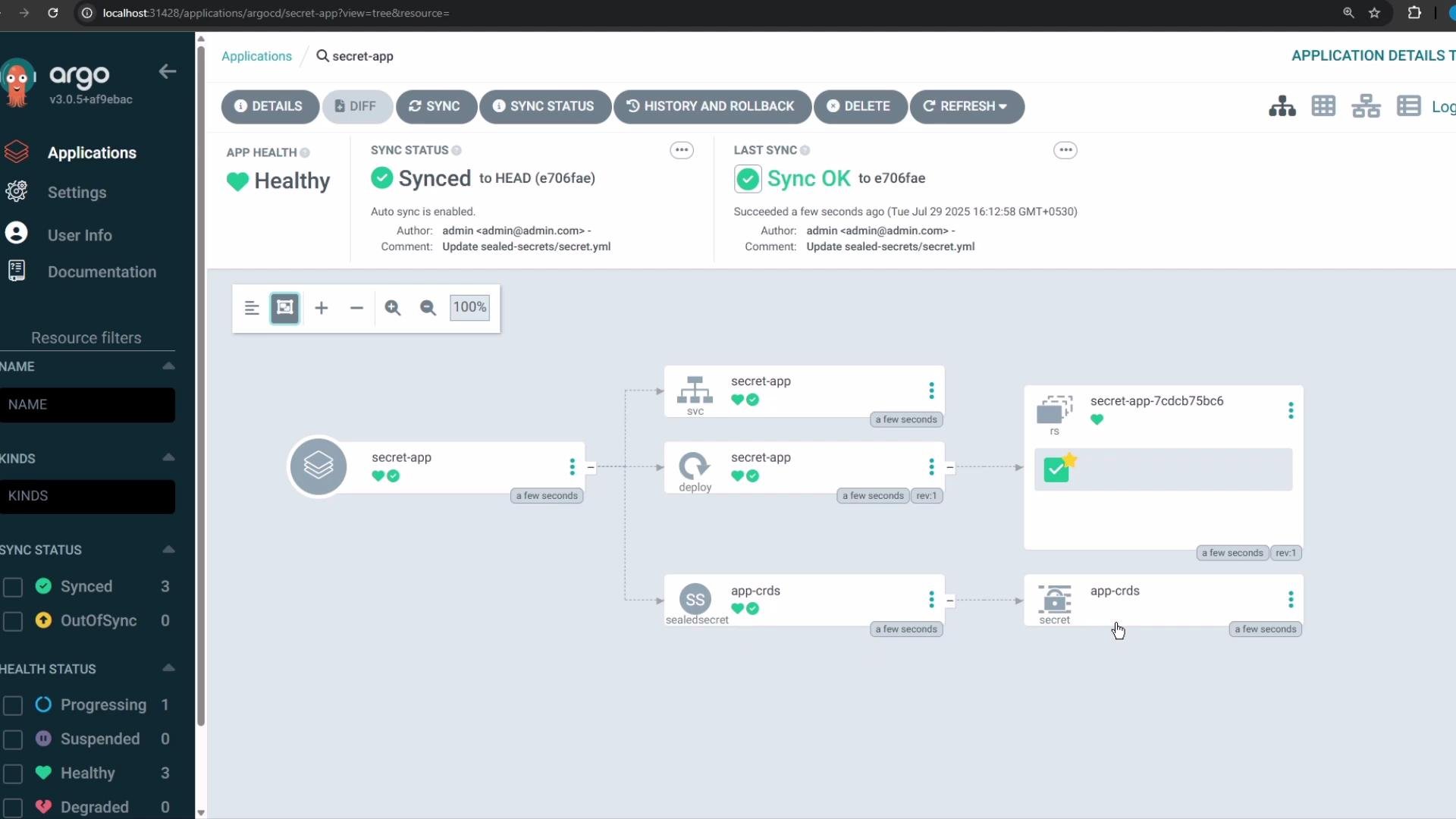
When Argo CD applies the SealedSecret, the Sealed Secrets controller intercepts it, decrypts the `encryptedData` with its private key, and creates a regular Kubernetes Secret in the target namespace for your application.
Argo CD UI — application view
Step 2 — generate the Secret YAML locally (without applying it)
Use `kubectl create secret` with a dry-run to produce the Secret YAML file:
```bash theme={null}
kubectl create secret generic app-crds \
--from-literal=apikey=zaCELGm8vAyarYr4Rx-Af50DDqtlx \
--from-literal=username=admin-dev-group \
--from-literal='password=pa$$w0rd123' \
-o yaml --dry-run=client > mysql-password.yaml
```
Tip: quote literal values that include shell-sensitive characters (like `$`) to prevent expansion, as shown for the `password`.
Generated Secret (simplified):
```yaml theme={null}
apiVersion: v1
kind: Secret
metadata:
name: app-crds
data:
apikey: emFRUXnTC0wAlmbm4ZWM3dzQWF3
username: YWRtaW4tZGV2LWxpcw==
password: cGEtJHcwdmQxMjM=
```
Step 3 — encrypt the Secret with kubeseal
Use the public certificate and choose a scope for the resulting SealedSecret (`cluster-wide` or `namespace`):
```bash theme={null}
kubeseal --cert ss-public.crt --scope cluster-wide -o yaml \
< mysql-password.yaml > sealed-secret.yaml
```
This reads the cleartext Secret from stdin and writes a SealedSecret resource to `sealed-secret.yaml`. A SealedSecret uses `spec.encryptedData` (not `data`) and is safe to commit.
Example (truncated):
```yaml theme={null}
apiVersion: bitnami.com/v1alpha1
kind: SealedSecret
metadata:
name: app-crds
annotations:
sealedsecrets.bitnami.com/cluster-wide: "true"
spec:
encryptedData:
apikey: AgAWtLEpdg/433zTXjKhuIrubYubbDA1or7Mm4UmMw0m/...
password: AgB6ZlGxWrdZYrMUrYTM...
template:
metadata:
annotations:
sealedsecrets.bitnami.com/cluster-wide: "true"
```
Do not commit plain Secret YAML files to Git. Commit only the SealedSecret YAML so secrets remain encrypted in the repository.
Step 4 — commit the SealedSecret to Git and deploy with Argo CD
* Commit `sealed-secret.yaml` to the repository path monitored by Argo CD.
* Configure an Argo CD Application pointing at the repo/path containing the SealedSecret (you can create the application's namespace via Argo CD or beforehand).
* Sync the Argo CD Application.
When Argo CD applies the SealedSecret, the Sealed Secrets controller intercepts it, decrypts the `encryptedData` with its private key, and creates a regular Kubernetes Secret in the target namespace for your application.
Argo CD UI — application view
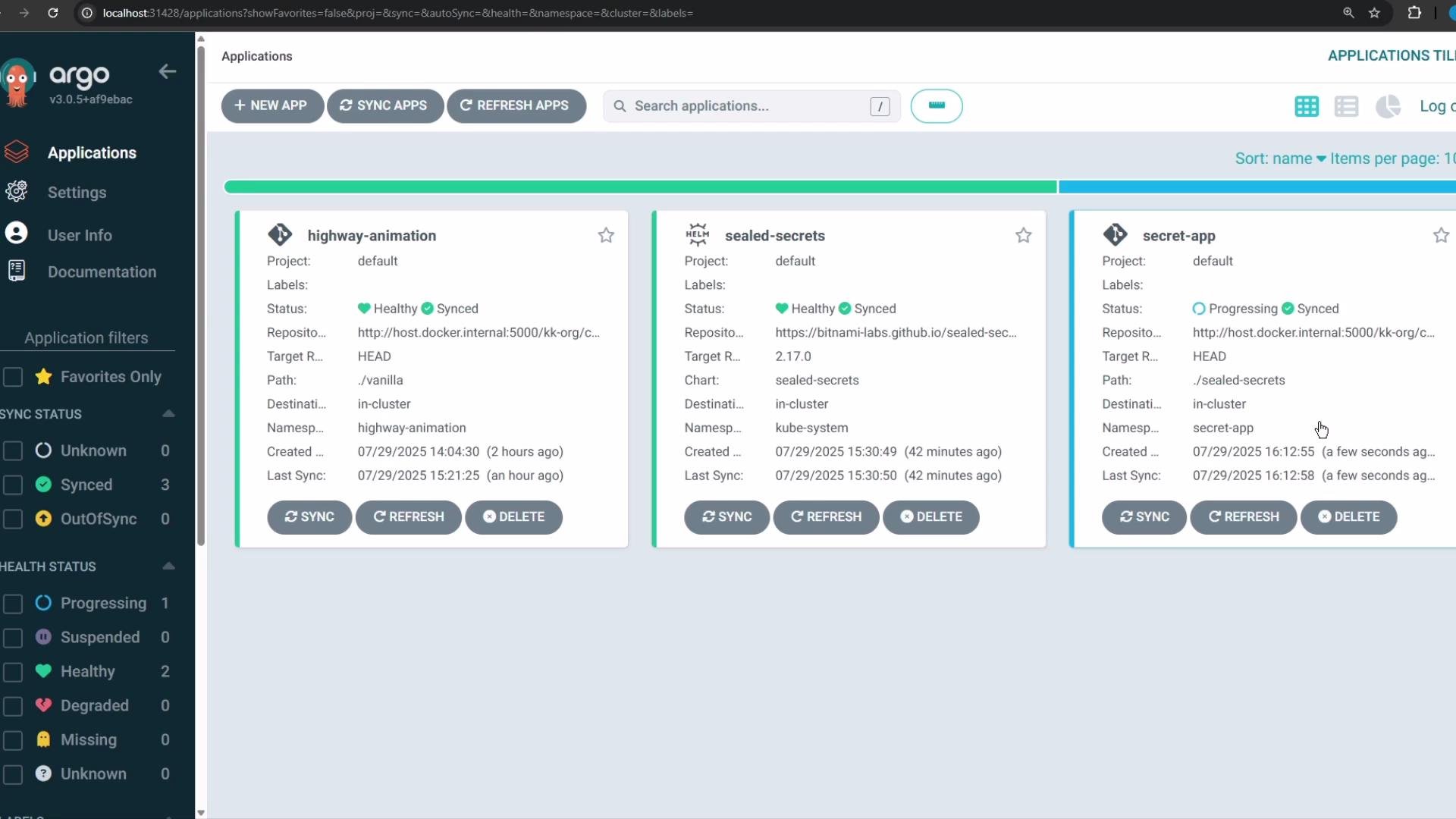 You can inspect application relationships and sync/health status in Argo CD.
 Step 5 — verify the Secret in the cluster
1. Verify namespaces (you should see `secret-app` if Argo CD created it):
```bash theme={null}
kubectl get ns
```
2. Check resources in the application namespace:
```bash theme={null}
kubectl -n secret-app get all
```
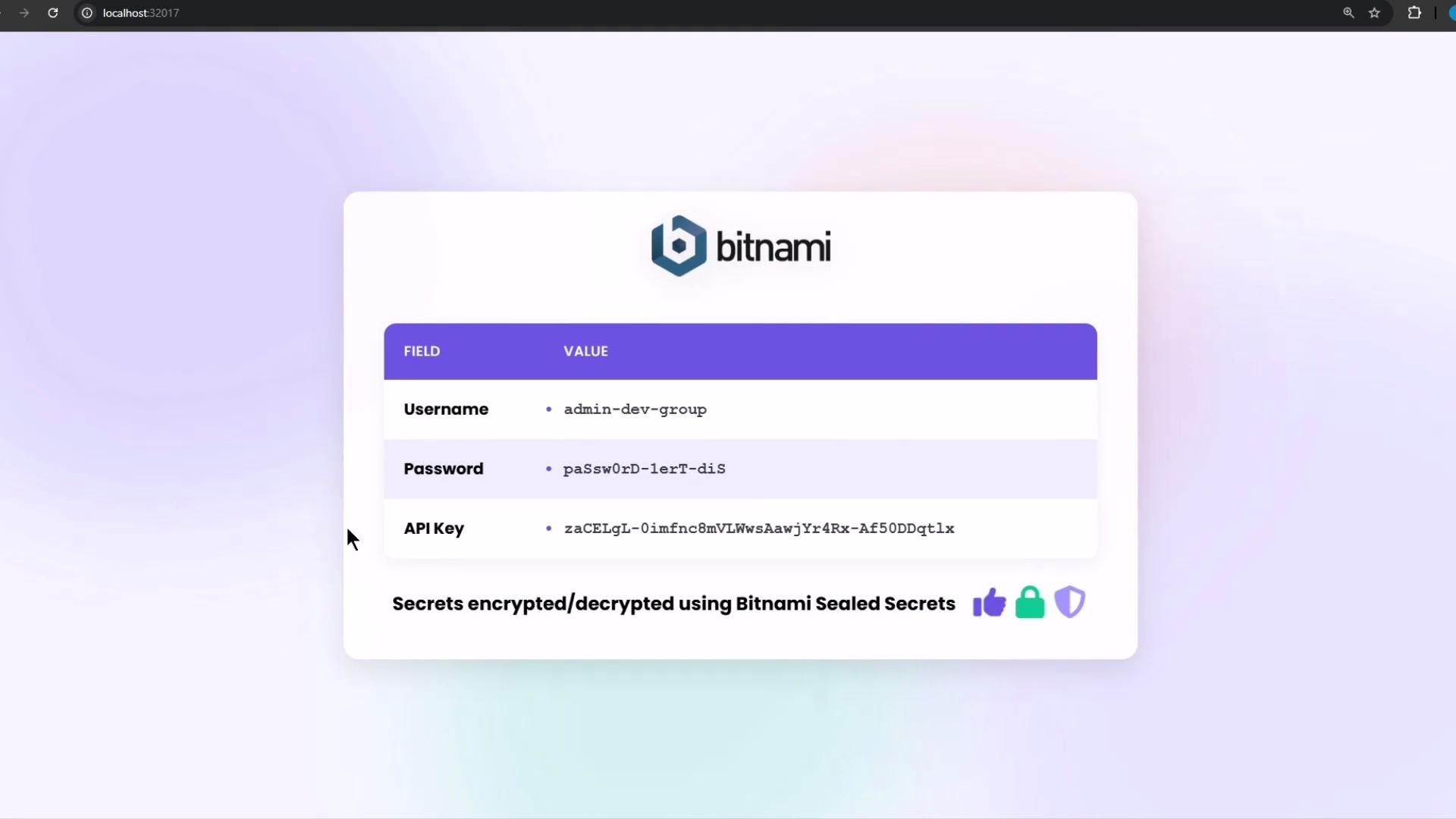
3. Inspect the created Secret (the Sealed Secrets controller creates a normal `Secret` resource — values are still Base64-encoded per Kubernetes format, but represent the decrypted values from the original Secret):
```bash theme={null}
kubectl get secret app-crds -n secret-app -o json
```
Example output (truncated):
```json theme={null}
{
"apiVersion": "v1",
"data": {
"apikey": "emFDRUnTC0wAlmbmM4bZVM3dzQWF3",
"password": "cGFzc3dvcmQ=",
"username": "YWRtaW4="
},
"kind": "Secret",
"metadata": {
"name": "app-crds",
"namespace": "secret-app",
"annotations": {
"sealedsecrets.bitnami.com/cluster-wide": "true"
},
"ownerReferences": [
{
"apiVersion": "bitnami.com/v1alpha1",
"controller": true,
"kind": "SealedSecret",
"name": "app-crds"
}
]
},
"type": "Opaque"
}
```
Step 5 — verify the Secret in the cluster
1. Verify namespaces (you should see `secret-app` if Argo CD created it):
```bash theme={null}
kubectl get ns
```
2. Check resources in the application namespace:
```bash theme={null}
kubectl -n secret-app get all
```
3. Inspect the created Secret (the Sealed Secrets controller creates a normal `Secret` resource — values are still Base64-encoded per Kubernetes format, but represent the decrypted values from the original Secret):
```bash theme={null}
kubectl get secret app-crds -n secret-app -o json
```
Example output (truncated):
```json theme={null}
{
"apiVersion": "v1",
"data": {
"apikey": "emFDRUnTC0wAlmbmM4bZVM3dzQWF3",
"password": "cGFzc3dvcmQ=",
"username": "YWRtaW4="
},
"kind": "Secret",
"metadata": {
"name": "app-crds",
"namespace": "secret-app",
"annotations": {
"sealedsecrets.bitnami.com/cluster-wide": "true"
},
"ownerReferences": [
{
"apiVersion": "bitnami.com/v1alpha1",
"controller": true,
"kind": "SealedSecret",
"name": "app-crds"
}
]
},
"type": "Opaque"
}
```
 Key takeaways
* SealedSecrets are safe to commit to Git because they store only encrypted data.
* The cluster's Sealed Secrets controller holds the private key and will decrypt SealedSecrets to create real Kubernetes Secrets in the target namespace.
* Applications consume the resulting Secret as usual.
Quick command reference
| Task | Command |
| ------------------------------------ | --------------------------------------------------------------------------------------------------------------------------------------------------------------------------- |
| List secrets in controller namespace | `kubectl -n kube-system get secret` |
| Extract controller cert | `kubectl -n kube-system get secret -o json \| jq -r '.data["tls.crt"]' \| base64 --decode > ss-public.crt` |
| Create a Secret YAML (dry-run) | `kubectl create secret generic app-crds --from-literal=apikey=... --from-literal=username=... --from-literal='password=...' -o yaml --dry-run=client > mysql-password.yaml` |
| Encrypt Secret to SealedSecret | `kubeseal --cert ss-public.crt --scope cluster-wide -o yaml < mysql-password.yaml > sealed-secret.yaml` |
| Verify created Secret in cluster | `kubectl get secret app-crds -n secret-app -o json` |
Alternatives and further reading
* Bitnami Sealed Secrets: [https://github.com/bitnami-labs/sealed-secrets](https://github.com/bitnami-labs/sealed-secrets)
* kubeseal (client): [https://github.com/bitnami-labs/sealed-secrets#kubeseal](https://github.com/bitnami-labs/sealed-secrets#kubeseal)
* Argo CD documentation: [https://argo-cd.readthedocs.io/](https://argo-cd.readthedocs.io/)
* Other GitOps secret management tools: Mozilla SOPS, HashiCorp Vault
This concludes the demo.
Key takeaways
* SealedSecrets are safe to commit to Git because they store only encrypted data.
* The cluster's Sealed Secrets controller holds the private key and will decrypt SealedSecrets to create real Kubernetes Secrets in the target namespace.
* Applications consume the resulting Secret as usual.
Quick command reference
| Task | Command |
| ------------------------------------ | --------------------------------------------------------------------------------------------------------------------------------------------------------------------------- |
| List secrets in controller namespace | `kubectl -n kube-system get secret` |
| Extract controller cert | `kubectl -n kube-system get secret -o json \| jq -r '.data["tls.crt"]' \| base64 --decode > ss-public.crt` |
| Create a Secret YAML (dry-run) | `kubectl create secret generic app-crds --from-literal=apikey=... --from-literal=username=... --from-literal='password=...' -o yaml --dry-run=client > mysql-password.yaml` |
| Encrypt Secret to SealedSecret | `kubeseal --cert ss-public.crt --scope cluster-wide -o yaml < mysql-password.yaml > sealed-secret.yaml` |
| Verify created Secret in cluster | `kubectl get secret app-crds -n secret-app -o json` |
Alternatives and further reading
* Bitnami Sealed Secrets: [https://github.com/bitnami-labs/sealed-secrets](https://github.com/bitnami-labs/sealed-secrets)
* kubeseal (client): [https://github.com/bitnami-labs/sealed-secrets#kubeseal](https://github.com/bitnami-labs/sealed-secrets#kubeseal)
* Argo CD documentation: [https://argo-cd.readthedocs.io/](https://argo-cd.readthedocs.io/)
* Other GitOps secret management tools: Mozilla SOPS, HashiCorp Vault
This concludes the demo.