> ## Documentation Index
> Fetch the complete documentation index at: https://notes.kodekloud.com/llms.txt
> Use this file to discover all available pages before exploring further.
# Demo Rolling vs Recreate
> Demonstrates Kubernetes RollingUpdate versus Recreate deployment strategies by deploying a multi‑replica app and observing application availability and downtime during rollouts
In this lesson you'll deploy a simple multi-replica app and observe how Kubernetes handles updates using the two Deployment strategies: `RollingUpdate` (the default) and `Recreate`. You'll see how each strategy affects application availability during a rollout.
 Prerequisites
* A working Kubernetes cluster and `kubectl` configured to talk to it.
* `curl` available locally to probe the service.
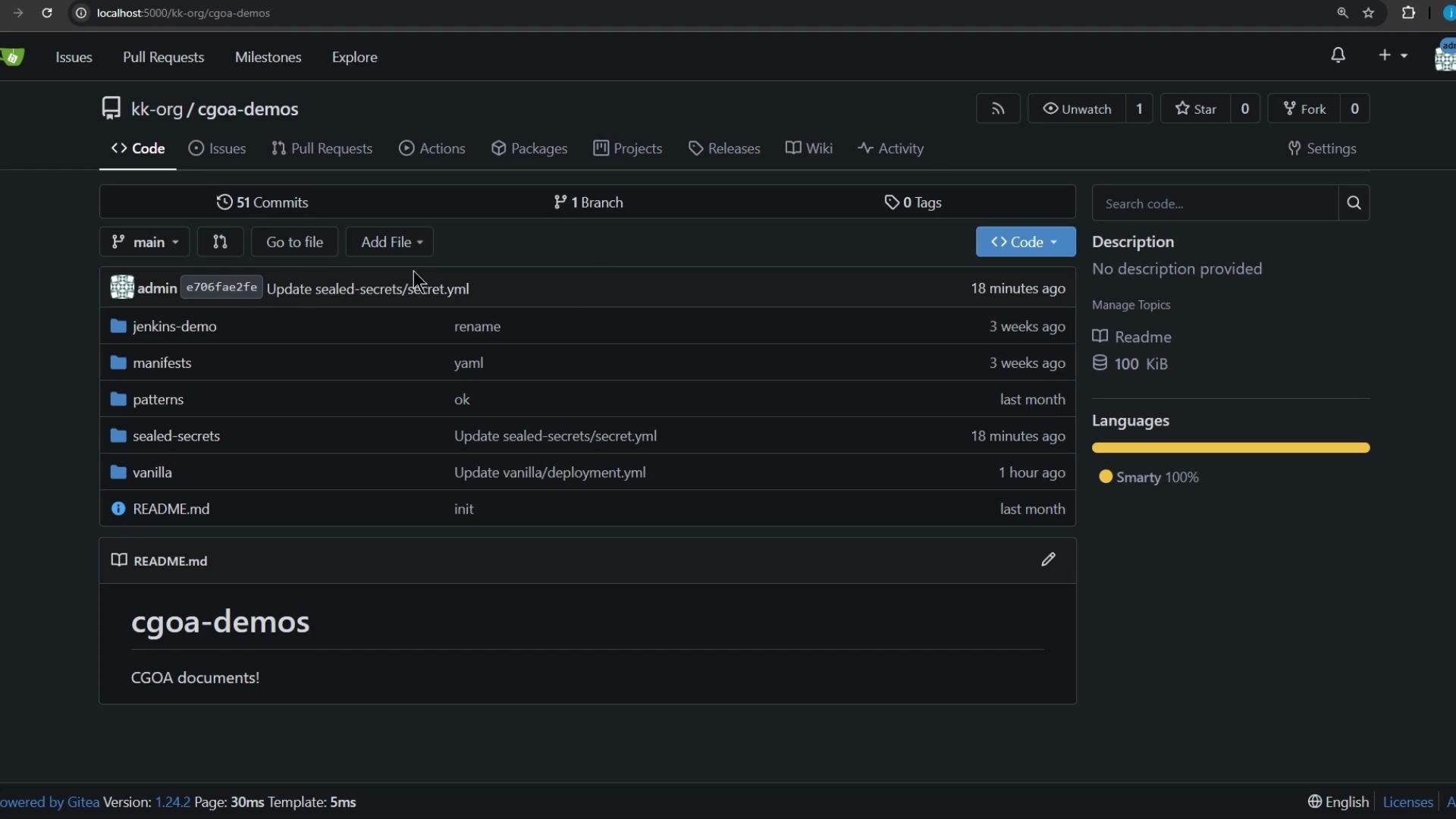
* The example repo is hosted at `http://localhost:5000/kk-org/cgoa-demos` (adjust to your environment).
Repository and manifests
We will work from the `patterns/release` directory in the `cgoa-demos` repository. It contains two manifests: `deployment.yml` and `service.yml`. The Deployment shown below does not explicitly set a `strategy`, so Kubernetes will default to `RollingUpdate`.
If a Deployment does not specify `strategy.type`, Kubernetes uses `RollingUpdate` by default.
Initial Deployment manifest (as present in the repo)
```yaml theme={null}
apiVersion: apps/v1
kind: Deployment
metadata:
name: app
labels:
app: app-demo
spec:
replicas: 5
selector:
matchLabels:
app: app-demo
template:
metadata:
labels:
app: app-demo
spec:
containers:
- name: app
image: siddharth67/app:v1
imagePullPolicy: IfNotPresent
ports:
- containerPort: 3311 # Note: v2 also uses 3000 internally
```
Step-by-step: reproduce locally
1. Clone the repository and open the release pattern directory
```bash theme={null}
git clone http://localhost:5000/kk-org/cgoa-demos
cd cgoa-demos/patterns/release
```
2. Create a namespace and apply the manifests
```bash theme={null}
kubectl create ns rolling-recreate
kubectl -n rolling-recreate apply -f .
```
Verify resources:
```bash theme={null}
kubectl -n rolling-recreate get all
```
You should see the Deployment with 5 replicas and a `Service` of type `NodePort`. Note the NodePort value from the `kubectl get svc` output — you'll use it to probe the app.
3. Continuously probe the application to observe availability during rollouts
The application exposes `/app` which returns `Application Version: vX`. Use the loop below to poll the service every second and colorize responses so version switches and downtime are obvious.
Replace `32431` with the actual NodePort reported for the Service.
```bash theme={null}
while true; do
echo -n "$(date '+%H:%M:%S') - ";
curl -s --max-time 1 http://localhost:32431/app 2>/dev/null |
awk '{
if (/^Application Version:/) {
if ($0 ~ /v1/) print "\033[34m"$0"\033[0m";
else if ($0 ~ /v2/) print "\033[33m"$0"\033[0m";
else print $0;
} else print "\033[31mERROR: Service unreachable\033[0m"
}';
sleep 1;
done
```
4. Perform a RollingUpdate (default behavior)
Trigger a RollingUpdate by changing the Deployment image to `v2`. This will roll new pods in while terminating old pods according to `maxSurge` / `maxUnavailable` settings (defaults preserve availability).
```bash theme={null}
kubectl -n rolling-recreate set image deployment/app app=siddharth67/app:v2
```
Expected observation
* The polling loop should show a smooth transition from `v1` to `v2`.
* You might see, at most, a brief single-second miss while pods start, but generally there is no sustained downtime.
Example excerpt from the probe output:
```text theme={null}
16:34:33 - Application Version: v1
16:34:34 - Application Version: v2
16:34:35 - Application Version: v2
```
This is how RollingUpdate preserves availability: new pods are started before old ones are terminated (subject to `maxUnavailable` / `maxSurge`).
5. Switch the Deployment strategy to Recreate and observe the difference
Edit the Deployment to change the strategy to `Recreate`:
```bash theme={null}
kubectl -n rolling-recreate edit deployment app
```
In the editor, add or update the `strategy` section:
```yaml theme={null}
strategy:
type: Recreate
```
If any `rollingUpdate` fields (e.g. `maxSurge`, `maxUnavailable`) exist, remove them for clarity when using `Recreate`.
Then trigger another rollout (for example, set the image back to `v1`):
```bash theme={null}
kubectl -n rolling-recreate set image deployment/app app=siddharth67/app:v1
```
With `Recreate`, Kubernetes first terminates all existing pods and then starts new pods. Expect downtime between termination and readiness of the new pods — the Service will be unreachable during that window.
Expected observation under Recreate
* The probe loop will show repeated `ERROR: Service unreachable` lines while Kubernetes brings up the new pods.
* Once the new pods are ready, the probe resumes showing `Application Version: v1` (or whatever target version you deployed).
Example observation sequence:
```log theme={null}
16:36:32 - Application Version: v2
16:36:33 - ERROR: Service unreachable
16:36:34 - ERROR: Service unreachable
16:36:35 - Application Version: v1
16:36:36 - Application Version: v1
```
Quick comparison
| Strategy | Behavior during rollout | Typical downtime |
| ------------------------- | ---------------------------------------------------------------------- | ------------------------------------------------------------------------------------- |
| `RollingUpdate` (default) | Starts new pods before terminating old ones; traffic shifts gradually. | Minimal or none (depends on readiness probes and surge/unavailable settings) |
| `Recreate` | Terminates all old pods first, then starts new pods. | Service unavailable during the interval between termination and readiness of new pods |
Further reading and references
* Kubernetes Deployments: [https://kubernetes.io/docs/concepts/workloads/controllers/deployment/](https://kubernetes.io/docs/concepts/workloads/controllers/deployment/)
* Deployment strategy docs: [https://kubernetes.io/docs/concepts/workloads/controllers/deployment/#strategy](https://kubernetes.io/docs/concepts/workloads/controllers/deployment/#strategy)
That's all for this lesson — you can repeat the experiment with different replica counts, readiness probes, and `maxSurge` / `maxUnavailable` values to explore more nuanced availability behavior.
Prerequisites
* A working Kubernetes cluster and `kubectl` configured to talk to it.
* `curl` available locally to probe the service.
* The example repo is hosted at `http://localhost:5000/kk-org/cgoa-demos` (adjust to your environment).
Repository and manifests
We will work from the `patterns/release` directory in the `cgoa-demos` repository. It contains two manifests: `deployment.yml` and `service.yml`. The Deployment shown below does not explicitly set a `strategy`, so Kubernetes will default to `RollingUpdate`.
If a Deployment does not specify `strategy.type`, Kubernetes uses `RollingUpdate` by default.
Initial Deployment manifest (as present in the repo)
```yaml theme={null}
apiVersion: apps/v1
kind: Deployment
metadata:
name: app
labels:
app: app-demo
spec:
replicas: 5
selector:
matchLabels:
app: app-demo
template:
metadata:
labels:
app: app-demo
spec:
containers:
- name: app
image: siddharth67/app:v1
imagePullPolicy: IfNotPresent
ports:
- containerPort: 3311 # Note: v2 also uses 3000 internally
```
Step-by-step: reproduce locally
1. Clone the repository and open the release pattern directory
```bash theme={null}
git clone http://localhost:5000/kk-org/cgoa-demos
cd cgoa-demos/patterns/release
```
2. Create a namespace and apply the manifests
```bash theme={null}
kubectl create ns rolling-recreate
kubectl -n rolling-recreate apply -f .
```
Verify resources:
```bash theme={null}
kubectl -n rolling-recreate get all
```
You should see the Deployment with 5 replicas and a `Service` of type `NodePort`. Note the NodePort value from the `kubectl get svc` output — you'll use it to probe the app.
3. Continuously probe the application to observe availability during rollouts
The application exposes `/app` which returns `Application Version: vX`. Use the loop below to poll the service every second and colorize responses so version switches and downtime are obvious.
Replace `32431` with the actual NodePort reported for the Service.
```bash theme={null}
while true; do
echo -n "$(date '+%H:%M:%S') - ";
curl -s --max-time 1 http://localhost:32431/app 2>/dev/null |
awk '{
if (/^Application Version:/) {
if ($0 ~ /v1/) print "\033[34m"$0"\033[0m";
else if ($0 ~ /v2/) print "\033[33m"$0"\033[0m";
else print $0;
} else print "\033[31mERROR: Service unreachable\033[0m"
}';
sleep 1;
done
```
4. Perform a RollingUpdate (default behavior)
Trigger a RollingUpdate by changing the Deployment image to `v2`. This will roll new pods in while terminating old pods according to `maxSurge` / `maxUnavailable` settings (defaults preserve availability).
```bash theme={null}
kubectl -n rolling-recreate set image deployment/app app=siddharth67/app:v2
```
Expected observation
* The polling loop should show a smooth transition from `v1` to `v2`.
* You might see, at most, a brief single-second miss while pods start, but generally there is no sustained downtime.
Example excerpt from the probe output:
```text theme={null}
16:34:33 - Application Version: v1
16:34:34 - Application Version: v2
16:34:35 - Application Version: v2
```
This is how RollingUpdate preserves availability: new pods are started before old ones are terminated (subject to `maxUnavailable` / `maxSurge`).
5. Switch the Deployment strategy to Recreate and observe the difference
Edit the Deployment to change the strategy to `Recreate`:
```bash theme={null}
kubectl -n rolling-recreate edit deployment app
```
In the editor, add or update the `strategy` section:
```yaml theme={null}
strategy:
type: Recreate
```
If any `rollingUpdate` fields (e.g. `maxSurge`, `maxUnavailable`) exist, remove them for clarity when using `Recreate`.
Then trigger another rollout (for example, set the image back to `v1`):
```bash theme={null}
kubectl -n rolling-recreate set image deployment/app app=siddharth67/app:v1
```
With `Recreate`, Kubernetes first terminates all existing pods and then starts new pods. Expect downtime between termination and readiness of the new pods — the Service will be unreachable during that window.
Expected observation under Recreate
* The probe loop will show repeated `ERROR: Service unreachable` lines while Kubernetes brings up the new pods.
* Once the new pods are ready, the probe resumes showing `Application Version: v1` (or whatever target version you deployed).
Example observation sequence:
```log theme={null}
16:36:32 - Application Version: v2
16:36:33 - ERROR: Service unreachable
16:36:34 - ERROR: Service unreachable
16:36:35 - Application Version: v1
16:36:36 - Application Version: v1
```
Quick comparison
| Strategy | Behavior during rollout | Typical downtime |
| ------------------------- | ---------------------------------------------------------------------- | ------------------------------------------------------------------------------------- |
| `RollingUpdate` (default) | Starts new pods before terminating old ones; traffic shifts gradually. | Minimal or none (depends on readiness probes and surge/unavailable settings) |
| `Recreate` | Terminates all old pods first, then starts new pods. | Service unavailable during the interval between termination and readiness of new pods |
Further reading and references
* Kubernetes Deployments: [https://kubernetes.io/docs/concepts/workloads/controllers/deployment/](https://kubernetes.io/docs/concepts/workloads/controllers/deployment/)
* Deployment strategy docs: [https://kubernetes.io/docs/concepts/workloads/controllers/deployment/#strategy](https://kubernetes.io/docs/concepts/workloads/controllers/deployment/#strategy)
That's all for this lesson — you can repeat the experiment with different replica counts, readiness probes, and `maxSurge` / `maxUnavailable` values to explore more nuanced availability behavior.