> ## Documentation Index
> Fetch the complete documentation index at: https://notes.kodekloud.com/llms.txt
> Use this file to discover all available pages before exploring further.
# Demo ICA Overview
> Overview and preparation guide for the Istio Certified Associate exam covering format, environment, key topics, tools, and hands on tips for Istio v1.26.
This page summarizes the Istio Certified Associate (ICA) exam—what to expect, the environment, key topics, and practical tips to prepare. It preserves the original exam flow and examples so you can practice efficiently.
Exam cost and registration
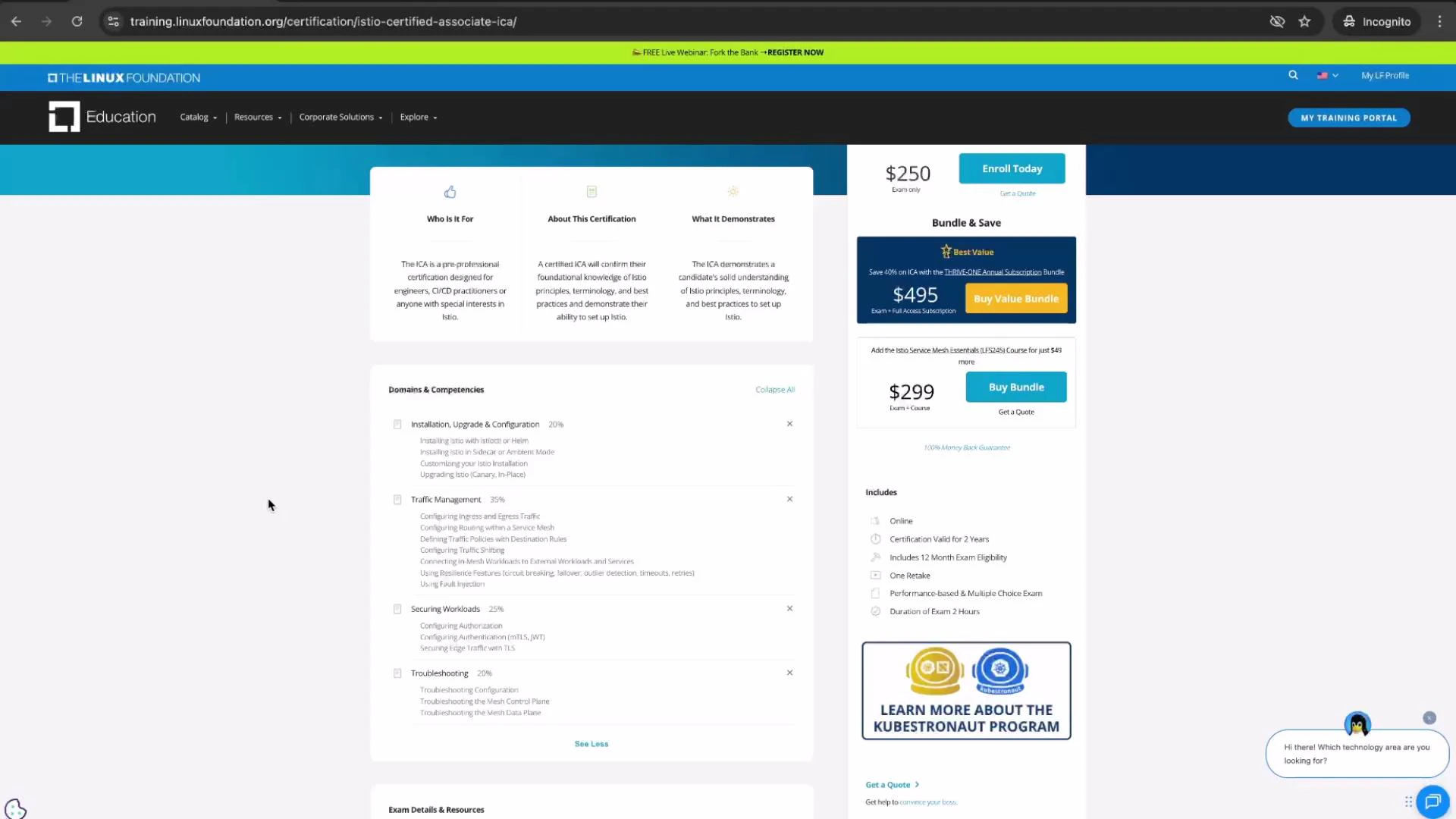
* The exam fee is \$250. Check the [official Linux Foundation registration page](https://training.linuxfoundation.org/certification/istio-certified-associate/) for current retake policies and available bundles. Some exam offerings include one retake; needing a retake is common and acceptable.
Passing score, duration, and format
| Item | Details |
| ------------- | ----------------------------------------------------------------------- |
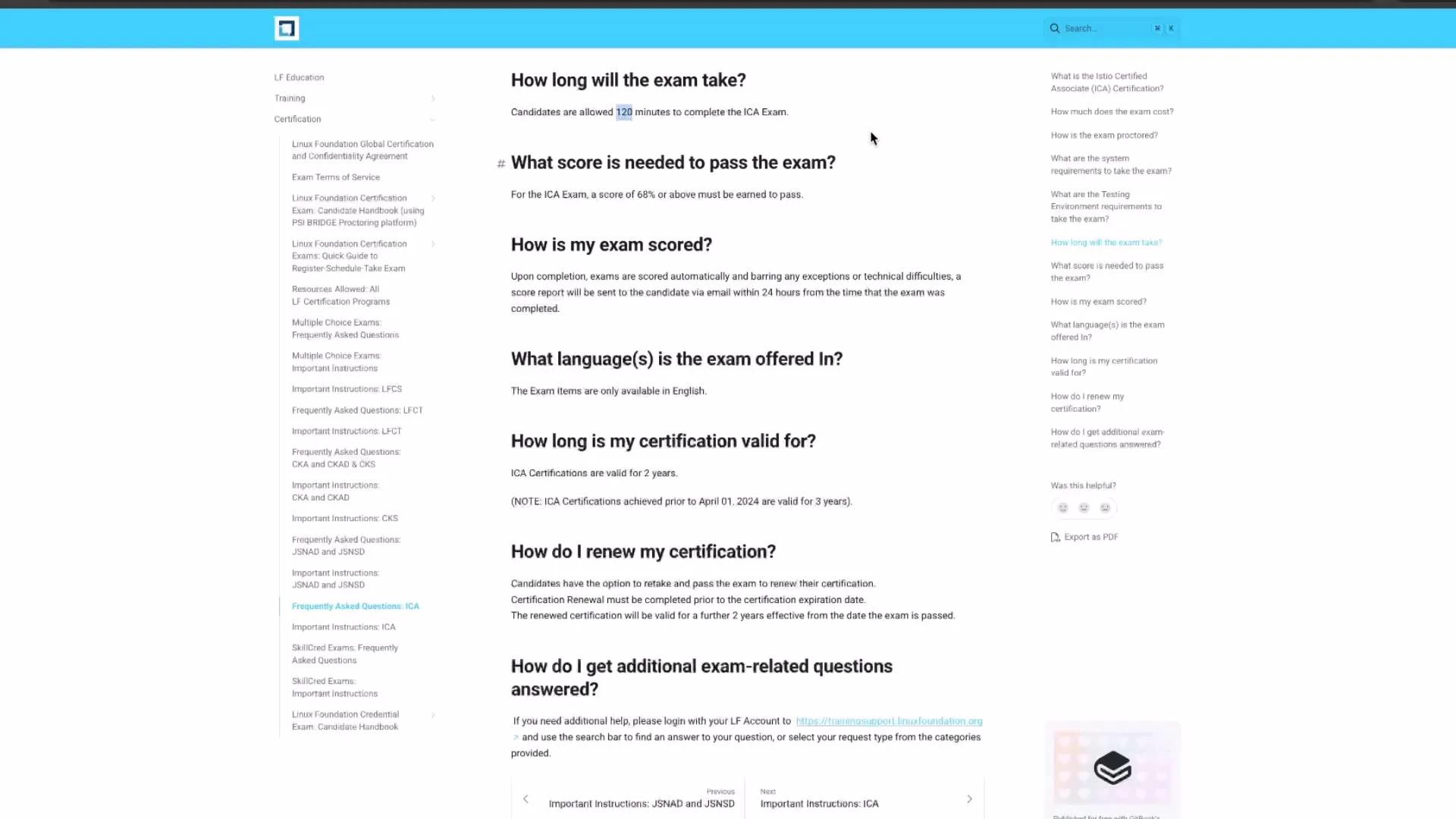
| Passing score | 68% (reduced from 75%) |
| Duration | 2 hours |
| Format | Hands-on, practical tasks (no multiple-choice in the practical portion) |
| Tasks | \~16 hands-on tasks (reduced from \~20–22) |
| Open-book | Yes — official Istio docs allowed during the exam |
 Certification validity and proctoring
* Certificates issued after April 2024 are valid for two years. Older certificates (pre-April 2024) may still show three-year validity.
* The exam is proctored by [PSI](https://www.psionline.com/). You will be monitored via webcam and microphone for the entire session. Keep both camera and microphone on, and expect to show the proctor your workspace when requested.
Prepare a quiet, uncluttered workspace before exam day. Avoid gestures like covering your mouth or obstructing the camera, since such actions can trigger proctor flags.
Open-book access and using the documentation efficiently
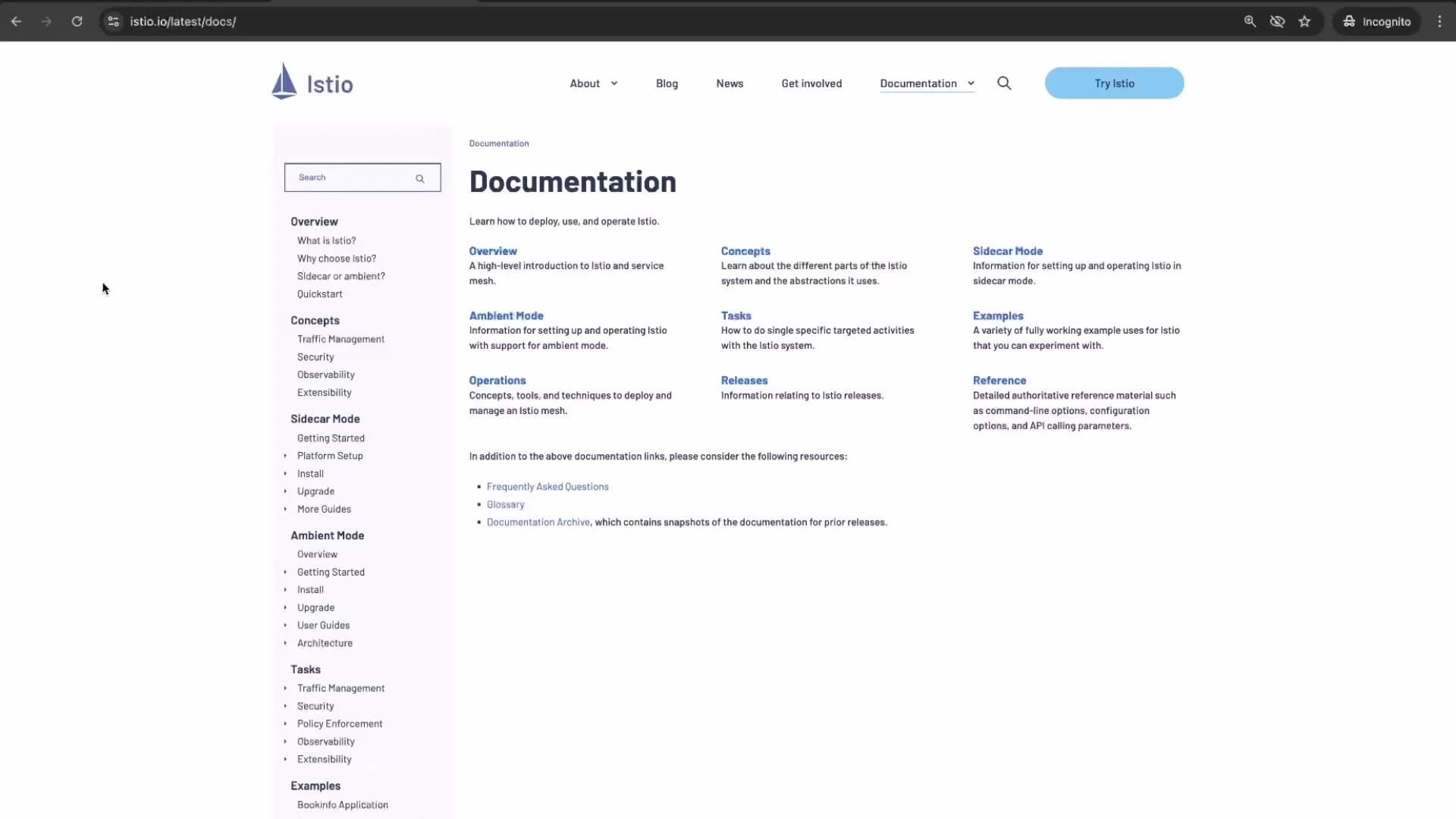
* The exam is open-book: you can use the [official Istio documentation](https://istio.io/latest/docs) during the test.
* Familiarity with the documentation structure (Concepts, Reference, Tasks) and speedy navigation is essential.
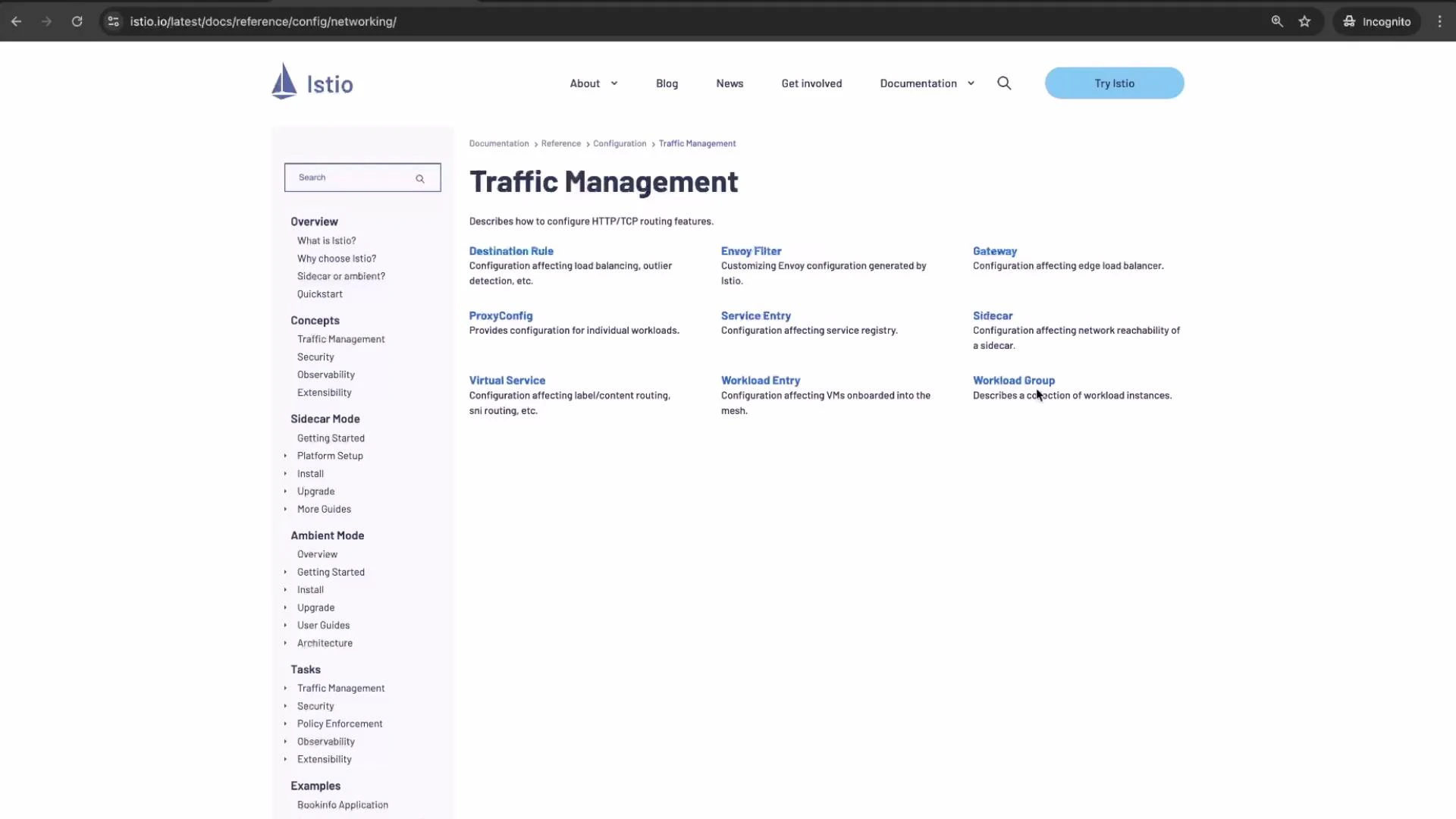
* Many tasks include direct links to the exact documentation page required for the task (for example, a direct link to creating a `VirtualService`). This speeds task execution and reduces time spent searching.
Certification validity and proctoring
* Certificates issued after April 2024 are valid for two years. Older certificates (pre-April 2024) may still show three-year validity.
* The exam is proctored by [PSI](https://www.psionline.com/). You will be monitored via webcam and microphone for the entire session. Keep both camera and microphone on, and expect to show the proctor your workspace when requested.
Prepare a quiet, uncluttered workspace before exam day. Avoid gestures like covering your mouth or obstructing the camera, since such actions can trigger proctor flags.
Open-book access and using the documentation efficiently
* The exam is open-book: you can use the [official Istio documentation](https://istio.io/latest/docs) during the test.
* Familiarity with the documentation structure (Concepts, Reference, Tasks) and speedy navigation is essential.
* Many tasks include direct links to the exact documentation page required for the task (for example, a direct link to creating a `VirtualService`). This speeds task execution and reduces time spent searching.
 When a task asks you to configure a VirtualService or other resources, the exam-provided link will often lead directly to the relevant docs page (for example, Traffic Management topics), removing the need for deep menu navigation.
 Example: a simple VirtualService
Study common patterns like routing rules and URI rewrites so you can implement them quickly in the exam. Here is a typical example to practice:
```yaml theme={null}
apiVersion: networking.istio.io/v1beta1
kind: VirtualService
metadata:
name: reviews-route
spec:
hosts:
- reviews.prod.svc.cluster.local
http:
- name: "reviews-v2-routes"
match:
- uri:
prefix: "/wpcatalog"
- uri:
prefix: "/consumercatalog"
rewrite:
uri: "/newcatalog"
route:
- destination:
host: reviews
subset: v2
- route:
- destination:
host: reviews
subset: v1
```
Exam environment, SSH hosts, and task workflow
All exam tasks are executed on designated SSH hosts. Pay attention to the infobox at the start of each task; it tells you which host to use and the exact ssh command.
Key rules and workflow
* Connect to the specified host using the provided SSH command (e.g., `ssh `).
* Complete the task on the designated host only.
* After finishing a task, exit the SSH session to return to the base system (hostname `base`) by running `exit`.
* To connect to the next task’s host, you must be on `base` first; nested SSH sessions are not supported.
* Use `sudo -i` (or `sudo`) for elevated privileges when required.
Practice the exam flow: SSH into a host, perform tasks, exit back to `base`, and then connect to the next host. Failing to return to `base` before connecting to another host will prevent nested SSH and can waste time.
Pre-installed tools on SSH hosts
| Tool | Typical use |
| ------------------------------------------- | ----------------------------------------------- |
| `kubectl` (alias `k`, with Bash completion) | Inspect and modify Kubernetes resources |
| `istioctl` (with Bash completion) | Apply Istio manifests, introspect control plane |
| `yq` | YAML processing and transformations |
| `curl`, `wget` | Test connectivity and HTTP endpoints |
| `man` | Read manual pages available on the host |
Note: The `base` system (hostname `base`) does not include these pre-installed tools. Complete all tasks on the designated SSH hosts.
Exam runtime Istio version
* The current ICA environment (for this exam revision) runs Istio v1.26. Course content and practice materials here target v1.26 behavior and APIs.
* Upstream Istio releases (for example, 1.27+) may add features, but exam tasks are based on the environment version indicated in the exam instructions.
Topics, domains, and focus areas
The exam blueprint covers practical Istio administration and configuration. Important domains include:
| Domain | Common tasks / focus |
| ------------------------------- | ----------------------------------------------------------------------------------------------------- |
| Installation & upgrades | Install/upgrade Istio, understand Ambient mode and sidecar-less deployments, in-place canary upgrades |
| Traffic management | VirtualService, DestinationRule, Gateways, routing, traffic shifting, fault injection, retries |
| Security | mTLS configuration, policies, securing workloads and gateways |
| Observability & troubleshooting | Logs, metrics, tracing, debugging mesh issues, analyzing resource behavior |
| Advanced scenarios | Mesh troubleshooting, multi-step practical scenarios, real-world problem solving |
Exam format changes (recent revision)
* Practical-only tasks (no multiple-choice in hands-on portion).
* Reduced number of hands-on tasks to \~16.
* Pass threshold lowered to 68%.
* You can review tasks before final submission, which gives many candidates time for verification.
Example: a simple VirtualService
Study common patterns like routing rules and URI rewrites so you can implement them quickly in the exam. Here is a typical example to practice:
```yaml theme={null}
apiVersion: networking.istio.io/v1beta1
kind: VirtualService
metadata:
name: reviews-route
spec:
hosts:
- reviews.prod.svc.cluster.local
http:
- name: "reviews-v2-routes"
match:
- uri:
prefix: "/wpcatalog"
- uri:
prefix: "/consumercatalog"
rewrite:
uri: "/newcatalog"
route:
- destination:
host: reviews
subset: v2
- route:
- destination:
host: reviews
subset: v1
```
Exam environment, SSH hosts, and task workflow
All exam tasks are executed on designated SSH hosts. Pay attention to the infobox at the start of each task; it tells you which host to use and the exact ssh command.
Key rules and workflow
* Connect to the specified host using the provided SSH command (e.g., `ssh `).
* Complete the task on the designated host only.
* After finishing a task, exit the SSH session to return to the base system (hostname `base`) by running `exit`.
* To connect to the next task’s host, you must be on `base` first; nested SSH sessions are not supported.
* Use `sudo -i` (or `sudo`) for elevated privileges when required.
Practice the exam flow: SSH into a host, perform tasks, exit back to `base`, and then connect to the next host. Failing to return to `base` before connecting to another host will prevent nested SSH and can waste time.
Pre-installed tools on SSH hosts
| Tool | Typical use |
| ------------------------------------------- | ----------------------------------------------- |
| `kubectl` (alias `k`, with Bash completion) | Inspect and modify Kubernetes resources |
| `istioctl` (with Bash completion) | Apply Istio manifests, introspect control plane |
| `yq` | YAML processing and transformations |
| `curl`, `wget` | Test connectivity and HTTP endpoints |
| `man` | Read manual pages available on the host |
Note: The `base` system (hostname `base`) does not include these pre-installed tools. Complete all tasks on the designated SSH hosts.
Exam runtime Istio version
* The current ICA environment (for this exam revision) runs Istio v1.26. Course content and practice materials here target v1.26 behavior and APIs.
* Upstream Istio releases (for example, 1.27+) may add features, but exam tasks are based on the environment version indicated in the exam instructions.
Topics, domains, and focus areas
The exam blueprint covers practical Istio administration and configuration. Important domains include:
| Domain | Common tasks / focus |
| ------------------------------- | ----------------------------------------------------------------------------------------------------- |
| Installation & upgrades | Install/upgrade Istio, understand Ambient mode and sidecar-less deployments, in-place canary upgrades |
| Traffic management | VirtualService, DestinationRule, Gateways, routing, traffic shifting, fault injection, retries |
| Security | mTLS configuration, policies, securing workloads and gateways |
| Observability & troubleshooting | Logs, metrics, tracing, debugging mesh issues, analyzing resource behavior |
| Advanced scenarios | Mesh troubleshooting, multi-step practical scenarios, real-world problem solving |
Exam format changes (recent revision)
* Practical-only tasks (no multiple-choice in hands-on portion).
* Reduced number of hands-on tasks to \~16.
* Pass threshold lowered to 68%.
* You can review tasks before final submission, which gives many candidates time for verification.
 Preparation checklist and study recommendations
* Practice hands-on labs that use `kubectl`, `istioctl`, and `yq`. Time yourself to simulate exam conditions.
* Memorize common resource patterns (VirtualService routes, DestinationRule subsets, Gateway configuration).
* Use the official Istio docs frequently so you know where to find examples quickly.
* Run through SSH host workflows and practice exiting back to `base` between tasks.
* Focus on Istio v1.26 behavior for API specifics and CLI options.
Final notes
This revised ICA exam is generally easier to navigate—thanks to linked documentation, fewer tasks, and a lower passing score—yet it remains practical and hands-on. Prioritize hands-on familiarity with Istio v1.26 constructs (VirtualService, DestinationRule, Gateways, mTLS policies, traffic shifting, fault injection) and build troubleshooting experience across the mesh.
Links and references
* [Istio Documentation](https://istio.io/latest/docs)
* [Istio Certified Associate — Linux Foundation](https://training.linuxfoundation.org/certification/istio-certified-associate/)
* [PSI (exam proctor)](https://www.psionline.com/)
Preparation checklist and study recommendations
* Practice hands-on labs that use `kubectl`, `istioctl`, and `yq`. Time yourself to simulate exam conditions.
* Memorize common resource patterns (VirtualService routes, DestinationRule subsets, Gateway configuration).
* Use the official Istio docs frequently so you know where to find examples quickly.
* Run through SSH host workflows and practice exiting back to `base` between tasks.
* Focus on Istio v1.26 behavior for API specifics and CLI options.
Final notes
This revised ICA exam is generally easier to navigate—thanks to linked documentation, fewer tasks, and a lower passing score—yet it remains practical and hands-on. Prioritize hands-on familiarity with Istio v1.26 constructs (VirtualService, DestinationRule, Gateways, mTLS policies, traffic shifting, fault injection) and build troubleshooting experience across the mesh.
Links and references
* [Istio Documentation](https://istio.io/latest/docs)
* [Istio Certified Associate — Linux Foundation](https://training.linuxfoundation.org/certification/istio-certified-associate/)
* [PSI (exam proctor)](https://www.psionline.com/)