> ## Documentation Index
> Fetch the complete documentation index at: https://notes.kodekloud.com/llms.txt
> Use this file to discover all available pages before exploring further.
# Demo Workload Entry
> Guide to installing Istio, restricting egress to registered destinations, and using ServiceEntry and WorkloadEntry to expose and load balance external workloads into the mesh.
This guide demonstrates how to install Istio, lock down egress so that pods can only reach registered destinations, and use ServiceEntry + WorkloadEntry to allow pods to access an external (or external-looking) workload.
Prerequisites: a running Kubernetes cluster and `kubectl` access.
## 1) Verify Kubernetes is running
List pods across all namespaces to confirm the cluster is healthy:
```bash theme={null}
kubectl get pods -A
```
Sample output (truncated):
```bash theme={null}
NAMESPACE NAME READY STATUS RESTARTS AGE
kube-system coredns-76f75df574-9pksc 1/1 Running 0 45m
kube-system etcd-controlplane 1/1 Running 1 (45m ago)45m
kube-system weave-net-zs76l 2/2 Running 1 (45m ago)45m
```
## 2) Download Istio and configure the demo profile
Download Istio (example uses v1.18.2) and add `istioctl` to your PATH:
```bash theme={null}
curl -L https://istio.io/downloadIstio | ISTIO_VERSION=1.18.2 sh -
export PATH="$PATH:/root/istio-1.18.2/bin"
```
Dump the `demo` profile to YAML, edit the mesh config to restrict egress, then install:
```bash theme={null}
cd ~/istio-1.18.2
istioctl profile dump demo -o yaml > demo.yaml
vim demo.yaml
```
In the `demo.yaml` change the `meshConfig` section so egress is locked to registered destinations:
```yaml theme={null}
meshConfig:
outboundTrafficPolicy:
mode: REGISTRY_ONLY
accessLogFile: /dev/stdout
defaultConfig:
proxyMetadata: {}
enablePrometheusMerge: true
```
Save and apply the profile:
```bash theme={null}
istioctl install -f demo.yaml -y
# ✓ Istio core installed
# ✓ Istiod installed
# ✓ Egress gateways installed
# ✓ Ingress gateways installed
# ✓ Installation complete
```
Confirm Istio pods are running:
```bash theme={null}
kubectl get pods -n istio-system
```
Setting `outboundTrafficPolicy.mode` to `REGISTRY_ONLY` ensures pods can only reach destinations that are explicitly registered in Istio using ServiceEntry and/or WorkloadEntry. This is the recommended method to lock down egress in an Istio mesh.
## 3) Prepare a simulated external nginx service (host-based)
For this demo we simulate an external workload by installing `nginx` on the control-plane host (outside the cluster). In production, this would be an external VM or host.
On the host (not in Kubernetes):
```bash theme={null}
apt update -y && apt install nginx -y
curl -I http://localhost
# HTTP/1.1 200 OK
```
Determine the host's overlay network IP (weave in this example) which will serve as the external endpoint:
```bash theme={null}
ip a
```
Locate the `weave` interface and note its `inet` address, e.g. `10.50.0.1`. Test that this IP responds from the host:
```bash theme={null}
curl http://10.50.0.1
# (HTML -- nginx welcome page)
```
Record that IP (e.g. `10.50.0.1`) — it will be used in the WorkloadEntry.
## 4) Create a test pod in Kubernetes and enable Istio injection
Start a test pod that will attempt to access the external address:
```bash theme={null}
kubectl run test --image=nginx
kubectl get pods
# NAME READY STATUS
# test 0/1 ContainerCreating (until injection enabled)
```
If the namespace is not enabled for Istio sidecar injection:
```bash theme={null}
istioctl analyze
# Info [IST0102] (Namespace default) The namespace is not enabled for Istio injection. Run 'kubectl label namespace default istio-injection=enabled' ...
```
Enable automatic injection, recreate the pod, and verify the sidecar is injected (pod shows 2/2 containers):
```bash theme={null}
kubectl label namespace default istio-injection=enabled
kubectl delete pod test
kubectl run test --image=nginx
kubectl get pods
# test 2/2 Running
```
From inside the test pod, try curling the external IP. Because Istio is set to `REGISTRY_ONLY`, direct IP access will be blocked until the destination is registered:
```bash theme={null}
kubectl exec -ti test -- curl --head http://10.50.0.1
# HTTP/1.1 502 Bad Gateway
# server: envoy
```
Envoy returns `502 Bad Gateway` for unregistered destinations when `REGISTRY_ONLY` is enabled.
If you enable namespace injection, you must recreate pods in that namespace for the sidecar to be injected. Deleting and recreating the pod is the simplest approach.
## 5) Register the external host as a WorkloadEntry
Create a WorkloadEntry to represent the external nginx host. Save this as `we.yaml`:
```yaml theme={null}
apiVersion: networking.istio.io/v1beta1
kind: WorkloadEntry
metadata:
name: external-app-we
namespace: default
spec:
address: 10.50.0.1
labels:
app: external
```
Apply it and verify:
```bash theme={null}
kubectl apply -f we.yaml
kubectl get we
# NAME AGE ADDRESS
# external-app-we 5s 10.50.0.1
```
The WorkloadEntry registers the external endpoint with Istio so the mesh can route to it.
## 6) Create a ServiceEntry to expose an internal hostname
Create a ServiceEntry that maps an internal hostname used by applications to the registered WorkloadEntry. Save as `se.yaml`:
```yaml theme={null}
apiVersion: networking.istio.io/v1beta1
kind: ServiceEntry
metadata:
name: external-app-se
namespace: default
spec:
hosts:
- app.internal.com # internal registry name used by pods
ports:
- number: 80
name: http
protocol: HTTP
resolution: STATIC
workloadSelector:
labels:
app: external
```
Apply it and verify:
```bash theme={null}
kubectl apply -f se.yaml
kubectl get serviceentry
# NAME HOSTS RESOLUTION
# external-app-se ["app.internal.com"] STATIC
```
Note: `resolution: STATIC` is used because the ServiceEntry maps to explicit workloads (via WorkloadEntry or static endpoints).
## 7) Test access from the test pod using the internal hostname
From the test pod, curl the hostname declared in the ServiceEntry:
```bash theme={null}
kubectl exec -ti test -- curl http://app.internal.com
# (HTML -- nginx welcome page)
```
Access succeeds because Istio recognizes `app.internal.com` (ServiceEntry) and routes to the WorkloadEntry address.
## 8) Add an in-cluster pod behind the same WorkloadEntry for load balancing
You can include in-cluster pods as additional endpoints for the same logical service by sharing the label referenced by the `workloadSelector`. Istio will treat both the external IP and in-cluster pod(s) as endpoints for the hostname.
Create a labeled `nginx` pod:
```bash theme={null}
kubectl run nginx --image=nginx --labels="app=external"
kubectl get pods
# nginx 1/1 Running
```
Customize the pod's index page so you can tell responses apart. Exec into the nginx pod and update the index:
```bash theme={null}
kubectl exec -ti nginx -- /bin/bash
# inside container
cd /usr/share/nginx/html
echo "This is an Nginx Pod" > index.html
curl localhost
# This is an Nginx Pod
exit
```
Now query the ServiceEntry hostname from the test pod multiple times:
```bash theme={null}
kubectl exec -ti test -- curl http://app.internal.com
# Sometimes returns the external host content (host's nginx)
# Sometimes returns "This is an Nginx Pod" (in-cluster nginx pod)
```
Because both endpoints have the same label used by `workloadSelector`, Istio will load-balance between them. Use Istio traffic-management features (VirtualService, DestinationRule) to control traffic weights and routing as needed.
## 9) WorkloadEntry and ServiceEntry quick reference
Key fields to remember:
| Resource Type | Important fields | Notes / Example |
| ------------- | ---------------------------------------------------------------------------- | ------------------------------------------------------------------------------------- |
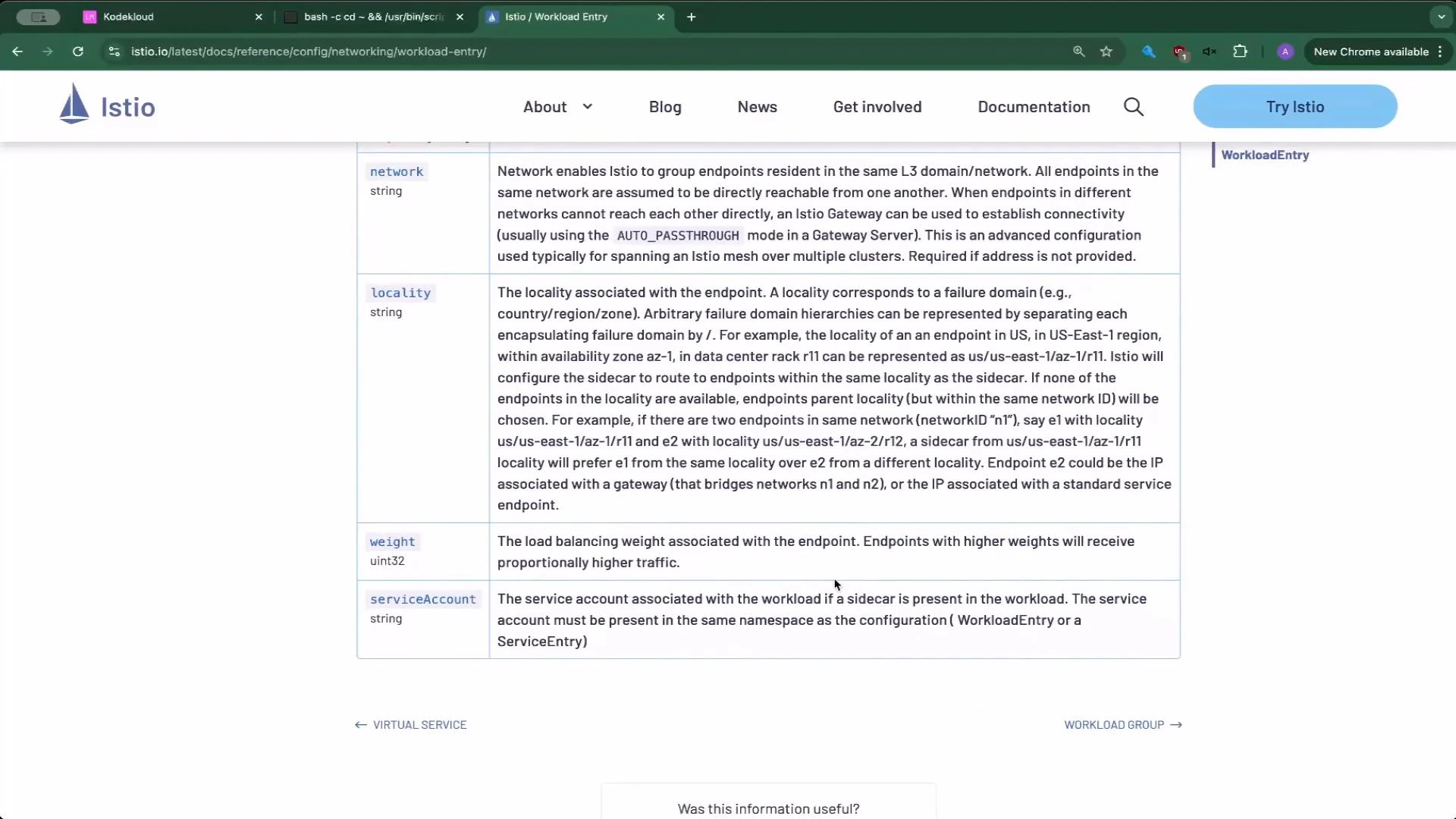
| WorkloadEntry | `address`, `labels`, `serviceAccount`, `network`, `locality`, `weight` | Example: `address: 10.50.0.1` and `labels: { app: external }` |
| ServiceEntry | `hosts`, `ports`, `resolution` (STATIC, DNS), `location`, `workloadSelector` | Use `resolution: STATIC` with WorkloadEntry; `hosts` lists the hostname apps will use |
For deeper configuration and troubleshooting, see the Istio docs:
* [WorkloadEntry reference (Istio)](https://istio.io/latest/docs/reference/config/networking/workload-entry/)
* [ServiceEntry reference (Istio)](https://istio.io/latest/docs/reference/config/networking/service-entry/)
 That completes the WorkloadEntry demo.