> ## Documentation Index
> Fetch the complete documentation index at: https://notes.kodekloud.com/llms.txt
> Use this file to discover all available pages before exploring further.
# Destination Rules
> Explains Istio DestinationRules and how they complement VirtualService by defining subsets and post-routing policies like load balancing, connection pools, outlier detection, and mTLS.
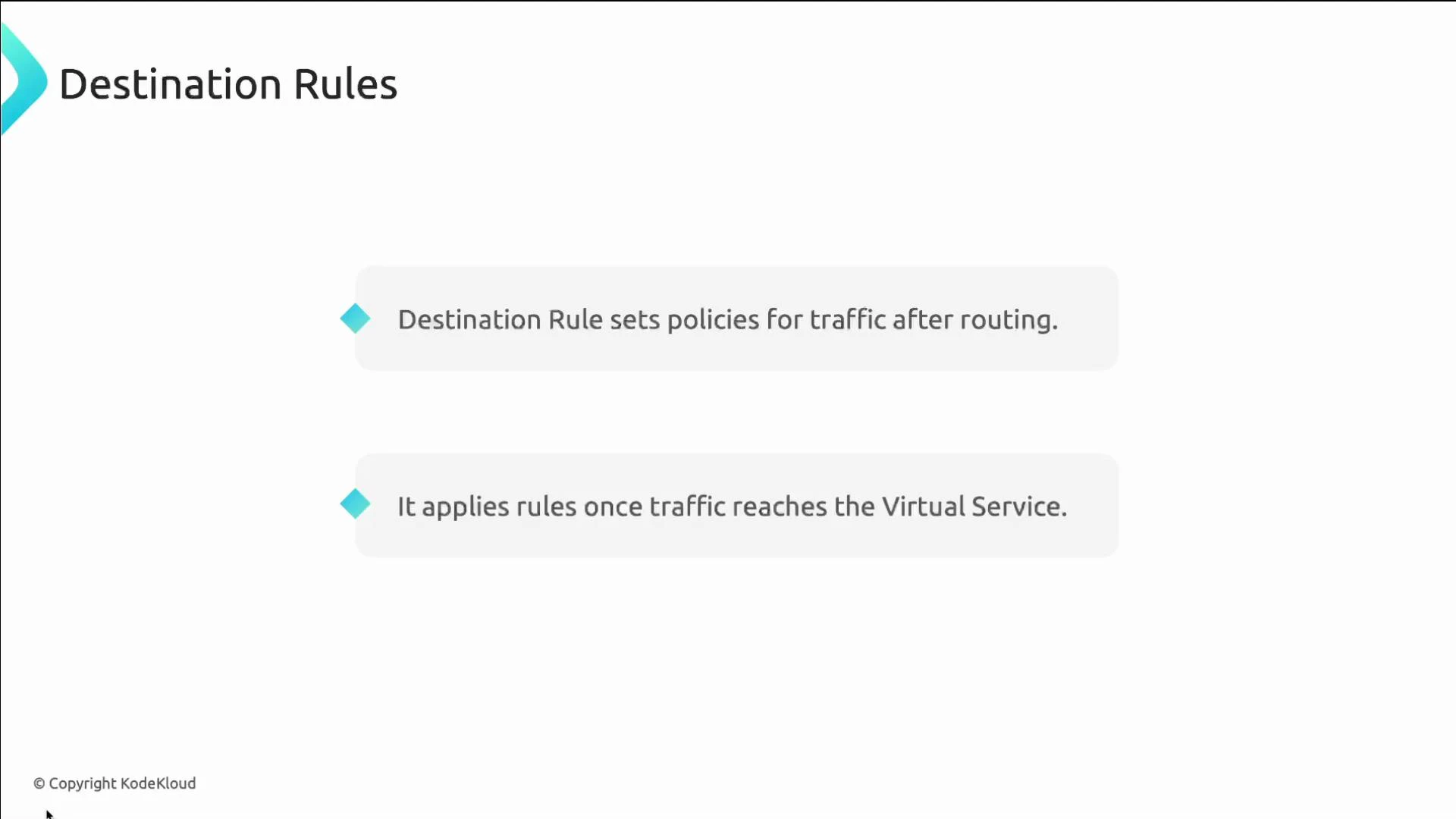
DestinationRules are as important as VirtualServices in Istio traffic management.
A VirtualService intercepts incoming requests for a service and decides *where* that traffic should go (routing). DestinationRules complement VirtualServices by declaring *how* traffic should be handled once routing has selected the destination host—applying policies such as subsets, load balancing, connection pools, TLS, and outlier detection.
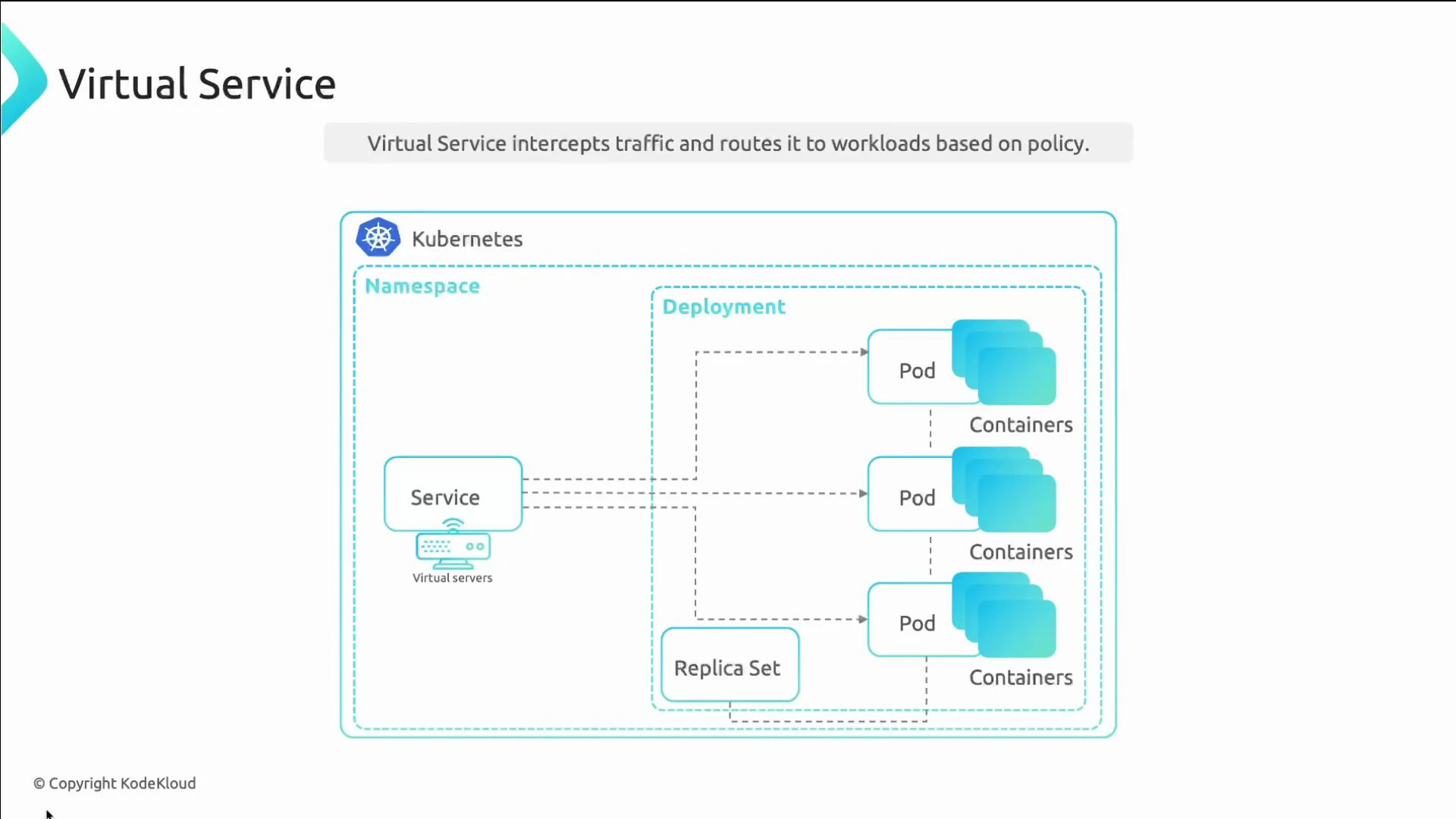 In short:
* VirtualService: decides *where* traffic goes (routing rules, host selection).
* DestinationRule: decides *how* traffic is treated for the chosen host (per-host or per-subset policies).
In short:
* VirtualService: decides *where* traffic goes (routing rules, host selection).
* DestinationRule: decides *how* traffic is treated for the chosen host (per-host or per-subset policies).
 Why use DestinationRules?
* Define subsets (e.g., v1 / v2) that map to pod labels.
* Apply different traffic policies per subset or service-level policies (load balancing, connection pools, outlier detection, TLS, etc.).
* Enforce mTLS for service-to-service communication.
Table — quick comparison
| Config object | Primary responsibility | Common use cases |
| --------------- | ----------------------------------------------------------------------------- | ---------------------------------------------------------------------------- |
| VirtualService | Routing rules, traffic splitting, match conditions | A/B tests, canary rollout, path-based routing |
| DestinationRule | Post-routing policies (subsets, LB, connection pools, TLS, outlier detection) | Define subsets by labels, set load balancing, enforce mTLS, circuit breaking |
Example scenario: split traffic 50/50 between two versions (v1 and v2) of a service while keeping a single Kubernetes Service in front of both.
1. Deploy two application versions. Notice they share `app: frontend` but differ by `version` label:
```yaml theme={null}
apiVersion: apps/v1
kind: Deployment
metadata:
name: app-deployment-v1
namespace: frontend
spec:
replicas: 3
selector:
matchLabels:
app: frontend
version: v1
template:
metadata:
labels:
app: frontend
version: v1
spec:
containers:
- name: app
image: app:1.1
```
```yaml theme={null}
apiVersion: apps/v1
kind: Deployment
metadata:
name: app-deployment-v2
namespace: frontend
spec:
replicas: 3
selector:
matchLabels:
app: frontend
version: v2
template:
metadata:
labels:
app: frontend
version: v2
spec:
containers:
- name: app
image: app:2.1
```
2. Expose both versions with a single Kubernetes Service that selects `app: frontend`:
```yaml theme={null}
apiVersion: v1
kind: Service
metadata:
name: app-svc
namespace: frontend
spec:
ports:
- port: 80
name: http
selector:
app: frontend
```
3. Define a DestinationRule that declares the subsets for these versions. Each subset maps a name to pod label selectors (the `version` label):
```yaml theme={null}
apiVersion: networking.istio.io/v1
kind: DestinationRule
metadata:
name: app-ds
namespace: frontend
spec:
host: app-svc
subsets:
- name: v1
labels:
version: v1
- name: v2
labels:
version: v2
```
4. Create a VirtualService that references those subsets to split traffic 50/50. The `subset` field here must match the `name` values defined in the DestinationRule:
```yaml theme={null}
apiVersion: networking.istio.io/v1alpha3
kind: VirtualService
metadata:
name: app-vs
namespace: frontend
spec:
hosts:
- app-svc
http:
- match:
- uri:
prefix: "/"
route:
- destination:
host: app-svc.frontend.svc.cluster.local
port:
number: 80
subset: v1
weight: 50
- destination:
host: app-svc.frontend.svc.cluster.local
port:
number: 80
subset: v2
weight: 50
```
Ensure subset names in the VirtualService (`subset: v1`) exactly match the `name` values defined under `subsets` in the DestinationRule. Mismatched names cause route resolution failures.
Remember: the VirtualService decides which subset receives traffic; the DestinationRule maps those subset names to pod labels and applies the policies for traffic to those subsets.
Common DestinationRule policy examples
* Simple round-robin load balancing:
```yaml theme={null}
apiVersion: networking.istio.io/v1
kind: DestinationRule
metadata:
name: bookinfo-ratings
spec:
host: ratings.prod.svc.cluster.local
trafficPolicy:
loadBalancer:
simple: ROUND_ROBIN
```
* Consistent-hash load balancing by HTTP cookie:
```yaml theme={null}
apiVersion: networking.istio.io/v1
kind: DestinationRule
metadata:
name: bookinfo-ratings
spec:
host: ratings.prod.svc.cluster.local
trafficPolicy:
loadBalancer:
consistentHash:
httpCookie:
name: user
ttl: 0s
```
* Circuit breaking, connection pool tuning, outlier detection, and mTLS settings can also be configured per-host or per-subset in a DestinationRule.
DestinationRules can configure subsets, load-balancing strategies, connection pools, outlier detection (circuit breaking), and client TLS settings (e.g., enforcing mTLS). These policies apply after routing has selected the destination.
Additional tips
* Apply manifests with `kubectl apply -f ` to test in your cluster.
* Use `istioctl analyze` to validate Istio configuration and catch common pitfalls.
* To debug traffic routing and policy effects, inspect Envoy proxies (`istio-proxy` logs) and use `istioctl proxy-config` commands.
References
* [Istio DestinationRule reference](https://istio.io/latest/docs/reference/config/networking/destination-rule/)
* [Istio VirtualService reference](https://istio.io/latest/docs/reference/config/networking/virtual-service/)
* [Istio Traffic Management concepts](https://istio.io/latest/docs/concepts/traffic-management/)
Try this hands-on in a lab or demo cluster to verify traffic split, LB behavior, and policy enforcement in your environment.
Why use DestinationRules?
* Define subsets (e.g., v1 / v2) that map to pod labels.
* Apply different traffic policies per subset or service-level policies (load balancing, connection pools, outlier detection, TLS, etc.).
* Enforce mTLS for service-to-service communication.
Table — quick comparison
| Config object | Primary responsibility | Common use cases |
| --------------- | ----------------------------------------------------------------------------- | ---------------------------------------------------------------------------- |
| VirtualService | Routing rules, traffic splitting, match conditions | A/B tests, canary rollout, path-based routing |
| DestinationRule | Post-routing policies (subsets, LB, connection pools, TLS, outlier detection) | Define subsets by labels, set load balancing, enforce mTLS, circuit breaking |
Example scenario: split traffic 50/50 between two versions (v1 and v2) of a service while keeping a single Kubernetes Service in front of both.
1. Deploy two application versions. Notice they share `app: frontend` but differ by `version` label:
```yaml theme={null}
apiVersion: apps/v1
kind: Deployment
metadata:
name: app-deployment-v1
namespace: frontend
spec:
replicas: 3
selector:
matchLabels:
app: frontend
version: v1
template:
metadata:
labels:
app: frontend
version: v1
spec:
containers:
- name: app
image: app:1.1
```
```yaml theme={null}
apiVersion: apps/v1
kind: Deployment
metadata:
name: app-deployment-v2
namespace: frontend
spec:
replicas: 3
selector:
matchLabels:
app: frontend
version: v2
template:
metadata:
labels:
app: frontend
version: v2
spec:
containers:
- name: app
image: app:2.1
```
2. Expose both versions with a single Kubernetes Service that selects `app: frontend`:
```yaml theme={null}
apiVersion: v1
kind: Service
metadata:
name: app-svc
namespace: frontend
spec:
ports:
- port: 80
name: http
selector:
app: frontend
```
3. Define a DestinationRule that declares the subsets for these versions. Each subset maps a name to pod label selectors (the `version` label):
```yaml theme={null}
apiVersion: networking.istio.io/v1
kind: DestinationRule
metadata:
name: app-ds
namespace: frontend
spec:
host: app-svc
subsets:
- name: v1
labels:
version: v1
- name: v2
labels:
version: v2
```
4. Create a VirtualService that references those subsets to split traffic 50/50. The `subset` field here must match the `name` values defined in the DestinationRule:
```yaml theme={null}
apiVersion: networking.istio.io/v1alpha3
kind: VirtualService
metadata:
name: app-vs
namespace: frontend
spec:
hosts:
- app-svc
http:
- match:
- uri:
prefix: "/"
route:
- destination:
host: app-svc.frontend.svc.cluster.local
port:
number: 80
subset: v1
weight: 50
- destination:
host: app-svc.frontend.svc.cluster.local
port:
number: 80
subset: v2
weight: 50
```
Ensure subset names in the VirtualService (`subset: v1`) exactly match the `name` values defined under `subsets` in the DestinationRule. Mismatched names cause route resolution failures.
Remember: the VirtualService decides which subset receives traffic; the DestinationRule maps those subset names to pod labels and applies the policies for traffic to those subsets.
Common DestinationRule policy examples
* Simple round-robin load balancing:
```yaml theme={null}
apiVersion: networking.istio.io/v1
kind: DestinationRule
metadata:
name: bookinfo-ratings
spec:
host: ratings.prod.svc.cluster.local
trafficPolicy:
loadBalancer:
simple: ROUND_ROBIN
```
* Consistent-hash load balancing by HTTP cookie:
```yaml theme={null}
apiVersion: networking.istio.io/v1
kind: DestinationRule
metadata:
name: bookinfo-ratings
spec:
host: ratings.prod.svc.cluster.local
trafficPolicy:
loadBalancer:
consistentHash:
httpCookie:
name: user
ttl: 0s
```
* Circuit breaking, connection pool tuning, outlier detection, and mTLS settings can also be configured per-host or per-subset in a DestinationRule.
DestinationRules can configure subsets, load-balancing strategies, connection pools, outlier detection (circuit breaking), and client TLS settings (e.g., enforcing mTLS). These policies apply after routing has selected the destination.
Additional tips
* Apply manifests with `kubectl apply -f ` to test in your cluster.
* Use `istioctl analyze` to validate Istio configuration and catch common pitfalls.
* To debug traffic routing and policy effects, inspect Envoy proxies (`istio-proxy` logs) and use `istioctl proxy-config` commands.
References
* [Istio DestinationRule reference](https://istio.io/latest/docs/reference/config/networking/destination-rule/)
* [Istio VirtualService reference](https://istio.io/latest/docs/reference/config/networking/virtual-service/)
* [Istio Traffic Management concepts](https://istio.io/latest/docs/concepts/traffic-management/)
Try this hands-on in a lab or demo cluster to verify traffic split, LB behavior, and policy enforcement in your environment.