> ## Documentation Index
> Fetch the complete documentation index at: https://notes.kodekloud.com/llms.txt
> Use this file to discover all available pages before exploring further.
# Mirroring
> Explains Istio traffic mirroring, including setup, VirtualService and DestinationRule examples, mirroring options, risks and best practices for safely testing new service versions with production requests.
Before configuring mirroring in Istio, it helps to understand common release strategies and how mirroring fits between them.
## Release strategies: Canary vs Blue–Green
A canary release introduces a new version gradually. The majority of users continue to use the stable v1 application while a small percentage is routed to the new version (v2). This limits blast radius while exposing the new version to real traffic.
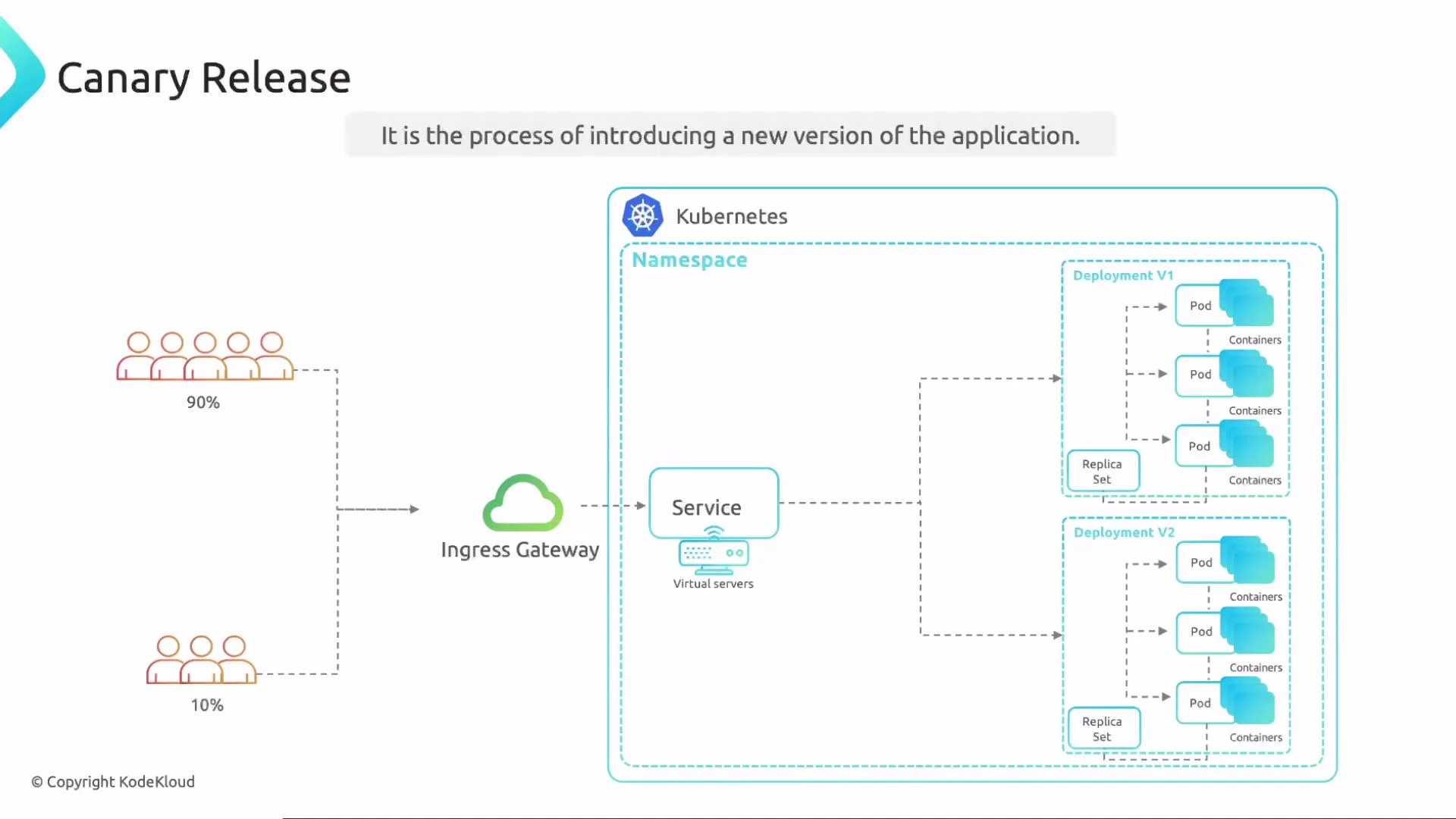 You can adjust the routed percentage (for example 90/10, 95/5, etc.), but the defining trait of canary is the gradual traffic split.
Blue–green releases, by contrast, switch all user traffic from v1 to v2 in a single cutover. There is no gradual ramp — users are on v1 one moment and v2 the next.
You can adjust the routed percentage (for example 90/10, 95/5, etc.), but the defining trait of canary is the gradual traffic split.
Blue–green releases, by contrast, switch all user traffic from v1 to v2 in a single cutover. There is no gradual ramp — users are on v1 one moment and v2 the next.
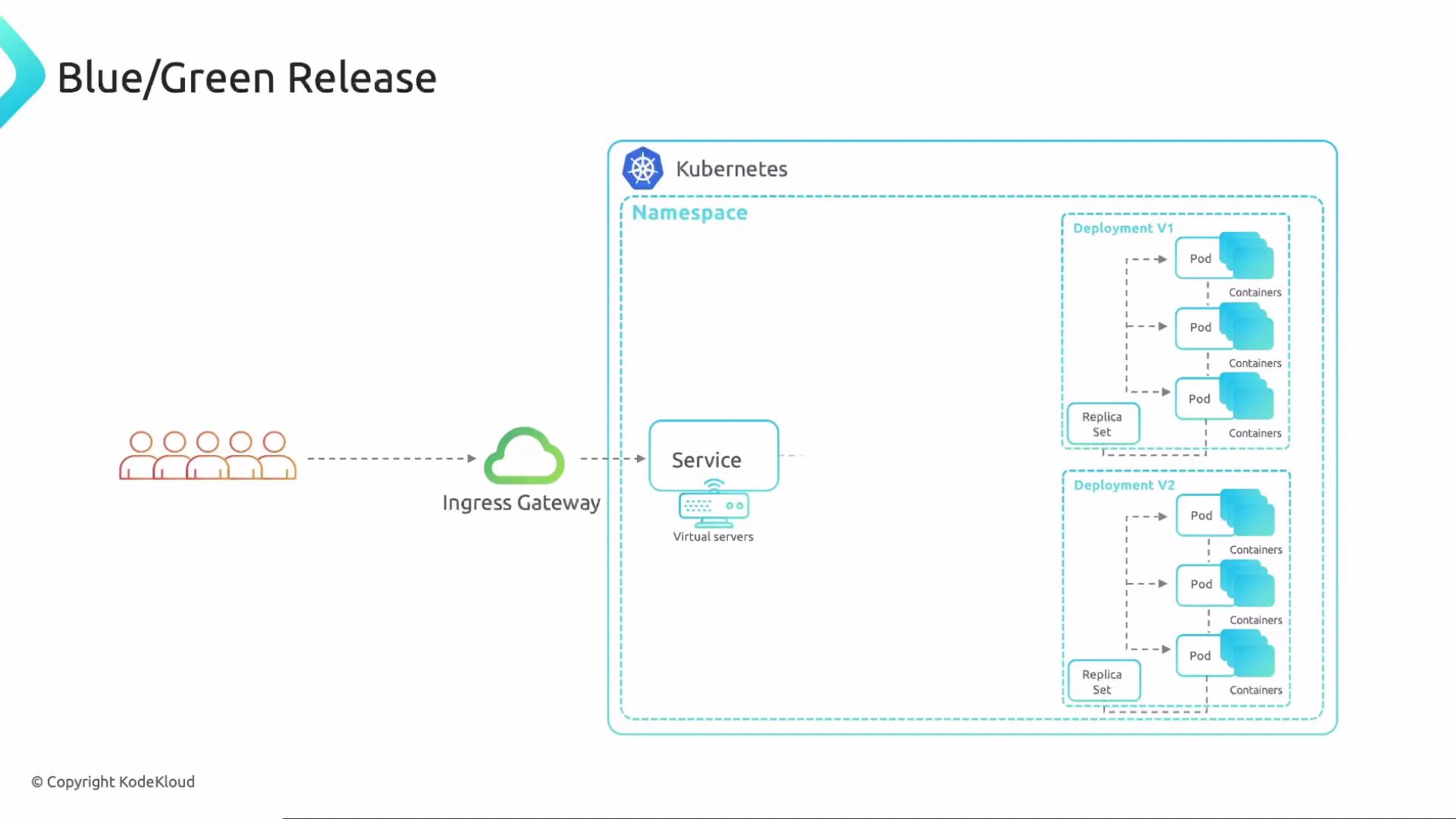 Both approaches have trade-offs. Use the table below to compare them quickly.
| Strategy | Rollout pattern | Risk exposure | Best for |
| ---------- | ------------------------------------ | ----------------------------------------------- | ------------------------------------------------ |
| Canary | Gradual traffic ramp (percent-based) | Low exposure early; increases as ramp proceeds | Safely validate behavior with a subset of users |
| Blue–Green | All-or-nothing cutover | Full exposure at switch; fast rollback possible | Quick, atomic switch when environments are ready |
Ideally you want the low-risk validation of a canary with the ability to test the new version against full production traffic. Istio’s traffic mirroring helps you achieve that combination.
## What is Istio traffic mirroring?
Istio traffic mirroring sends a copy of live production requests to another version of your service (for example, a staging or test instance) while the original response still goes to production. Mirroring lets you exercise v2 with real requests and production payloads without affecting user-visible responses.
Both approaches have trade-offs. Use the table below to compare them quickly.
| Strategy | Rollout pattern | Risk exposure | Best for |
| ---------- | ------------------------------------ | ----------------------------------------------- | ------------------------------------------------ |
| Canary | Gradual traffic ramp (percent-based) | Low exposure early; increases as ramp proceeds | Safely validate behavior with a subset of users |
| Blue–Green | All-or-nothing cutover | Full exposure at switch; fast rollback possible | Quick, atomic switch when environments are ready |
Ideally you want the low-risk validation of a canary with the ability to test the new version against full production traffic. Istio’s traffic mirroring helps you achieve that combination.
## What is Istio traffic mirroring?
Istio traffic mirroring sends a copy of live production requests to another version of your service (for example, a staging or test instance) while the original response still goes to production. Mirroring lets you exercise v2 with real requests and production payloads without affecting user-visible responses.
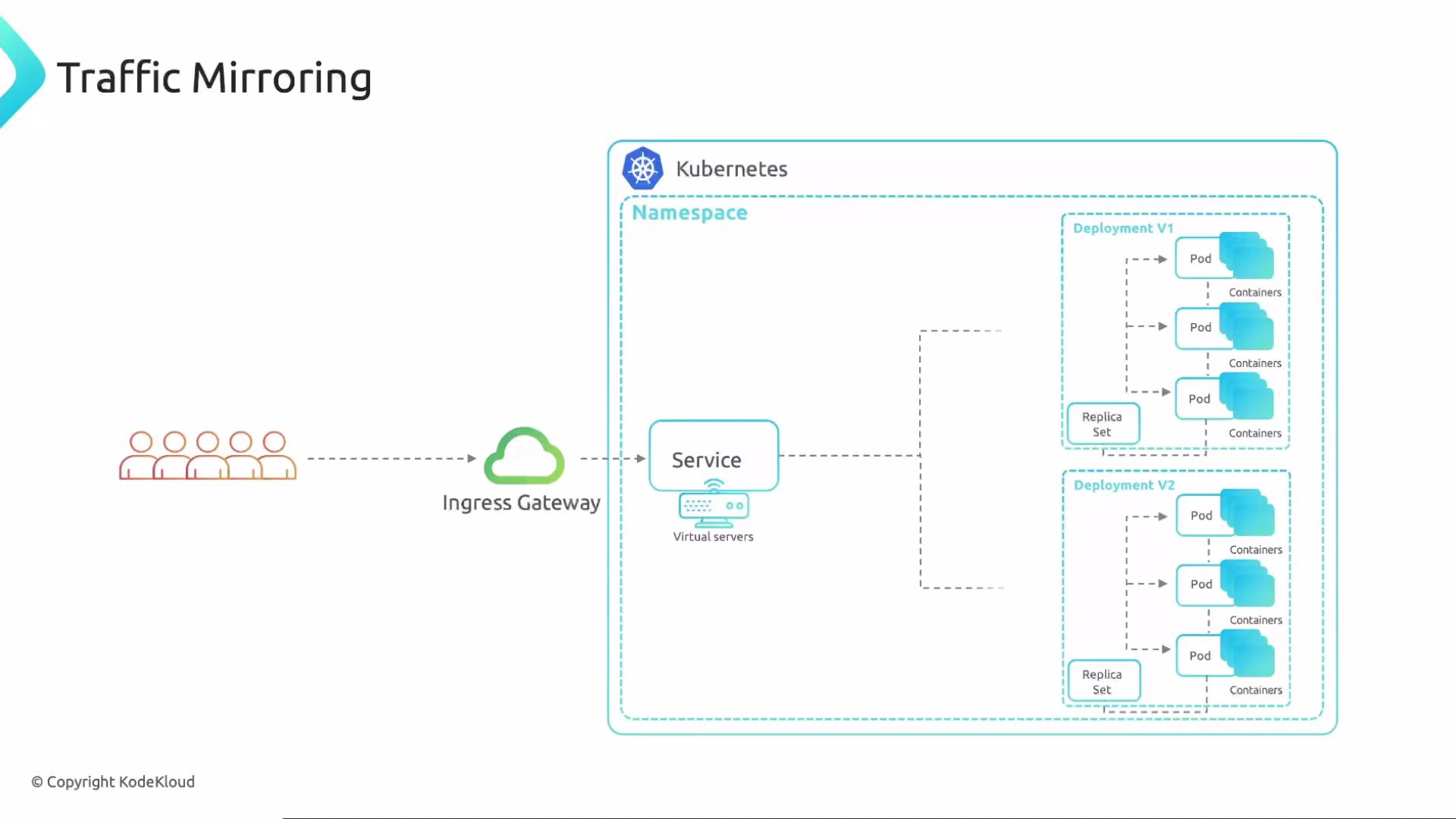 Key points:
* Mirrored requests are copies — responses from the mirrored destination are ignored by Istio and never returned to the client.
* Mirroring is asynchronous and safe for exercising read-only behavior and performance testing.
* Avoid side effects (for example, writes to production databases) from mirrored requests unless you have safeguards (see the warning below).
Mirrored traffic still reaches the mirrored service. If that service performs writes (to databases, external APIs, or modifies shared state), those side-effects will occur unless explicitly isolated. Always ensure mirrored requests are safe or routed to an isolated environment to avoid corrupting production data.
## Deployments and Service setup
To enable mirroring you need two versions of your application deployed — for example `v1` (production) and `v2` (mirror/test). Both deployments can share the same Service selector (e.g., `app: frontend`) so that Istio can route to subsets defined by a DestinationRule.
Example Kubernetes Deployment and Service manifests:
```yaml theme={null}
apiVersion: apps/v1
kind: Deployment
metadata:
name: app-v2-deployment
namespace: frontend
spec:
replicas: 3
selector:
matchLabels:
app: frontend
version: v2
template:
metadata:
labels:
app: frontend
version: v2
spec:
containers:
- name: app
image: app:2.1
---
apiVersion: v1
kind: Service
metadata:
name: app-svc
namespace: frontend
spec:
ports:
- port: 80
name: http
selector:
app: frontend
---
apiVersion: apps/v1
kind: Deployment
metadata:
name: app-v1-deployment
namespace: frontend
spec:
replicas: 3
selector:
matchLabels:
app: frontend
version: v1
template:
metadata:
labels:
app: frontend
version: v1
spec:
containers:
- name: app
image: app:1.1
```
Note:
* The Service `app-svc` selects pods with `app: frontend`. Subsets (v1, v2) are distinguished by the `version` label and defined in a DestinationRule.
## VirtualService and DestinationRule for mirroring
Mirroring is configured in an Istio VirtualService by adding a `mirror` destination to the primary `route`. The mirrored subset(s) are declared in a matching DestinationRule.
Example VirtualService and DestinationRule that implement mirroring:
```yaml theme={null}
apiVersion: networking.istio.io/v1beta1
kind: VirtualService
metadata:
name: app-vs
namespace: frontend
spec:
hosts:
- app-svc
http:
- route:
- destination:
host: app-svc
port:
number: 80
subset: v1
weight: 100
mirror:
host: app-svc
port:
number: 80
subset: v2
mirrorPercent: 100
---
apiVersion: networking.istio.io/v1beta1
kind: DestinationRule
metadata:
name: app-ds
namespace: frontend
spec:
host: app-svc
subsets:
- name: v1
labels:
version: v1
- name: v2
labels:
version: v2
```
In this setup:
* The `route` section sends all user-facing requests to subset `v1`.
* The `mirror` section sends a copy of each request to subset `v2`.
* `mirrorPercent` controls the fraction of requests that are mirrored (0–100). Use lower values to sample mirrored traffic.
Mirrored requests are sent asynchronously to the mirror destination; responses from the mirrored service are ignored by Istio and not returned to the user. Mirroring is therefore safe for exercising behavior but should not be used for anything that affects observable user state (e.g., writing to production databases) unless you take appropriate safeguards.
## Why use mirroring?
Key points:
* Mirrored requests are copies — responses from the mirrored destination are ignored by Istio and never returned to the client.
* Mirroring is asynchronous and safe for exercising read-only behavior and performance testing.
* Avoid side effects (for example, writes to production databases) from mirrored requests unless you have safeguards (see the warning below).
Mirrored traffic still reaches the mirrored service. If that service performs writes (to databases, external APIs, or modifies shared state), those side-effects will occur unless explicitly isolated. Always ensure mirrored requests are safe or routed to an isolated environment to avoid corrupting production data.
## Deployments and Service setup
To enable mirroring you need two versions of your application deployed — for example `v1` (production) and `v2` (mirror/test). Both deployments can share the same Service selector (e.g., `app: frontend`) so that Istio can route to subsets defined by a DestinationRule.
Example Kubernetes Deployment and Service manifests:
```yaml theme={null}
apiVersion: apps/v1
kind: Deployment
metadata:
name: app-v2-deployment
namespace: frontend
spec:
replicas: 3
selector:
matchLabels:
app: frontend
version: v2
template:
metadata:
labels:
app: frontend
version: v2
spec:
containers:
- name: app
image: app:2.1
---
apiVersion: v1
kind: Service
metadata:
name: app-svc
namespace: frontend
spec:
ports:
- port: 80
name: http
selector:
app: frontend
---
apiVersion: apps/v1
kind: Deployment
metadata:
name: app-v1-deployment
namespace: frontend
spec:
replicas: 3
selector:
matchLabels:
app: frontend
version: v1
template:
metadata:
labels:
app: frontend
version: v1
spec:
containers:
- name: app
image: app:1.1
```
Note:
* The Service `app-svc` selects pods with `app: frontend`. Subsets (v1, v2) are distinguished by the `version` label and defined in a DestinationRule.
## VirtualService and DestinationRule for mirroring
Mirroring is configured in an Istio VirtualService by adding a `mirror` destination to the primary `route`. The mirrored subset(s) are declared in a matching DestinationRule.
Example VirtualService and DestinationRule that implement mirroring:
```yaml theme={null}
apiVersion: networking.istio.io/v1beta1
kind: VirtualService
metadata:
name: app-vs
namespace: frontend
spec:
hosts:
- app-svc
http:
- route:
- destination:
host: app-svc
port:
number: 80
subset: v1
weight: 100
mirror:
host: app-svc
port:
number: 80
subset: v2
mirrorPercent: 100
---
apiVersion: networking.istio.io/v1beta1
kind: DestinationRule
metadata:
name: app-ds
namespace: frontend
spec:
host: app-svc
subsets:
- name: v1
labels:
version: v1
- name: v2
labels:
version: v2
```
In this setup:
* The `route` section sends all user-facing requests to subset `v1`.
* The `mirror` section sends a copy of each request to subset `v2`.
* `mirrorPercent` controls the fraction of requests that are mirrored (0–100). Use lower values to sample mirrored traffic.
Mirrored requests are sent asynchronously to the mirror destination; responses from the mirrored service are ignored by Istio and not returned to the user. Mirroring is therefore safe for exercising behavior but should not be used for anything that affects observable user state (e.g., writing to production databases) unless you take appropriate safeguards.
## Why use mirroring?
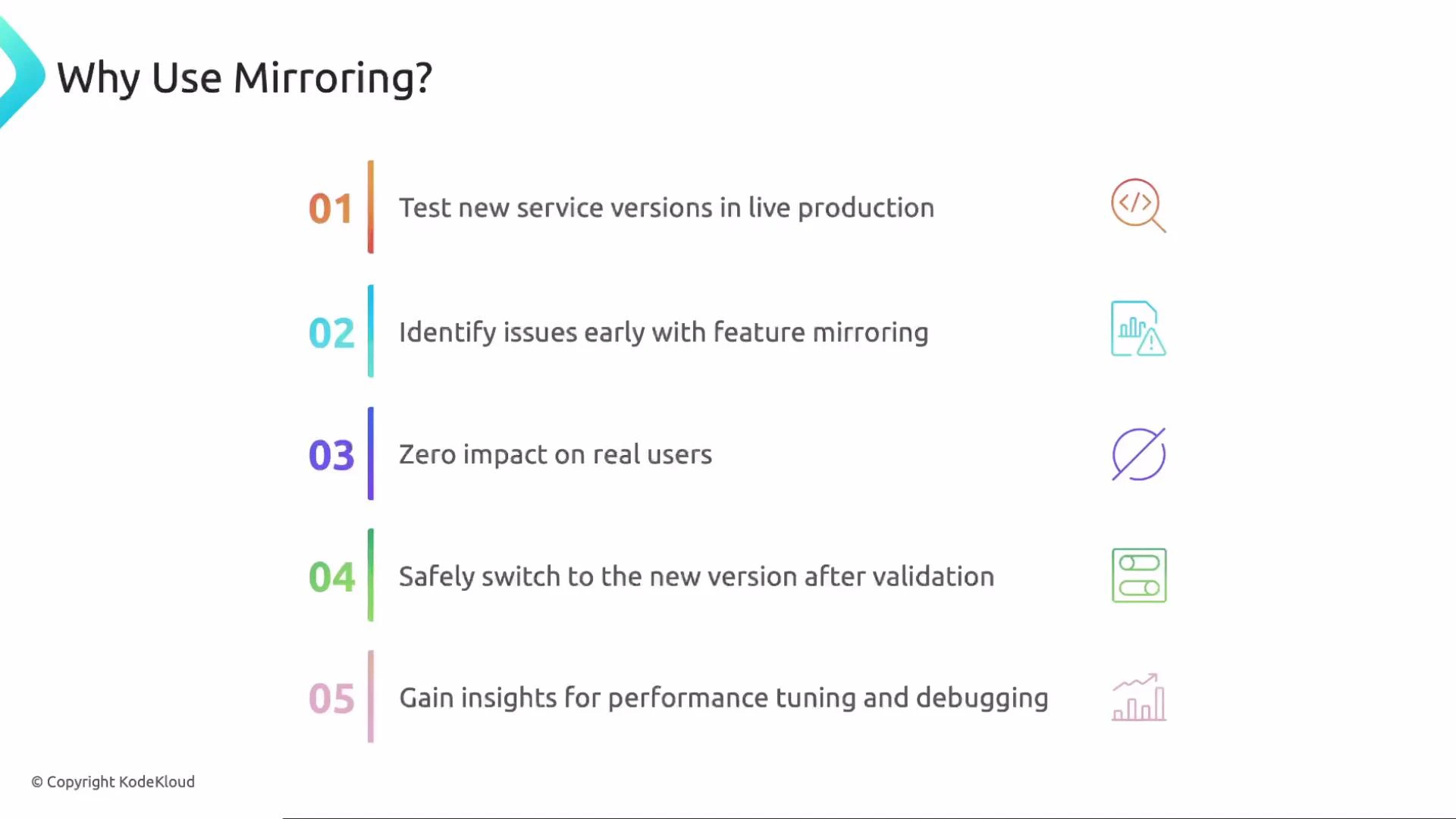 Mirroring provides several practical benefits:
* Validate new service versions with real production traffic without impacting users.
* Discover issues earlier using live workloads and production payloads.
* Maintain zero user impact because mirrored responses are discarded.
* Confidently verify v2 behavior before a full cutover or canary ramp.
* Collect realistic performance metrics and debugging traces under production load.
## Mirroring configuration options
Istio supports a few mirroring options you should know about:
* `mirror` destination: specifies host/port/subset to receive mirrored requests.
* `mirrorPercent`: sample rate for mirrored traffic (0–100).
* `PortSelector`: explicitly choose a target port for mirrored traffic.
* `HTTPMirrorPolicy` fields available on the VirtualService HTTP route.
Mirroring provides several practical benefits:
* Validate new service versions with real production traffic without impacting users.
* Discover issues earlier using live workloads and production payloads.
* Maintain zero user impact because mirrored responses are discarded.
* Confidently verify v2 behavior before a full cutover or canary ramp.
* Collect realistic performance metrics and debugging traces under production load.
## Mirroring configuration options
Istio supports a few mirroring options you should know about:
* `mirror` destination: specifies host/port/subset to receive mirrored requests.
* `mirrorPercent`: sample rate for mirrored traffic (0–100).
* `PortSelector`: explicitly choose a target port for mirrored traffic.
* `HTTPMirrorPolicy` fields available on the VirtualService HTTP route.
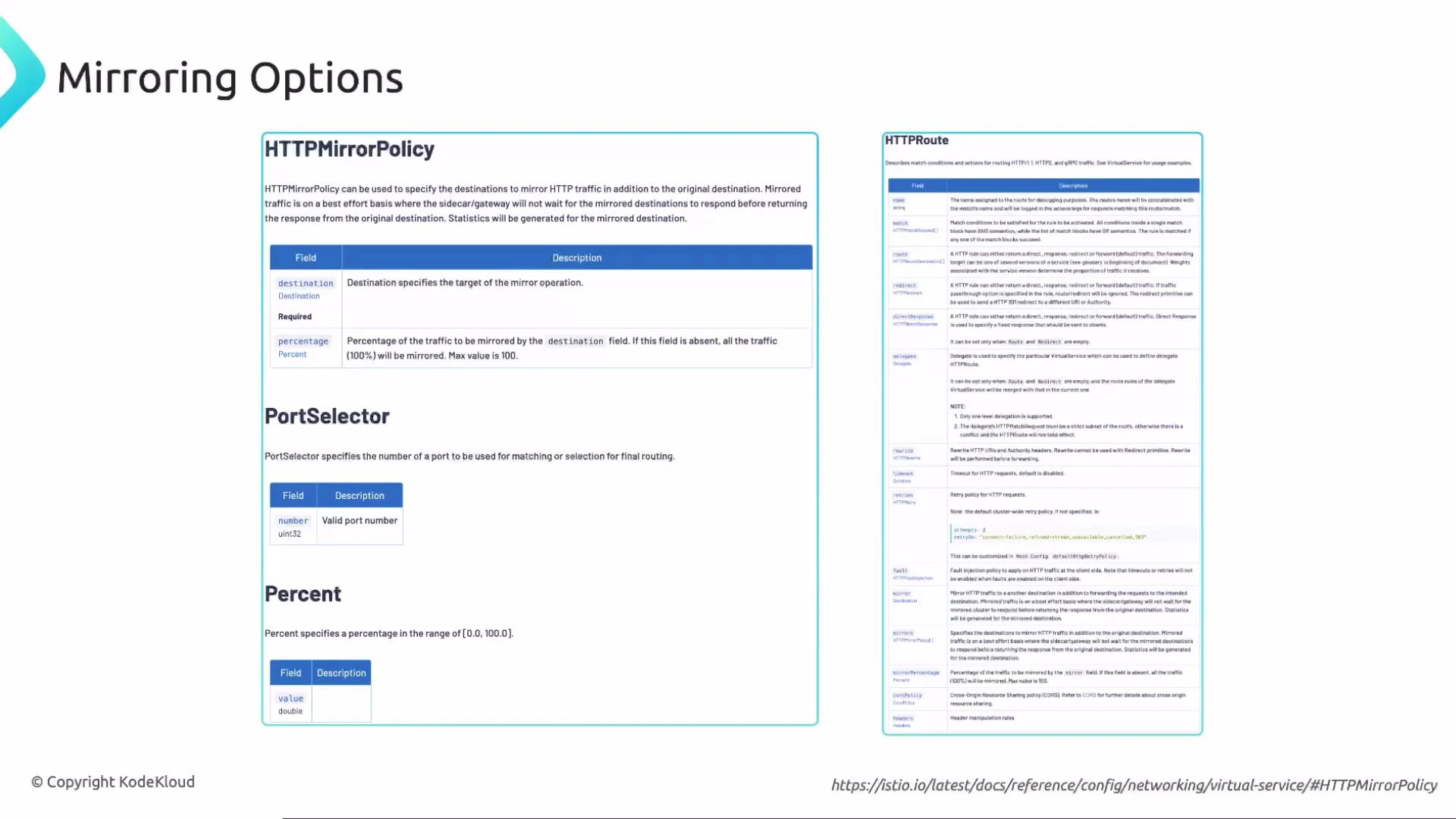 For the most up-to-date API and fields, see the Istio VirtualService documentation:
* Istio VirtualService reference: [https://istio.io/latest/docs/reference/config/networking/virtual-service/](https://istio.io/latest/docs/reference/config/networking/virtual-service/)
## Quick checklist to enable mirroring
1. Deploy production version (v1) and the mirrored/test version (v2).
2. Ensure both deployments share the Service selector (for example `app: frontend`).
3. Create a DestinationRule with `subsets` matching the `version` labels.
4. Create or update the VirtualService: route primary traffic to `v1`, set `mirror` to `v2`, and adjust `mirrorPercent`.
5. Monitor mirrored service logs, traces, and metrics to validate behavior.
6. Gradually increase `mirrorPercent` if you need more sampling before a full rollout.
## Best practices
* Use mirroring for read-only validation, performance testing, and debugging.
* Isolate mirrored environments from production stateful systems (databases, billing systems) to prevent accidental writes.
* Start with a small `mirrorPercent` (for example 1–5%) when traffic volume is high to limit load.
* Combine mirroring with tracing and logging so you can correlate production and mirrored requests.
* Clean up or scale down mirrored deployments when validation is complete.
References
* Istio VirtualService docs: [https://istio.io/latest/docs/reference/config/networking/virtual-service/](https://istio.io/latest/docs/reference/config/networking/virtual-service/)
For the most up-to-date API and fields, see the Istio VirtualService documentation:
* Istio VirtualService reference: [https://istio.io/latest/docs/reference/config/networking/virtual-service/](https://istio.io/latest/docs/reference/config/networking/virtual-service/)
## Quick checklist to enable mirroring
1. Deploy production version (v1) and the mirrored/test version (v2).
2. Ensure both deployments share the Service selector (for example `app: frontend`).
3. Create a DestinationRule with `subsets` matching the `version` labels.
4. Create or update the VirtualService: route primary traffic to `v1`, set `mirror` to `v2`, and adjust `mirrorPercent`.
5. Monitor mirrored service logs, traces, and metrics to validate behavior.
6. Gradually increase `mirrorPercent` if you need more sampling before a full rollout.
## Best practices
* Use mirroring for read-only validation, performance testing, and debugging.
* Isolate mirrored environments from production stateful systems (databases, billing systems) to prevent accidental writes.
* Start with a small `mirrorPercent` (for example 1–5%) when traffic volume is high to limit load.
* Combine mirroring with tracing and logging so you can correlate production and mirrored requests.
* Clean up or scale down mirrored deployments when validation is complete.
References
* Istio VirtualService docs: [https://istio.io/latest/docs/reference/config/networking/virtual-service/](https://istio.io/latest/docs/reference/config/networking/virtual-service/)