> ## Documentation Index
> Fetch the complete documentation index at: https://notes.kodekloud.com/llms.txt
> Use this file to discover all available pages before exploring further.
# Global Context
> Explains Kyverno GlobalContextEntry caching to reduce API server load by caching Kubernetes resources or external API data for efficient policy evaluations.
Earlier, we learned how to fetch live data from ConfigMaps and directly from the Kubernetes API server. Those direct API call patterns are powerful, but they have a hidden cost: every time Kyverno evaluates a policy that performs a live API request, Kyverno makes a real-time call to the Kubernetes API server. In a busy cluster, a popular policy that fires on every Pod or Service change can generate hundreds or thousands of API requests and cause unnecessary load.
In this lesson we solve that performance problem using Kyverno's GlobalContextEntry resource: a configurable, cluster-scoped cache that lets you fetch data periodically or keep it updated in real time and then reference that cached data from many policies with near-zero evaluation cost.
Let's check back in with Alex.
Alex previously wrote a policy that lists Services to make a validation decision. It worked, but the policy became chatty: every Service create or update triggered an API call that listed all Services in the namespace. In a busy cluster this resulted in a huge spike in API server requests and noisy-neighbor behavior.
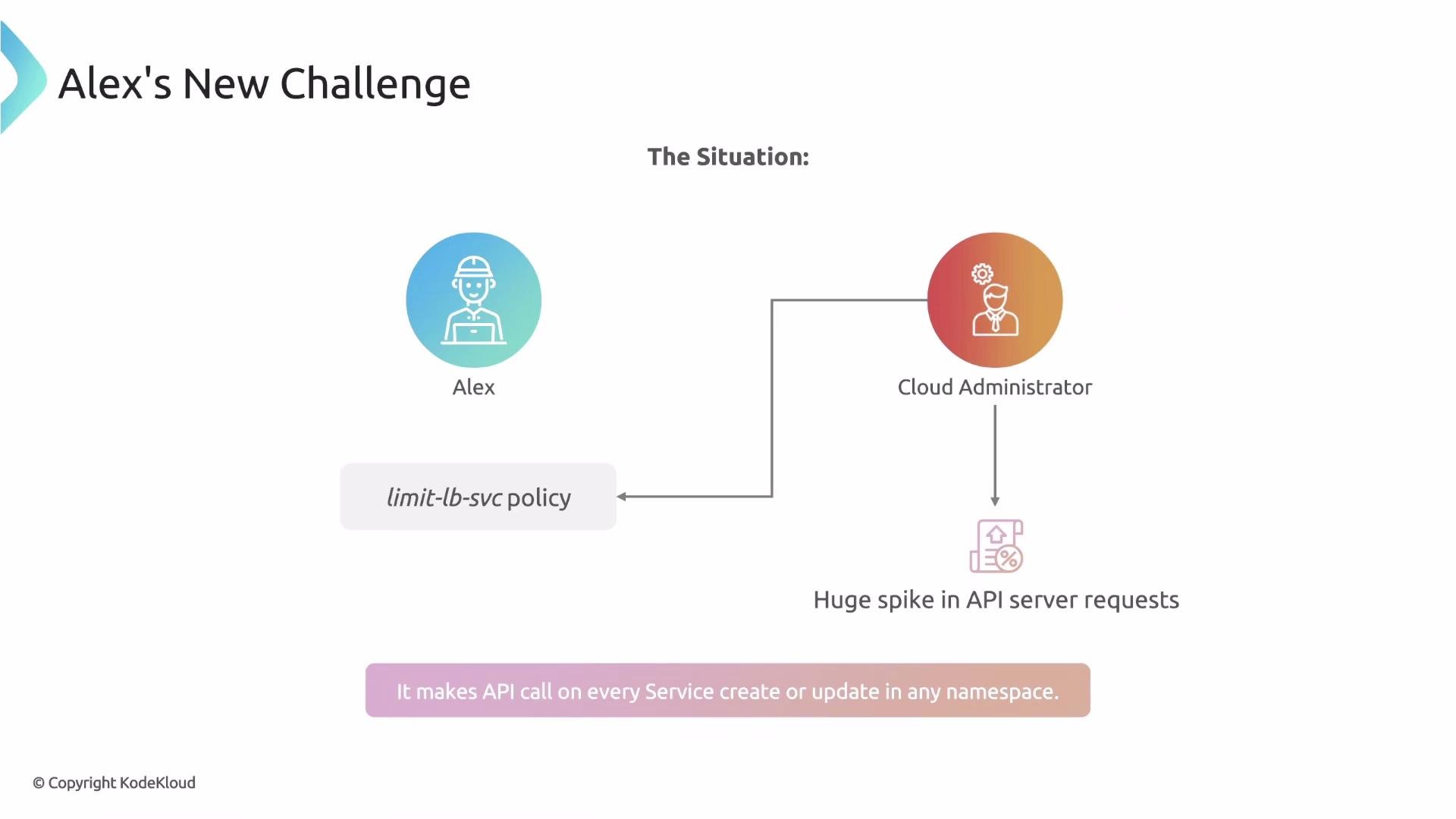 Alex recognized that the data he needs—for example, the list of load-balancer Services—doesn't change every millisecond. The set of relevant Services is relatively stable. That suggests a better approach: fetch the data on a schedule (for example, once a minute), store it in a shared cache, and have policies read from that cache instead of making live API calls on every evaluation.
This is exactly what GlobalContextEntry is designed to solve.
Overview: how GlobalContextEntry works
* Create one or more GlobalContextEntry resources to declare the data Kyverno should cache and how to keep it updated.
* Reference the cache in policy rules using a `globalReference` inside the policy `context` block. Policies then read from Kyverno's in-memory cache instead of calling the API server on every evaluation.
This define-once, reference-many pattern dramatically reduces API traffic and improves policy evaluation performance.
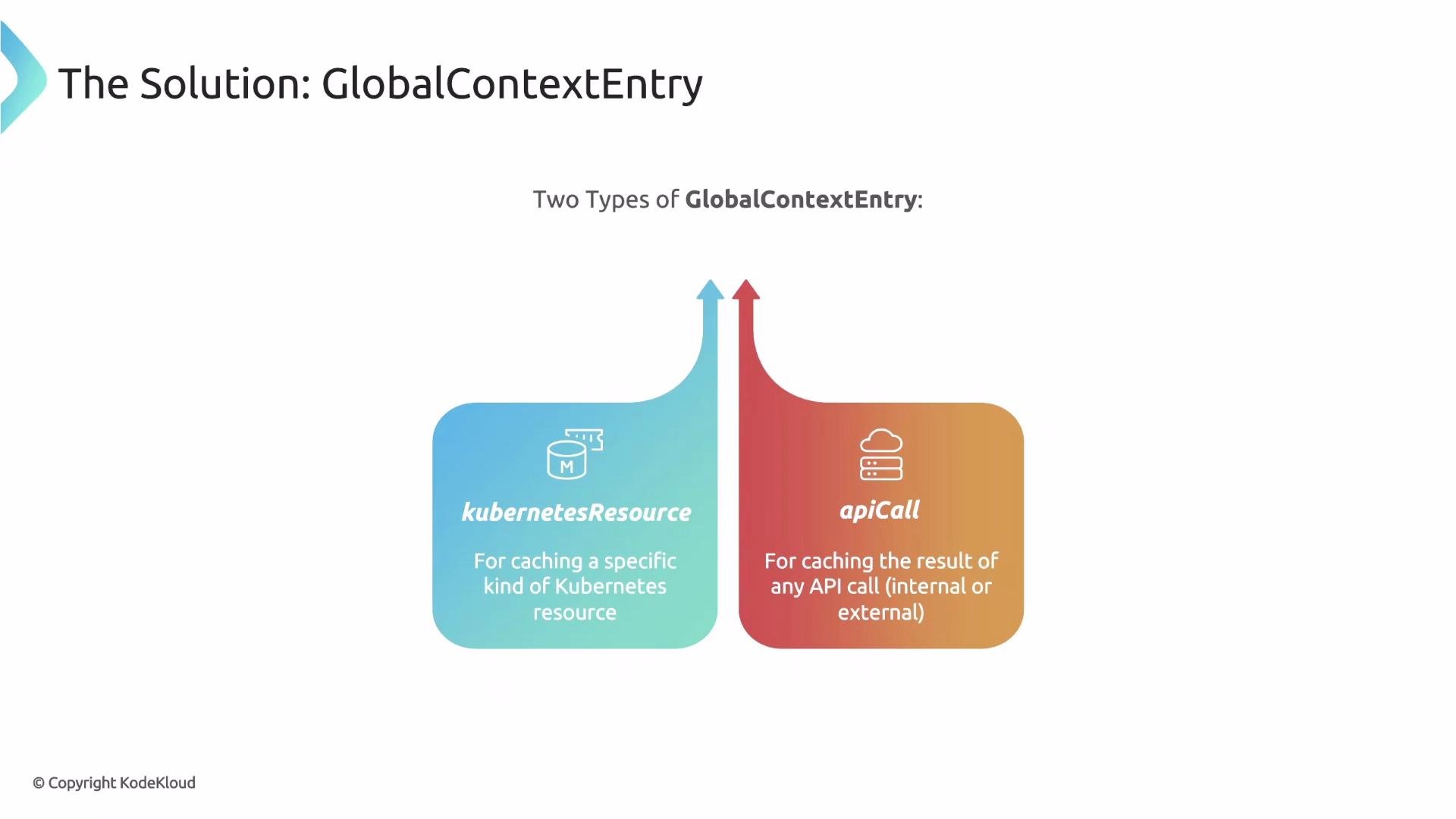
There are two GlobalContextEntry types; choose based on your use case:
* kubernetesResource — informer-based, real-time caching of all resources of a single kind.
* apiCall — polling-based caching for filtered Kubernetes API queries or external services.
Alex recognized that the data he needs—for example, the list of load-balancer Services—doesn't change every millisecond. The set of relevant Services is relatively stable. That suggests a better approach: fetch the data on a schedule (for example, once a minute), store it in a shared cache, and have policies read from that cache instead of making live API calls on every evaluation.
This is exactly what GlobalContextEntry is designed to solve.
Overview: how GlobalContextEntry works
* Create one or more GlobalContextEntry resources to declare the data Kyverno should cache and how to keep it updated.
* Reference the cache in policy rules using a `globalReference` inside the policy `context` block. Policies then read from Kyverno's in-memory cache instead of calling the API server on every evaluation.
This define-once, reference-many pattern dramatically reduces API traffic and improves policy evaluation performance.
There are two GlobalContextEntry types; choose based on your use case:
* kubernetesResource — informer-based, real-time caching of all resources of a single kind.
* apiCall — polling-based caching for filtered Kubernetes API queries or external services.
 ## kubernetesResource: informer-based, near-real-time cache
Use the `kubernetesResource` type when you need a complete, up-to-date cache of all objects of a single resource kind. Kyverno uses Kubernetes informers (the same mechanism used by controllers) so the cache is updated instantly on create, update, or delete. There is no polling interval and no staleness window.
Example — cache all Deployments in the `fitness` namespace:
```yaml theme={null}
apiVersion: kyverno.io/v2alpha1
kind: GlobalContextEntry
metadata:
name: deployments
spec:
kubernetesResource:
group: apps
version: v1
resource: deployments
namespace: fitness
```
If you omit the `namespace` field, Kyverno will cache deployments from all namespaces (cluster-wide).
When to use `kubernetesResource`:
* You need an always-up-to-date complete list of a resource kind.
* You prefer event-driven updates without polling.
* You want minimal staleness for policy decisions.
## apiCall: filtered Kubernetes queries or external APIs with refresh intervals
Use `apiCall` when you want to:
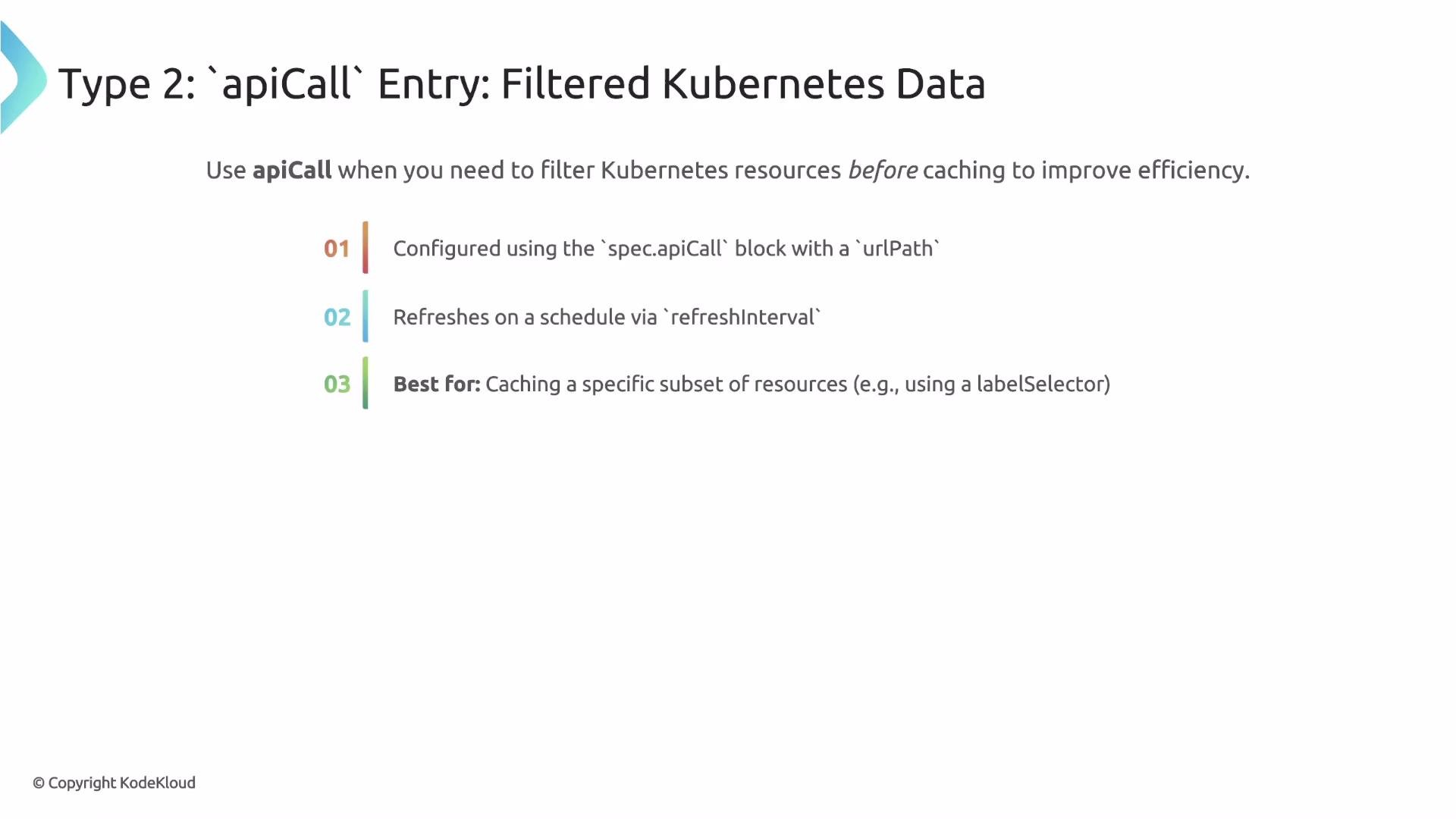
* Cache a filtered subset of Kubernetes resources (for example, only items with a certain label) to avoid storing thousands of irrelevant objects, or
* Cache data from an external service (HTTP/HTTPS) on a schedule.
Configure `apiCall` with either a `urlPath` (Kubernetes API query) or a `service` block (external URL), and set `refreshInterval` to control polling frequency.
Example — cache only Deployments in the `fitness` namespace with `app=blue`, refreshed every 10 seconds:
```yaml theme={null}
apiVersion: kyverno.io/v2alpha1
kind: GlobalContextEntry
metadata:
name: blue-deployments
spec:
apiCall:
urlPath: "/apis/apps/v1/namespaces/fitness/deployments?labelSelector=app=blue"
refreshInterval: 10s
```
This entry polls the API every `refreshInterval`. The cached data can be up to that interval old — a trade-off that typically yields large performance gains when full real-time fidelity isn't required.
## kubernetesResource: informer-based, near-real-time cache
Use the `kubernetesResource` type when you need a complete, up-to-date cache of all objects of a single resource kind. Kyverno uses Kubernetes informers (the same mechanism used by controllers) so the cache is updated instantly on create, update, or delete. There is no polling interval and no staleness window.
Example — cache all Deployments in the `fitness` namespace:
```yaml theme={null}
apiVersion: kyverno.io/v2alpha1
kind: GlobalContextEntry
metadata:
name: deployments
spec:
kubernetesResource:
group: apps
version: v1
resource: deployments
namespace: fitness
```
If you omit the `namespace` field, Kyverno will cache deployments from all namespaces (cluster-wide).
When to use `kubernetesResource`:
* You need an always-up-to-date complete list of a resource kind.
* You prefer event-driven updates without polling.
* You want minimal staleness for policy decisions.
## apiCall: filtered Kubernetes queries or external APIs with refresh intervals
Use `apiCall` when you want to:
* Cache a filtered subset of Kubernetes resources (for example, only items with a certain label) to avoid storing thousands of irrelevant objects, or
* Cache data from an external service (HTTP/HTTPS) on a schedule.
Configure `apiCall` with either a `urlPath` (Kubernetes API query) or a `service` block (external URL), and set `refreshInterval` to control polling frequency.
Example — cache only Deployments in the `fitness` namespace with `app=blue`, refreshed every 10 seconds:
```yaml theme={null}
apiVersion: kyverno.io/v2alpha1
kind: GlobalContextEntry
metadata:
name: blue-deployments
spec:
apiCall:
urlPath: "/apis/apps/v1/namespaces/fitness/deployments?labelSelector=app=blue"
refreshInterval: 10s
```
This entry polls the API every `refreshInterval`. The cached data can be up to that interval old — a trade-off that typically yields large performance gains when full real-time fidelity isn't required.
 ### External services and CA bundles
When the `service` block points to an internal HTTPS endpoint signed by a private Certificate Authority, include the CA certificate in the `caBundle` field so Kyverno can verify the service identity.
Example — call an internal HTTPS service every minute and include the CA bundle:
```yaml theme={null}
apiVersion: kyverno.io/v2alpha1
kind: GlobalContextEntry
metadata:
name: redisdata
spec:
apiCall:
method: GET
refreshInterval: 1m
service:
url: https://redis.myns.svc:6379
caBundle: |-
-----BEGIN CERTIFICATE-----
...
-----END CERTIFICATE-----
```
When using an internal HTTPS `service`, include the `caBundle` only if the service uses a private CA. Public CA-signed certificates do not require `caBundle`.
## Choosing the right type — quick comparison
| Feature | Use kubernetesResource | Use apiCall |
| -----------: | :----------------------------------------------: | :----------------------------------------: |
| Update model | Informer (event-driven) | Polling (refresh interval) |
| Freshness | Near real-time | Up to `refreshInterval` old |
| Scope | Full resource kind (optionally namespace-scoped) | Filtered queries or external API responses |
| Best for | Always-current resource lists | Filtered caches or external services |
## Reference cached data in policies
After you create a GlobalContextEntry, reference it from a policy's `context` block using `globalReference`. The `name` must exactly match the GlobalContextEntry `metadata.name`. Use a [JMESPath](https://jmespath.org/) expression to extract or transform the cached data for your policy.
Example policy — deny Pod creation unless at least one Deployment exists in the `blue-deployments` cache:
```yaml theme={null}
rules:
- name: main-deployment-exists
context:
- name: deploymentCount
globalReference:
name: blue-deployments # must match metadata.name of the GlobalContextEntry
jmesPath: "length(@)" # count items in the cached response
match:
any:
- resources:
kinds:
- Pod
validate:
deny:
conditions:
any:
- key: "{{ deploymentCount }}"
operator: Equals
value: 0
```
Notes on the example:
* The `deploymentCount` context variable receives the numeric result of the JMESPath `length(@)` expression.
* The `validate.deny` condition blocks Pod creation when `deploymentCount` equals `0`.
The `name` under `globalReference` must exactly match the GlobalContextEntry `metadata.name`. Use JMESPath to shape the cached payload for your policy logic.
## Summary
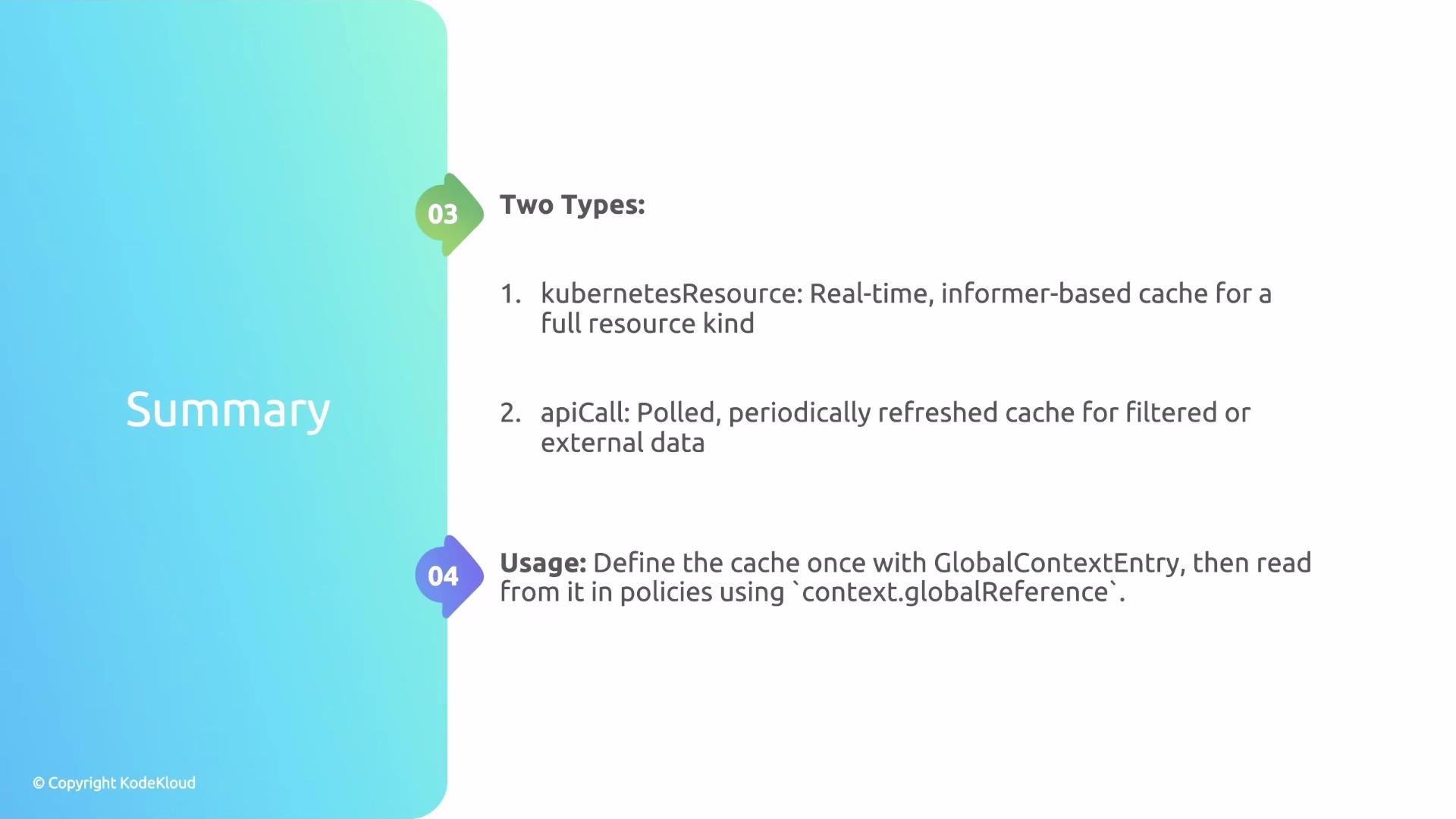
Direct, synchronous API calls inside policy evaluations do not scale well. Kyverno's GlobalContextEntry provides a configurable, high-performance cache for both Kubernetes resources and external API data:
* Use `kubernetesResource` for informer-based, near-real-time caches of complete resource sets.
* Use `apiCall` for filtered Kubernetes queries or external service data on a poll schedule.
Define the cache once and reference it via `context.globalReference` in many policies for efficient, low-cost evaluations.
### External services and CA bundles
When the `service` block points to an internal HTTPS endpoint signed by a private Certificate Authority, include the CA certificate in the `caBundle` field so Kyverno can verify the service identity.
Example — call an internal HTTPS service every minute and include the CA bundle:
```yaml theme={null}
apiVersion: kyverno.io/v2alpha1
kind: GlobalContextEntry
metadata:
name: redisdata
spec:
apiCall:
method: GET
refreshInterval: 1m
service:
url: https://redis.myns.svc:6379
caBundle: |-
-----BEGIN CERTIFICATE-----
...
-----END CERTIFICATE-----
```
When using an internal HTTPS `service`, include the `caBundle` only if the service uses a private CA. Public CA-signed certificates do not require `caBundle`.
## Choosing the right type — quick comparison
| Feature | Use kubernetesResource | Use apiCall |
| -----------: | :----------------------------------------------: | :----------------------------------------: |
| Update model | Informer (event-driven) | Polling (refresh interval) |
| Freshness | Near real-time | Up to `refreshInterval` old |
| Scope | Full resource kind (optionally namespace-scoped) | Filtered queries or external API responses |
| Best for | Always-current resource lists | Filtered caches or external services |
## Reference cached data in policies
After you create a GlobalContextEntry, reference it from a policy's `context` block using `globalReference`. The `name` must exactly match the GlobalContextEntry `metadata.name`. Use a [JMESPath](https://jmespath.org/) expression to extract or transform the cached data for your policy.
Example policy — deny Pod creation unless at least one Deployment exists in the `blue-deployments` cache:
```yaml theme={null}
rules:
- name: main-deployment-exists
context:
- name: deploymentCount
globalReference:
name: blue-deployments # must match metadata.name of the GlobalContextEntry
jmesPath: "length(@)" # count items in the cached response
match:
any:
- resources:
kinds:
- Pod
validate:
deny:
conditions:
any:
- key: "{{ deploymentCount }}"
operator: Equals
value: 0
```
Notes on the example:
* The `deploymentCount` context variable receives the numeric result of the JMESPath `length(@)` expression.
* The `validate.deny` condition blocks Pod creation when `deploymentCount` equals `0`.
The `name` under `globalReference` must exactly match the GlobalContextEntry `metadata.name`. Use JMESPath to shape the cached payload for your policy logic.
## Summary
Direct, synchronous API calls inside policy evaluations do not scale well. Kyverno's GlobalContextEntry provides a configurable, high-performance cache for both Kubernetes resources and external API data:
* Use `kubernetesResource` for informer-based, near-real-time caches of complete resource sets.
* Use `apiCall` for filtered Kubernetes queries or external service data on a poll schedule.
Define the cache once and reference it via `context.globalReference` in many policies for efficient, low-cost evaluations.
 That's it for this lesson.
Links and references
* Kyverno Global context and external data: [https://kyverno.io/docs/](https://kyverno.io/docs/)
* JMESPath query language: [https://jmespath.org/](https://jmespath.org/)
* Kubernetes informers (controller pattern): [https://kubernetes.io/docs/reference/using-api/api-concepts/#watch-operations](https://kubernetes.io/docs/reference/using-api/api-concepts/#watch-operations)
That's it for this lesson.
Links and references
* Kyverno Global context and external data: [https://kyverno.io/docs/](https://kyverno.io/docs/)
* JMESPath query language: [https://jmespath.org/](https://jmespath.org/)
* Kubernetes informers (controller pattern): [https://kubernetes.io/docs/reference/using-api/api-concepts/#watch-operations](https://kubernetes.io/docs/reference/using-api/api-concepts/#watch-operations)