> ## Documentation Index
> Fetch the complete documentation index at: https://notes.kodekloud.com/llms.txt
> Use this file to discover all available pages before exploring further.
# Image Signature using Notary
> Guide to signing container images with Notation, inspecting Notary v2 signatures, and verifying integrity using image digests and trust stores, with notes on demo keys and Kyverno verification policies
In the previous lesson we covered why signing container images matters. This article walks through the practical steps to sign a container image using Notation, inspect the resulting signature artifact, and verify the signature (locally and conceptually how a verifier like Kyverno checks it). The workflow emphasizes operating on an image's immutable content-addressable digest so the signature binds to the exact image content.
Always sign and verify an image by its immutable digest (for example, `registry.example.com/app@sha256:...`) rather than a mutable tag. This ensures the signature cryptographically covers the exact image bytes.
## Quick checklist
* Use the image digest (not a tag) when signing and verifying.
* Provision keys/certificates securely in production (see warning below).
* Notation stores signatures in the registry as Notary v2 signature artifacts associated with the image digest.
## Set the image variable and check for existing signatures
Start by pointing to the image’s immutable digest and list any existing signatures. For a freshly built image, `notation ls` should return nothing.
```bash theme={null}
# Set a variable for the immutable image digest
IMAGE=localhost:5001/net-monitor@sha256:073b7598...555a
# List existing signatures (should be empty for a new image)
notation ls $IMAGE
```
If nothing is returned, the image is unsigned and ready for signing.
## Generate test keys and certificate (development/demo)
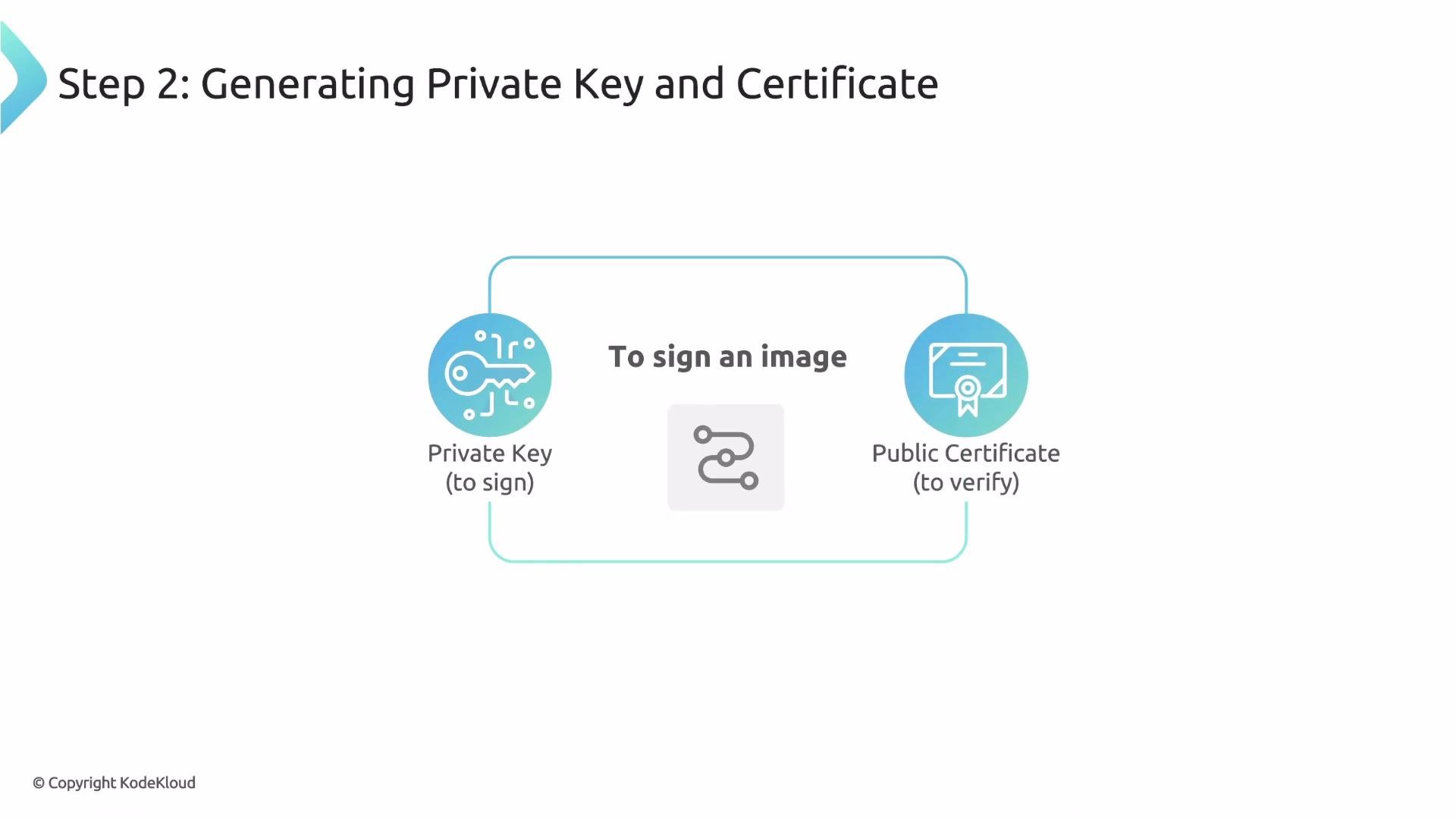
Notation can generate a test RSA key and a self-signed certificate for demonstrations:
```bash theme={null}
notation cert generate-test --default "wabbit-networks.io"
```
This command:
* Creates an RSA private key.
* Generates a self-signed certificate (CN=wabbit-networks.io).
* Sets the new key as Notation's default signing key.
* Adds the public certificate to a local trust store used by Notation.
 The `generate-test` command is intended for development and demos only. In production, provision signing keys and certificates securely (for example, using an internal CA, hardware-backed keys, or a cloud KMS). Restrict access and audit usage.
## Sign the image
Notation signs the image manifest (the immutable digest) with the configured private key and pushes a signature artifact to the registry.
The `generate-test` command is intended for development and demos only. In production, provision signing keys and certificates securely (for example, using an internal CA, hardware-backed keys, or a cloud KMS). Restrict access and audit usage.
## Sign the image
Notation signs the image manifest (the immutable digest) with the configured private key and pushes a signature artifact to the registry.
 Run the sign command (uses the default key you configured with `generate-test`):
```bash theme={null}
notation sign $IMAGE
```
What happens under the hood:
* Notation fetches the image manifest from the registry.
* It computes a digital signature over the manifest’s digest using the private key.
* It pushes the signature artifact (Notary v2 media type) to the registry and associates it with the image digest.
## Confirm and inspect the signature
After signing, list the artifacts to confirm a Notation signature exists and inspect the signature metadata.
```bash theme={null}
# List Notation signature artifacts for the image
notation ls $IMAGE
```
Example output:
```bash theme={null}
$ notation ls $IMAGE
localhost:5001/net-monitor@sha256:073b...
└── application/vnd.cncf.notary.v2.signature
└── sha256:ba3a68a28648ba18c51a4791...
```
Inspect the signature contents (the evidence a verifier would evaluate):
```bash theme={null}
notation inspect $IMAGE
```
Typical inspection output (summary):
```bash theme={null}
signature algorithm: RSASSA-PSS-SHA-256
certificates
└── issued to: CN=wabbit-networks.io
signed artifact
└── digest: sha256:073b7598...
```
This output shows:
* The signature algorithm.
* The certificate used to sign (subject CN).
* The image digest covered by the signature — the cryptographic link that guarantees integrity.
Run the sign command (uses the default key you configured with `generate-test`):
```bash theme={null}
notation sign $IMAGE
```
What happens under the hood:
* Notation fetches the image manifest from the registry.
* It computes a digital signature over the manifest’s digest using the private key.
* It pushes the signature artifact (Notary v2 media type) to the registry and associates it with the image digest.
## Confirm and inspect the signature
After signing, list the artifacts to confirm a Notation signature exists and inspect the signature metadata.
```bash theme={null}
# List Notation signature artifacts for the image
notation ls $IMAGE
```
Example output:
```bash theme={null}
$ notation ls $IMAGE
localhost:5001/net-monitor@sha256:073b...
└── application/vnd.cncf.notary.v2.signature
└── sha256:ba3a68a28648ba18c51a4791...
```
Inspect the signature contents (the evidence a verifier would evaluate):
```bash theme={null}
notation inspect $IMAGE
```
Typical inspection output (summary):
```bash theme={null}
signature algorithm: RSASSA-PSS-SHA-256
certificates
└── issued to: CN=wabbit-networks.io
signed artifact
└── digest: sha256:073b7598...
```
This output shows:
* The signature algorithm.
* The certificate used to sign (subject CN).
* The image digest covered by the signature — the cryptographic link that guarantees integrity.
 ## Verify the signature
Notation can perform verification locally; Kyverno automates this verification inside the cluster using trusted certificates configured in its policy.
Verification steps (what a verifier does):
1. Fetch the image and the signature artifact from the registry.
2. Locate a trusted public certificate that can validate the signature.
3. Perform the cryptographic verification: ensure the signature is valid for the image digest.
Run local verification:
```bash theme={null}
notation verify $IMAGE
```
If verification succeeds, the signature was created by the private key for a certificate present in the trust store, and the digest matches the signed artifact — providing cryptographic proof of authenticity and integrity.
## Commands and purpose
| Command | Purpose | Example |
| ---------------------------------------------- | ---------------------------------------------------------------------------------------------------- | ------------------------------------------------------------ |
| `notation ls ` | List signature artifacts attached to an image digest | `notation ls $IMAGE` |
| `notation cert generate-test --default ""` | Create a demo key/cert and set default signing key (development only) | `notation cert generate-test --default "wabbit-networks.io"` |
| `notation sign ` | Sign an image digest with the configured private key and push the signature artifact to the registry | `notation sign $IMAGE` |
| `notation inspect ` | Show signature metadata (algorithm, cert info, signed digest) | `notation inspect $IMAGE` |
| `notation verify ` | Verify a signature using certificates in the configured trust store | `notation verify $IMAGE` |
## Summary — Signing workflow
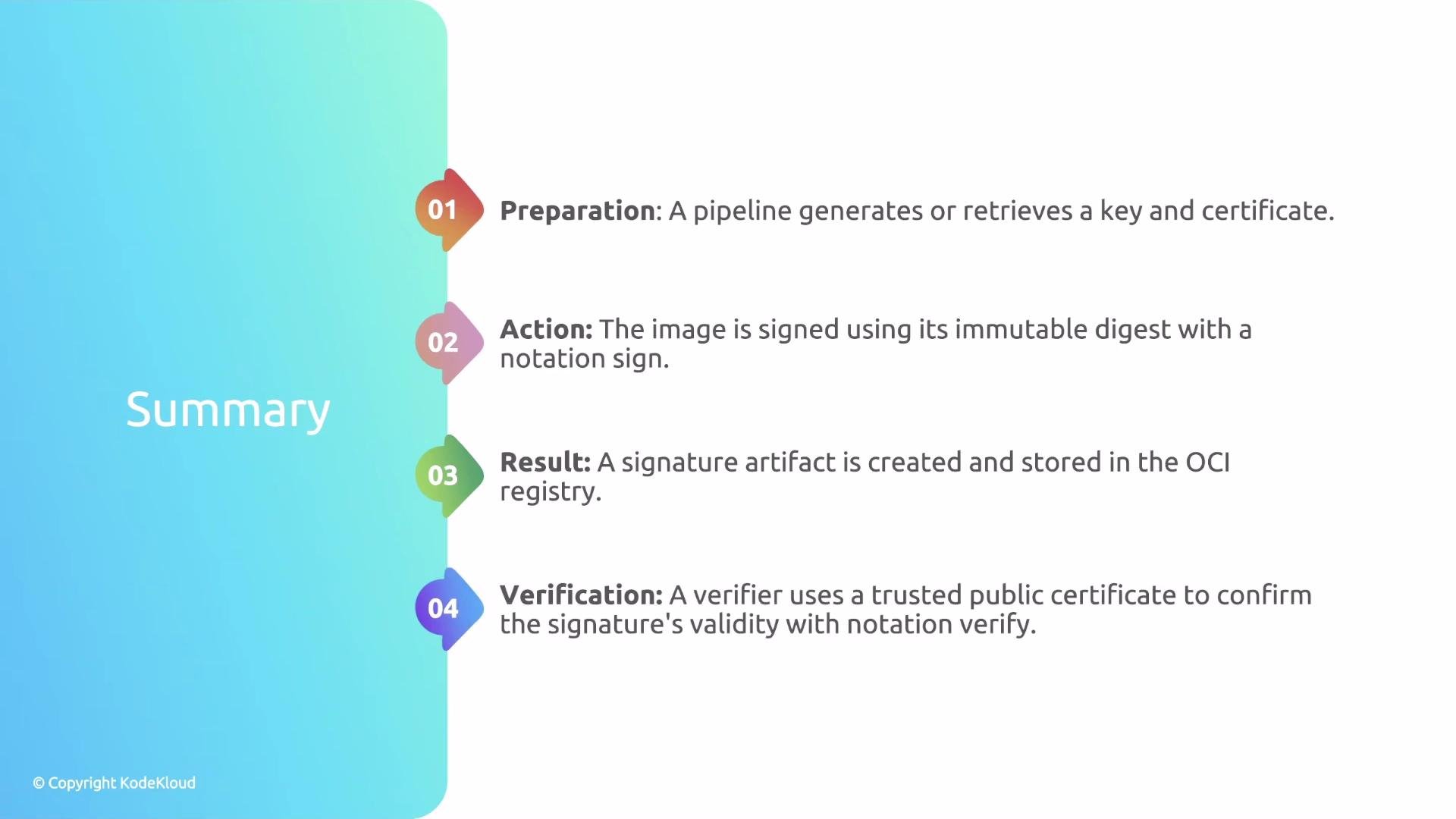
1. Preparation — Obtain or generate signing key material and the public certificate (trust material).
2. Action — Run `notation sign` to sign the image digest and push the signature to the registry.
3. Result — The registry stores the Notation signature artifact associated with the image digest; use `notation ls` and `notation inspect` to examine it.
4. Verification — A verifier (for example, Kyverno inside the cluster) validates the signature against configured trusted certificates (`notation verify` demonstrates this manually).
## Verify the signature
Notation can perform verification locally; Kyverno automates this verification inside the cluster using trusted certificates configured in its policy.
Verification steps (what a verifier does):
1. Fetch the image and the signature artifact from the registry.
2. Locate a trusted public certificate that can validate the signature.
3. Perform the cryptographic verification: ensure the signature is valid for the image digest.
Run local verification:
```bash theme={null}
notation verify $IMAGE
```
If verification succeeds, the signature was created by the private key for a certificate present in the trust store, and the digest matches the signed artifact — providing cryptographic proof of authenticity and integrity.
## Commands and purpose
| Command | Purpose | Example |
| ---------------------------------------------- | ---------------------------------------------------------------------------------------------------- | ------------------------------------------------------------ |
| `notation ls ` | List signature artifacts attached to an image digest | `notation ls $IMAGE` |
| `notation cert generate-test --default ""` | Create a demo key/cert and set default signing key (development only) | `notation cert generate-test --default "wabbit-networks.io"` |
| `notation sign ` | Sign an image digest with the configured private key and push the signature artifact to the registry | `notation sign $IMAGE` |
| `notation inspect ` | Show signature metadata (algorithm, cert info, signed digest) | `notation inspect $IMAGE` |
| `notation verify ` | Verify a signature using certificates in the configured trust store | `notation verify $IMAGE` |
## Summary — Signing workflow
1. Preparation — Obtain or generate signing key material and the public certificate (trust material).
2. Action — Run `notation sign` to sign the image digest and push the signature to the registry.
3. Result — The registry stores the Notation signature artifact associated with the image digest; use `notation ls` and `notation inspect` to examine it.
4. Verification — A verifier (for example, Kyverno inside the cluster) validates the signature against configured trusted certificates (`notation verify` demonstrates this manually).
 ## Links and references
* Notation (Notary v2): [https://notaryproject.dev/notation/](https://notaryproject.dev/notation/)
* Kyverno: [https://kyverno.io/](https://kyverno.io/)
* Notation documentation: [https://github.com/notaryproject/notation](https://github.com/notaryproject/notation)
You now have a practical, step-by-step understanding of image signing with Notation and how a verifier validates those signatures. Translate this process into Kyverno image verification policies to automate verification inside your Kubernetes cluster.
## Links and references
* Notation (Notary v2): [https://notaryproject.dev/notation/](https://notaryproject.dev/notation/)
* Kyverno: [https://kyverno.io/](https://kyverno.io/)
* Notation documentation: [https://github.com/notaryproject/notation](https://github.com/notaryproject/notation)
You now have a practical, step-by-step understanding of image signing with Notation and how a verifier validates those signatures. Translate this process into Kyverno image verification policies to automate verification inside your Kubernetes cluster.