> ## Documentation Index
> Fetch the complete documentation index at: https://notes.kodekloud.com/llms.txt
> Use this file to discover all available pages before exploring further.
# apply Command Part 2
> Using kyverno apply to produce PolicyReport output, test policies against live clusters, validate PolicyExceptions, and supply Values files for accurate local policy evaluation.
In the previous lesson we covered the basic Kyverno `apply` workflow: testing a single policy against a single resource for quick local feedback. This article expands on that foundation and shows how to get machine-readable reports, evaluate policies against live clusters, honor PolicyExceptions, and supply external context for accurate local evaluation.
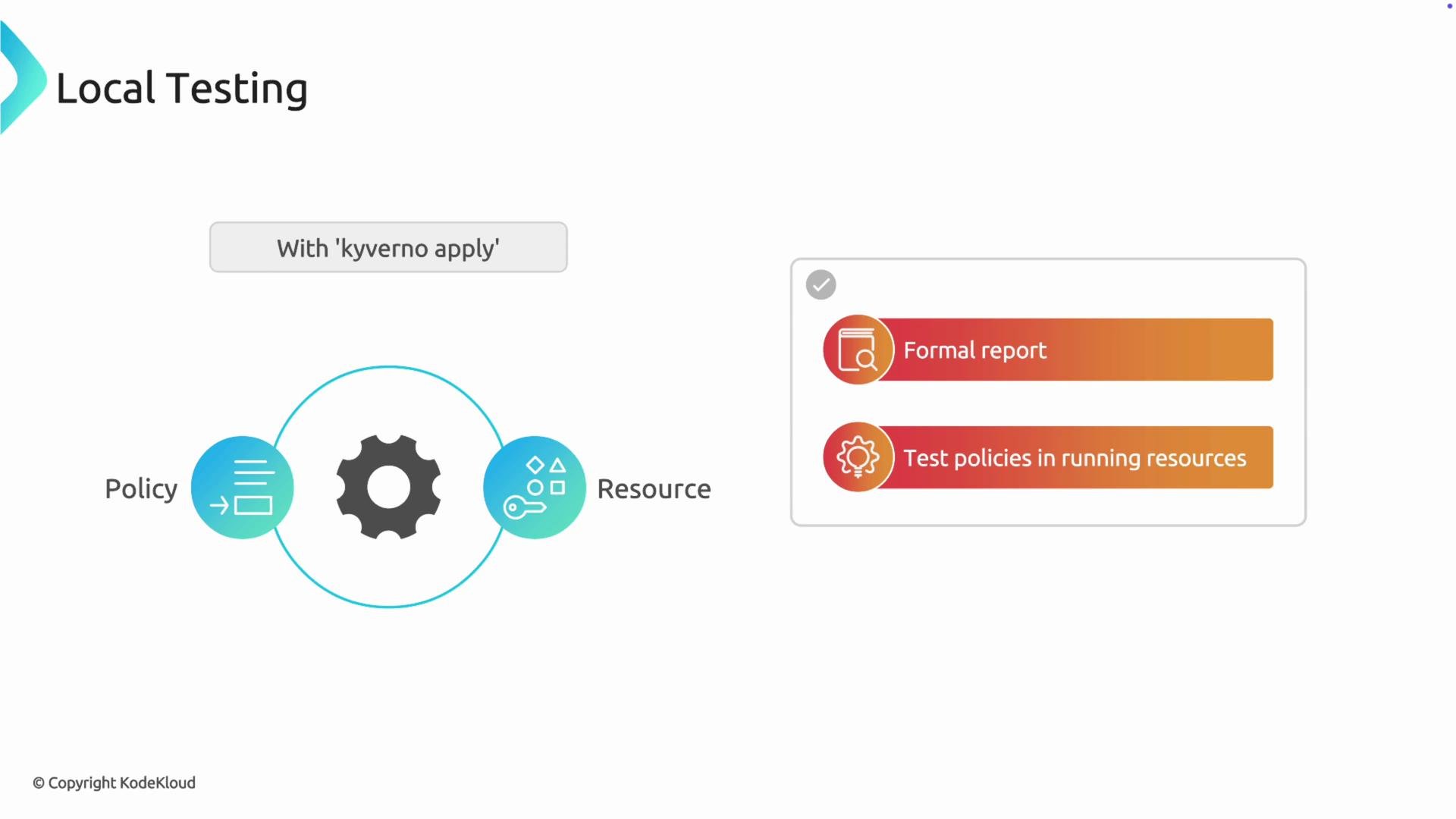 Reporting: produce a PolicyReport for automation and CI/CD
By default `kyverno apply` prints a human-readable summary. For CI pipelines, dashboards, or automated tooling you usually want the same structured `PolicyReport` resource that the in-cluster Kyverno controller emits.
Use `--policy-report` (short `-p`) to output a full `PolicyReport` YAML to stdout:
```bash theme={null}
kyverno apply policy.yaml --resource pod.yaml --policy-report
# or using the short flag
kyverno apply policy.yaml --resource pod.yaml -p
```
Example `PolicyReport` output:
```yaml theme={null}
apiVersion: wgpolicyk8s.io/v1alpha2
kind: PolicyReport
metadata:
# ...
results:
- policy: require-purpose-label
rule: require-purpose-label
resource:
kind: Pod
name: my-app-pod
namespace: default
result: fail
message: "You must have label `purpose` with value `production`."
# ...
summary:
error: 0
fail: 1
pass: 0
skip: 0
warn: 0
```
Save the report as an artifact for later analysis:
```bash theme={null}
kyverno apply policy.yaml --resource pod.yaml -p > policy-report.yaml
```
Testing policies against a live cluster
To evaluate a local policy against resources already running in your Kubernetes cluster, use `--cluster` (short `-c`). The CLI connects to the API server using your current `kubeconfig` context, fetches matching resources, and evaluates them without needing the Kyverno controller deployed.
```bash theme={null}
kyverno apply policy.yaml --cluster
# with a PolicyReport
kyverno apply policy.yaml --cluster -p
```
When using `--cluster`, the CLI queries the cluster for matching resources. Note that local `--resource` files and `--cluster` mode are mutually exclusive — choose one workflow per run.
Testing PolicyExceptions locally
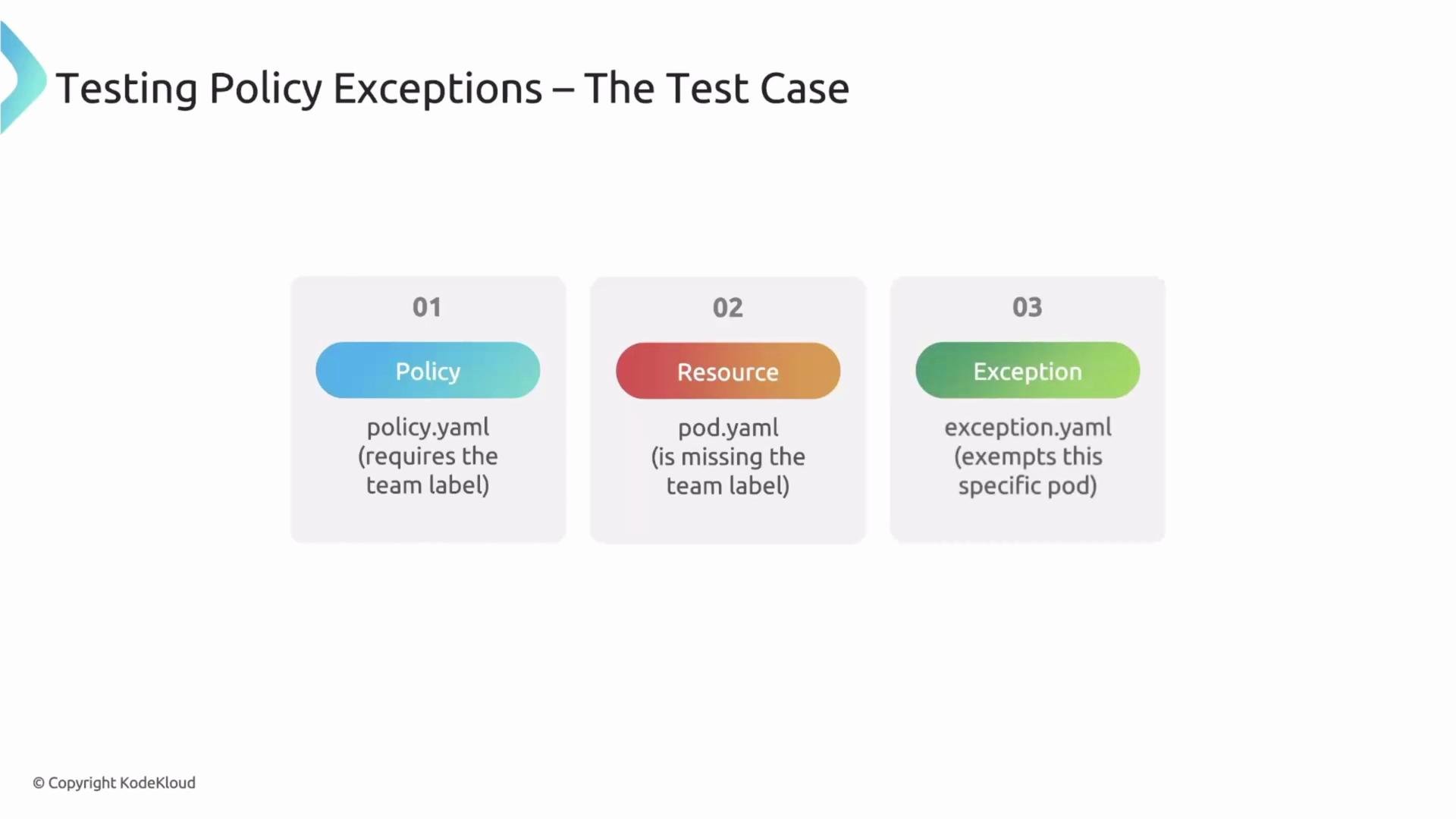
If you author `PolicyException` manifests, validate them locally before applying to the cluster. The CLI accepts exceptions with `--exception` (short `-e`). Provide the exception manifest alongside your policy and resource to ensure the exception logic behaves as expected.
Example test set:
* `policy.yaml` — enforces a `team` label
* `pod.yaml` — a Pod without the label
* `exception.yaml` — a `PolicyException` that exempts this Pod
Reporting: produce a PolicyReport for automation and CI/CD
By default `kyverno apply` prints a human-readable summary. For CI pipelines, dashboards, or automated tooling you usually want the same structured `PolicyReport` resource that the in-cluster Kyverno controller emits.
Use `--policy-report` (short `-p`) to output a full `PolicyReport` YAML to stdout:
```bash theme={null}
kyverno apply policy.yaml --resource pod.yaml --policy-report
# or using the short flag
kyverno apply policy.yaml --resource pod.yaml -p
```
Example `PolicyReport` output:
```yaml theme={null}
apiVersion: wgpolicyk8s.io/v1alpha2
kind: PolicyReport
metadata:
# ...
results:
- policy: require-purpose-label
rule: require-purpose-label
resource:
kind: Pod
name: my-app-pod
namespace: default
result: fail
message: "You must have label `purpose` with value `production`."
# ...
summary:
error: 0
fail: 1
pass: 0
skip: 0
warn: 0
```
Save the report as an artifact for later analysis:
```bash theme={null}
kyverno apply policy.yaml --resource pod.yaml -p > policy-report.yaml
```
Testing policies against a live cluster
To evaluate a local policy against resources already running in your Kubernetes cluster, use `--cluster` (short `-c`). The CLI connects to the API server using your current `kubeconfig` context, fetches matching resources, and evaluates them without needing the Kyverno controller deployed.
```bash theme={null}
kyverno apply policy.yaml --cluster
# with a PolicyReport
kyverno apply policy.yaml --cluster -p
```
When using `--cluster`, the CLI queries the cluster for matching resources. Note that local `--resource` files and `--cluster` mode are mutually exclusive — choose one workflow per run.
Testing PolicyExceptions locally
If you author `PolicyException` manifests, validate them locally before applying to the cluster. The CLI accepts exceptions with `--exception` (short `-e`). Provide the exception manifest alongside your policy and resource to ensure the exception logic behaves as expected.
Example test set:
* `policy.yaml` — enforces a `team` label
* `pod.yaml` — a Pod without the label
* `exception.yaml` — a `PolicyException` that exempts this Pod
 Run the CLI with all three files; the rule result should be `skip` instead of `fail` when the exception applies:
```bash theme={null}
kyverno apply policy.yaml --resource pod.yaml --exception exception.yaml
Applying 3 policy rule(s) to 1 resource(s) with 1 exception(s)...
pass: 0, fail: 0, warn: 0, error: 0, skip: 1
```
Providing external context with Values files
Policies often reference external objects—for example, `namespaceSelector` that depends on namespace labels. When you test a single `Pod` file locally, the CLI lacks cluster context for the namespace, so evaluation can be incomplete.
Policy example using `namespaceSelector`:
```yaml theme={null}
apiVersion: kyverno.io/v1
kind: ClusterPolicy
metadata:
name: enforce-pod-name
spec:
rules:
- match:
any:
- resources:
kinds:
- Pod
namespaceSelector:
matchExpressions:
- key: foo.com/managed-state
operator: In
values:
- managed
```
Supply the missing namespace or other contextual facts using a Values file (`--values-file` or `-f`). The Values manifest has `apiVersion: cli.kyverno.io/v1alpha1` and `kind: Values`. Declare namespaced facts such as namespace labels so the CLI can evaluate selectors accurately.
Example `values.yaml`:
```yaml theme={null}
apiVersion: cli.kyverno.io/v1alpha1
kind: Values
namespaceSelector:
- name: test1
labels:
foo.com/managed-state: managed
```
Then run:
```bash theme={null}
kyverno apply policy.yaml --resource pod.yaml --values-file values.yaml
# short flags
kyverno apply policy.yaml --resource pod.yaml -f values.yaml
```
This tells the CLI that the `test1` namespace has the `foo.com/managed-state: managed` label, enabling correct evaluation of `namespaceSelector` conditions during local tests.
Ensure your Values file uses the correct API version and structure (`apiVersion: cli.kyverno.io/v1alpha1`, `kind: Values`) and accurately models the namespace labels or other objects referenced by your policy; otherwise selectors may evaluate incorrectly.
Quick reference: common `kyverno apply` flags
| Flag | Purpose | Example |
| ----------------------- | ----------------------------------------------------------------------------- | -------------------------------------------------------------------------- |
| `-p`, `--policy-report` | Emit a `PolicyReport` YAML to stdout (CI-friendly) | `kyverno apply policy.yaml --resource pod.yaml -p` |
| `-c`, `--cluster` | Evaluate policy against resources fetched from the current kubeconfig context | `kyverno apply policy.yaml --cluster` |
| `-e`, `--exception` | Provide one or more `PolicyException` manifests for evaluation | `kyverno apply policy.yaml --resource pod.yaml --exception exception.yaml` |
| `-f`, `--values-file` | Supply external context (namespaces, labels, etc.) via a `Values` manifest | `kyverno apply policy.yaml --resource pod.yaml -f values.yaml` |
Recap
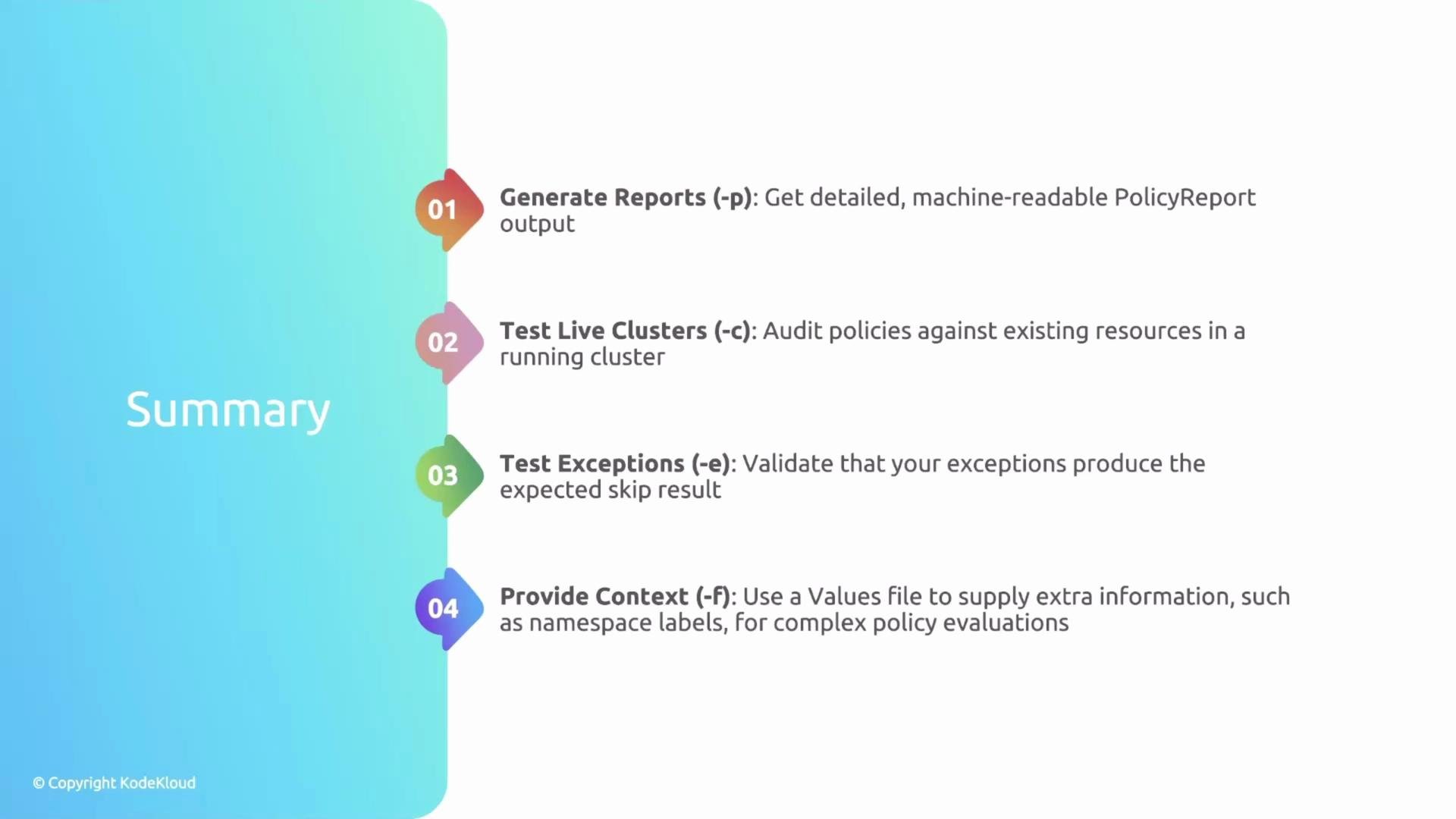
* Use `-p` / `--policy-report` to produce structured `PolicyReport` output for CI and tooling.
* Use `-c` / `--cluster` to evaluate policies against live cluster resources via your current kubeconfig.
* Use `-e` / `--exception` to validate `PolicyException` behavior in local tests.
* Use `-f` / `--values-file` to provide external context (namespace labels, etc.) required by selectors and other cross-object checks.
Run the CLI with all three files; the rule result should be `skip` instead of `fail` when the exception applies:
```bash theme={null}
kyverno apply policy.yaml --resource pod.yaml --exception exception.yaml
Applying 3 policy rule(s) to 1 resource(s) with 1 exception(s)...
pass: 0, fail: 0, warn: 0, error: 0, skip: 1
```
Providing external context with Values files
Policies often reference external objects—for example, `namespaceSelector` that depends on namespace labels. When you test a single `Pod` file locally, the CLI lacks cluster context for the namespace, so evaluation can be incomplete.
Policy example using `namespaceSelector`:
```yaml theme={null}
apiVersion: kyverno.io/v1
kind: ClusterPolicy
metadata:
name: enforce-pod-name
spec:
rules:
- match:
any:
- resources:
kinds:
- Pod
namespaceSelector:
matchExpressions:
- key: foo.com/managed-state
operator: In
values:
- managed
```
Supply the missing namespace or other contextual facts using a Values file (`--values-file` or `-f`). The Values manifest has `apiVersion: cli.kyverno.io/v1alpha1` and `kind: Values`. Declare namespaced facts such as namespace labels so the CLI can evaluate selectors accurately.
Example `values.yaml`:
```yaml theme={null}
apiVersion: cli.kyverno.io/v1alpha1
kind: Values
namespaceSelector:
- name: test1
labels:
foo.com/managed-state: managed
```
Then run:
```bash theme={null}
kyverno apply policy.yaml --resource pod.yaml --values-file values.yaml
# short flags
kyverno apply policy.yaml --resource pod.yaml -f values.yaml
```
This tells the CLI that the `test1` namespace has the `foo.com/managed-state: managed` label, enabling correct evaluation of `namespaceSelector` conditions during local tests.
Ensure your Values file uses the correct API version and structure (`apiVersion: cli.kyverno.io/v1alpha1`, `kind: Values`) and accurately models the namespace labels or other objects referenced by your policy; otherwise selectors may evaluate incorrectly.
Quick reference: common `kyverno apply` flags
| Flag | Purpose | Example |
| ----------------------- | ----------------------------------------------------------------------------- | -------------------------------------------------------------------------- |
| `-p`, `--policy-report` | Emit a `PolicyReport` YAML to stdout (CI-friendly) | `kyverno apply policy.yaml --resource pod.yaml -p` |
| `-c`, `--cluster` | Evaluate policy against resources fetched from the current kubeconfig context | `kyverno apply policy.yaml --cluster` |
| `-e`, `--exception` | Provide one or more `PolicyException` manifests for evaluation | `kyverno apply policy.yaml --resource pod.yaml --exception exception.yaml` |
| `-f`, `--values-file` | Supply external context (namespaces, labels, etc.) via a `Values` manifest | `kyverno apply policy.yaml --resource pod.yaml -f values.yaml` |
Recap
* Use `-p` / `--policy-report` to produce structured `PolicyReport` output for CI and tooling.
* Use `-c` / `--cluster` to evaluate policies against live cluster resources via your current kubeconfig.
* Use `-e` / `--exception` to validate `PolicyException` behavior in local tests.
* Use `-f` / `--values-file` to provide external context (namespace labels, etc.) required by selectors and other cross-object checks.
 Next steps
In upcoming lessons we'll cover how the CLI evaluates other rule types (mutate, validate, generate) and show how to author automated unit tests for policies.
Links and references
* Kyverno CLI docs: [https://kyverno.io/docs/kyverno-cli/](https://kyverno.io/docs/kyverno-cli/)
* Kyverno PolicyReport: [https://kyverno.io/docs/writing-policies/policy-report/](https://kyverno.io/docs/writing-policies/policy-report/)
* Kubernetes API concepts: [https://kubernetes.io/docs/concepts/overview/what-is-kubernetes/](https://kubernetes.io/docs/concepts/overview/what-is-kubernetes/)
Next steps
In upcoming lessons we'll cover how the CLI evaluates other rule types (mutate, validate, generate) and show how to author automated unit tests for policies.
Links and references
* Kyverno CLI docs: [https://kyverno.io/docs/kyverno-cli/](https://kyverno.io/docs/kyverno-cli/)
* Kyverno PolicyReport: [https://kyverno.io/docs/writing-policies/policy-report/](https://kyverno.io/docs/writing-policies/policy-report/)
* Kubernetes API concepts: [https://kubernetes.io/docs/concepts/overview/what-is-kubernetes/](https://kubernetes.io/docs/concepts/overview/what-is-kubernetes/)