> ## Documentation Index
> Fetch the complete documentation index at: https://notes.kodekloud.com/llms.txt
> Use this file to discover all available pages before exploring further.
# JSONPatch
> Guide to using JSON Patch in Kyverno to precisely mutate Kubernetes resources including add replace remove operations, array handling, JSON Pointer escaping, limitations, and best practices
Alright — we've set the stage for mutation and seen Alice's need to go beyond simple validations. In this lesson/article we dive into JSON Patch: Kyverno's most precise method for modifying resources.
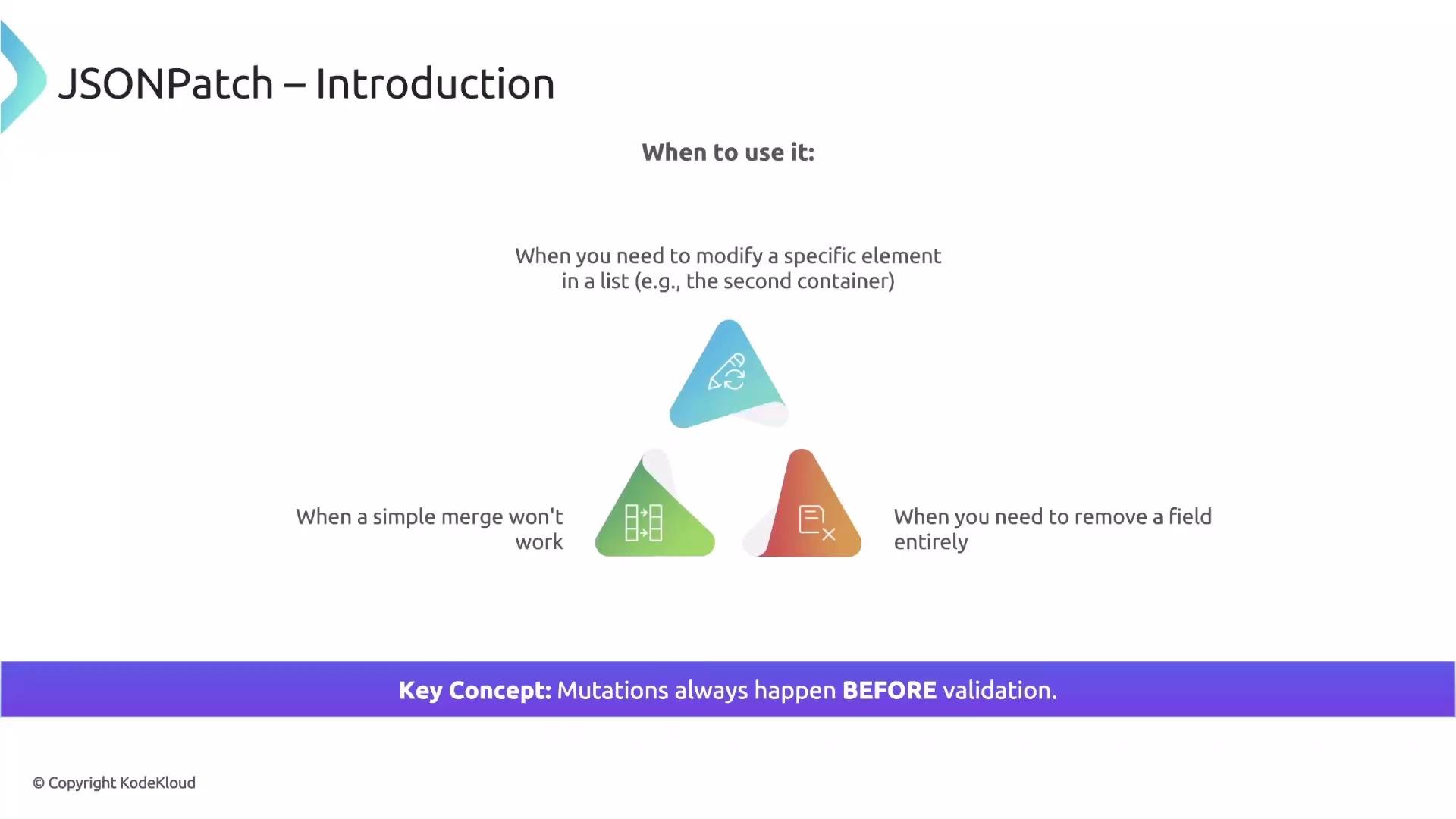
[JSON Patch](https://datatracker.ietf.org/doc/html/rfc6902) lets you provide Kyverno with a sequence of exact instructions. Each instruction specifies where to operate in the resource (`path`), what to do (`op`), and what value to use (`value`). JSON Patch is ideal when you must modify a specific element in a list (for example, update the second container), remove a particular field, or when a merge strategy is insufficient.
Remember: mutations always run before validation. Kyverno will first apply mutations and then validate the final, mutated resource against any validation rules.
 ## JSON Patch structure
A JSON Patch is a list of operations. In Kyverno you place these operations under a `mutate` block using `patchesJson6902`, which contains a multi-line string with the patch list. Each operation is an object with the following key fields:
* `op`: the operation to perform. Common values: `add`, `replace`, `remove`.
* `path`: a [JSON Pointer](https://datatracker.ietf.org/doc/html/rfc6901) indicating the target location (starts from the root, using `/` to separate keys).
* `value`: the new value to insert (used with `add` and `replace`).
Example template:
```yaml theme={null}
mutate:
patchesJson6902: |-
- op: add
path: /path/to/field
value: someValue
```
Table: Common JSON Patch operations
| Operation | Behavior | Example |
| --------- | -------------------------------------------------------------------------------------------------------------------------------------------------------- | -------------------------------------------------------- |
| `add` | Inserts a value at the path. For objects, if the member already exists its value is replaced; for arrays, inserting at an index shifts subsequent items. | `- op: add\n path: "/data/newKey"\n value: "newValue"` |
| `replace` | Replaces an existing value; fails if the path does not exist. | `- op: replace\n path: "/spec/replicas"\n value: 3` |
| `remove` | Deletes the value at the given path (no `value` field). | `- op: remove\n path: "/metadata/labels/unwanted"` |
Notes about `add` vs `replace`:
* Use `add` when you want to insert or overwrite a value (it creates the member if missing for objects).
* Use `replace` when you must ensure the target exists and you only want to change existing values — otherwise the operation will fail.
## Example: Adding or replacing ConfigMap data
Goal: Ensure a ConfigMap named `config-game` contains two specific keys under `data`.
```yaml theme={null}
apiVersion: kyverno.io/v1
kind: ClusterPolicy
metadata:
name: mutate-configmap
spec:
rules:
- name: mutate-configmap
match:
any:
resources:
kinds:
- ConfigMap
names:
- config-game
mutate:
patchesJson6902: |-
- op: add
path: "/data/ship.properties"
value: |
type=starship
owner=utany.corp
- op: add
path: "/data/newKey1"
value: "newValue1"
```
* The first `add` injects a multi-line value into `/data/ship.properties`. If that key already exists, this `add` will replace it.
* The second `add` writes a simple string value to `/data/newKey1`.
## Example: Removing a label from Secrets
Goal: Remove an unwanted label `purpose` from all Secrets.
```yaml theme={null}
apiVersion: kyverno.io/v1
kind: ClusterPolicy
metadata:
name: remove-label
spec:
rules:
- name: remove-unwanted-label
match:
any:
resources:
kinds:
- Secret
mutate:
patchesJson6902: |-
- op: remove
path: "/metadata/labels/purpose"
```
When a Secret is created or updated, Kyverno will remove that label (if present) before the resource is persisted in [etcd](https://etcd.io). Note: `remove` does not use a `value` field.
## Working with lists and arrays
JSON Patch gives you precise control when working with arrays. You can target a specific index or append to the end.
## JSON Patch structure
A JSON Patch is a list of operations. In Kyverno you place these operations under a `mutate` block using `patchesJson6902`, which contains a multi-line string with the patch list. Each operation is an object with the following key fields:
* `op`: the operation to perform. Common values: `add`, `replace`, `remove`.
* `path`: a [JSON Pointer](https://datatracker.ietf.org/doc/html/rfc6901) indicating the target location (starts from the root, using `/` to separate keys).
* `value`: the new value to insert (used with `add` and `replace`).
Example template:
```yaml theme={null}
mutate:
patchesJson6902: |-
- op: add
path: /path/to/field
value: someValue
```
Table: Common JSON Patch operations
| Operation | Behavior | Example |
| --------- | -------------------------------------------------------------------------------------------------------------------------------------------------------- | -------------------------------------------------------- |
| `add` | Inserts a value at the path. For objects, if the member already exists its value is replaced; for arrays, inserting at an index shifts subsequent items. | `- op: add\n path: "/data/newKey"\n value: "newValue"` |
| `replace` | Replaces an existing value; fails if the path does not exist. | `- op: replace\n path: "/spec/replicas"\n value: 3` |
| `remove` | Deletes the value at the given path (no `value` field). | `- op: remove\n path: "/metadata/labels/unwanted"` |
Notes about `add` vs `replace`:
* Use `add` when you want to insert or overwrite a value (it creates the member if missing for objects).
* Use `replace` when you must ensure the target exists and you only want to change existing values — otherwise the operation will fail.
## Example: Adding or replacing ConfigMap data
Goal: Ensure a ConfigMap named `config-game` contains two specific keys under `data`.
```yaml theme={null}
apiVersion: kyverno.io/v1
kind: ClusterPolicy
metadata:
name: mutate-configmap
spec:
rules:
- name: mutate-configmap
match:
any:
resources:
kinds:
- ConfigMap
names:
- config-game
mutate:
patchesJson6902: |-
- op: add
path: "/data/ship.properties"
value: |
type=starship
owner=utany.corp
- op: add
path: "/data/newKey1"
value: "newValue1"
```
* The first `add` injects a multi-line value into `/data/ship.properties`. If that key already exists, this `add` will replace it.
* The second `add` writes a simple string value to `/data/newKey1`.
## Example: Removing a label from Secrets
Goal: Remove an unwanted label `purpose` from all Secrets.
```yaml theme={null}
apiVersion: kyverno.io/v1
kind: ClusterPolicy
metadata:
name: remove-label
spec:
rules:
- name: remove-unwanted-label
match:
any:
resources:
kinds:
- Secret
mutate:
patchesJson6902: |-
- op: remove
path: "/metadata/labels/purpose"
```
When a Secret is created or updated, Kyverno will remove that label (if present) before the resource is persisted in [etcd](https://etcd.io). Note: `remove` does not use a `value` field.
## Working with lists and arrays
JSON Patch gives you precise control when working with arrays. You can target a specific index or append to the end.
 Example: Insert a new container at index 1 (the second position) in a Pod's `containers` list. Lists are zero-indexed, so `/spec/containers/1` targets the second element:
```yaml theme={null}
apiVersion: kyverno.io/v1
kind: ClusterPolicy
metadata:
name: insert-container
spec:
rules:
- name: insert-container
match:
any:
resources:
kinds:
- Pod
mutate:
patchesJson6902: |-
- op: add
path: "/spec/containers/1"
value:
name: busybox
image: busybox:latest
```
This inserts the `busybox` container at position `1` and shifts existing containers at that position and beyond.
Appending to the end of an array is more robust than targeting a fixed index. Use `-` at the end of the path to append:
```yaml theme={null}
mutate:
patchesJson6902: |-
- op: add
path: "/spec/tolerations/-"
value:
key: networkzone
operator: Equal
value: dmz
effect: NoSchedule
```
Using `-` works whether the list is empty or already contains items and avoids errors when a specific index does not exist.
## Handling special characters in JSON Pointer paths
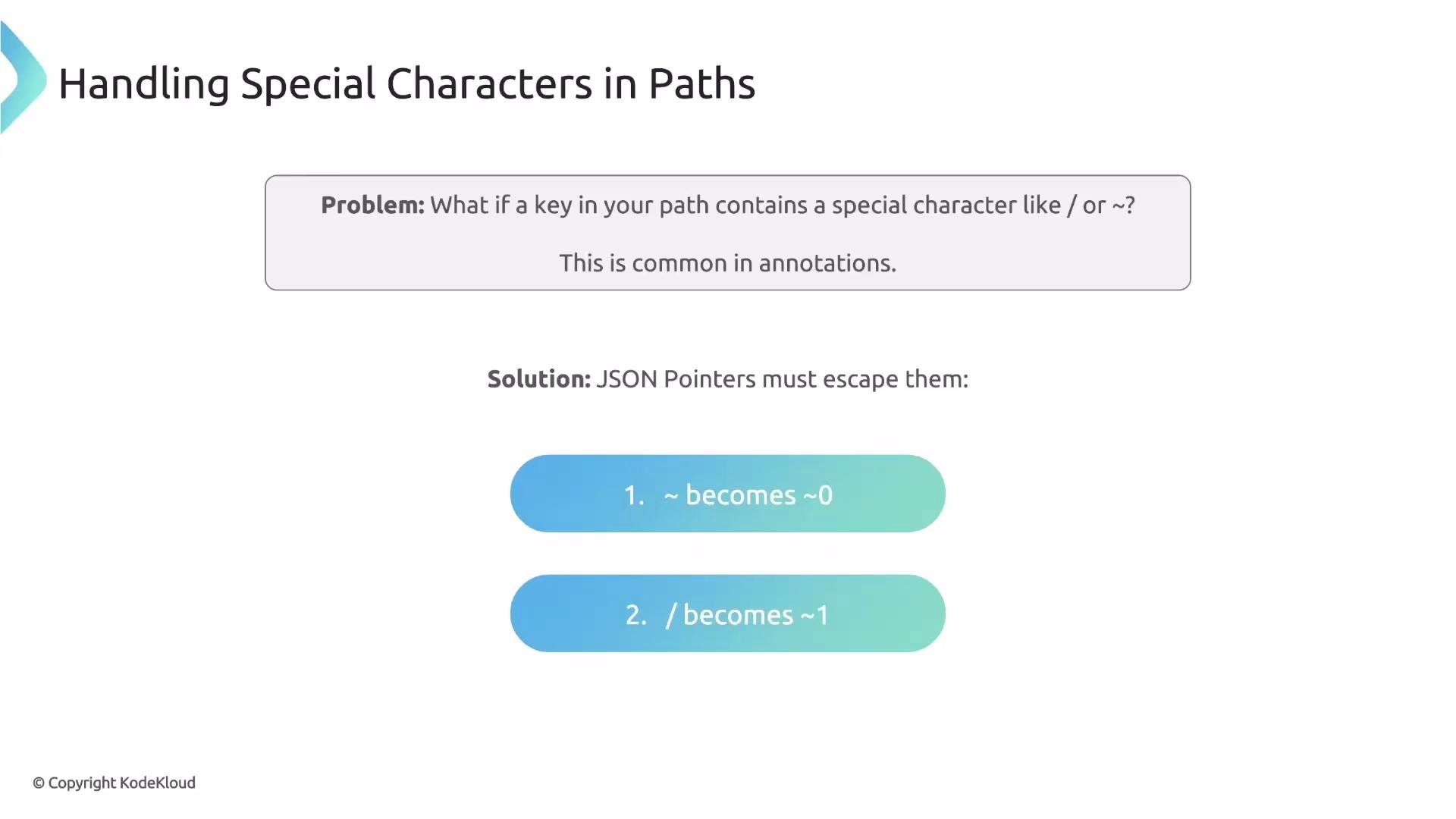
Keys in Kubernetes annotations or labels may contain special characters such as `/` or `~`. The JSON Pointer standard requires escaping:
* `~` becomes `~0`
* `/` becomes `~1`
Example: Insert a new container at index 1 (the second position) in a Pod's `containers` list. Lists are zero-indexed, so `/spec/containers/1` targets the second element:
```yaml theme={null}
apiVersion: kyverno.io/v1
kind: ClusterPolicy
metadata:
name: insert-container
spec:
rules:
- name: insert-container
match:
any:
resources:
kinds:
- Pod
mutate:
patchesJson6902: |-
- op: add
path: "/spec/containers/1"
value:
name: busybox
image: busybox:latest
```
This inserts the `busybox` container at position `1` and shifts existing containers at that position and beyond.
Appending to the end of an array is more robust than targeting a fixed index. Use `-` at the end of the path to append:
```yaml theme={null}
mutate:
patchesJson6902: |-
- op: add
path: "/spec/tolerations/-"
value:
key: networkzone
operator: Equal
value: dmz
effect: NoSchedule
```
Using `-` works whether the list is empty or already contains items and avoids errors when a specific index does not exist.
## Handling special characters in JSON Pointer paths
Keys in Kubernetes annotations or labels may contain special characters such as `/` or `~`. The JSON Pointer standard requires escaping:
* `~` becomes `~0`
* `/` becomes `~1`
 Example: Adding a [Linkerd](https://linkerd.io) annotation whose key contains a `/`:
```yaml theme={null}
- op: add
path: "/spec/template/metadata/annotations/config.linkerd.io~1skip-outbound-ports"
value: "8200"
```
Here the `/` in `config.linkerd.io/skip-outbound-ports` is encoded as `~1` in the JSON Pointer.
When constructing JSON Pointer paths, always escape `~` and `/` per RFC 6901. A wrong escape will cause the patch to target an incorrect path or fail entirely.
## Limitations and best practices
JSON Patch is powerful for precise operations (replacing specific fields, removing labels, or inserting elements into arrays), but keep these important limitations in mind:
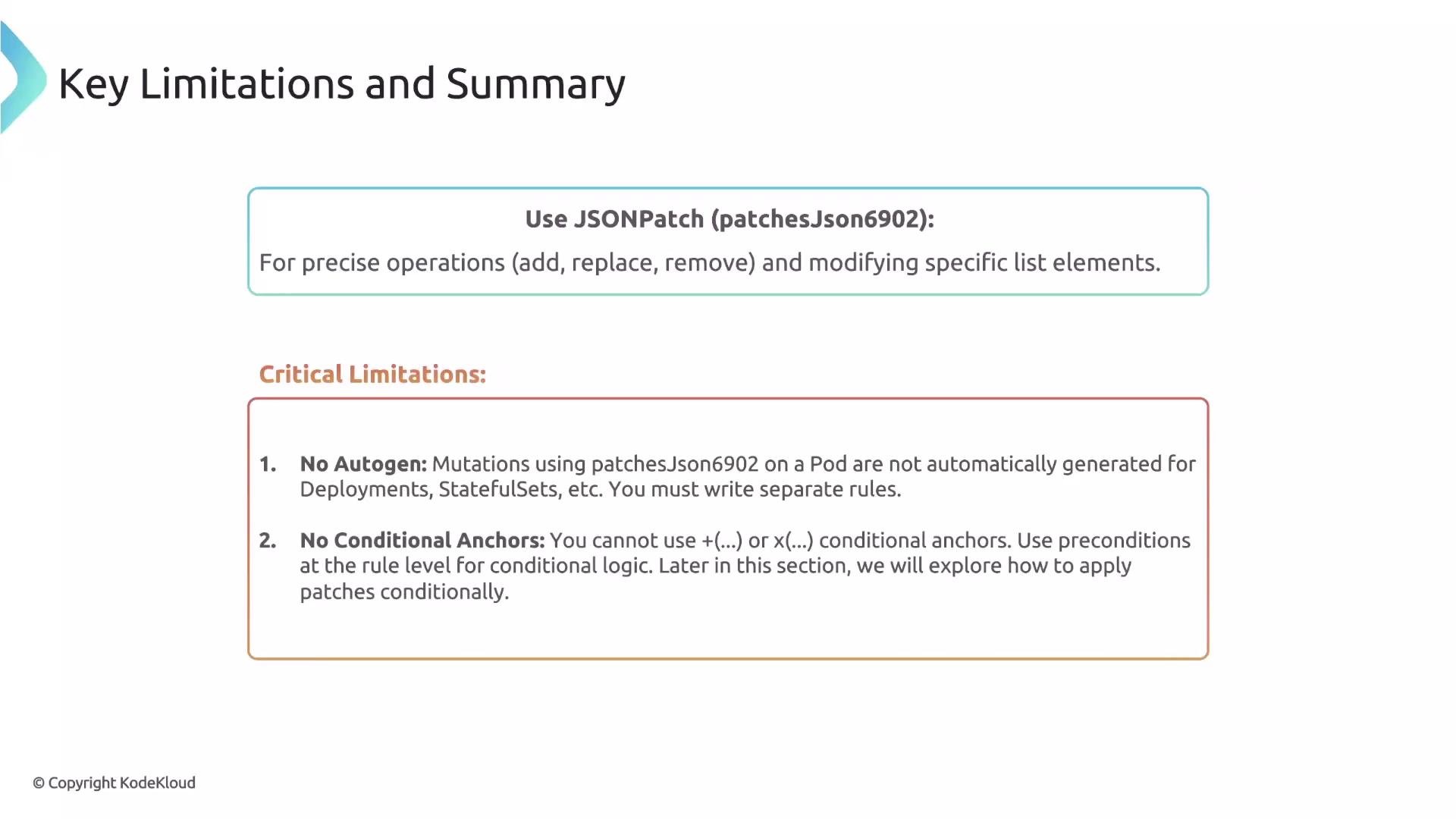
* Autogen does not work for JSON patches. Because JSON Patch paths are exact, Kyverno cannot automatically translate pod-level patches to controller resources (Deployments, StatefulSets, DaemonSets, etc.). If you need to mutate pods created by controllers, write explicit rules for each controller kind.
* Conditional anchors (inline conditions inside patch fragments) are not supported. If a patch should only apply under certain conditions, use a `preconditions` block at the rule level to control execution.
Best practices:
* Prefer appending with `-` for arrays when possible to avoid index errors.
* Use `add` when you want create-or-update behavior for object members.
* Use `replace` when you must fail if the target path does not exist (safety check).
* Test patches against representative manifests before applying them cluster-wide.
Example: Adding a [Linkerd](https://linkerd.io) annotation whose key contains a `/`:
```yaml theme={null}
- op: add
path: "/spec/template/metadata/annotations/config.linkerd.io~1skip-outbound-ports"
value: "8200"
```
Here the `/` in `config.linkerd.io/skip-outbound-ports` is encoded as `~1` in the JSON Pointer.
When constructing JSON Pointer paths, always escape `~` and `/` per RFC 6901. A wrong escape will cause the patch to target an incorrect path or fail entirely.
## Limitations and best practices
JSON Patch is powerful for precise operations (replacing specific fields, removing labels, or inserting elements into arrays), but keep these important limitations in mind:
* Autogen does not work for JSON patches. Because JSON Patch paths are exact, Kyverno cannot automatically translate pod-level patches to controller resources (Deployments, StatefulSets, DaemonSets, etc.). If you need to mutate pods created by controllers, write explicit rules for each controller kind.
* Conditional anchors (inline conditions inside patch fragments) are not supported. If a patch should only apply under certain conditions, use a `preconditions` block at the rule level to control execution.
Best practices:
* Prefer appending with `-` for arrays when possible to avoid index errors.
* Use `add` when you want create-or-update behavior for object members.
* Use `replace` when you must fail if the target path does not exist (safety check).
* Test patches against representative manifests before applying them cluster-wide.
 Remember: mutations occur before validation. Ensure your patches produce a valid final resource that will pass any subsequent validation rules.
## Links and references
* [JSON Patch (RFC 6902)](https://datatracker.ietf.org/doc/html/rfc6902)
* [JSON Pointer (RFC 6901)](https://datatracker.ietf.org/doc/html/rfc6901)
* [Kyverno documentation](https://kyverno.io)
* [Linkerd](https://linkerd.io)
* [etcd](https://etcd.io)
Remember: mutations occur before validation. Ensure your patches produce a valid final resource that will pass any subsequent validation rules.
## Links and references
* [JSON Patch (RFC 6902)](https://datatracker.ietf.org/doc/html/rfc6902)
* [JSON Pointer (RFC 6901)](https://datatracker.ietf.org/doc/html/rfc6901)
* [Kyverno documentation](https://kyverno.io)
* [Linkerd](https://linkerd.io)
* [etcd](https://etcd.io)