> ## Documentation Index
> Fetch the complete documentation index at: https://notes.kodekloud.com/llms.txt
> Use this file to discover all available pages before exploring further.
# PolicyReport from Admission Requests
> Explains how Kyverno creates PolicyReports during real time admission requests, detailing admission versus background modes, failureAction effects, ephemeral reports, and the Reports Controller lifecycle
This article explains how Kyverno generates PolicyReports during real-time admission requests. We focus on the admission trigger (spec.admission) and walk through the lifecycle from API request to PolicyReport creation. If you're tracking policy violations or auditing resource changes, understanding this flow is essential.
To determine when a policy executes and can produce a report, inspect these two spec fields:
* `spec.admission` (defaults to `true`) — runs the policy during admission requests (real-time).
* `spec.background` (defaults to `true`) — runs the policy as part of periodic background scans.
By default both modes are enabled. A policy must run in at least one mode — disabling both `admission` and `background` prevents the policy from executing.
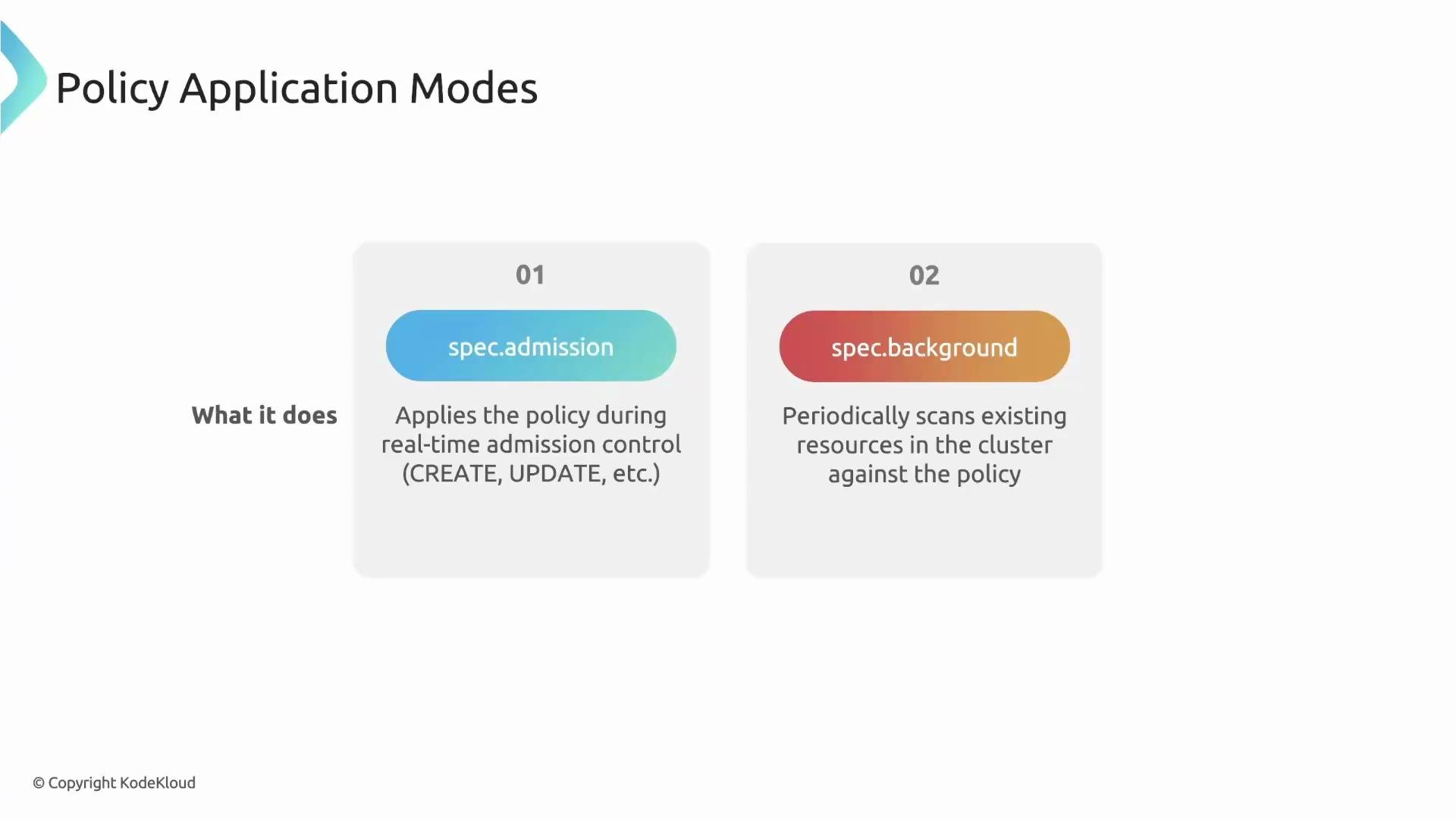 Because both fields default to true, a typical policy runs in both modes and can generate reports from either trigger. This article concentrates on the admission path: how an API request becomes an audit record.
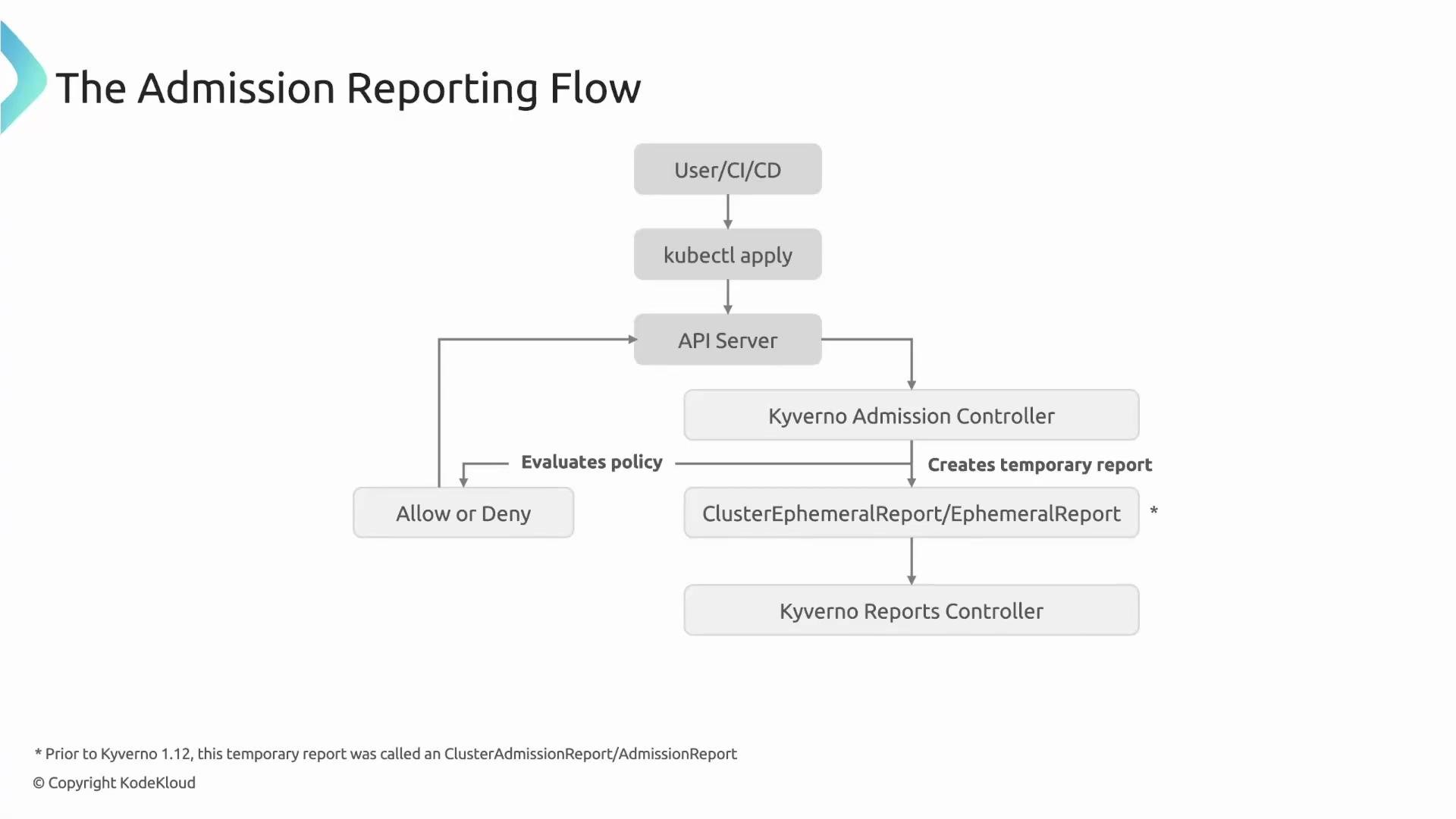
Admission reporting flow (step-by-step)
1. A user, operator, or CI/CD system issues a Kubernetes API request (for example: `kubectl apply -f pod.yaml`).
2. The API server forwards the request to Kyverno’s Admission Controller (via the admission webhook).
3. The Admission Controller evaluates the resource against matching policies and returns an allow/deny decision to the API server.
4. During evaluation the Admission Controller produces an ephemeral (temporary) admission report describing the result.
5. The Reports Controller reads the ephemeral report and creates or updates a durable PolicyReport resource in the same namespace as the target resource.
Because both fields default to true, a typical policy runs in both modes and can generate reports from either trigger. This article concentrates on the admission path: how an API request becomes an audit record.
Admission reporting flow (step-by-step)
1. A user, operator, or CI/CD system issues a Kubernetes API request (for example: `kubectl apply -f pod.yaml`).
2. The API server forwards the request to Kyverno’s Admission Controller (via the admission webhook).
3. The Admission Controller evaluates the resource against matching policies and returns an allow/deny decision to the API server.
4. During evaluation the Admission Controller produces an ephemeral (temporary) admission report describing the result.
5. The Reports Controller reads the ephemeral report and creates or updates a durable PolicyReport resource in the same namespace as the target resource.
 Note on historical behavior
* Prior to Kyverno 1.12, intermediate admission resources were called admission reports. Starting with newer releases the pattern uses an ephemeral admission report plus a separate Reports Controller to persist PolicyReports.
* This matters because reporting behavior depends on a rule’s `failureAction` (for example: `Enforce` vs `Audit`).
How different `failureAction` settings affect admission reporting
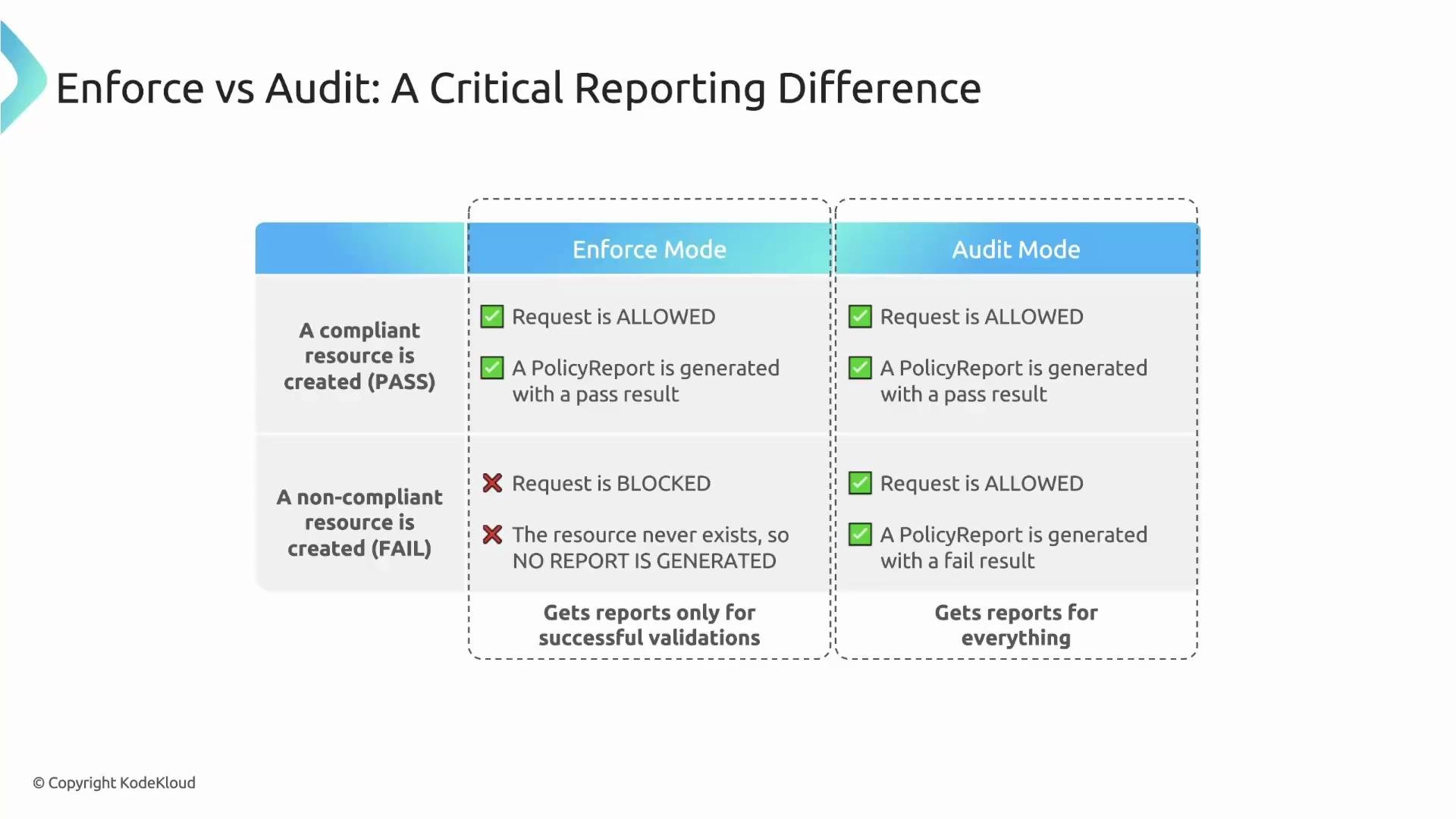
* If a resource is compliant: both `Enforce` and `Audit` allow the resource and generate a `pass` PolicyReport entry.
* If a resource is non-compliant and the rule is `Audit`: the resource is allowed; Kyverno logs the violation and a `fail` PolicyReport is created.
* If a resource is non-compliant and the rule is `Enforce`: the request is blocked; because the resource is not created, no admission-linked PolicyReport is attached to that resource (no PolicyReport for blocked resources).
Use the table below to summarize outcomes:
| Mode | Compliant resource | Non-compliant resource | PolicyReport created? |
| ------------------------------------ | ------------------------------- | ------------------------------- | -------------------------------------------------------- |
| `Audit` (failureAction: `Audit`) | Resource allowed; `pass` result | Resource allowed; `fail` result | Yes (attached to resource) |
| `Enforce` (failureAction: `Enforce`) | Resource allowed; `pass` result | Request blocked | No (resource not created to attach report) |
| `Background` (spec.background) | N/A (periodic scan) | N/A | Reports created by background scans (covered separately) |
Note on historical behavior
* Prior to Kyverno 1.12, intermediate admission resources were called admission reports. Starting with newer releases the pattern uses an ephemeral admission report plus a separate Reports Controller to persist PolicyReports.
* This matters because reporting behavior depends on a rule’s `failureAction` (for example: `Enforce` vs `Audit`).
How different `failureAction` settings affect admission reporting
* If a resource is compliant: both `Enforce` and `Audit` allow the resource and generate a `pass` PolicyReport entry.
* If a resource is non-compliant and the rule is `Audit`: the resource is allowed; Kyverno logs the violation and a `fail` PolicyReport is created.
* If a resource is non-compliant and the rule is `Enforce`: the request is blocked; because the resource is not created, no admission-linked PolicyReport is attached to that resource (no PolicyReport for blocked resources).
Use the table below to summarize outcomes:
| Mode | Compliant resource | Non-compliant resource | PolicyReport created? |
| ------------------------------------ | ------------------------------- | ------------------------------- | -------------------------------------------------------- |
| `Audit` (failureAction: `Audit`) | Resource allowed; `pass` result | Resource allowed; `fail` result | Yes (attached to resource) |
| `Enforce` (failureAction: `Enforce`) | Resource allowed; `pass` result | Request blocked | No (resource not created to attach report) |
| `Background` (spec.background) | N/A (periodic scan) | N/A | Reports created by background scans (covered separately) |
 Warning about blocked resources
When a rule is in `Enforce` mode and a request is denied, the resource is never created — therefore no admission-linked PolicyReport is attached to that resource. Use `Audit` mode if you want to record violations without blocking creation.
Concrete example: audit-only policy that requires a team label
Below is a ClusterPolicy that checks for a `team` label on new Pods. The policy uses `failureAction: Audit` so violations are reported but not blocked.
```yaml theme={null}
apiVersion: kyverno.io/v1
kind: ClusterPolicy
metadata:
name: require-team-label
spec:
rules:
- name: check-team-label
match:
any:
- resources:
kinds:
- Pod
validate:
message: "The 'team' label is required."
pattern:
metadata:
labels:
team: "?*"
failureAction: Audit
```
Create a Pod that intentionally lacks the `team` label:
```yaml theme={null}
apiVersion: v1
kind: Pod
metadata:
name: bad-pod-no-label
spec:
containers:
- name: nginx
image: nginx:1.21
```
Because the policy is in audit mode, the Pod creation succeeds. Kyverno still records the violation; the Reports Controller creates a PolicyReport in the Pod’s namespace and links it to the Pod using `ownerReferences`.
Example PolicyReport created after the Pod is admitted:
```yaml theme={null}
apiVersion: wgpolicyk8s.io/v1alpha2
kind: PolicyReport
metadata:
name: 3dab623c-834f-4a7d-8af1-3aeb61e07534-Kl6bm
namespace: default
ownerReferences:
- apiVersion: v1
kind: Pod
name: bad-pod-no-label
results:
- policy: require-team-label
rule: check-team-label
result: fail
message: "The 'team' label is required."
source: kyverno
summary:
error: 0
fail: 1
pass: 0
skip: 0
warn: 0
```
This demonstrates the power of admission reporting: resources can be allowed while violations are recorded and visible for later inspection.
Which rule types generate PolicyReport entries?
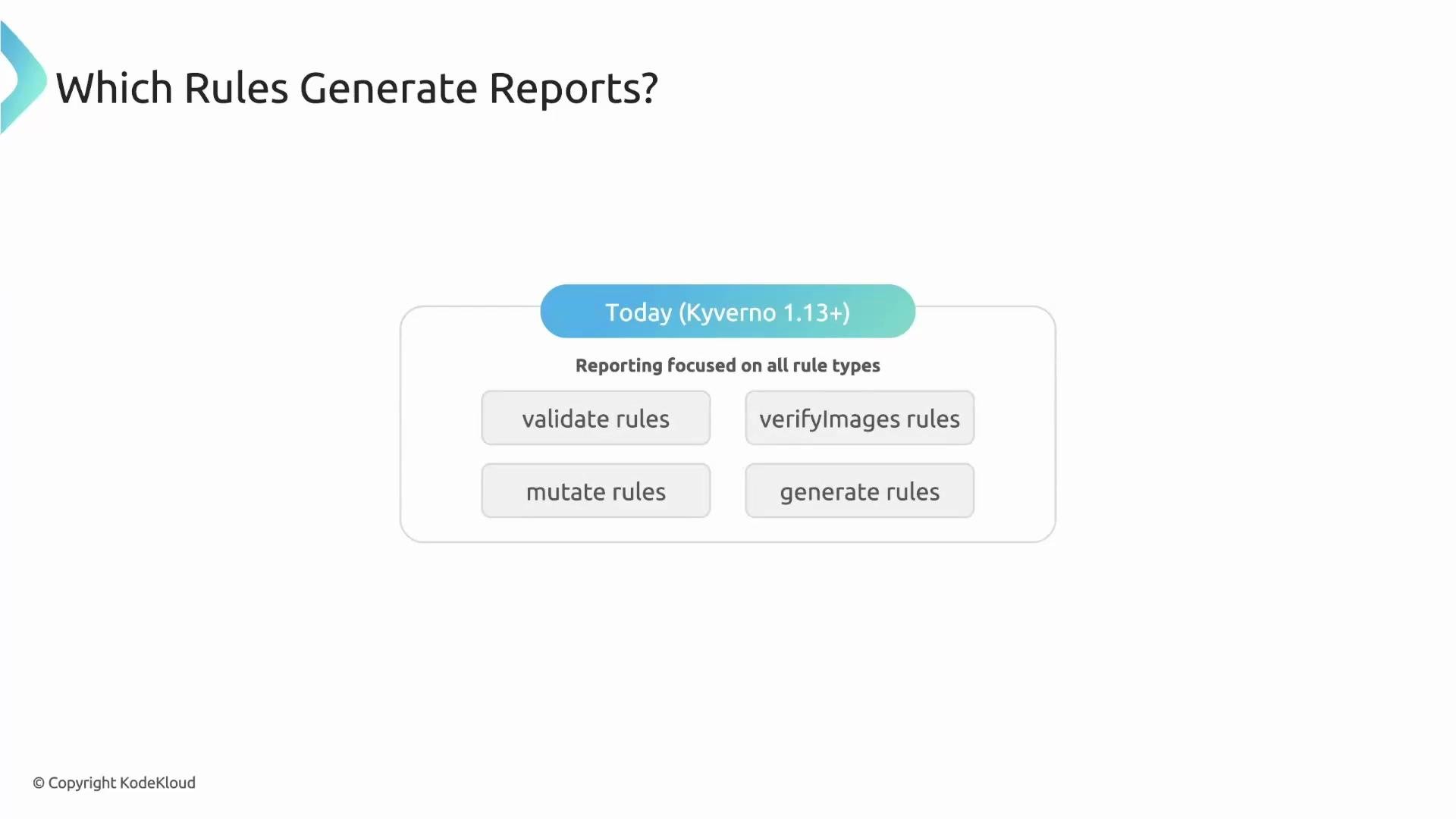
Historically reporting focused on `validate` and `verifyImages` rules because they yield explicit pass/fail outcomes at admission time. As of Kyverno 1.13, reporting covers all rule types:
* validate rules
* verifyImages rules
* mutate rules (reports whether the mutation applied successfully)
* generate rules (reports whether generation was triggered)
Warning about blocked resources
When a rule is in `Enforce` mode and a request is denied, the resource is never created — therefore no admission-linked PolicyReport is attached to that resource. Use `Audit` mode if you want to record violations without blocking creation.
Concrete example: audit-only policy that requires a team label
Below is a ClusterPolicy that checks for a `team` label on new Pods. The policy uses `failureAction: Audit` so violations are reported but not blocked.
```yaml theme={null}
apiVersion: kyverno.io/v1
kind: ClusterPolicy
metadata:
name: require-team-label
spec:
rules:
- name: check-team-label
match:
any:
- resources:
kinds:
- Pod
validate:
message: "The 'team' label is required."
pattern:
metadata:
labels:
team: "?*"
failureAction: Audit
```
Create a Pod that intentionally lacks the `team` label:
```yaml theme={null}
apiVersion: v1
kind: Pod
metadata:
name: bad-pod-no-label
spec:
containers:
- name: nginx
image: nginx:1.21
```
Because the policy is in audit mode, the Pod creation succeeds. Kyverno still records the violation; the Reports Controller creates a PolicyReport in the Pod’s namespace and links it to the Pod using `ownerReferences`.
Example PolicyReport created after the Pod is admitted:
```yaml theme={null}
apiVersion: wgpolicyk8s.io/v1alpha2
kind: PolicyReport
metadata:
name: 3dab623c-834f-4a7d-8af1-3aeb61e07534-Kl6bm
namespace: default
ownerReferences:
- apiVersion: v1
kind: Pod
name: bad-pod-no-label
results:
- policy: require-team-label
rule: check-team-label
result: fail
message: "The 'team' label is required."
source: kyverno
summary:
error: 0
fail: 1
pass: 0
skip: 0
warn: 0
```
This demonstrates the power of admission reporting: resources can be allowed while violations are recorded and visible for later inspection.
Which rule types generate PolicyReport entries?
Historically reporting focused on `validate` and `verifyImages` rules because they yield explicit pass/fail outcomes at admission time. As of Kyverno 1.13, reporting covers all rule types:
* validate rules
* verifyImages rules
* mutate rules (reports whether the mutation applied successfully)
* generate rules (reports whether generation was triggered)
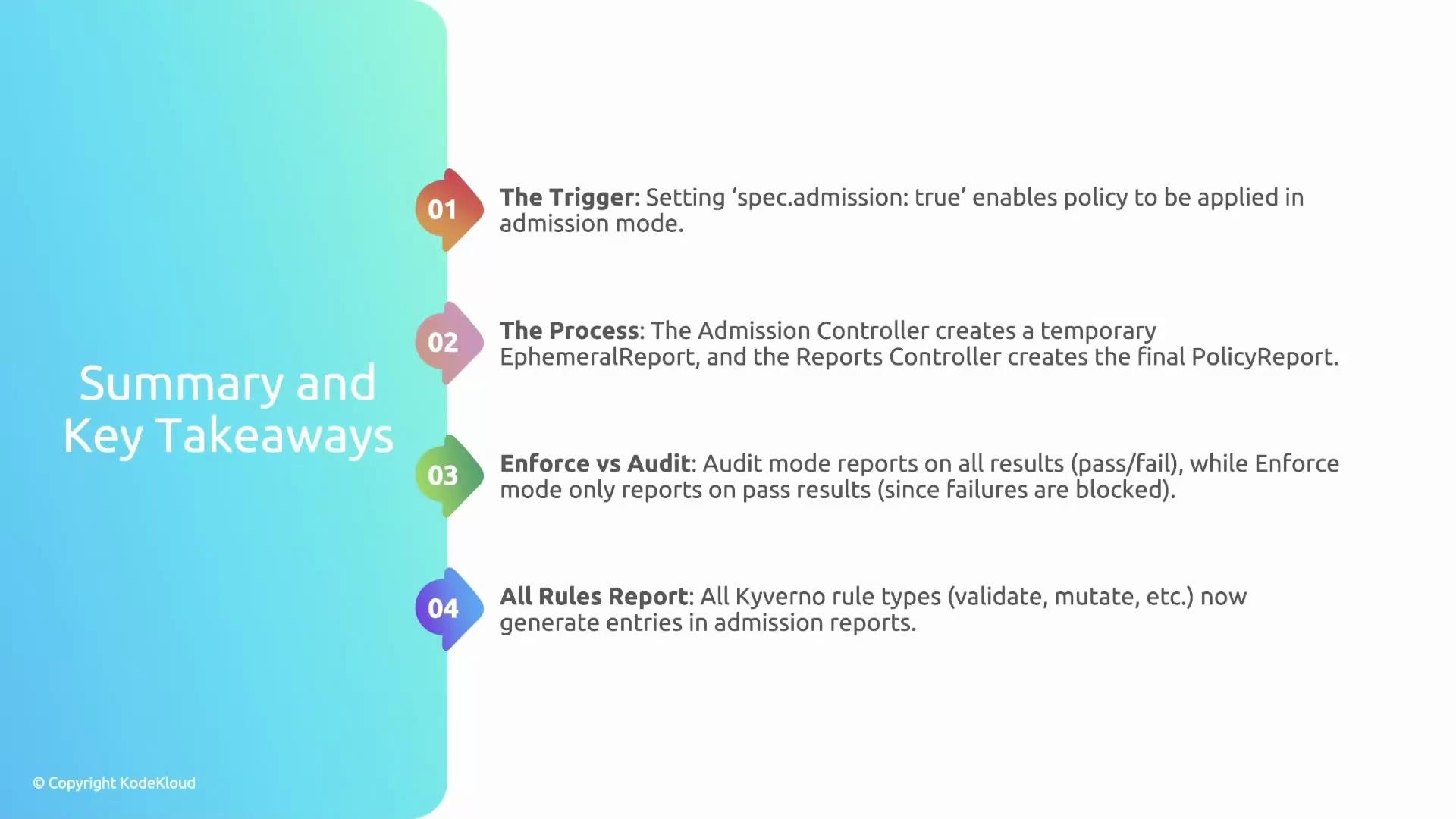
 Key takeaways
* `spec.admission` activates policies for real-time admission evaluations.
* The Admission Controller creates ephemeral evaluation reports; the Reports Controller persists them as PolicyReports in the target namespace.
* `failureAction: Audit` records violations without blocking resources; `failureAction: Enforce` blocks the request and therefore does not produce an admission-linked PolicyReport for that blocked resource.
* Kyverno 1.13+ generates report entries for all rule types (validate, verifyImages, mutate, generate), increasing observability of policy behavior.
Key takeaways
* `spec.admission` activates policies for real-time admission evaluations.
* The Admission Controller creates ephemeral evaluation reports; the Reports Controller persists them as PolicyReports in the target namespace.
* `failureAction: Audit` records violations without blocking resources; `failureAction: Enforce` blocks the request and therefore does not produce an admission-linked PolicyReport for that blocked resource.
* Kyverno 1.13+ generates report entries for all rule types (validate, verifyImages, mutate, generate), increasing observability of policy behavior.
 Further reading and references
* Kyverno PolicyReport details: [https://kyverno.io/](https://kyverno.io/)
* Kubernetes admission webhooks: [https://kubernetes.io/docs/reference/access-authn-authz/extensible-admission-controllers/](https://kubernetes.io/docs/reference/access-authn-authz/extensible-admission-controllers/)
* Kyverno reporting and PolicyReport behavior (release notes for 1.12/1.13): [https://github.com/kyverno/kyverno/releases](https://github.com/kyverno/kyverno/releases)
Scanning and reporting for existing (already running) resources is covered in a separate article on background scans and reports.
Further reading and references
* Kyverno PolicyReport details: [https://kyverno.io/](https://kyverno.io/)
* Kubernetes admission webhooks: [https://kubernetes.io/docs/reference/access-authn-authz/extensible-admission-controllers/](https://kubernetes.io/docs/reference/access-authn-authz/extensible-admission-controllers/)
* Kyverno reporting and PolicyReport behavior (release notes for 1.12/1.13): [https://github.com/kyverno/kyverno/releases](https://github.com/kyverno/kyverno/releases)
Scanning and reporting for existing (already running) resources is covered in a separate article on background scans and reports.