> ## Documentation Index
> Fetch the complete documentation index at: https://notes.kodekloud.com/llms.txt
> Use this file to discover all available pages before exploring further.
# Deny Rules
> Explains Kyverno deny rules for context aware admission control, blocking deletes of CI/CD managed ConfigMaps while exempting cluster admins.
So far, we've validated resources by inspecting their content with `pattern` and `anyPattern`. Those approaches are great when the decision depends only on the resource's shape or fields.
But what if the decision to allow or block depends on additional context — who is making the request and what operation they're performing? For that we need a more powerful mechanism: deny rules.
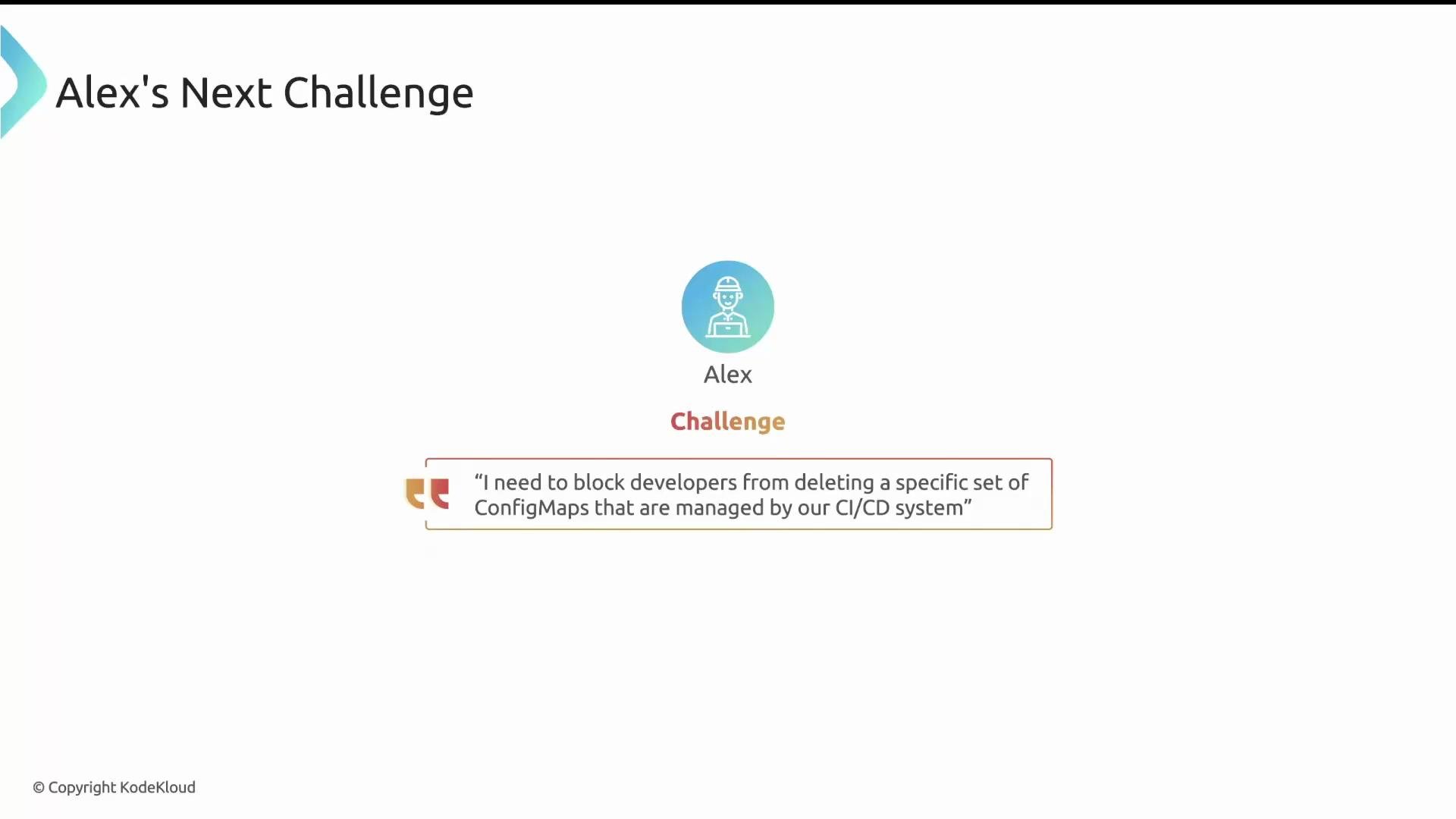
Alex's new challenge highlights this limit of pattern-based validation. He must prevent developers from deleting a set of ConfigMaps that are managed by the CI/CD system. The decision must consider the resource, the user, and the operation (DELETE) — all at once.
 In other words, Alex needs conditional logic with access to the admission request context. Deny rules provide exactly that.
Key conceptual shift:
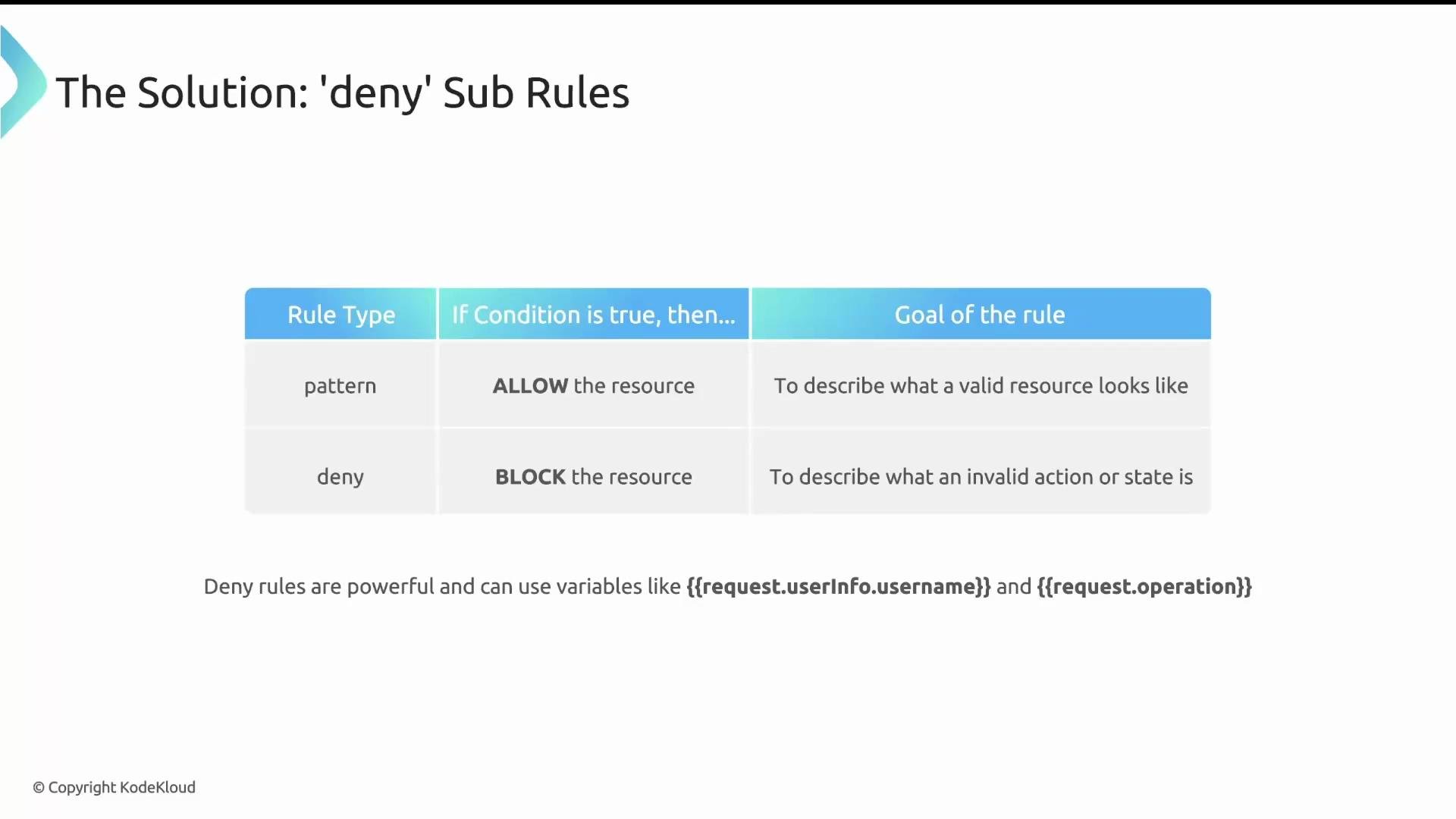
* `pattern` describes what a good resource looks like; if it matches, Kyverno allows the request.
* `deny` describes what constitutes a forbidden situation; if a deny condition evaluates to true, Kyverno blocks the request.
Deny rules evaluate the admission request context — for example, `request.userInfo.username`, `request.operation`, or anything inside `request.object`. If a deny condition becomes true, Kyverno denies the request.
Deny rules may reference admission request variables and JMESPath expressions to look at real-time values such as `request.operation`, `request.userInfo.username`, or fields inside `request.object`.
In other words, Alex needs conditional logic with access to the admission request context. Deny rules provide exactly that.
Key conceptual shift:
* `pattern` describes what a good resource looks like; if it matches, Kyverno allows the request.
* `deny` describes what constitutes a forbidden situation; if a deny condition evaluates to true, Kyverno blocks the request.
Deny rules evaluate the admission request context — for example, `request.userInfo.username`, `request.operation`, or anything inside `request.object`. If a deny condition becomes true, Kyverno denies the request.
Deny rules may reference admission request variables and JMESPath expressions to look at real-time values such as `request.operation`, `request.userInfo.username`, or fields inside `request.object`.
 How deny rules are constructed
* Place a `deny` block inside the rule's `validate` section.
* Inside `deny`, define `conditions`.
* Choose the logical grouping: `any` (OR) or `all` (AND).
* `any` denies the request if any single condition is true.
* `all` denies only if every condition is true.
* Each condition has a `key`, an `operator`, and a `value`.
* Keys and values can reference admission request variables using JMESPath.
Table: Pattern vs Deny — quick comparison
| Concept | Pattern (allow-by-match) | Deny (block-by-condition) |
| ----------: | --------------------------- | ----------------------------------------------------------- |
| Purpose | Define valid resource shape | Define forbidden request conditions |
| Evaluates | `request.object` fields | `request.object`, `request.operation`, `request.userInfo.*` |
| Logic | Match → allowed | Condition true → denied |
| Typical use | Ensure resource compliance | Block operations by role, action, or runtime context |
Example: deny conditions that inspect ConfigMap fields
```yaml theme={null}
validate:
message: "Main message if any condition fails."
deny:
conditions:
any:
- key: "{{request.object.data.team}}"
operator: Equals
value: "eng"
message: "ConfigMaps for team 'eng' are protected."
- key: "{{request.object.data.unit}}"
operator: Equals
value: "green"
```
If the ConfigMap's `data.team` equals `"eng"` or `data.unit` equals `"green"`, the condition becomes true and Kyverno denies the request.
Practical policy: block deletes for CI/CD-managed ConfigMaps (except cluster-admin)
Alex needs to prevent deletes for ConfigMaps labeled as managed by the CI/CD system, but still allow cluster admins to perform deletes. The solution combines `match`, `exclude`, and `deny`:
* `match` limits which resources the rule considers.
* `exclude` prevents certain actors (e.g., cluster admins) from being affected.
* `deny` inspects the admission request (for example, `request.operation`) and blocks as needed.
Example cluster policy:
```yaml theme={null}
apiVersion: kyverno.io/v1
kind: ClusterPolicy
metadata:
name: deny-deletes-for-managed-resources
spec:
rules:
- name: block-deletes
# Only consider resources with this label
match:
resources:
selector:
matchLabels:
app.kubernetes.io/managed-by: kyverno
# Ignore requests made by cluster admins
exclude:
clusterRoles:
- cluster-admin
validate:
message: "Deleting this managed resource is not allowed."
deny:
conditions:
any:
- key: "{{request.operation}}"
operator: Equals
value: "DELETE"
```
Flow summary
1. `match` restricts the rule to resources labeled `app.kubernetes.io/managed-by=kyverno`.
2. `exclude` ensures requests from the `cluster-admin` role are ignored.
3. `deny` evaluates `request.operation`. If it equals `DELETE`, the deny condition becomes true and Kyverno denies the request.
Result: a non-admin user attempting to delete a CI/CD-managed ConfigMap will be blocked.
Empty `deny` (an unconditional deny)
A common pattern is to use an empty `deny` block. This is an unconditional deny: if a request reaches that rule (after `match` and `exclude`), Kyverno will block it immediately.
```yaml theme={null}
# At the rule or policy level, set validationFailureAction to "enforce" if required
validationFailureAction: enforce
validate:
message: "Updating/deleting the resource is not allowed"
deny: {}
```
Use an empty `deny: {}` with caution. It will unconditionally block any request that reaches the rule, so ensure `match` and `exclude` are precise.
Best practices and tips
* Use `match` and `exclude` to narrowly target the resources and users affected by the rule.
* Prefer specific deny conditions (using `any`/`all`) over an unconditional `deny: {}` unless you truly want a default-deny behavior.
* Test deny rules in a staging cluster before enforcing them in production.
* Reference admission fields using JMESPath: common keys include `request.operation`, `request.userInfo.username`, `request.userInfo.groups`, and fields inside `request.object` or `request.oldObject`.
Links and references
* [Kyverno documentation — Validation](https://kyverno.io/docs/writing-policies/validate/)
* [JMESPath tutorial](https://jmespath.org/tutorial.html)
That's it for deny rules — they let you express powerful, context-aware policies by evaluating the full admission request in real time.
How deny rules are constructed
* Place a `deny` block inside the rule's `validate` section.
* Inside `deny`, define `conditions`.
* Choose the logical grouping: `any` (OR) or `all` (AND).
* `any` denies the request if any single condition is true.
* `all` denies only if every condition is true.
* Each condition has a `key`, an `operator`, and a `value`.
* Keys and values can reference admission request variables using JMESPath.
Table: Pattern vs Deny — quick comparison
| Concept | Pattern (allow-by-match) | Deny (block-by-condition) |
| ----------: | --------------------------- | ----------------------------------------------------------- |
| Purpose | Define valid resource shape | Define forbidden request conditions |
| Evaluates | `request.object` fields | `request.object`, `request.operation`, `request.userInfo.*` |
| Logic | Match → allowed | Condition true → denied |
| Typical use | Ensure resource compliance | Block operations by role, action, or runtime context |
Example: deny conditions that inspect ConfigMap fields
```yaml theme={null}
validate:
message: "Main message if any condition fails."
deny:
conditions:
any:
- key: "{{request.object.data.team}}"
operator: Equals
value: "eng"
message: "ConfigMaps for team 'eng' are protected."
- key: "{{request.object.data.unit}}"
operator: Equals
value: "green"
```
If the ConfigMap's `data.team` equals `"eng"` or `data.unit` equals `"green"`, the condition becomes true and Kyverno denies the request.
Practical policy: block deletes for CI/CD-managed ConfigMaps (except cluster-admin)
Alex needs to prevent deletes for ConfigMaps labeled as managed by the CI/CD system, but still allow cluster admins to perform deletes. The solution combines `match`, `exclude`, and `deny`:
* `match` limits which resources the rule considers.
* `exclude` prevents certain actors (e.g., cluster admins) from being affected.
* `deny` inspects the admission request (for example, `request.operation`) and blocks as needed.
Example cluster policy:
```yaml theme={null}
apiVersion: kyverno.io/v1
kind: ClusterPolicy
metadata:
name: deny-deletes-for-managed-resources
spec:
rules:
- name: block-deletes
# Only consider resources with this label
match:
resources:
selector:
matchLabels:
app.kubernetes.io/managed-by: kyverno
# Ignore requests made by cluster admins
exclude:
clusterRoles:
- cluster-admin
validate:
message: "Deleting this managed resource is not allowed."
deny:
conditions:
any:
- key: "{{request.operation}}"
operator: Equals
value: "DELETE"
```
Flow summary
1. `match` restricts the rule to resources labeled `app.kubernetes.io/managed-by=kyverno`.
2. `exclude` ensures requests from the `cluster-admin` role are ignored.
3. `deny` evaluates `request.operation`. If it equals `DELETE`, the deny condition becomes true and Kyverno denies the request.
Result: a non-admin user attempting to delete a CI/CD-managed ConfigMap will be blocked.
Empty `deny` (an unconditional deny)
A common pattern is to use an empty `deny` block. This is an unconditional deny: if a request reaches that rule (after `match` and `exclude`), Kyverno will block it immediately.
```yaml theme={null}
# At the rule or policy level, set validationFailureAction to "enforce" if required
validationFailureAction: enforce
validate:
message: "Updating/deleting the resource is not allowed"
deny: {}
```
Use an empty `deny: {}` with caution. It will unconditionally block any request that reaches the rule, so ensure `match` and `exclude` are precise.
Best practices and tips
* Use `match` and `exclude` to narrowly target the resources and users affected by the rule.
* Prefer specific deny conditions (using `any`/`all`) over an unconditional `deny: {}` unless you truly want a default-deny behavior.
* Test deny rules in a staging cluster before enforcing them in production.
* Reference admission fields using JMESPath: common keys include `request.operation`, `request.userInfo.username`, `request.userInfo.groups`, and fields inside `request.object` or `request.oldObject`.
Links and references
* [Kyverno documentation — Validation](https://kyverno.io/docs/writing-policies/validate/)
* [JMESPath tutorial](https://jmespath.org/tutorial.html)
That's it for deny rules — they let you express powerful, context-aware policies by evaluating the full admission request in real time.